What does starting a new chat mean in ChatGPT?
Quick answer
A new chat in ChatGPT is a fresh conversation that sees none of your earlier messages. You start one by clicking New chat. Inside one chat, ChatGPT can see everything you both wrote. In a new chat it starts from a blank page and knows only what you tell it, plus anything saved in memory if that is on.
Last updated
Take the free module →Module 6 of the free ChatGPT for Everyday Work course, about 9 minutes. No account needed.
Updated · By Robert Breen
Why it matters for a small business
The choice between a new chat and the same chat decides two costs. Stay in the same chat when your next request builds on the last answer and you save re-pasting facts. Start a new chat when the topic or the customer changes and you avoid carrying old details into new answers.
A simple rule from the free lesson: keep going when it builds, start fresh when it changes. Memory can still carry some details between chats, so do not rely on a new chat as a privacy wall. See ChatGPT memory and Temporary Chat.
New chat or same chat?
| Situation | Choose | Why |
|---|---|---|
| The customer changes the headcount on the same quote | Same chat | ChatGPT already has the facts |
| You need a text message for the same customer | Same chat | It uses the updated numbers |
| A different customer needs a quote | New chat | Old details cannot leak into the new answer |
The rows come from the free stop-losing-context lesson.
In a real lesson: New Chat in ChatGPT or Keep Going? How to Stop Losing Context
In the free Stop Losing Context lesson, an office manager quotes Oakwood Library (a made-up customer) for a staff breakfast. The library changes its headcount from 80 to 100. She tells ChatGPT in the same chat, and the quote is redone without pasting anything again. A text to Sam then uses the new headcount.
Then a different customer, Pine Ridge Rotary, needs a quote. She clicks New chat, attaches that customer's facts file and sends the request. Nothing about the library comes along. The lesson says to check the numbers against the fact sheet either way.
Try this lesson free or read the step-by-step guide.
Common confusions
New chat vs Temporary Chat
A new chat is saved in your history like any other. A Temporary Chat does not appear in your history and ignores memory. They solve different problems.
New chat vs deleting the old one
Opening a new chat leaves the old one where it was, with everything in it. Cleaning up is a separate step, covered in the clear-history lesson.
Tips
- One customer, one chat. Name the chat after the customer so you can find it.
- Put the facts in the chat you are using. Do not count on ChatGPT remembering across chats.
Related terms
More AI assistants terms
Where you use it: free lessons
- New Chat in ChatGPT or Keep Going? How to Stop Losing Context (ChatGPT, 9 min)
- Clear Client Data Out of ChatGPT Before It Becomes a Problem: Delete Chats, Clear Memory and Use Temporary Chat (ChatGPT, 10 min)
- Start Here: How Stepthrough Works (Stepthrough, 2 min)
- Chatbase: Answer Customer FAQs with an AI Agent (Chatbase, 15 min)
Watch it in a free lesson: How to Create a Project in ChatGPT for Your Brand Voice and Files
 3:29
ChatGPT Projects: Your Brand Voice in One Place: video walkthrough
Set up a ChatGPT Project with your brand voice instructions, your price list and your style guide, so every new chat already knows your business. The whole lesson narrated step by step, recorded in Stepthrough’s simulated practice environment.
Prompt templates that use it
Visual guides
New chat in a few slides, with the same guide written out as text.
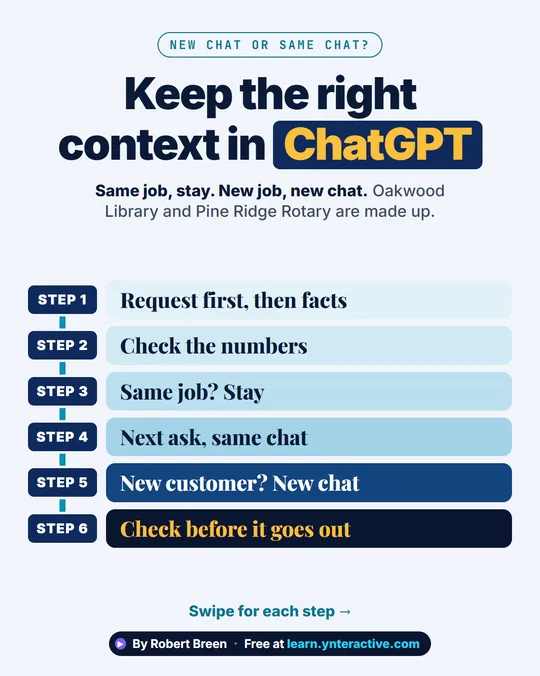 ChatGPT: New Chat or Same Chat? Decide in 6 Steps
A step-ladder guide to ChatGPT context: stay in the same chat when the job is the same, start a new chat for a new customer, and check the numbers.
Step-by-step guide 8 slides
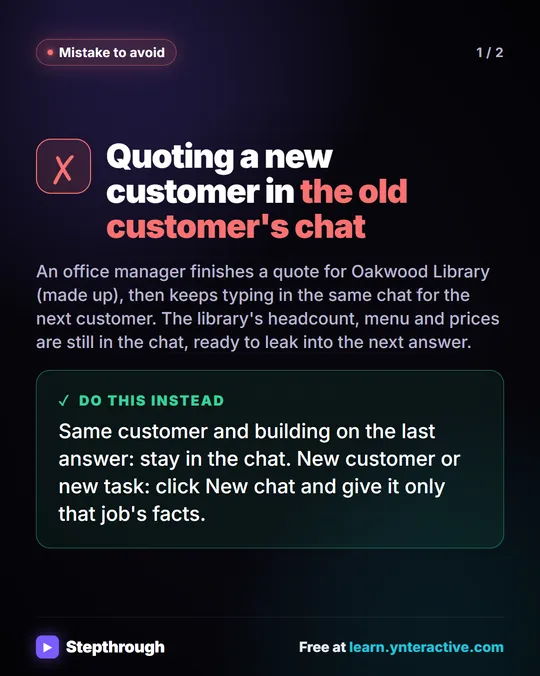 Mistake: One ChatGPT Chat for Every Customer
A visual guide to a common ChatGPT mistake: quoting a second customer in the first customer's chat. Start a new chat for each customer.
Mistake to avoid 2 slides
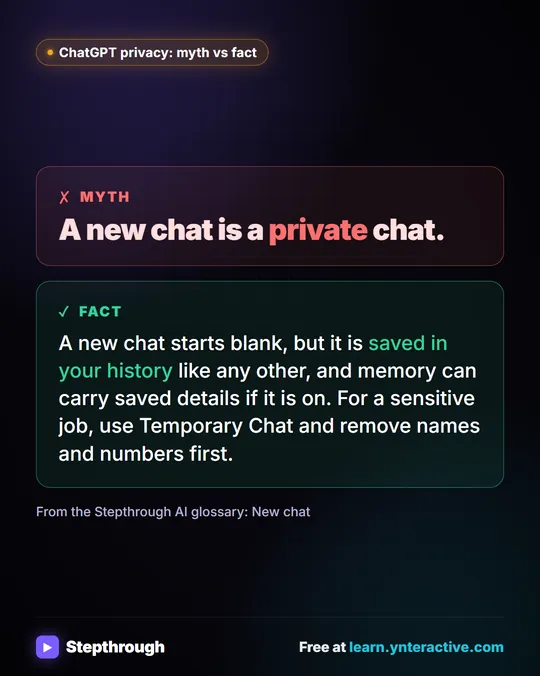 Myth: A New ChatGPT Chat Is a Private Chat
Myth vs fact: a new ChatGPT chat is saved like any other and memory can carry details. For a sensitive job, use Temporary Chat and remove names first.
Myth vs fact One graphic
Frequently asked questions
- How do I start a new chat in ChatGPT?
- Click New chat. A blank conversation opens, and your current chat stays saved in your history so you can go back to it.
- Does ChatGPT remember my old chats in a new chat?
- Not automatically. A new chat starts blank. If memory is turned on in your settings, ChatGPT may carry some saved details between chats, so do not rely on it for work facts.
- What is a brand new chat in ChatGPT?
- A brand new chat is an empty conversation you open with New chat. None of the messages from your other chats are in it, so ChatGPT works only from what you type, plus saved memories or chat history references if those settings are on.
- Why is it recommended to begin a new chat for an unrelated task?
- Everything earlier in a chat shapes the next answer. An unrelated task can pick up old facts, a draft you rejected or the wrong customer's details. A new chat starts clean. More examples in new chat vs same chat.
- Does starting a new chat delete the old one?
- No. The old chat stays in your sidebar with everything in it. To remove it, delete it, or archive it to hide it. Archiving does not delete it.