What is chat history in ChatGPT?
Quick answer
Chat history is the list of your previous conversations in an AI tool like ChatGPT, kept in the sidebar so you can reopen and continue any chat later. Anything you pasted into those chats is still in the history until you delete it, which matters when the chat held client names, numbers or files.
Last updated
Take the free module →Module 4 of the free AI at Work: Start Here course, about 10 minutes. No account needed.
Updated · By Robert Breen
Why it matters for a small business
History is convenient, and that is the risk. A payroll export pasted last Tuesday is still sitting in the sidebar today, readable by anyone who uses that login. Cleaning up is easy to get half right: deleting a chat does not delete what ChatGPT saved to memory, and a shared link to a chat can outlive the plan to remove it.
The safe habit has three parts. Keep sensitive work out of history by using Temporary Chat. Clean up the rare mistake by deleting the chat and the memory it left behind. Review shared links on a schedule. See Temporary Chat, saved memories and archived chats.
What each cleanup action does
| Action | Removes | Leaves behind |
|---|---|---|
| Delete a chat | That conversation from your history | Any saved memory about it |
| Delete a saved memory | That one remembered detail | The chat itself |
| Archive a chat | Hides it from the sidebar | Everything: archive deletes nothing |
| Delete a shared link | Others' access to the chat | Your original chat |
Based on the free clear-history and data controls lessons. Menu names change, so confirm in your own account.
In a real lesson: Clear Client Data Out of ChatGPT Before It Becomes a Problem: Delete Chats, Clear Memory and Use Temporary Chat
In the free Clear Client Data Out of ChatGPT lesson, Morgan at Calloway & Reyes CPAs (a made-up firm) deletes a chat that held a client's name, an account ending 4417 and a balance. The saved memory about that client is still in the list, so Morgan opens the saved memories and deletes that one entry.
Morgan avoids Delete all chats and Delete all memories, which would wipe the useful items too. If the firm needs a record first, it uses Export data before deleting anything.
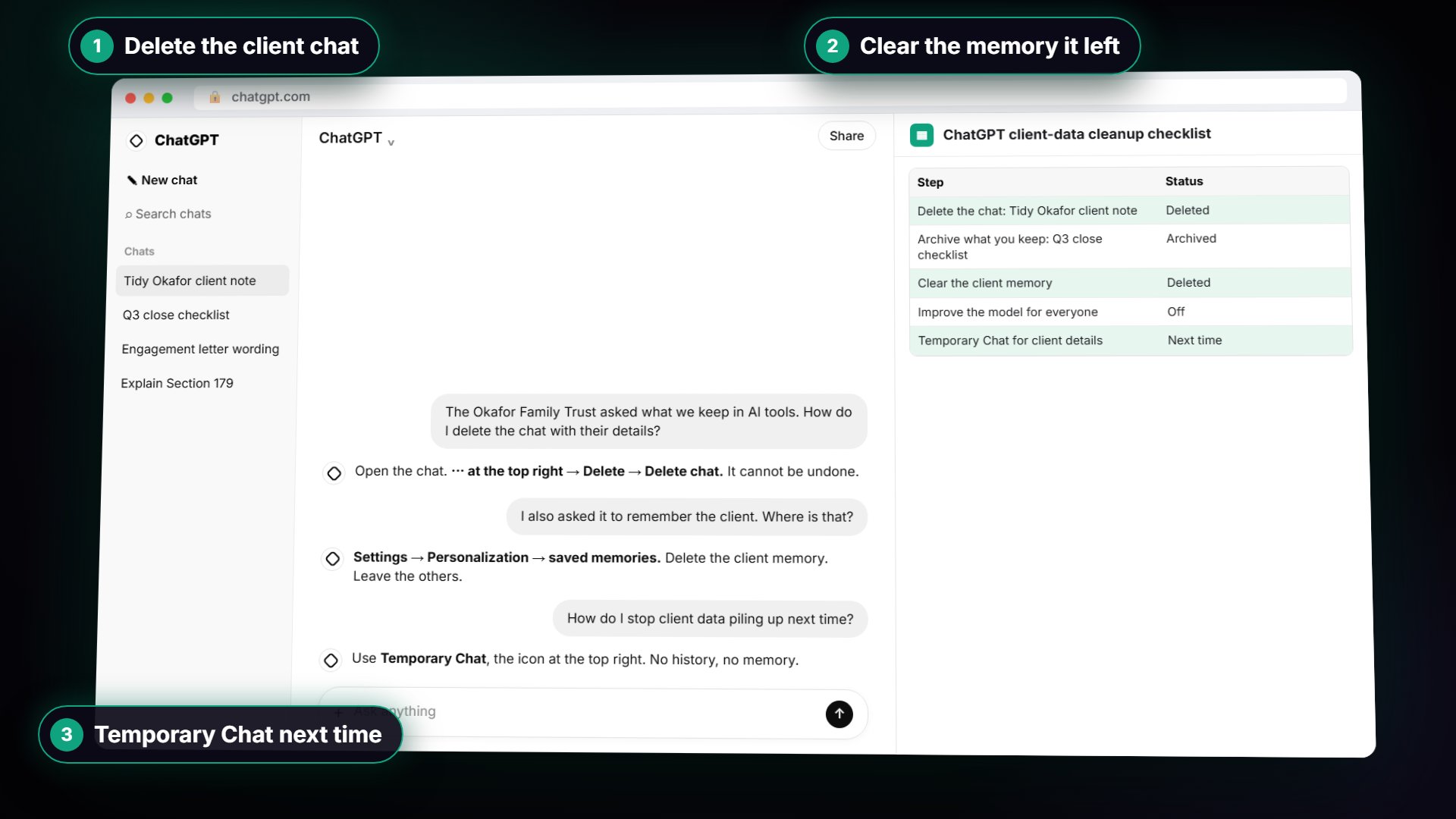
Try this lesson free or read the step-by-step guide.
Common confusions
Chat history vs memory
History is the record of whole conversations. Memory is a short list of facts ChatGPT saved to personalize answers. Clearing one does not clear the other.
Chat history vs training
Whether your chats can be used to improve models is a separate Data controls setting. Deleting history and turning training off are two different controls.
Tips
- Start sensitive jobs in Temporary Chat so there is nothing to clean up.
- After a mistake, delete the one chat and the one memory. Skip Delete all.
- Export your data first if you might need a record.
Related terms
More AI assistants terms
Where you use it: free lessons
- Clear Client Data Out of ChatGPT Before It Becomes a Problem: Delete Chats, Clear Memory and Use Temporary Chat (ChatGPT, 10 min)
- ChatGPT Data Controls: How to Turn Off Training and Protect Client Data (ChatGPT, 10 min)
- Strawberry: Sort the Quote Inbox Every Morning and Approve Every Reply (Strawberry, 9 min)
- Strawberry: Check Minimum-Wage Rules Every Monday and Approve Every Change (Strawberry, 8 min)
Watch it in a free lesson: ChatGPT Data Controls: How to Turn Off Training and Protect Client Data
 3:05
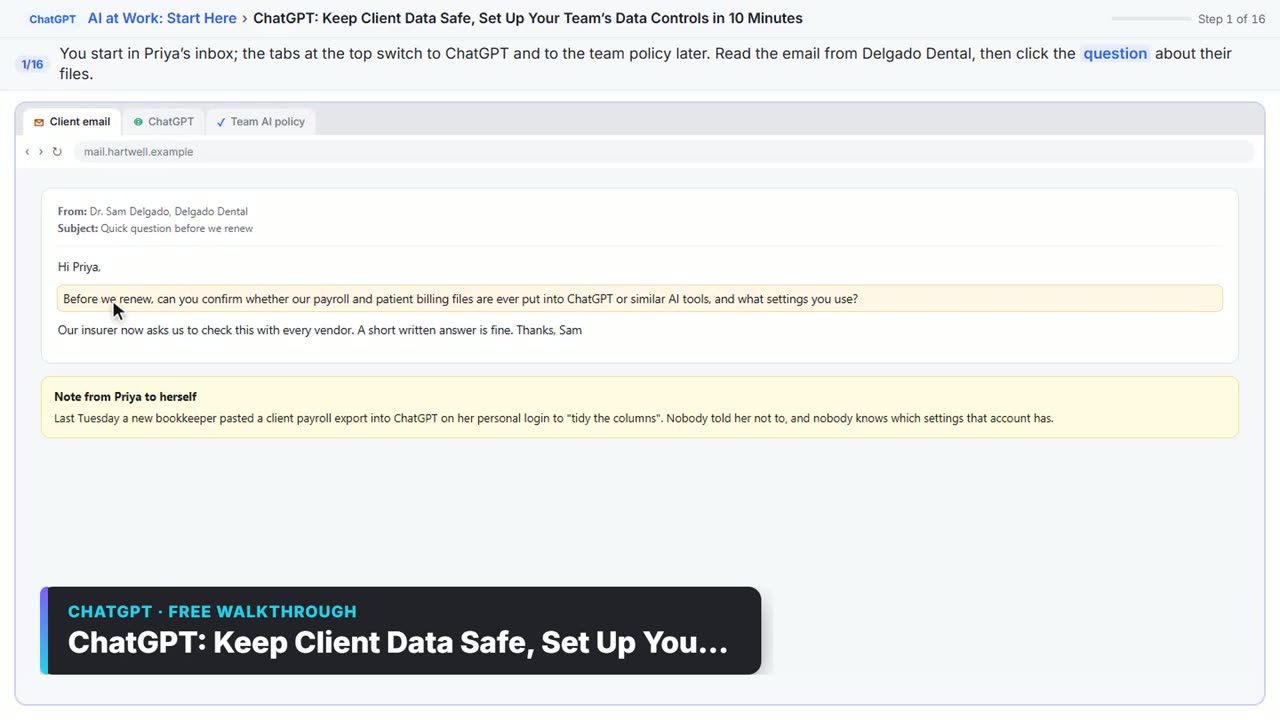
ChatGPT: Keep Client Data Safe, Set Up Your Team’s Data Controls in 10 Minutes: video walkthrough
A client asks if their files go into ChatGPT. Answer with confidence: set the data controls, memory, Temporary Chat and shared links, then hand your team a one-page AI policy. The whole lesson narrated step by step, recorded in Stepthrough’s simulated practice environment.
Visual guide
Chat history in a few slides, with the same guide written out as text.
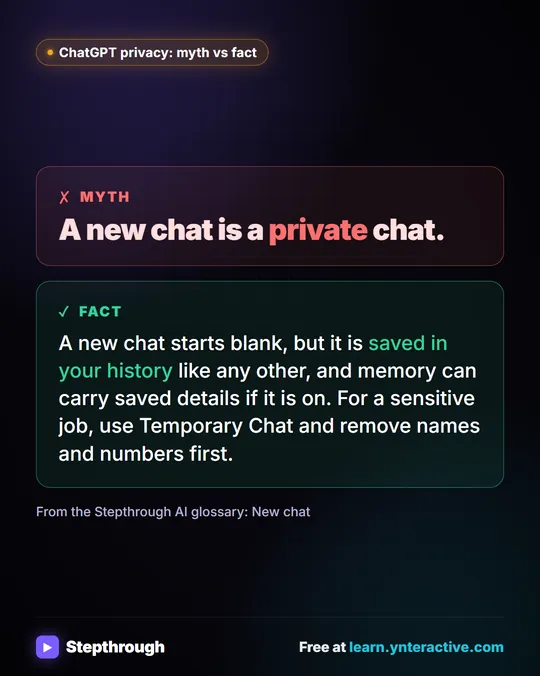 Myth: A New ChatGPT Chat Is a Private Chat
Myth vs fact: a new ChatGPT chat is saved like any other and memory can carry details. For a sensitive job, use Temporary Chat and remove names first.
Myth vs fact One graphic
Frequently asked questions
- Where do I find my ChatGPT history?
- Your previous conversations are listed in the left sidebar, newest first. Click one to reopen it and keep going. Archived chats are hidden from that list but kept in Settings until you delete them.
- Can ChatGPT see my previous conversation history in a new chat?
- A new chat starts without the old conversation in it. Depending on your memory settings and plan, ChatGPT may draw on saved memories or past chats, but don't rely on that for work facts. Paste the facts you need, or continue the old chat instead.
- Does deleting a chat remove it permanently?
- The delete dialog in the lesson warns that deleting cannot be undone, and it says deleted chats are removed within 30 days. Check your own account for the current wording.
- Should I archive chats with client data?
- No. Archiving only hides a chat from the sidebar. Delete chats that should not be kept.
- Can my team see my chat history?
- Anyone who uses your login can. That is one reason shared work logins need clear rules. Ask your admin about your plan.