The best AI video tools for marketing and social video in 2026
Quick answer
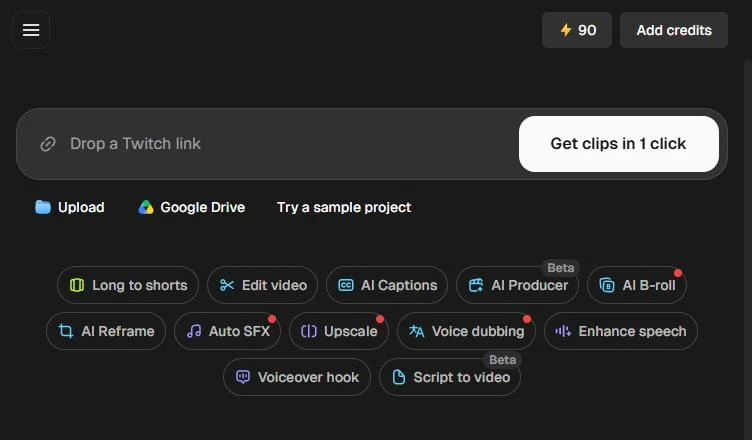
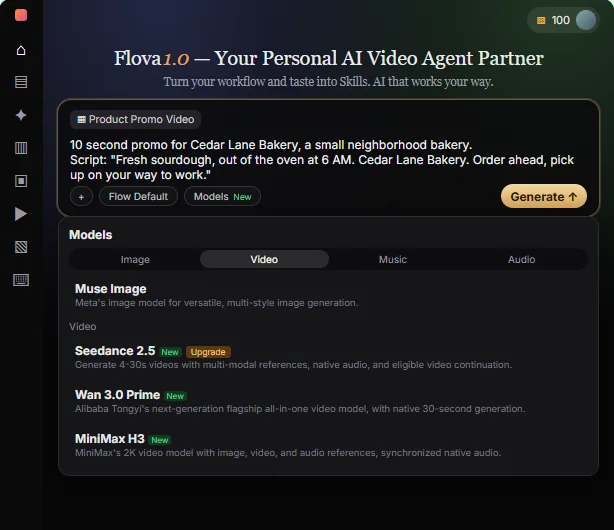
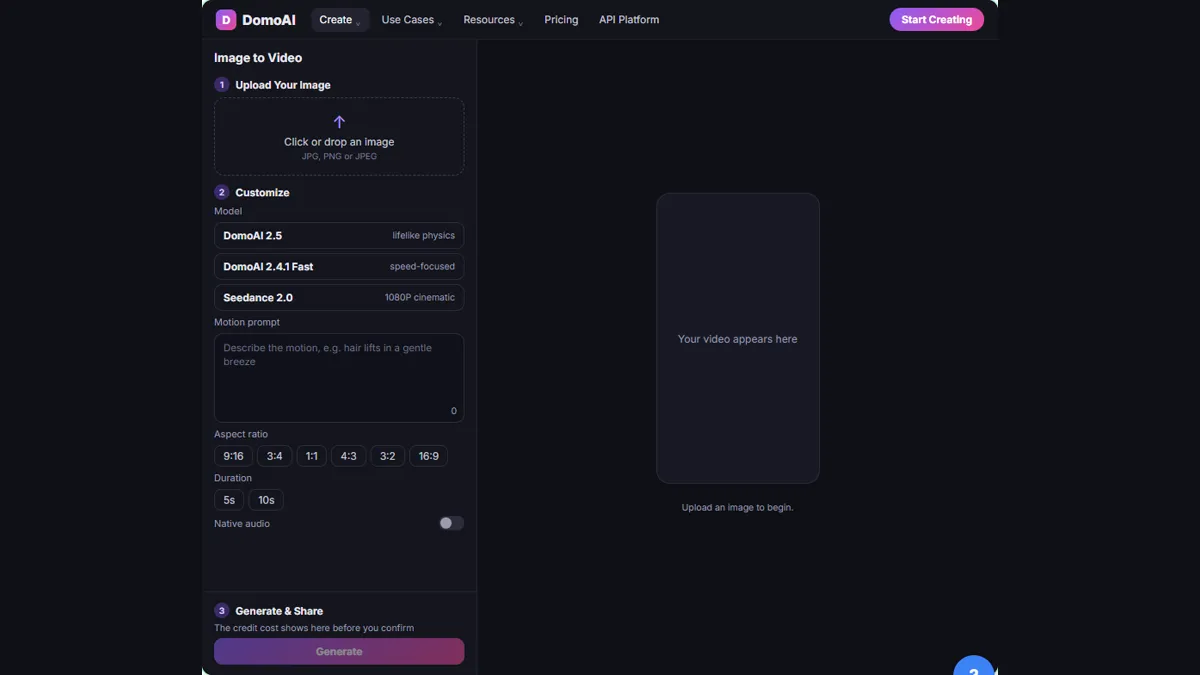
There is no single best AI video tool for marketing, because the jobs are different. As of November 2026, Opus Clip is best for cutting one long video into short clips, Captions for editing a talking-head video with captions in one pass, Flova for planning a promo video from a script with an AI agent before anything is generated, DomoAI for turning a product photo into a short video, Higgsfield for trying many image and video models (Kling, Seedance, Nano Banana and more) in one place for ads, 9:16 social clips and headshots, MaxVideoAI for paying per clip with a price quote before each one, PixelDojo for turning a product link or photo into a finished video ad from a template with its Marketing Studio, Renderforest for template-based explainers and promos, and Descript for editing video by editing its transcript.
Last updated · Last checked
Take the free module →Module 33 of the free AI Apps Worth Knowing course, about 10 minutes. No account needed.
This list is for marketing coordinators, consultants and small business owners who need video every week without a production team. Features come from each vendor's own pages as of October 2026, and prices and free plans from each vendor's own pricing page, rechecked on 18 November 2026. We built the Opus Clip, Captions, Flova, Higgsfield and Renderforest lessons on real screens in each app (October 2026) the MaxVideoAI lesson in its real Studio (November 2026) and the PixelDojo lesson in its real Marketing Studio (24 November 2026); DomoAI and Descript are compared from their vendors' own pages. Check each tool's commercial-use terms before you publish client work. Start with the free Opus Clip: Turn One Video into Ranked Social Clips lesson.
How do they compare at a glance?
| Tool | Best for | Starting price | Free plan | Verdict | Practice it free |
|---|---|---|---|---|---|
| Opus Clip | One long video into many short clips | $15/month (Starter) | Yes, limited (one clip a day, watermark on captions) | Pick it when you already have webinars or talks and need a week of shorts. | Ranked social clips |
| Captions | Talking-head videos for LinkedIn and Reels | $24.99/month (Max, iOS price on its page) | Yes, limited (basic editing, no AI credits) | Pick it if you film yourself and want captions, cleanup and trims in one pass. | Captioned LinkedIn clip |
| Flova | Planning a promo video from a script | See vendor pricing | Yes, limited (free agent chat allowance) | Pick it when you want a shot plan and a credit cost before anything is generated. | Plan a promo from a script |
| DomoAI | Product photos into motion | $9/month (Basic, billed yearly); $13 billed monthly | No | Pick it for shops turning still product photos into short motion clips. | Product photo to social video |
| Higgsfield | Social video ads from many AI models in one place | See vendor pricing | See vendor pricing | Pick it for product-photo ads and 9:16 social ads when you want to compare models on one credit balance. | Product photo to video ad, Text idea to 9:16 ad |
| MaxVideoAI | Paying per clip, with a quote first | Pay as you go; credits from $10 (5-second 720p clips from $0.39) | No (pay per clip; prices preview free as a guest) | Pick it for the odd product clip without a monthly plan. | Product photo to a short clip |
| PixelDojo | A product link or photo into a finished video ad | $10/month (Lite, 160 credits) | Yes, limited (three effects a day, watermark) | Pick it when you want a ready-to-post ad from a template, with voice-over, without writing prompts. | Holiday video ad from one product |
| Renderforest | Template explainers and promos | See vendor pricing | Yes, limited (vendor says start free; limits on its page) | Pick it for explainers and intros built from editable templates. | Product update explainer |
| Descript | Editing by transcript | $16/month (Hobbyist, billed yearly); $24 billed monthly | Yes, limited (60 media minutes a month, 720p with watermark) | Pick it if you edit recordings often and would rather edit words than a timeline. | Not yet |
Make an AI tool? We build a free, hands-on lesson for it. Request one →
Which AI video tool should a small marketing team start with?
Start with the video you already have. Most small businesses have webinars, client calls or talking-head recordings sitting unused. A clipping tool such as Opus Clip finds the strongest moments and reframes them for vertical feeds, so one recording becomes a week of posts. If the raw video needs cleanup first, Captions or Descript remove filler words and add captions.
Generate new footage second. DomoAI, Flova, Higgsfield, MaxVideoAI, PixelDojo and Renderforest create video from photos, scripts or templates, which helps when you have nothing to film. The content repurposing entry explains why the first route usually pays back faster.
Which AI video generator is best for social media ads?
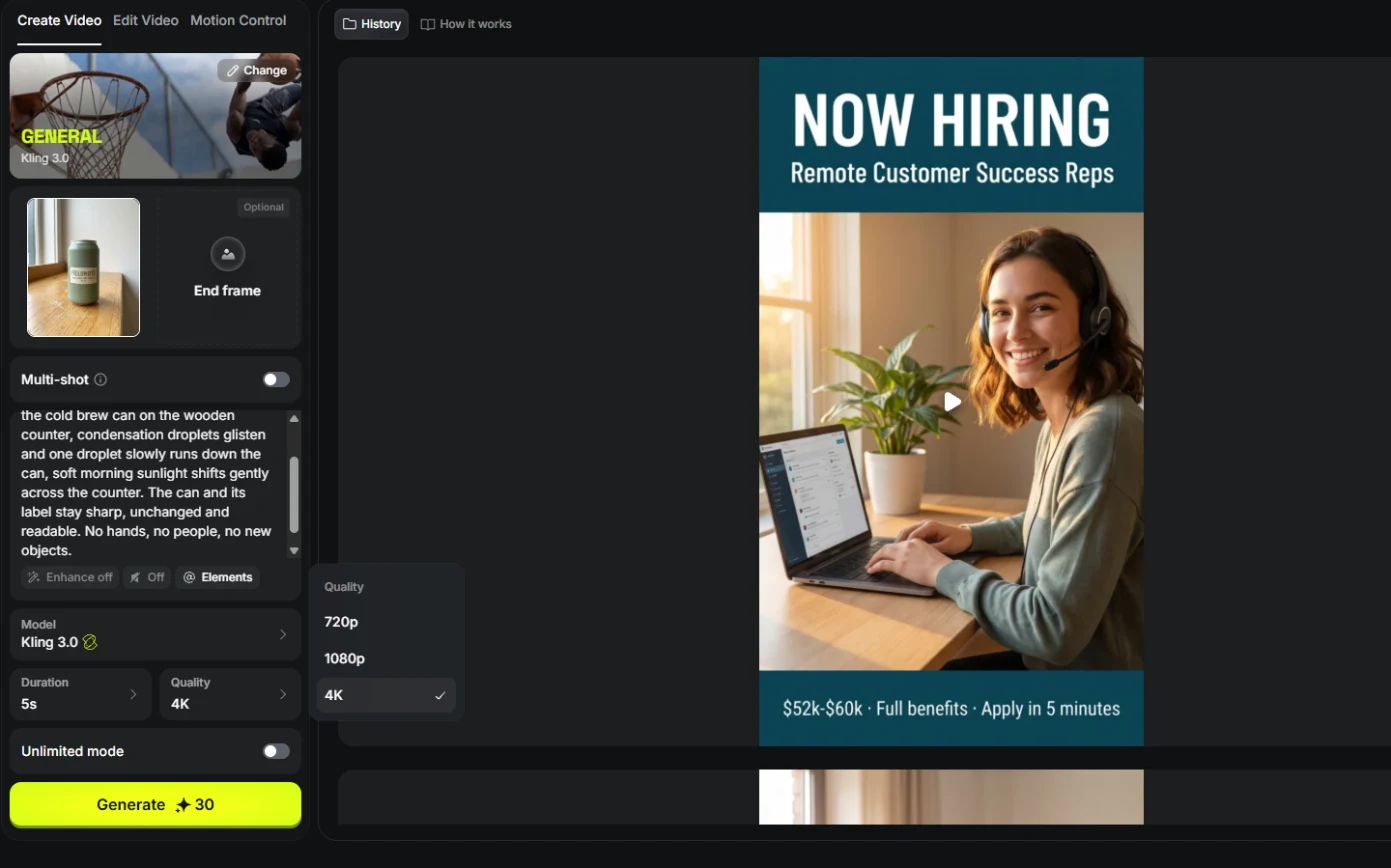
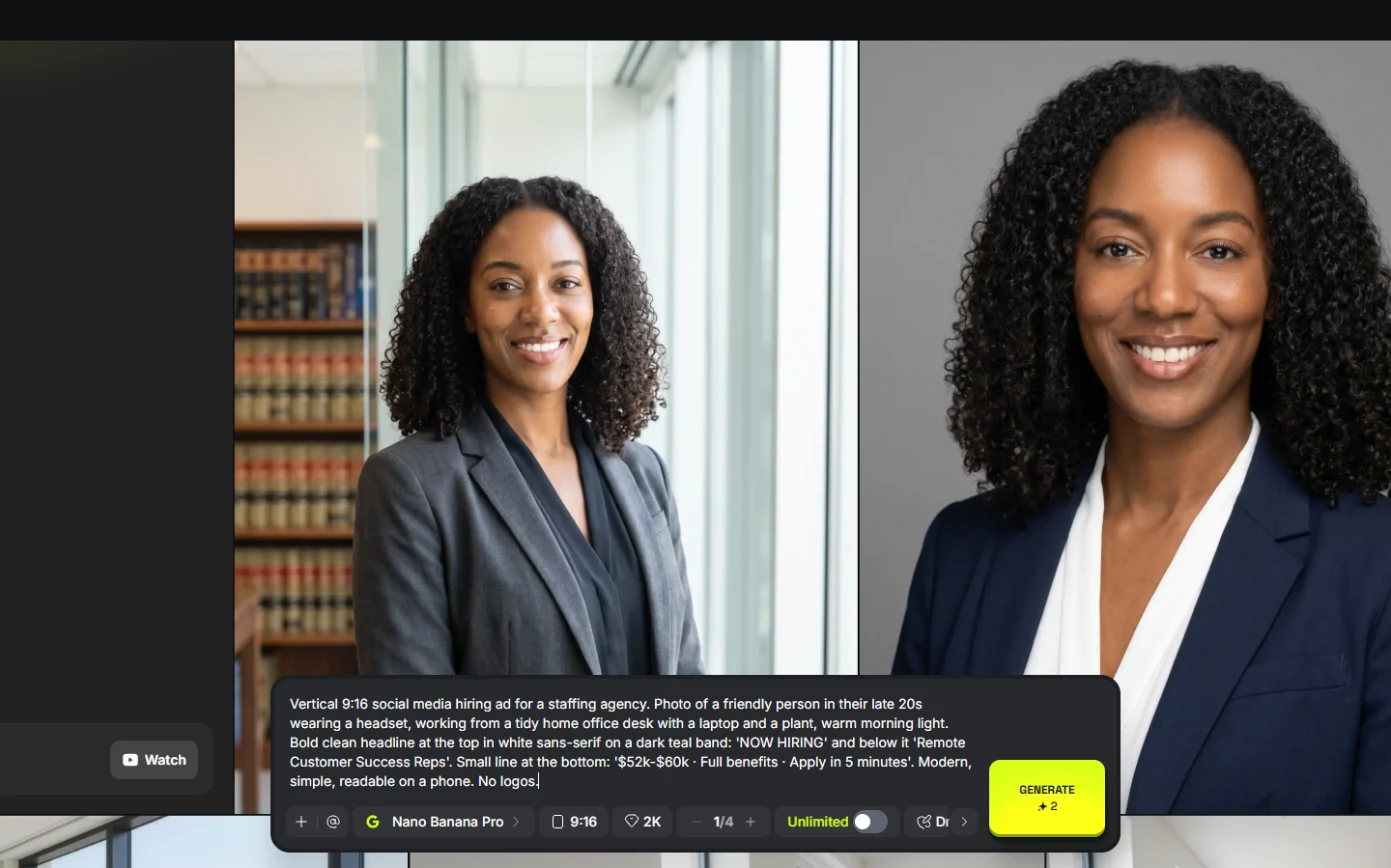
For short product ads, start from one good product photo. Higgsfield puts several video models in one place on credits; the free Higgsfield product photo lesson drafts on a cheaper model, catches a smeared label, and finishes in true 9:16, and the text idea to 9:16 ad lesson covers keeping the words right. MaxVideoAI charges per clip and shows a quote before you generate; the free MaxVideoAI lesson makes a 5-second vertical clip for $0.39. DomoAI also turns a photo into motion, as in the free DomoAI product photo lesson.
Whatever you generate, check every word and every product detail on screen before the ad runs, and follow your ad platform's rules for labeling AI content.
How much do AI marketing video tools cost?
As of 18 November 2026, on each vendor's own pricing page: Opus Clip has a free plan and Starter at $15 a month; Captions lists Max at $24.99 a month (iOS price); DomoAI starts at $9 a month billed yearly ($13 monthly) for 600 credits; Descript has a free plan and Hobbyist at $16 a month billed yearly ($24 monthly); and MaxVideoAI is pay as you go, with credits from $10 and 5-second 720p clips from $0.39.
Flova, Higgsfield and Renderforest load their prices in the browser, so we could not confirm a figure from their pages today; check them there before you buy.
How do AI clipping tools pick the best moments?
Opus Clip says its AI finds the best moments in a long video and rearranges them into a short clip, and its help center describes a Virality Score that rates each clip on hook, flow, value and trend. Treat the score as a starting point, not a verdict: you know which moment matters to your clients. The free Opus Clip lesson shows how to review the ranked clips before you post any of them. Descript also lists turning long videos into short clips.
Are AI avatars and generated video right for business content?
They work well for training, onboarding and product updates, where clarity matters more than a personal face. Captions lists AI avatars and digital twins, Renderforest lists AI avatar and text-to-video generators, and Descript's Underlord can turn documents or slides into explainers hosted by an AI avatar, as of October 2026. For client-facing social posts, your own face and voice usually build more trust. Whatever you generate, say so where your platform or industry expects it, and check every claim in the script.
How do you avoid wasting credits on generated video?
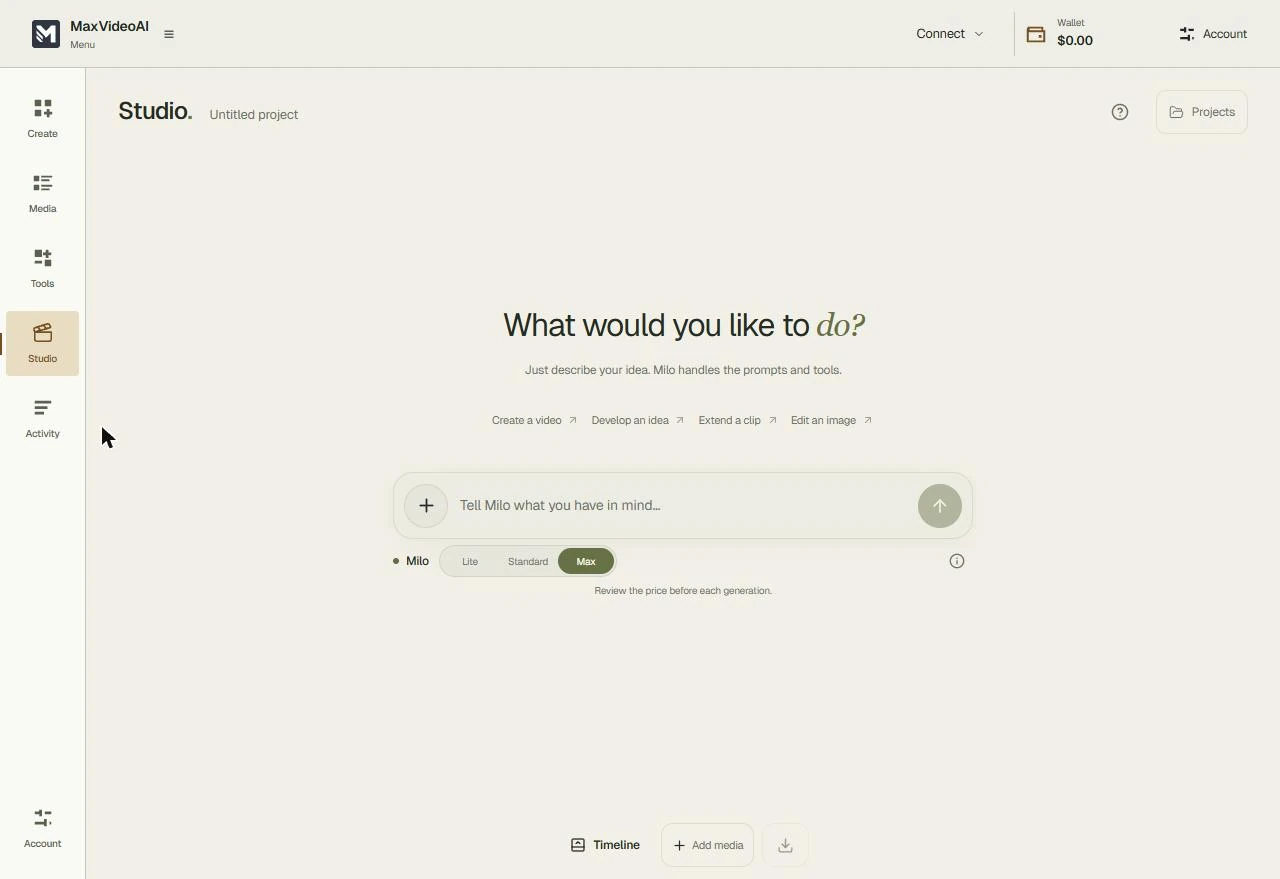
Plan before you generate. Flova's quick-start guide says its agent proposes a shot plan and waits for your OK before generating, and each revision is saved as a new version you can compare. The free Flova: plan a promo video from a script lesson is built around that habit. For DomoAI, start from one clean product photo and a short motion prompt, as in the free DomoAI product photo lesson. The Flova vs DomoAI comparison covers the two side by side. In Higgsfield, the credit cost shows on the Generate button before you spend anything, so draft on a cheaper video model and only finish on a stronger one once the motion looks right; the free Higgsfield product photo lesson walks through that draft-then-finish routine. MaxVideoAI's Milo assistant quotes the exact price of a clip before you confirm it, as in the free MaxVideoAI lesson.
Who is each one for?
Opus Clip
For anyone with long videos, such as webinars, podcasts or client talks, who wants ranked vertical clips with captions and brand templates. Free plan, or Starter at $15 a month, as of November 2026. Practise free in Opus Clip: Turn One Video into Ranked Social Clips. Official site: opus.pro. Directory card: Opus Clip.
Captions
For consultants and owners who film themselves and want one-pass editing, captions, eye contact correction and noise removal. Practise free in Turn a Raw Client Video into a Captioned LinkedIn Clip using Captions. Official site: captions.ai. Directory card: Captions.
Flova
For teams that want an AI agent to plan a promo from a script and wait for approval before it generates anything. Practise free in Flova: plan a promo video from a script before you spend a credit. Official site: flova.ai. Directory card: Flova.
DomoAI
For shops and product brands turning still photos into short motion clips, with restyling, avatars and upscaling. From $9 a month billed yearly, as of November 2026. Practise free in DomoAI: turn a product photo into a short video for social. Official site: domoai.app. Directory card: DomoAI.
Higgsfield
For marketers, agencies and small brands who want product-photo-to-video ads, 9:16 social clips and team headshots without juggling separate model subscriptions: Kling, Seedance, Nano Banana and other models sit in one place on credits-based plans. Practise free in the AI Video and Images for Business with Higgsfield course, starting with Turn One Product Photo into a 5-Second Video Ad using Higgsfield and Turn a Text Idea into a 9:16 Hiring Ad. Official site: higgsfield.ai. Directory page: Higgsfield.
MaxVideoAI
For marketers who need an occasional product clip and would rather pay per clip than per month: you top up a wallet (from $10), its Milo assistant compares models and quotes the price, and failed generations are recredited, as of November 2026. Practise free in MaxVideoAI: Turn a Product Photo into a Short Clip with Milo. Official site: maxvideoai.com.
PixelDojo
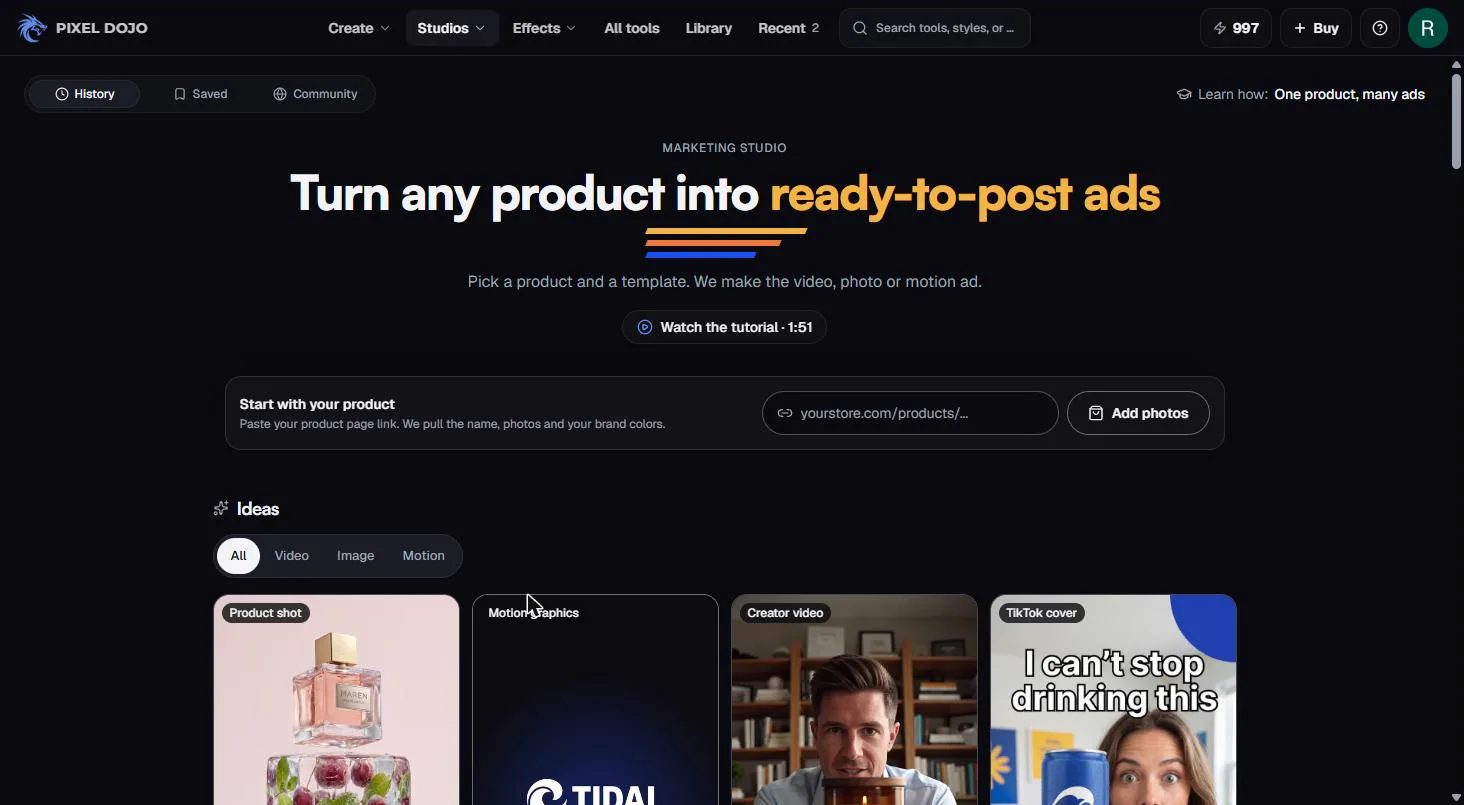
For small shops and brands that want a finished product ad rather than a raw clip: its Marketing Studio takes a product page link or a few photos, a template such as TV Spot or Creator Testimonial and one line of script, and makes a 9:16, 1:1 or 16:9 video ad with voice-over; the credit cost shows on the Generate button first. 60+ video models sit on the same balance. Free plan with three watermarked effects a day, or Lite at $10 a month for 160 credits, as of November 2026. Practise free in PixelDojo Marketing Studio: Turn One Product into a Holiday Video Ad. Official site: pixeldojo.ai. Directory card: PixelDojo.
Renderforest
For explainers, intros and promos built from editable templates, with text to video, AI voiceover and mobile apps. Practise free in Turn a Product Update into an Explainer Video using Renderforest. Official site: renderforest.com. Directory card: Renderforest.
Descript
For anyone who edits recordings often and would rather edit a transcript than a timeline, with AI cleanup and clip creation. Free plan, or Hobbyist at $16 a month billed yearly, as of November 2026. Official site: descript.com. Directory card: Descript.
Which of these tools have a free Stepthrough lesson?
- Opus Clip: free lesson: Opus Clip: Turn One Video into Ranked Social Clips
- Captions: free lesson: Turn a Raw Client Video into a Captioned LinkedIn Clip using Captions
- Flova: free lesson: Flova: Plan a Promo Video from a Script Before You Spend a Credit
- DomoAI: free lesson: DomoAI: Turn a Product Photo into a Short Video for Social
- Higgsfield: free lesson: How to Make a Video with Higgsfield from One Product Photo
- MaxVideoAI: free lesson: MaxVideoAI: Turn a Product Photo into a Short Clip with Milo
- PixelDojo: free lesson: PixelDojo Marketing Studio: Turn One Product into a Holiday Video Ad
- Renderforest: free lesson: How to Create a Video in Renderforest from a Product Update Clients Ignore
- Descript: a free Stepthrough lesson is coming.
Practice it free, step by step
Opus Clip: Turn One Video into Ranked Social Clips. A business case for any small team that records webinars or tips videos: upload one video, tell Opus Clip what to look for, pick captions and 9:16, and get ranked, captioned vertical clips in… You do every step yourself in a practice copy of Opus Clip, it checks your work as you go, and “Do it for me” finishes any step you get stuck on. Free, and nothing touches your real accounts.
Start the free lessonKey takeaways
- Pick by job: clip long videos (Opus Clip), edit talking heads (Captions, Descript), or generate new video (Flova, DomoAI, Higgsfield, MaxVideoAI, Renderforest).
- Repurposing video you already have usually pays back faster than generating new footage.
- As of November 2026, Opus Clip and Descript have free plans, and MaxVideoAI charges per clip with no monthly plan.
- Plan before you generate, and check each tool's commercial-use terms and every claim in the script before client work goes out.
Frequently asked questions
What are the best AI video tools for marketing?
By job, as of November 2026: Opus Clip for cutting long videos into shorts, Captions or Descript for editing talking-head videos, and Higgsfield, MaxVideoAI, DomoAI, Flova or Renderforest for making new video from photos, scripts or templates. Practise in the free Opus Clip lesson.
What is the best AI video generator for social media ads?
For product ads, start from one product photo. Higgsfield lets you draft on a cheaper model and finish on a stronger one, and MaxVideoAI quotes a price per clip before you generate, as of November 2026. Try the free Higgsfield product photo lesson or the free MaxVideoAI lesson.
What are the best AI tools to make marketing videos for a small business?
Start with video you already have: Opus Clip has a free plan and Starter at $15 a month, and Descript has a free plan, as of November 2026. For new video with no filming, Renderforest builds explainers from templates, as in the free Renderforest lesson.
Can AI add captions to my videos?
Yes. Opus Clip, Captions and Descript all list automatic captions as of October 2026. Check names, numbers and jargon before you post. The auto captions entry has tips.
Do I need video editing skills to use these tools?
No. Each Stepthrough lesson walks through the tool step by step in a practice copy, so you can learn the routine before you open your own account.
Where do these prices and features come from?
Every price and feature on this page was checked against the vendor's own page, as of November 2026. No numbers here are estimates or third-party figures. The example businesses in the Stepthrough lessons are made up.
- Opus Clip
- Opus Clip pricing
- Opus Clip help: Virality Score
- Captions
- Captions pricing
- Flova quick start
- Flova pricing
- DomoAI
- DomoAI pricing
- Higgsfield
- Higgsfield pricing
- MaxVideoAI
- MaxVideoAI pricing
- PixelDojo Marketing Studio
- PixelDojo pricing
- Renderforest
- Renderforest pricing
- Descript
- Descript pricing
- Descript Underlord