The best AI tools for Excel and Google Sheets in 2026
Quick answer
Spreadsheet AI does two different jobs: getting data into the sheet, and making sense of it once it is there. As of November 2026, Coefficient pulls live data from CRMs, databases and finance tools into Google Sheets and Excel, and Docparser pulls data out of PDFs and documents into a spreadsheet. For the analysis, Copilot in Excel and Gemini in Google Sheets write formulas, build charts and pivot tables inside the app you already use, Elyx is an AI agent add-in that does the same in the open Excel workbook from a plain-language request, ChatGPT analyzes an uploaded file and can run inside Excel and Sheets as a sidebar, and Claude for Excel works in a sidebar with cell-level citations.
Last updated · Last checked
Take the free module →Module 28 of the free AI Apps Worth Knowing course, about 12 minutes. No account needed.
This list is for analysts, bookkeepers, sales ops and managers who live in spreadsheets. Features come from each vendor's own pages, and prices from each vendor's own pricing pages, checked in November 2026. We built the Coefficient, Docparser and Elyx lessons on real screens in each app (October and November 2026), and the ChatGPT formula lesson from a real ChatGPT run; the other tools are compared from their vendors' own pages. Partner tools with a free Stepthrough lesson come first; that is not a ranking. Disclosure: Elyx is a Stepthrough partner. Check every total an AI gives you before you share it. Practise for free in Coefficient: Pull Live Pipeline Data into Google Sheets and Auto-Refresh It Daily.
How do they compare at a glance?
| Tool | Best for | Starting price | Free plan | Verdict | Practice it free |
|---|---|---|---|---|---|
| Coefficient | Live data into the sheet | $49/month (Starter) | Yes, limited (3 data sources, 50 manual refreshes a month) | Pick it when you rebuild the same report from CRM or database exports every week. | Live pipeline data in Sheets |
| Docparser | Documents into the sheet | $32.50/month (Starter, billed yearly) | No (14-day free trial, no card) | Pick it when the data arrives as PDF invoices, orders or statements. | Invoice data from PDFs |
| Copilot in Excel | Analysis inside Excel | $18/user/month (Microsoft 365 Copilot Business add-on, paid yearly, offer price to December 31, 2026; regular $21) | No | Pick it if your company already licenses Microsoft 365 Copilot. | Not yet |
| Elyx | Analysis inside Excel | €10/month (Plus, billed yearly) | No (7-day free trial, no card) | Pick it for an AI agent inside Excel when you have no Copilot license. | Plan vs shipped variance report |
| Gemini in Google Sheets | Analysis inside Google Sheets | $14/user/month (Google Workspace Business Standard, billed monthly) | No (Business Starter does not include it) | Pick it if your office already runs on Google Workspace. | Fill with Gemini, with sources |
| ChatGPT | Analysis of an uploaded file | $8/month (Go) | Yes, limited (see vendor for limits) | Pick it for a quick read of an exported file or help writing a formula. | Analyze a spreadsheet; Excel formulas from plain English |
| Claude for Excel | Models and error fixing in Excel | $17/month (Claude Pro, billed yearly; $20 monthly) | No (Pro, Max, Team and Enterprise only) | Pick it for building or checking financial models where every answer cites its cells. | Not yet (related: Claude's Excel skill: messy export to clean workbook) |
Make an AI tool? We build a free, hands-on lesson for it. Request one →
Which spreadsheet AI should I start with?
The one inside the app you already use. If your company licenses Microsoft 365 Copilot, Microsoft's help page says Copilot in Excel writes formulas, answers questions with charts and PivotTables, and has a plan mode that proposes changes before making them. If you are on Google Workspace, Google's help pages say Gemini in Sheets builds tables and charts, fixes formula errors and shows a preview you approve first. As of November 2026, Google's pricing page lists Gemini in Sheets from Business Standard ($14 per user a month, billed monthly), not Business Starter.
Add a separate tool for what the built-in AI does not do. Getting fresh data in every morning is Coefficient's job; pulling numbers out of 200 invoice PDFs is Docparser's. The pivot table entry is a good refresher if the AI suggests one.
How do I get live data into a spreadsheet automatically?
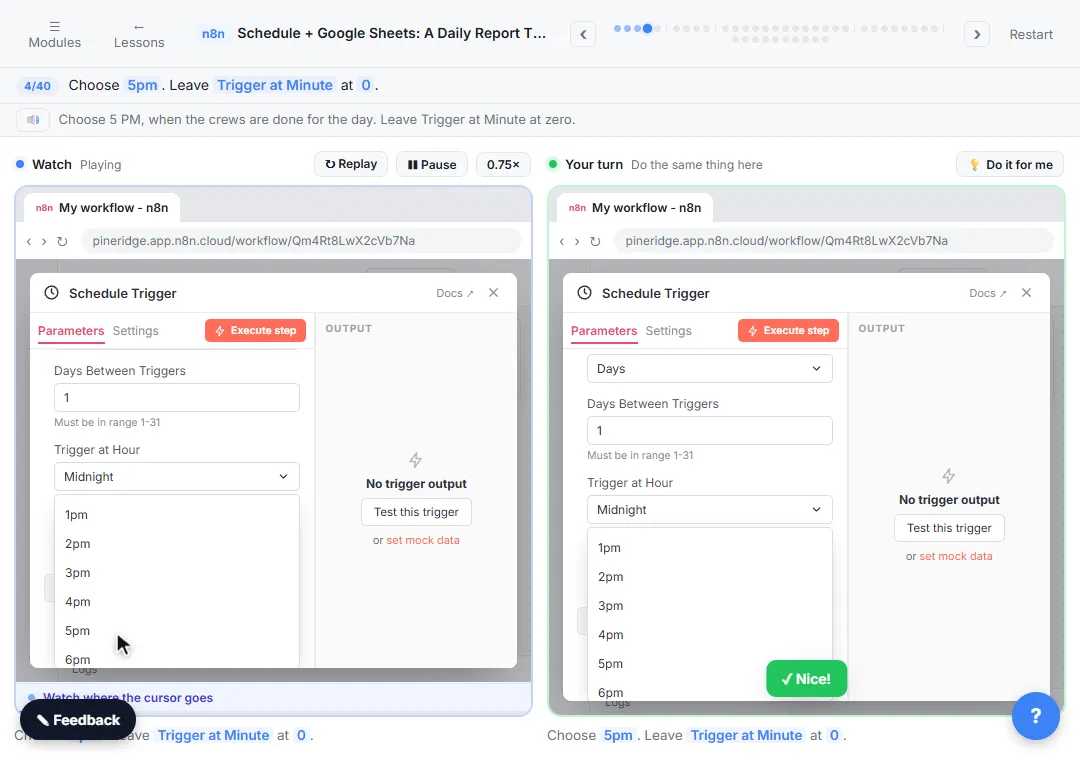
Use a connector instead of exporting and pasting. Coefficient lists live connections from CRMs such as Salesforce, HubSpot and Pipedrive, databases such as Snowflake and BigQuery, and finance tools such as QuickBooks and Stripe, into both Google Sheets and Excel. As of November 2026 its free plan covers 3 data sources and 50 manual refreshes a month, and Starter is $49 a month. The free Coefficient lesson, built on real Coefficient screens, connects a pipeline and sets it to refresh daily. If you would rather build it yourself, an automation tool can append rows on a schedule; the free n8n schedule and Sheets report lesson shows how.
Can AI turn PDFs and invoices into spreadsheet rows?
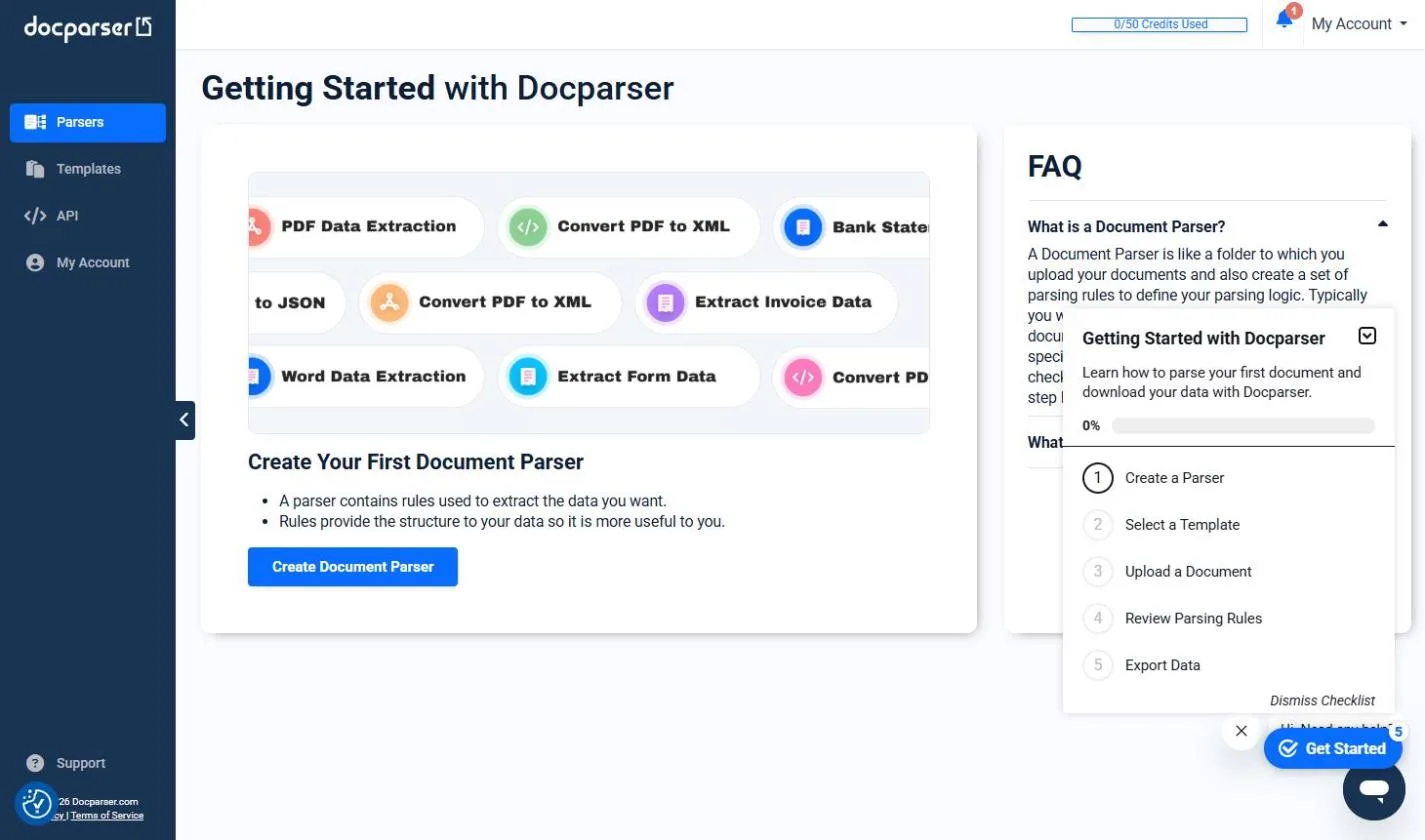
Yes, and it is one of the biggest time savers in an office. Docparser says it reads PDFs, Word files and images, including invoices, purchase orders and bank statements, and exports to Excel, CSV, JSON or XML. In our October 2026 run in a Docparser free trial, the downloaded CSV matched every vendor, invoice number, date and total on three sample invoices. The free Docparser: Pull Invoice Data from PDFs into a Spreadsheet lesson walks through that batch. The best AI document data extraction tools list compares Docparser with Parseur, Nanonets and the cloud options.
Is it better to upload a spreadsheet to ChatGPT or Claude?
Upload when you want a quick read of trends, a cleaned-up table or a chart, and you do not need the result to stay connected to the original file. OpenAI's help center says ChatGPT accepts XLSX, XLS, CSV and TSV files, summarizes trends and outliers, and writes and runs Python for some analysis. The free ChatGPT spreadsheet lesson practises it, and ChatGPT: Write Excel Formulas from Plain English gets SUMIFS and XLOOKUP explained from a real ChatGPT run.
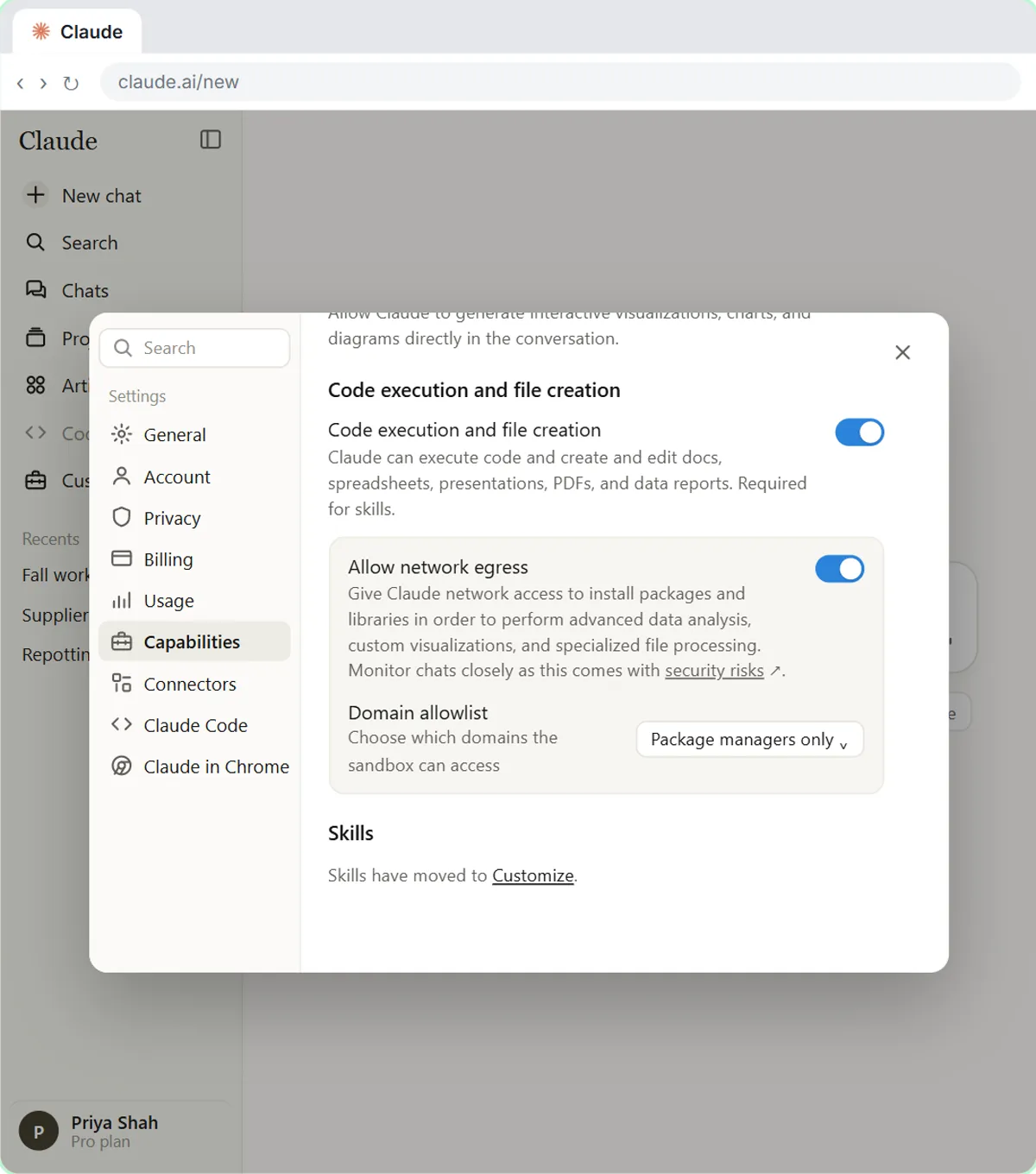
Work inside Excel when the model has to keep its formulas. Anthropic says Claude for Excel changes assumptions while keeping formula links, so dependent cells recalculate, and that its answers cite the cells they used. As of November 2026 it runs on Excel for the web, Windows and Mac for Pro, Max, Team and Enterprise plans, and does not support macros, VBA or data tables. The free messy export to clean Excel workbook lesson uses Claude's built-in Excel skill in claude.ai on a typical export cleanup.
Who is each one for?
Coefficient
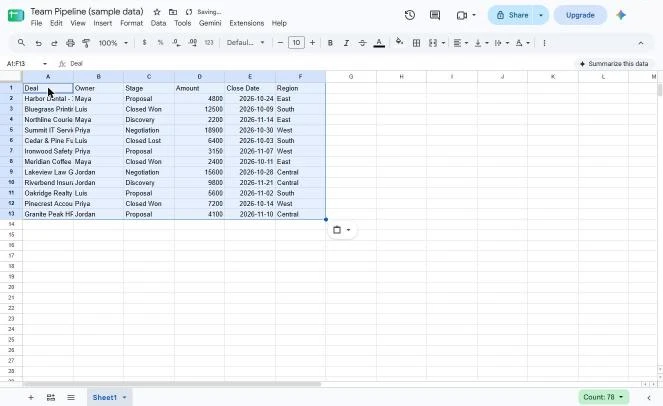
For sales ops, finance and managers who rebuild the same report from exports every week and want live, refreshing data in Sheets or Excel. As of November 2026 there is a free plan (3 data sources, 50 manual refreshes a month) and Starter is $49 a month. Practise free in Coefficient: Pull Live Pipeline Data into Google Sheets and Auto-Refresh It Daily, built on real Coefficient screens. Official site: coefficient.io. Directory card: Coefficient.
Docparser
For AP, operations and admin teams typing data out of invoices, purchase orders and statements. As of November 2026 Docparser offers a 14-day free trial with no card, and Starter is $32.50 a month billed yearly or $39 billed monthly. Practise free in Docparser: Pull Invoice Data from PDFs into a Spreadsheet, built on real Docparser screens. Official site: docparser.com. Directory card: Docparser.
Copilot in Excel
For Microsoft 365 offices with Copilot licenses that want formulas, charts and PivotTables built from a plain-English request. As of November 2026 the Microsoft 365 Copilot Business add-on is $18 per user a month paid yearly (offer price to December 31, 2026; regular $21). Official help: Get started with Copilot in Excel. Directory card: Microsoft Excel with Copilot.
Elyx
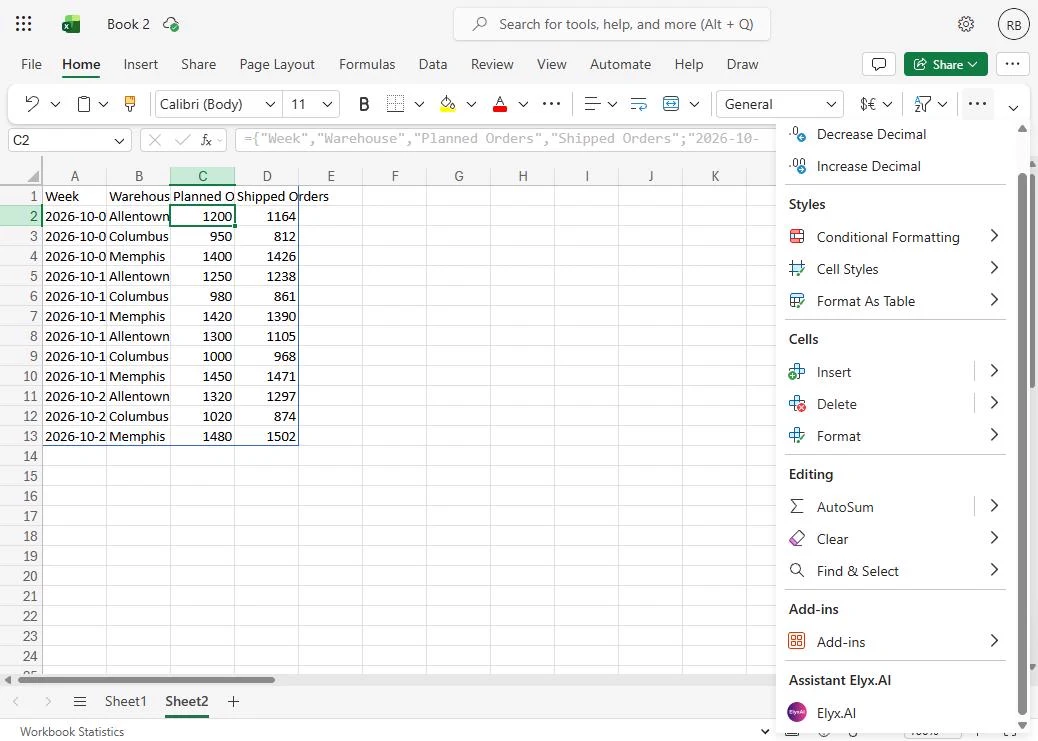
For Excel users without a Copilot license who want an AI agent in the workbook: describe the task in plain language and Elyx writes the formulas, cleans the data and builds the pivot tables and charts. Elyx says files and data are not kept after processing and are not used for model training, as of October 2026. As of November 2026 it has a 7-day free trial with no card, and Plus is €10 a month billed yearly. Practise free in Elyx: Build a Plan vs Shipped Variance Report Inside Excel, built on real Excel and Elyx screens. Official site: getelyxai.com. Directory card: Elyx.
Gemini in Google Sheets
For Google Workspace offices that want charts, tables and formula fixes from the Ask Gemini panel, with a preview before changes land. As of November 2026 Google lists it from Business Standard at $14 per user a month billed monthly. Practise free in Google Sheets: Fill with Gemini, with cell-level sources, a practice copy built from Google's own docs. Official help: Gemini in Google Sheets. Directory card: Google Sheets with Gemini.
ChatGPT
For a quick analysis of an exported file, with charts and a written summary, or as a sidebar inside Excel and Google Sheets. As of November 2026 there is a Free plan and paid plans start with Go at $8 a month. Practise free in the ChatGPT spreadsheet analysis lesson or ChatGPT: Write Excel Formulas from Plain English. Official help: Data analysis with ChatGPT. Directory card: ChatGPT.
Claude for Excel
For analysts building or checking models in Excel who want answers that cite cells and keep formula links intact. As of November 2026 it needs a Pro, Max, Team or Enterprise plan; Pro is $17 a month billed yearly. Official docs: Claude for Excel. Directory card: Claude.
Which of these tools have a free Stepthrough lesson?
- Coefficient: free lesson: Does Coefficient Pull Live Company Data into Google Sheets? Daily Refresh Setup
- Docparser: free lesson: Docparser: Pull Invoice Data from PDFs into a Spreadsheet
- Copilot in Excel: a free Stepthrough lesson is coming.
- Elyx: free lesson: Elyx: Build a Plan vs Actual Variance Report Inside Excel
- Gemini in Google Sheets: free lesson: Google Sheets: Fill a Research Column with Gemini and Check Its Sources
- ChatGPT: free lesson: Analyze a Spreadsheet with ChatGPT: Upload a CSV, Get a Chart and Three Takeaways
- Claude for Excel: a free Stepthrough lesson is coming.
Practice it free, step by step
Does Coefficient Pull Live Company Data into Google Sheets? Daily Refresh Setup. A business case for sales managers who copy the team pipeline into the weekly report by hand: price the Monday copy-and-paste, then use Coefficient to pull the pipeline into Google Sheets, pick the… You do every step yourself in a practice copy of Coefficient, it checks your work as you go, and “Do it for me” finishes any step you get stuck on. Free, and nothing touches your real accounts.
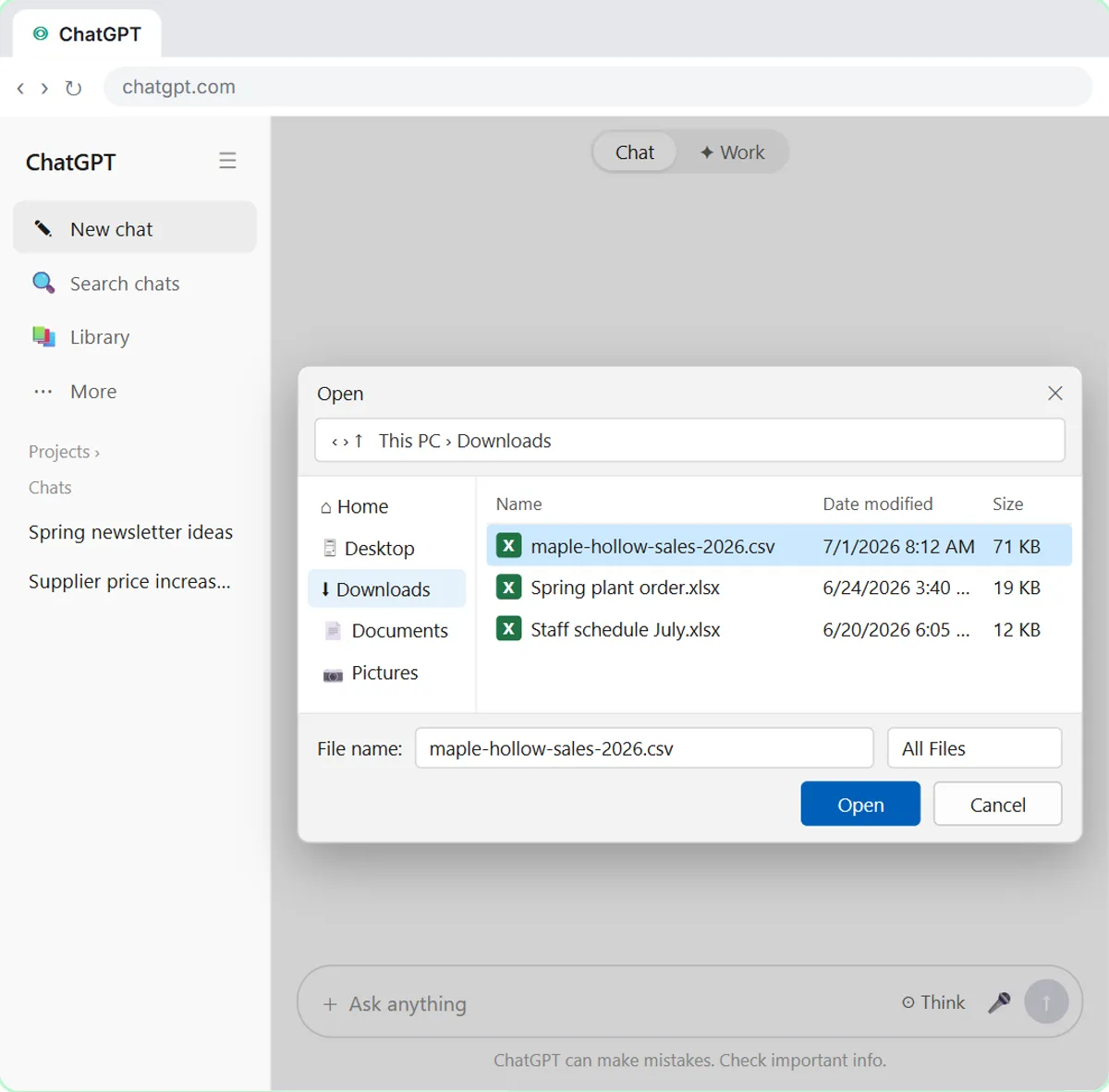
Start the free lessonWatch it in a free lesson: Analyze a Spreadsheet with ChatGPT: Upload a CSV, Get a Chart and Three Takeaways
 3:04
Analyze a Spreadsheet: video walkthrough
Upload a CSV of sales to ChatGPT, have it check the data first, ask your questions, get a chart you can download, and finish with the three takeaways that matter. The whole lesson narrated step by step, recorded in Stepthrough’s simulated practice environment.
Key takeaways
- Separate the two jobs: getting data in (Coefficient, Docparser) and making sense of it (Copilot, Elyx, Gemini, ChatGPT, Claude).
- Start with the AI inside the spreadsheet you already use, and add a connector for live data.
- As of November 2026, Coefficient and ChatGPT have free plans; Docparser and Elyx have free trials.
- Claude for Excel keeps formula links and cites cells; ChatGPT analyzes uploaded files and runs Python.
- Check every total and formula an AI gives you before you share it.
Frequently asked questions
What are the best AI tools for Excel and Google Sheets?
Inside Excel: Copilot in Excel if your company licenses it, or the Elyx and Claude for Excel add-ins. Inside Google Sheets: Gemini on Workspace Business Standard and up. For live data in either, Coefficient; for data that arrives as PDFs, Docparser. That is the picture as of November 2026. Try the live-data side in the free Coefficient lesson.
What is the best AI tool to write spreadsheet formulas?
The AI inside your spreadsheet first: Copilot in Excel writes formulas from a request, and Gemini in Sheets fixes formula errors. Without those, ChatGPT writes and explains formulas such as SUMIFS and XLOOKUP if you describe your columns. Test each formula on a few rows you can check by hand. Practise in the free ChatGPT Excel formulas lesson.
What is the best AI for analyzing data in Google Sheets?
Gemini in Google Sheets if your office has Google Workspace Business Standard or above: it builds tables and charts and summarizes a sheet. To pull fresh data into Sheets first, use Coefficient, which has a free plan as of November 2026. For a one-off look at an export, upload it to ChatGPT.
Can AI turn PDF invoices into a spreadsheet?
Yes. Docparser reads PDFs, Word files and images and exports Excel or CSV. Practise it in the free Docparser lesson.
Can I ask questions about my spreadsheet in plain English?
Yes. Copilot, Gemini, Elyx, ChatGPT and Claude all answer plain-English questions about your data. The free n8n Talk to Google Sheets lesson builds a chat assistant over a sheet.
Where do these prices and features come from?
Every price and feature on this page was checked against the vendor's own page, as of November 2026. No numbers here are estimates or third-party figures. The example businesses in the Stepthrough lessons are made up.
- Coefficient
- Coefficient pricing
- Docparser
- Docparser pricing
- Microsoft: Get started with Copilot in Excel
- Microsoft 365 Copilot pricing
- Elyx
- Elyx pricing
- Google: Gemini in Google Sheets
- Google: AI function in Sheets
- Google Workspace pricing
- OpenAI: Data analysis with ChatGPT
- OpenAI: ChatGPT for Excel and Google Sheets
- ChatGPT plans and pricing
- OpenAI: ChatGPT pricing (plan prices)
- Anthropic: Claude for Excel
- Claude pricing