The best AI email assistants for a busy work inbox in 2026
Quick answer
The best AI email assistant is usually the one built into the inbox you already use, plus one specialist for the job that eats your day. Gemini in Gmail and Copilot in Outlook summarize threads and draft replies inside Google Workspace and Microsoft 365; Lindy triages mail and drafts replies in your voice for you to review, on Gmail or Outlook; Superhuman prepares a draft reply for each email and summarizes every conversation; Town is an AI assistant whose Auto-inbox routine labels mail and drafts replies, with approvals you can set to ask before anything is sent; and ChatGPT drafts from your notes in a separate chat. Two helpers round it out: Wispr Flow lets you dictate replies in any app, and no2bounce cleans a list before a big send. As of November 2026, Gemini in Gmail comes with Google Workspace from $7 per user a month, and Lindy's Team plan starts at $29.99 a month per seat.
Last updated · Last checked
Take the free module →Module 13 of the free AI Apps Worth Knowing course, about 14 minutes. No account needed.
This list is for small business owners, account managers, office managers, recruiters and anyone who answers dozens of client emails a day. We built the Lindy, Wispr Flow and no2bounce lessons on real screens in each app (October 2026); the other tools are compared from their vendors' own pages. Features were checked in October 2026 and prices in November 2026. Disclosure: Stepthrough has an affiliate relationship with Lindy, and Town is a sponsored entry (marked Sponsored; the verdict is our own). There are no affiliate links on this page. Practise for free in Answer Client Emails in Half the Time using Lindy.
How do they compare at a glance?
| Tool | Best for | Starting price | Free plan | Verdict | Practice it free |
|---|---|---|---|---|---|
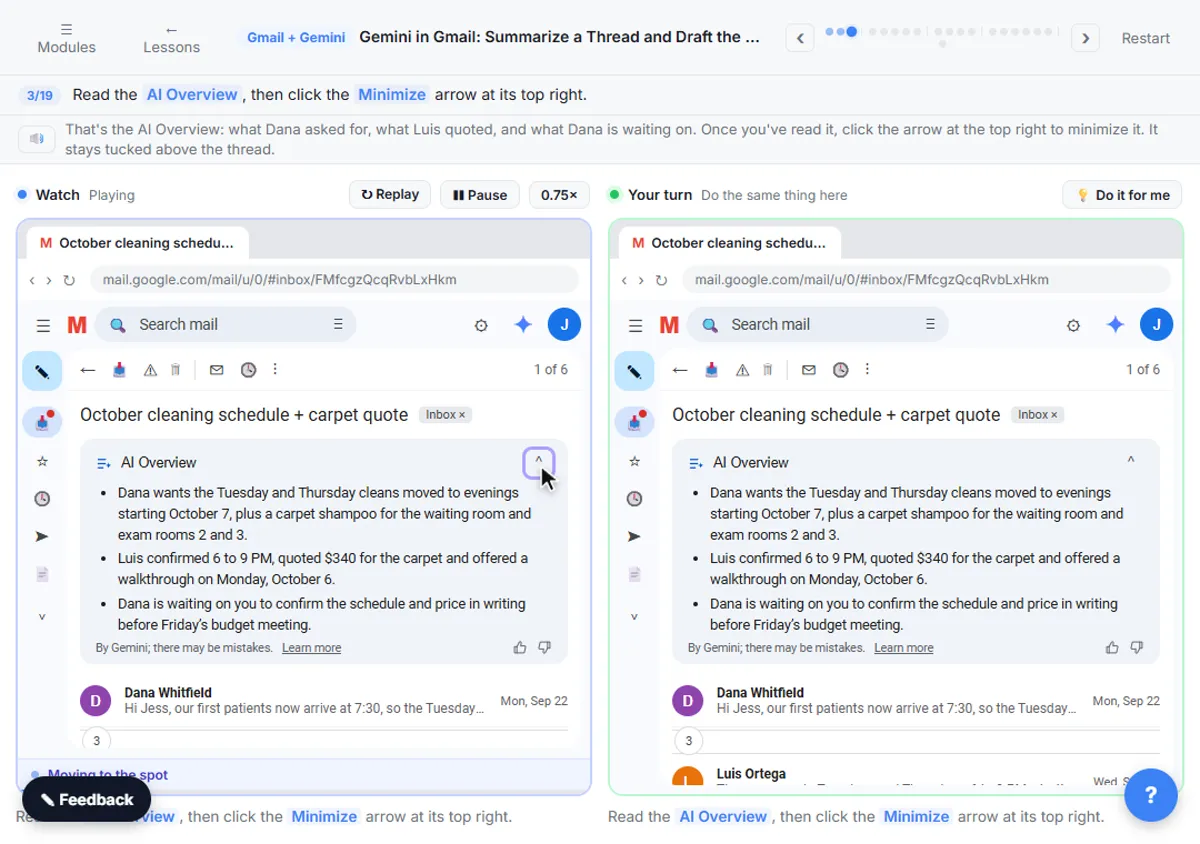
| Gemini in Gmail | Google Workspace inboxes | $7/user/month (Google Workspace Business Starter, which includes Gemini in Gmail) | No (needs an eligible Google Workspace or Google AI plan) | Pick it first if your company already uses Google Workspace. | Summarize a thread and draft the reply |
| Copilot in Outlook | Microsoft 365 inboxes | See vendor pricing | See vendor pricing (ask your IT admin about Copilot access) | Pick it first if your company already licenses Microsoft 365 Copilot. | Not yet |
| Lindy | An assistant that triages and drafts for you | $29.99/month per seat (Team, 3,000 credits) | Yes, limited ($50 of credits that last 7 days) | Pick it when you want drafts waiting in your voice before you open Gmail or Outlook. | Client email replies |
| Superhuman | People who live in their inbox | $33/member/month (Business, billed annually, which includes Superhuman Mail); $40 billed monthly | No (Superhuman Mail is in the Business and Enterprise plans) | Pick it if you handle hundreds of emails a day and want a draft on every one. | Not yet |
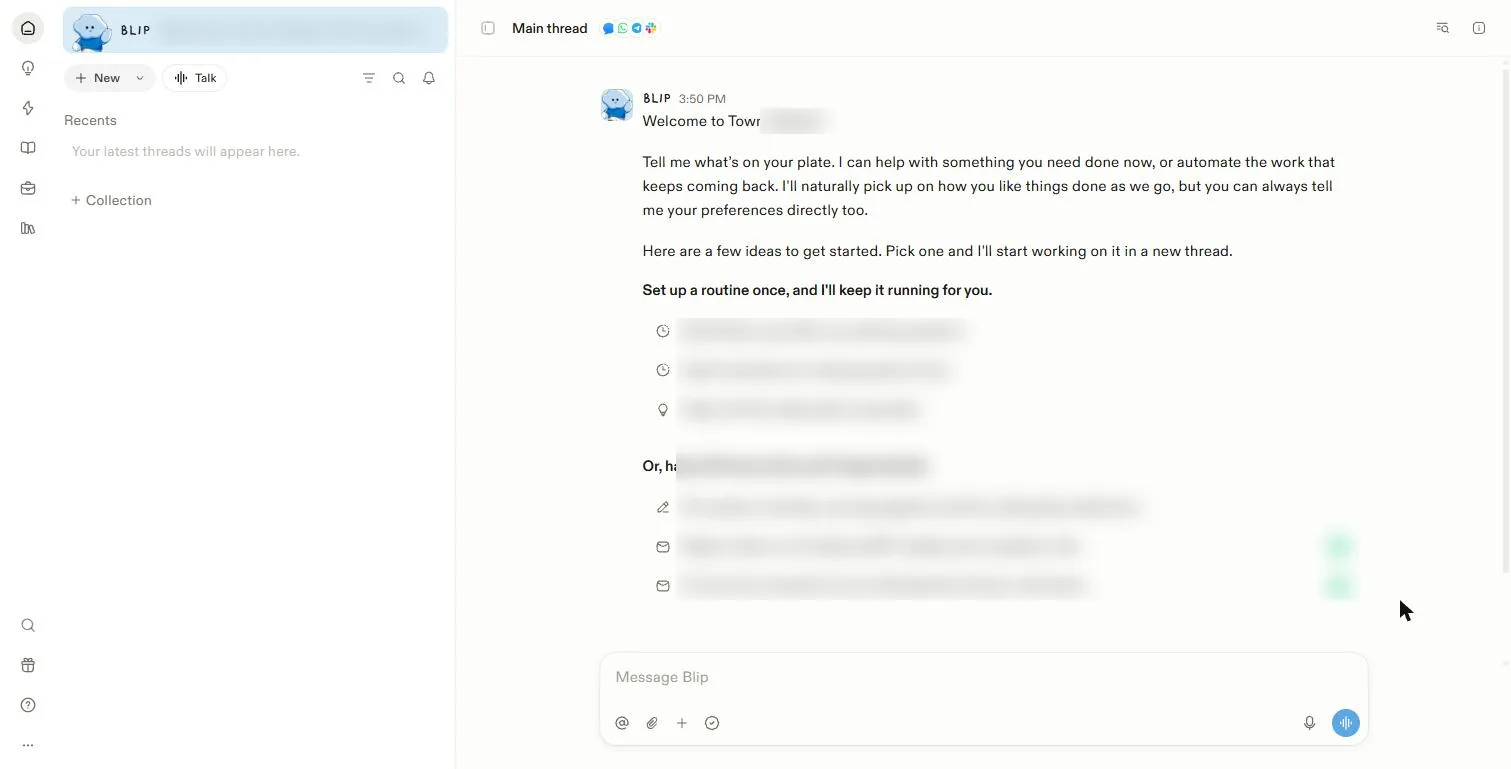
| Town Sponsored | An assistant that labels mail and drafts replies, and asks first | $15/month (Starter, billed monthly); Pro $49/month billed annually | Yes, limited (30 messages to your Townie over 30 days, plus a 7-day Pro trial) | Pick it when you want an assistant across Gmail, Calendar and Drive, with approvals set before it sends. | Inbox triage and draft replies |
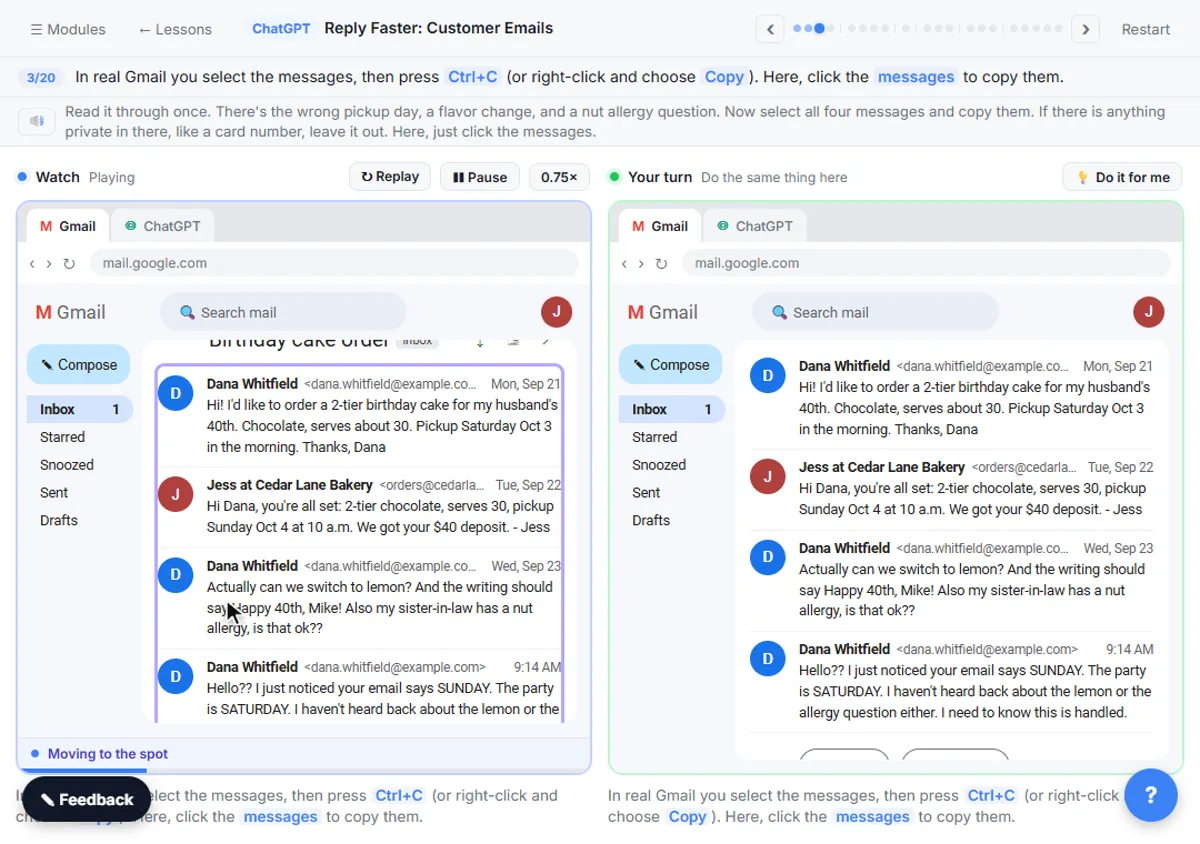
| ChatGPT | Hard replies drafted from your notes | See vendor pricing | Yes, limited | Pick it for the occasional hard reply, drafted from your notes. | Reply faster |
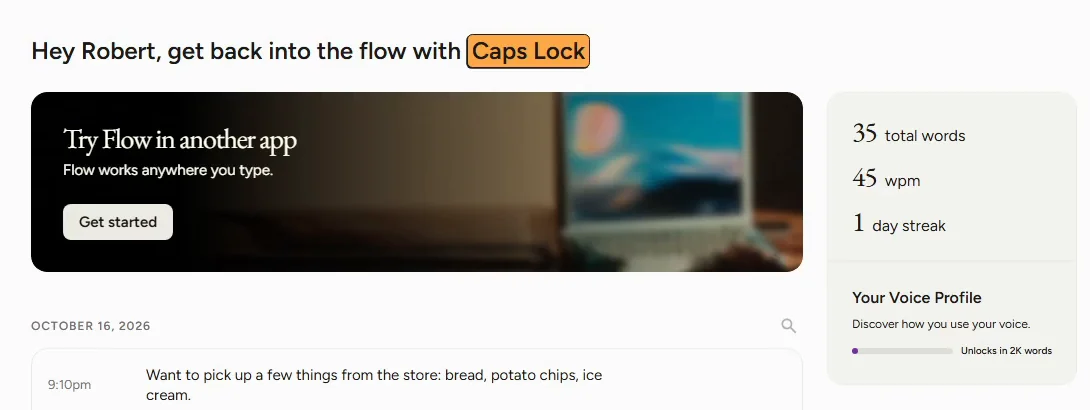
| Wispr Flow | Answering email by voice | $12/user/month (Pro, billed annually); $15 billed monthly | Yes, limited (a weekly word cap) | Pick it if you talk faster than you type. | Dictate emails and prompts |
| no2bounce | Cleaning a list before a big send | See vendor pricing (credit packs and monthly plans) | Yes, limited (100 free credits, no card) | Pick it before any newsletter or outreach send to a list you have not checked. | Protect your sender reputation |
Make an AI tool? We build a free, hands-on lesson for it. Request one →
Should I use the AI built into my inbox or a separate assistant?
Start with the built-in one if your company already pays for it: nothing new to approve, and your mail never leaves the suite. Google's help center says Gemini in Gmail summarizes threads, drafts emails and finds details in your inbox, and that it needs an eligible Google Workspace or Google AI plan. Microsoft's help pages say Copilot in Outlook drafts from a prompt and summarizes a thread with numbered citations to the source messages. The Copilot vs Gemini for work email comparison covers the two side by side.
A separate assistant earns its place when you want work done before you open the inbox. Lindy says it sorts incoming mail, looks up senders and has drafts waiting in your voice for you to review, and Superhuman says Instant Reply prepares a draft for each email. The AI email assistant entry explains the difference between "help me write" and an assistant that works on its own.
What does each email assistant say it does?
From each vendor's own pages, as of October 2026: Gemini in Gmail summarizes threads, drafts and improves emails, labels and archives on request, and searches your inbox. Copilot in Outlook drafts from a prompt, adjusts tone and length, summarizes threads with citations and offers coaching on mobile. Lindy lists AI triage you adjust in plain English, drafts in your voice for review, sender lookups and meeting booking, on Gmail or Outlook. Superhuman lists Instant Reply drafts, Auto Summarize, Auto Labels, Ask AI across inbox and calendar, and follow-up reminders. Town lists an Auto-inbox routine that labels new mail (action needed, new sender, newsletters and more), drafts replies that wait in your inbox for review, and proposes meeting times, plus Strict approvals and per-tool Ask each time settings (checked November 2026). ChatGPT drafts emails from rough notes and can connect to Gmail through connected apps. Wispr Flow dictates in any app, removes filler words, adds punctuation and adjusts tone for email. no2bounce lists real-time and bulk verification, catch-all detection, CSV and XLSX uploads and integrations.
What is the best AI email assistant for a small business owner with too many emails?
Start with what you already pay for. If you use Google Workspace, Gemini in Gmail is included from the $7 per user a month Business Starter plan, as of November 2026. If you want the sorting and first drafts done for you, Lindy's Team plan starts at $29.99 a month per seat, and its free plan gives $50 of credits that last 7 days, enough to try it on one routine. The free Lindy client email replies lesson, checked in a real Lindy workspace, sets it to draft only, so nothing goes out until you approve it.
If budget is tight, two free habits help most: draft hard replies in ChatGPT from your notes, and dictate the easy ones with Wispr Flow's free plan.
Can an AI email assistant send replies on its own?
Most are built so you review first, and that is the safe default for client email. Lindy says it writes drafts for you to review before sending and that nothing irreversible happens without your approval, as of October 2026. Keep it that way for anything with a price, a date or a promise in it. For automations that do send on their own, add an approval step; the AI email drafts: Gmail filters vs n8n vs ChatGPT comparison shows the options.
How can I answer email faster without an AI inbox?
Two cheap habits. First, draft hard replies in a chat assistant: paste the client's message and the facts you can confirm, and ask for a reply in your tone. The free ChatGPT reply faster lesson teaches the routine. Second, talk instead of type. Wispr Flow says it works anywhere you can type, including Gmail, removes filler words and adjusts tone for email; the free Wispr Flow lesson uses real Wispr Flow screens on real replies. The best AI dictation tools list covers the free built-in options too.
Why clean an email list before a big send?
Because bounces hurt your sender reputation, and a damaged reputation sends your next emails to spam. no2bounce lists real-time checks of syntax, MX records and mailbox status, catch-all detection and bulk list cleaning, as of October 2026, and gives 100 free credits with no card, as of November 2026. The free Protect Your Sender Reputation Before a Big Send using no2bounce lesson, drawn from the real app, walks through a cleanup. The email deliverability and email bounce entries explain the terms.
Who is each one for?
Gemini in Gmail
For Google Workspace offices: thread summaries, drafts and inbox actions without leaving Gmail. As of November 2026 Google Workspace Business Starter, which includes Gemini in Gmail, is $7 per user a month. Practise free in Gemini in Gmail: Summarize a Thread and Draft the Reply. Official help: Gemini in Gmail. Directory card: Gmail with Gemini.
Microsoft Copilot in Outlook
For Microsoft 365 offices: drafts, tone changes and thread summaries with citations, on Windows, Mac, web and mobile. Microsoft's help page says to check with your IT admin if you cannot access it. Official help: Draft an email with Copilot in Outlook. Directory card: Microsoft 365 Copilot.
Lindy
For people who want an assistant that sorts mail, looks up senders, books meetings and has drafts ready in their voice, on Gmail or Outlook. As of November 2026 the Team plan starts at $29.99 a month per seat. Practise free in Answer Client Emails in Half the Time using Lindy, checked in a real Lindy workspace. Official site: lindy.ai. Directory card: Lindy.
Superhuman
For heavy email users who want a draft reply on every message, one-line summaries, automatic labels and follow-up reminders. As of November 2026 Superhuman Mail is in the Business plan, $33 per member a month billed annually. Official site: superhuman.com/ai. Directory card: Superhuman.
Town Sponsored
Town is an AI work assistant that works across Gmail, Calendar and Drive: its Auto-inbox routine labels new mail (action needed, new sender, newsletters and more) and has draft replies waiting for you to review, and approval settings decide what it may send on its own. Our verdict: pick it when you want one assistant across your inbox, calendar and files rather than AI inside a single inbox, and you are happy to set its approvals before it runs. The weakness: it takes more setup than the AI built into Gmail or Outlook, and on a new account we found approvals on Auto and Auto-inbox already on, so set the approval default to Strict, Send Thread Email to Ask each time and Smart scheduling off before you connect a real inbox. As of November 2026 there is a Free plan (30 messages over 30 days) and a 7-day Pro trial; Starter is $15 a month and Pro $49 a month billed annually. Practise free in Town: Let an AI Assistant Sort the Inbox and Draft Replies, Asking First, on real Town screens. Official site: town.com. Directory card: Town.
Sponsored: Town paid for this entry. Stepthrough wrote the verdict, and the sponsorship does not change the order or verdicts of the other tools on this page.
ChatGPT
For drafting the difficult reply from your rough notes, in the assistant you already use for other work. Practise free in the ChatGPT reply faster lesson. Official site: chatgpt.com. Directory card: ChatGPT.
Wispr Flow
For answering email by voice in any app, on Mac, Windows, iPhone and Android. As of November 2026 Pro is $12 per user a month billed annually, and the free plan has a weekly word cap. Practise free in Wispr Flow: Answer Emails and Write AI Prompts by Voice, built from real Wispr Flow screens. Official site: wisprflow.ai. Directory card: Wispr Flow.
no2bounce
For cleaning a contact list before a newsletter or outreach send. New users get 100 free credits, as of November 2026. Practise free in Protect Your Sender Reputation Before a Big Send using no2bounce, drawn from the real app. Official site: no2bounce.com. Directory card: no2bounce.
Which of these tools have a free Stepthrough lesson?
- Gemini in Gmail: free lesson: Gemini in Gmail: Summarize a Thread and Draft the Reply
- Microsoft Copilot in Outlook: a free Stepthrough lesson is coming.
- Lindy: free lesson: How to Use Lindy AI to Draft Client Email Replies in Gmail
- Superhuman: a free Stepthrough lesson is coming.
- Town: free lesson: Town: Let an AI Assistant Sort the Inbox and Draft Replies, Asking First
- ChatGPT: free lesson: Reply Faster: Turn a Messy Customer Email Thread into a Clear, Friendly Reply
- Wispr Flow: free lesson: Wispr Flow: Answer Emails and Write AI Prompts by Voice
- no2bounce: free lesson: Protect Your Sender Reputation Before a Big Send using no2bounce
Practice it free, step by step
How to Use Lindy AI to Draft Client Email Replies in Gmail. A business case for a small office: price the hours spent writing client replies from scratch, then set up a Lindy routine that drafts each reply in Gmail for you to check and send. Guardrails on… You do every step yourself in a practice copy of Lindy, it checks your work as you go, and “Do it for me” finishes any step you get stuck on. Free, and nothing touches your real accounts.
Start the free lessonWatch it in a free lesson: Get Your Business Recommended by ChatGPT
 2:14
Get Your Business Recommended by ChatGPT: video walkthrough
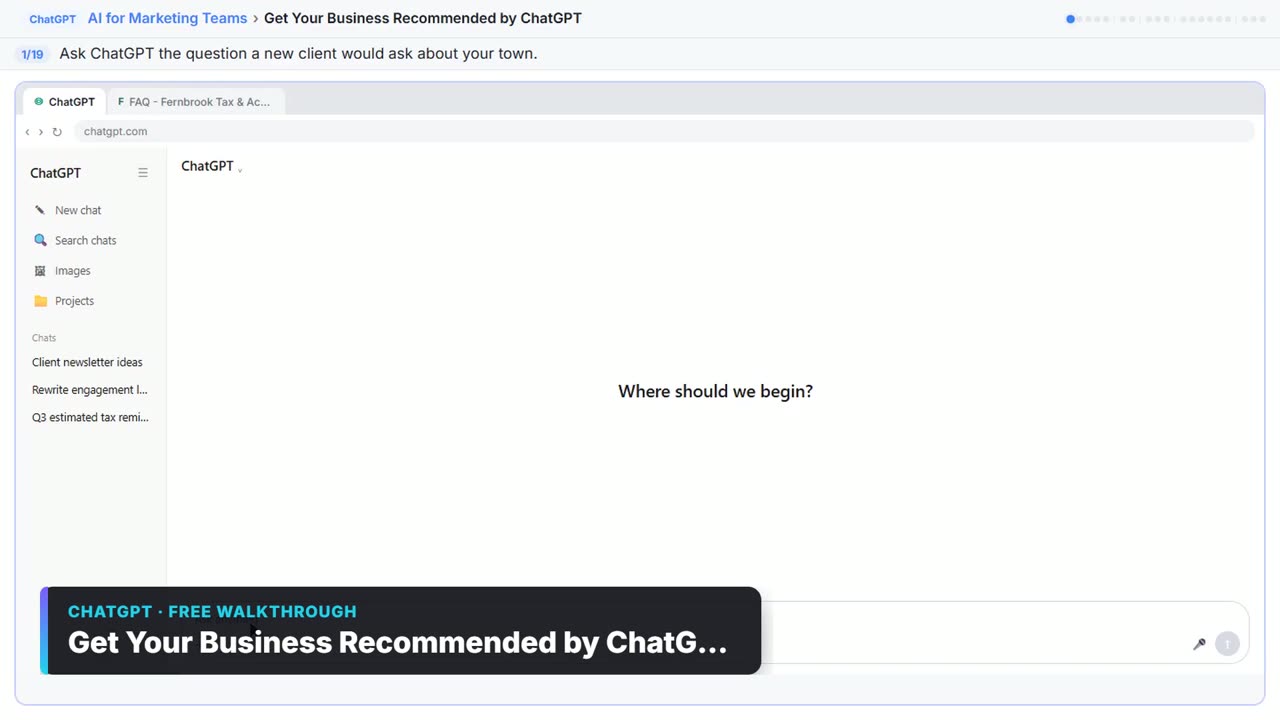
Ask ChatGPT who it recommends in your town, see which pages it trusts, then use it to write an FAQ page and Business Profile copy that answer real customer questions. The whole lesson narrated step by step, recorded in Stepthrough’s simulated practice environment.
Key takeaways
- Start with the AI in your inbox (Gemini in Gmail or Copilot in Outlook) if your company already pays for it.
- Add Lindy or Superhuman when you want drafts waiting before you open the inbox; keep a person reviewing client replies.
- Dictating with Wispr Flow and drafting in ChatGPT are cheap ways to answer faster.
- Clean your list with a verifier like no2bounce before a big send to protect deliverability.
Frequently asked questions
What are the best AI email assistants for Gmail or Outlook?
For Gmail, Gemini in Gmail (built into Google Workspace) or Lindy if you want triage and drafts in your voice. For Outlook, Copilot in Outlook on Microsoft 365 or Lindy, which works with both. Superhuman works with Gmail and Outlook accounts too. Practice thread summaries and drafts free in Gemini in Gmail: Summarize a Thread and Draft the Reply and Answer Client Emails in Half the Time using Lindy.
What is the best AI email assistant for Gmail?
Gemini in Gmail if your company uses Google Workspace, since it is built in; as of November 2026 Workspace Business Starter, which includes it, is $7 per user a month. Lindy and Superhuman are the options when you want drafts prepared for you. Try the built-in route in the free Gemini in Gmail lesson.
What is the best AI email assistant for a small business owner who gets too many emails?
Use the AI in the inbox you already pay for first. When you want mail sorted and replies drafted before you open the inbox, try Lindy: as of November 2026 its free plan gives $50 of credits for 7 days, and Team starts at $29.99 a month per seat. Learn the safe, drafts-only setup in the free Lindy lesson.
Is it safe to let AI read my work email?
Only with tools your company has approved, on a business account. Check each vendor's privacy terms, and keep a person reviewing anything that goes to a client.
Can AI write emails in my own voice?
Lindy and Superhuman both say they draft in your voice from your past writing, as of October 2026. With ChatGPT, paste two or three of your real emails as examples.
Where do these prices and features come from?
Every price and feature on this page was checked against the vendor's own page, as of November 2026. No numbers here are estimates or third-party figures. The example businesses in the Stepthrough lessons are made up.
- Lindy email assistant
- Lindy pricing
- Google: Gemini in Gmail
- Google Workspace pricing
- Microsoft: Draft an email with Copilot in Outlook
- Microsoft: Summarize an email thread with Copilot in Outlook
- Superhuman AI
- Superhuman plans
- Town: Auto-inbox
- Town: Modes & Approvals
- Town: Plans & Pricing
- ChatGPT email writer
- ChatGPT pricing
- OpenAI: Connected apps in ChatGPT
- Wispr Flow
- Wispr Flow pricing
- no2bounce
- no2bounce pricing