Updated . Built against the tool’s current screens and checked step by step. How we check this lesson
Every email list goes bad. People change jobs, small companies close and their domains expire, and a typo typed at a trade-show table stays in your spreadsheet for years. When you send to those addresses they bounce, and a high bounce rate is one of the fastest ways to damage your sender reputation: your email provider may warn or pause your account, and mailbox providers start sending your good emails to spam. This is a business case, not a software demo: the goal is fewer bounces, better inbox placement and no sends wasted on dead addresses. In this free, interactive lesson you use a practice copy of no2bounce, a third-party email verification service, to check a 30-row contact list before a big send, read what it finds, and download only the addresses that are safe to send to.
At a glance
| Question | Answer |
|---|---|
| What you build | A business case: a 9% bounce rate puts your email account and inbox placement at risk. Use no2bounce to check a contact list, read what it finds, and send only to addresses that are safe. |
| Tools | no2bounce |
| Time | About 8 minutes, 15 steps in 5 parts |
| Level | Beginner, no coding needed |
| Cost | Free |
| Ways to learn it | Practice it step by step, read the guide with screenshots |
The 5 parts, in short
- Fewer bounces start here: Read the bounce warning, Open no2bounce.
- Upload the list: Open Email Validations, Choose your file, Pick the contact list, Open it, and 3 more steps.
- Read the results: Open the finished report, Export all 30 to see why, Find the catch-all flags, Close the file.
- Keep only what is safe: Download only Deliverable.
- What this saves you: See what you saved.
Start here first: How to Use n8n in Marketing: An AI Agent That Plans Your Content Calendar (module 1 of AI Automation for Marketing)
In the course: Part 13 · AI Apps Worth Knowing (Module 193 of the full course)
Part of: AI for Marketing Teams (step 22 of 55). Next up: Answer Employee Policy Questions Instantly Using Airia
Part of: AI for Sales Teams (step 10 of 30). Next up: Kylon AI: How to Set Up a Sales Agent That Finds the Reason to Reach Out
Part of: Email on Autopilot (step 10 of 18). Next up: n8n: Weekly Client Status Emails from a Google Sheet, Written by AI
Part of: AI Apps Worth Knowing (step 10 of 186). Next up: Turn a Messy Client Brief into a Finished Proposal Deck using Runable
Protect Your Sender Reputation Before a Big Send using no2bounce: step-by-step guide with screenshots
About the screenshots. They come from Stepthrough’s simulated practice environment (a practice copy of no2bounce), not the live tool, so no real account appears. The buttons and labels match the real screens the lesson was built against. Practice it yourself free at ynteractive.com.
- Tools: no2bounce
- Time: about 8 minutes, 15 steps in 5 parts
- Level: beginner, no coding needed
Part 1: Fewer bounces start here
Step 1: Read the bounce warning
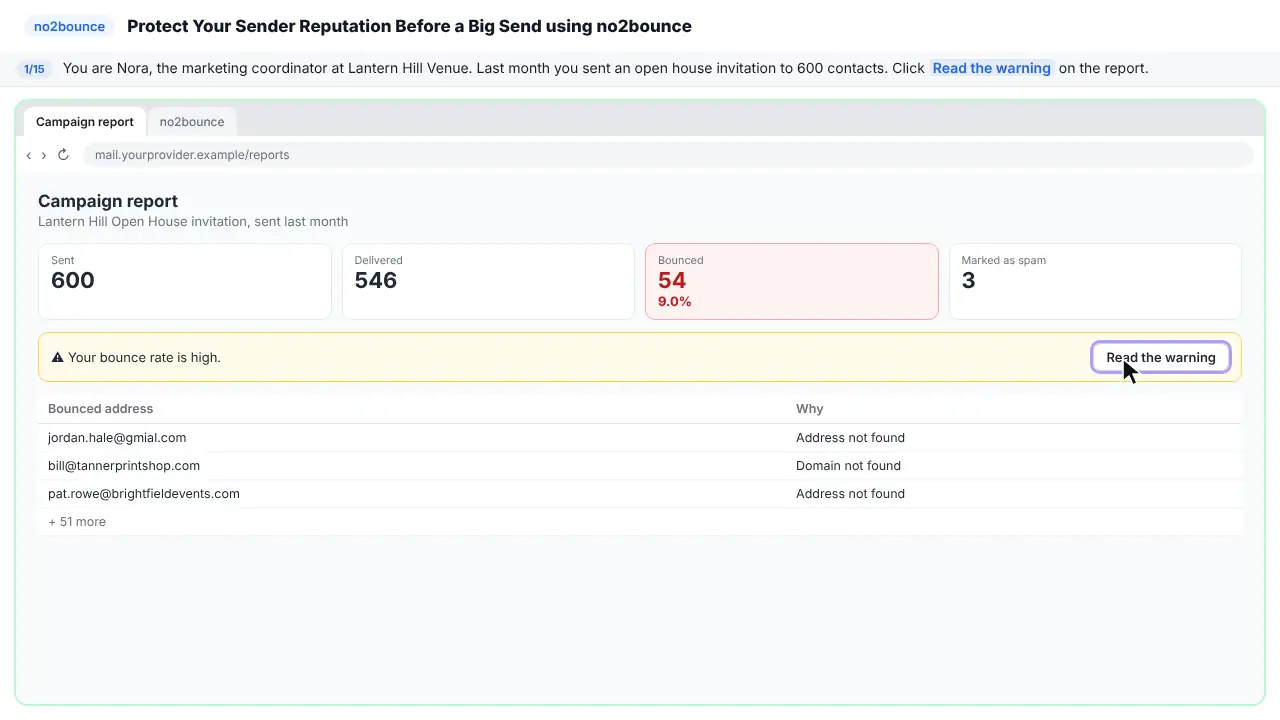
You're Nora. You do the marketing at Lantern Hill Venue, a small event space. Last month you sent an open house invite to six hundred contacts. Look at the report. Fifty four emails bounced. That's nine percent.
Step 2: Open no2bounce
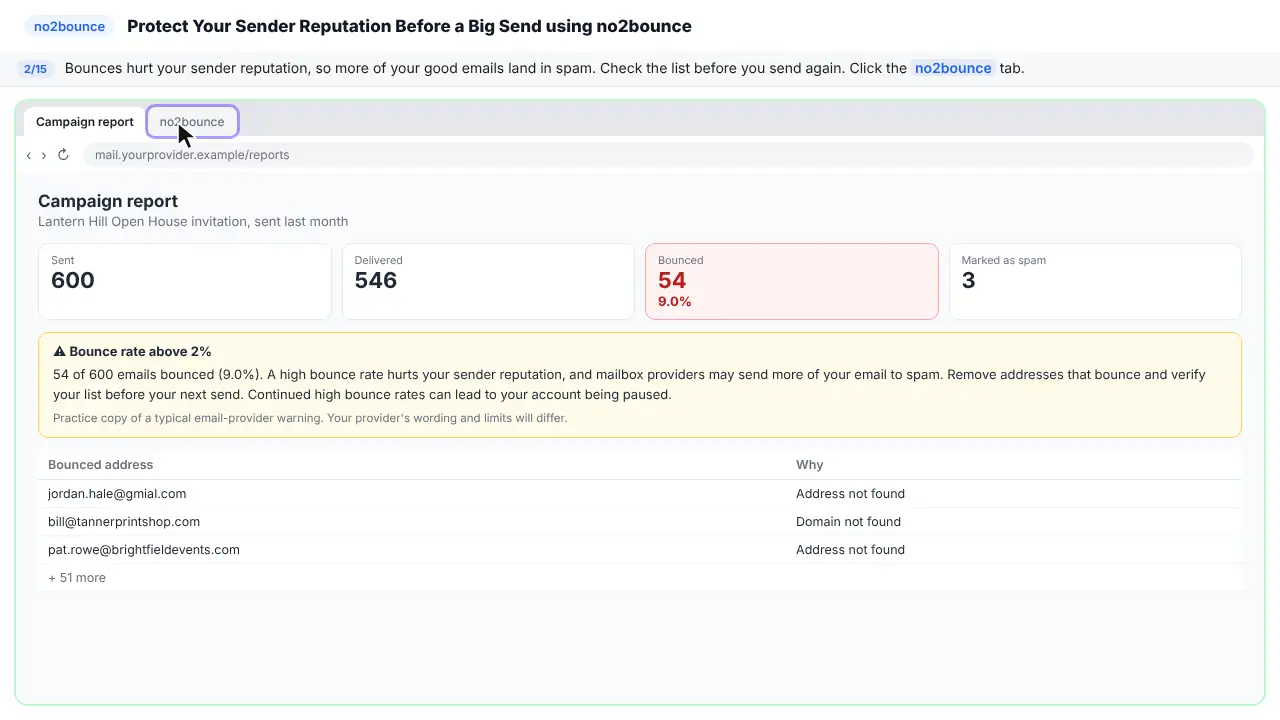
Here's the business problem. When mail bounces, mailbox providers notice. Your email service may warn you, or pause you. And your good emails start landing in spam. The fix is to check the list before you send.
Part 2: Upload the list
Step 3: Open Email Validations
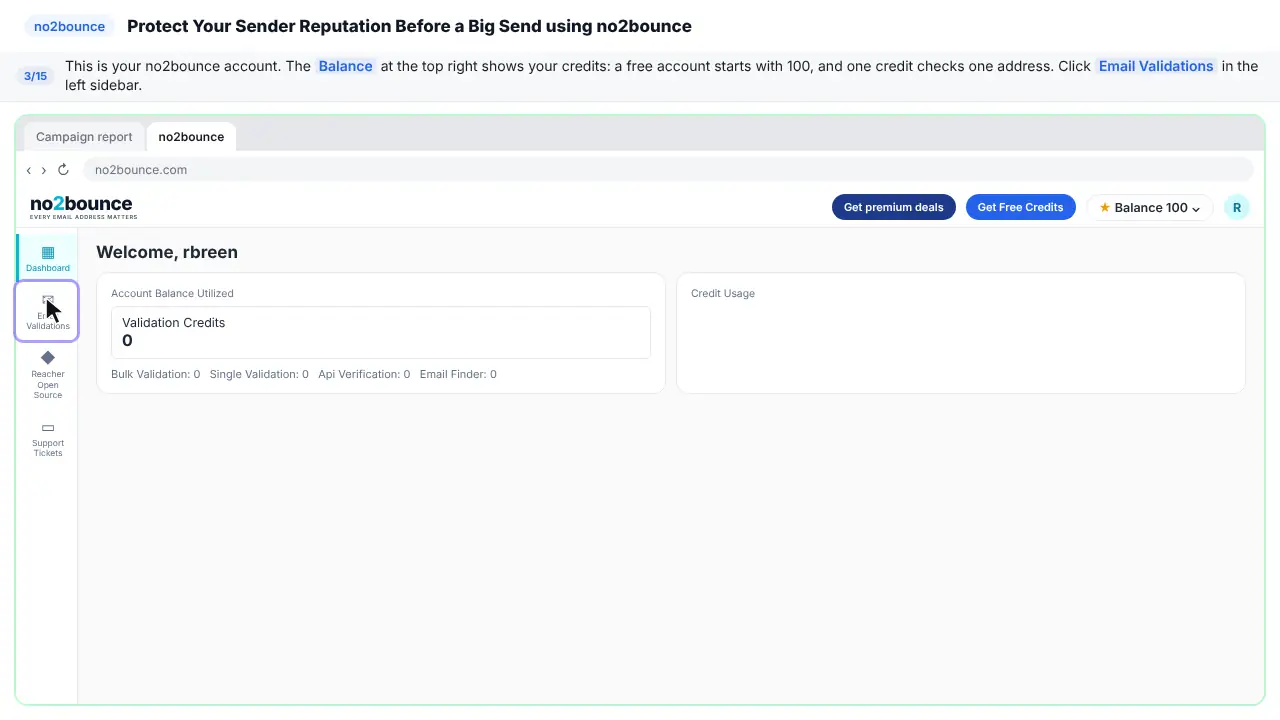
This is no2bounce. Top right, the balance shows your credits. A free account starts with one hundred. One credit checks one address.
Step 4: Choose your file
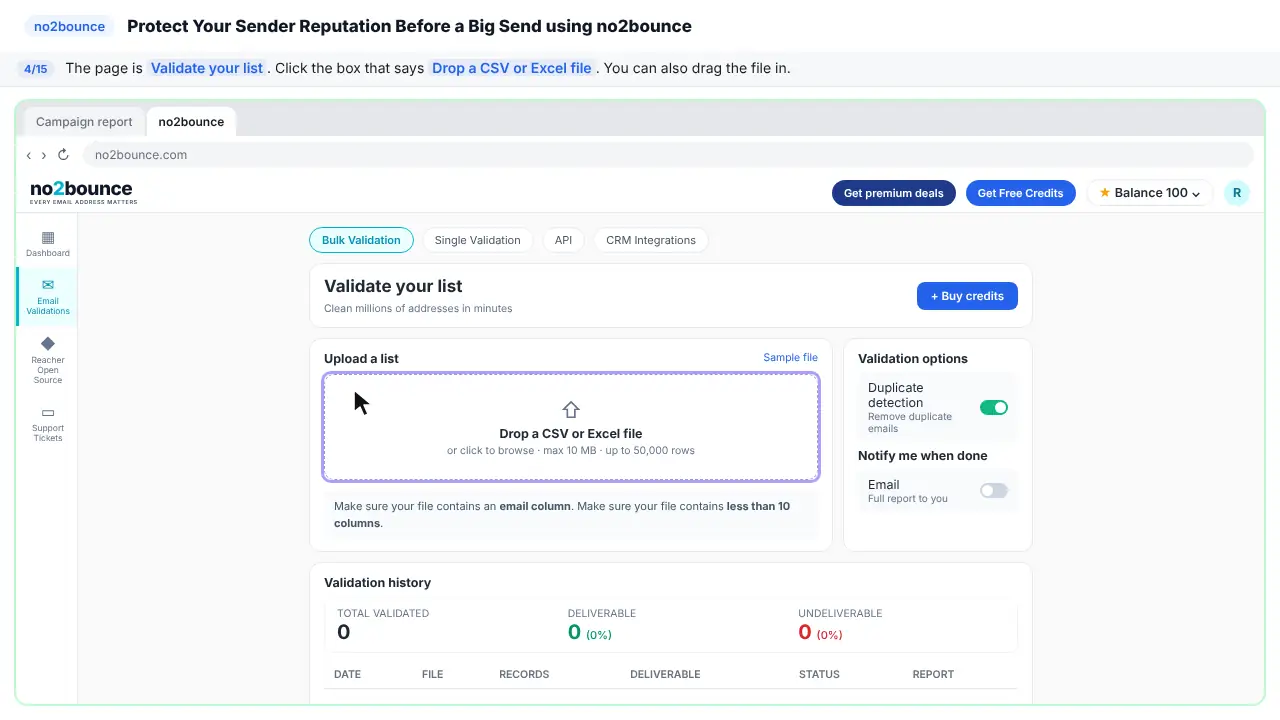
You're on Bulk Validation. The page is called Validate your list. You can also drag your file in from a folder.
Step 5: Pick the contact list
Pick your contact list. It's a C S V file. A spreadsheet saved as plain text. Most email tools can export one.
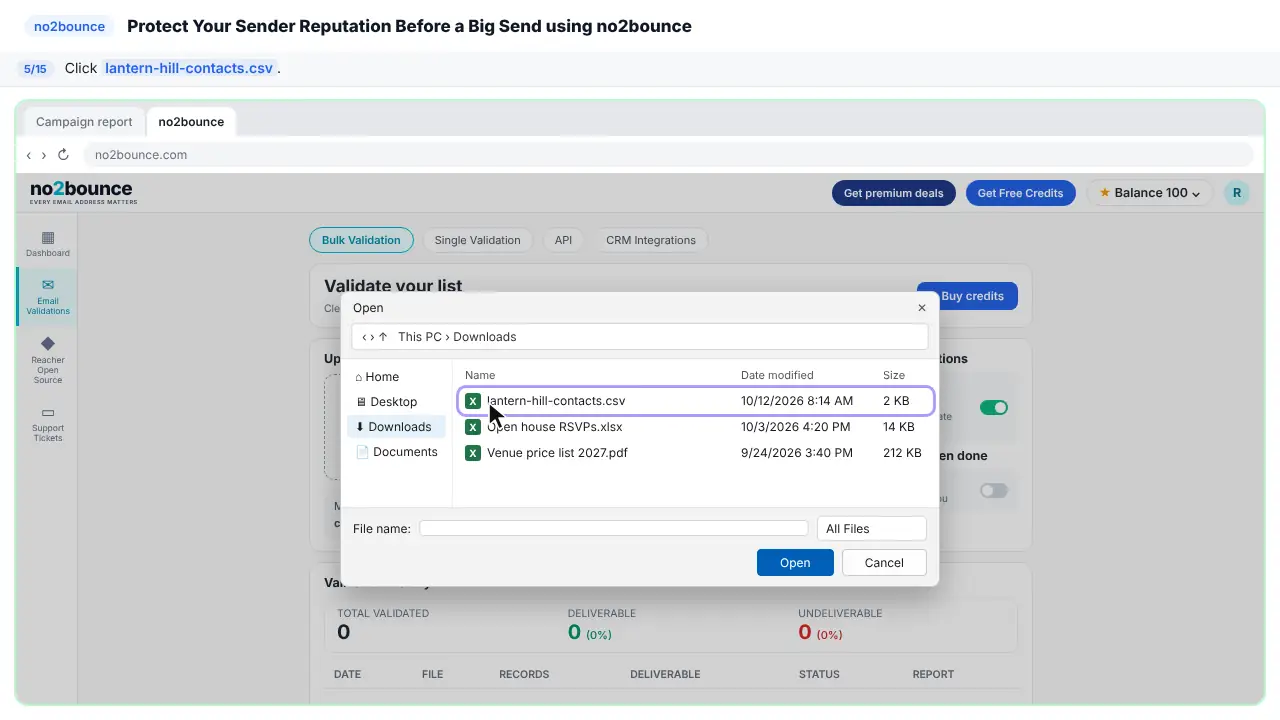
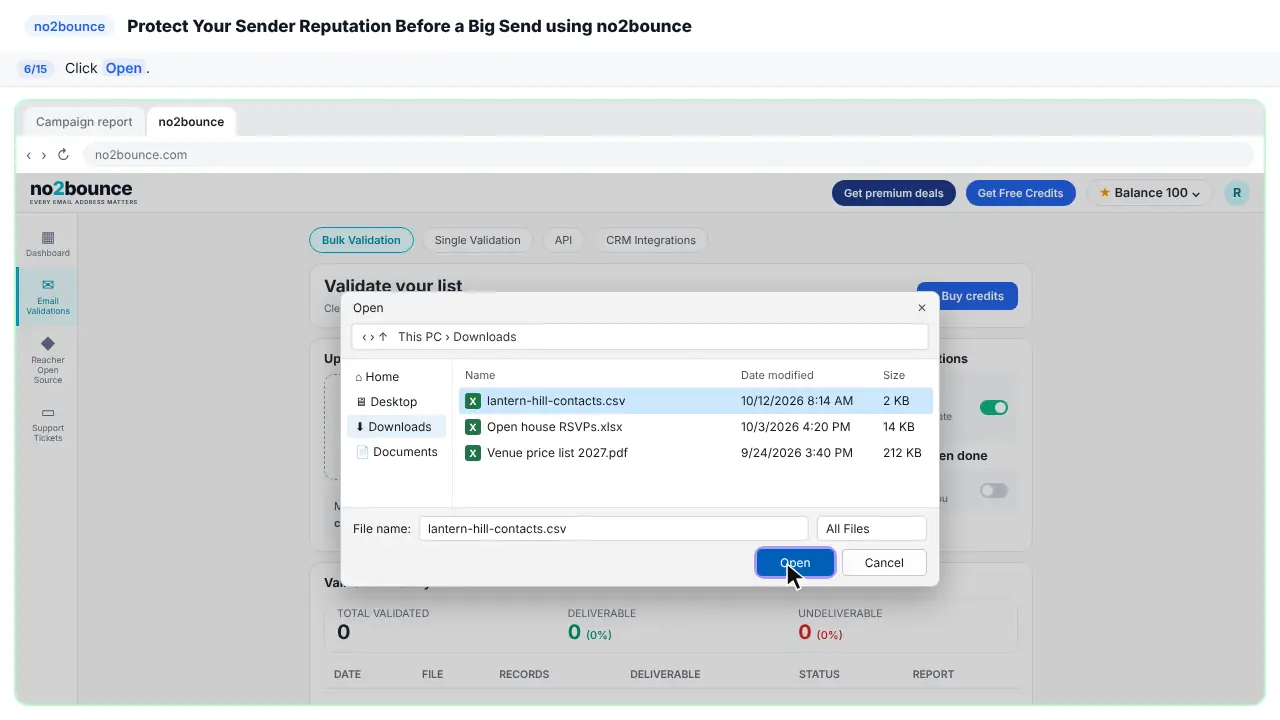
Step 6: Open it
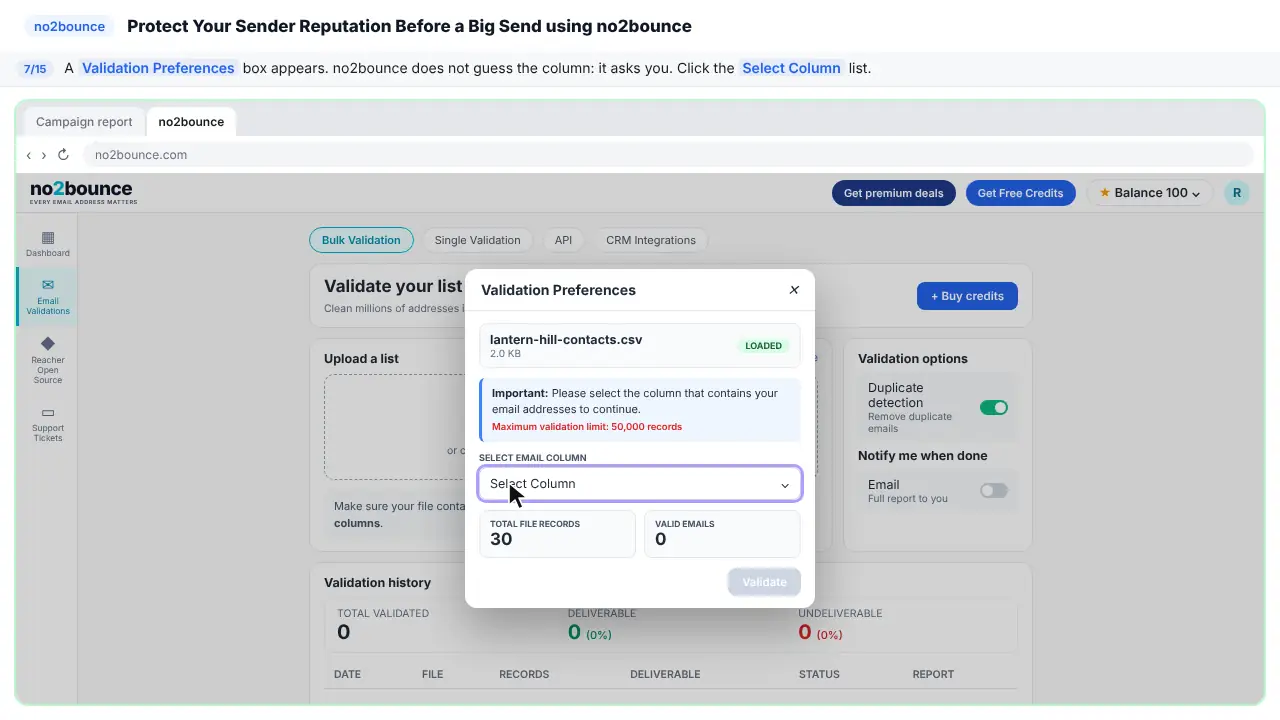
Step 7: Open the column list
A box called Validation Preferences opens. no2bounce doesn't guess which column has the emails. It asks you.
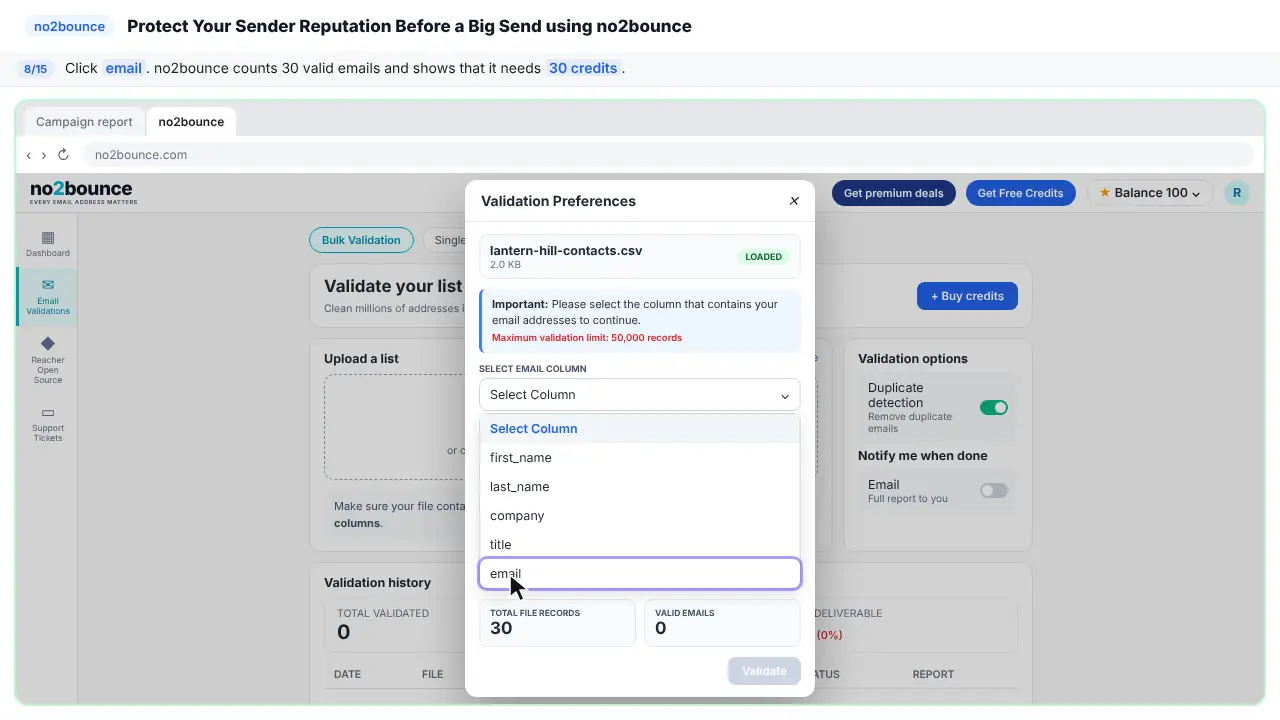
Step 8: Choose the email column
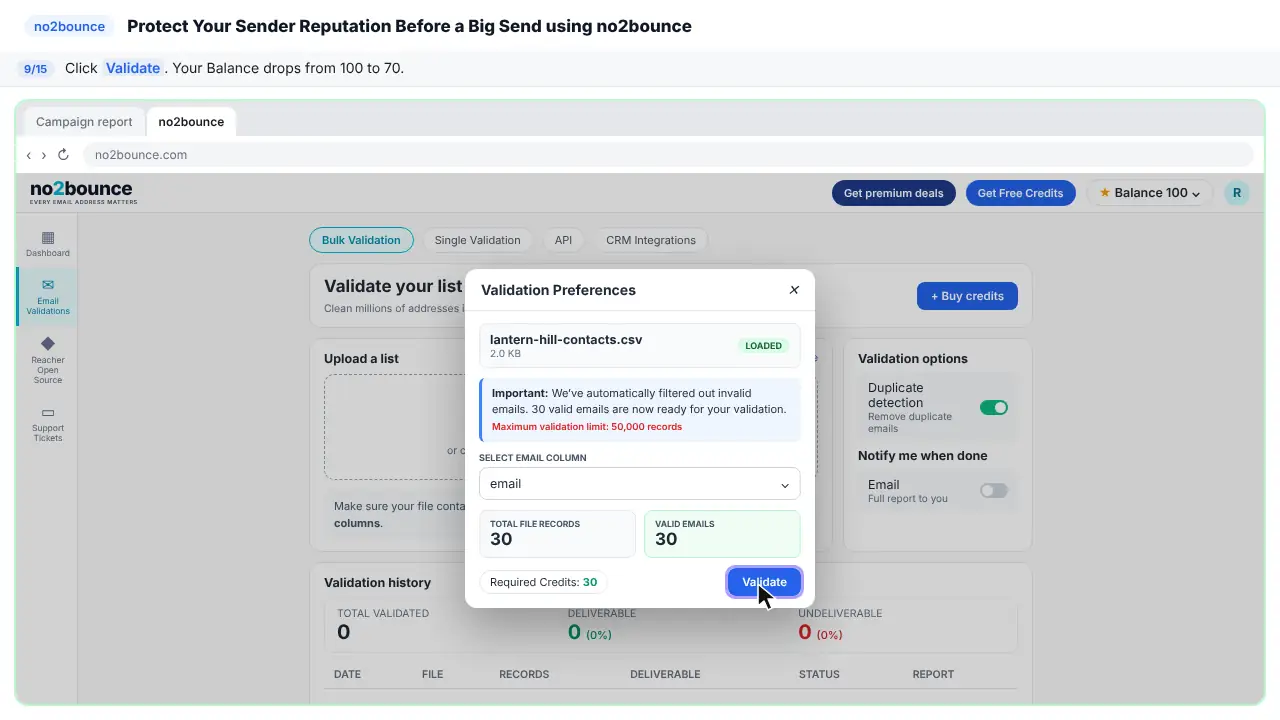
no2bounce counts thirty valid emails. It needs thirty credits, out of your hundred.
Step 9: Validate
Your balance drops from one hundred to seventy. The list checks in the background, so it can take a minute or more.
Part 3: Read the results
Step 10: Open the finished report
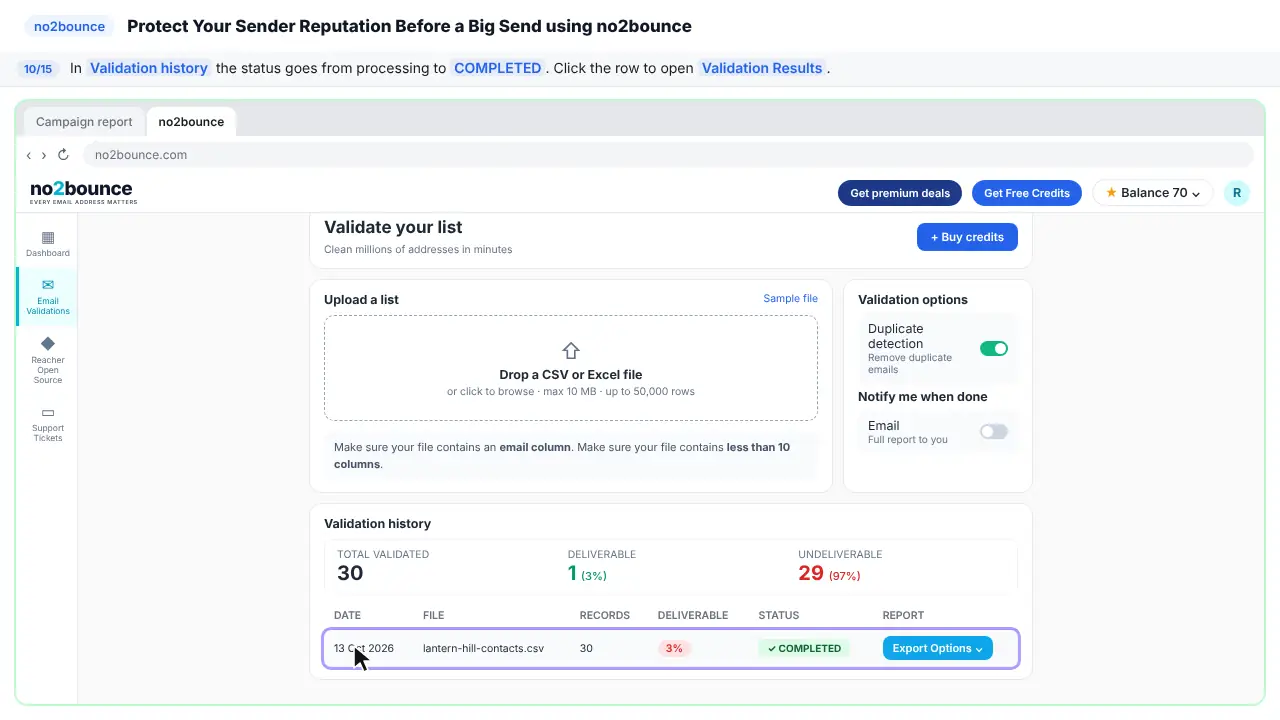
Down in Validation history, the status says processing, then completed.
Step 11: Export all 30 to see why
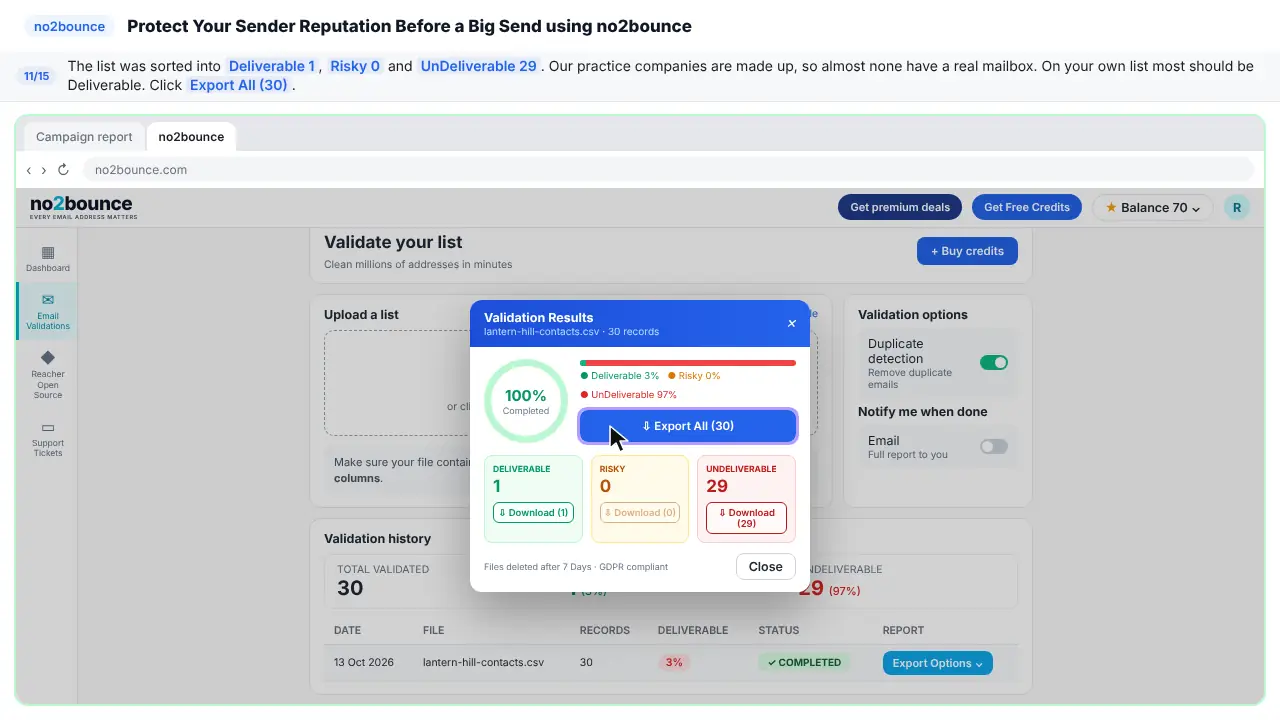
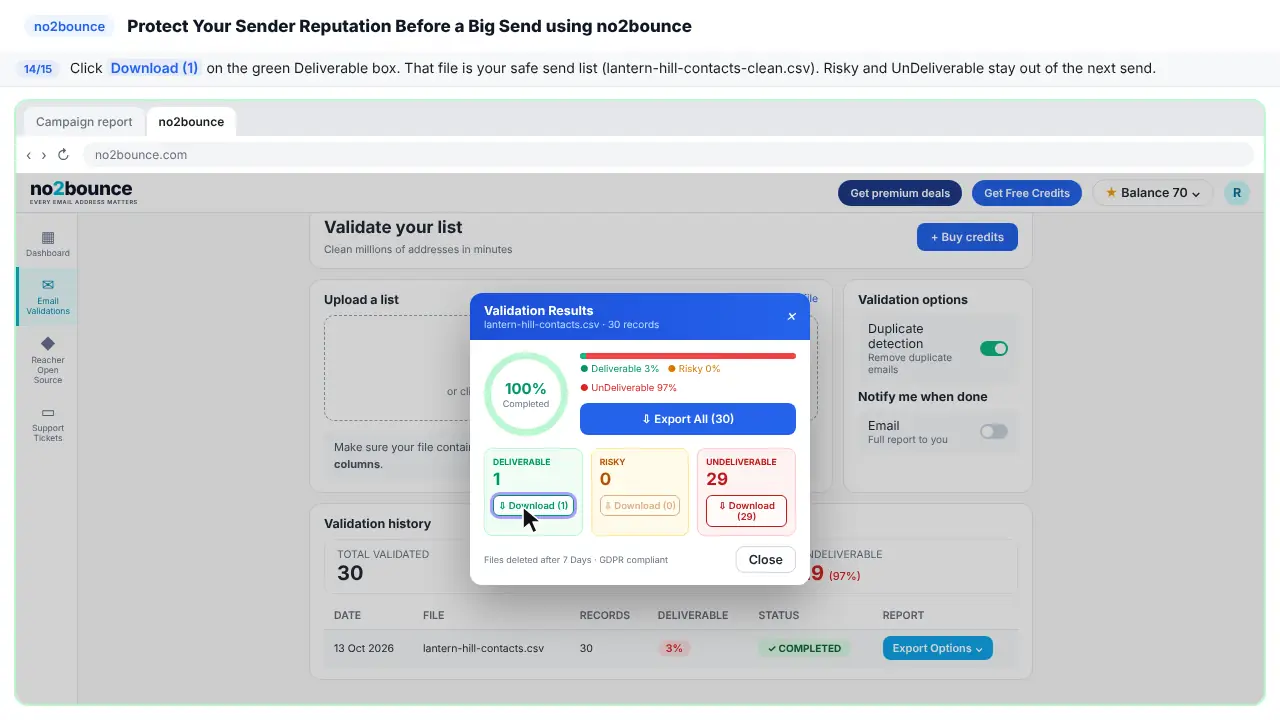
Deliverable one. Risky zero. Undeliverable twenty nine. Our practice companies are made up, so almost none have a real mailbox. On your own list, most should come back deliverable. To see the reason for each address, click Export All, thirty.
Step 12: Find the catch-all flags
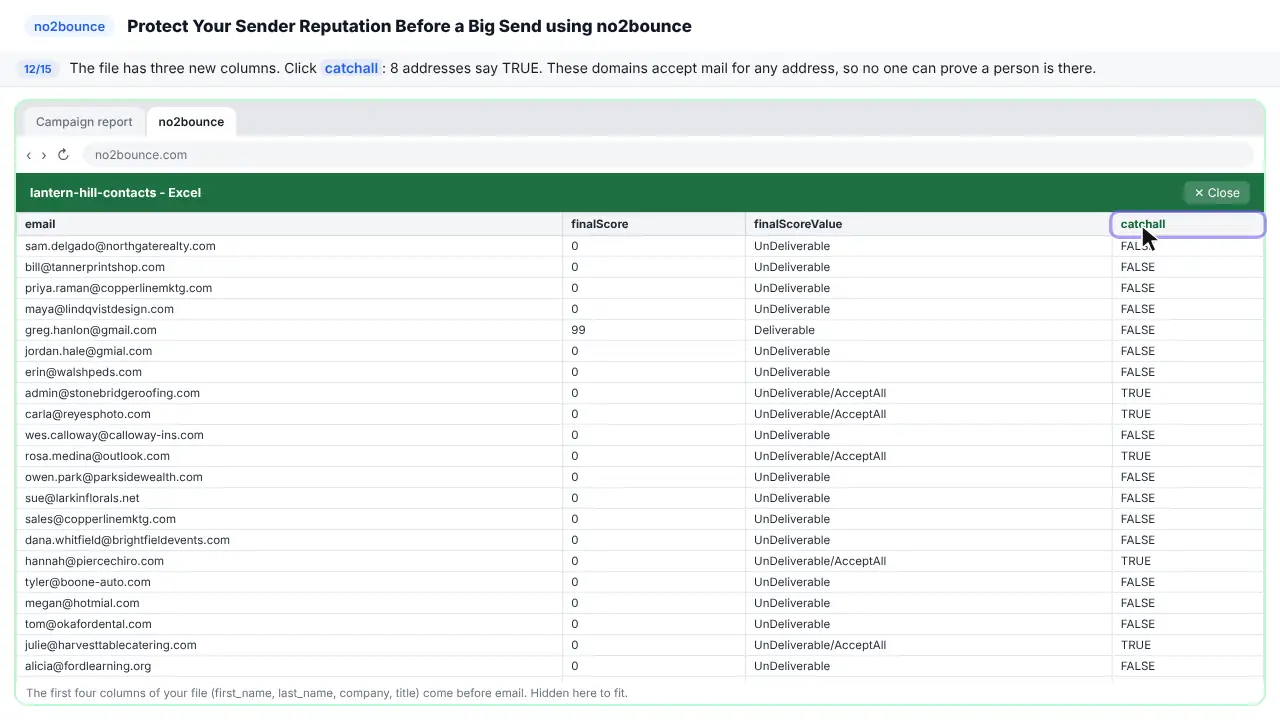
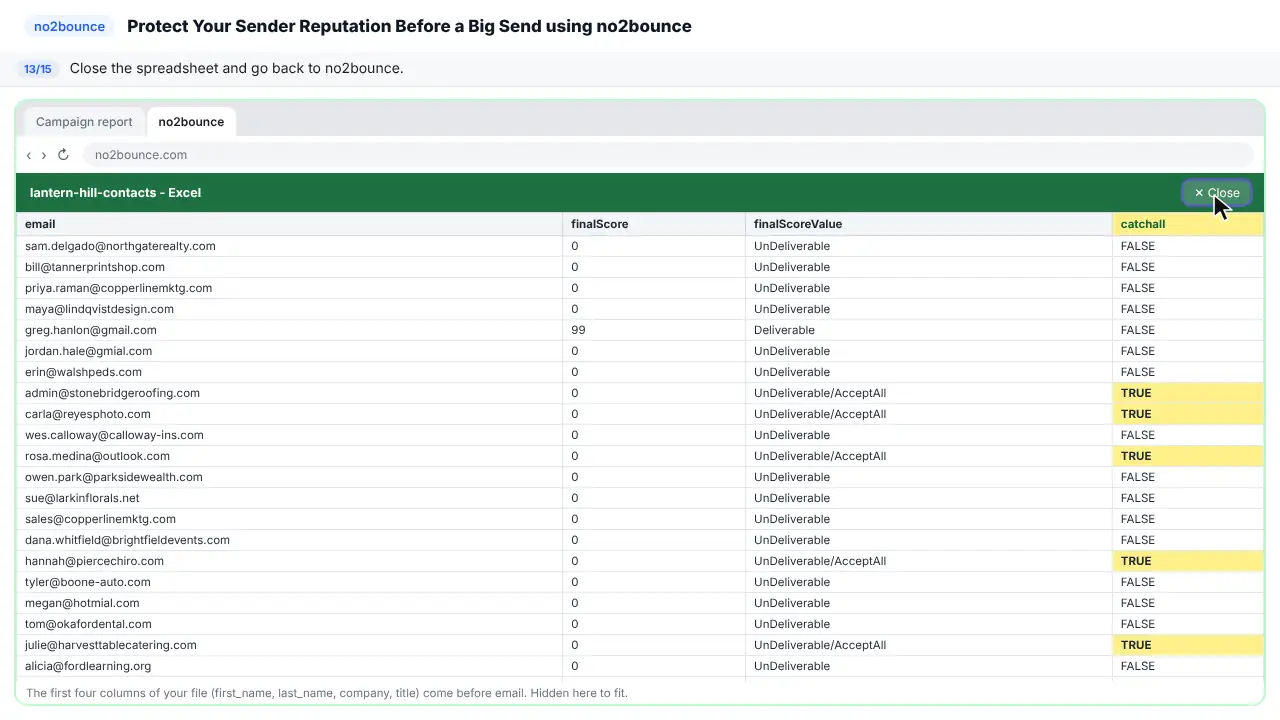
The file has three new columns at the end. Final score, final score value, and catch all. Eight addresses say true. Those mail servers accept anything, so no check can prove a person is there. no2bounce counts them as undeliverable on this plan.
Step 13: Close the file
Close the file and go back to no2bounce.
Part 4: Keep only what is safe
Step 14: Download only Deliverable
That file is your safe send list. Load it into your email tool. The risky and undeliverable ones stay out of the next send.
Part 5: What this saves you
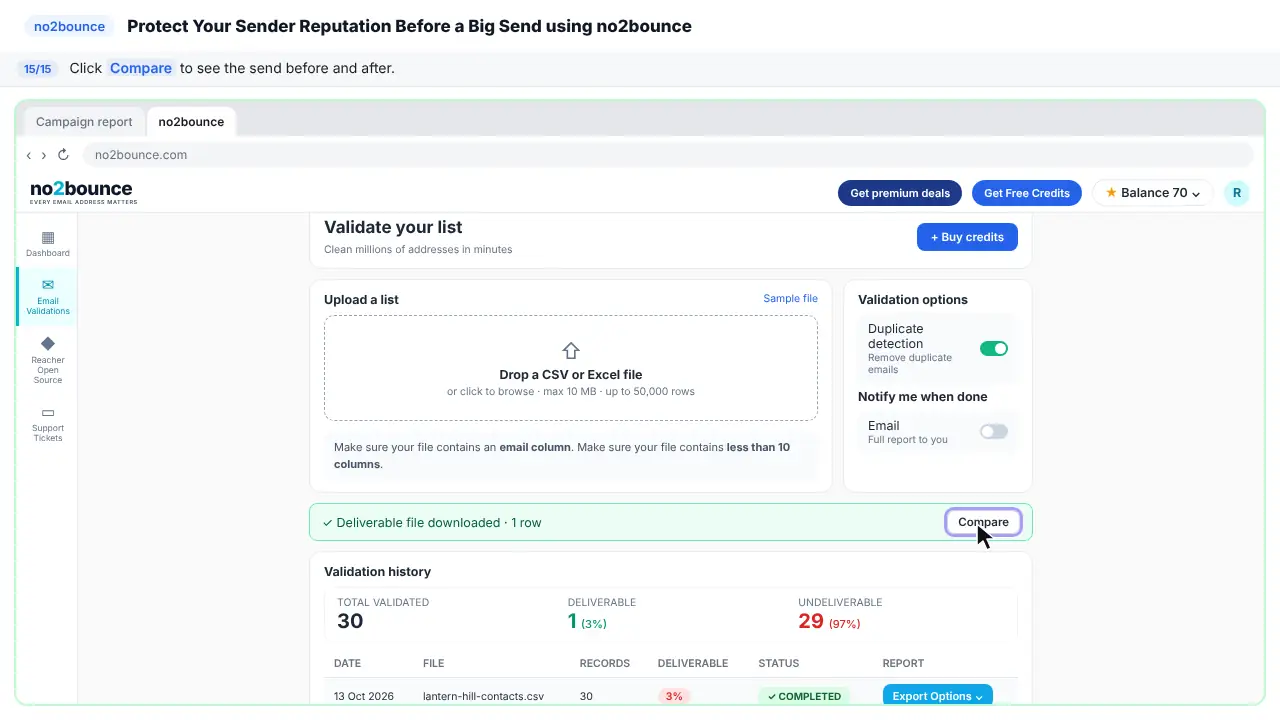
Step 15: See what you saved
Send the raw list, and twenty nine of thirty would have gone to addresses with no confirmed mailbox. Send the clean list, and you reach only confirmed addresses. On a real list, that is how you keep bounces low and your good emails out of spam. Then send in small batches.
Part of these free courses: AI Apps Worth Knowing, AI for Sales Teams, AI for a Small Sales Team: Find the Right Accounts, Work Every Call and Report the Quarter
Now do it yourself, free
Reading the steps is a start. Doing them is how it sticks. The interactive lesson puts you in a practice copy of no2bounce: you do every step yourself, it checks your work, and “Do it for me” finishes any step you get stuck on. Nothing touches your real accounts.
Practice “Protect Your Sender Reputation Before a Big Send using no2bounce” step by stepThe business case: what a bad list costs you
Picture Nora, who does the marketing for a small event space. Last month she sent an open house invitation to 600 contacts, and 54 of them bounced, which is 9%. The list had been built over years from trade-show badge scans, old newsletter sign-ups and a spreadsheet of past clients. None of that was careless, but all of it ages. (The numbers are an illustration, not a benchmark. Your list may be better or worse.)
The first cost is wasted sends: every dead address is a message that did nothing, and on most email services you still pay for the contact. The second cost is quieter. A hard bounce tells mailbox providers that you send to addresses without checking them. Email services commonly want bounce rates kept low (often cited at around 2% or less) and can warn or pause an account that goes well past it. The third cost is email deliverability: once your sender reputation drops, even the good addresses on your list see more of your email land in spam. You never see that cost on a report. You see it as an open rate that quietly shrinks.
What changes after: you check the list right before the big send. The dead addresses never get a message, and what you send goes only to mailboxes that no2bounce confirmed. That means fewer bounces, a protected sender reputation and better inbox placement.
The example: Lantern Hill Venue's contact list
Lantern Hill Venue is a made-up event space. You have a 30-row contact list with five columns: first name, last name, company, title and email. It includes typos (gmial.com, hotmial.com and a .con ending), shared inboxes (info@, sales@ and admin@), a throwaway address and a former employee.
One honest caveat, from the real run: because every company in the list is made up, the real no2bounce could not find a mailbox at almost any of them. We ran it on a free account and got 1 Deliverable, 0 Risky and 29 UnDeliverable, and 8 of the 29 were on catch-all domains. On your own list most addresses should come back Deliverable. The steps and how you read the results are the same.
Download the sample files and follow along: [lantern-hill-contacts.csv](/content/files/no2bounce-clean-email-list/lantern-hill-contacts.csv) is the list to upload, [lantern-hill-contacts-results.csv](/content/files/no2bounce-clean-email-list/lantern-hill-contacts-results.csv) is the real file no2bounce returned from Export All (it adds finalScore, finalScoreValue and catchall columns), and [lantern-hill-contacts-clean.csv](/content/files/no2bounce-clean-email-list/lantern-hill-contacts-clean.csv) is the Deliverable-only download (1 row). Every company and person in them is made up, so please don't send anything to these addresses.
Who this lesson is for
Marketers, office managers and small-business owners who send a newsletter, an event invitation or a batch of outreach emails and want to protect their sender reputation first. You don't need technical knowledge. The lesson is a practice copy, so no credits are used and no account is needed. If you do outreach, read it alongside the cold email overview.
How to read the results
The Validation Results box has three groups. Deliverable means the mail server confirmed the mailbox; no2bounce scores these 99. This is your send list. Risky means the answer was unclear; hold these back. UnDeliverable means the address is expected to bounce, and it scores 0.
Catch-all is not its own group. In the exported file (Export All) every row has finalScore, finalScoreValue and catchall columns. A catch-all domain accepts mail for any address, so no check can prove a particular person is there. On the free account we tested, those rows came back as UnDeliverable/AcceptAll with a score of 0 and catchall TRUE, so they stay out of the Deliverable download. If you know a contact personally, you can still send to them by hand, in a small batch.
Shared inboxes like info@ and sales@ get no special flag in no2bounce. In our run the info@ address was simply UnDeliverable, but on a real domain a shared inbox can pass as Deliverable even though nobody owns it. Decide for yourself whether they belong in a personal outreach email.
Labels in no2bounce spell the word UnDeliverable with a capital D. Check the column names in your first real export before you build anything on top of them.
What this saves you
- Bounces: the addresses without a confirmed mailbox never get a message, so a send to the clean list should not hard bounce.
- Reputation and inbox placement: a low bounce rate is one of the things that keeps your email out of spam folders. Cleaning before you send is cheaper than repairing the reputation afterwards.
- Money: you don't pay your email service to send to addresses that don't exist, and one credit per address is a small cost next to a campaign.
- What it does not do: it can't tell you whether someone wants your email. Only send to people who have a reason to hear from you, and follow the opt-in and unsubscribe rules where you send.
Gotchas
- no2bounce does not guess your email column. You choose it from a list in the Validation Preferences box, and it needs 1 credit per valid email.
- Validation takes time. The history row shows processing first, then COMPLETED.
- Reports are kept for 7 days. Download what you need.
- Verify close to the send. Addresses go bad over time, so a list verified six months ago is a list to verify again.
- Don't buy lists. Verification checks whether a mailbox exists, not whether the person agreed to hear from you.
- Send in small batches. Even a clean list is best sent in stages, so a problem shows up before it hits everyone.
- Keep the originals. Export all as a new file and keep the full file, so you can re-check held-back addresses later.
- Check pricing and limits. Plans change; read no2bounce.com/pricing before you upload a big list.
Next business case: write and send the email
A clean list only matters if the email is worth opening. Next, use Gmail to sort replies and draft answers in Gmail Filters, Labels and AI Draft Replies, triage a busy inbox with Gmail AI Triage, or look at how an AI sales agent handles outbound with Kylon. Learn the term first in cold email.
Links
- no2bounce bulk email verifier: upload a CSV or XLSX and download the verified list. It is a separate product with its own account.
- no2bounce pricing: a free account started with 100 credits; one credit verifies one address. Check current plans and limits.
- no2bounce catch-all email verifier: how it treats domains that accept mail for any address.
Try it yourself, free
Reading the steps is a start. Doing them is how it sticks. The interactive module walks you through every click in a practice copy of no2bounce, checks each step, and never touches your real accounts.
Start “Protect Your Sender Reputation Before a Big Send using no2bounce”Frequently asked questions
- How do I clean an email list before sending?
- Export your contacts as a CSV, upload it to an email verification service such as no2bounce, choose the email column and validate. Download the Deliverable group, decide what to do with the risky and catch-all ones, and load the clean file into your email tool. Do it right before you send.
- What is a hard bounce and why does it matter?
- A hard bounce is an email that can never be delivered, such as an address that doesn't exist. Mailbox providers and email services watch your bounce rate as a sign of how carefully you manage your list, and a high rate can get your account warned or paused and push your good emails toward spam.
- What is a catch-all email address?
- It is an address on a domain whose mail server accepts mail for any address. That means a check can't confirm that a specific mailbox exists. In no2bounce's export these show catchall TRUE, and on the free account we tested they were counted as UnDeliverable.
- Does no2bounce cost anything?
- A new free account started with 100 credits, and one credit verifies one address, so the free credits cover a list of up to 100. Larger lists use paid credits. Check no2bounce.com/pricing for the current plans.
- Is this lesson free, and is it the real no2bounce?
- The lesson is free and uses a practice copy, so you don't need an account and no credits are used. The screens are drawn from the real no2bounce app (free plan, October 2026), so expect only small differences in wording and layout if the product changes.
- Why did almost every address come back UnDeliverable in the lesson?
- Because the companies and addresses in the sample list are made up, so no real mailbox exists at them. It is the real result no2bounce gave. On a real contact list most addresses should come back Deliverable.
More in AI Automation for Marketing
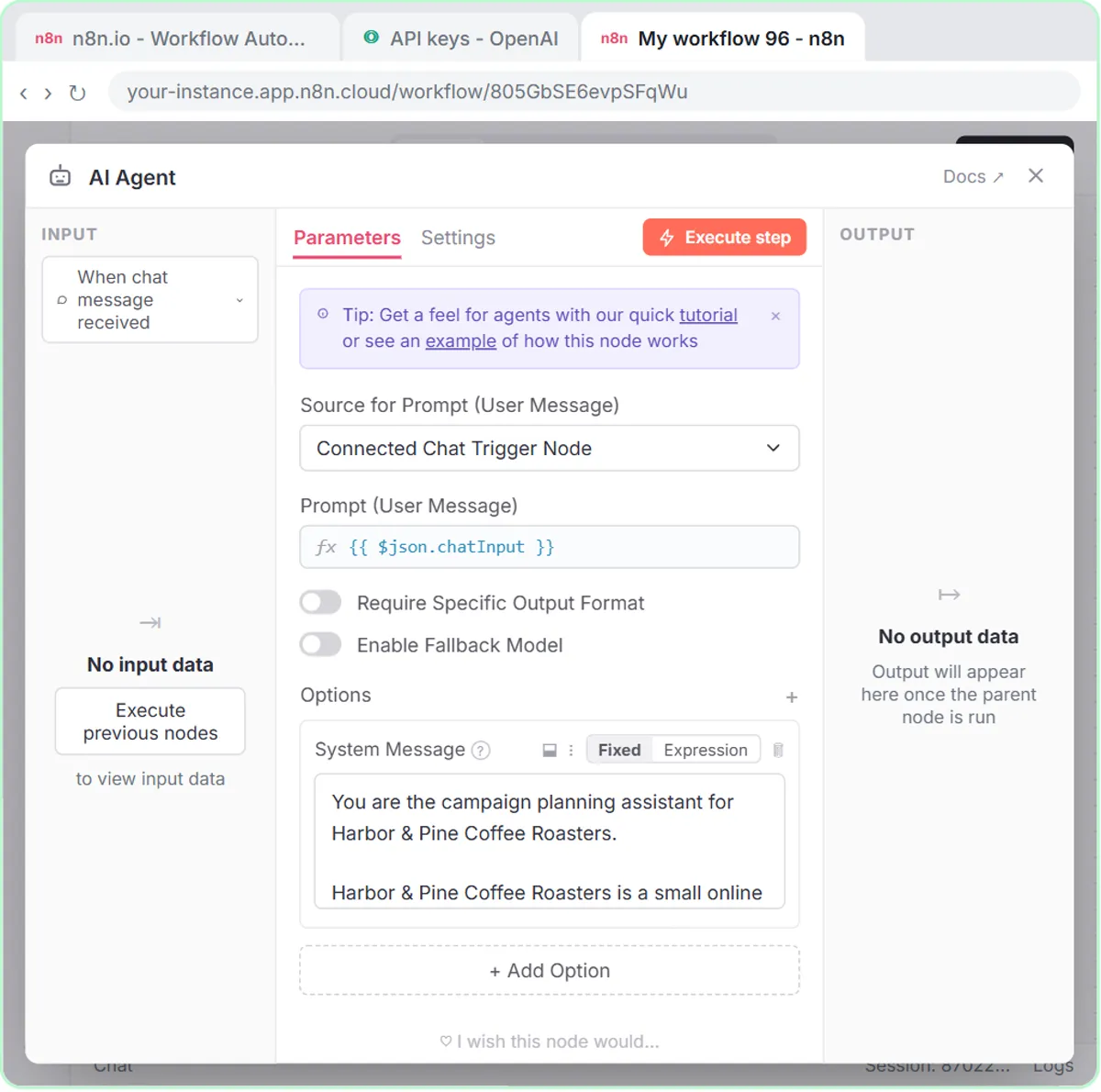 How to Use n8n in Marketing: An AI Agent That Plans Your Content Calendar
Build an AI agent for Harbor & Pine Coffee Roasters that turns one campaign theme into a two-week email and content calendar in Google Sheets — chat trigger, AI Agent…
Free · Live ~12 min Intermediate
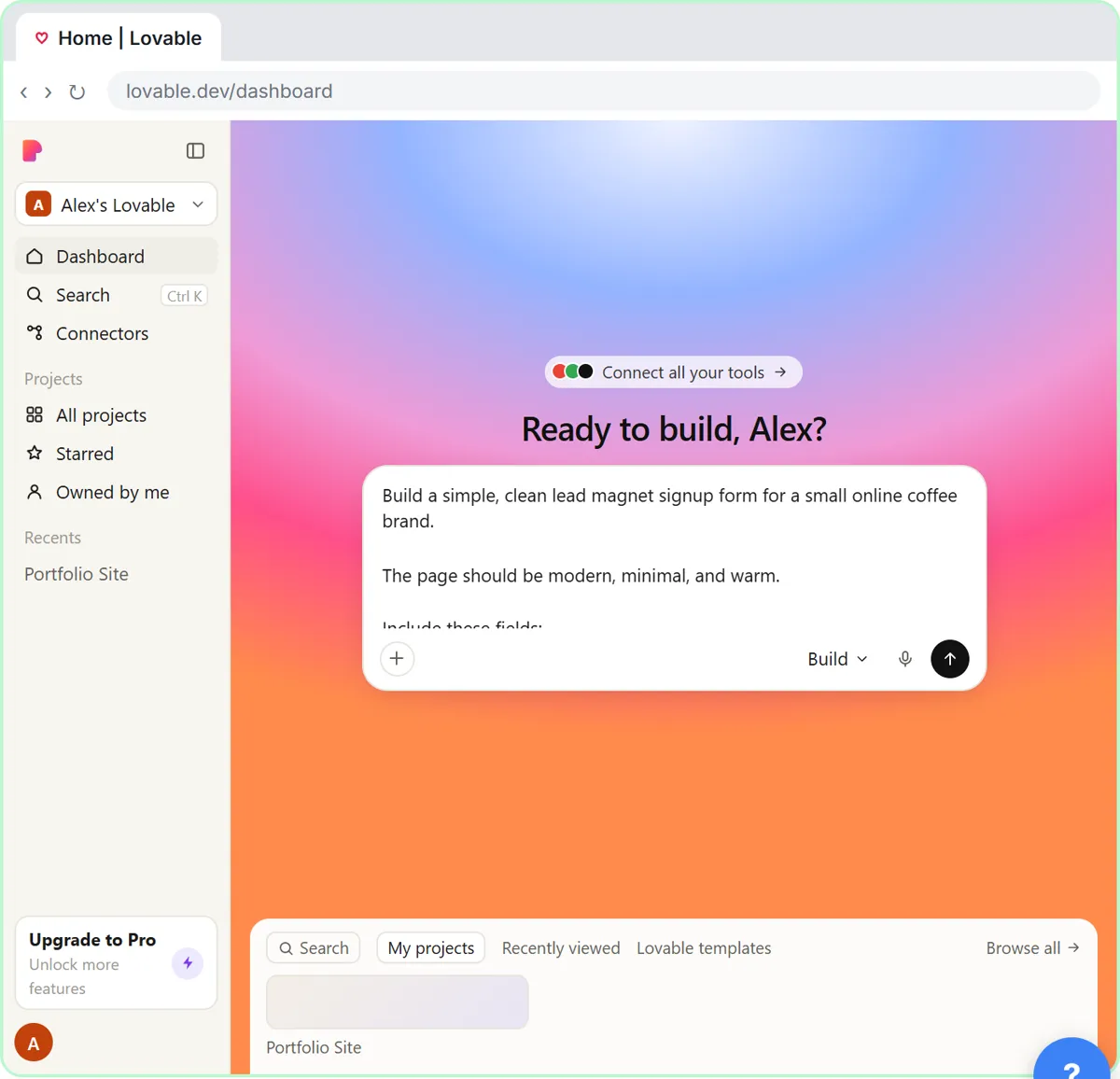 Build a Lead Magnet Signup Form with an AI Welcome Email
Build a "Get the free guide" signup form in Lovable for Harbor & Pine Coffee Roasters and connect it to n8n — the AI agent tags each lead by interest, saves it to…
Free · Live ~15 min Advanced
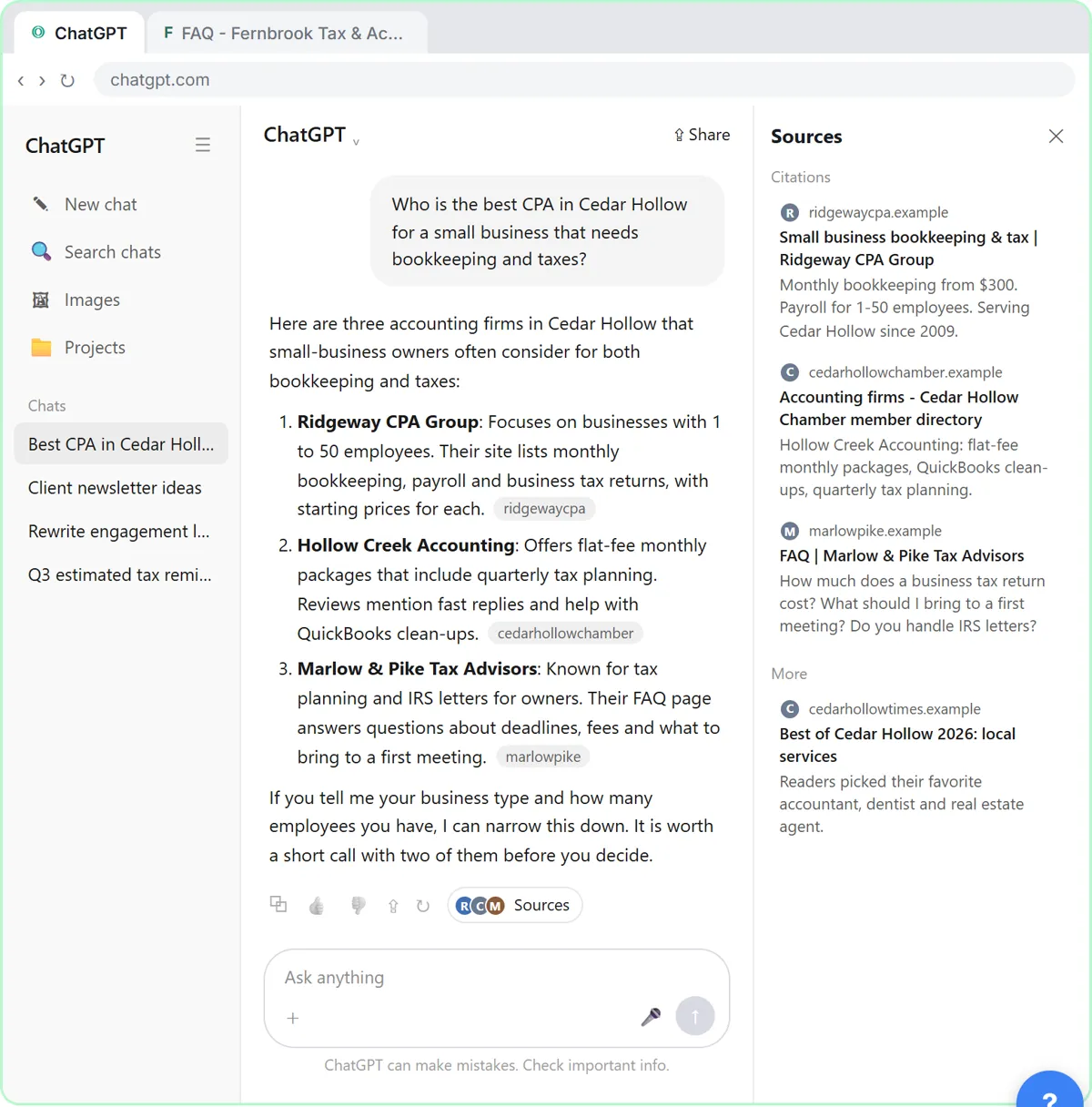 Get Your Business Recommended by ChatGPT
Ask ChatGPT who it recommends in your town, see which pages it trusts, then use it to write an FAQ page and Business Profile copy that answer real customer questions.
Free · Live ~10 min Intermediate
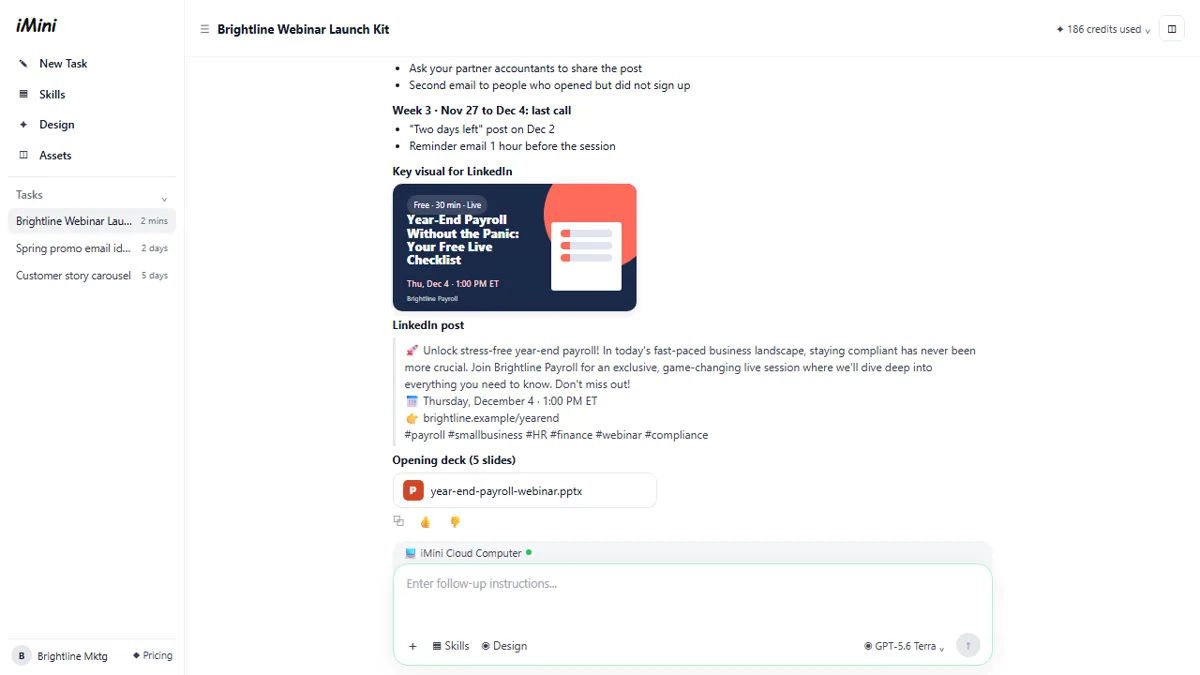 iMini AI Agent: Turn a Rough Idea into a Launch Kit
Brief the iMini Creative Agent once and get a launch plan, a LinkedIn visual, a post and a 5-slide deck, then fix the visual and humanize the post with follow-ups.
Free · Live ~8 min Beginner
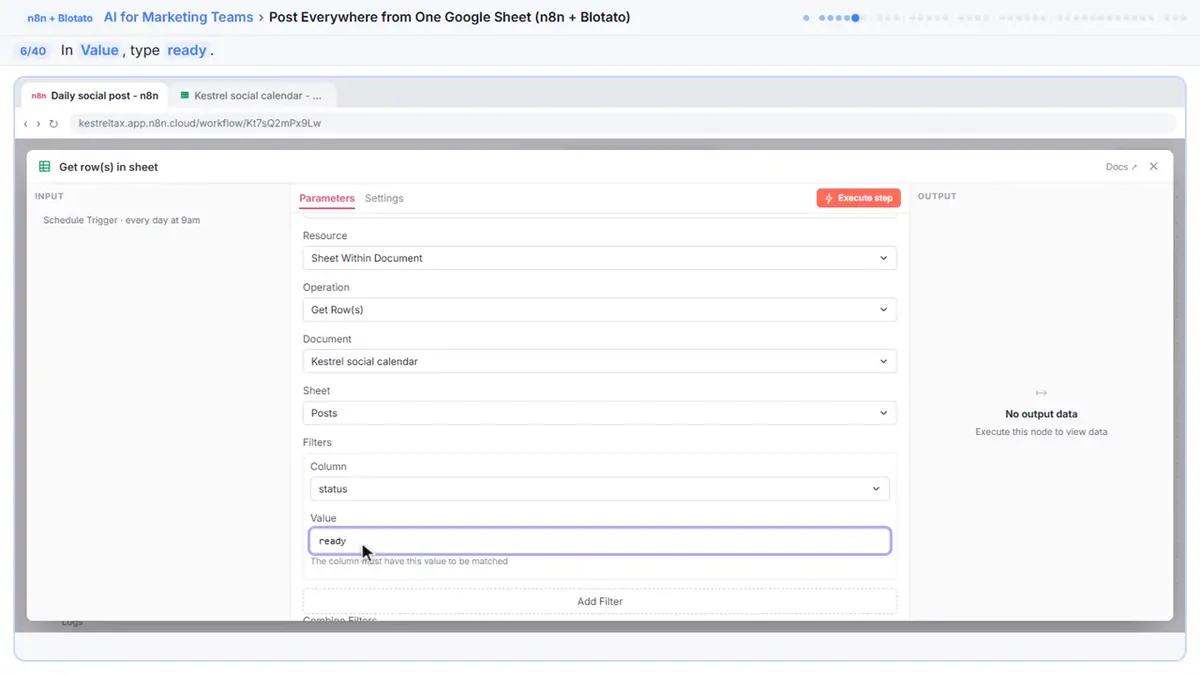 Post to Every Channel Daily from One Sheet using n8n + Blotato
Copying the same post into every social app can take half an hour a day, and on busy days nothing goes out. Plan a week of posts in one Google Sheet; every morning n8n…
Free · Live ~14 min Advanced
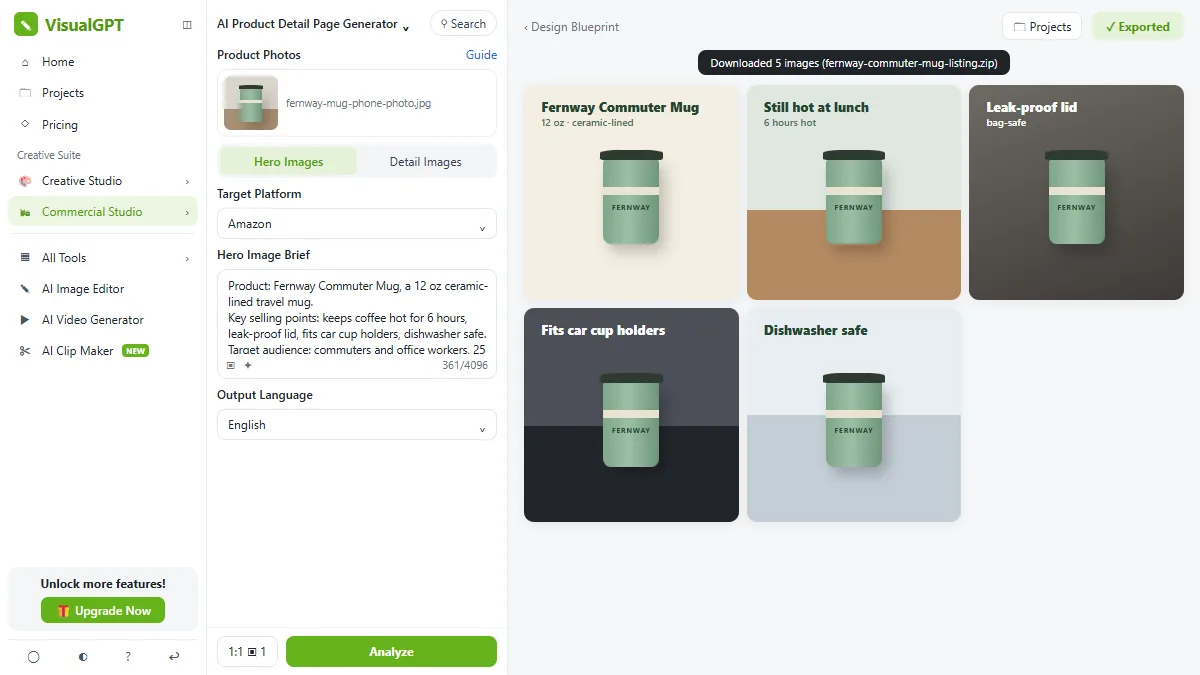 VisualGPT: Product Photos, Listing Images and Ads from One Phone Photo
Turn one phone photo into a lifestyle product shot, a five-image Amazon listing set and three launch ads in VisualGPT's Commercial Studio, checking the plan and every…
Free · Live ~8 min Beginner
All 33 modules in AI Automation for Marketing
Terms in this lesson
Plain-English definitions, each with an example from a free lesson.
Related prompts
- Email list send decision prompt: A copy-ready prompt that turns an email verification result into a send plan: who gets the campaign, who is held back and what…
More terms on this topic
More prompts on this topic
- Cold outreach email prompt: An honest cold email prompt for ChatGPT: verified facts about the prospect only, who you are and why you're writing, one easy…