Updated . Built against the tool’s current screens and checked step by step. How we check this lesson
Founders, and the consultants who help them raise money, usually have the plan long before they have the deck. A designer takes a week and a few thousand dollars, and a blank slide template takes a weekend. Slidebean is a pitch deck app whose AI writes a first draft from a short company summary. In this free business-case lesson you paste a made-up bookkeeping startup's one-page plan into Slidebean, get a 13-slide draft in about two minutes, then do the part that matters: catch the statistics the AI invented, and fill in the price and the raise it left as $XX, so every number in the deck is one you can defend.
At a glance
| Question | Answer |
|---|---|
| What you build | A founder with a one-page plan and an investor meeting next week needs a pitch deck. Slidebean drafts 13 slides from the plan in two minutes. Then you catch the numbers the AI made up and fill the blanks it left, so every figure in the deck is one you can defend. |
| Tools | Slidebean |
| Time | About 9 minutes, 23 steps in 5 parts |
| Level | Beginner, no coding needed |
| Cost | Free |
| Ways to learn it | Practice it step by step, read the guide with screenshots |
The 5 parts, in short
- Start from the plan you already have: Look at the one-page plan, Open Slidebean.
- Get a first draft in two minutes: Create a new presentation, Pick Pitch deck with AI, Use a description instead of a website, Type the company name, and 2 more steps.
- Catch what the AI made up: Open the Problem slide, Open the text, Select the made-up line, Replace it with a fact from the plan, and 1 more step.
- Fill the blanks with your real numbers: Open the Business Model slide, Open the first price, Type the real price, Look at Traction, and 4 more steps.
- Before it goes to an investor: Open the File menu, Look at Export.
Start here first: How to Use Granola for Client Call Notes, With No Meeting Bot (module 1 of AI Automation for Consulting & Agencies)
Part of: AI for Consulting & Agencies (step 3 of 40). Next up: Handle Scope Creep Without Losing the Client using ChatGPT
Part of: AI Apps Worth Knowing (step 16 of 186). Next up: Onboard New Clients Without the Back-and-Forth Using Airia
Part of: AI Presentations & Client Decks (step 6 of 12). Next up: Meeting to Action: Recap, Tracker Rows and a Kickoff Deck (ChatGPT, n8n, Gamma)
Part of: AI Presentations and Visual Content (step 4 of 8). Next up: Turn a Messy Client Brief into a Finished Proposal Deck using Runable
How to turn a One-Page Business Plan into an Investor-Ready Deck using Slidebean: step-by-step guide with screenshots
About the screenshots. They come from Stepthrough’s simulated practice environment (a practice copy of Slidebean), not the live tool, so no real account appears. The buttons and labels match the real screens the lesson was built against. Practice it yourself free at ynteractive.com.
- Tools: Slidebean
- Time: about 9 minutes, 23 steps in 5 parts
- Level: beginner, no coding needed
Part 1: Start from the plan you already have
Step 1: Look at the one-page plan
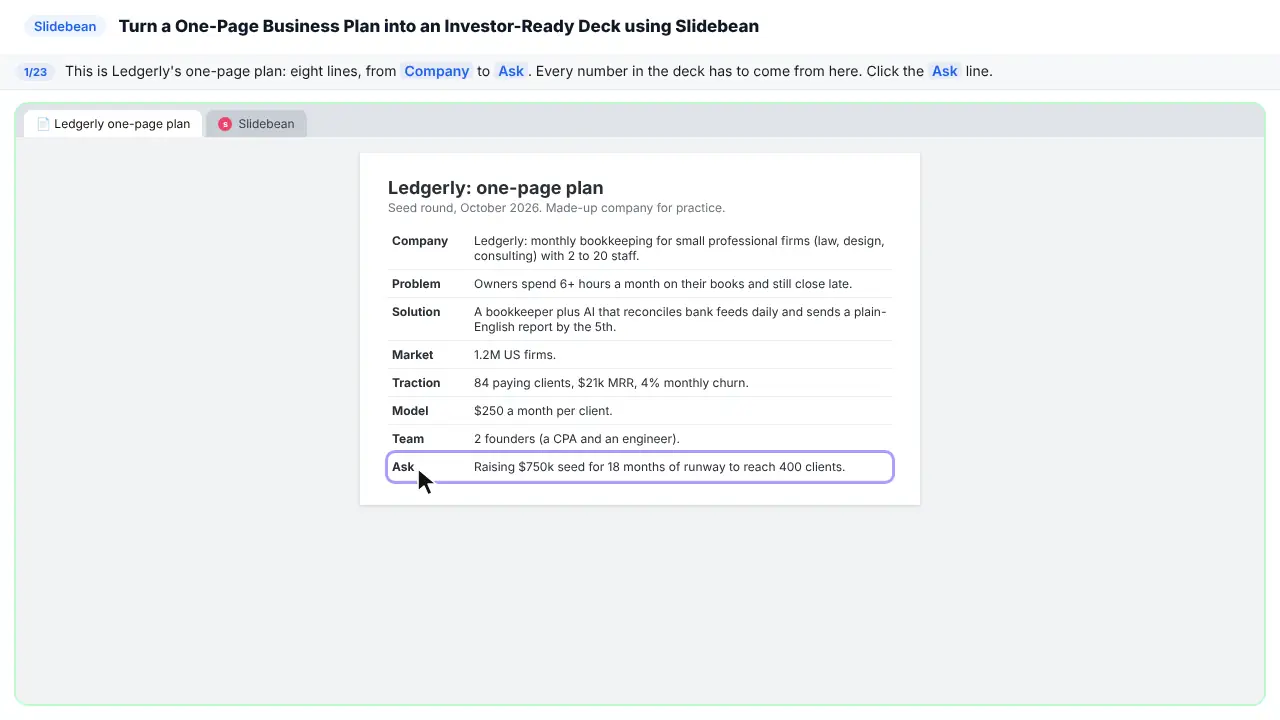
This is the founder's one page plan. Eight short lines. Every number in the deck has to come from this page.
Step 2: Open Slidebean
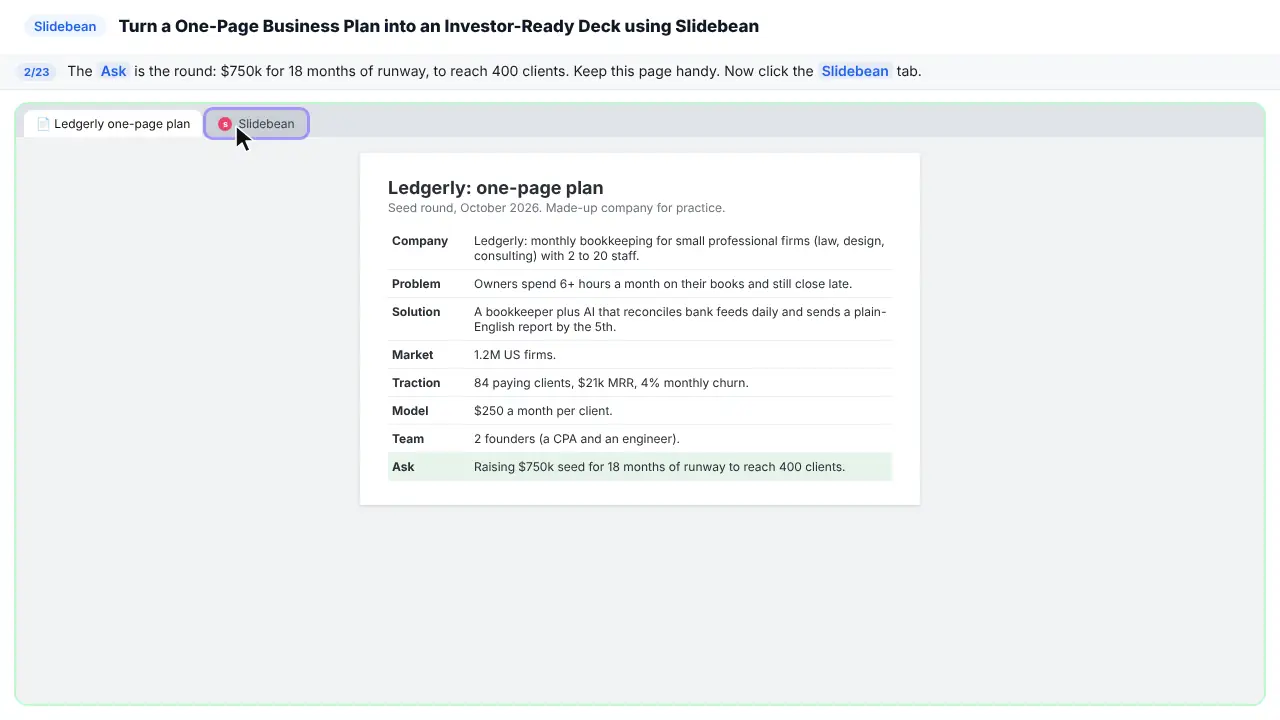
The ask is the money you're raising, and what it buys. Seven hundred fifty thousand dollars, for eighteen months, to reach four hundred clients.
Part 2: Get a first draft in two minutes
Step 3: Create a new presentation
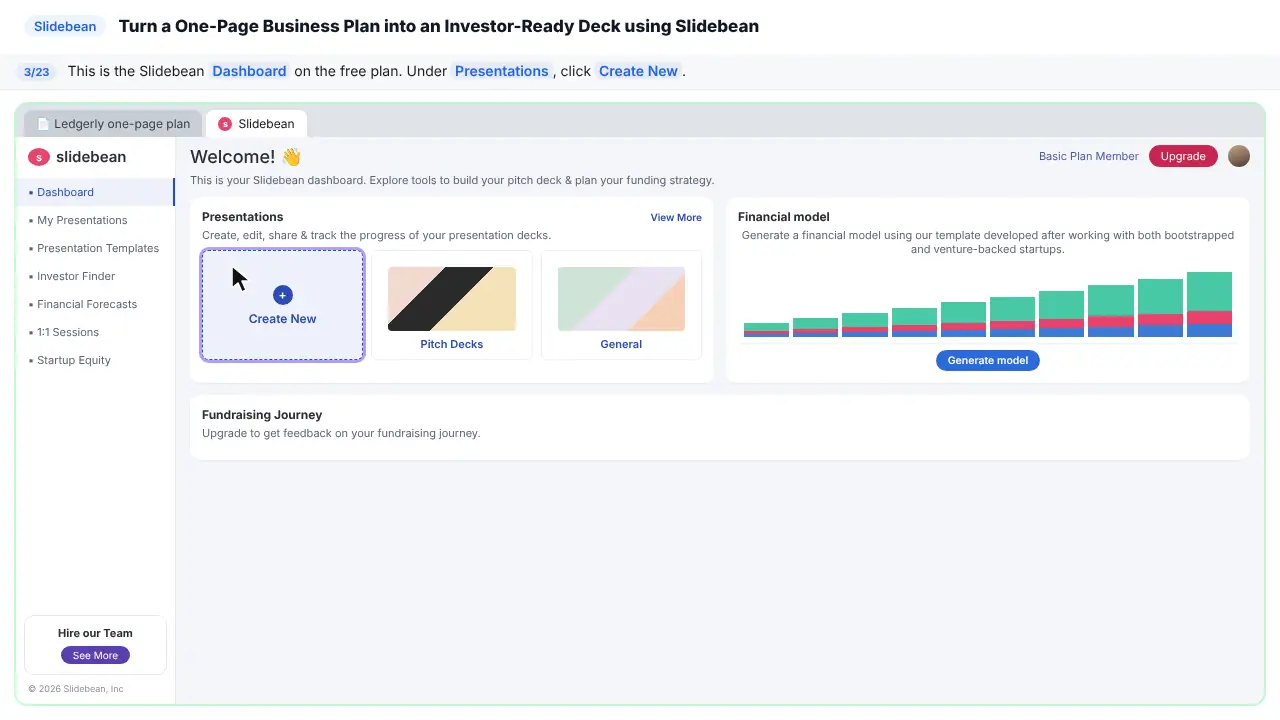
This is Slidebean. It builds pitch decks. The free plan is enough to build and edit one. Under Presentations, click Create New.
Step 4: Pick Pitch deck with AI
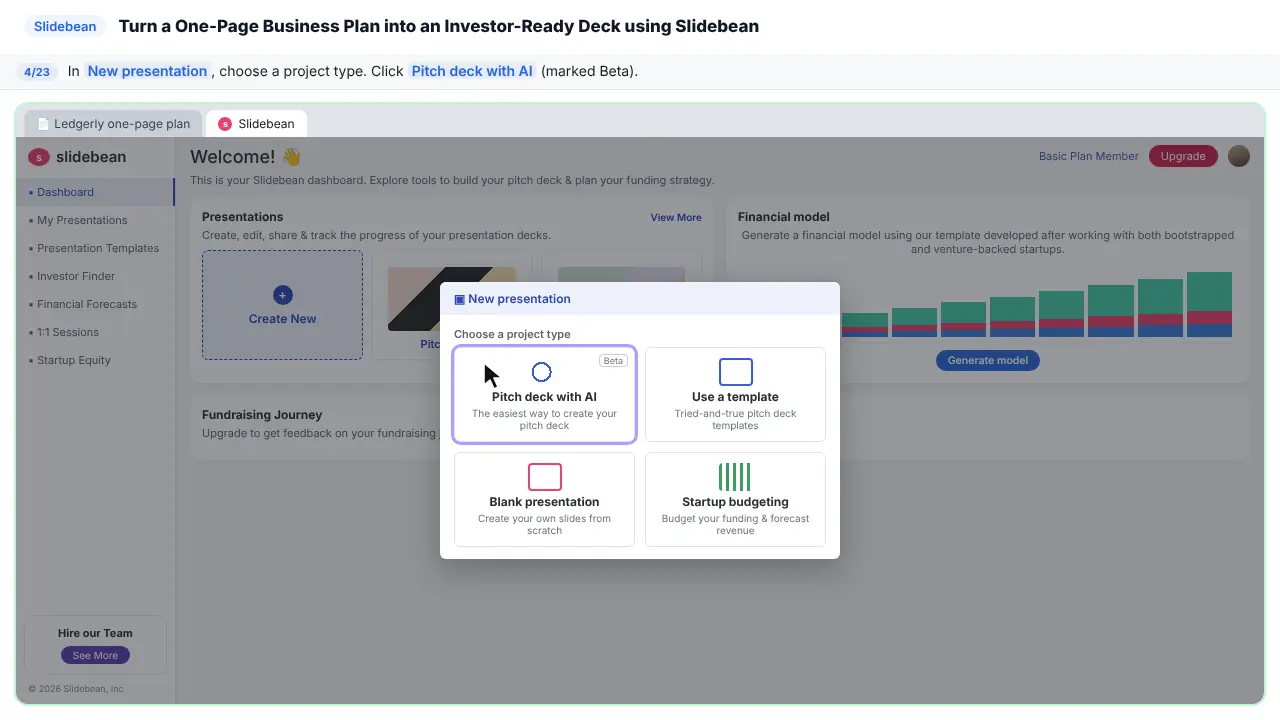
Pick the project type.
Step 5: Use a description instead of a website
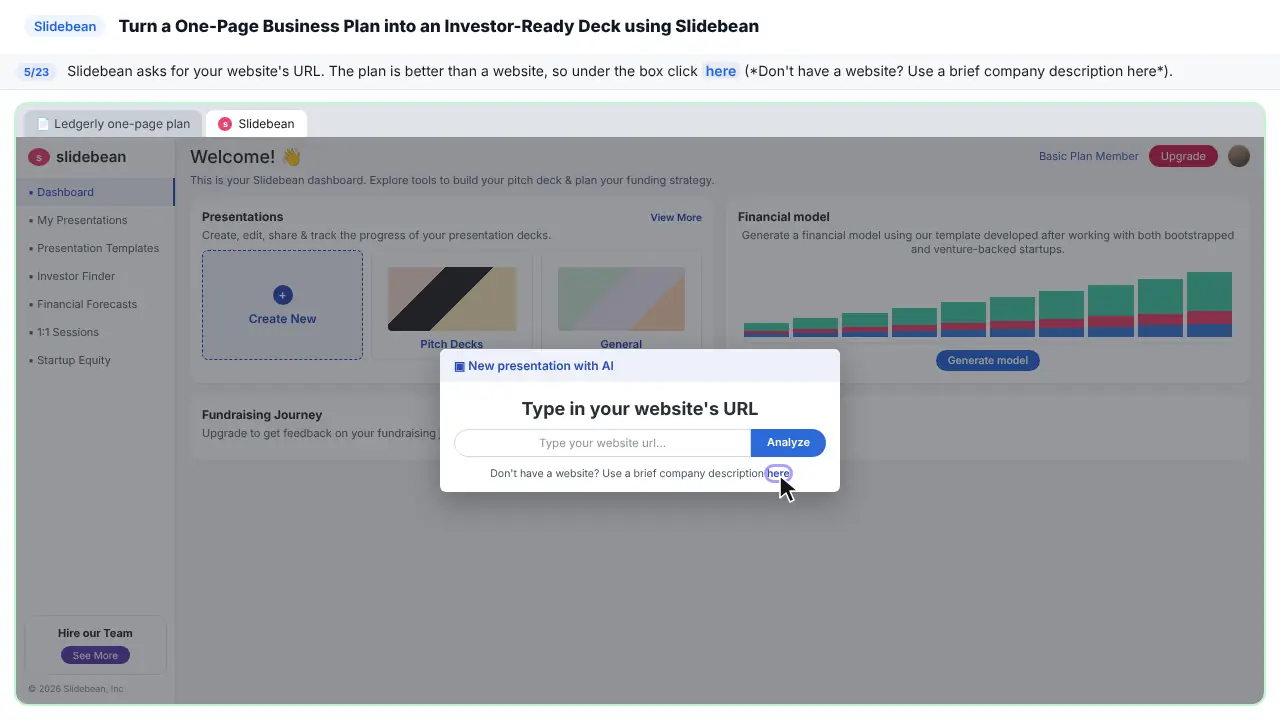
It asks for your website. But your plan has the numbers a website doesn't. So under the box, click the word here.
Step 6: Type the company name
Step 7: Paste the plan into Company Summary
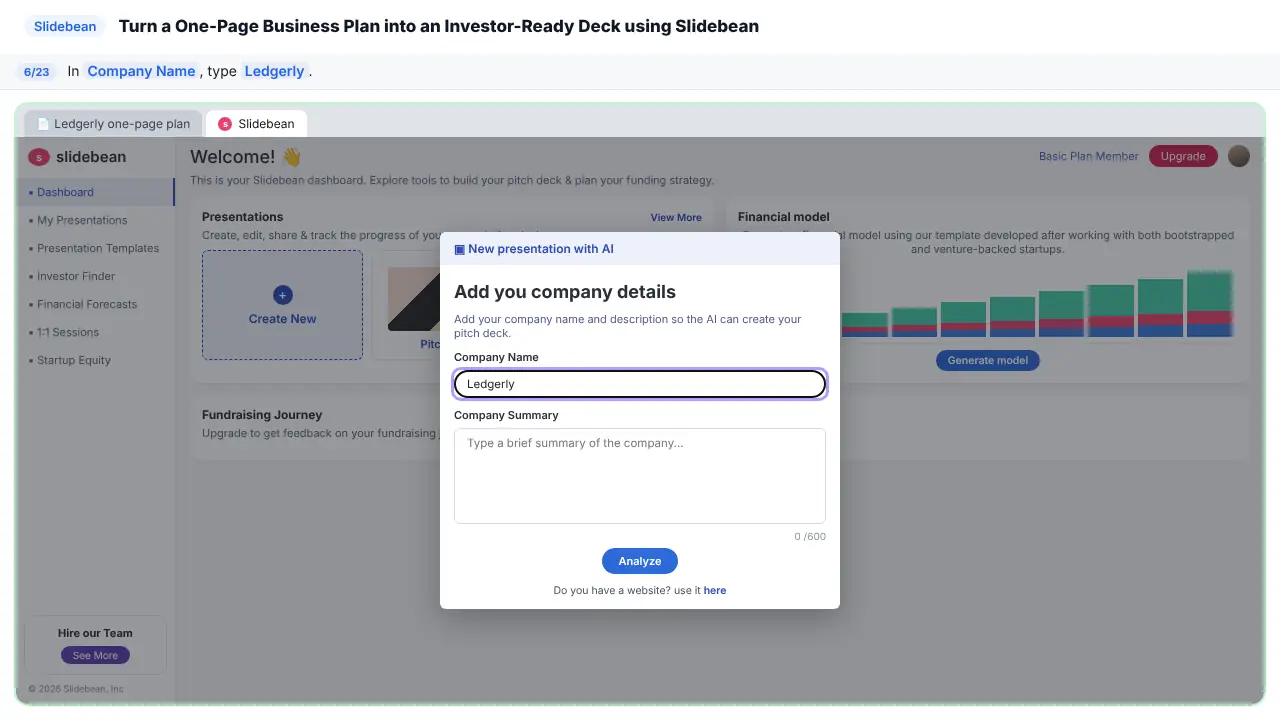
Now put the whole plan in the Company Summary box. The box holds six hundred characters. Every line of the plan fits.
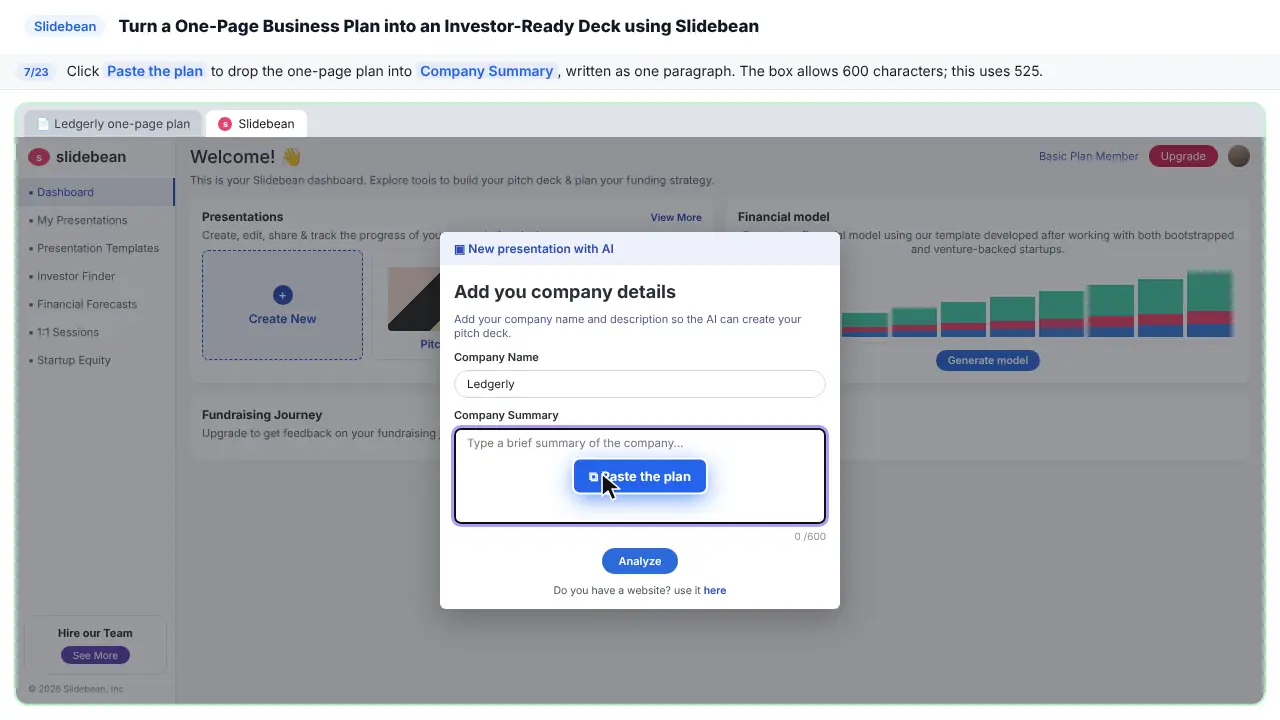
Ledgerly is a monthly bookkeeping service for small professional firms (law, design, consulting) with 2 to 20 staff. Problem: owners spend 6+ hours a month on their books and still close late. Solution: a bookkeeper plus AI that reconciles bank feeds daily and sends a plain-English report by the 5th. Market: 1.2M US firms. Traction: 84 paying clients, $21k MRR, 4% monthly churn. Model: $250 a month per client. Team: 2 founders (a CPA and an engineer). Ask: raising $750k seed for 18 months of runway to reach 400 clients.
Step 8: Analyze
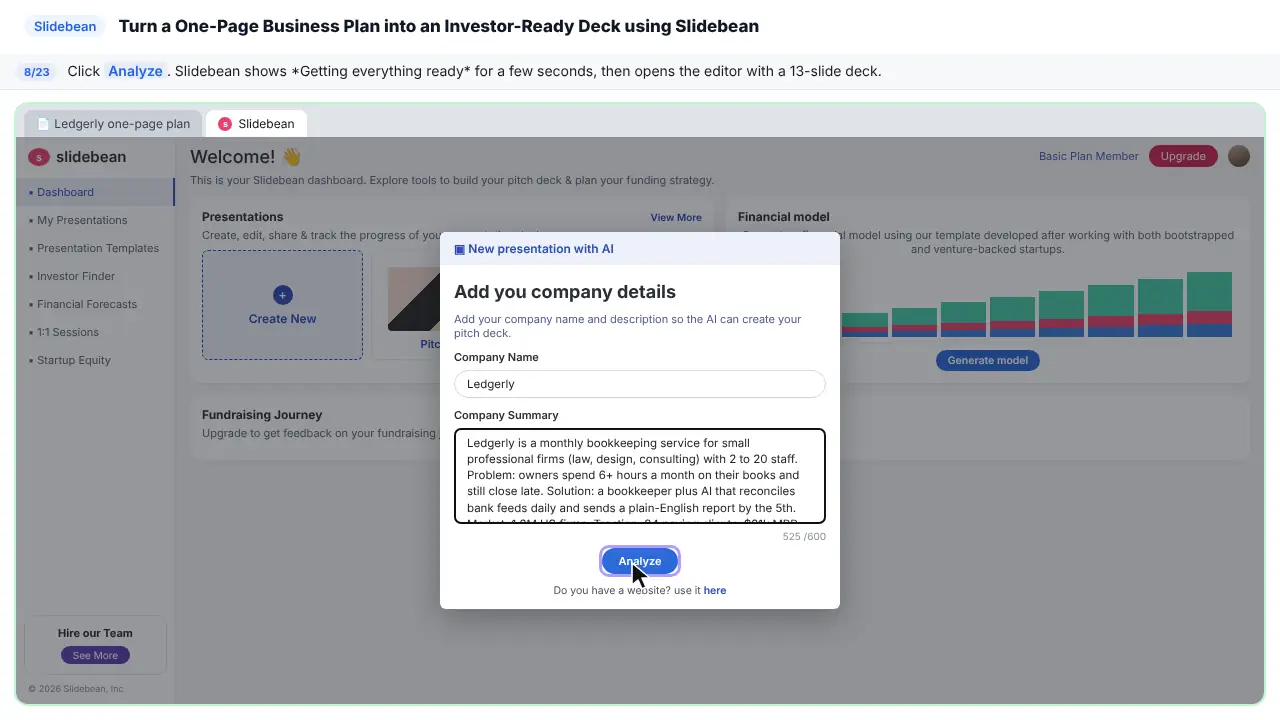
In a few seconds, it opens a thirteen slide deck.
Part 3: Catch what the AI made up
Step 9: Open the Problem slide
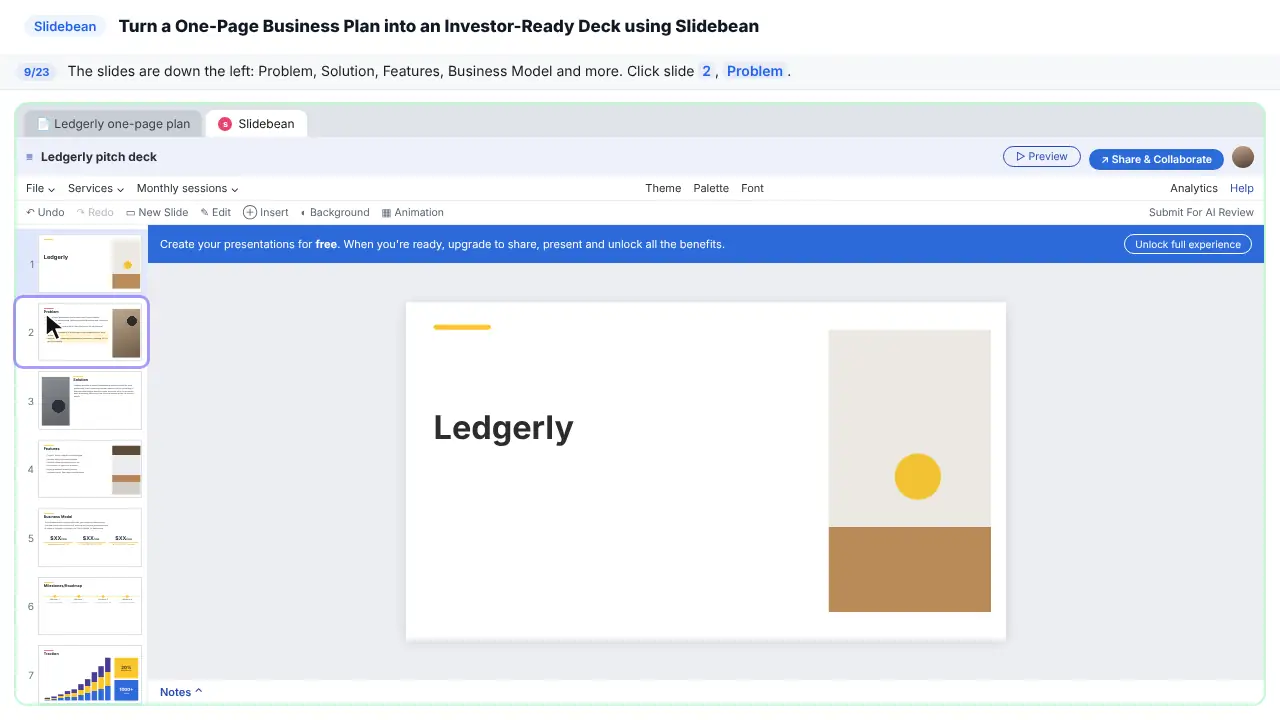
A draft in two minutes. Now check it. Slides are down the left.
Step 10: Open the text
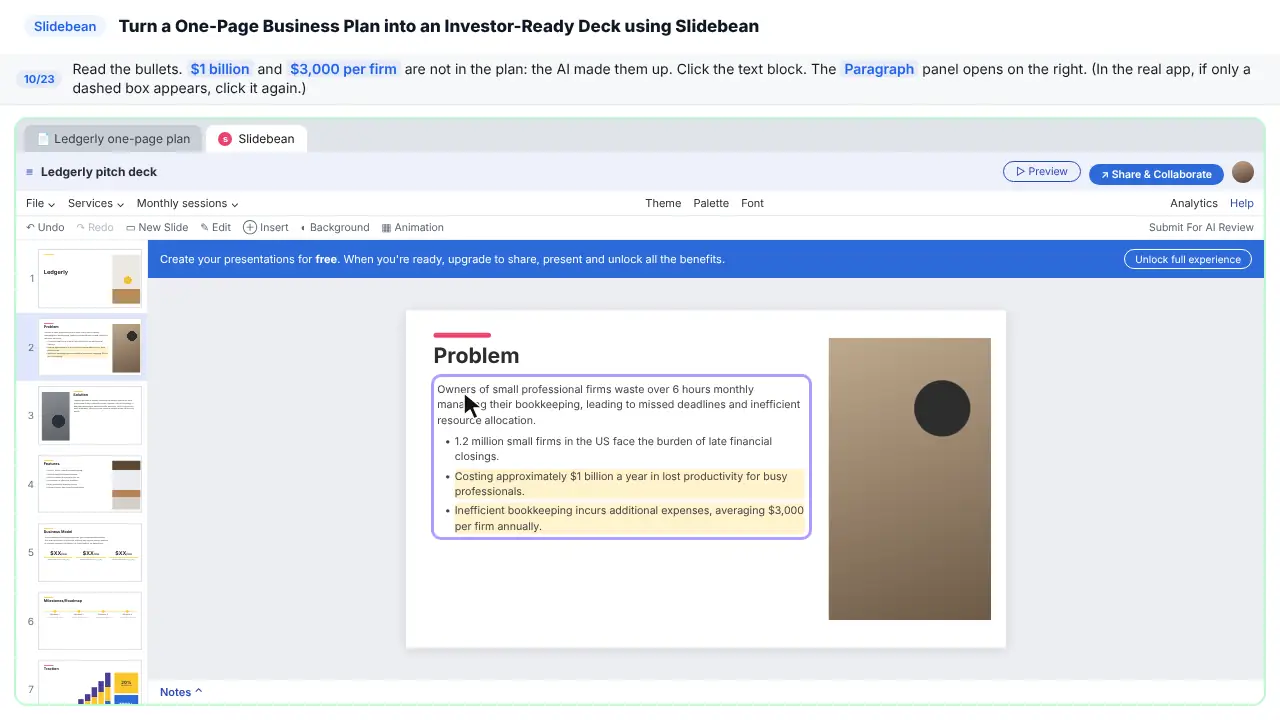
Read the bullets. One billion dollars. Three thousand dollars per firm. Those numbers are not in your plan. The A I made them up. An investor will ask where they came from.
Step 11: Select the made-up line
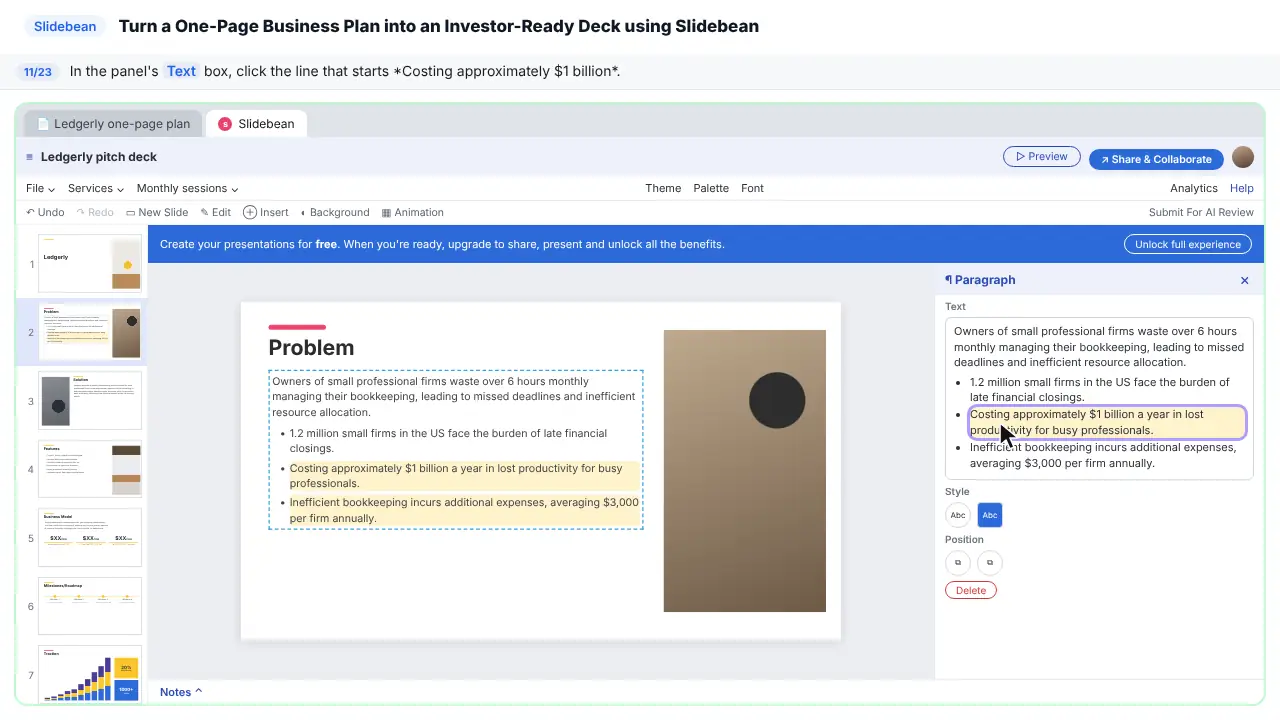
In the Text box, click the line about one billion dollars.
Step 12: Replace it with a fact from the plan
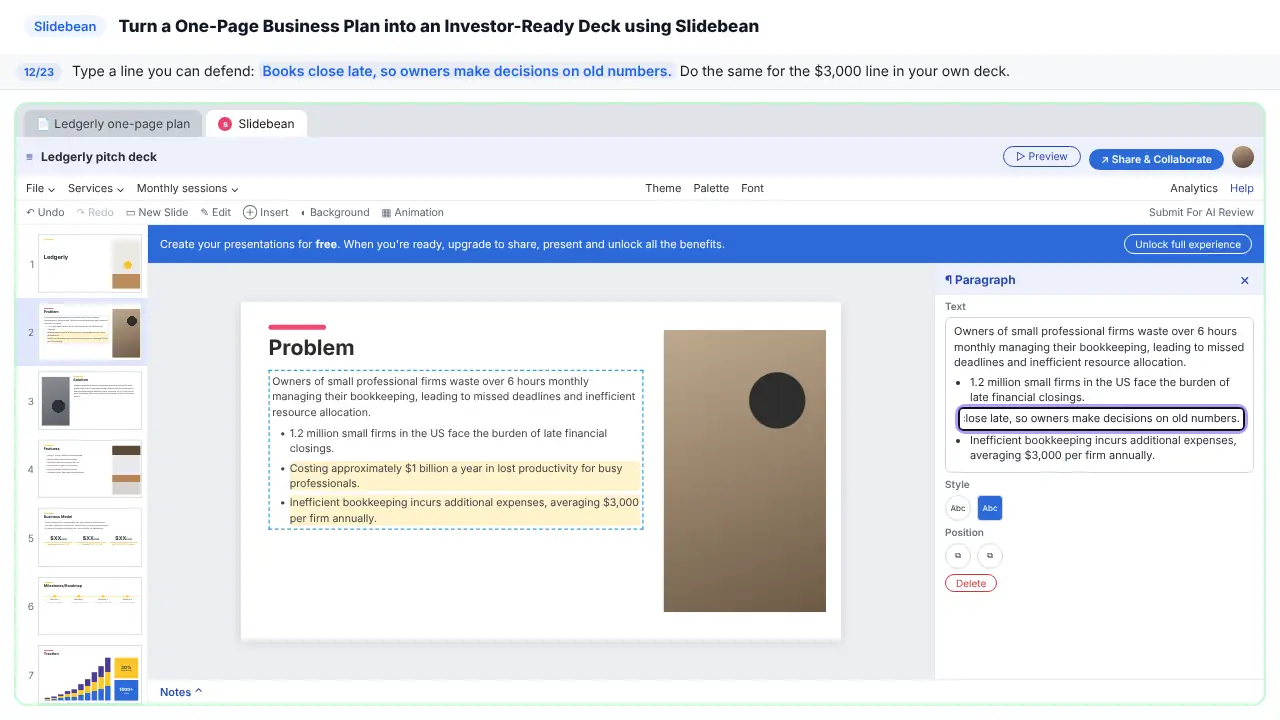
Replace it with something true. In your own deck, do the same for the three thousand dollar line.
Step 13: Close the panel
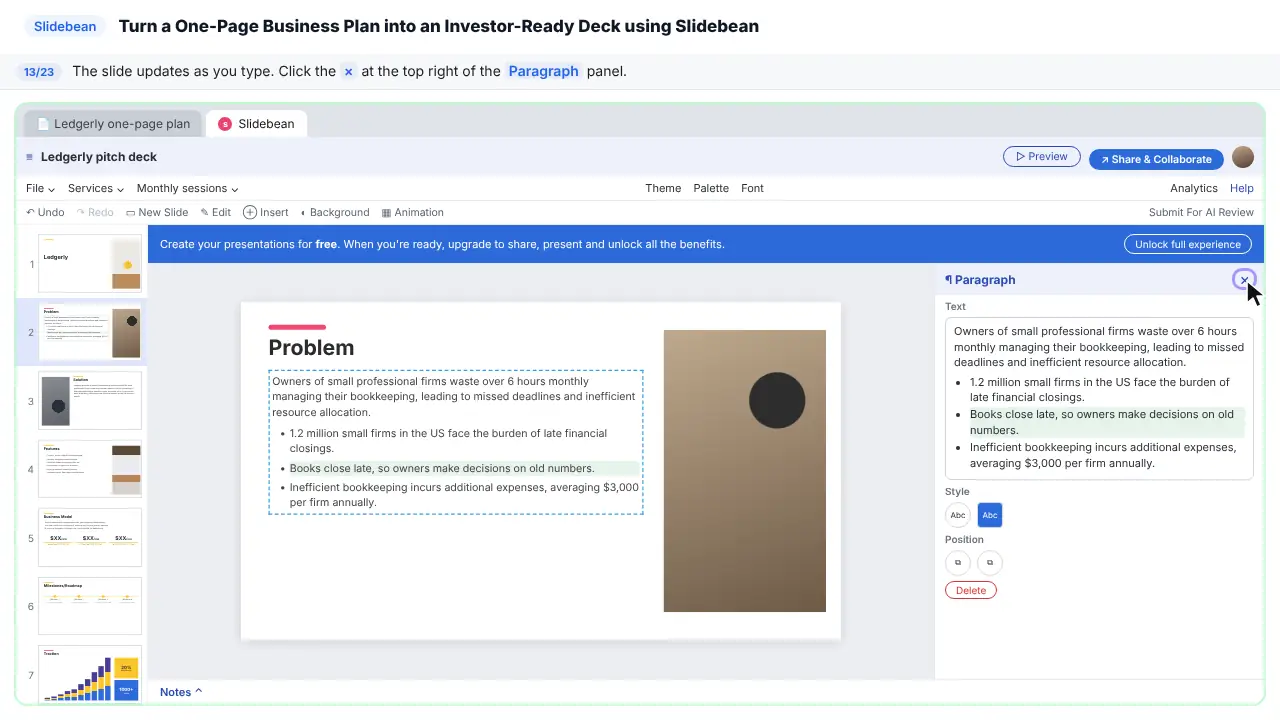
The slide updates as you type. Close the panel.
Part 4: Fill the blanks with your real numbers
Step 14: Open the Business Model slide
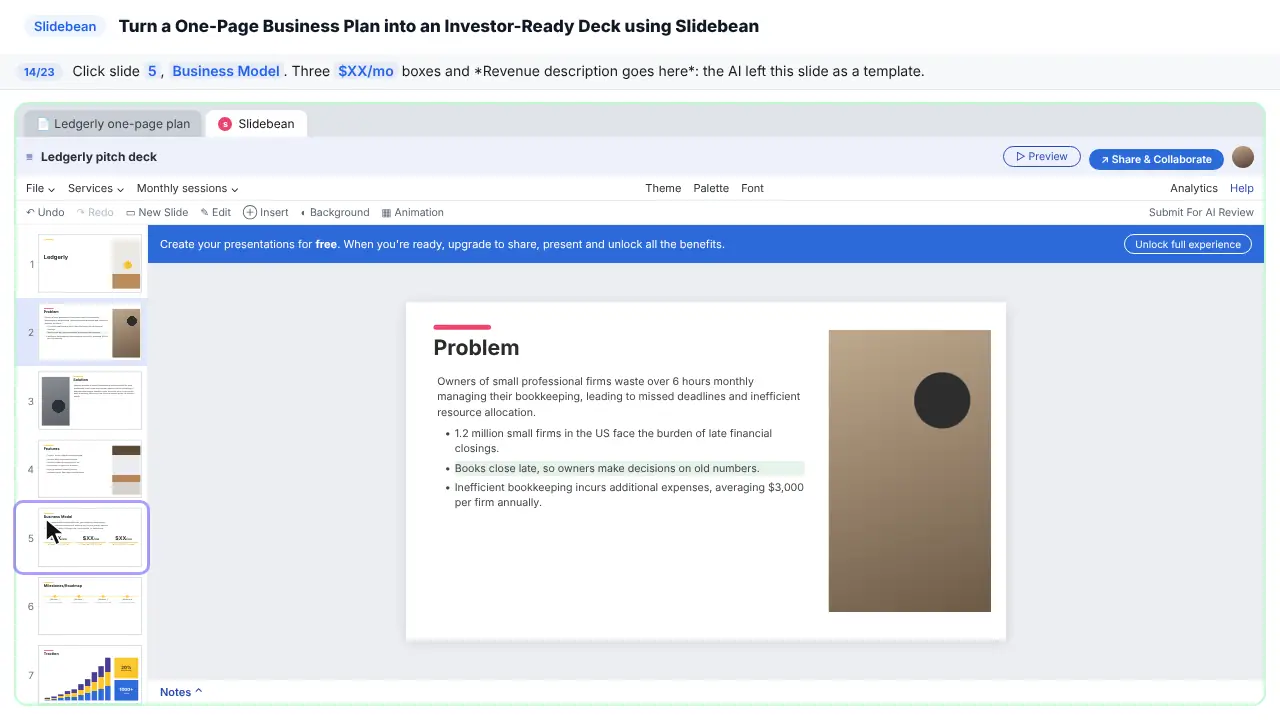
Three boxes say dollars X X a month. The A I left this slide blank. Your plan has the answer.
Step 15: Open the first price
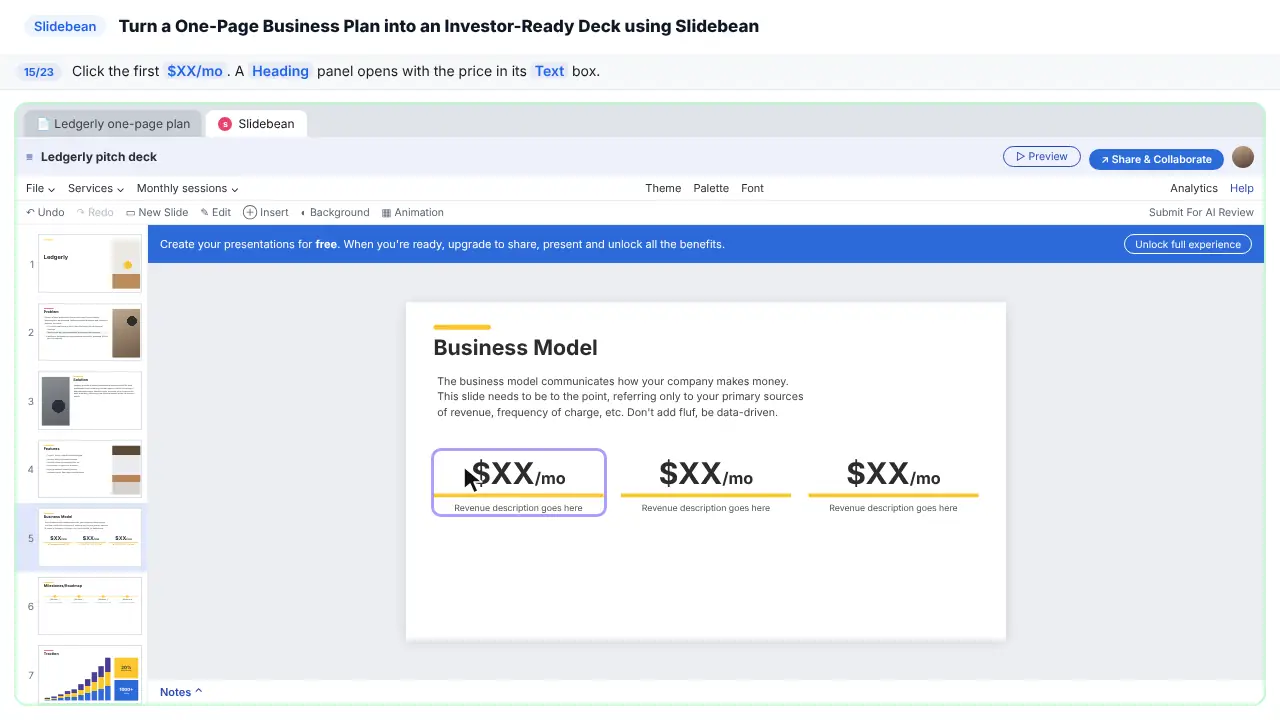
A Heading panel opens.
Step 16: Type the real price
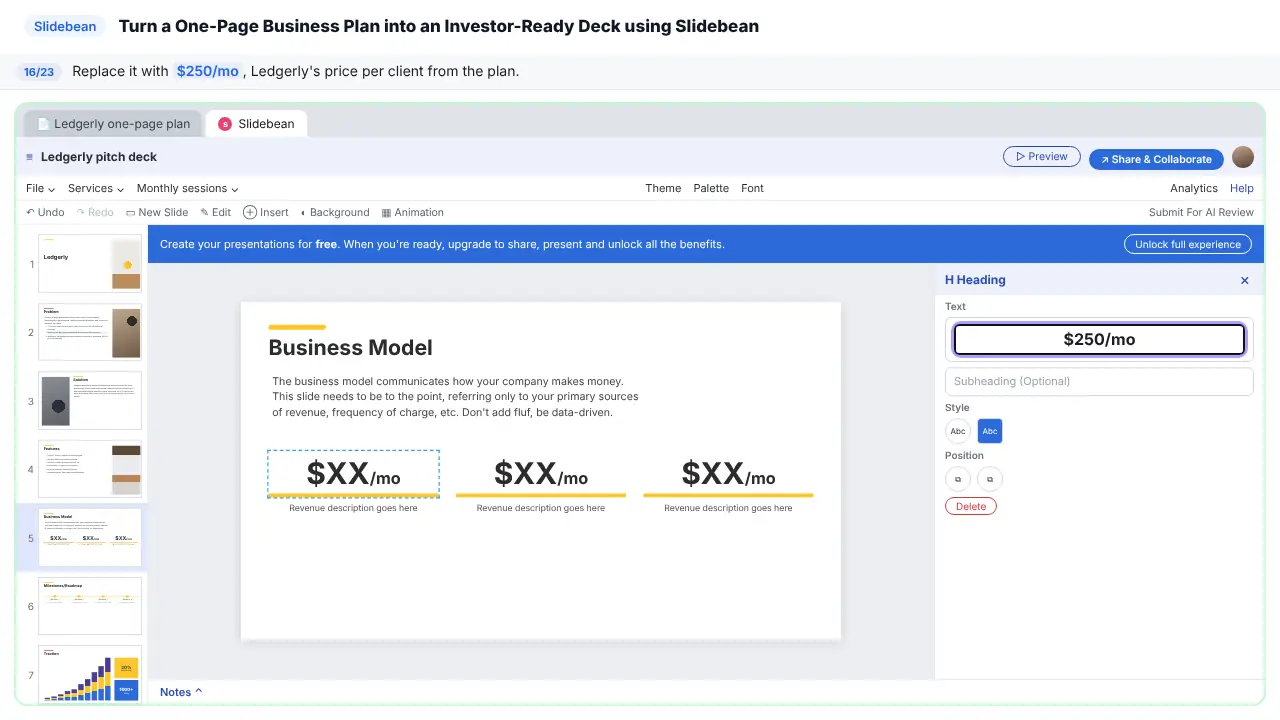
Two hundred fifty dollars a month.
Step 17: Look at Traction
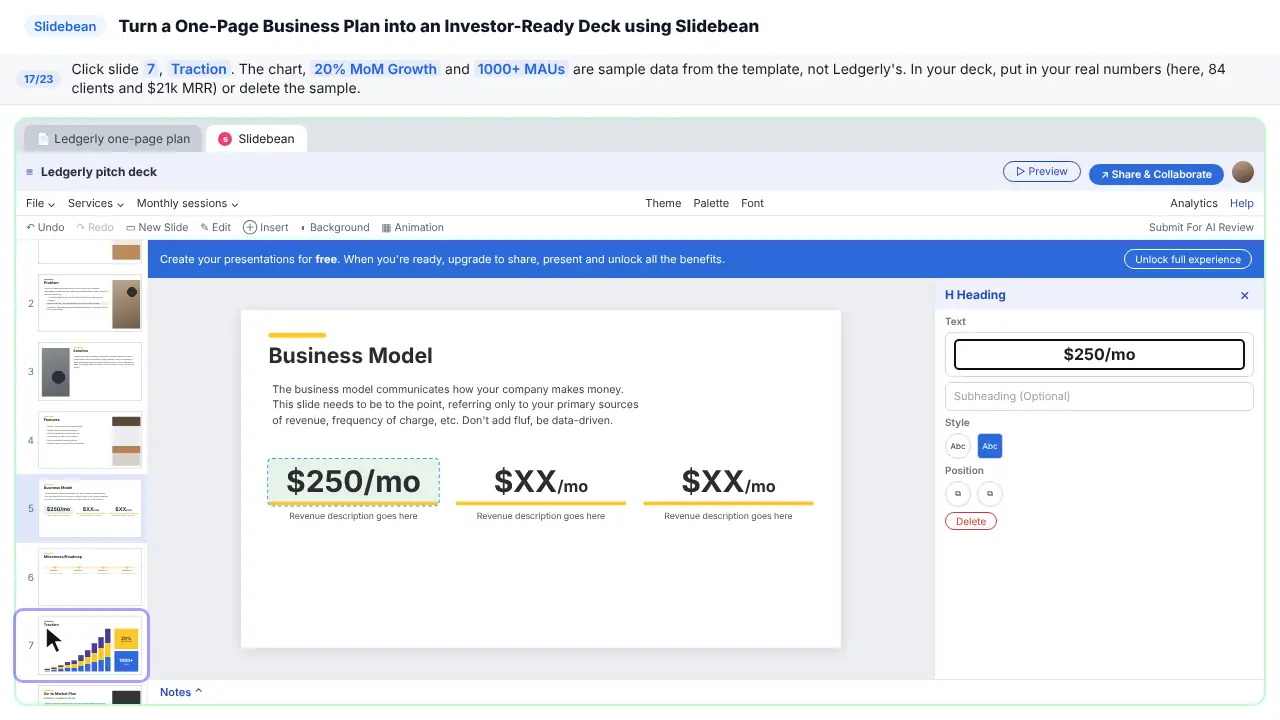
This chart is sample data. Twenty percent growth. A thousand users. None of it is yours. In your deck, use your real numbers, or delete it.
Step 18: Open Fundraising
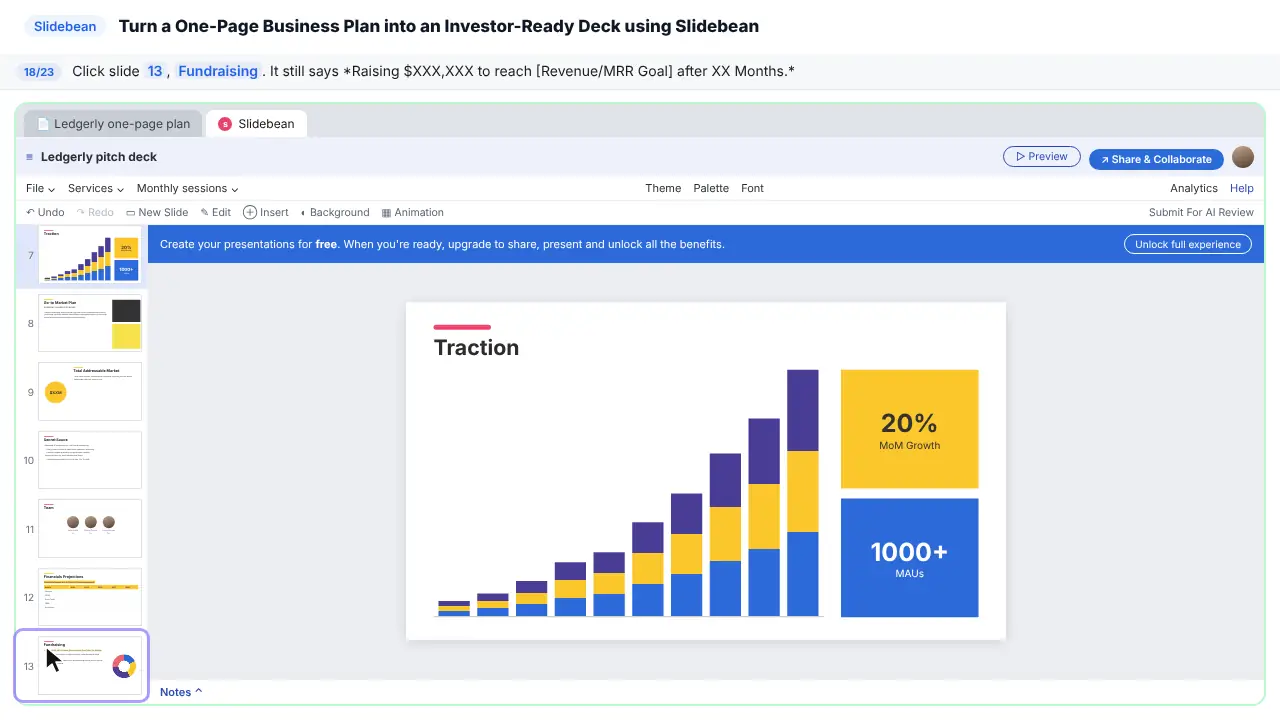
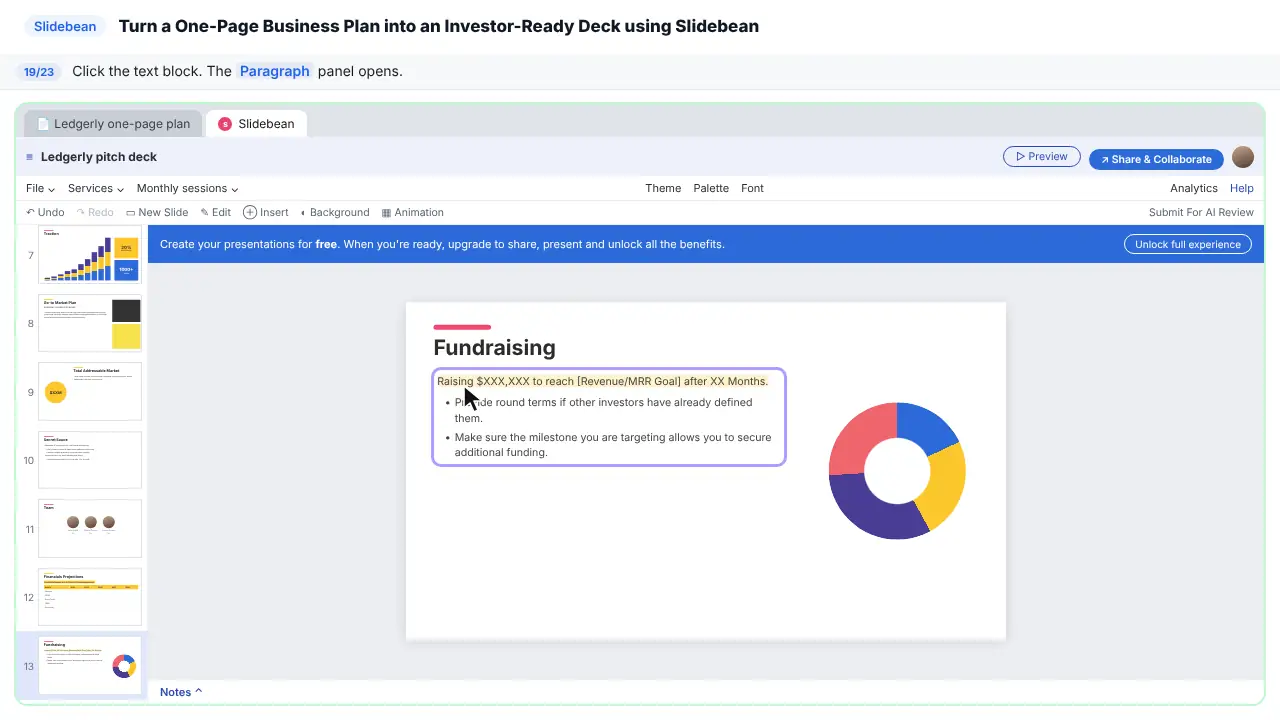
It still has blanks. This is the slide investors read twice.
Step 19: Open the text
Step 20: Type the ask from your plan
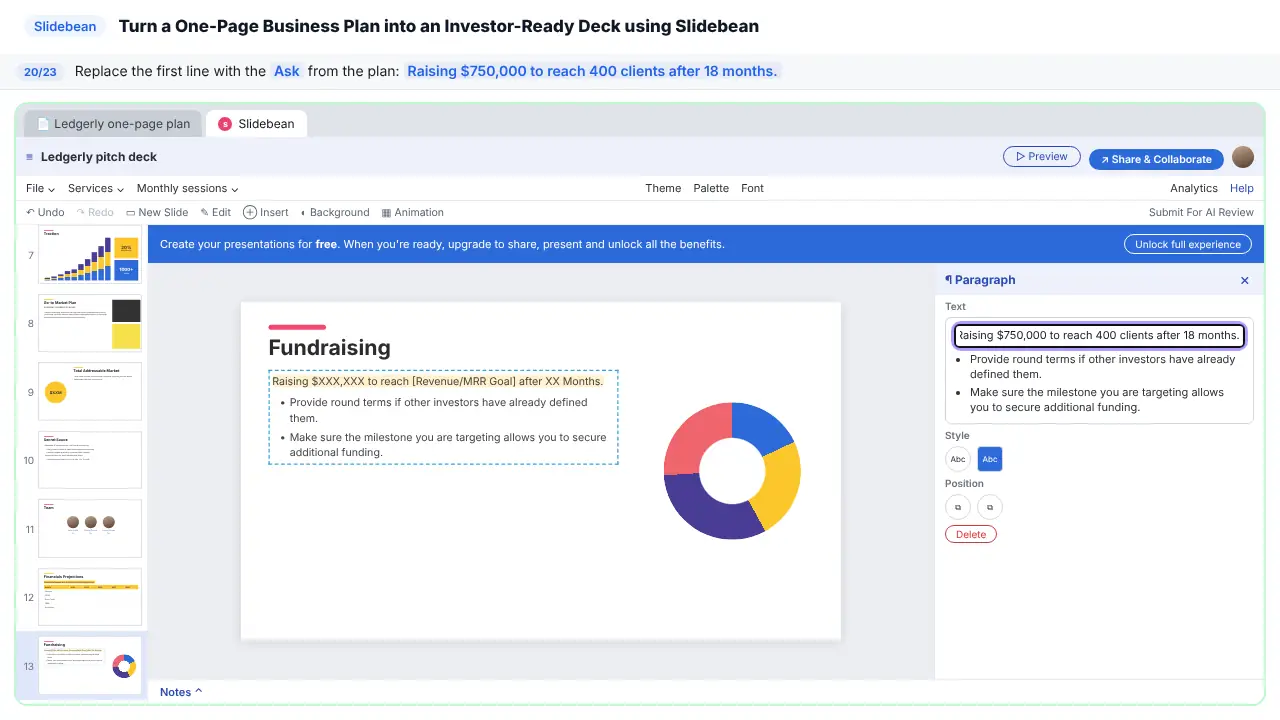
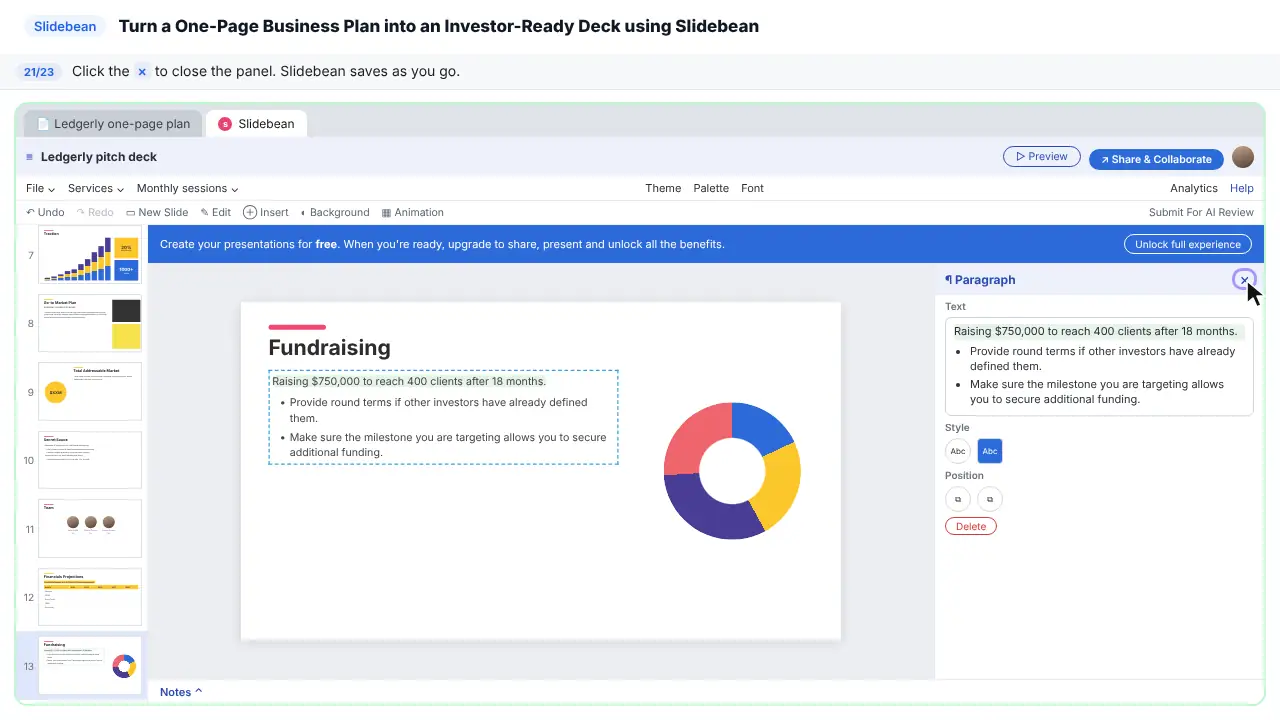
Replace the first line with your ask. Raising seven hundred fifty thousand dollars, to reach four hundred clients, after eighteen months.
Step 21: Close the panel
Close the panel. Slidebean saves as you go.
Part 5: Before it goes to an investor
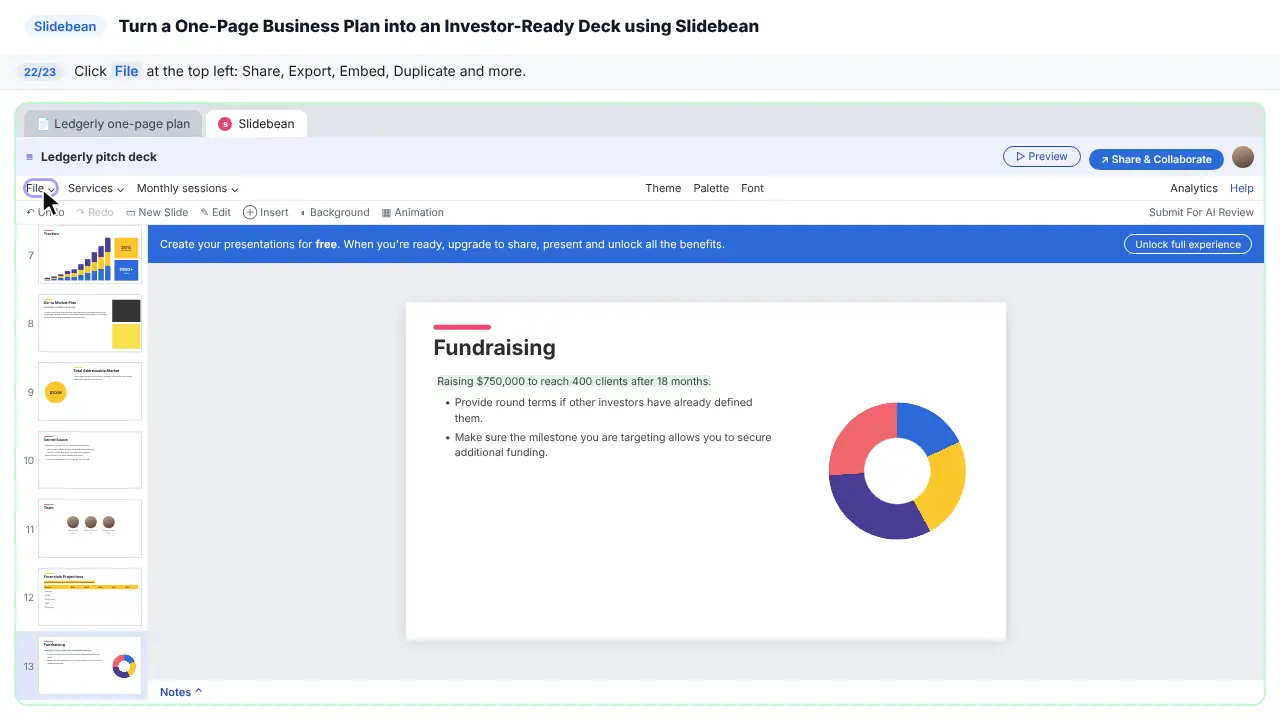
Step 22: Open the File menu
Before you send anything, see your options.
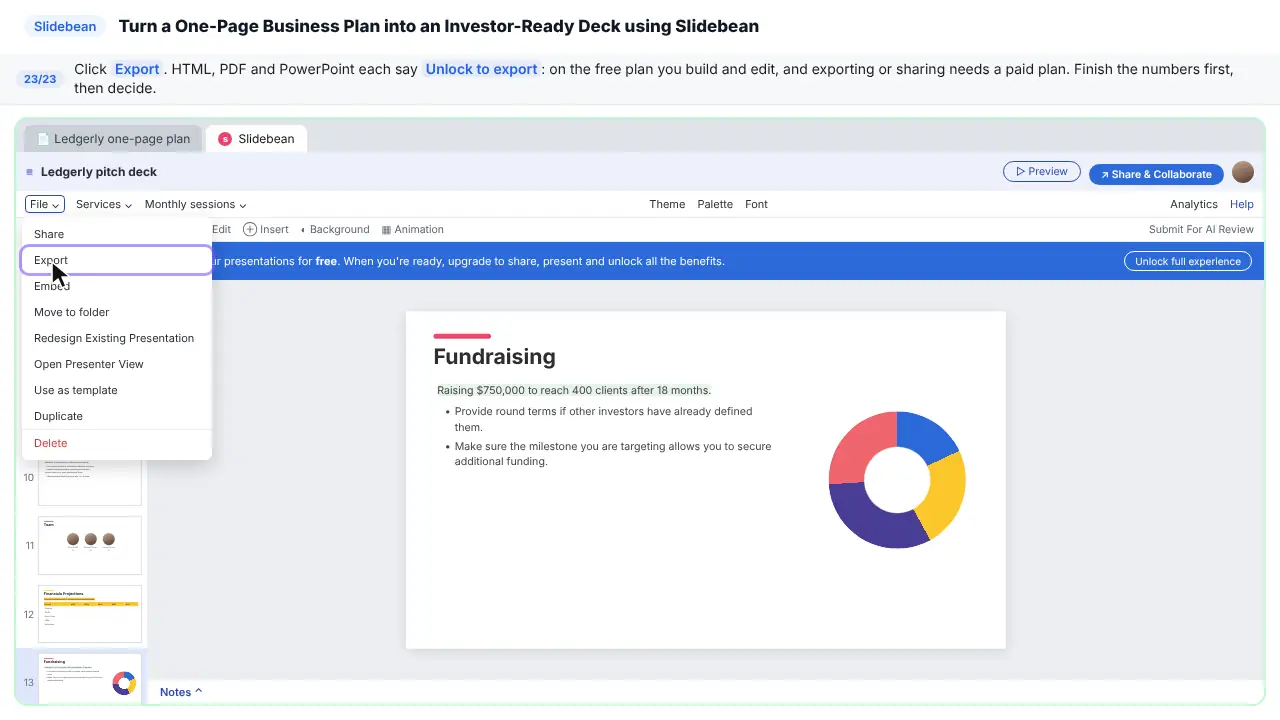
Step 23: Look at Export
P D F and PowerPoint say Unlock to export. On the free plan, you build and edit. Exporting and sharing need a paid plan. So finish every number first. Then decide.
Part of these free courses: AI Apps Worth Knowing, AI for Consulting & Agencies, AI Presentations & Client Decks
Now do it yourself, free
Reading the steps is a start. Doing them is how it sticks. The interactive lesson puts you in a practice copy of Slidebean: you do every step yourself, it checks your work, and “Do it for me” finishes any step you get stuck on. Nothing touches your real accounts.
Practice “Turn a One-Page Business Plan into an Investor-Ready Deck using Slidebean” step by stepThe one-page plan the deck is built from
This is Ledgerly's plan, the page the lesson opens on. Each line becomes one or more slides: Problem and Solution become their own slides, Model becomes Business Model, Ask becomes Fundraising. The same plan, written as one paragraph, is what goes into Slidebean's Company Summary box (525 of its 600 characters).
| line | what it says |
|---|---|
| Company | Monthly bookkeeping for small professional firms (law, design, consulting) with 2 to 20 staff. |
| Problem | Owners spend 6+ hours a month on their books and still close late. |
| Solution | A bookkeeper plus AI that reconciles bank feeds daily and sends a plain-English report by the 5th. |
| Market | 1.2M US firms. |
| Traction | 84 paying clients, $21k MRR, 4% monthly churn. |
| Model | $250 a month per client. |
| Team | 2 founders (a CPA and an engineer). |
| Ask | Raising $750k seed for 18 months of runway to reach 400 clients. |
Download the one-page plan template (.txt) Open it in any text editor, replace each line with your own business, then copy the one-paragraph version at the bottom into Slidebean.
The slide-by-slide number check
A checklist for all 13 slides Slidebean drafted in our test: which ones the AI wrote, which ones still hold template sample data, and what to replace before an investor sees it.
Download the deck number check (.txt) Print it, or keep it open next to the deck and tick each slide off.
The business case: the plan is ready, the deck is not
Picture Dana, co-founder of Ledgerly, a made-up bookkeeping startup with 84 clients. She has a seed meeting next week. Everything an investor needs is already on one page: the problem, the solution, the market, traction, price, team and the ask. What she does not have is a deck.
The usual options are slow or expensive. A pitch deck designer might take a week and charge a few thousand dollars. Building it herself from a blank template takes a weekend she does not have. The business result we want is a first draft today, with every number traceable to the plan, so the remaining time goes into practising the pitch.
Who this is for, and what it costs to start
Founders preparing a raise, and the consultants, accountants and advisors who help small companies put a deck together. You need a one-page plan, not design skills.
In our test the account was on Slidebean's free Basic plan. Creating the AI deck and editing every slide worked. Exporting to PDF, PowerPoint or HTML showed Unlock to export, and the editor's banner says sharing and presenting need an upgrade. Check slidebean.com/pricing for current plans.
What the AI gets wrong, and how to catch it
- Invented statistics: the AI fills the Problem slide with market-sized numbers that sound right. If a number is not in your plan and you cannot name its source, delete it. Investors ask.
- Template sample data: Business Model, Milestones, Traction, Total Addressable Market, Team, Financials Projections and Fundraising kept the template's placeholders in our test ($XX/mo, 1000+ MAUs, John Smith). They look finished at a glance. They are not yours.
- Soft language: the Go-to Market slide says what you could do. Rewrite it as what you do, and what it costs.
What this saves you
- Time: a 13-slide first draft in about two minutes instead of a week with a designer or a weekend with a blank template.
- Credibility: every number traces back to your plan, so you are ready for the follow-up questions.
- What it does not do: it does not check facts, it does not send anything, and on the free plan it does not export. Read every slide before anyone else does.
What we checked in a real Slidebean account
We ran every step of this lesson in a real Slidebean account on the free Basic plan on 14 October 2026, with the same made-up Ledgerly summary: Create New, Pitch deck with AI, the company description form, Analyze, the 13 slides it built, editing text in the Paragraph and Heading panels, and the File and Export menus. We did not upgrade, share, preview or export. Slidebean is a third-party product and its screens change, so yours may differ slightly.
Next business case
A deck gets you the meeting. The next question is usually the numbers behind it. Slidebean's Financial Forecasts tool, and the financial model on the Dashboard, are where the Financials Projections slide should come from, so the deck and the model never disagree.
Links
- Slidebean: the pitch deck app this lesson teaches. Building and editing a deck worked on the free Basic plan in our test; export and sharing needed a paid plan.
- Slidebean pricing: current plans and what each one unlocks. Check it before you plan around export or sharing.
Try it yourself, free
Reading the steps is a start. Doing them is how it sticks. The interactive module walks you through every click in a practice copy of Slidebean, checks each step, and never touches your real accounts.
Start “Turn a One-Page Business Plan into an Investor-Ready Deck using Slidebean”Frequently asked questions
- What is Slidebean?
- Slidebean (slidebean.com) is a pitch deck app for startups. It has pitch deck templates, an AI that drafts a deck from your website or a short company description, financial model tools and an investor finder.
- Can Slidebean make a pitch deck from a business plan?
- Yes. Click Create New, choose Pitch deck with AI, then click here under the website box to use a company description. Paste your plan as one paragraph of up to 600 characters and click Analyze. In our test it built a 13-slide deck in a few seconds.
- Is Slidebean free?
- Slidebean has a free Basic plan and paid plans. In our test the free plan let us create the AI deck and edit every slide, but exporting to PDF, PowerPoint or HTML and sharing a link needed a paid plan. Check slidebean.com/pricing for current plans.
- Does Slidebean's AI make up numbers?
- It can. In our test the AI added two statistics to the Problem slide that were not in the plan, and left the Business Model, Traction and Fundraising slides with template placeholders such as $XX/mo. Check every number against your plan before anyone sees the deck.
- How do I edit text on a Slidebean slide?
- Click the text on the slide. A Paragraph panel (or a Heading panel, for big numbers and titles) opens on the right with the text in an editable box. If only a dashed box appears, click it again. Changes show on the slide as you type.
- Is this lesson free, and has it been tested in the real Slidebean app?
- The lesson is free and the practice copy needs no account. Every step was run in a real Slidebean account on the free Basic plan in October 2026. Slidebean is a third-party product and screens change, so yours may differ slightly.
More in AI Automation for Consulting & Agencies
Take a client call with Granola: jot a few lines, let it write the notes from the transcript, check the budget against its source, draft the follow-up email and share…
Free · Live ~5 min Beginner
◷Beautiful.ai: A Client Review Deck from Your Brief in Under an HourBuild a client quarterly review deck with Beautiful.ai Create with AI: brief it with the real numbers, fix the outline before generating, check every figure and share a…
Free · Live ~6 min Beginner
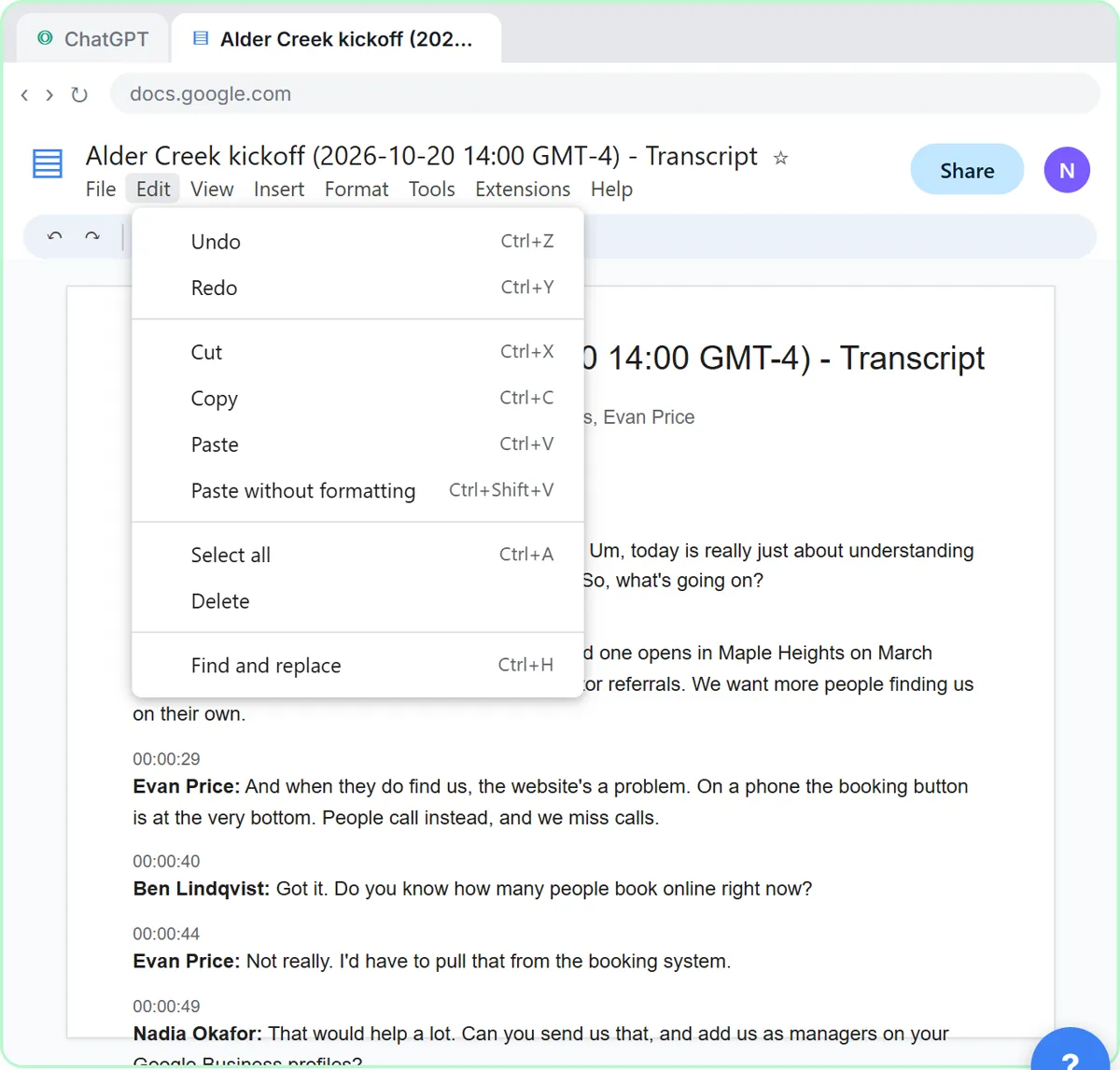 Turn a Client Kickoff Call into a Proposal Outline with ChatGPT (Agencies & Consultants)
Turn the transcript of a client kickoff call into the scope, budget and timeline the client stated, an action items table, open questions, and a recap email with a…
Free · Live ~10 min Beginner
◷Handle Scope Creep Without Losing the Client using ChatGPTA client asks for "one small extra" and a new language, and wants the launch date to hold. Give ChatGPT the thread and the project facts, catch the free work and the…
Free · Live ~9 min Beginner
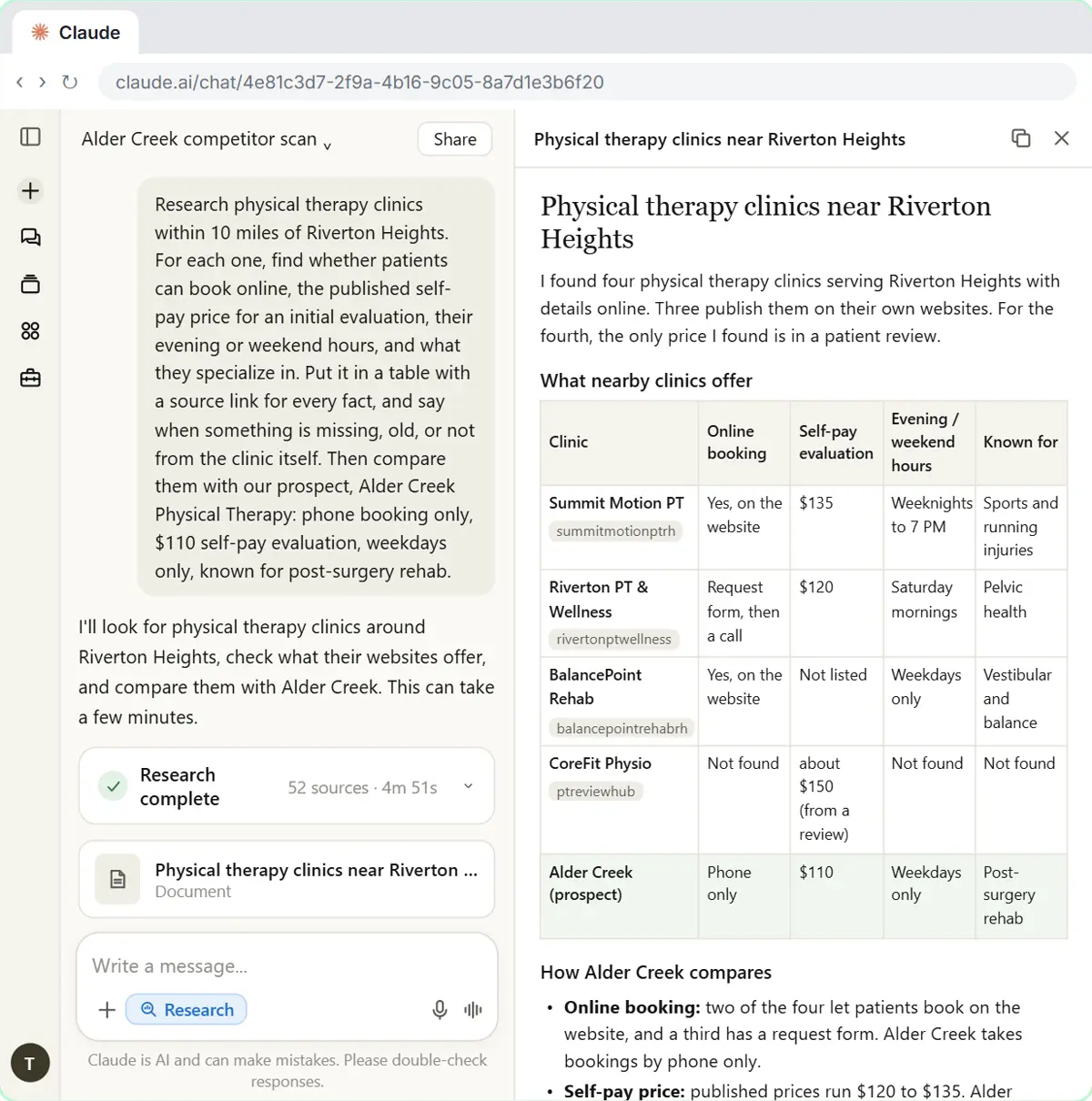 Research a Prospect's Market with Claude Research Before a Pitch (Consultants & Agencies)
Turn on Research before a pitch, have Claude check what a prospect's competitors offer online, read the cited report, check a source and turn it into talking points for…
Free · Live ~7 min Beginner
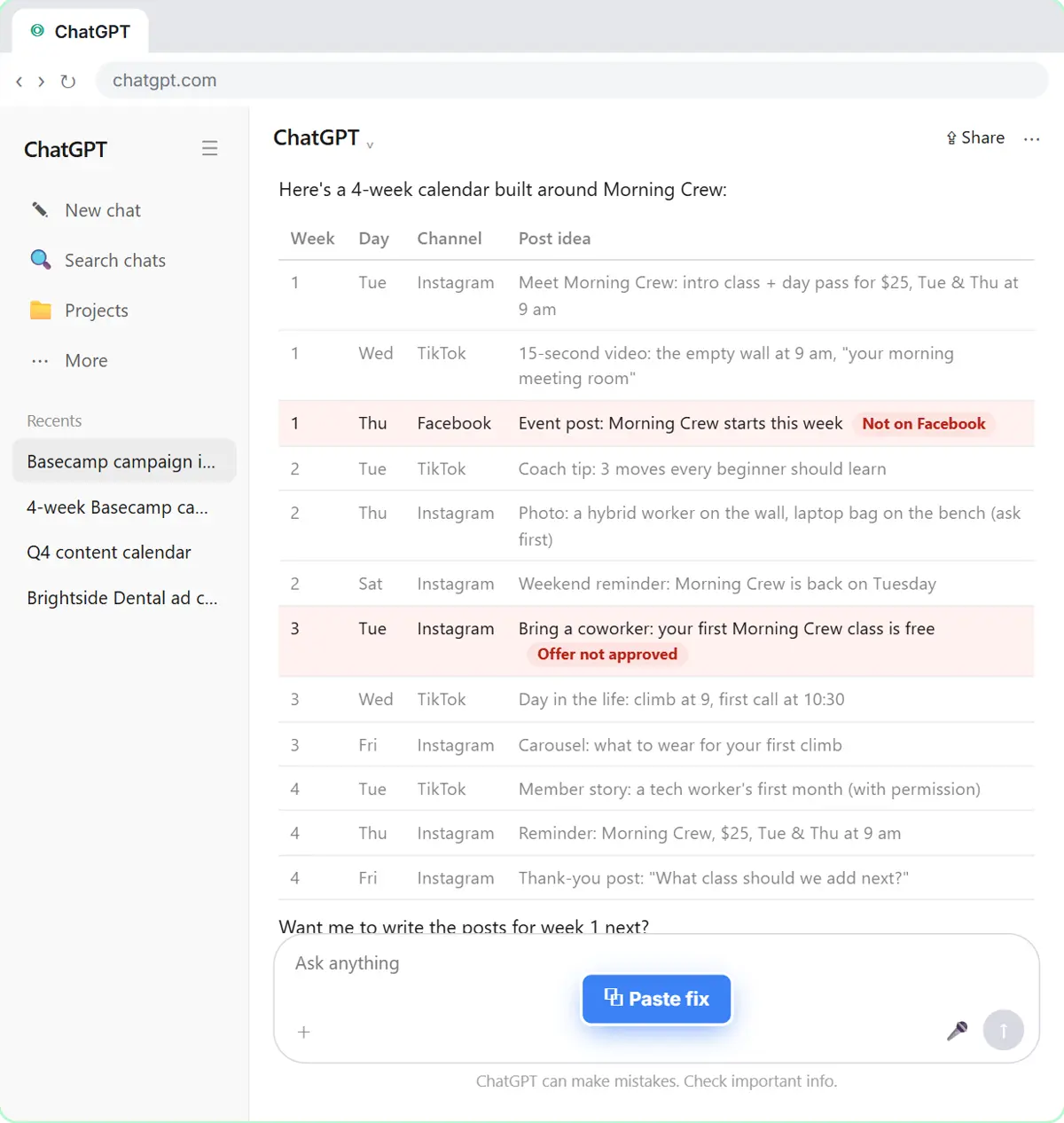 Prompt Chaining for a Client Campaign Plan: Build It in Steps with ChatGPT (Agencies)
Ask ChatGPT for a client's whole 4-week campaign in one prompt, then build a better one in four steps: audiences, offers, a calendar table checked against the client's…
Free · Live ~7 min Beginner
All 22 modules in AI Automation for Consulting & Agencies
Terms in this lesson
Plain-English definitions, each with an example from a free lesson.
Related prompts
- One-page business plan prompt: Copy this ChatGPT one-page business plan prompt: give it your real numbers and get eight clear lines from company to ask, with…
- Pitch deck number check prompt: A copy-ready prompt that compares an AI-made pitch deck with your one-page plan and lists every number or claim that is not in…
More prompts on this topic
- Presentation outline prompt: Plan a short talk or slide deck: one point per slide, a headline and visual for each, minutes that fit your time, and a list of…