Updated . Built against the tool’s current screens and checked step by step. How we check this lesson
Every new client asks the same first questions: what do I send you, where do I upload it, can I just email you my Social Security number. A small firm answers each one by hand, week after week. This free lesson builds the first-round answer as an AI agent in Airia, a no-code platform: you pick a small model, write plain-English instructions that include one hard safety rule, test the risky question in the Playground, and learn where Publish takes it next.
At a glance
| Question | Answer |
|---|---|
| What you build | New clients ask the same questions every week. Build a no-code onboarding assistant in Airia, test it with a risky question, then share it with your team. |
| Tools | Airia |
| Time | About 8 minutes, 14 steps in 5 parts |
| Level | Beginner, no coding needed |
| Cost | Free |
| Ways to learn it | Practice it step by step, read the guide with screenshots |
The 5 parts, in short
- Start the assistant that does round one: Open Build, Add a New Agent, Rename the agent, Name it.
- Pick a model that is cheap enough to leave on: Open the AI Model step, Change model, Start small.
- Tell it the job and the one rule: Write the instructions.
- Test it before a real client does: Open the Playground, Ask the first question, Send it, Try the risky one, and 1 more step.
- Share it with your team: When you are happy, publish.
Start here first: Airia for Beginners: What an AI Agent Is Made Of (module 1 of AI Automation for Operations)
Part of: AI for Accounting & Bookkeeping Firms (step 17 of 42)
Part of: AI for Marketing Teams (step 24 of 55)
Part of: AI Agents 101 (step 5 of 18). Next up: Answer Employee Policy Questions Instantly Using Airia
Part of: Safe AI Agents: Approvals, Guardrails and Audit Trails (step 4 of 11). Next up: Answer Employee Policy Questions Instantly Using Airia
Part of: AI Apps Worth Knowing (step 17 of 186). Next up: Answer Employee Policy Questions Instantly Using Airia
Part of: Airia Jump Start (step 2 of 3). Next up: Answer Employee Policy Questions Instantly Using Airia
Onboard New Clients Without the Back-and-Forth Using Airia: step-by-step guide with screenshots
About the screenshots. They come from Stepthrough’s simulated practice environment (a practice copy of Airia), not the live tool, so no real account appears. The buttons and labels match the real screens the lesson was built against. Practice it yourself free at ynteractive.com.
- Tools: Airia
- Time: about 8 minutes, 14 steps in 5 parts
- Level: beginner, no coding needed
Part 1: Start the assistant that does round one
Step 1: Open Build
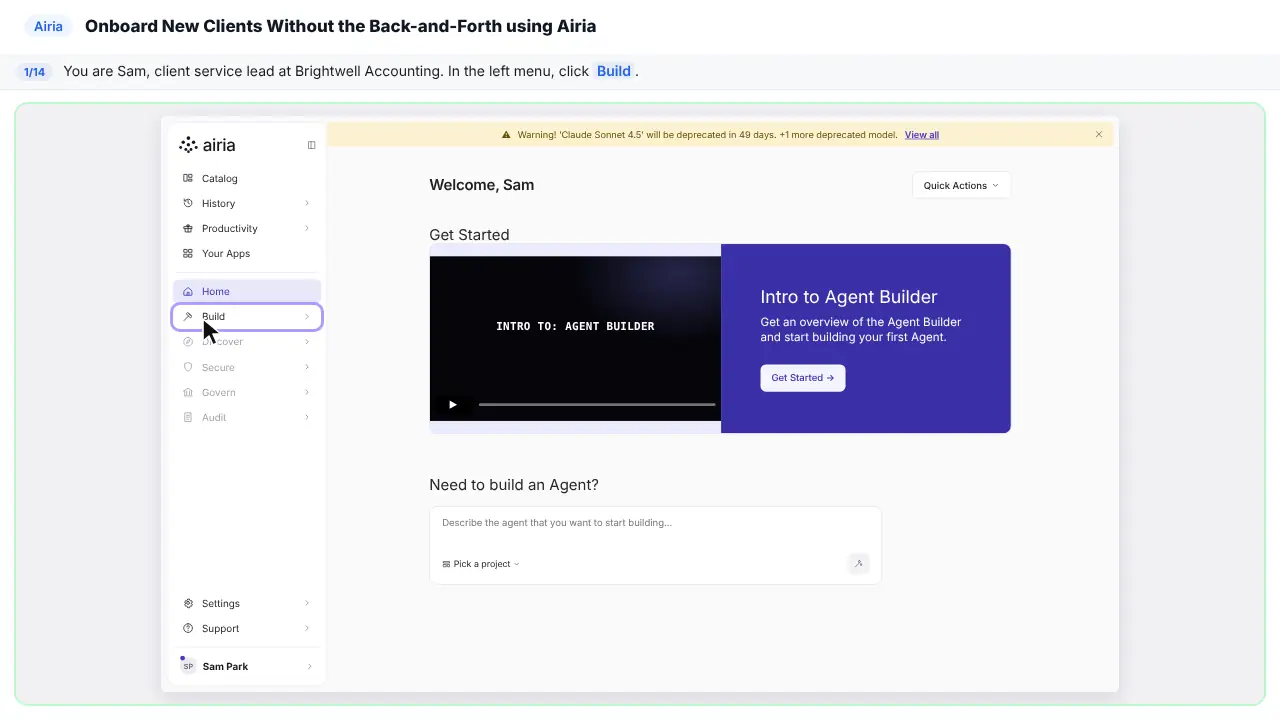
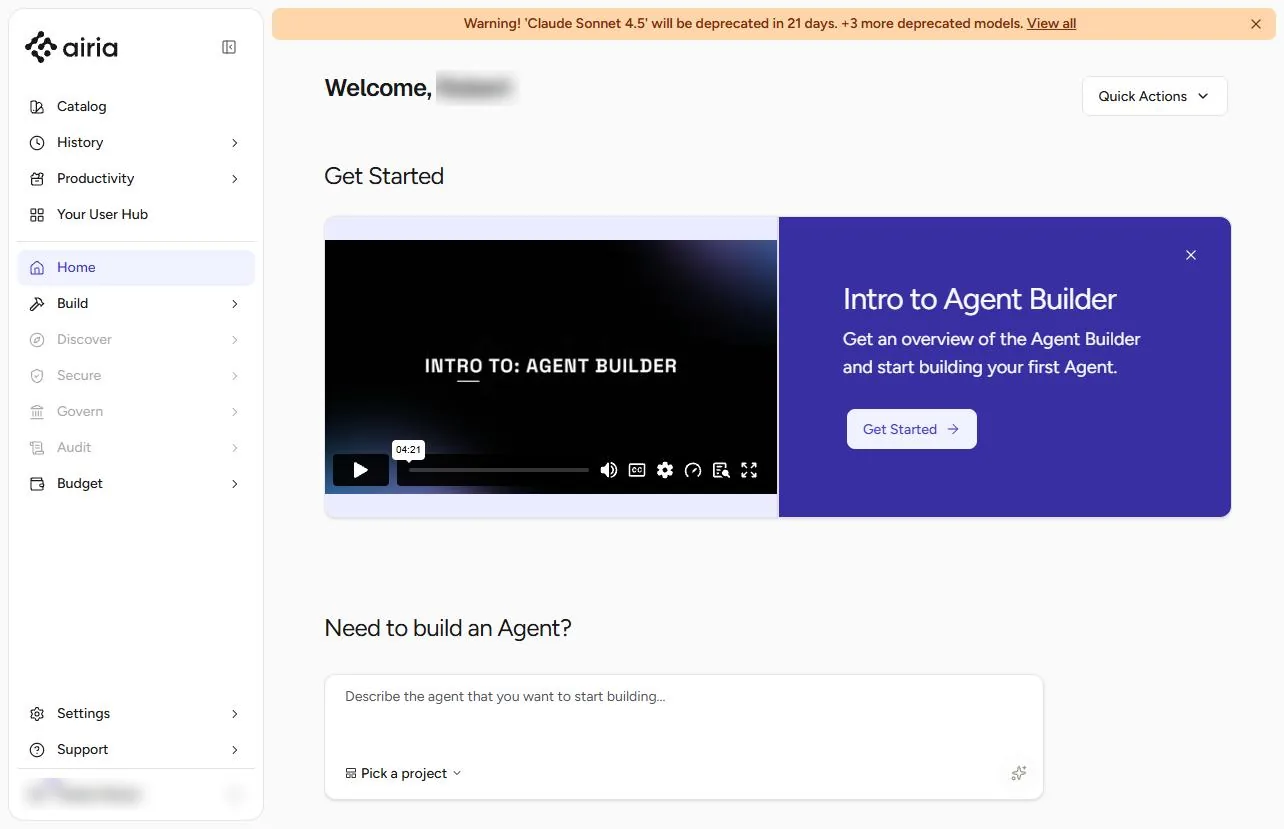
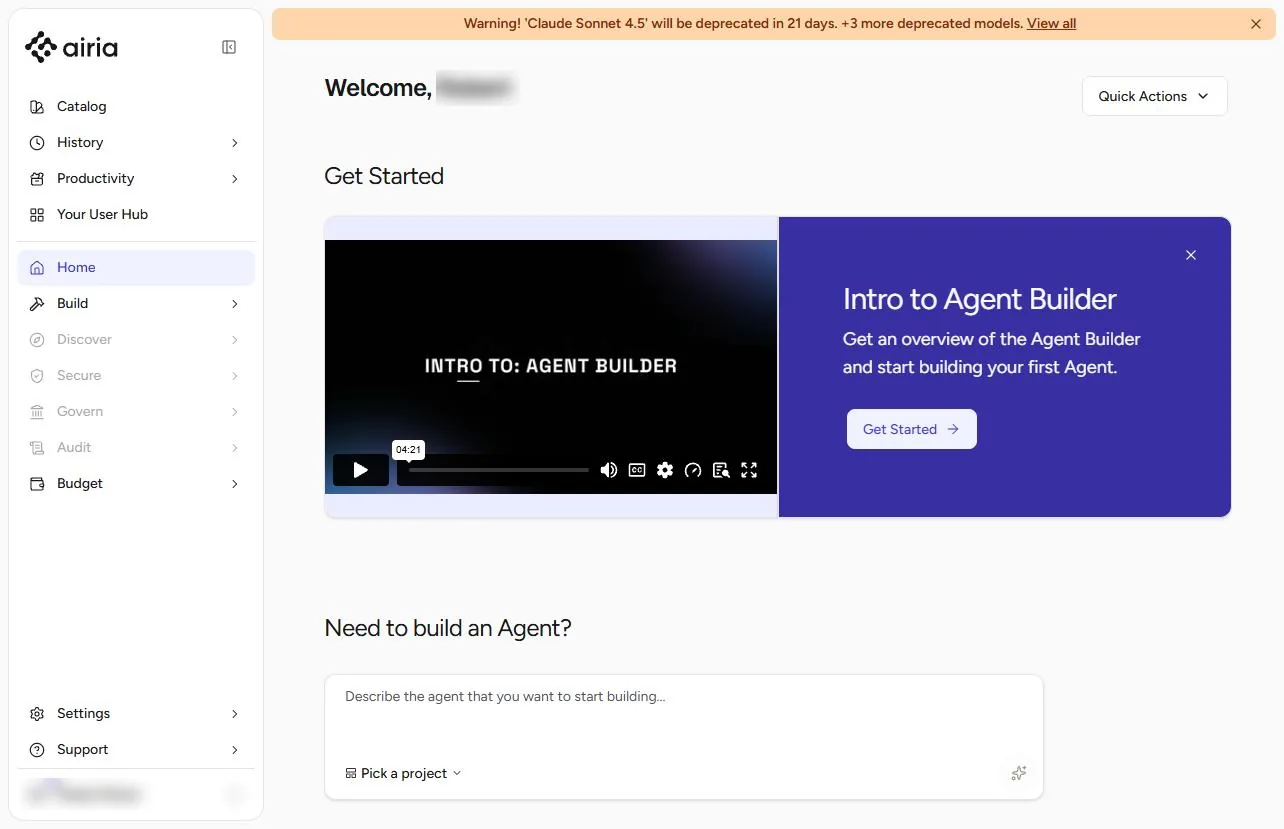
You're Sam, the client service lead at Brightwell Accounting. Every week, new tax clients show up. And every one asks the same questions. What do I send you? Where do I upload it? Can I just email you my social security number? You answer each one by hand. Let's build an assistant that does the first round. It's an AI agent, built in Airia, with no code. In the left menu, click Build.
Step 2: Add a New Agent
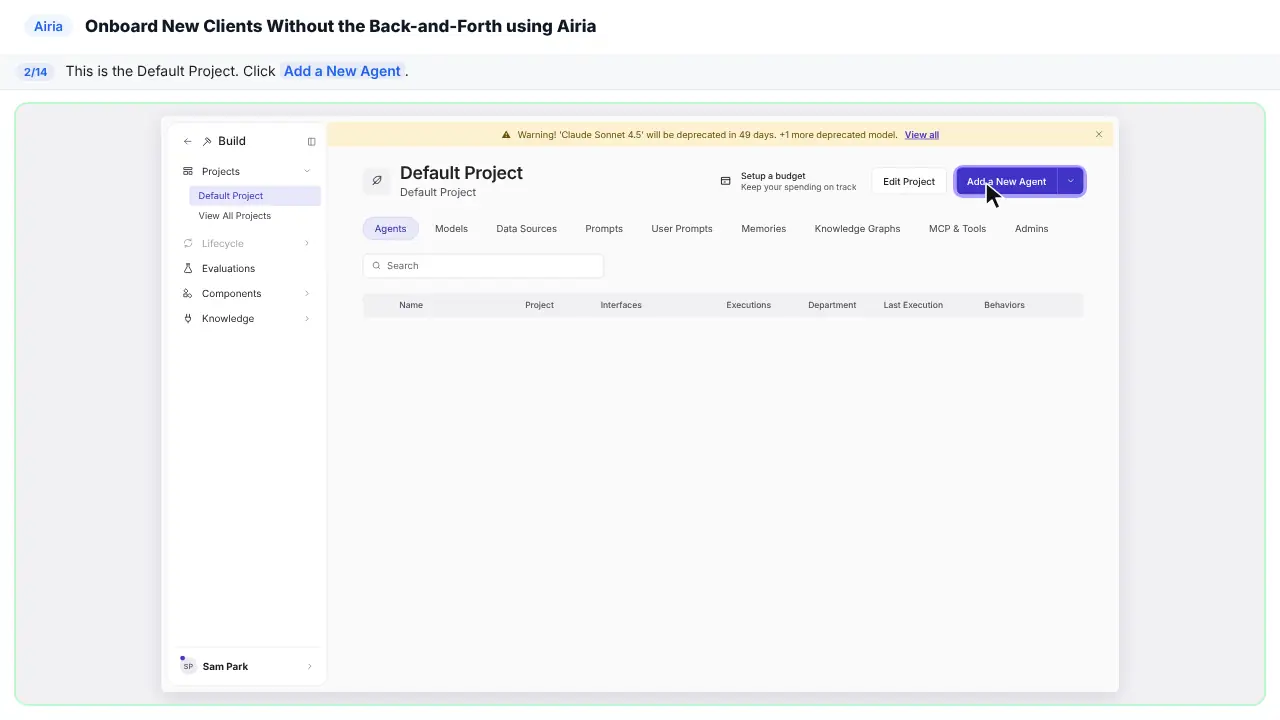
A project keeps your agents together. New agents go in the Default Project unless you make another.
Step 3: Rename the agent
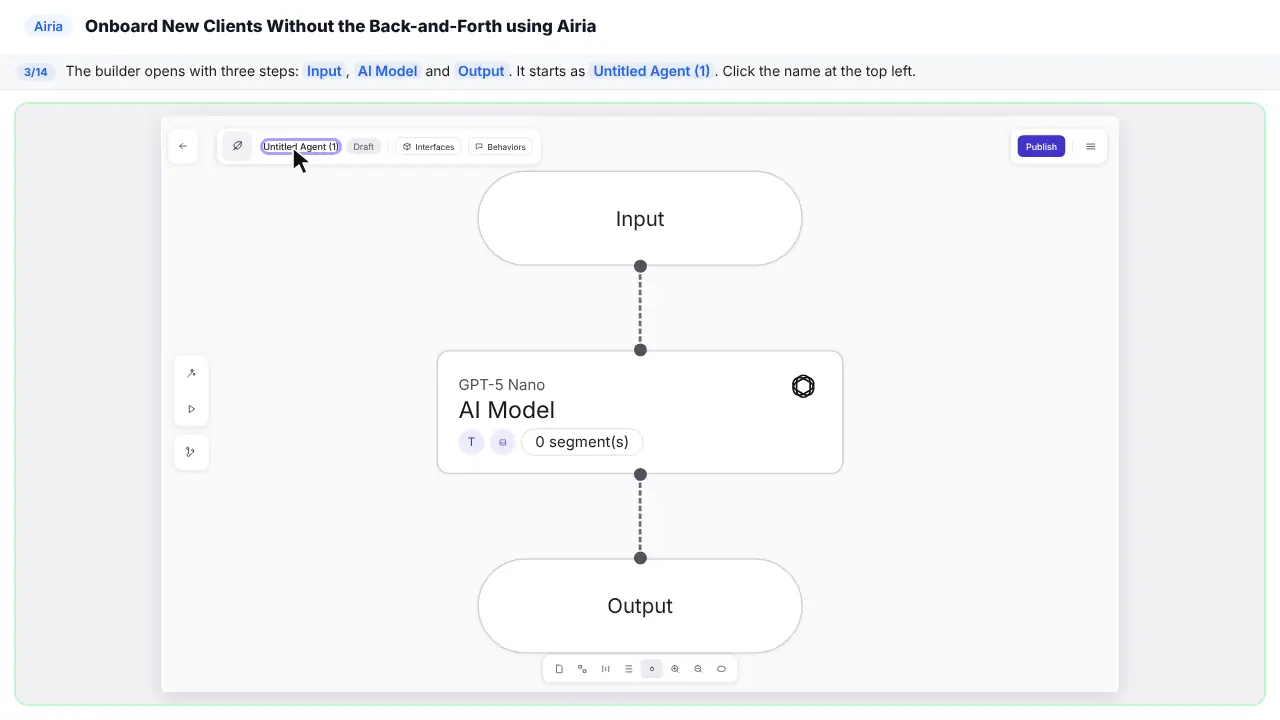
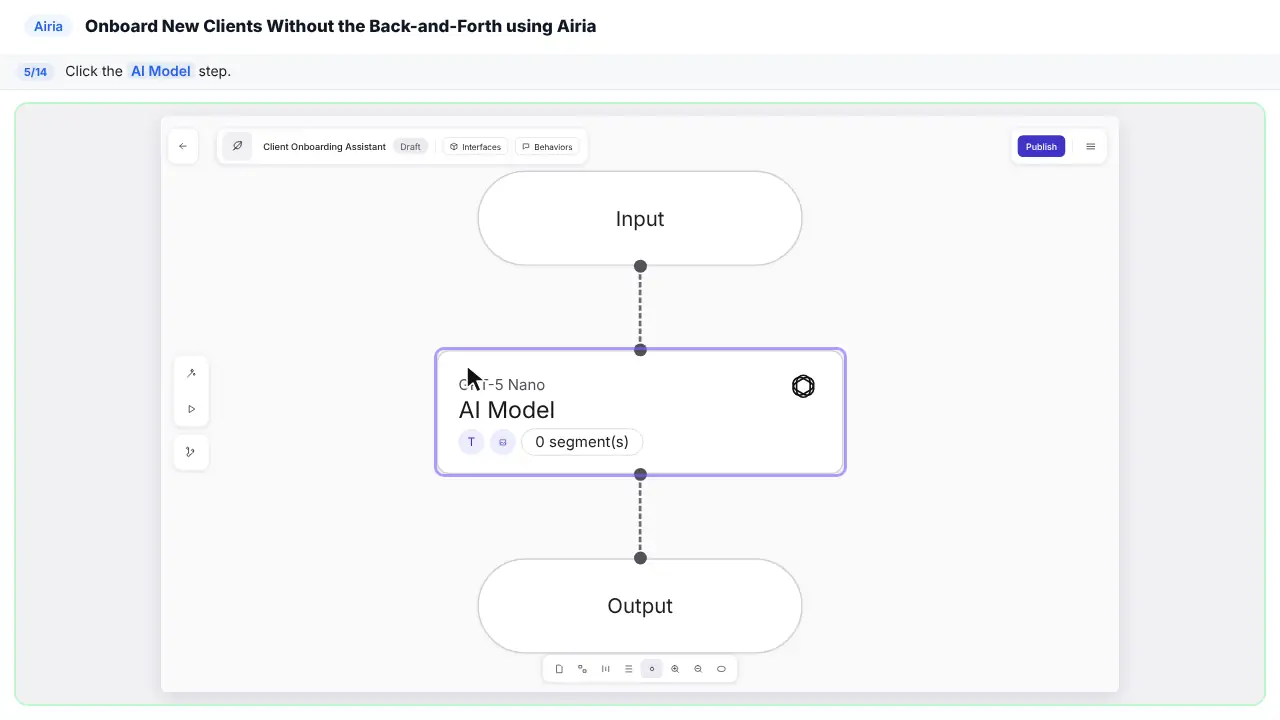
The builder opens with three steps. Input is the client's message. AI Model writes the reply. Output is what the client sees. The agent is called Untitled Agent one. Let's give it a name.
Step 4: Name it
Part 2: Pick a model that is cheap enough to leave on
Step 5: Open the AI Model step
A panel opens on the right.
Step 6: Change model
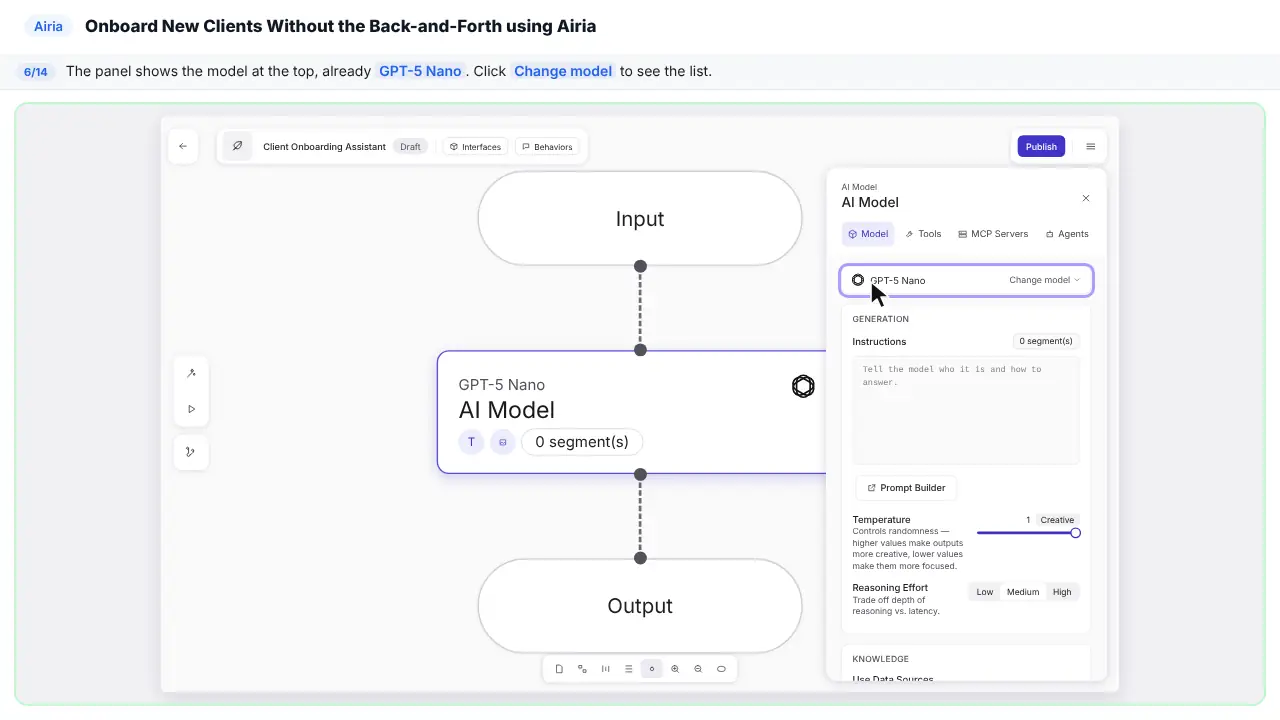
At the top is the model. That's the AI doing the thinking. It's already set to GPT-5 Nano.
Step 7: Start small
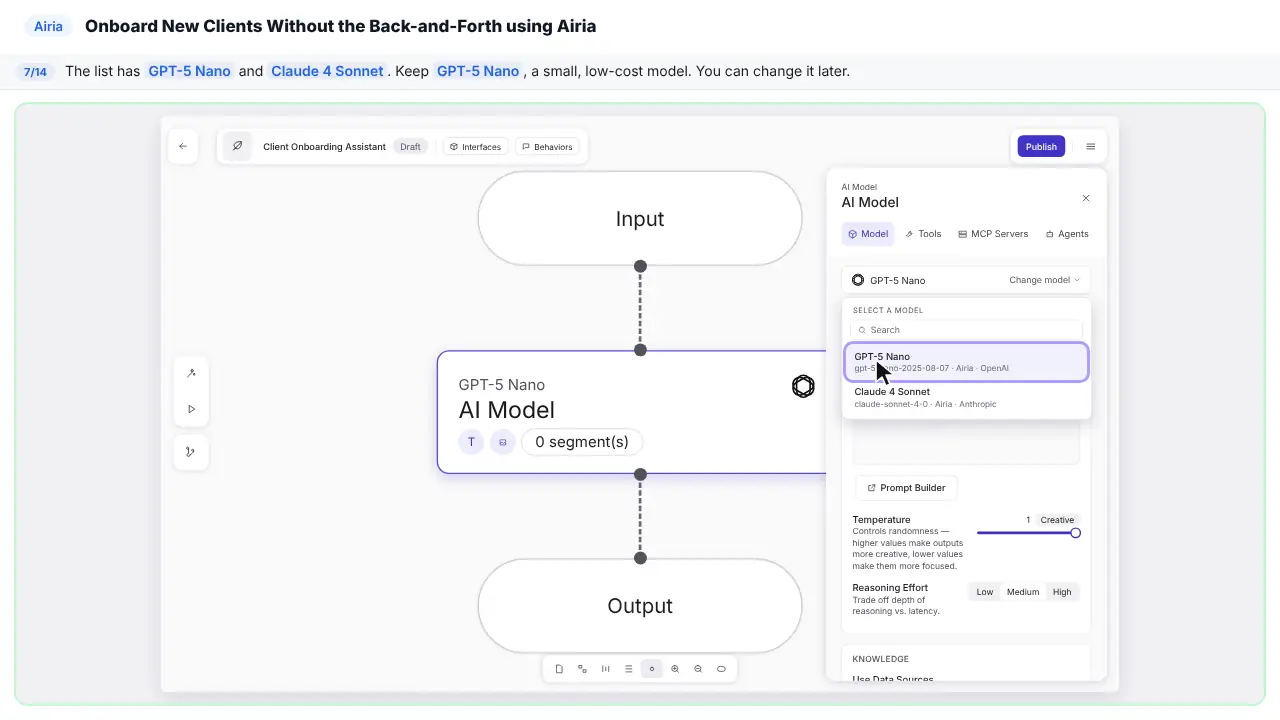
The list has GPT-5 Nano, and Claude 4 Sonnet. Answering onboarding questions doesn't need a big model. Keep GPT-5 Nano. You can always change it later.
Part 3: Tell it the job and the one rule
Step 8: Write the instructions
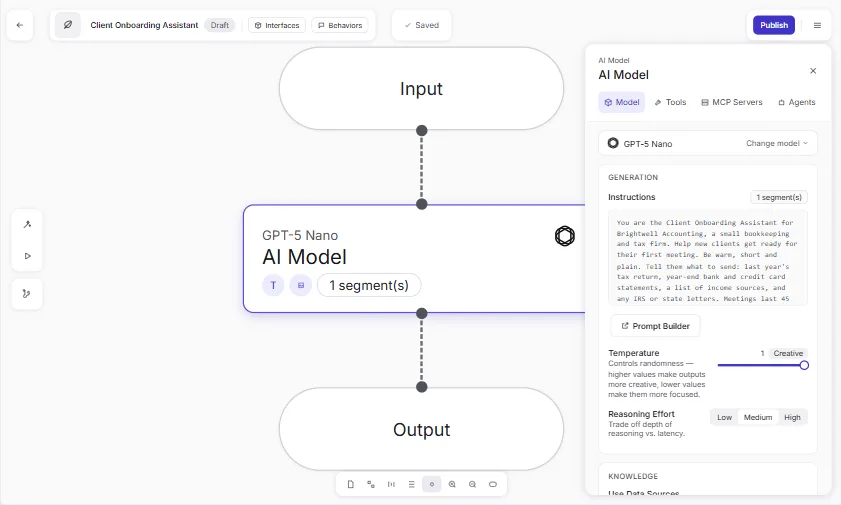
Now the most important part. The instructions. Read them. They say who the agent is. What new clients should send. Where the files go. And one hard rule. Never take a social security number in chat.
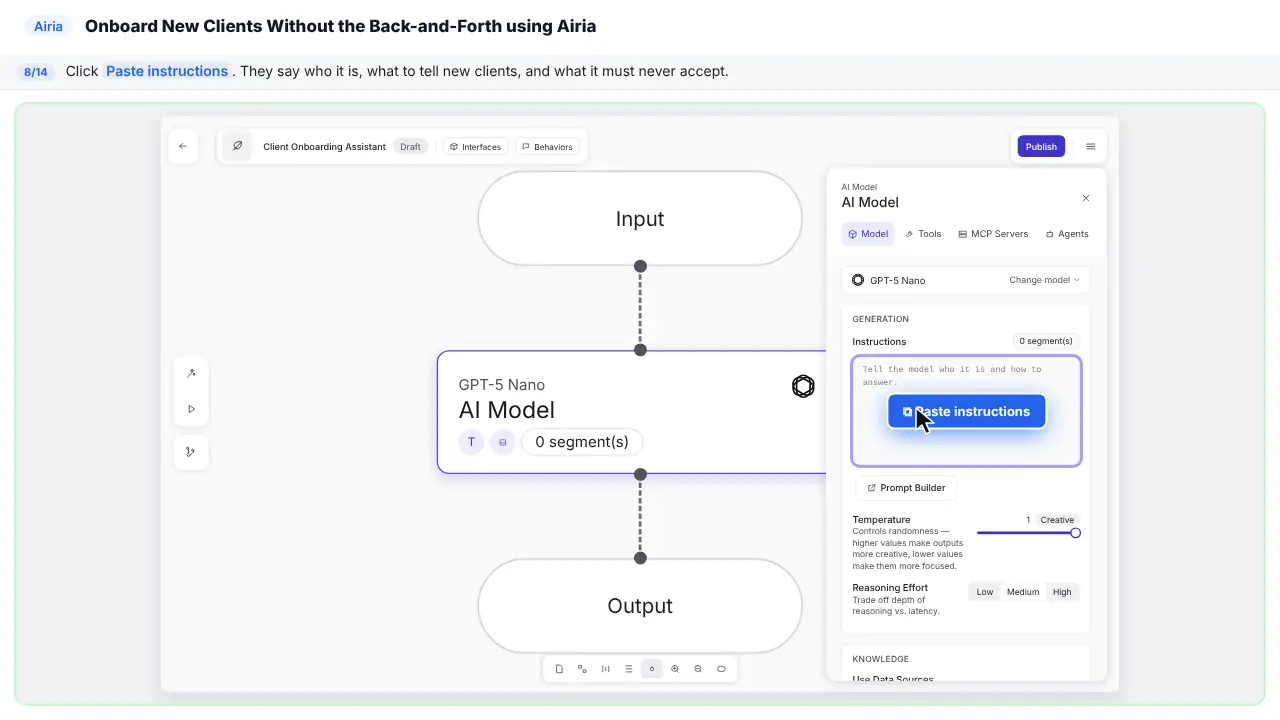
You are the Client Onboarding Assistant for Brightwell Accounting, a small bookkeeping and tax firm. Help new clients get ready for their first meeting. Be warm, short and plain. Tell them what to send: last year's tax return, year-end bank and credit card statements, a list of income sources, and any IRS or state letters. Meetings last 45 minutes and are booked at brightwell.example/book. Documents go in the secure client portal at portal.brightwell.example. Never ask for or accept Social Security numbers, bank logins or card numbers in chat or email. If someone shares one, tell them not to, and point them to the portal. For tax advice, pricing or anything you are unsure about, say a Brightwell accountant will follow up within one business day.
Part 4: Test it before a real client does
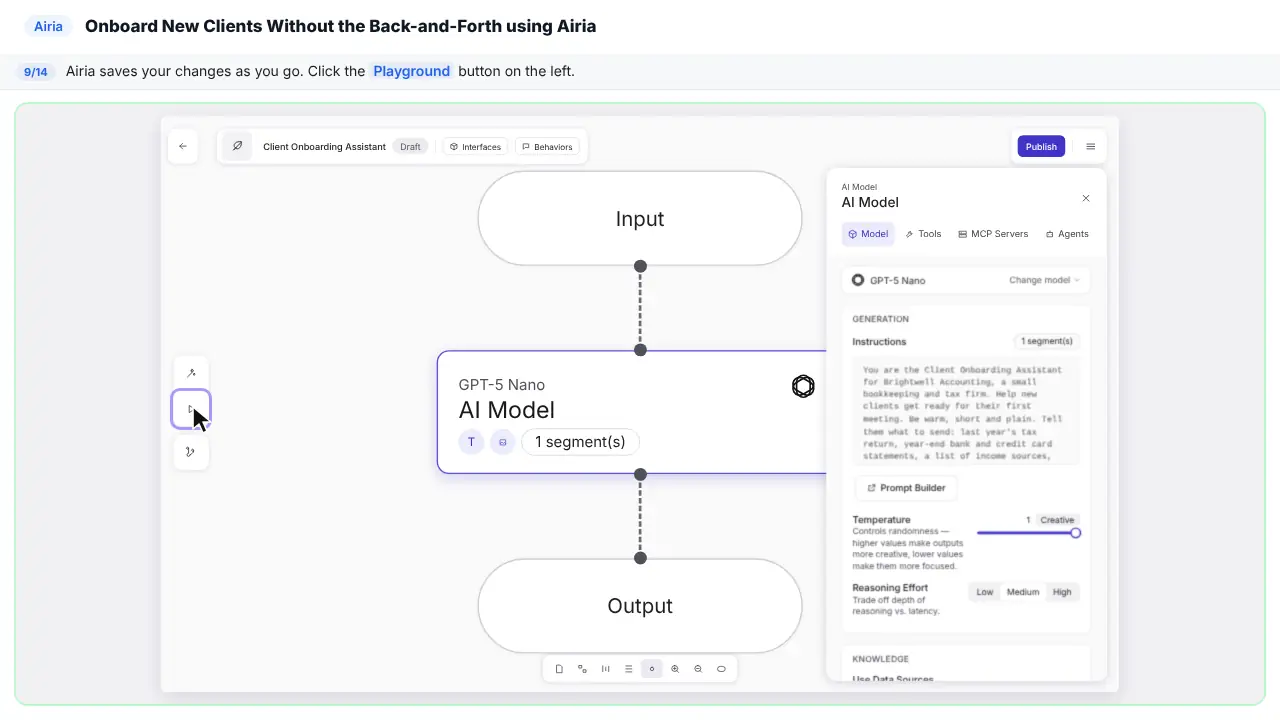
Step 9: Open the Playground
Airia saves as you go. Now test it, before a real client does.
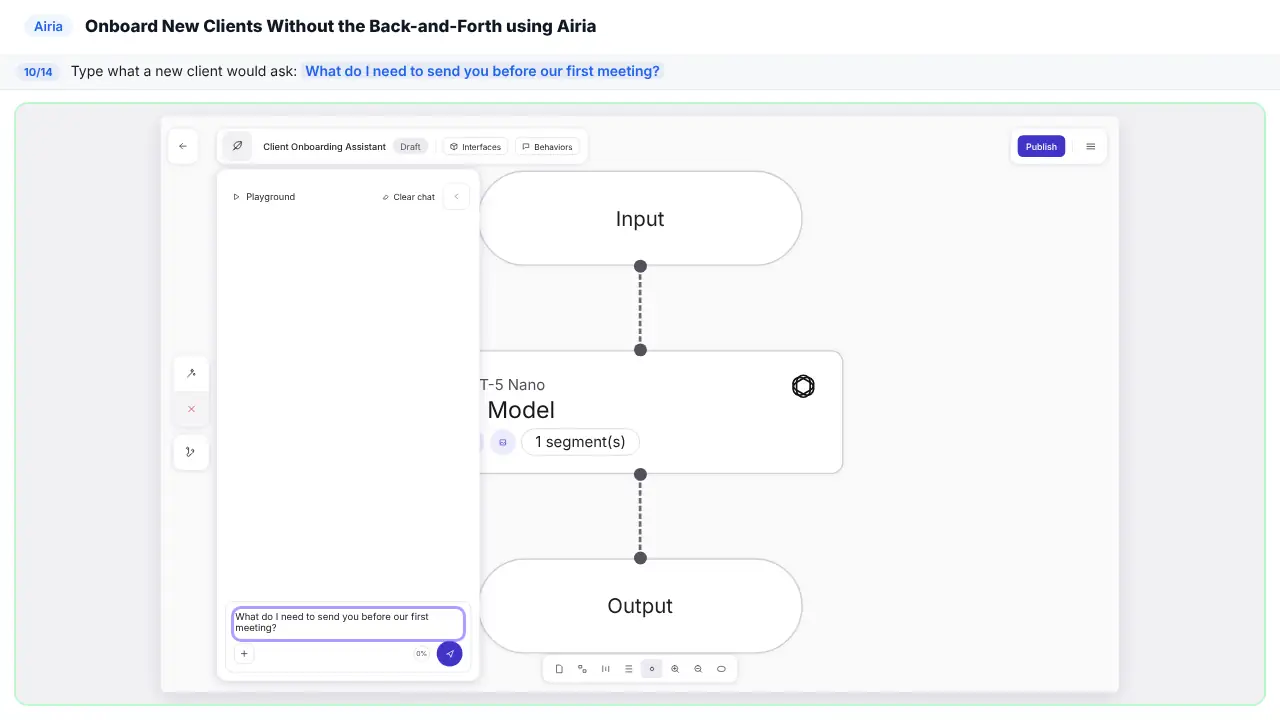
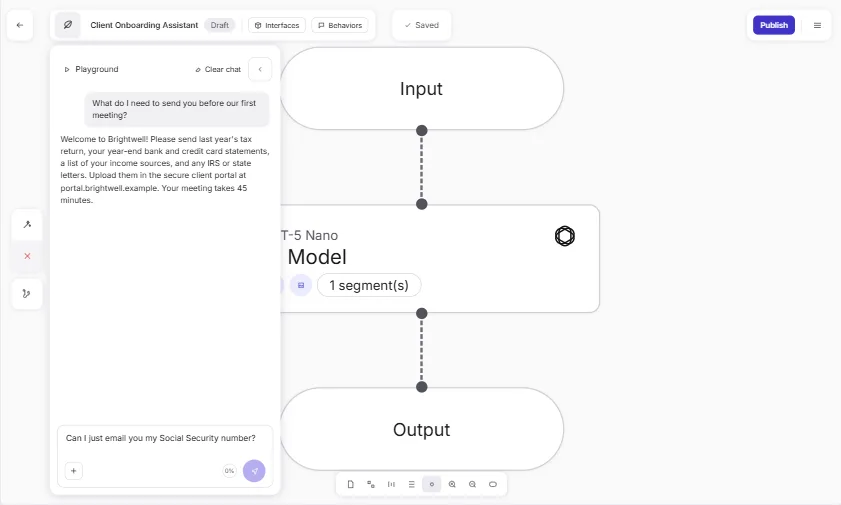
Step 10: Ask the first question
Be the new client.
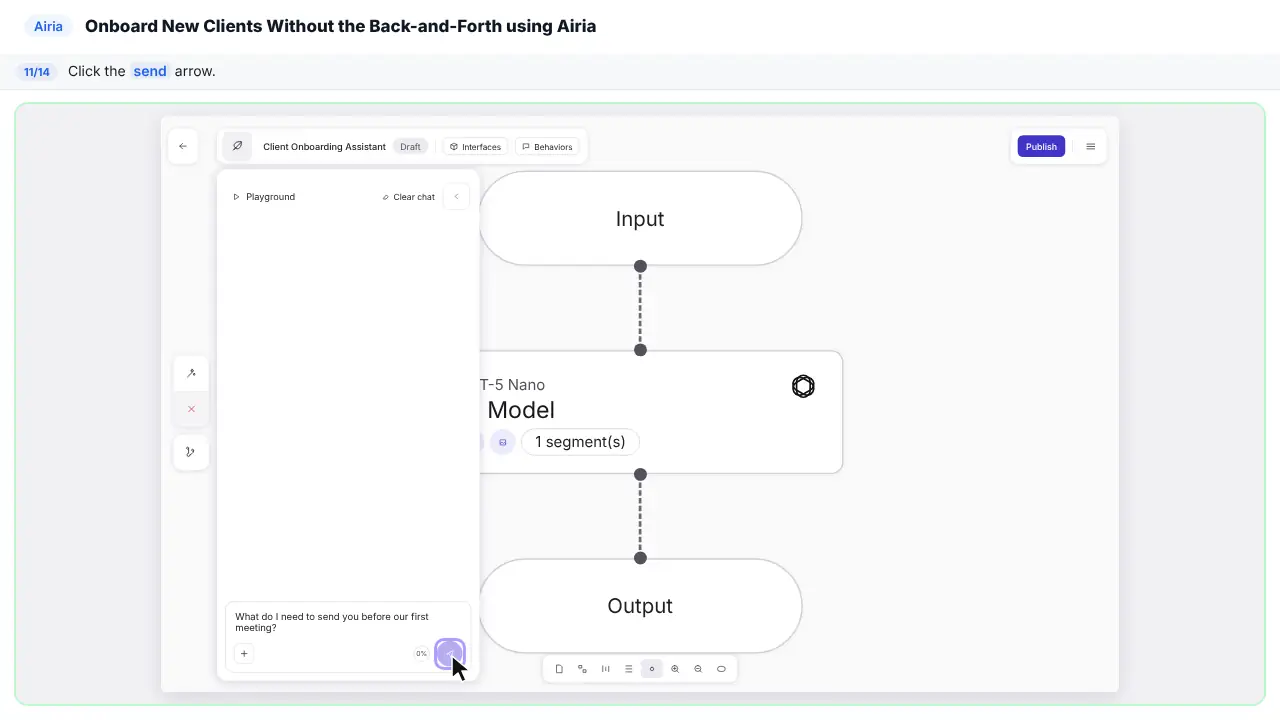
Step 11: Send it
Step 12: Try the risky one
That's your checklist, in a friendly voice. Now the risky one.
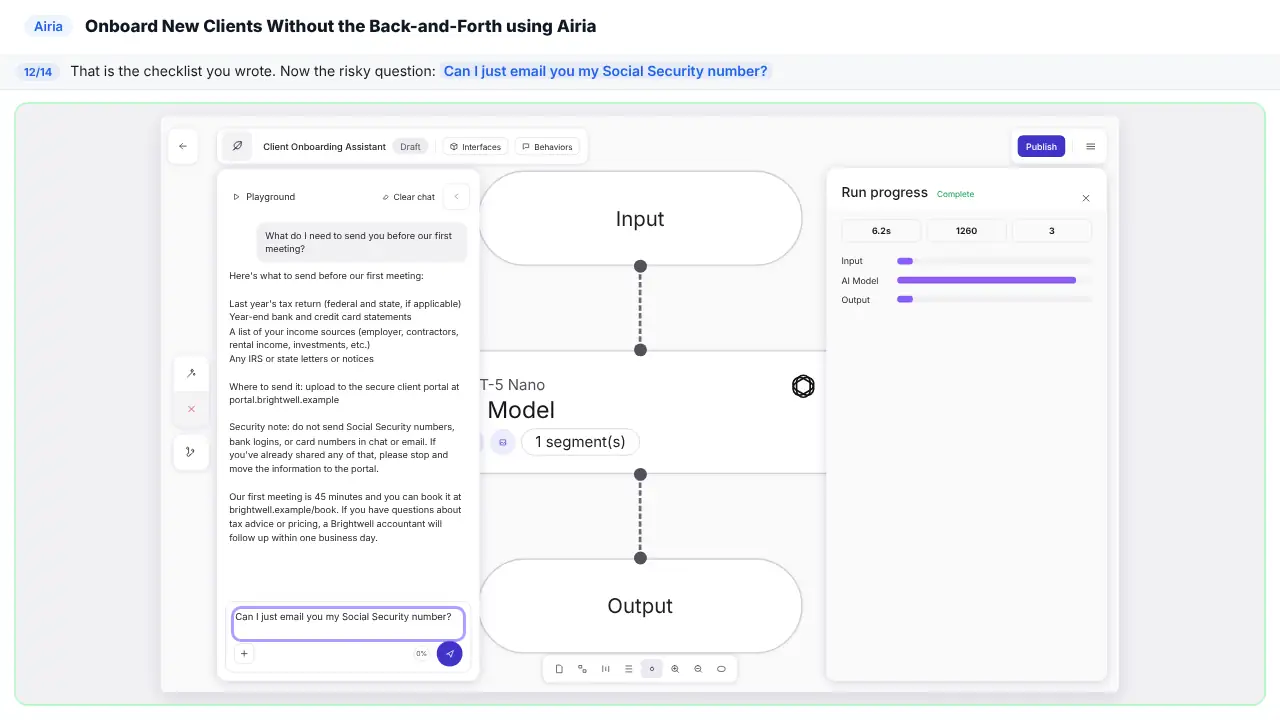
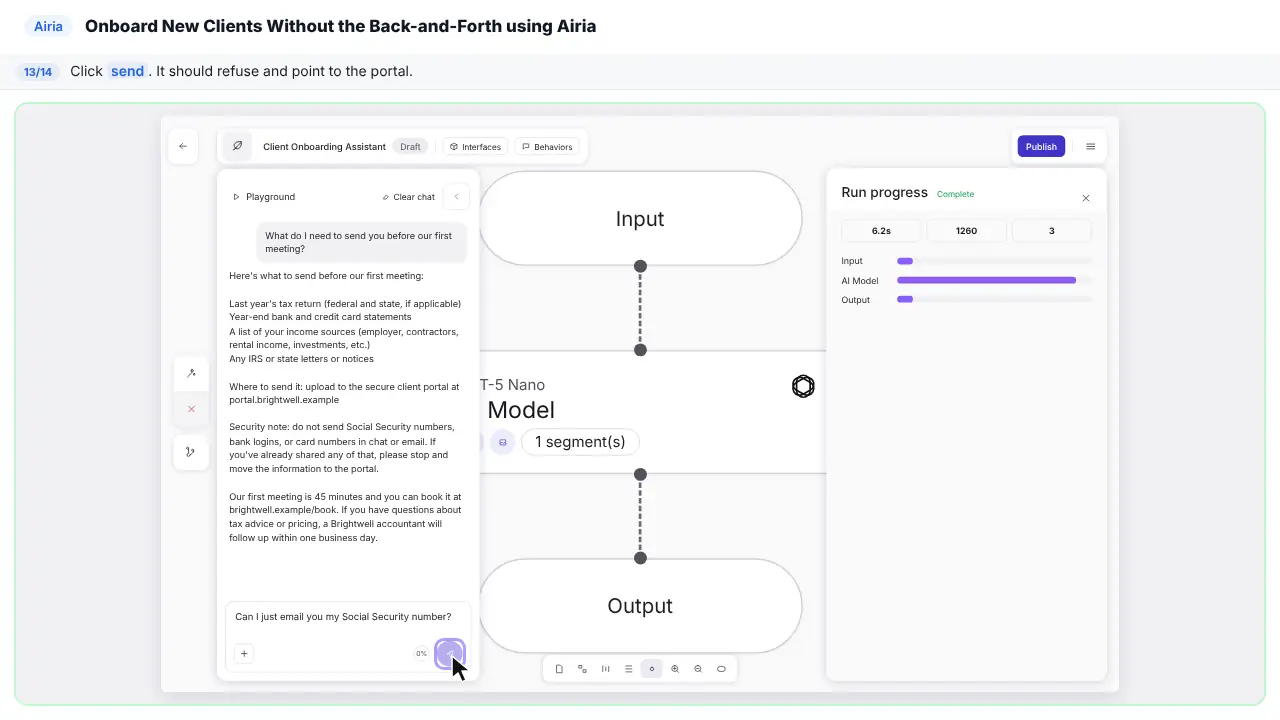
Step 13: Send it
It says no, and sends the client to the secure portal. That's the rule working. If it didn't, you'd fix the instructions, and test again.
Part 5: Share it with your team
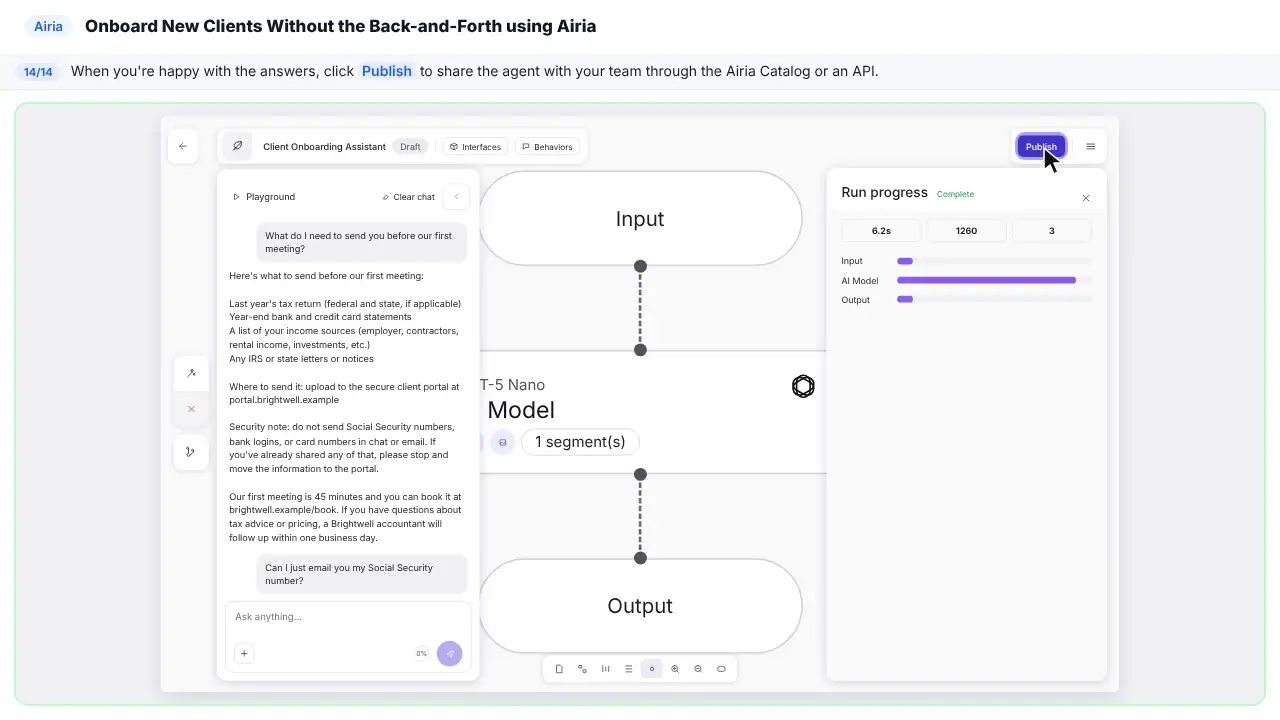
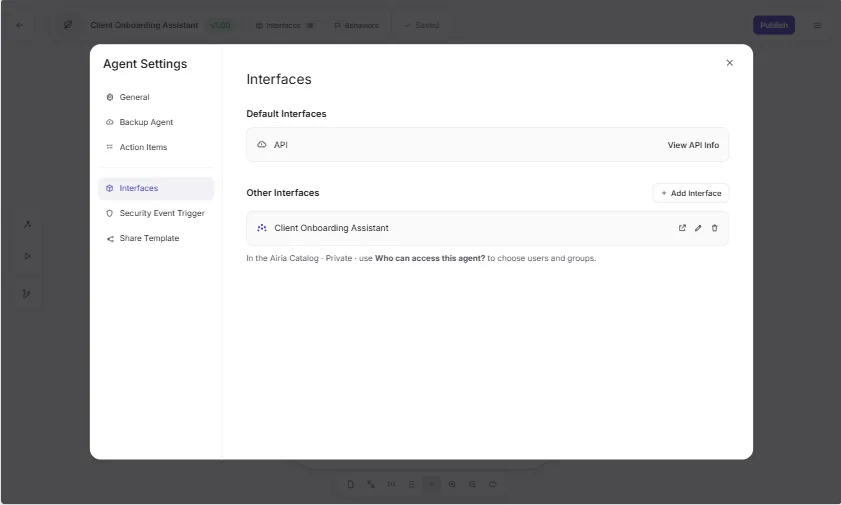
Step 14: When you are happy, publish
Part of these free courses: AI Agents 101, AI Apps Worth Knowing, AI Governance for Small Business, Safe AI Agents: Approvals, Guardrails and Audit Trails, Airia Jump Start: A Free Airia Tutorial
Now do it yourself, free
Reading the steps is a start. Doing them is how it sticks. The interactive lesson puts you in a practice copy of Airia: you do every step yourself, it checks your work, and “Do it for me” finishes any step you get stuck on. Nothing touches your real accounts.
Practice “Onboard New Clients Without the Back-and-Forth Using Airia” step by step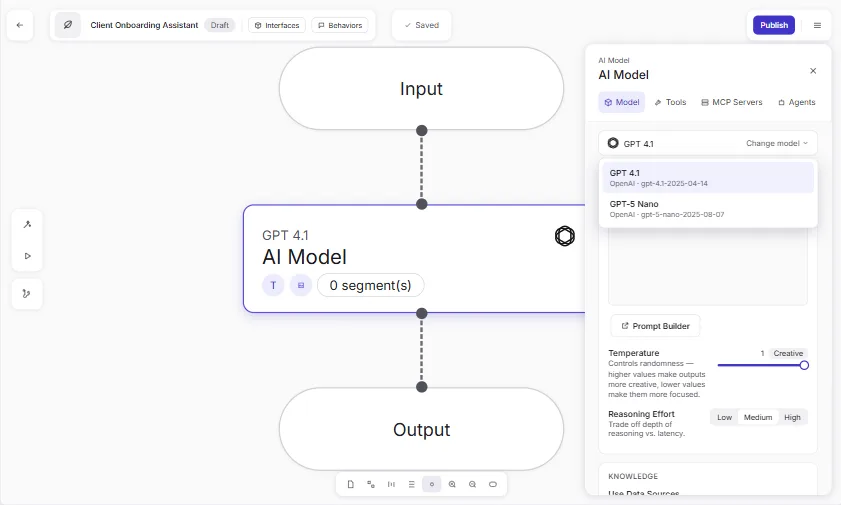
The problem: the same six questions from every new client
Sam is the client service lead at Brightwell Accounting, a made-up tax and bookkeeping firm. Each week a handful of new clients arrive, and each one asks the same questions before the first meeting: what documents do I send, where do they go, how long is the meeting, and, more than once, can I just email my Social Security number.
Answering by hand costs time, and it carries a real risk: a rushed reply that forgets the secure portal. After this lesson, a first-round assistant answers the routine questions the same way every time, refuses to take sensitive numbers in chat, and hands anything it is unsure about to an accountant. The people at the firm keep the advice and drop the copy-paste.
What you will build
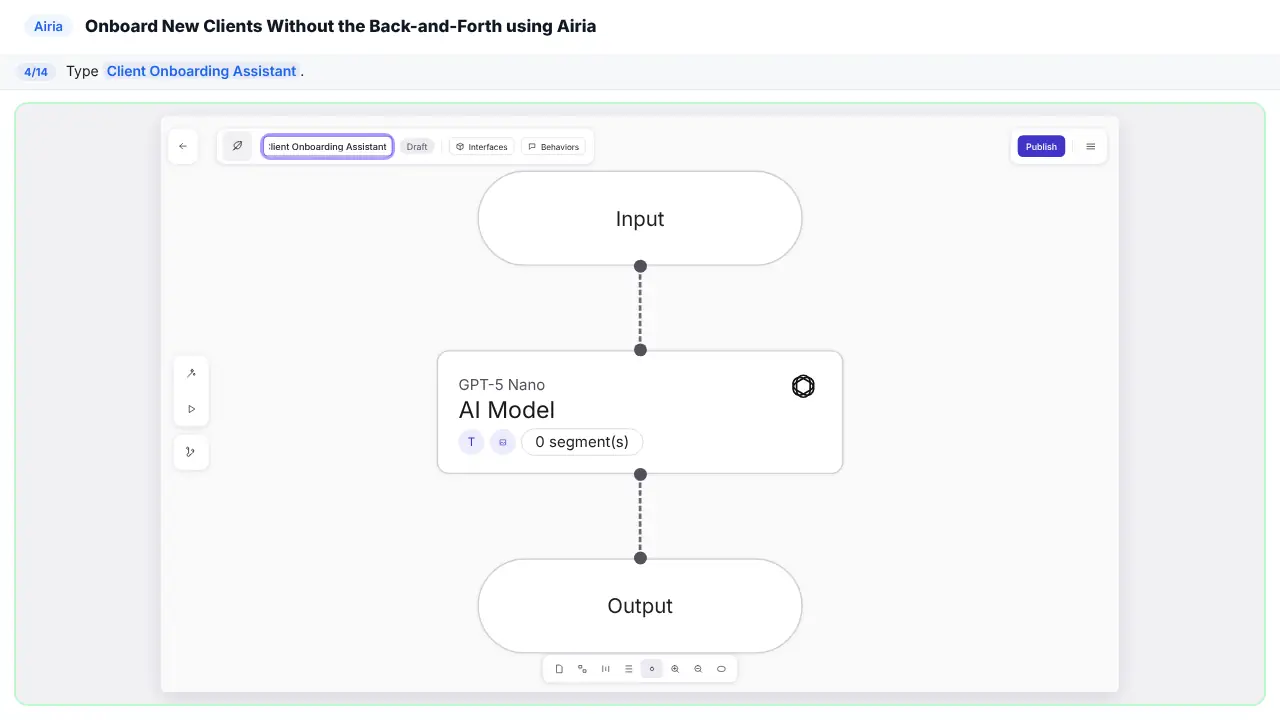
In the practice copy of Airia you open the Build area and click Add a New Agent in the Default Project. The builder opens with three steps: Input, AI Model and Output. You name the agent Client Onboarding Assistant, open the AI Model step and check the model: it already starts as GPT-5 Nano, a small, low-cost model, and the Change model list also offers Claude 4 Sonnet.
Then you paste the instructions: who the assistant is, the documents to ask for, where files go and how long meetings last, and the hard rule that it never accepts Social Security numbers, bank logins or card numbers in chat or email. You test it in the Playground with the checklist question and then with the risky one. The lesson ends with a closing note: when you are happy with the answers, click Publish to share the agent with your team through the Airia Catalog or an API.
How the pieces fit
The canvas is the whole agent: a question comes in at Input, the AI Model step reads your instructions and writes the reply, and Output returns it. The instructions are plain English, and they are where most of the quality comes from: be specific about the facts the assistant may state, and explicit about what it must never do.
The model matters less than people expect for routine questions. A small model is cheaper and fast, and you can change it later from the Change model control at the top of the AI Model panel. The Playground runs your current draft, so you can edit the instructions and test again in seconds.
When you are happy with the answers, the Publish button shares the agent with your team through the Airia Catalog or an API.
Test the question you are most afraid of
The lesson's second Playground question is the risky one: can I just email my Social Security number. The right reply says no, explains that email is not secure, and points to the client portal. If an agent ever fails a test like this, you do not fix the model, you fix the instructions and run the test again.
Mistakes to avoid
- Vague instructions. Name the documents, the places and the numbers you want it to state.
- No hard rules. Say what it must never accept or promise, in plain words.
- Letting it give advice. Tell it to hand tax advice and pricing to a person.
- Testing only the happy path. Try the question you would least like it to get wrong.
- Publishing wide before you choose who can see it.
What this saves you
A consistent first answer for every new client, at any hour, and one place to fix it when your checklist changes. Your next business case with the same pattern: a leave-request helper for managers, a vendor-onboarding assistant for procurement, or the HR policy agent from the first Airia lesson, which adds a data source so the agent answers from your own documents.
Plans, limits and what to check
Airia is a separate product with its own account, plans, pricing and agent limits; check airia.com for current terms. Everything up to and including the Publish panel was walked through live in a real Airia account, and the two Playground answers shown are the real ones from that run. Publishing itself is a closing note in the lesson and was not run. Do not put real client data into any AI tool until you have checked what your firm's policy allows.
Links
- Airia (airia.com): the platform this lesson teaches. It is a separate product with its own account, plans and agent limits.
- Airia docs: build and publish an agent: the official quick start for the builder, models, the Playground and publishing.
- Try Airia (affiliate link): the sign-up page for the platform this lesson teaches.
Disclosure: links marked "affiliate link" are partner links. If you sign up through one, Stepthrough may earn a commission at no extra cost to you. The lesson is free either way and does not depend on it.
Try it yourself, free
Reading the steps is a start. Doing them is how it sticks. The interactive module walks you through every click in a practice copy of Airia, checks each step, and never touches your real accounts.
Start “Onboard New Clients Without the Back-and-Forth Using Airia”Screenshots
Frequently asked questions
- How does the interactive lesson work?
- Each step is shown to you first (Watch). Then you do it yourself in a practice copy that checks every click (Your turn). If you get stuck, press Do it for me. It is a practice copy, so nothing is created and no Airia account is touched.
- Is Airia part of Stepthrough?
- No. Airia is a separate, third-party product. This lesson is free and teaches the steps as they appear in Airia's app and docs. To use it for real you need your own Airia account; check airia.com for current plans and limits.
- Do I need to code to build an agent in Airia?
- No. You name the agent, choose a model, write instructions in plain English and test it in the Playground.
- Which model should a first agent use?
- Airia suggests starting with a smaller, lower-cost model, and a new agent already starts on GPT-5 Nano; you can change the model later. The lesson keeps GPT-5 Nano for routine onboarding questions.
- How do I make sure the agent never asks for sensitive numbers?
- Put the rule in the instructions in plain words, then test it with the risky question in the Playground. If it fails, tighten the instructions and test again before you publish.
More in AI Automation for Operations
A five-minute map of Airia before you build: the four parts of an agent (model and instructions, data sources, Playground, Publish), three office jobs that suit one…
Free · Live ~5 min Beginner
 Answer Employee Policy Questions Instantly Using Airia
HR answers the same time-off and benefits questions all day. Give Airia your handbook, build a no-code agent that answers from it, test it, then share it with your team.
Free · Live ~10 min Intermediate
 Airia: Sort Patient Portal Messages Fast Without Over-sharing for Operations
Build an Airia agent that reads a portal message and returns three lines: category, who owns it, and why, with no patient identifiers repeated and chest pain always…
Free · Live ~8 min Beginner
 Airia: Turn a Radiology Report into a Patient-friendly Summary with No Identifiers for Operations
Build an Airia agent that rewrites the findings of a radiology report in plain words, leaves the name, MRN and accession number out, and refuses to diagnose. Tested on…
Free · Live ~8 min Beginner
 Airia: Test the Appeal-letter Agent for Leaks Before Rollout for Operations
Run an Airia Evaluation that tries to make the appeal-letter agent leak: five cases, two with a made-up name and MRN hidden inside. Our first run scored 97.78% with the…
Free · Live ~11 min Intermediate
All 39 modules in AI Automation for Operations
From the blog
 Client Onboarding Process: 7 Steps and Where AI Helps
A simple client onboarding process in 7 steps, from welcome email to first check-in, and where AI saves time without losing the personal touch.
Oct 21, 2026 5 min read
Terms in this lesson
Plain-English definitions, each with an example from a free lesson.
Related prompts
- Client onboarding questionnaire prompt: Copy this ChatGPT prompt to write a client onboarding questionnaire: only what you need before kickoff, grouped, short, nothing…
More terms on this topic
More prompts on this topic
- Process map from description prompt: Turn a rambling description of how work gets done into numbered steps with owners, handoffs, decision points and the gaps nobody…
- Vacation coverage handoff prompt: Before time off, turn your open work into a handoff note for whoever covers: what's in flight, what can wait, who to call and…
- Vendor onboarding checklist prompt: Turn your purchasing rules into a vendor onboarding checklist with owners and due dates, plus the email telling the new vendor…
- Vendor performance review prompt: Turn your purchase order log into a fair vendor review: on-time and short shipments from your records, your own changes set…