Updated . Built against the tool’s current screens and checked step by step. How we check this lesson
Most owners and managers search for the same kinds of things every week: rule changes, what competitors charge, what their software just changed. In this free n8n tutorial you set up a workflow that does it for you every Monday. A Schedule Trigger runs it, a Code node holds your questions, one HTTP Request node asks Felo's AI search API, which answers from live web search and returns the sources it used, and Gmail sends you one brief with every answer and its links. Felo's free API plan covers a few questions a week. The workflow is a free download with no credentials in it. This is my own lesson, not an official Felo course.
At a glance
| Question | Answer |
|---|---|
| What you build | Stop spending Monday morning searching. Every week n8n sends your questions to Felo's AI search API, gets back answers with their sources, and emails you one brief before work starts. Felo's free plan covers it. |
| Tools | n8n |
| Time | About 9 minutes, 20 steps in 7 parts |
| Level | Intermediate |
| Cost | Free |
| Ways to learn it | Practice it step by step, read the guide with screenshots |
The 7 parts, in short
- The Monday research hour: See what the research costs, Let n8n ask Felo for her.
- Get a free Felo API key: Check the free plan, Create a key.
- The questions: Every Monday at 7am, Open the questions, Edit the questions, Three items.
- Felo answers with sources: Call Felo, Use a Bearer Auth credential, Send the question, Know the key error.
- Build and send the brief: Build one email, Check the output, Send it to yourself, Subject and message.
- Test it: Run it once.
- What it saves: Read the brief, See what it saves, Get the workflow.
Start here first: n8n: What Is n8n? Build Your First Workflow (module 1 of n8n Automation Toolkit)
In the course: Part 9 · n8n Automation Toolkit (Module 111 of the full course)
Part of: AI for Accounting & Bookkeeping Firms (step 37 of 42)
Part of: AI for Consulting & Agencies (step 31 of 40)
Part of: Business Automations with n8n (step 21 of 23). Next up: n8n + ProLevelMax: Weekly Review Themes From Trustpilot to Google Sheets
Part of: Reports That Build Themselves (step 4 of 8). Next up: n8n + ProLevelMax: Weekly Review Themes From Trustpilot to Google Sheets
Part of: n8n Jump Start (step 25 of 27). Next up: n8n + ProLevelMax: Weekly Review Themes From Trustpilot to Google Sheets
Part of: AI Apps Worth Knowing (step 81 of 186). Next up: n8n + ProLevelMax: Weekly Review Themes From Trustpilot to Google Sheets
Part of: n8n Intermediate: Real Business Workflows (step 8 of 20). Next up: n8n + ProLevelMax: Weekly Review Themes From Trustpilot to Google Sheets
n8n + Felo: A Monday Research Brief With a Source for Every Answer: step-by-step guide with screenshots
About the screenshots. They come from Stepthrough’s simulated practice environment (a practice copy of n8n), not the live tool, so no real account appears. The buttons and labels match the real screens the lesson was built against. Practice it yourself free at ynteractive.com.
- Tools: n8n
- Time: about 9 minutes, 20 steps in 7 parts
- Level: intermediate
Part 1: The Monday research hour
Step 1: See what the research costs
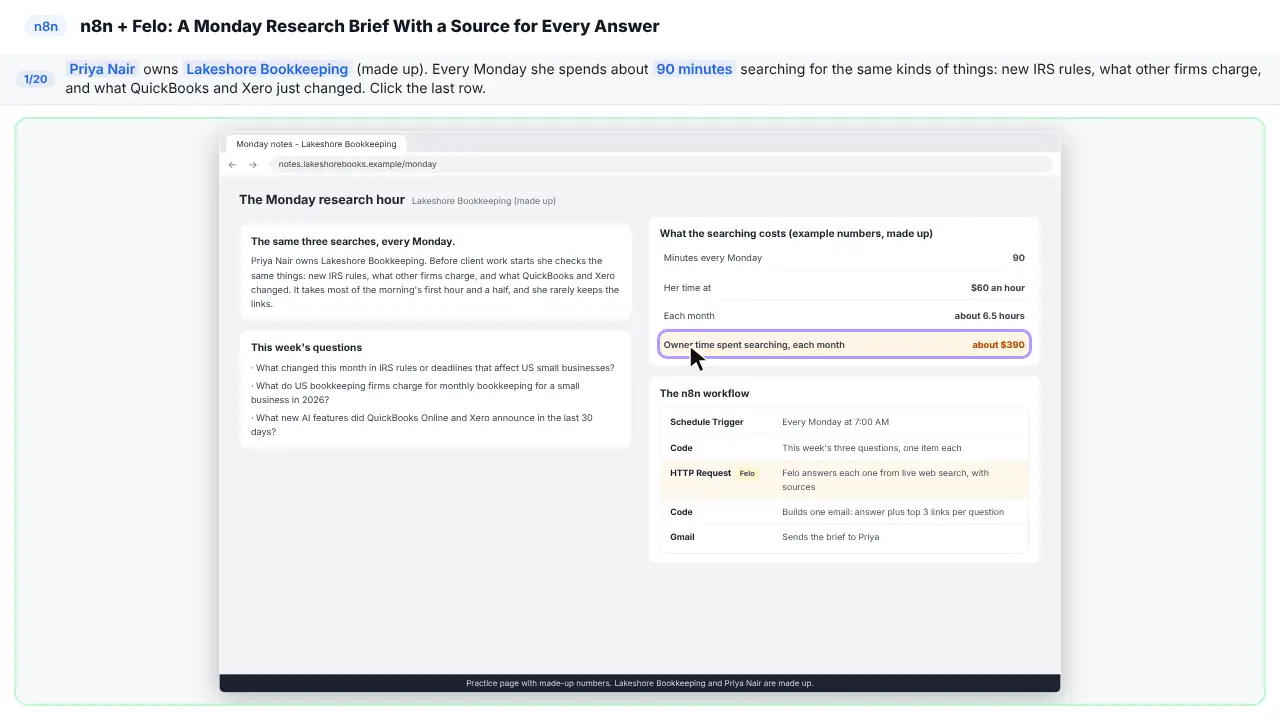
Meet Priya. She runs a small bookkeeping firm. Every Monday, she spends an hour and a half searching the same kinds of things.
Step 2: Let n8n ask Felo for her
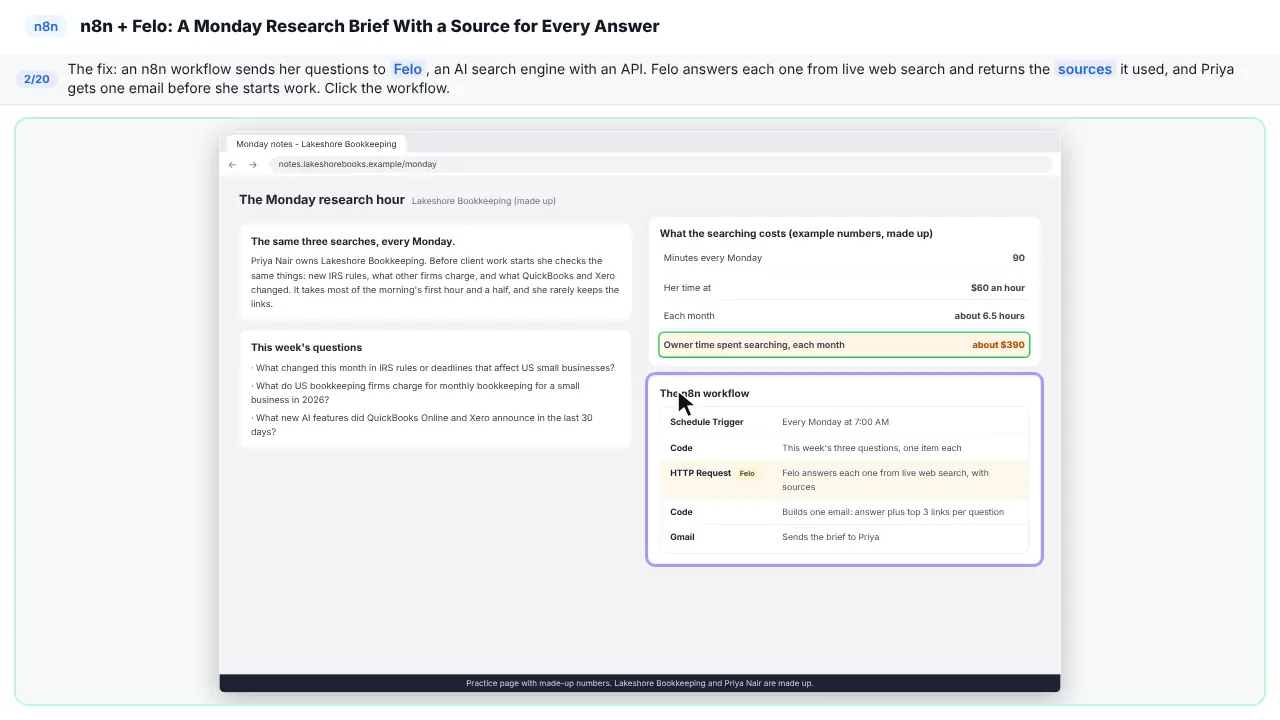
Here's the fix. n8n sends her questions to Felo. Felo searches the web and answers, with sources. And Priya gets one email.
Part 2: Get a free Felo API key
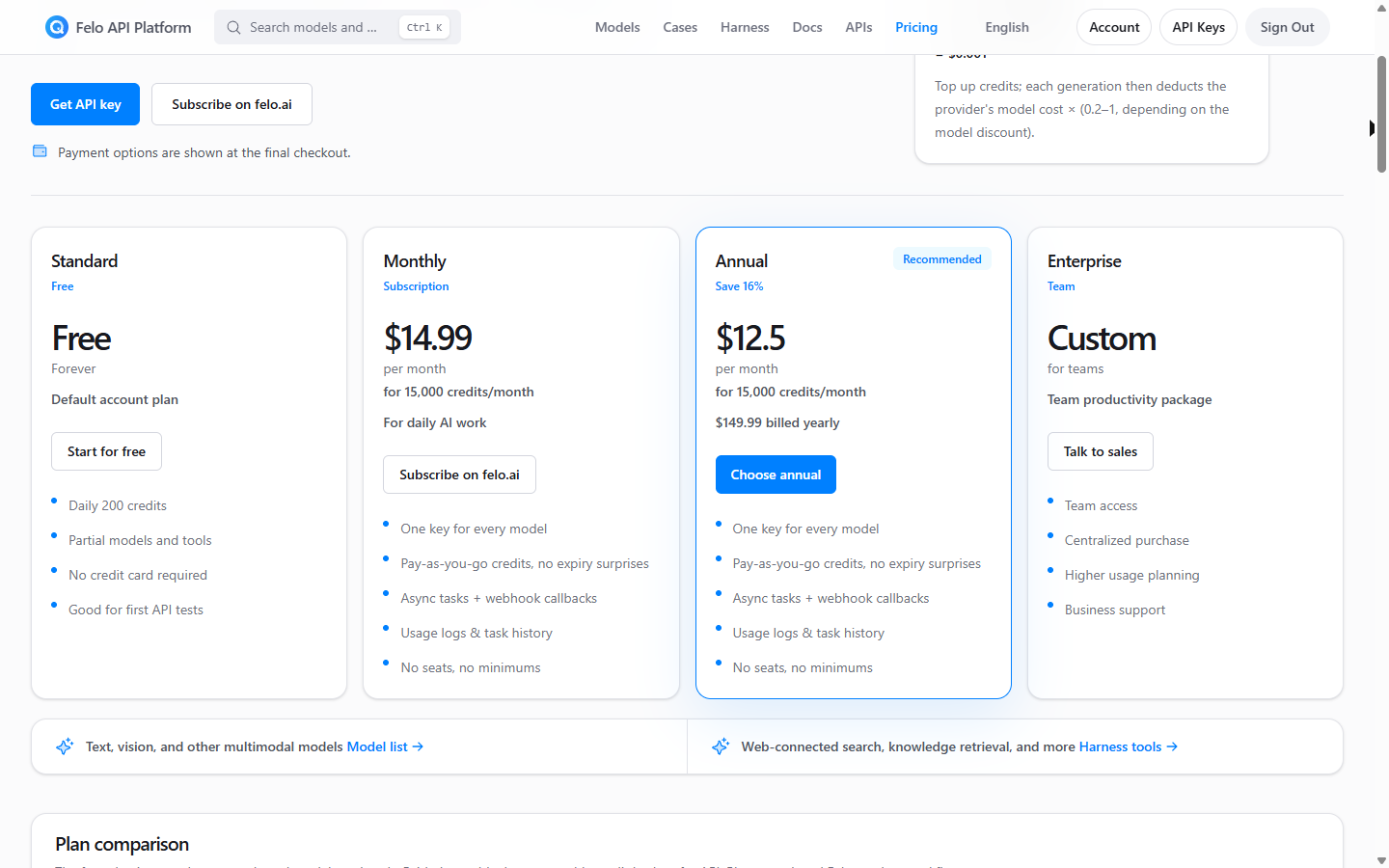
Step 3: Check the free plan
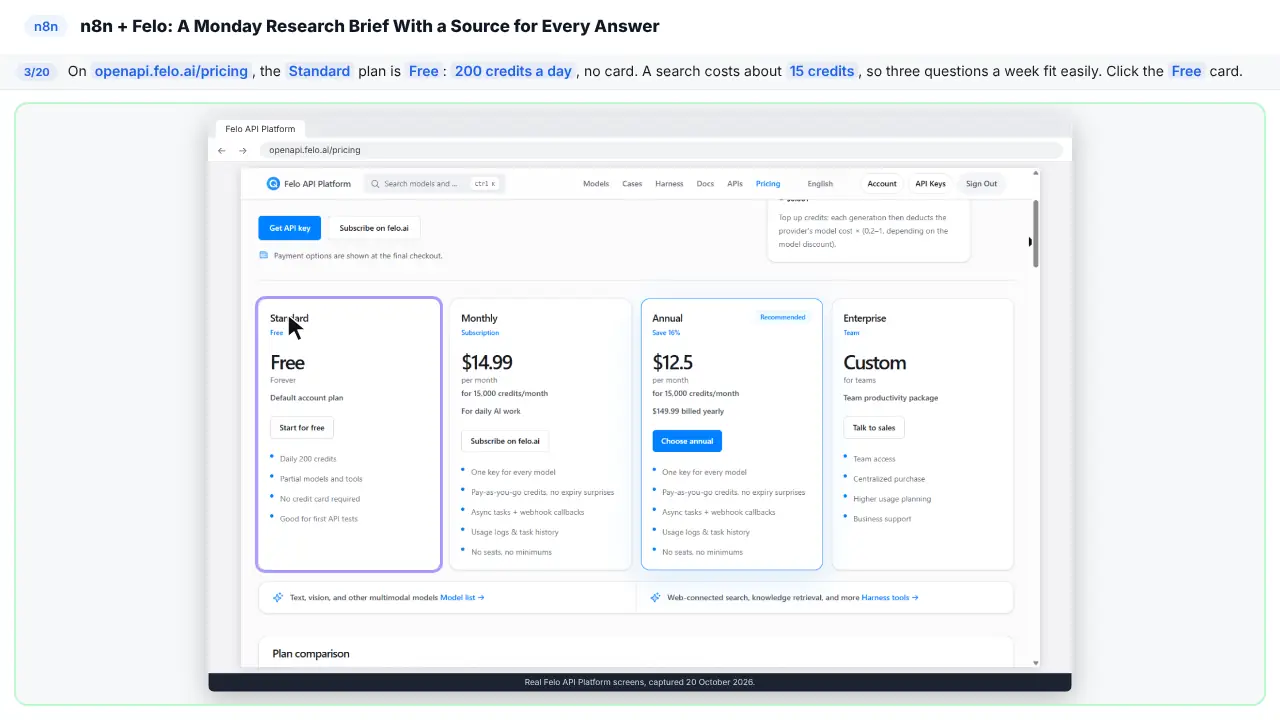
On Felo's A P I pricing page, the standard plan is free. Two hundred credits a day. A search is about fifteen.
Step 4: Create a key
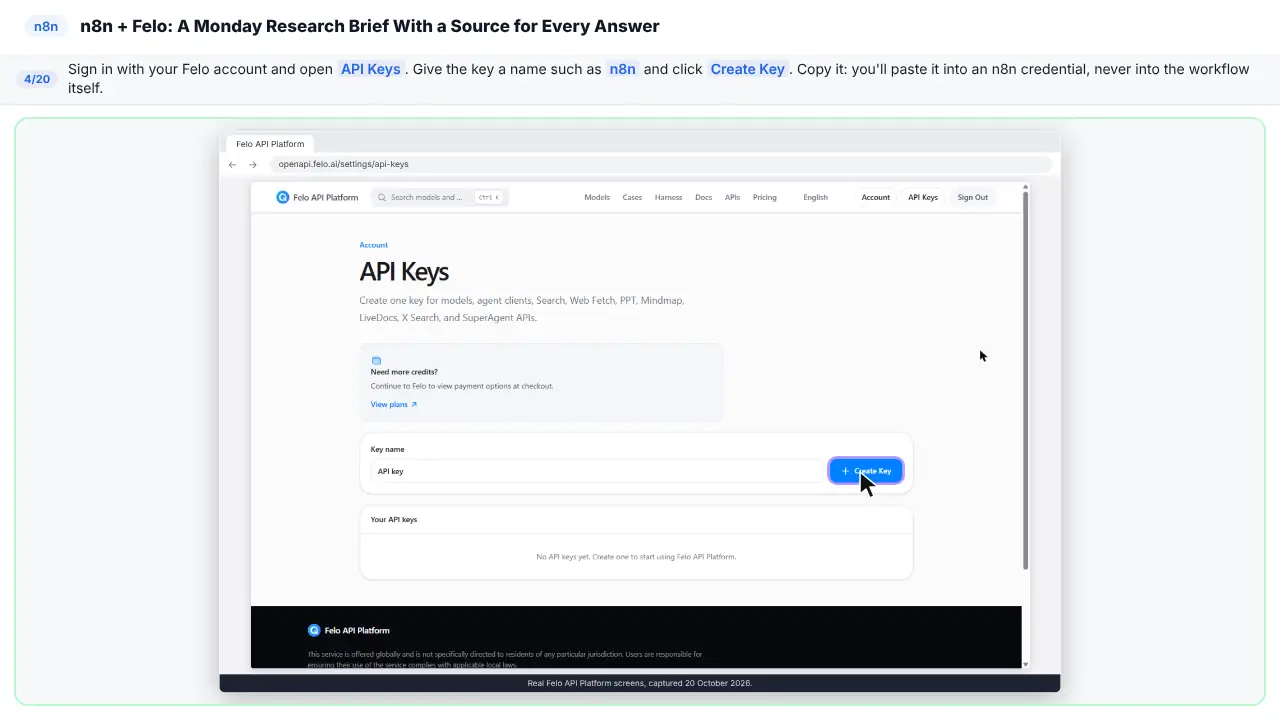
Name the key, and click Create Key. You'll paste it into n8n in a minute.
Part 3: The questions
Step 5: Every Monday at 7am
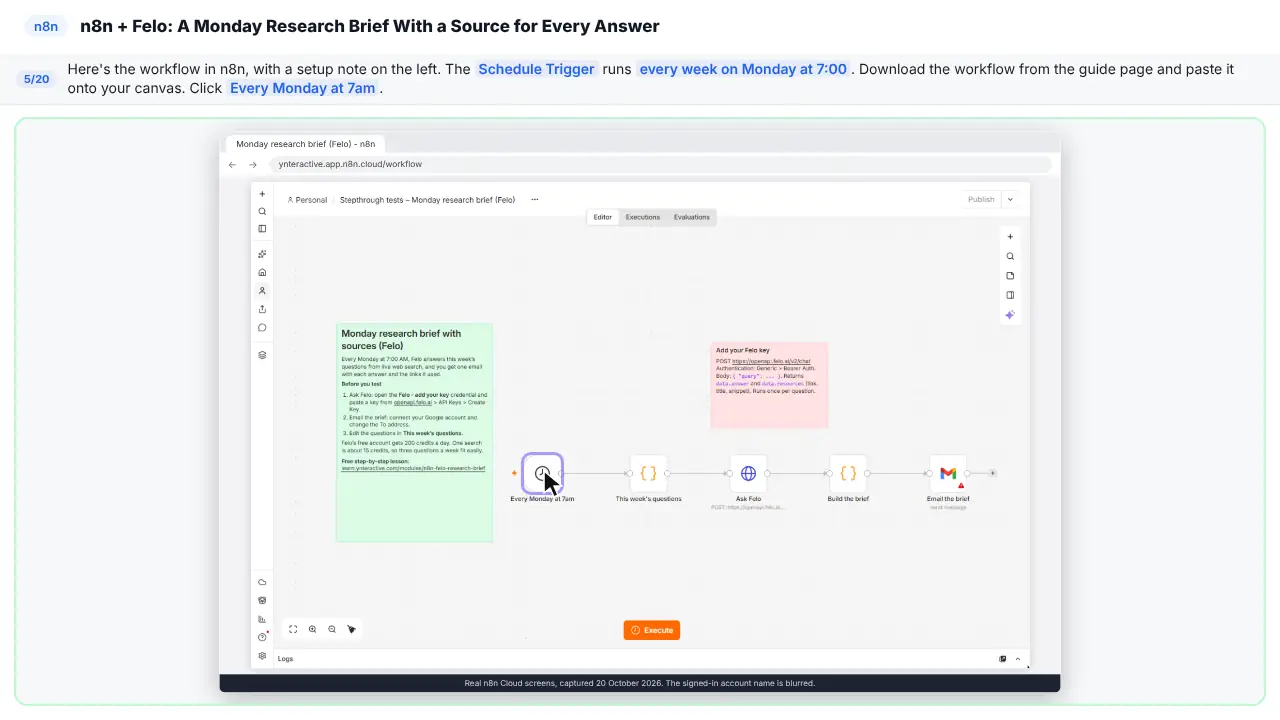
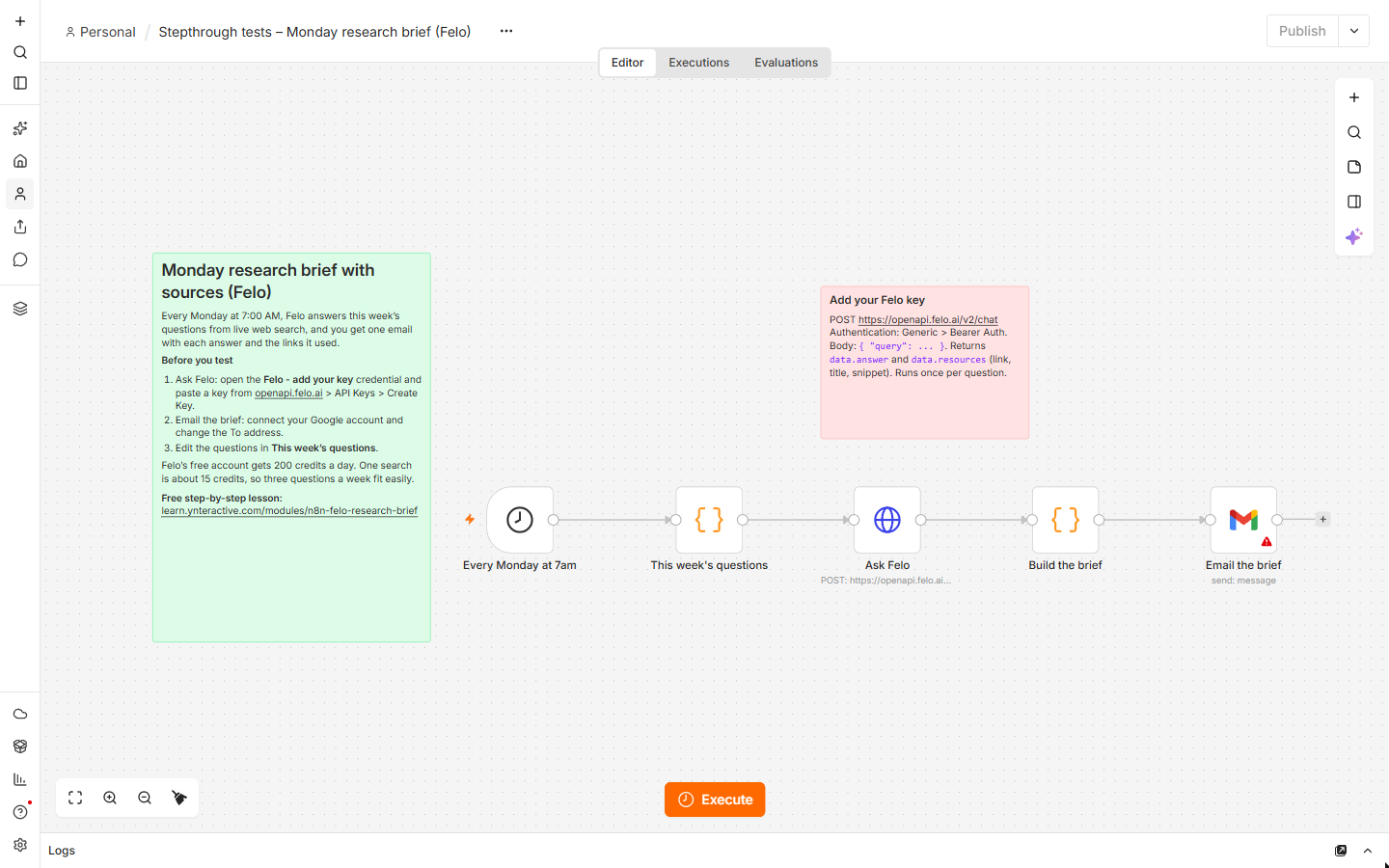
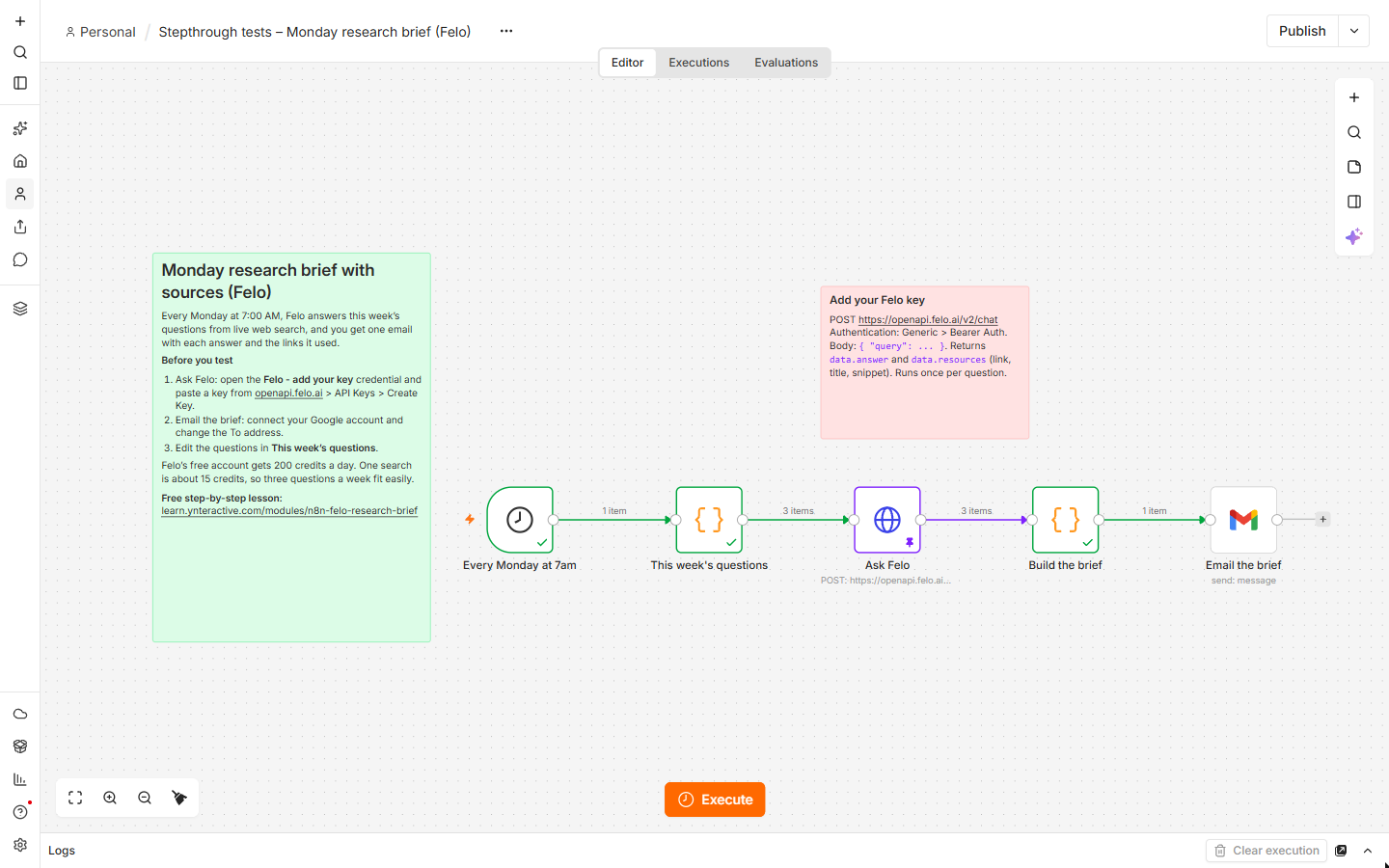
Here's the workflow in n8n. The schedule trigger runs every Monday at seven.
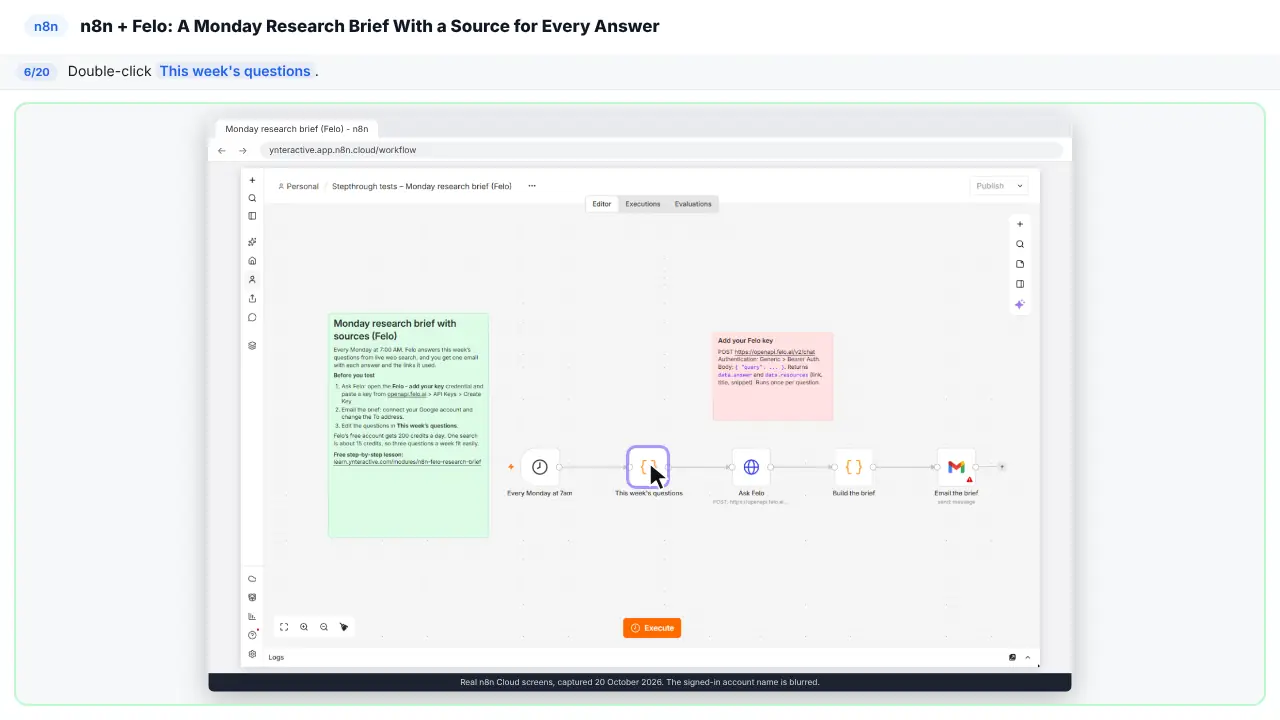
Step 6: Open the questions
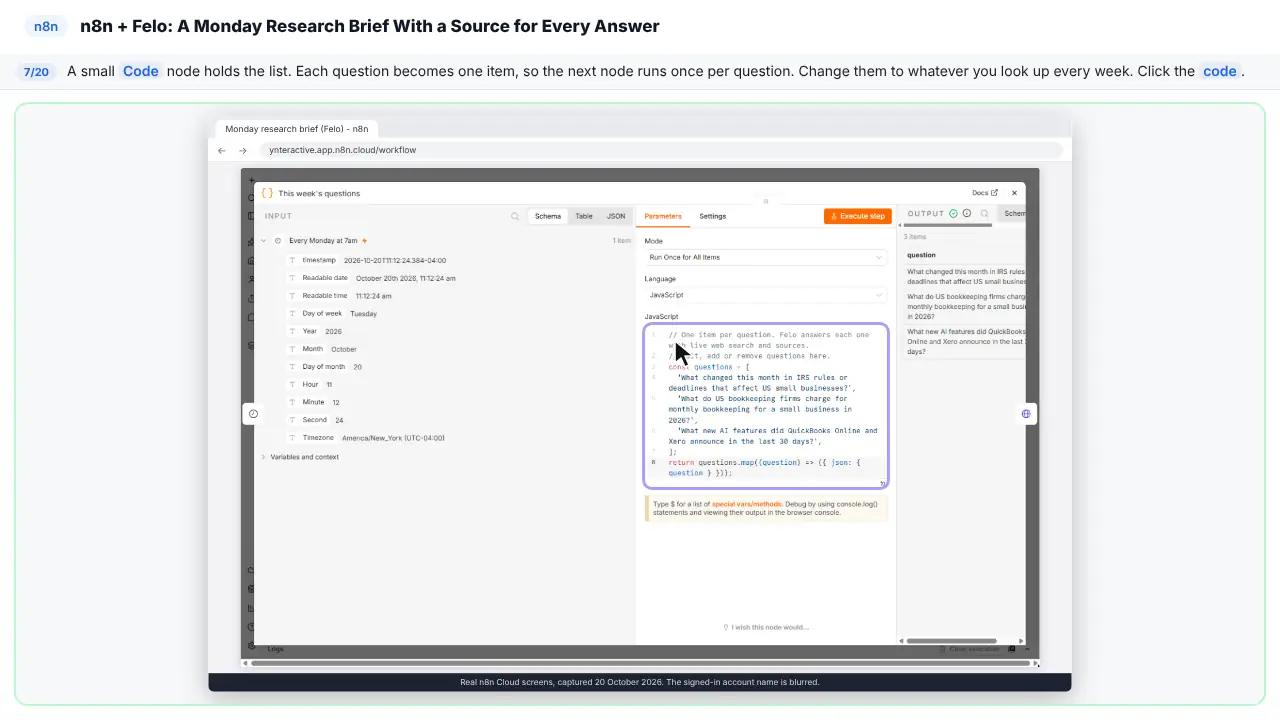
Step 7: Edit the questions
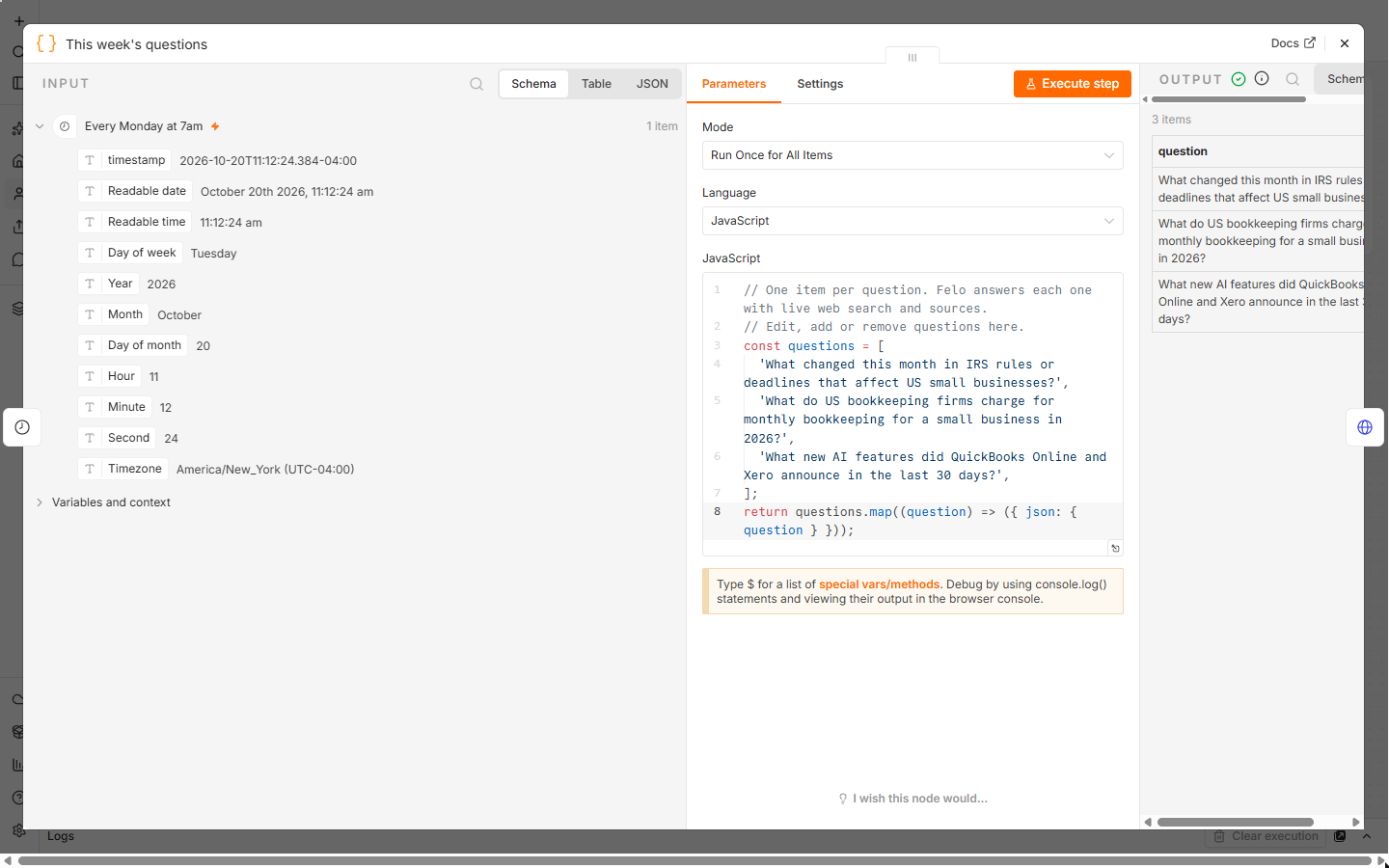
A small Code node holds the questions. Each one becomes one item. Change them to your own.
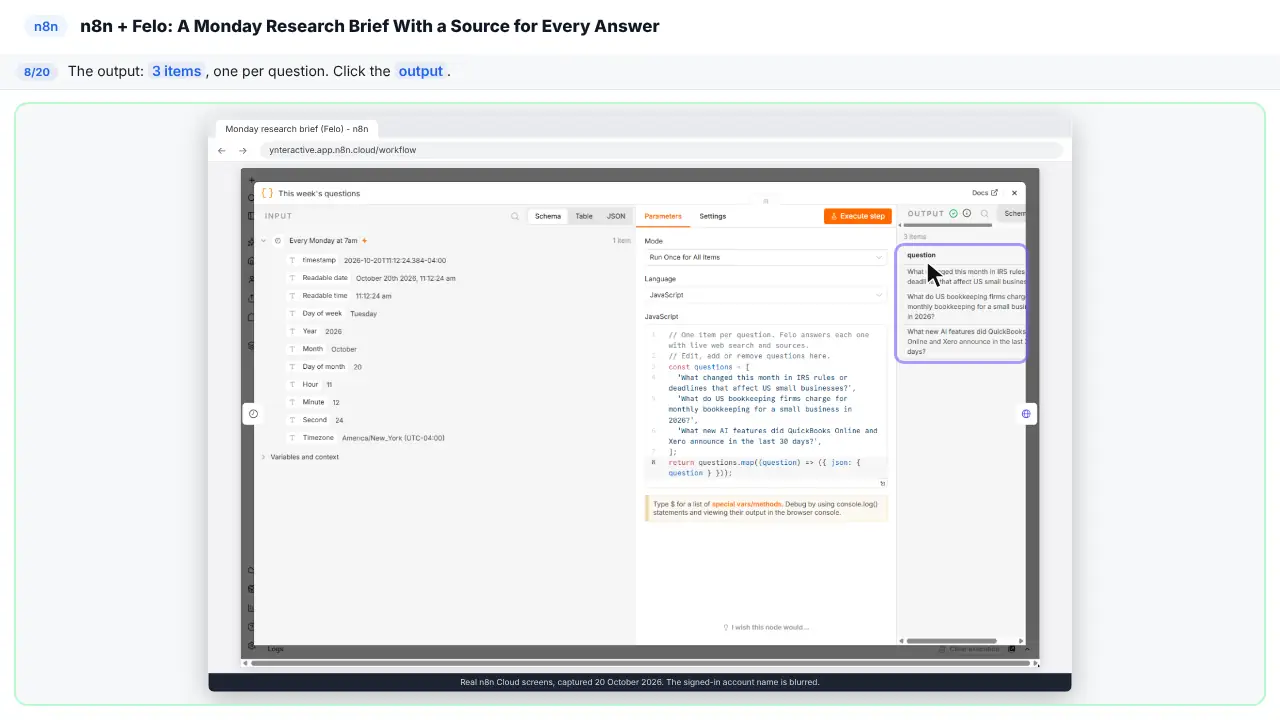
Step 8: Three items
Three items. One per question.
Part 4: Felo answers with sources
Step 9: Call Felo
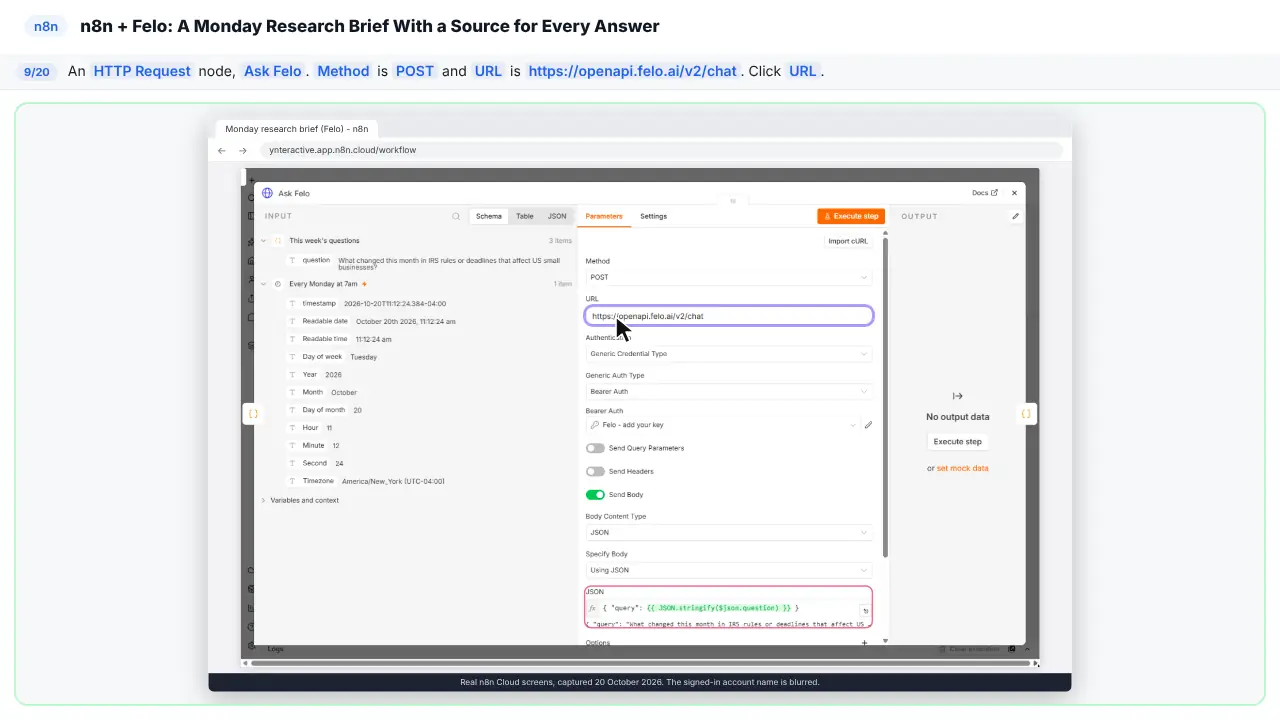
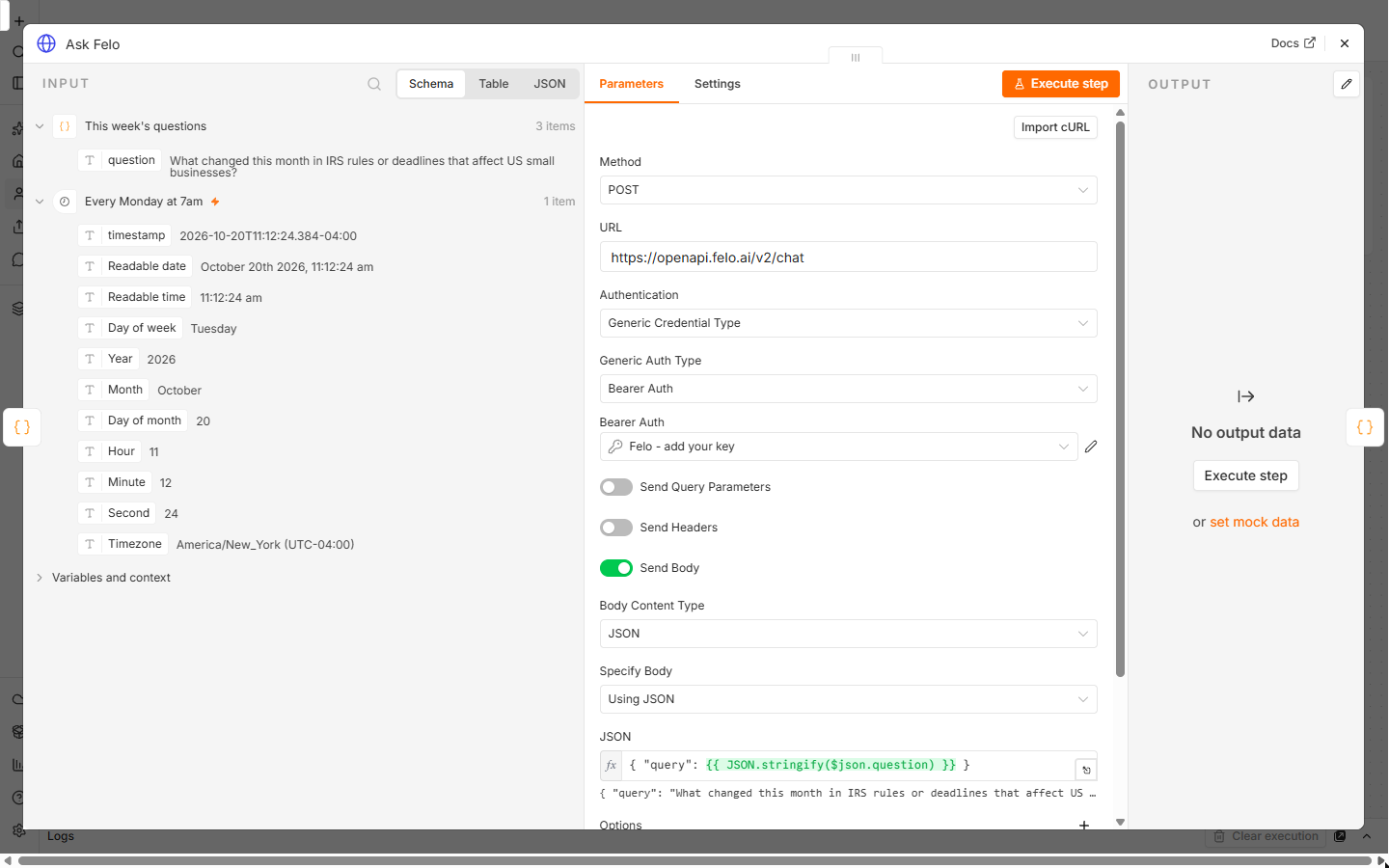
An H T T P Request node asks Felo. Method POST, to Felo's chat U R L.
Step 10: Use a Bearer Auth credential
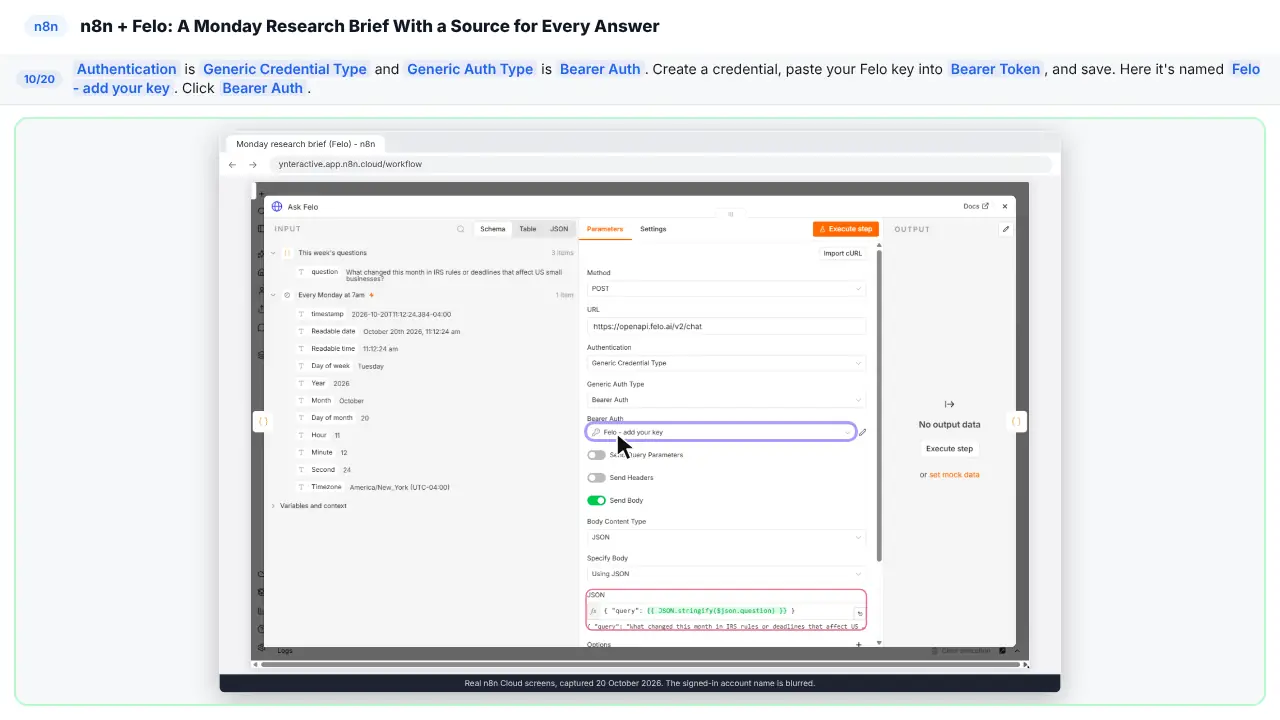
Authentication is a Bearer Auth credential.
Step 11: Send the question
Send Body is on. The body is one field, query, with the question.
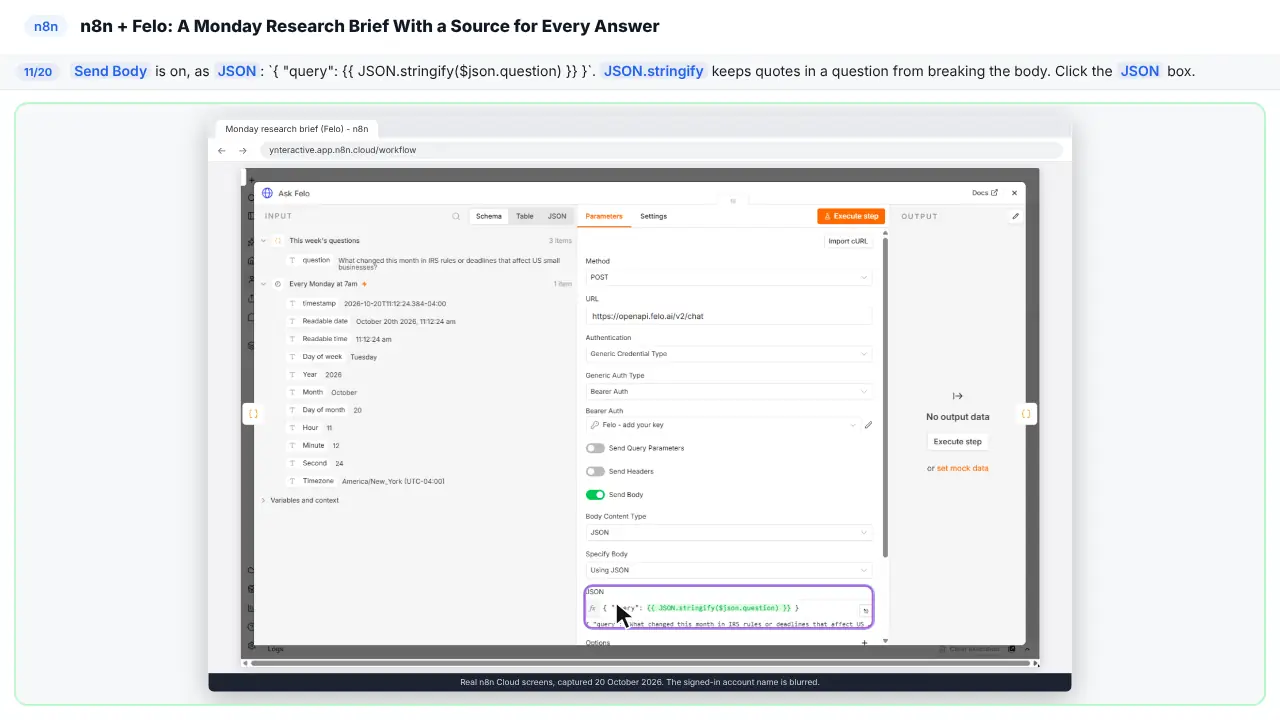
{ "query": {{ JSON.stringify($json.question) }} }. JSON.stringify keeps quotes in a question from breaking the body. Click the JSON box.Step 12: Know the key error
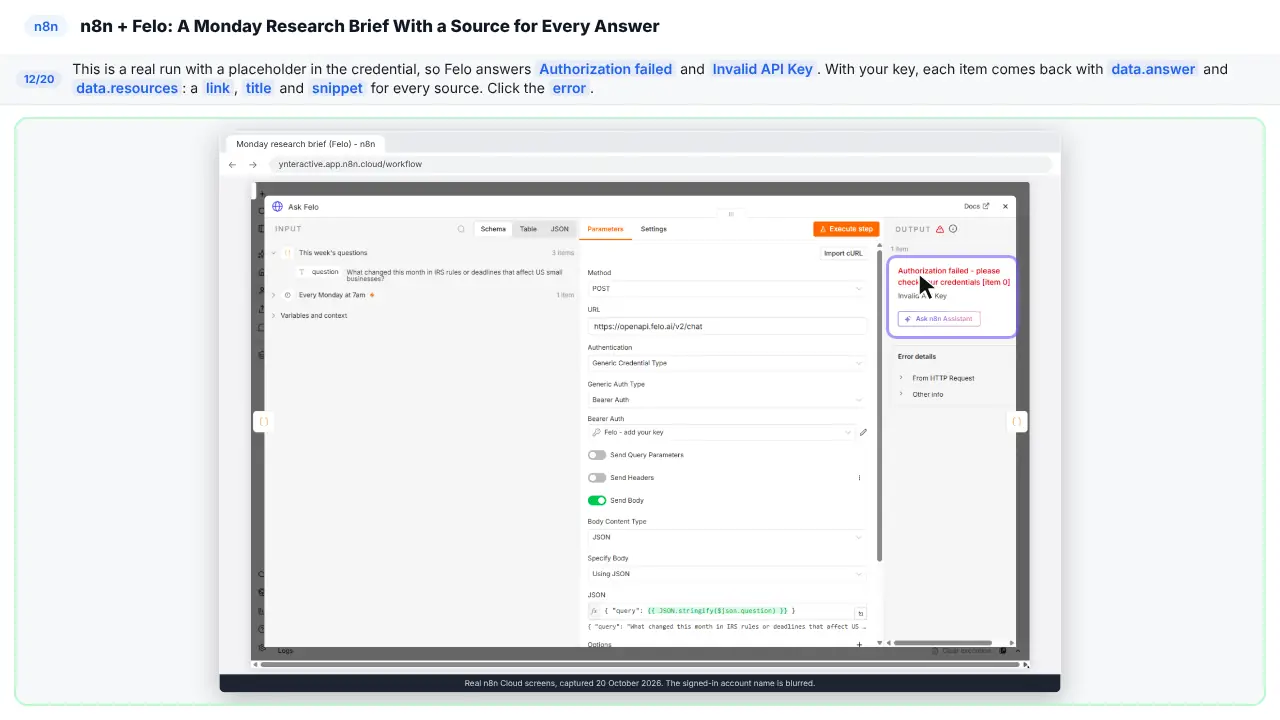
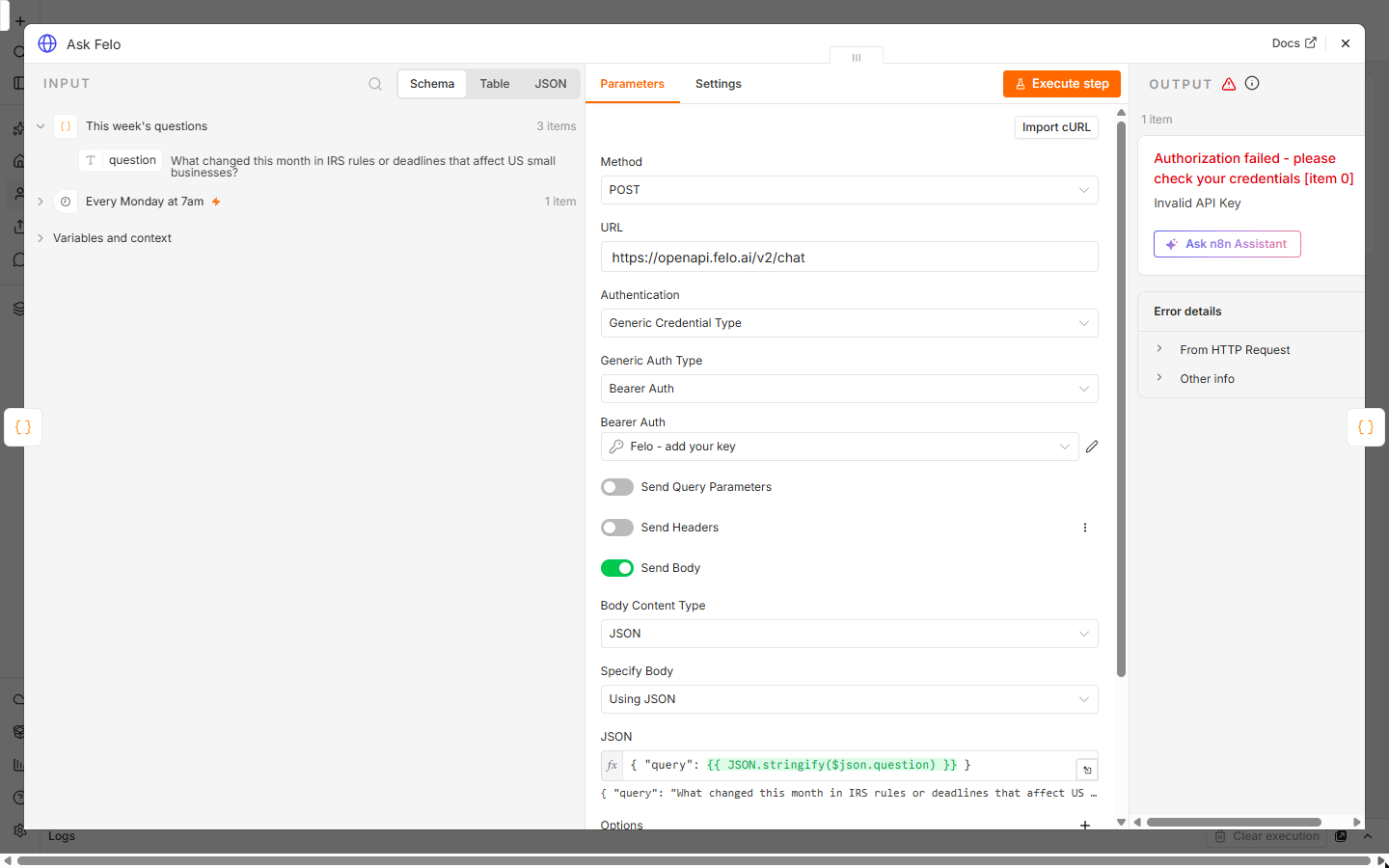
This test used a placeholder key, so Felo says invalid key. With your key, you get an answer, and the sources.
Part 5: Build and send the brief
Step 13: Build one email
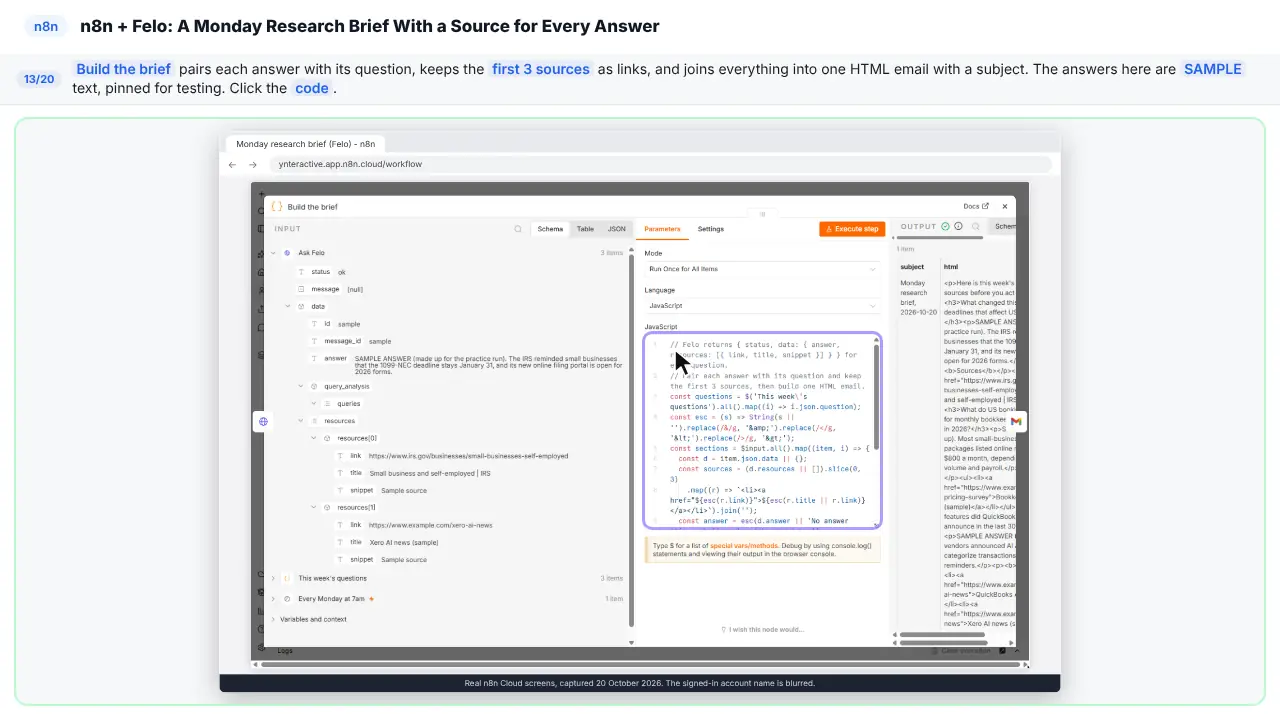
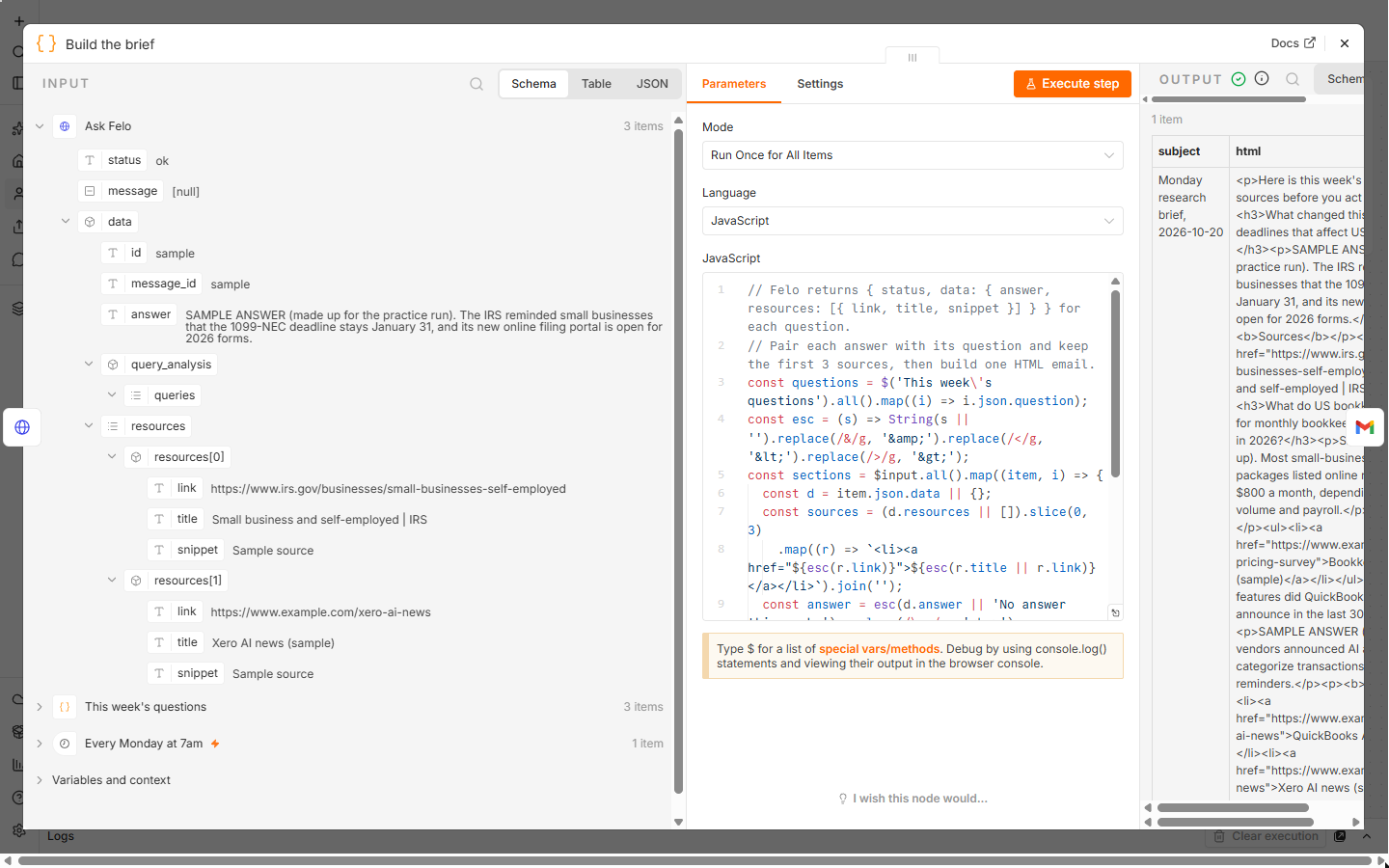
Build the brief pairs each answer with its question. It keeps the top three sources as links. These answers are sample text.
Step 14: Check the output
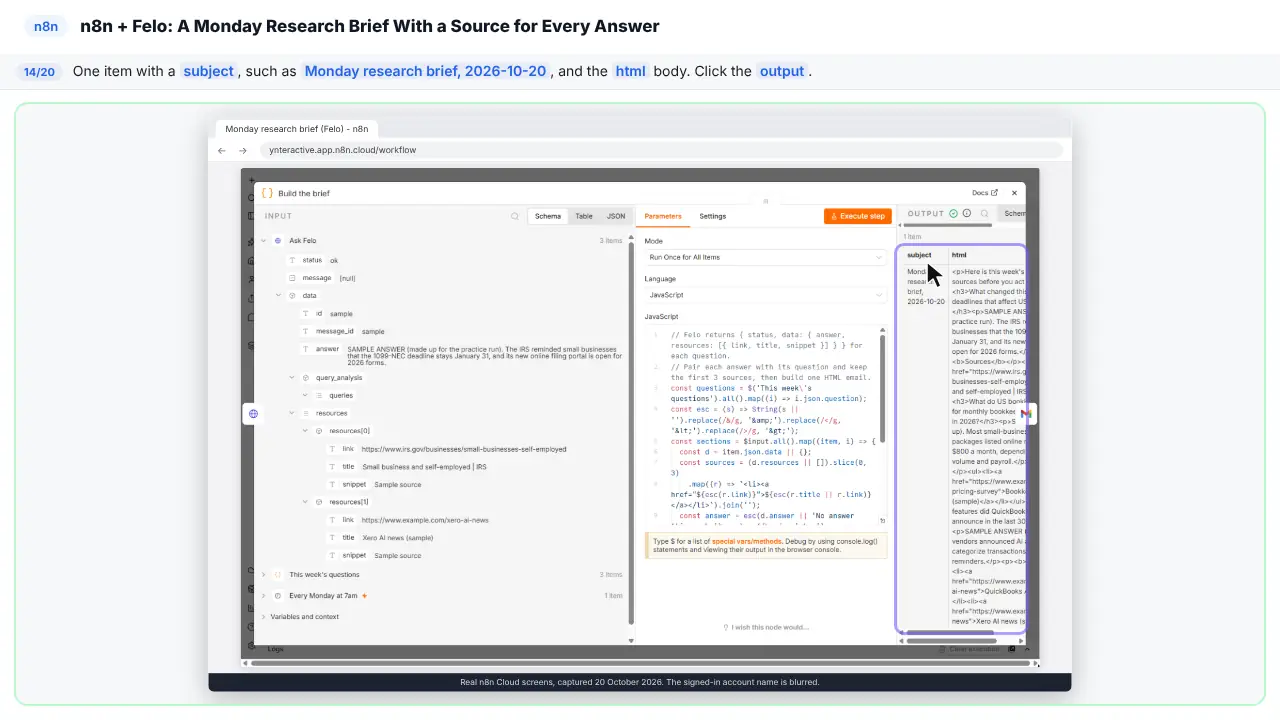
One item. A subject, and the email body.
Step 15: Send it to yourself
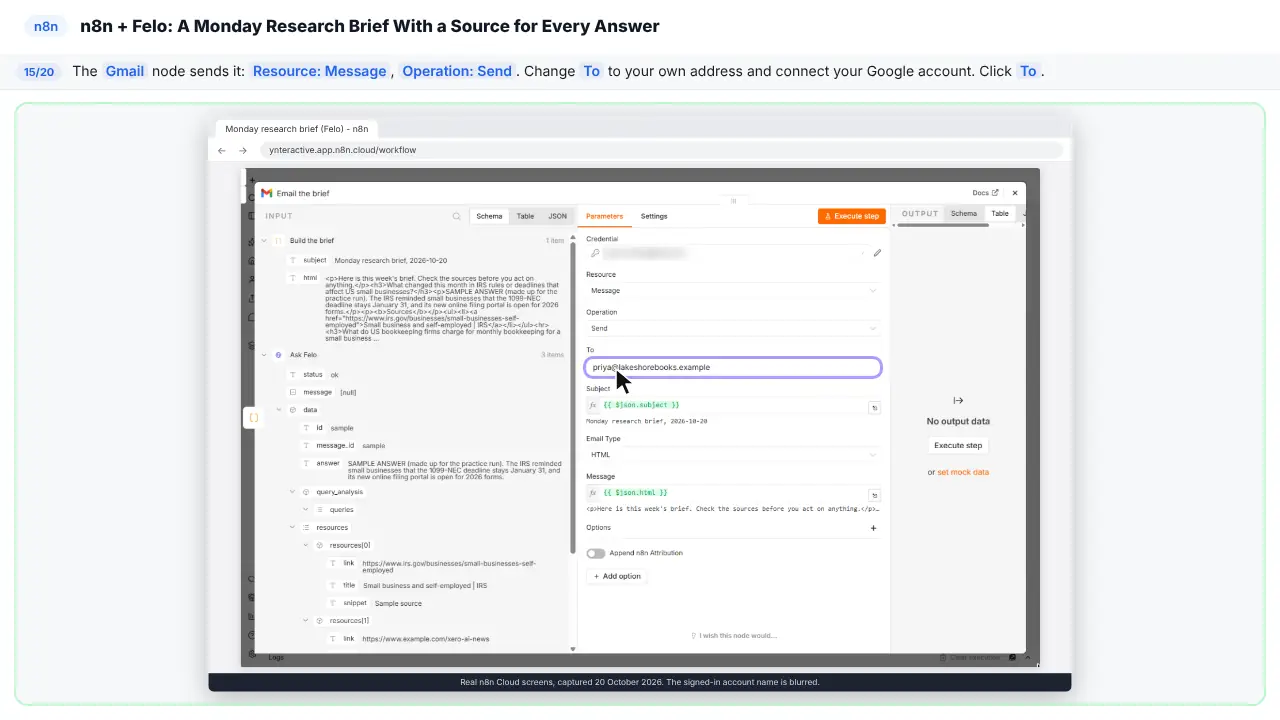
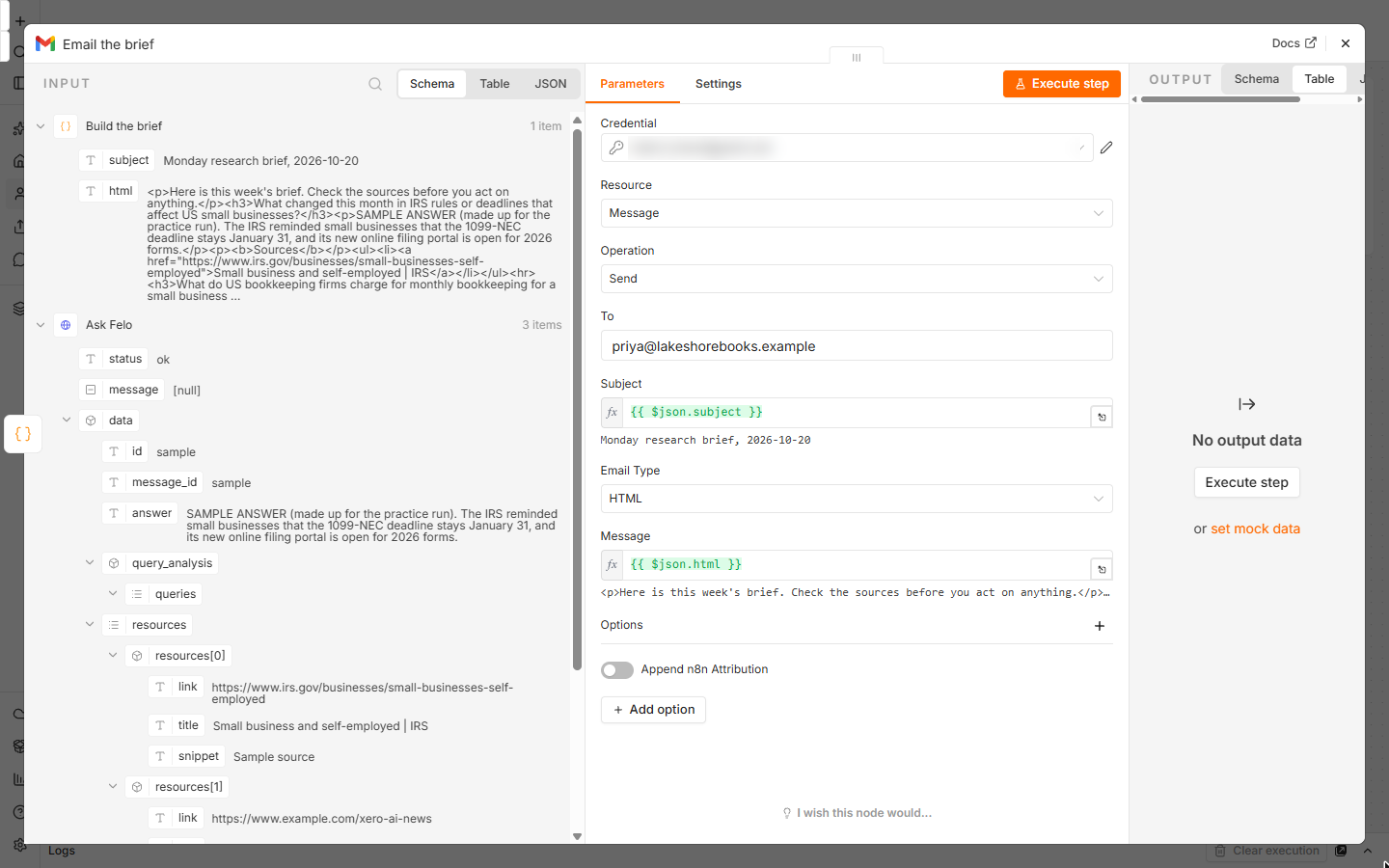
The Gmail node sends the brief. Put your own address in To.
Step 16: Subject and message
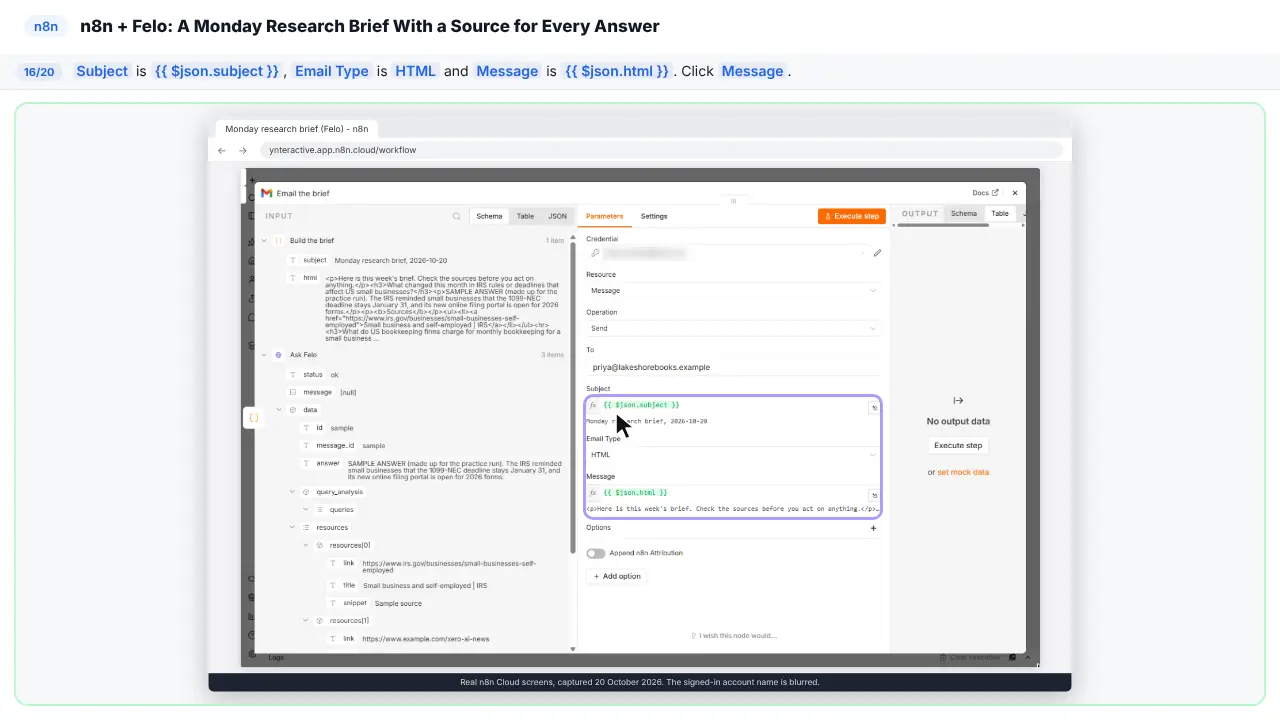
Subject and message come from the brief. Email type is HTML.
Part 6: Test it
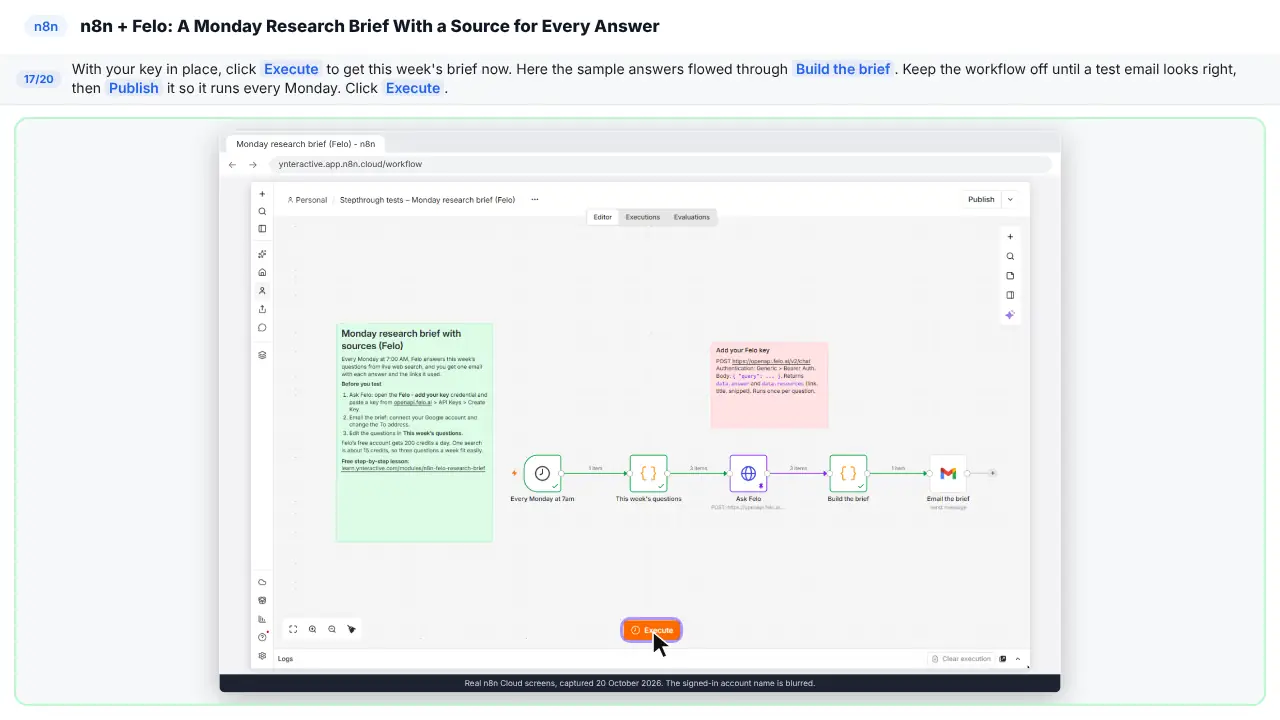
Step 17: Run it once
When it looks right, publish it.
Part 7: What it saves
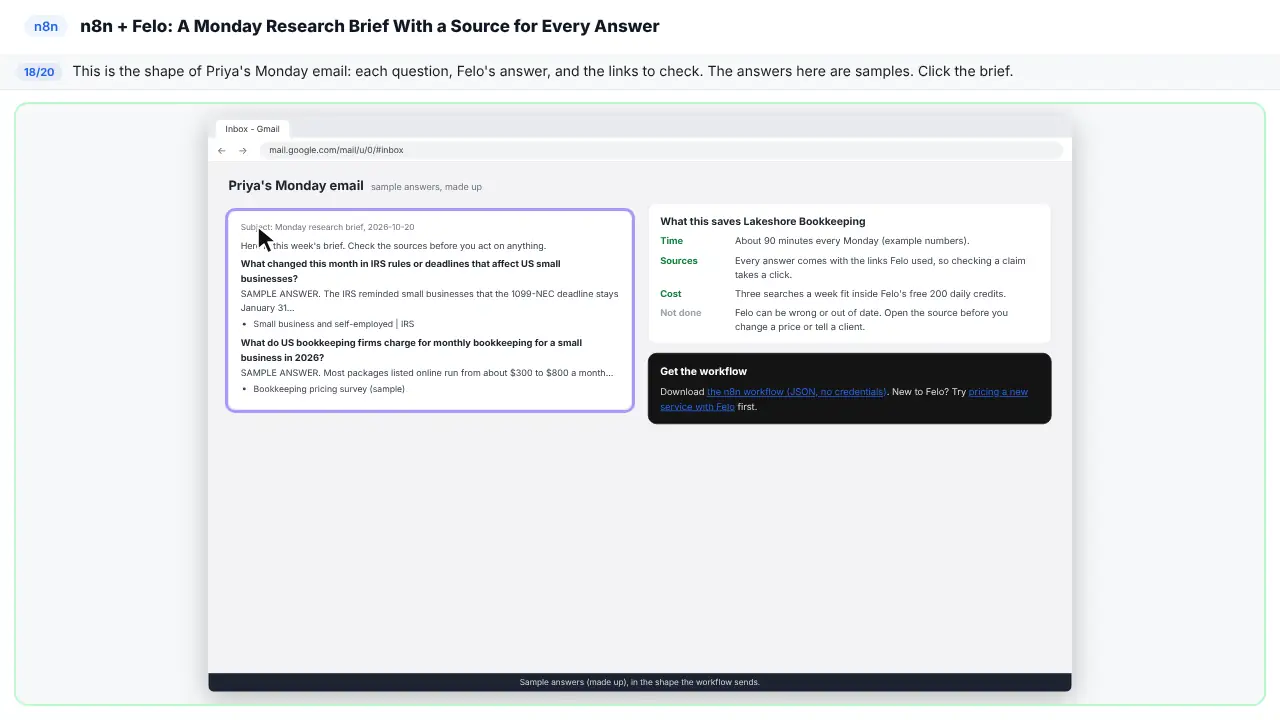
Step 18: Read the brief
Here's the shape of the Monday email. A question, an answer, and the links.
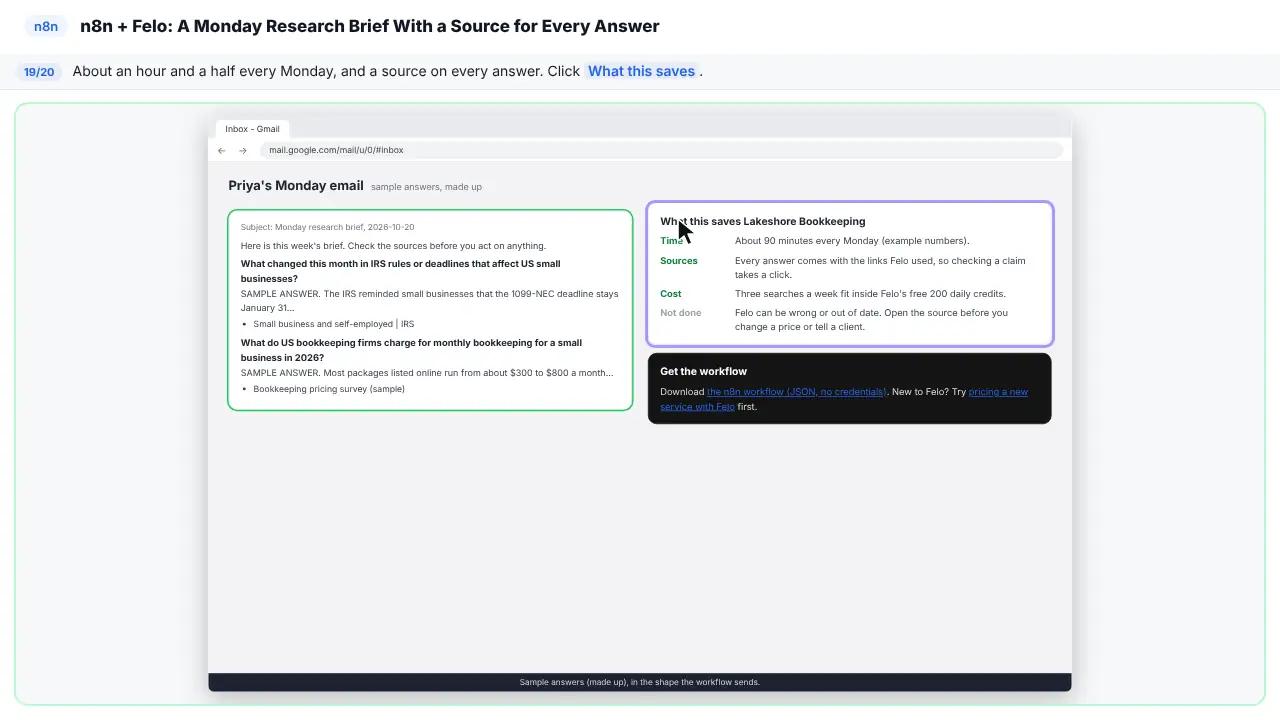
Step 19: See what it saves
About an hour and a half every Monday.
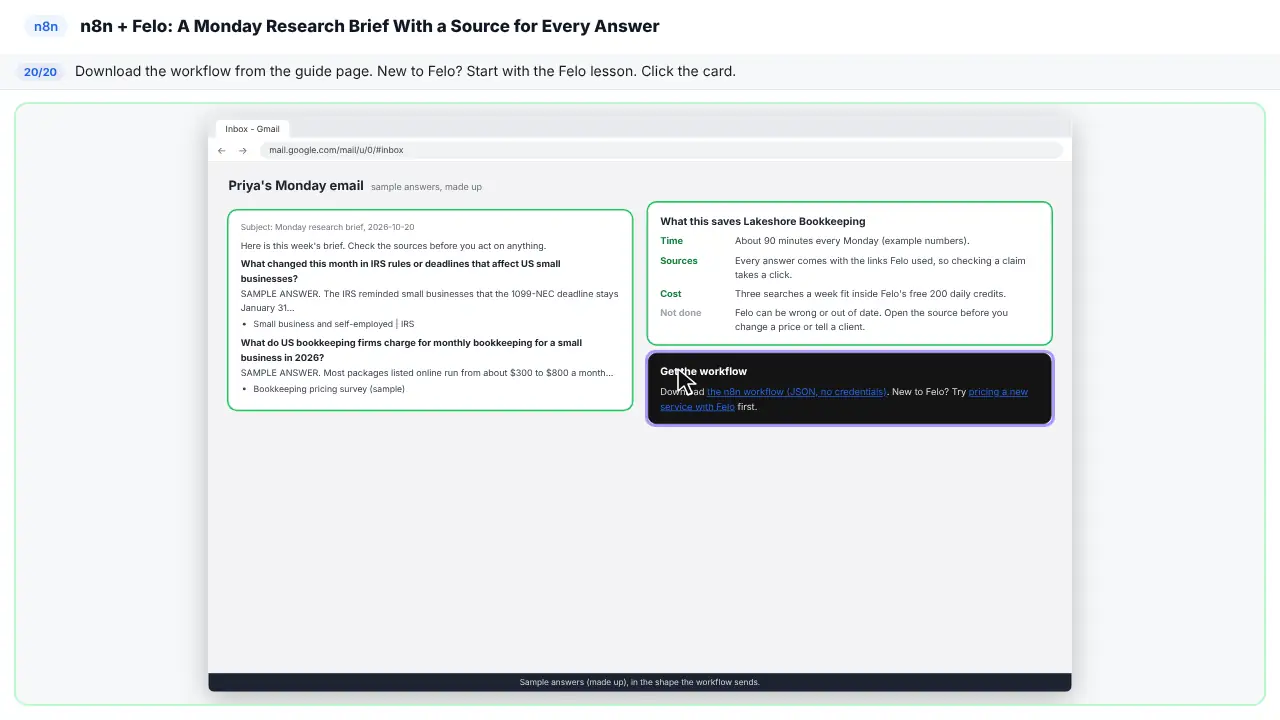
Step 20: Get the workflow
Download the workflow, or start with the Felo lesson.
Part of these free courses: n8n Jump Start, AI Apps Worth Knowing, AI for Consulting & Agencies, n8n Intermediate: Real Business Workflows, AI Research for Work: Cited Briefs with ChatGPT Deep Research, Gemini, NotebookLM and Felo
Now do it yourself, free
Reading the steps is a start. Doing them is how it sticks. The interactive lesson puts you in a practice copy of n8n: you do every step yourself, it checks your work, and “Do it for me” finishes any step you get stuck on. Nothing touches your real accounts.
Practice “n8n + Felo: A Monday Research Brief With a Source for Every Answer” step by step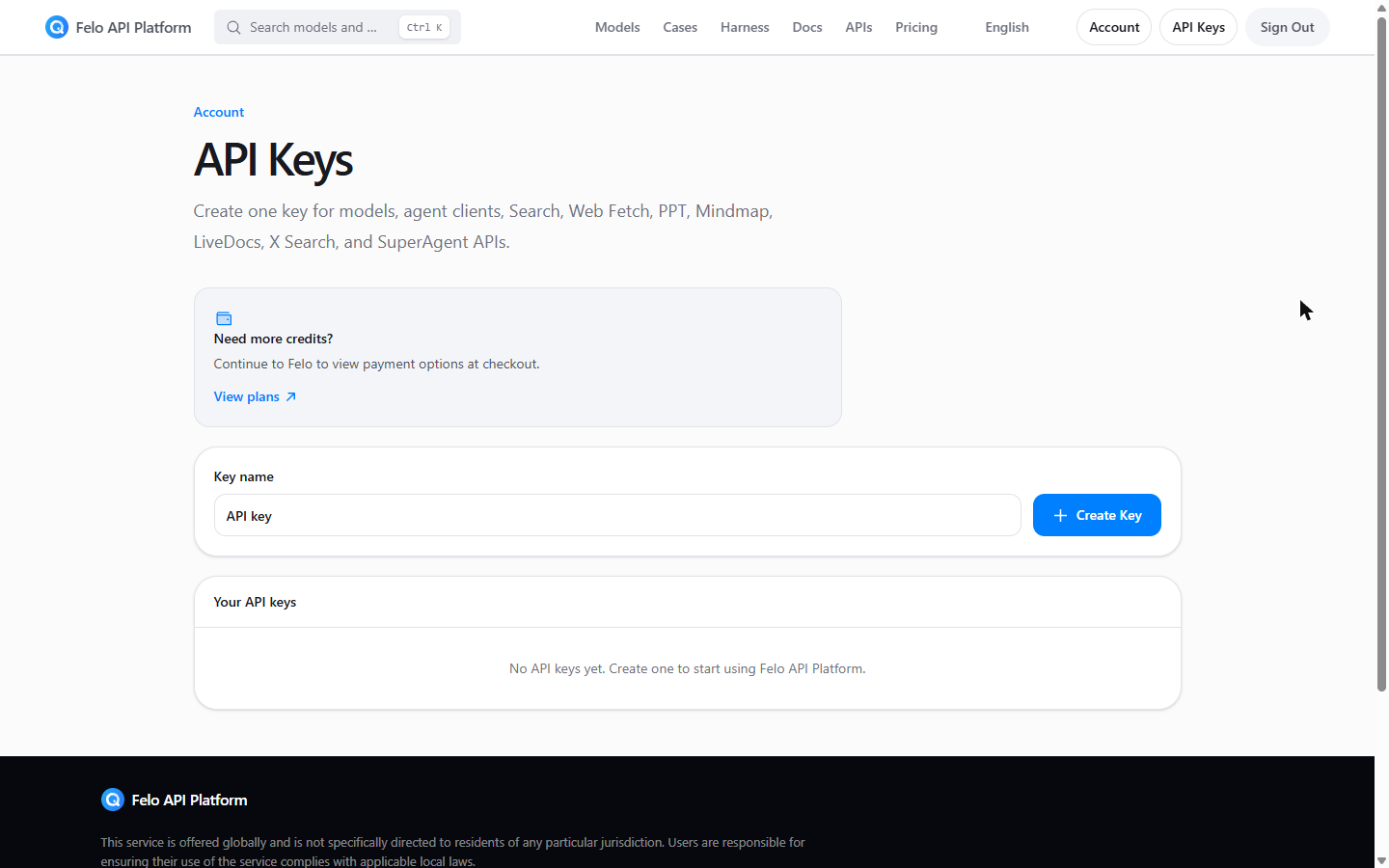
The n8n workflow
The five-node workflow from this lesson, with setup notes on the canvas. It has no credentials: create a Bearer Auth credential with your Felo key, connect Google and change the To address after you paste it onto your canvas.
Download the n8n workflow (JSON)
The business case: the Monday research hour
The example is Priya Nair, who owns Lakeshore Bookkeeping, a made-up firm. Every Monday she spends about 90 minutes searching: new IRS rules and deadlines, what other bookkeeping firms charge, and what QuickBooks Online and Xero announced. At $60 an hour that is about 6.5 hours, or $390, a month, and she rarely keeps the links. These are example numbers, so use your own.
Felo is an AI search engine that answers with a source for every claim, and its API returns the same thing to n8n: an answer and the list of pages it used. The workflow asks the questions while she sleeps and leaves one email with every answer and its links.
What you need
- An n8n account (n8n Cloud's trial is enough).
- A free Felo account and an API key from openapi.felo.ai > API Keys > Create Key. The free Standard plan gives 200 credits a day; a search is listed at about 15 credits.
- A Google account for the Gmail node.
Step 1: a free key on the Felo API Platform
Sign in at openapi.felo.ai with your Felo account. Pricing shows the free Standard plan: 200 credits a day, no card. Open API Keys, name the key (for example n8n) and click Create Key. Copy it for n8n.
Step 2: the trigger and the questions
Download the workflow below, open the file, copy everything and paste it onto an n8n canvas. Every Monday at 7am is a Schedule Trigger set to weeks, Monday, 7:00 (the workflow's time zone is New York; change it in the workflow settings). This week's questions is a Code node that returns one item per question, so the next node runs once for each. Edit the list to your own questions.
Step 3: ask Felo
Ask Felo is an HTTP Request node: Method POST, URL https://openapi.felo.ai/v2/chat. Set Authentication to Generic Credential Type and Generic Auth Type to Bearer Auth, create a credential and paste your Felo key into Bearer Token. Turn on Send Body, choose JSON and Using JSON, and use this body:
{ "query": {{ JSON.stringify($json.question) }} }
JSON.stringify keeps quotes inside a question from breaking the JSON. Felo answers with status, and data with answer (the text), query_analysis.queries (the searches it ran) and resources, a list of sources with link, title and snippet. A missing or wrong key returns Authorization failed and Invalid API Key, which is what the lesson's test run shows with a placeholder key.
Step 4: build one email and send it
Build the brief is a Code node that pairs each answer with its question, keeps the first three sources as links, and joins everything into one HTML email with a subject like Monday research brief, 2026-10-20. Email the brief is a Gmail node, Message, Send: put your own address in To; Subject is {{ $json.subject }}, Email Type HTML and Message {{ $json.html }}.
Click Execute once to get this week's brief now. When the email looks right, Publish the workflow so it runs every Monday.
Mistakes to avoid
- Putting the Felo key in the URL or the body. Keep it in the Bearer Auth credential.
- Building the body by hand with the question in quotes. A question with a quote mark breaks the JSON; JSON.stringify handles it.
- Acting on an answer without opening the source. AI search can be wrong or out of date.
- Adding dozens of questions or running it daily on the free plan. Check the credits on openapi.felo.ai/pricing first.
Links
- Felo API Platform: one API key for Felo's search, web fetch and model APIs.
- Felo API: getting started: base URL, Bearer key and the Chat API example.
- Felo Chat API reference: POST /v2/chat: the query field, data.answer and data.resources, errors and rate limits.
- Felo API pricing: the free Standard plan (200 credits a day) and credit costs per request.
- Felo in the AI tools directory: what it does, what it costs, and every Stepthrough lesson that uses it.
Try it yourself, free
Reading the steps is a start. Doing them is how it sticks. The interactive module walks you through every click in a practice copy of n8n, checks each step, and never touches your real accounts.
Start “n8n + Felo: A Monday Research Brief With a Source for Every Answer”Screenshots
Frequently asked questions
- Is this an official Felo course?
- No. This is my own lesson. Felo is a separate, third-party product from felo.ai.
- Is the Felo API free?
- There's a free Standard plan: 200 credits a day, no credit card, with selected models and tools (openapi.felo.ai/pricing, read 20 October 2026). A search request is listed at about 15 credits, so three questions a week fit easily. Paid plans start at $14.99 a month for 15,000 credits.
- What does Felo's API return?
- For POST /v2/chat: data.answer (the answer), data.query_analysis.queries (the searches it ran) and data.resources, a list of sources with link, title and snippet.
- Why does the test run show Authorization failed?
- The lesson's run used a placeholder key on purpose, so no real key was made. The error proves n8n reached Felo with the right URL and header. Paste your real key into the credential and the node returns answers.
- Can I post the brief to Slack instead of email?
- Yes. Swap the Gmail node for a Slack node and send {{ $json.html }} as text, or change the Code node to build plain text for Slack.
More in n8n Automation Toolkit
 n8n: What Is n8n? Build Your First Workflow
What n8n is and how it thinks, then your first workflow: a client inquiry form that catches every request and writes a one-line summary. No code, no accounts to connect.
Free · Live ~8 min Beginner
 How to Do n8n Automation for Beginners: Sort Inquiries and Draft Replies with AI
AI workflow automation for beginners: a form catches each client inquiry, an AI step sorts it and drafts the reply, and an If rule flags the urgent ones. Real n8n, free…
Free · Live ~12 min Beginner
 n8n: Items, JSON and Expressions, Explained by Doing
See how n8n holds data: pin five fake invoices, read them as items, Table and JSON, then write one reminder per invoice and a late fee with drag-and-drop expressions.
Free · Live ~9 min Beginner
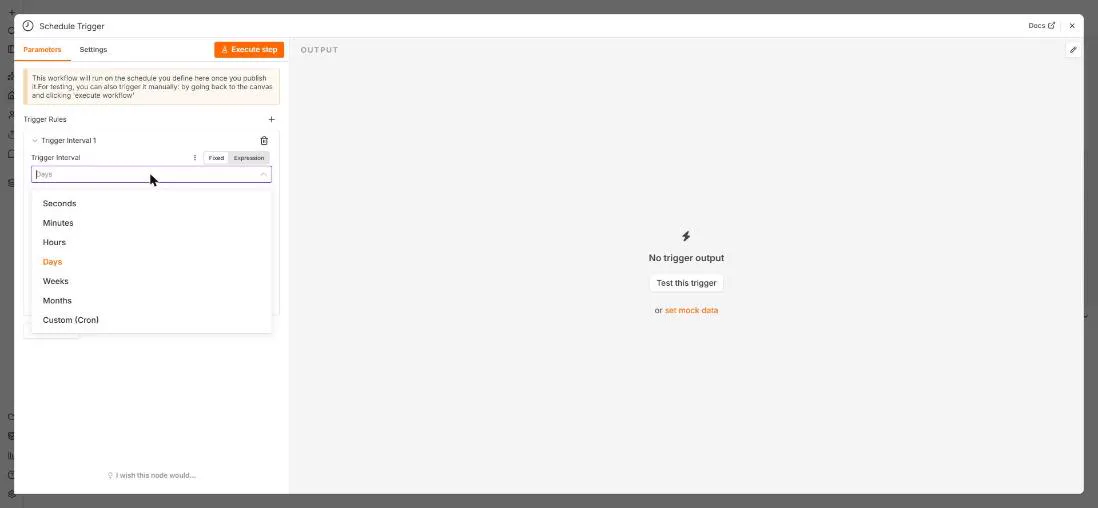 n8n: Run a Workflow on a Schedule (Every Monday at 8am)
Use the n8n Schedule Trigger to run a workflow by itself: every Monday at 8am, a timesheet reminder. Set the interval, test it now, and check the time zone.
Free · Live ~6 min Beginner
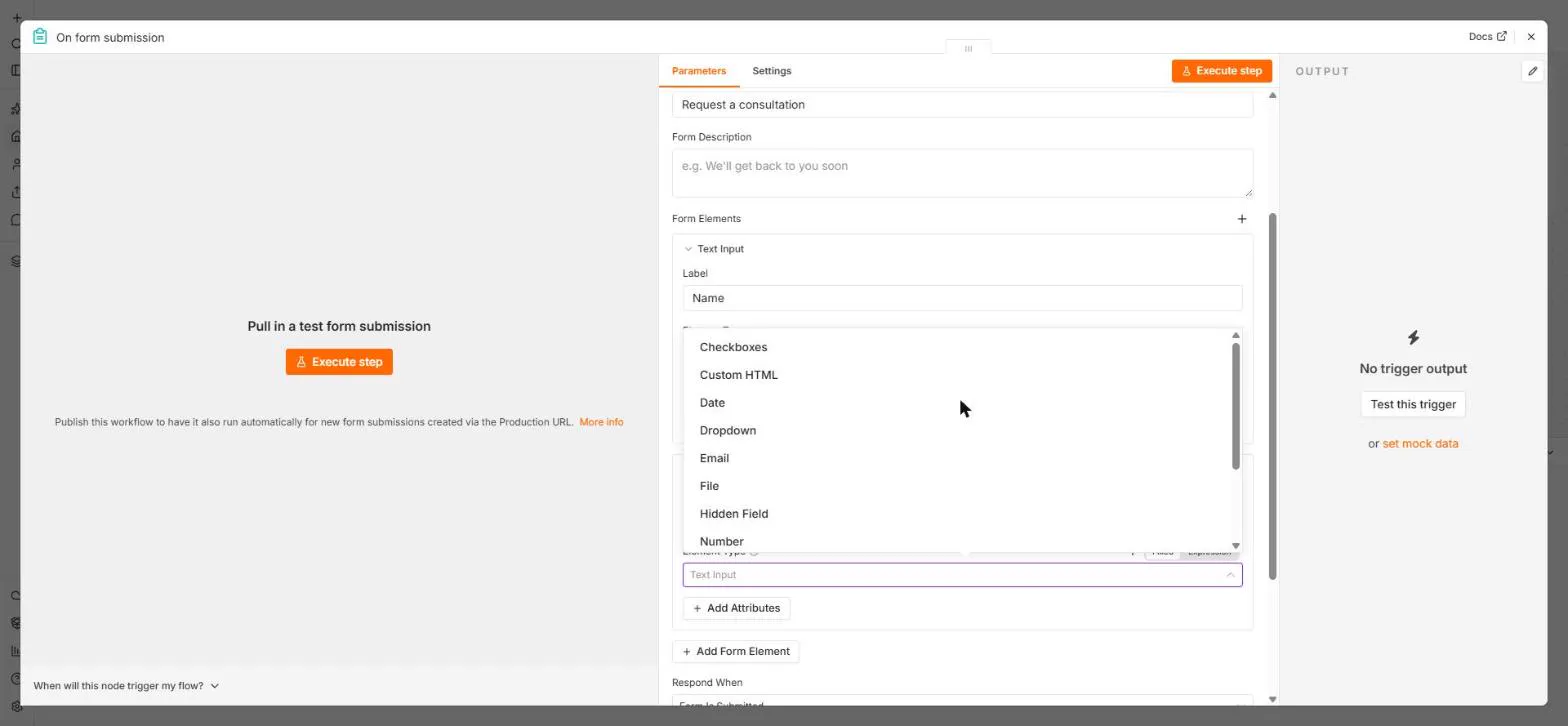 n8n: Send Form Answers Straight to Google Sheets
Build a consultation request form in n8n (required fields, email, dropdown), test it, and add every answer as a new row in Google Sheets. No webhook, no form tool to…
Free · Live ~10 min Beginner
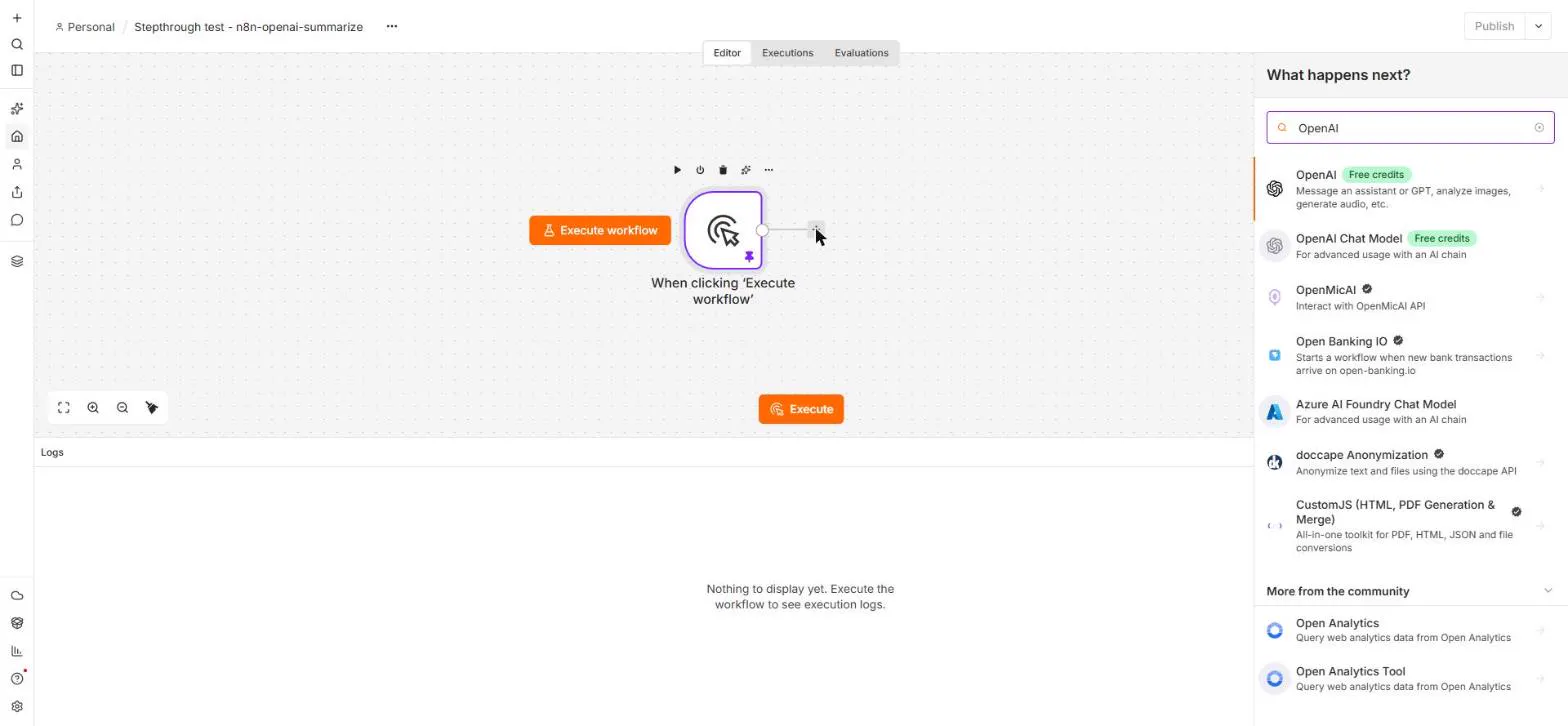 n8n: Summarize Customer Emails with OpenAI
Your first AI step in n8n: send each customer email to OpenAI with one prompt and get a one-line summary plus the next step. No agent needed, about a cent of API use.
Free · Live ~9 min Beginner
All 28 modules in n8n Automation Toolkit
More n8n tutorials
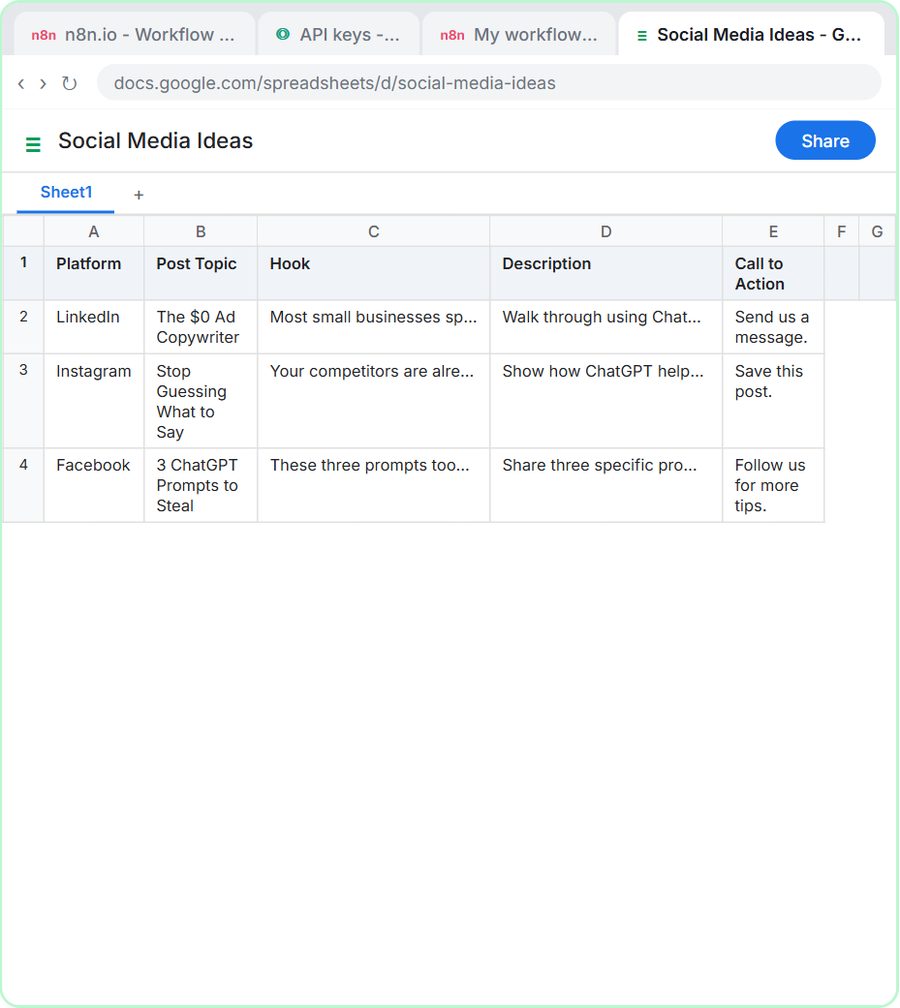 How to Create an AI Agent in n8n That Saves Ideas to Google Sheets
Build an AI agent for BrightPath Marketing that generates social media post ideas and saves them to Google Sheets — chat trigger, AI Agent, system prompt, model…
Free · Live ~12 min Intermediate
 How to Build in Lovable: A Web App with an n8n AI Backend
Build a contact form in Lovable and connect it to an n8n workflow — webhook trigger, AI Agent, Google Sheets, Gmail, and a Respond node that ties it all together.
Free · Live ~15 min Advanced
 How to Do OCR in n8n: Read Receipt Photos into Google Sheets with AI
Drop a photo of a receipt into an n8n chat. An AI agent reads it, pulls out the date, vendor and amount, picks a category, and adds a row to Google Sheets.
Free · Live ~12 min Intermediate
 n8n AI Email Responder: Draft Gmail Replies Automatically
Build an n8n agent that watches your Gmail, reads each new customer email, and writes a reply as a draft in the same thread, ready for you to check and send.
Free · Live ~12 min Intermediate
 How to Make an n8n Workflow That Emails Each Tech Their Jobs from Sheets
Every morning at 7, n8n reads a plumbing company's jobs sheet, skips anything not assigned yet, and emails each job to the tech it's assigned to — customer, address…
Free · Live ~10 min Intermediate
 Gmail AI Triage: Auto-Label Every Email and Draft Replies
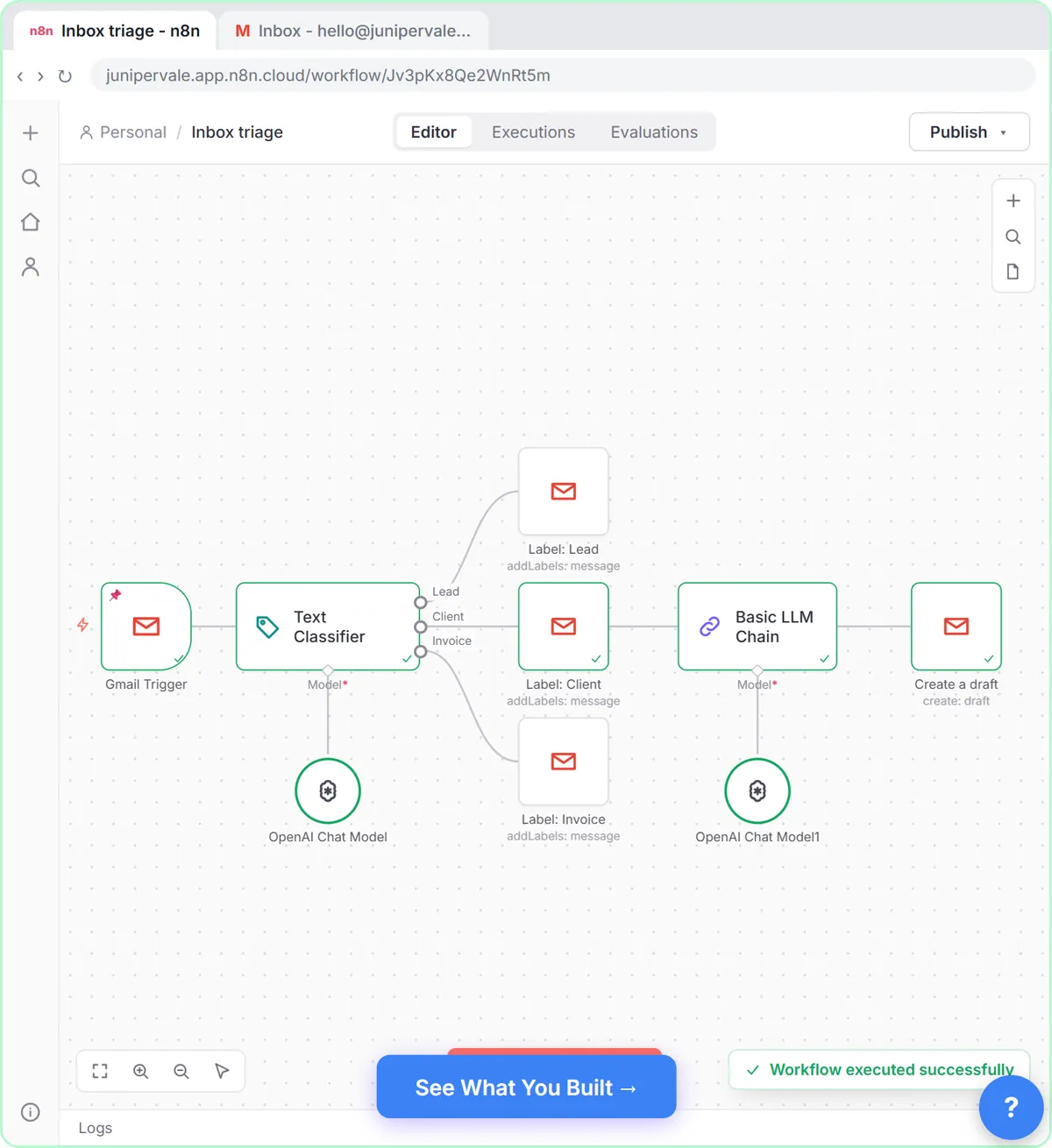
Build an n8n workflow that reads each new email, sorts it as a lead, a client or an invoice with a Text Classifier, adds the matching Gmail label, and drafts a reply to…
Free · Live ~18 min Advanced
From the blog
n8n + Felo Research Brief: 8 Mistakes and How to Fix ThemFix the n8n Felo workflow: Invalid API Key, a key in the URL, a broken JSON body, pinned sample answers left on, the wrong To address and more.
Oct 20, 2026 5 min read
n8n + Felo API FAQ: A Weekly Research Brief With SourcesHow the n8n Felo workflow works: the HTTP Request node, Bearer Auth key, JSON body, Invalid API Key test, pinned sample answers and the Gmail brief.
Oct 20, 2026 5 min read
Terms in this lesson
Plain-English definitions, each with an example from a free lesson.