What is a Claude skill?
Quick answer
Claude skills are folders of instructions, and sometimes scripts and files, that teach Claude how to do one kind of task the same way every time. Each skill has a name and a description. Claude reads the descriptions and opens a skill only when your request matches, so skills do not clutter every chat.
Last updated
Take the free module →Module 9 of the free Claude Jump Start course, about 7 minutes. No account needed.
Updated · By Robert Breen
Why it matters for a small business
Most people re-explain the same things to an AI again and again: how the weekly report is laid out, which colors a proposal uses, what a finished spreadsheet should look like. A skill writes that down once. Claude then applies it in any chat where the task comes up, and you stop pasting instructions.
Skills sit beside two older tools. A Claude Project holds background knowledge that is always loaded for chats inside it. Custom instructions apply to every conversation. A skill is a procedure for one task, and it loads only when needed. Claude also has built-in skills for Excel, Word, PowerPoint and PDF files, and these need code execution switched on.
How to use Claude skills in four steps
| Step | Where | What you do |
|---|---|---|
| 1. Switch on the setting | Settings, Capabilities | Turn on Code execution and file creation, which skills require |
| 2. Add or turn on a skill | Customize, Skills | Switch on an example skill, or click + Add to upload, create or Create with Claude |
| 3. Ask in plain words | A new chat | Describe the result you want. You don't have to name the skill |
| 4. Check it was used | The steps line above the reply | Look for Loaded skill and the skill's name |
From the free Claude skills lessons, checked in October 2026. Menu names can differ by account, so confirm in your own.
In a real lesson: Build Your Own Claude Skill with the Skill Creator: A Weekly Report Template
In the Build Your Own Claude Skill lesson, Brightline Painting, a made-up painting company, turns two crews' Friday notes into a weekly job report by hand every week. The lesson has Claude's skill creator interview the owner, draft a skill from one real week of notes, and test it.
The description matters most. It says to use the skill whenever a week of crew notes is pasted or a weekly report is asked for, which is how Claude knows to pick it up by itself next Friday. The skill also tells Claude to mark gaps with [CHECK] instead of guessing.
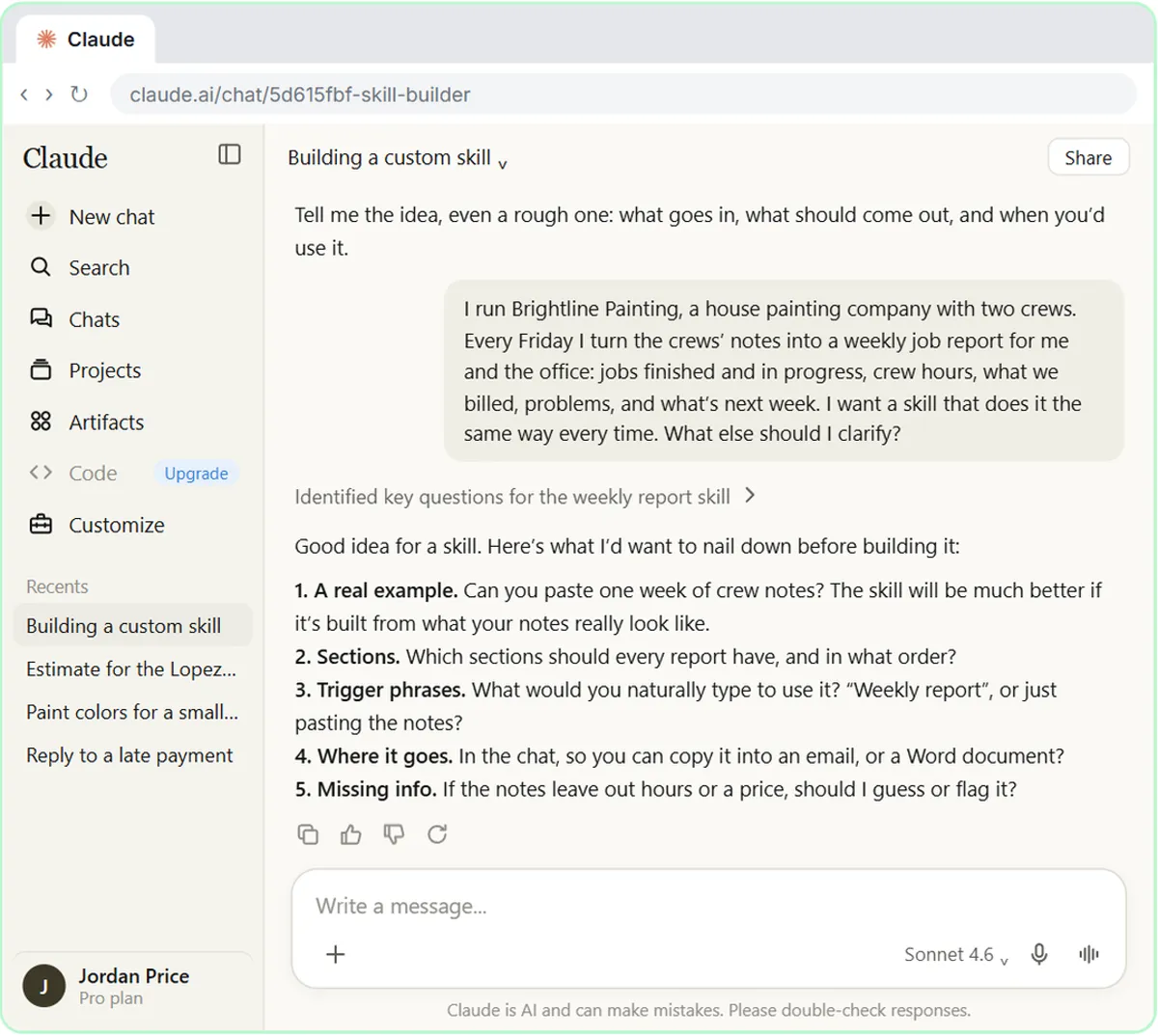
Try this lesson free or read the step-by-step guide.
Common confusions
Skill vs project
A project is a workspace with files and instructions that apply to every chat in it. A skill is a repeatable procedure that works across Claude and loads only when relevant.
Skill vs prompt
A prompt is something you type each time. A skill is a saved set of instructions Claude can reach for on its own, so you can ask for the result in one plain sentence.
Tips
- Keep each skill to one job, and write the description as when to use it.
- Test it on a real example before you save it, and check the numbers it produces.
- Only add skills you trust. A skill can include scripts, so treat an unknown one like unknown software.
Related terms
More AI assistants terms
Where you use it: free lessons
- How to Find Skills in Claude: What Claude Skills Are and How to Turn One On (Claude, 7 min)
- How to Install a Custom Skill in Claude (Upload a Skill .zip) (Claude, 6 min)
- Build Your Own Claude Skill with the Skill Creator: A Weekly Report Template (Claude, 8 min)
- How to Find and Install Skills in Claude Code: Skills Folder and Plugins (Claude Code, 7 min)
Prompt templates that use it
Visual guide
Claude skill in a few slides, with the same guide written out as text.
 5 Steps to a Claude Skill for Your Weekly Report
A visual guide: Claude's skill creator interviews you, drafts a weekly report skill, tests it on real notes, saves it and uses it.
Step-by-step guide 7 slides
Frequently asked questions
- What are Claude skills used for?
- Repeat work you want done the same way every time, such as a weekly report layout, an on-brand document or a quote in your format. Claude also has built-in skills for Excel, Word, PowerPoint and PDF files.
- Do I have to tell Claude which skill to use?
- No. When a skill is switched on and your request matches its description, Claude can use it by itself. You can also type a slash and pick it by name.
- Can I write my own skill without coding?
- Yes. In the lesson, Create with Claude interviews you in plain words and writes the skill for you. A simple process skill is just instructions in Markdown.
- What is the difference between Claude skills and Claude Projects?
- A Claude Project is a workspace: its instructions and files apply to the chats inside that project. A skill is a reusable set of instructions that Claude opens only when a request matches it, in any chat where skills are on. Use a project for one client or job, and a skill for a task you repeat the same way everywhere. See Claude Projects.
- What is a Claude skill and how do I use it?
- A Claude skill is a folder with a SKILL.md file of instructions, and sometimes scripts or templates, for one kind of task. To use one, turn it on or upload it in Claude's settings (the install lesson shows where), then ask for the task in plain words. Claude loads the skill when your request matches its description.