Why this matters
"Where is my order?" is the call every online store gets all day. Each one means a person looking up the order and reading the status aloud, and after hours those callers get voicemail.
AI phone agents promise to take those calls, but it is hard to judge one from a sales page. Ringly lets you hear its agent, Seth, answer two calls about a real store in about 20 seconds, free, with no login or card. This lesson shows you how to listen critically and what to check before you connect anything.
Practice
Do every step yourself in a practice copy of the real tool. It checks your work, and “Do it for me” finishes any step you get stuck on.
What you’ll build
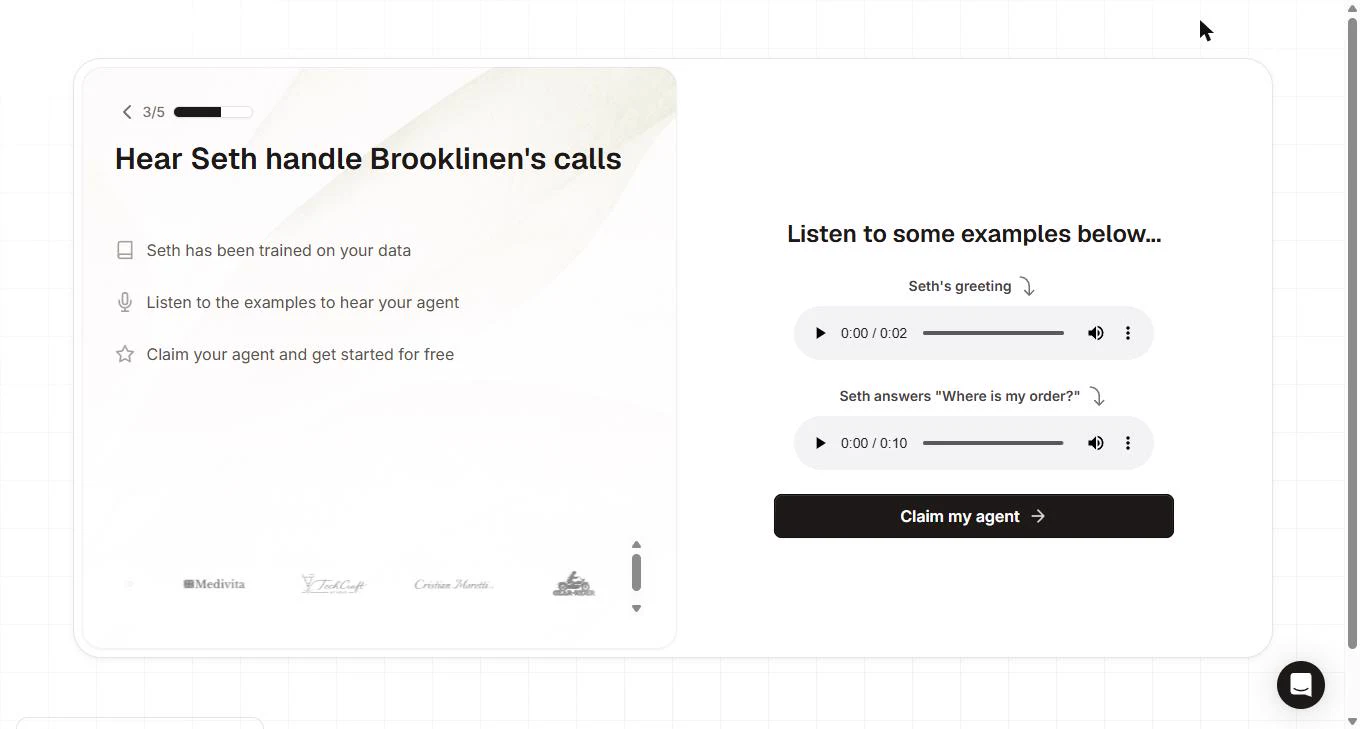
You are a made-up support lead at a small Shopify bedding store. You generate two demo calls, judge them like a customer, then walk the setup cards: the business info Seth was trained on, his voice, a short greeting, and where hard calls go. You stop at "Connect your Shopify store".
The screens are real screenshots from Ringly, captured November 2026. We have no store of our own, so the demo ran on a public bedding brand's website.
What you need
- Nothing to start the practiceThe lesson is a practice copy and makes no calls.
- Your store's web address, to hear your own demoThe demo is free with no login or card.
- Your own Shopify store, to go furtherConnect a store only if it is yours. Check Ringly's pricing first.
Concepts
A demo call is a test, not a sales pitch
Listen like a caller: a clear greeting, a natural voice, the right questions to find the order, and nothing made up.
Write down what you would change before you sign up. It becomes your setup checklist.
Short greetings resolve more calls
Ringly says it has seen stores go from 40% of calls resolved to 60% just by shortening the greeting. The default names the agent and the store and says the call is recorded.
Check the recording and AI disclosure rules where you and your callers are.
Decide the hand-off before you go live
Seth can always transfer, transfer only in business hours, or email you the issue. A small team usually wants a person while it is open and an email after hours.
Set your hours and timezone, and put your team's real number in the transfer box.
Do it for real
Now repeat it in your own account. Tick each step as you go.
Quick check
3 questions to check you’ve got it.
1. You want to know if an AI phone agent fits your store before you pay. What is the quickest test?
- Generate the free demo calls from your store's address and listen like a customer
- Connect your Shopify store first
- Read the pricing page
Show the answer
Generate the free demo calls from your store's address and listen like a customer. The demo takes about 20 seconds, needs no login or card, and uses your own website.
2. You click the Kate row on the voice card and nothing changes. Why?
- A row does not pick a voice: press play, then click Use voice
- Kate is not available
- You must connect Shopify first
Show the answer
A row does not pick a voice: press play, then click Use voice. In Ringly's setup, Use voice appears on a row while its preview plays.
3. Your team answers the phone 8 to 5. What should Seth do with calls he cannot solve?
- Transfer in business hours, and email the issue after hours
- Always email, even when you are open
- Nothing; he solves every call
Show the answer
Transfer in business hours, and email the issue after hours. Callers reach a person while you are open, and nothing is lost after hours.