Quick answer
Buy a local number with SMS ticked under Set up a new phone number, then finish A2P 10DLC registration: a compliance profile, a messaging service, a brand and a campaign. When Traffic Status says Messaging enabled, open Messaging, Overview, Try out SMS, put your own mobile in To and your number in From, click Send SMS and check Logs for Delivered.
Last updated · Last checked
Updated . Built against the tool’s current screens and checked step by step. How we check this lesson
Small offices lose work in quiet ways. A new caller hangs up without leaving a voicemail and calls the next firm. Clients never open the document reminder email. And when a staff member texts clients from a personal phone, those conversations leave with that person. Texting from one office number fixes all three, because clients read texts and can text back. This free lesson starts with the business case, then sets up Twilio step by step in a practice copy of the Twilio Console: buy a local number, register it for business texting (A2P 10DLC), check that it is cleared to send, get a test text ready for when it is approved, and find the Account SID and Auth Token that other apps need. No account is needed to practice, and nothing is bought or sent.
At a glance
| Question | Answer |
|---|---|
| What you build | Stop losing clients to unread emails and missed calls. Set up Twilio: buy a local number, register it for texting (A2P 10DLC), send a test text and find your Account SID and Auth Token. |
| Tools | Twilio |
| Time | About 14 minutes, 43 steps in 8 parts |
| Level | Intermediate |
| Cost | Free |
| Ways to learn it | Practice it step by step, read the guide with screenshots |
The 8 parts, in short
- Why clients need a text from you: See what slipped last week, Put a price on it, Meet Twilio.
- Find your way around the Console: Open Communications, Open Numbers & senders, Open the overview.
- Choose your business number: Set up a new number, Ask for texting, Open Number type, Choose Local, and 5 more steps.
- Register to text (A2P 10DLC): Open the compliance profile, Use the business profile, Select a messaging service, Create one, and 9 more steps.
- Check the number can text: Jump ahead two weeks, Read the traffic status.
- Get your first test text ready: Open Messaging, Open the overview, Try out SMS, Text yourself, and 4 more steps.
- Where your keys live: Go home, Open API keys & auth tokens, See where the token lives.
- What this saves you: See what changed, What this saves you.
Start here first: Your First Voice Agent in ElevenLabs: An After-Hours Receptionist (module 1 of AI Voice Agents)
In the course: Part 11 · AI Voice Agents (Module 180 of the full course)
How to Use Twilio to Send SMS from Your Business Number (A2P 10DLC): step-by-step guide with screenshots
About the screenshots. They come from Stepthrough’s simulated practice environment (a practice copy of Twilio), not the live tool, so no real account appears. The buttons and labels match the real screens the lesson was built against. Practice it yourself free at ynteractive.com.
- Tools: Twilio
- Time: about 14 minutes, 43 steps in 8 parts
- Level: intermediate
Part 1: Why clients need a text from you
Step 1: See what slipped last week
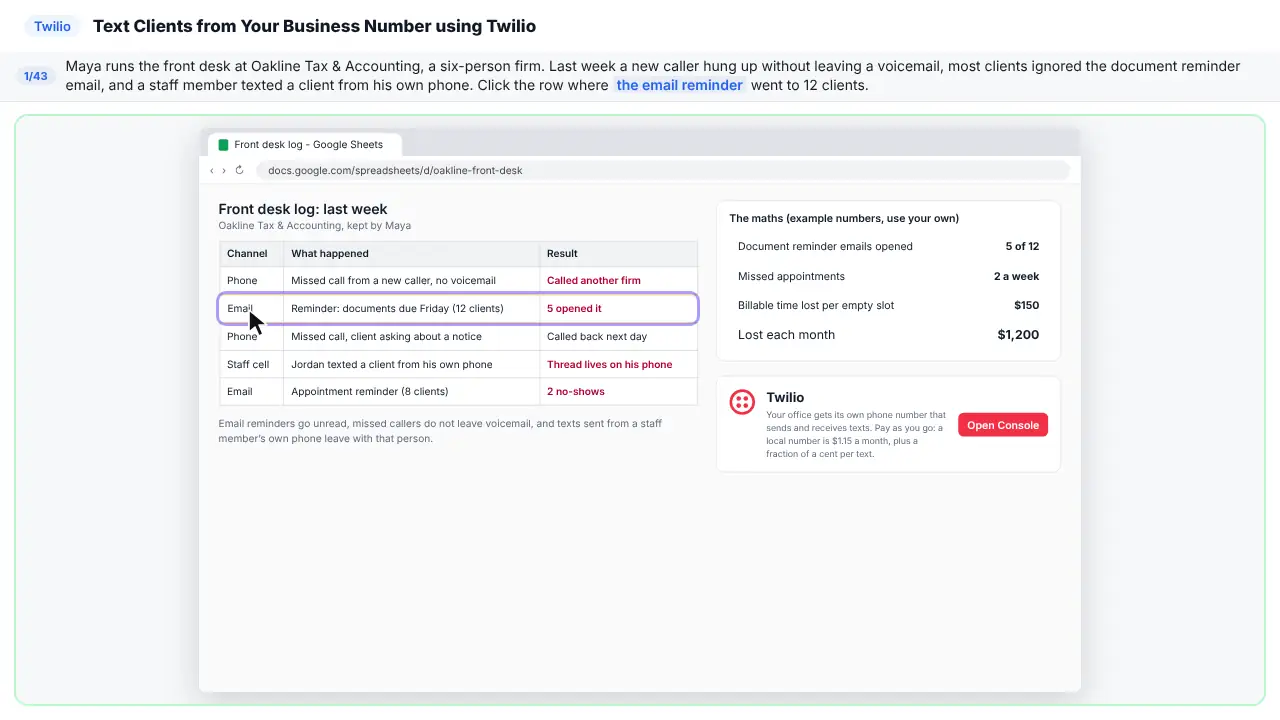
Maya runs the front desk at Oakline Tax and Accounting. It's a six person firm. Look at last week. A new caller hung up, and called another firm. Only five of twelve clients opened the document reminder. And Jordan texted a client from his own cell phone.
Step 2: Put a price on it
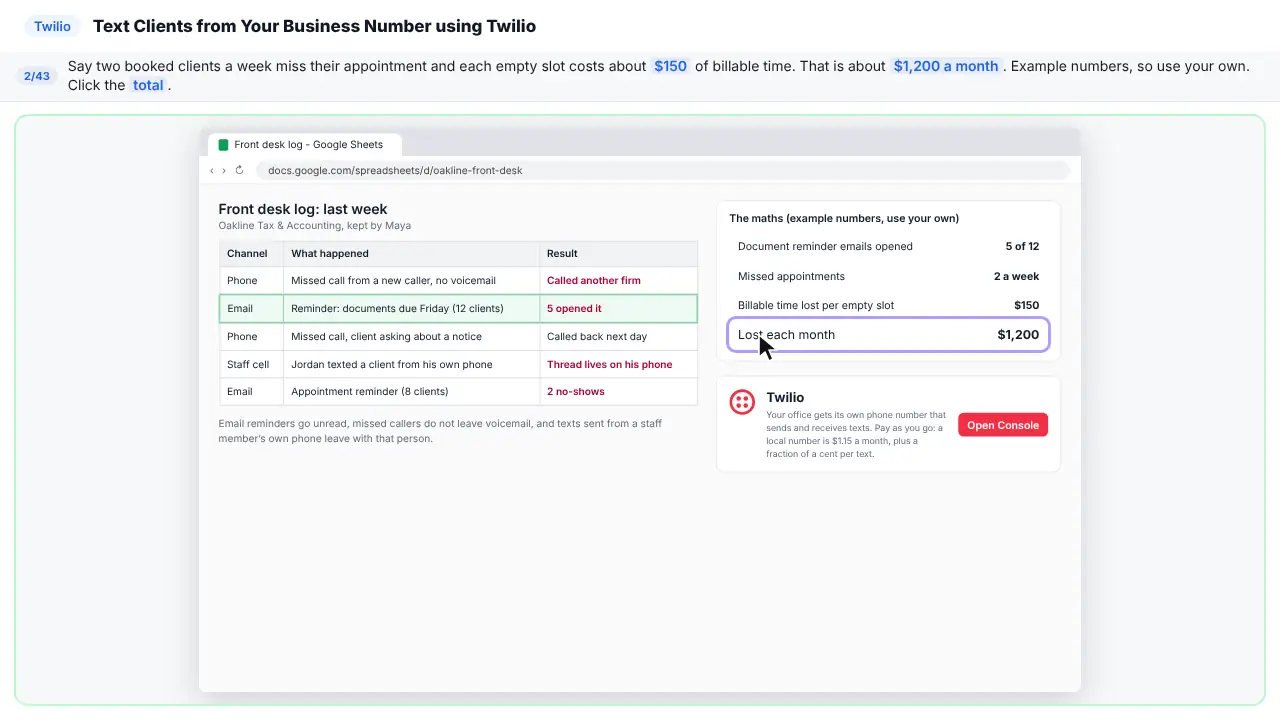
Now put a price on it. Say two clients a week miss their appointment. Each empty slot is about a hundred fifty dollars of billable time. That's about twelve hundred dollars a month. These are example numbers, so use your own.
Step 3: Meet Twilio
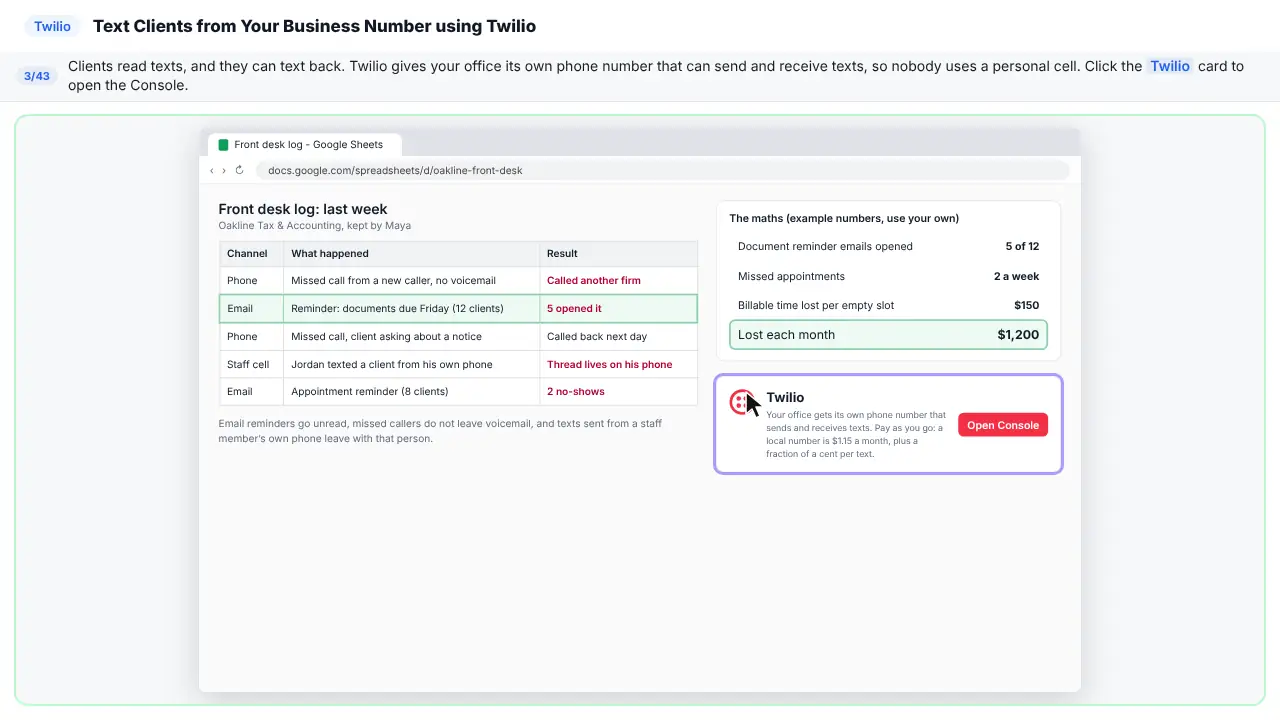
Clients read texts. And they can text you back. Twilio gives the office its own phone number, that sends and receives texts. So nobody uses a personal cell phone.
Part 2: Find your way around the Console
Step 4: Open Communications
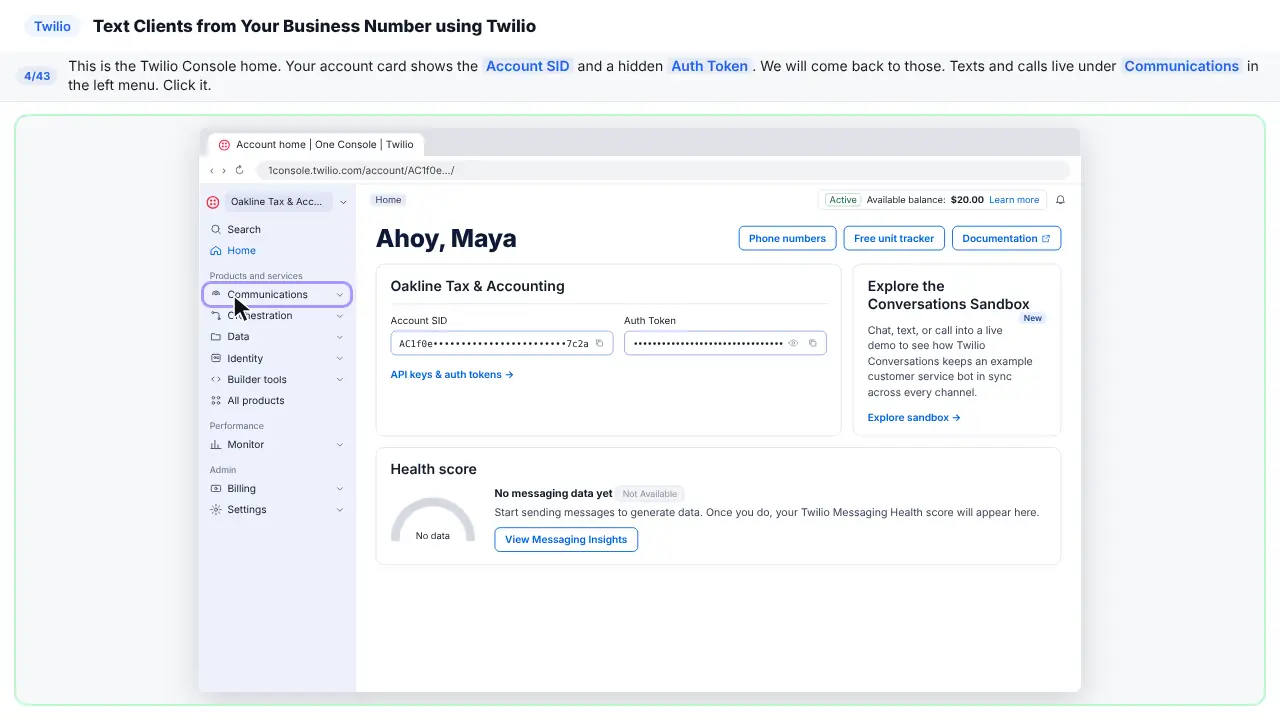
This is the Twilio Console. Your account card shows the Account S I D, and a hidden Auth Token. We'll come back to those at the end. Everything for texts and calls is under Communications, in the left menu.
Step 5: Open Numbers & senders
Your phone numbers live under Numbers and senders.
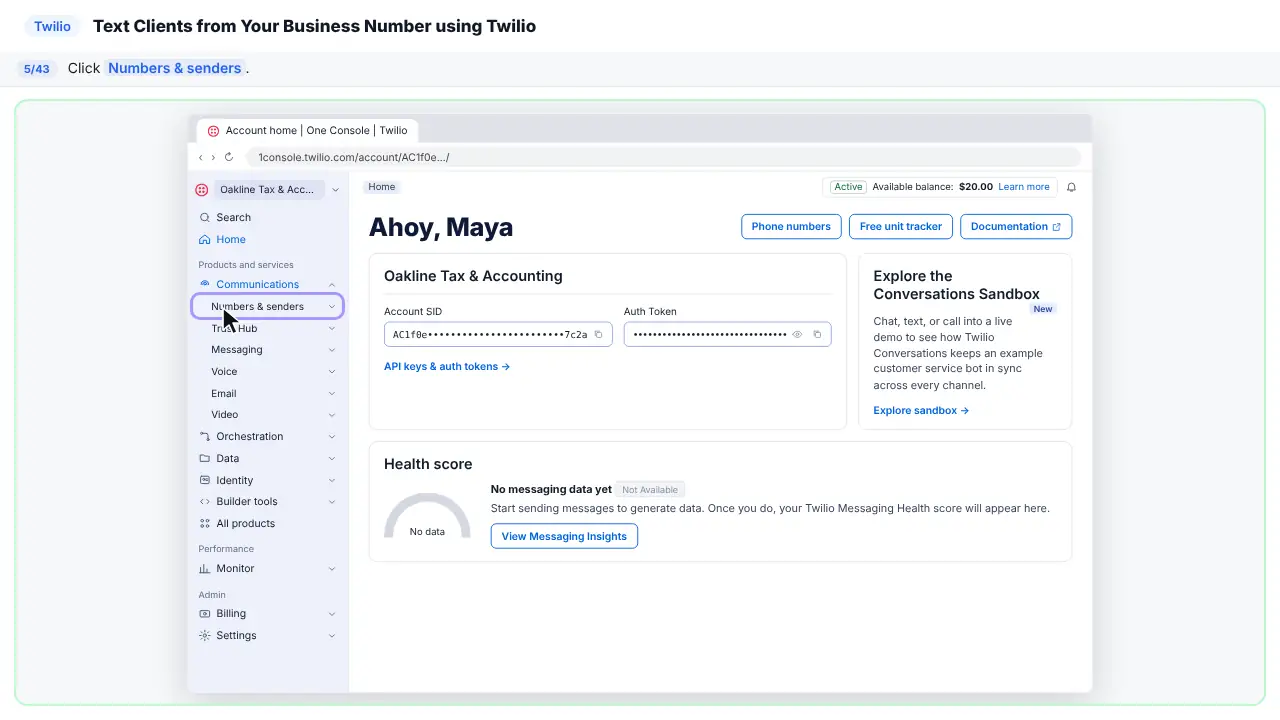
Step 6: Open the overview
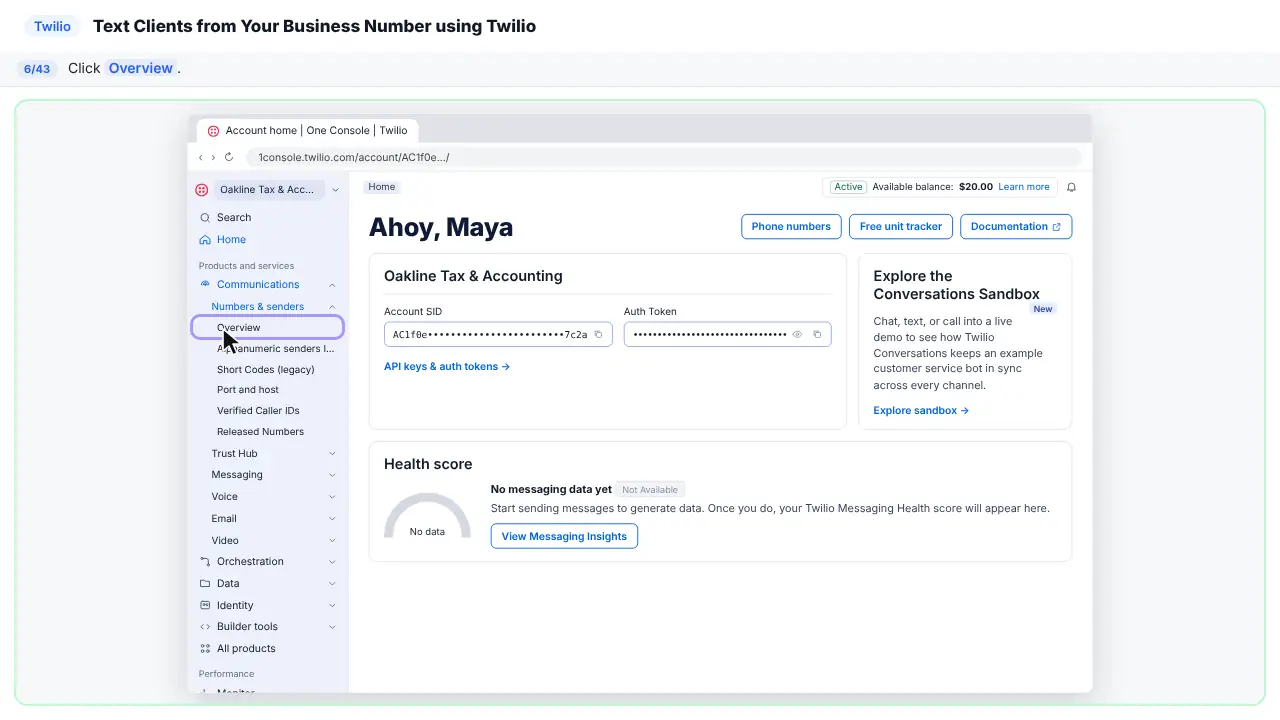
Part 3: Choose your business number
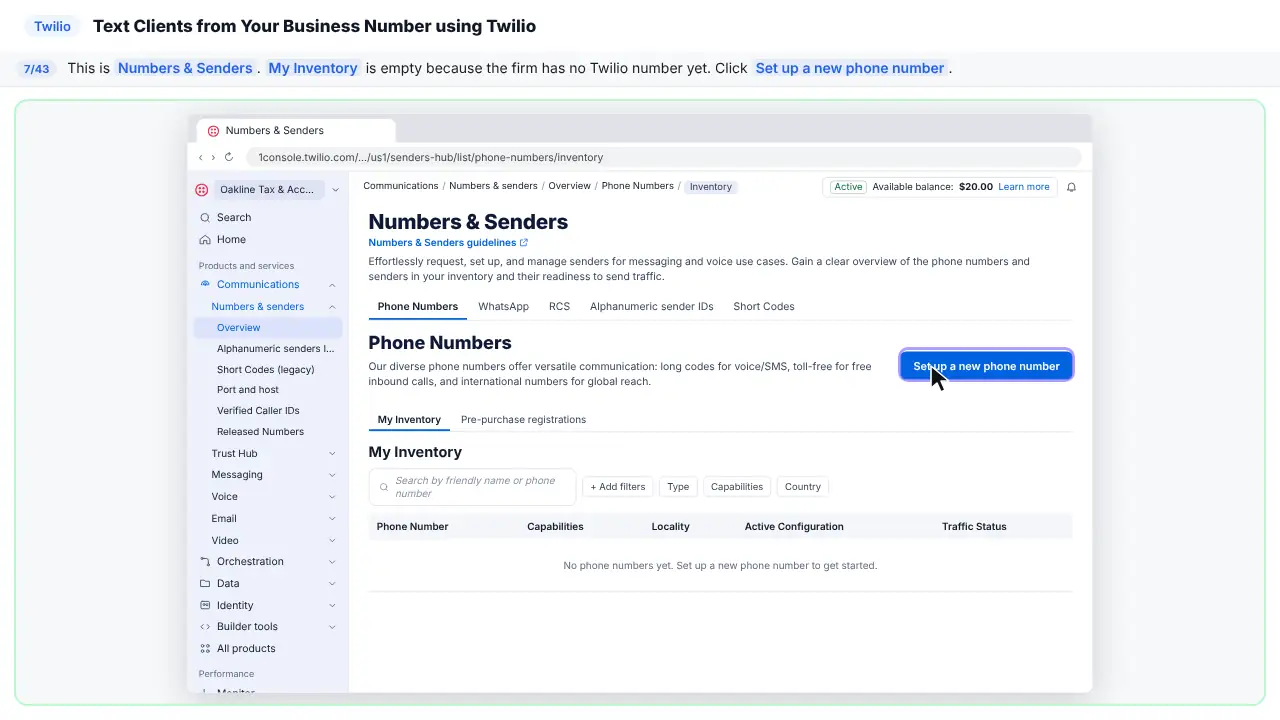
Step 7: Set up a new number
This is Numbers and Senders. My Inventory is empty. The firm doesn't have a Twilio number yet.
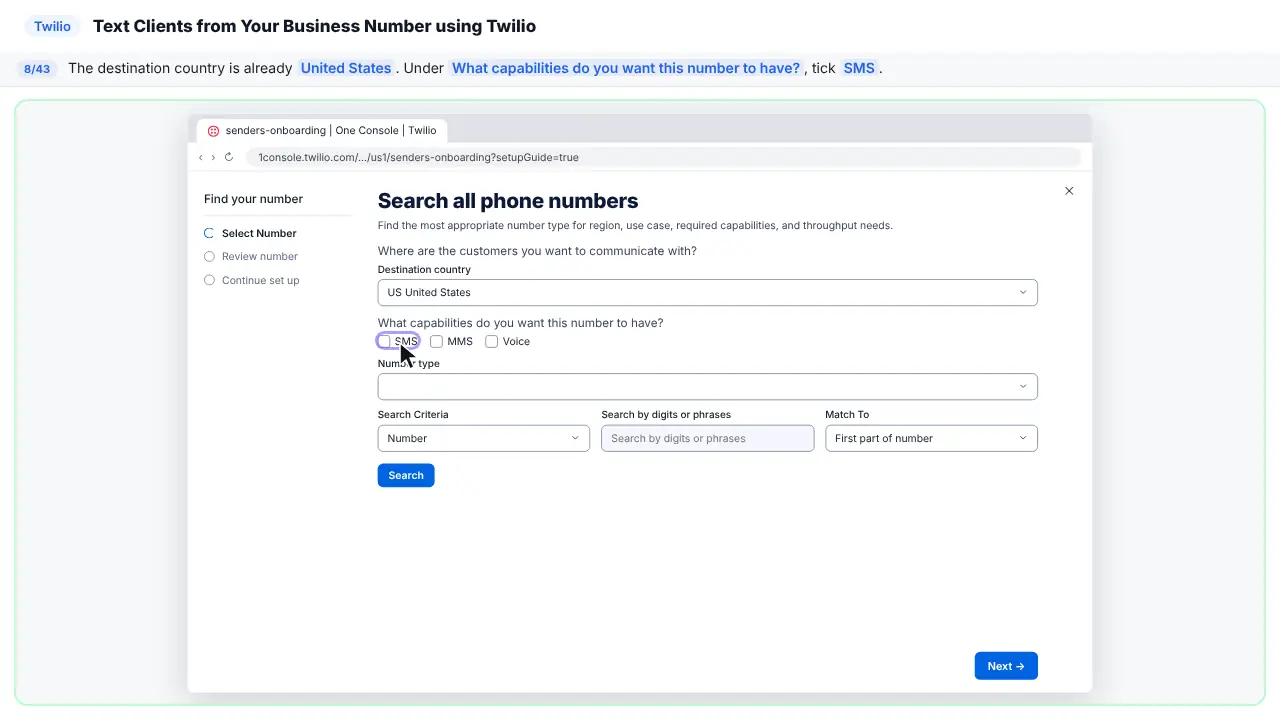
Step 8: Ask for texting
Your clients are in the United States, and that is already picked. Now say what the number must do. Tick S M S. That means it can text.
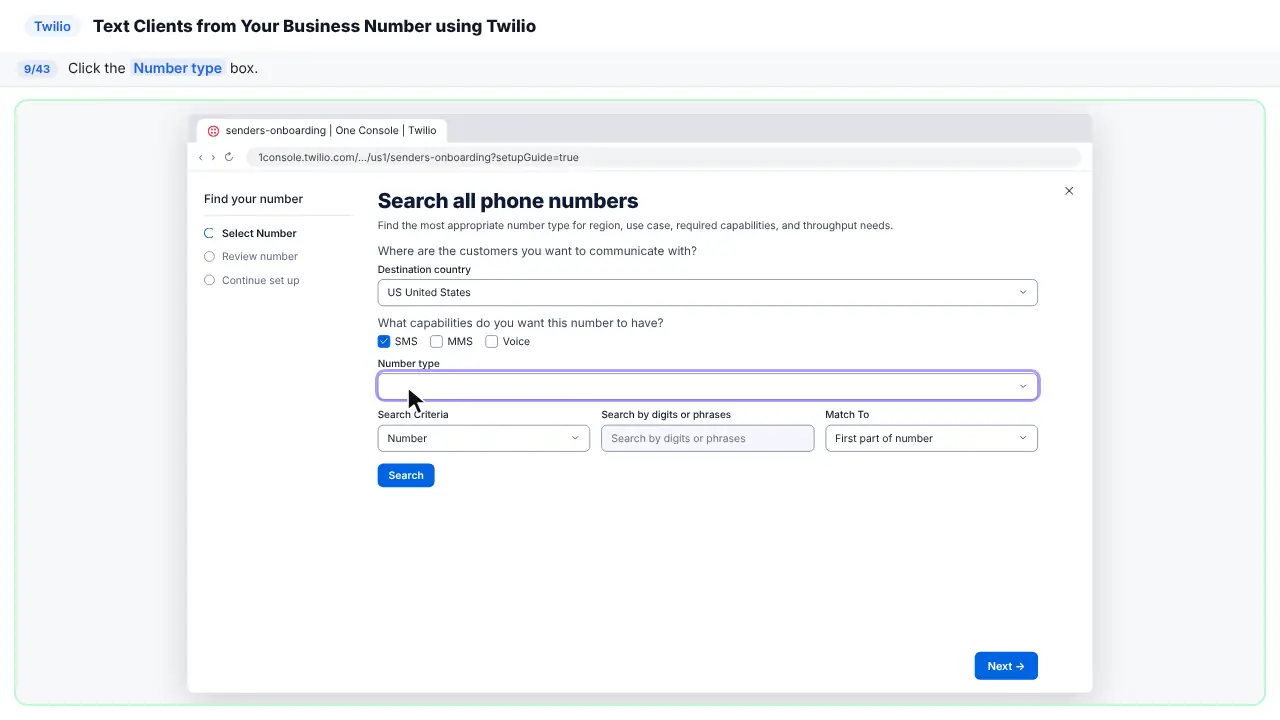
Step 9: Open Number type
Next, the type of number.
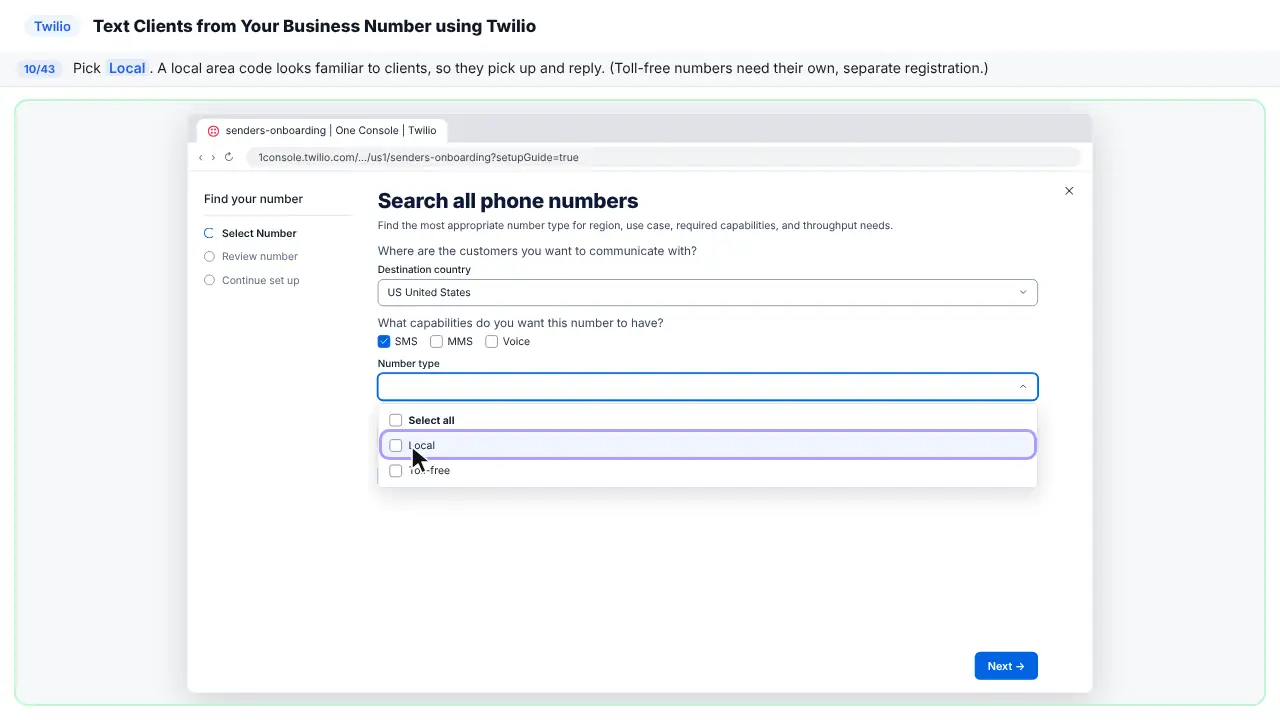
Step 10: Choose Local
Pick Local. A local area code looks familiar, so clients are more likely to reply. Toll free numbers have their own, separate registration.
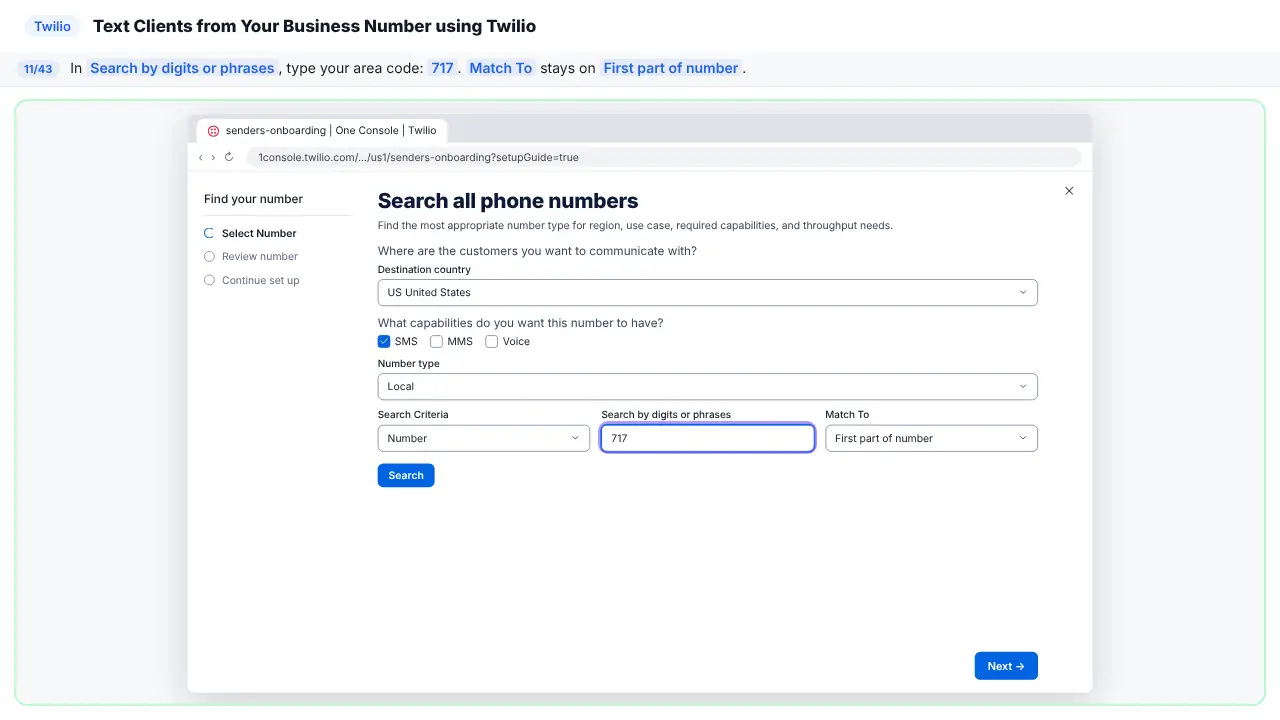
Step 11: Search your area code
Now search for your own area code. Match To stays on, first part of number.
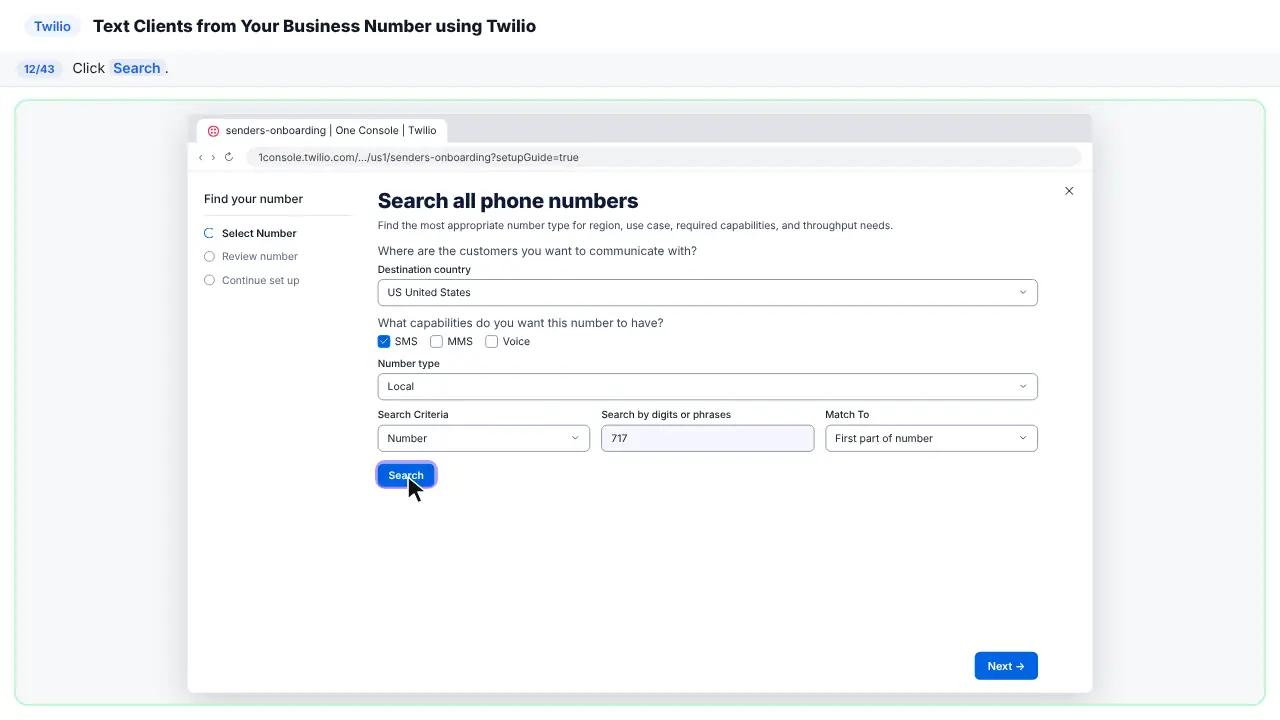
Step 12: Search
Step 13: Pick a number
Every number in the list can call, text, and send pictures. Each one is a dollar fifteen a month. Pick the first one, with the round button on the right.
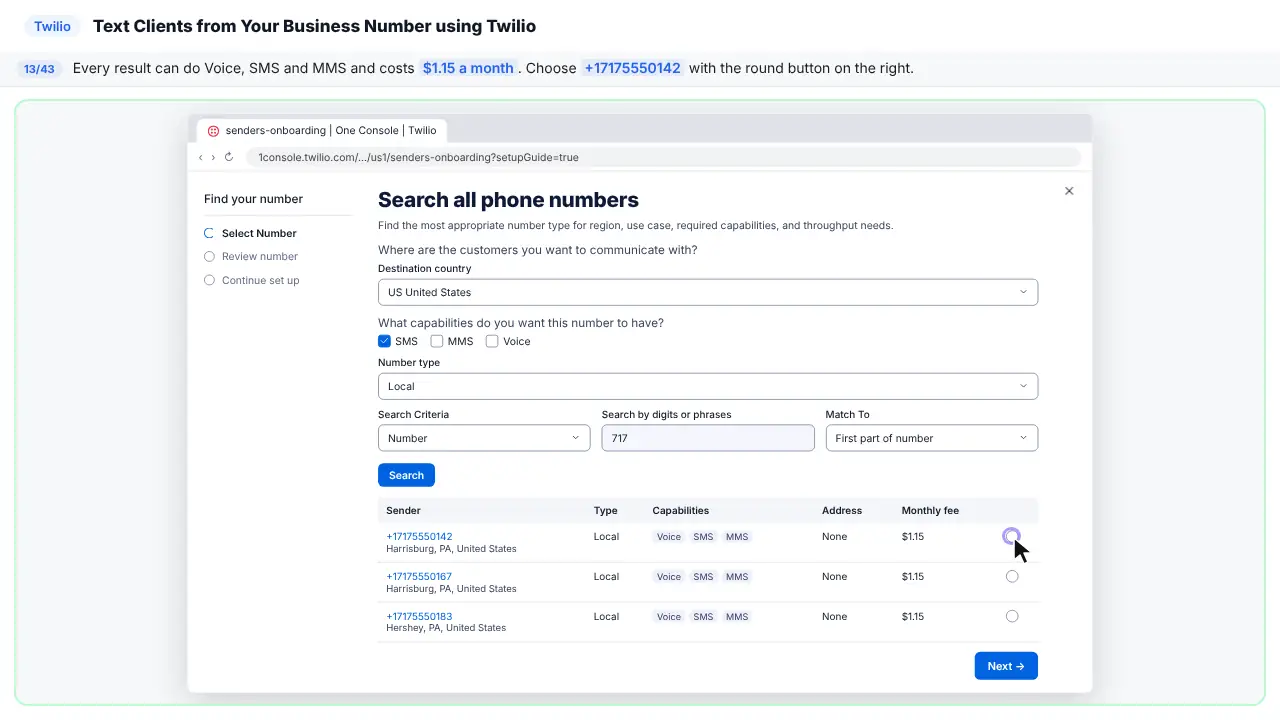
Step 14: Review it
On the review page, you check the number and the price, then you buy it. In this practice copy, nothing is bought.
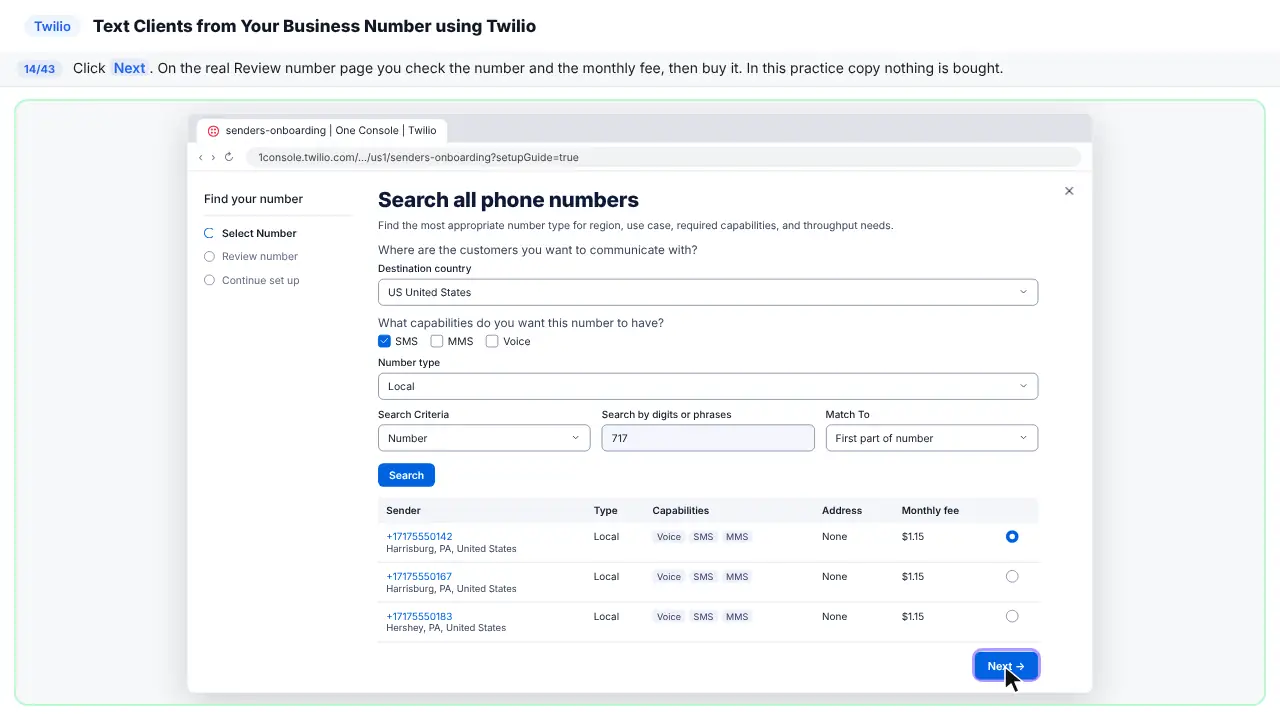
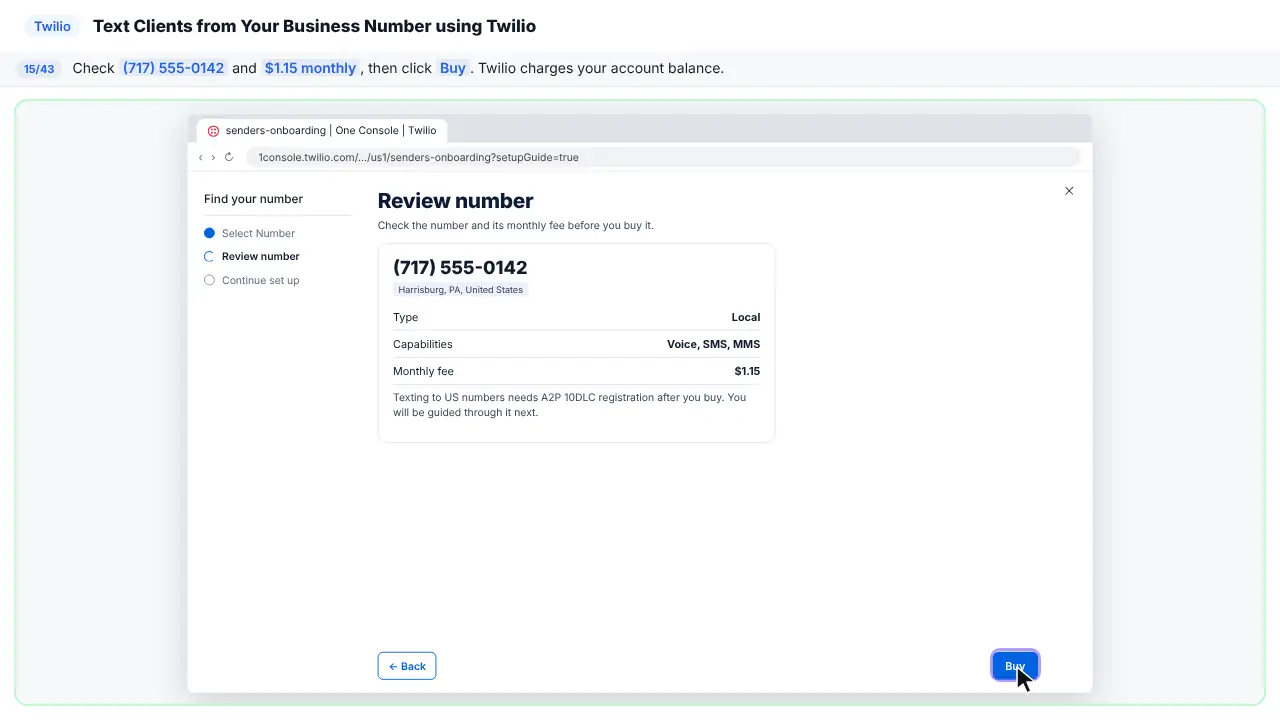
Step 15: Buy the number
Check the number, and the monthly fee. Twilio takes it from your account balance.
Part 4: Register to text (A2P 10DLC)
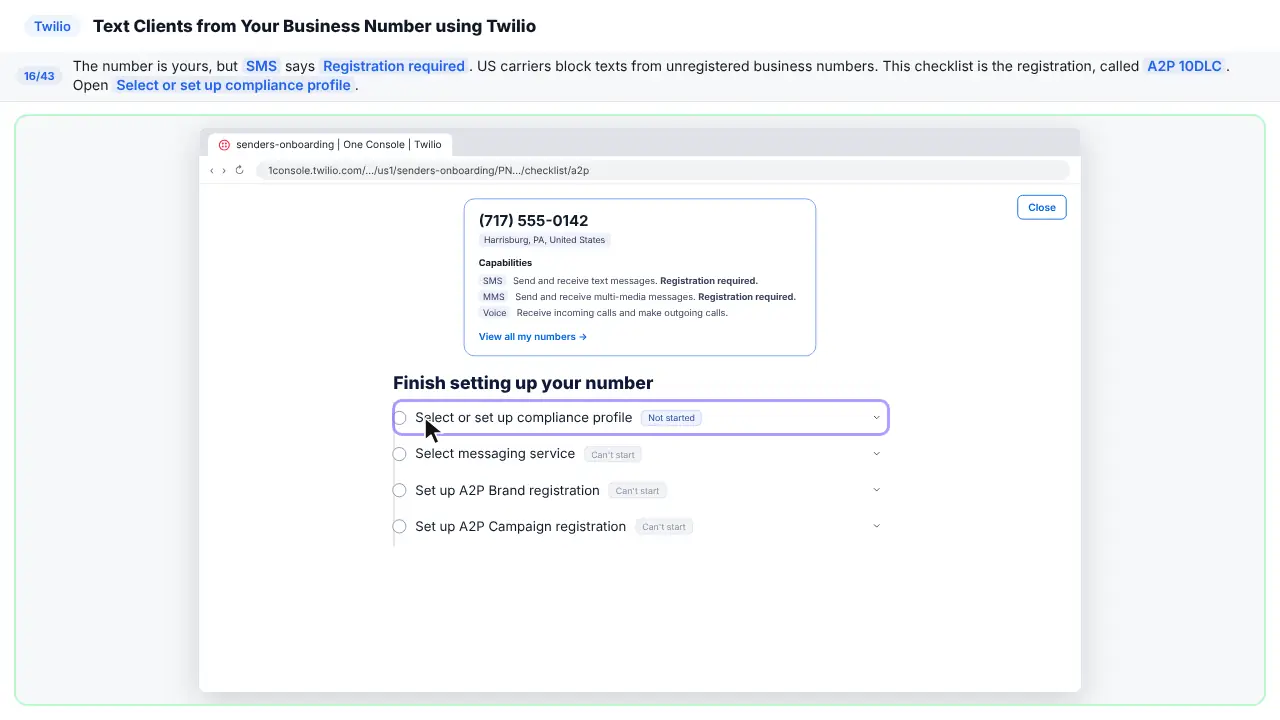
Step 16: Open the compliance profile
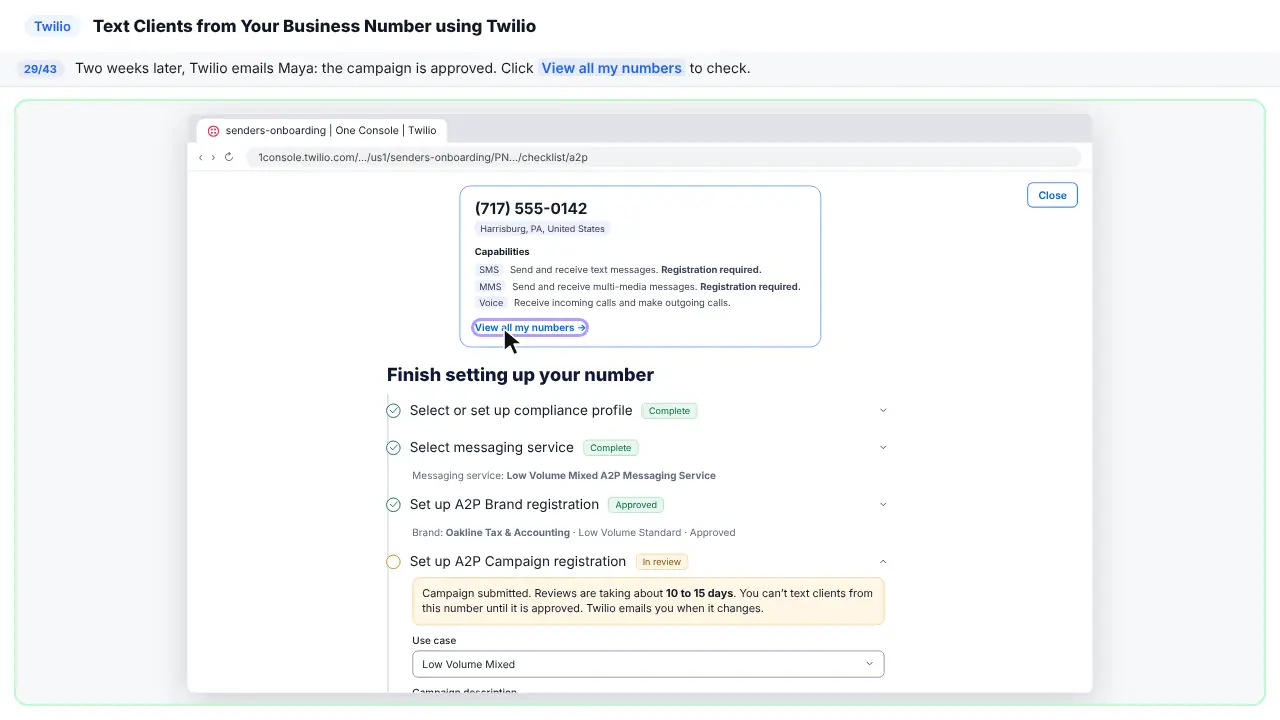
The number is yours. But look. S M S says, registration required. In the US, phone carriers block texts from business numbers that aren't registered. This checklist is that registration. It's called A two P, ten D L C.
Step 17: Use the business profile
A compliance profile is your business on paper. The legal name, the E I N, the address, the website, and a person who can answer for it. They must match your I R S records exactly.
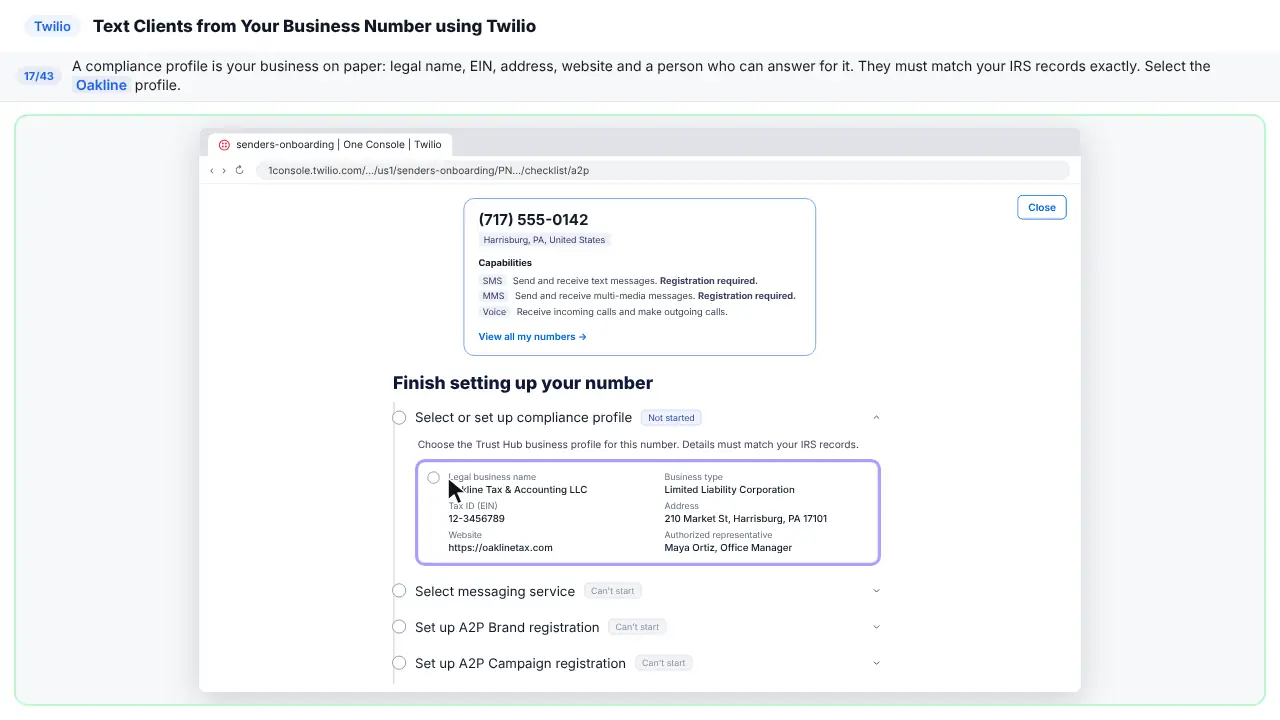
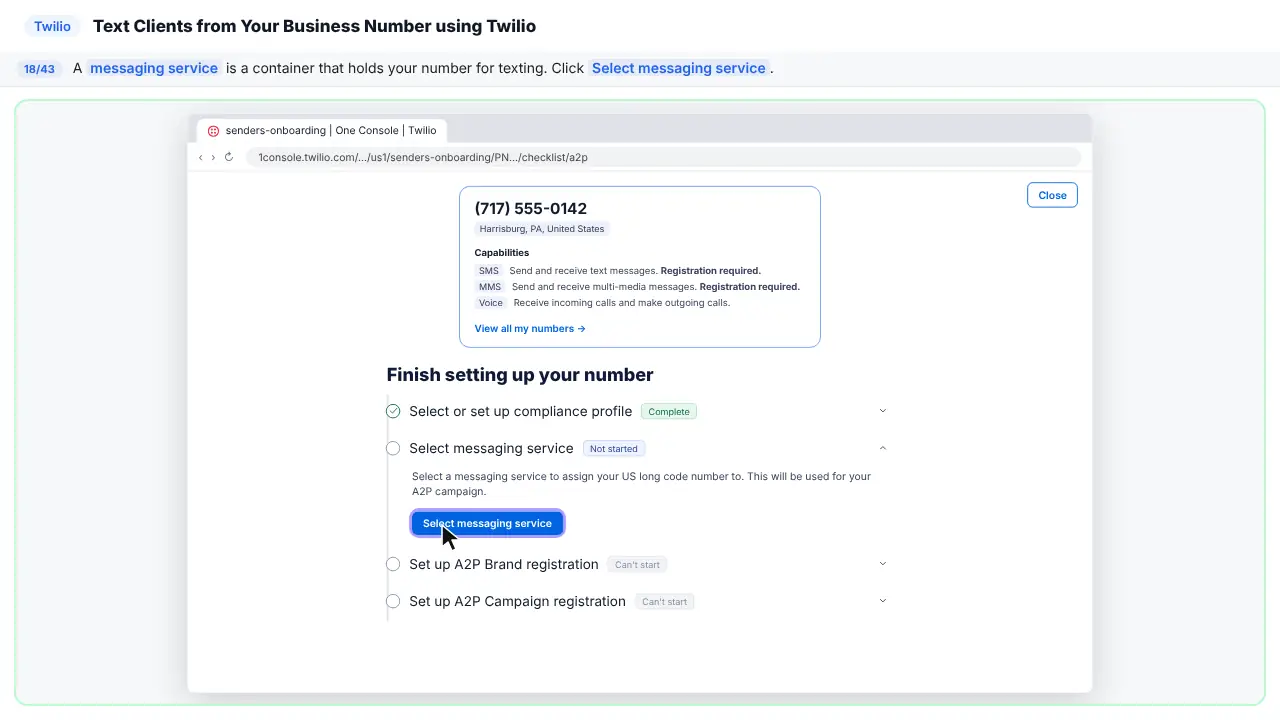
Step 18: Select a messaging service
Next, a messaging service. Think of it as a folder that holds your texting numbers.
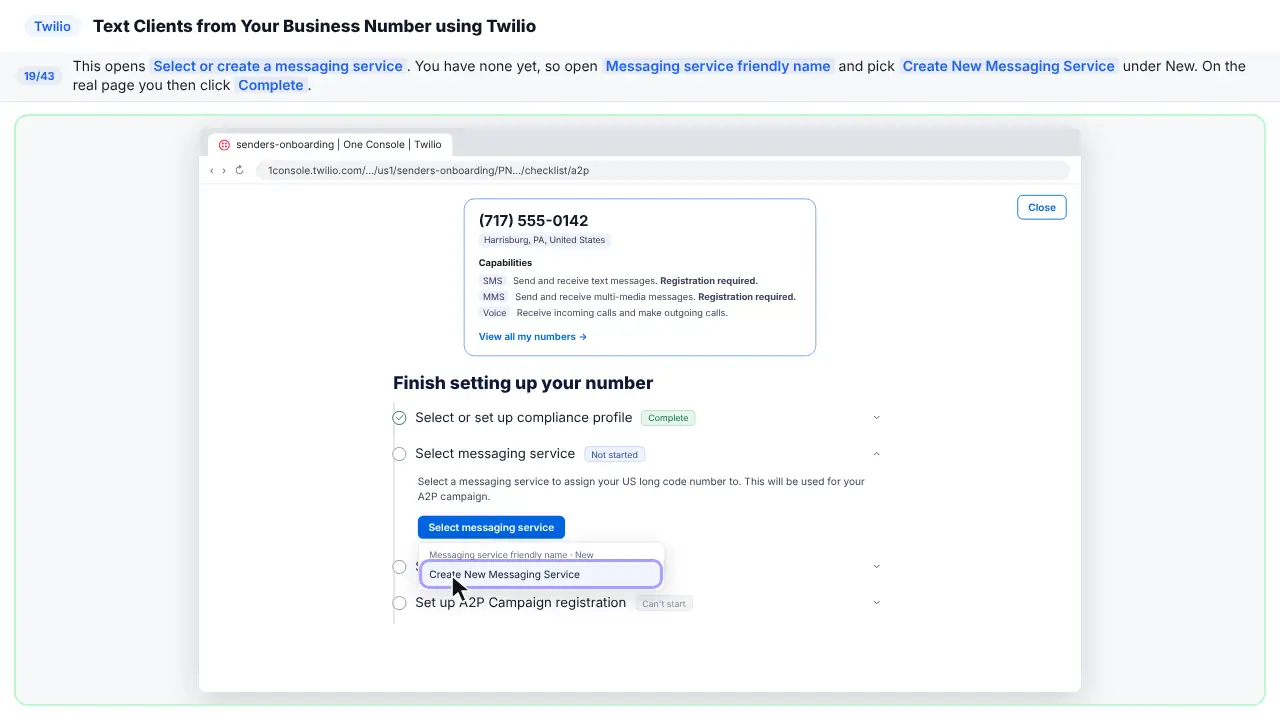
Step 19: Create one
You don't have one yet. Twilio puts your number in it.
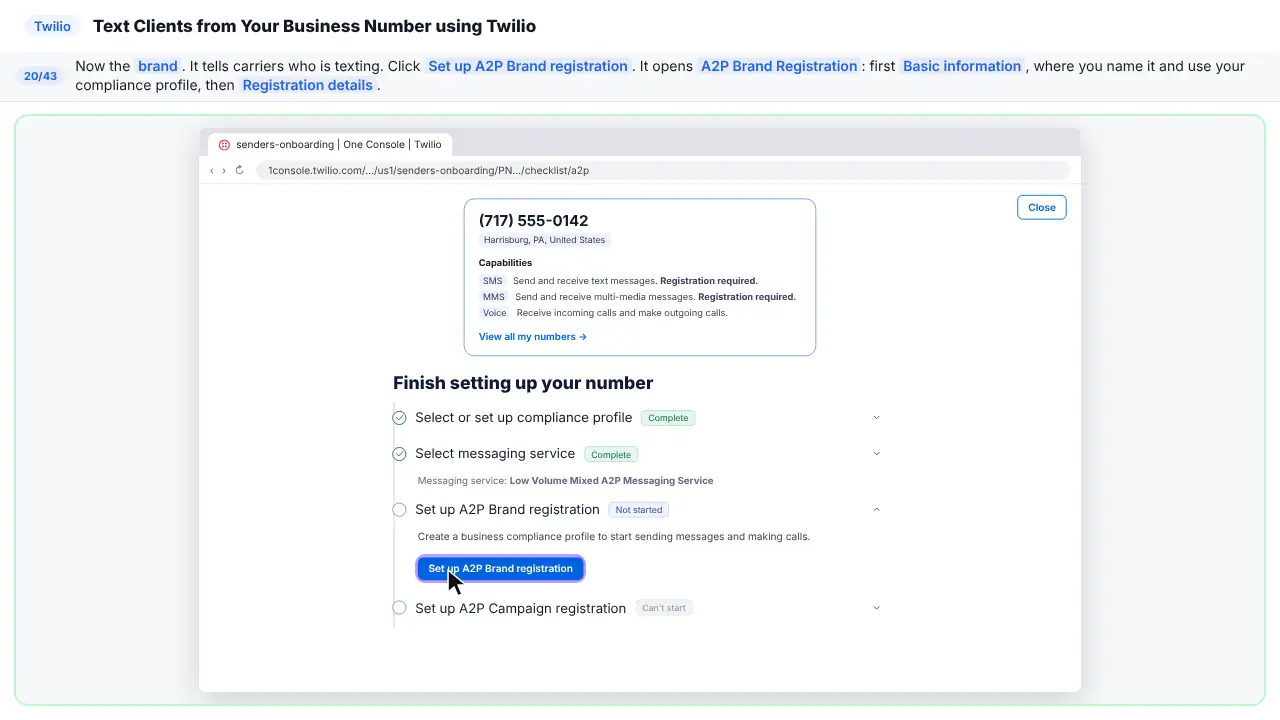
Step 20: Start the brand registration
Now the brand. That tells carriers who is texting. You name it, use the compliance profile you just picked, and click Next.
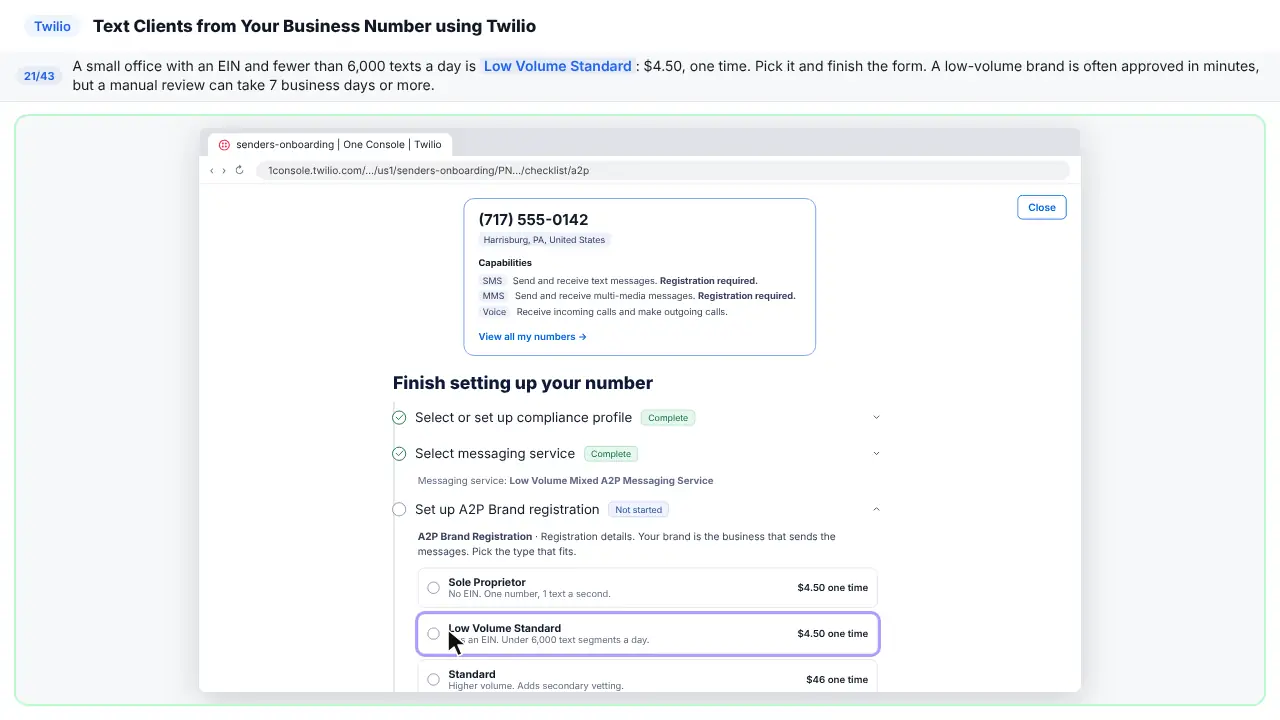
Step 21: Pick the brand type
A small office, with an E I N, sending fewer than six thousand texts a day, is Low Volume Standard. It's four dollars fifty, one time. Pick it, and finish the form. It's often approved in minutes. A manual review can take a week or more.
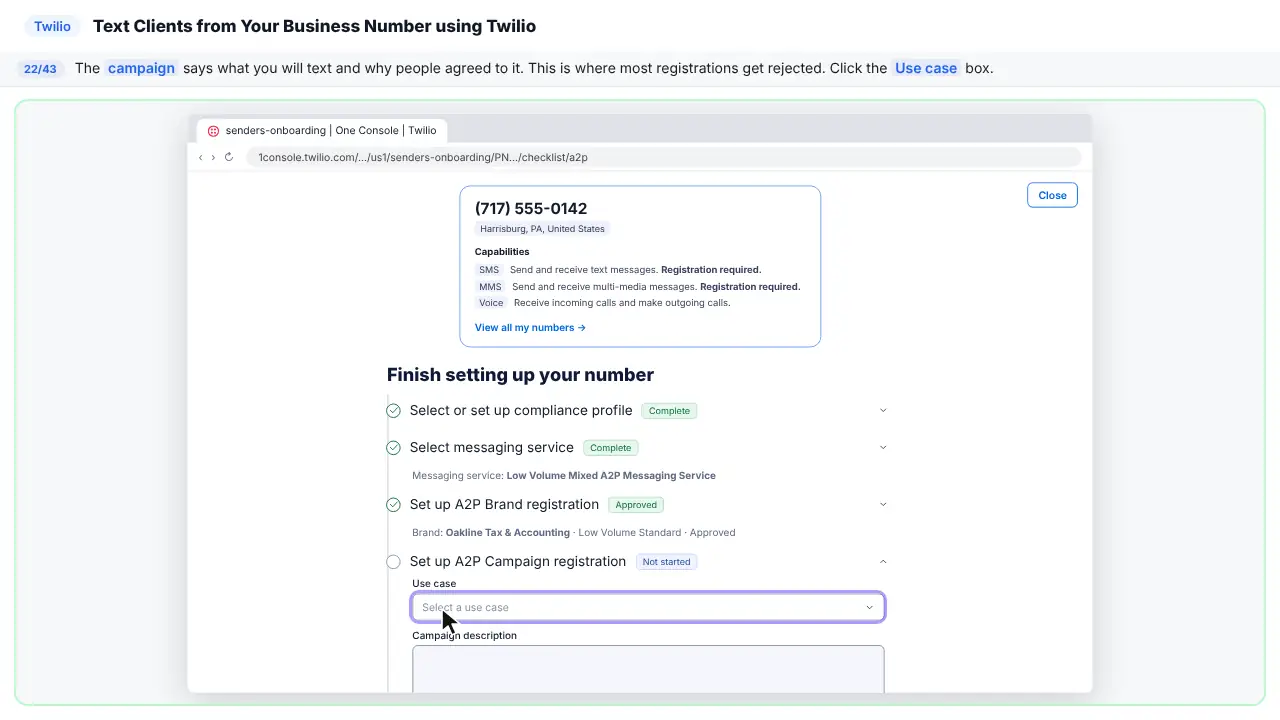
Step 22: Open the use case
Last, the campaign. It says what you'll text, and how clients agreed to it. This is where most registrations get rejected. So take your time.
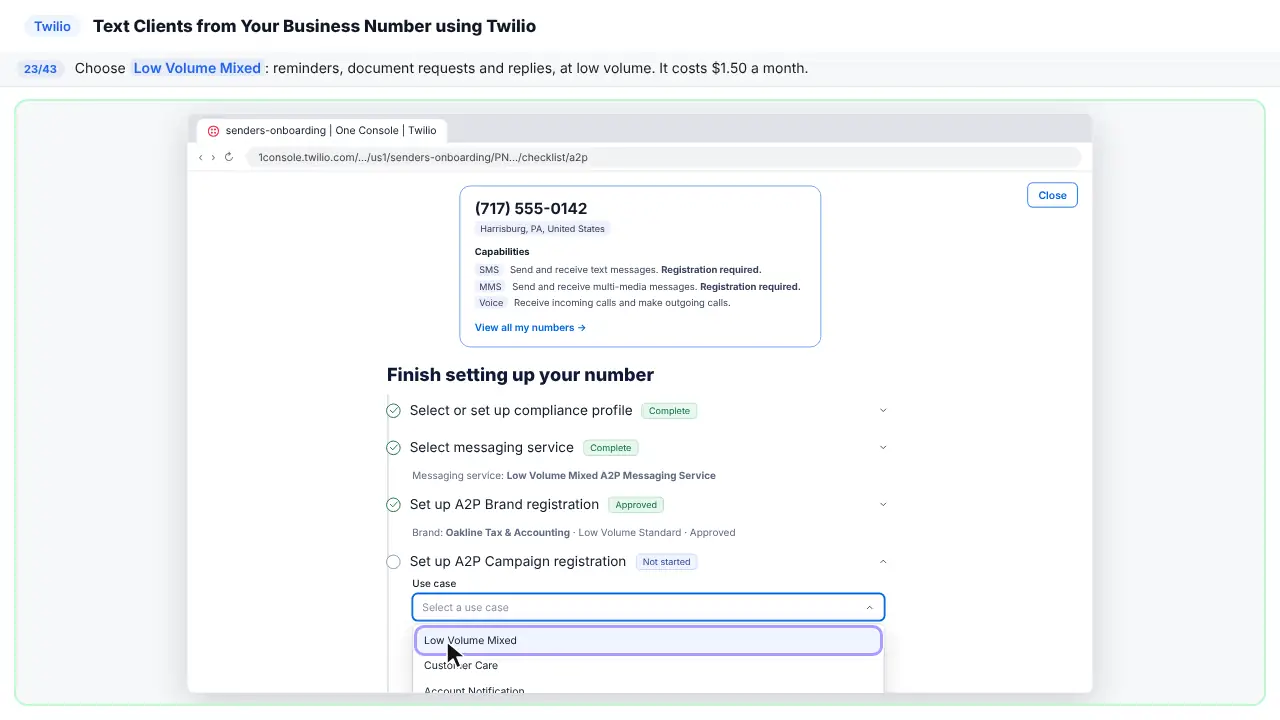
Step 23: Choose Low Volume Mixed
It covers reminders, document requests, and replies, at low volume. It's a dollar fifty a month.
Step 24: Describe the campaign
Now the Campaign description. Say who you are, who you text, and what about. Be specific. A vague line like, respond to messages as an agent, gets rejected.
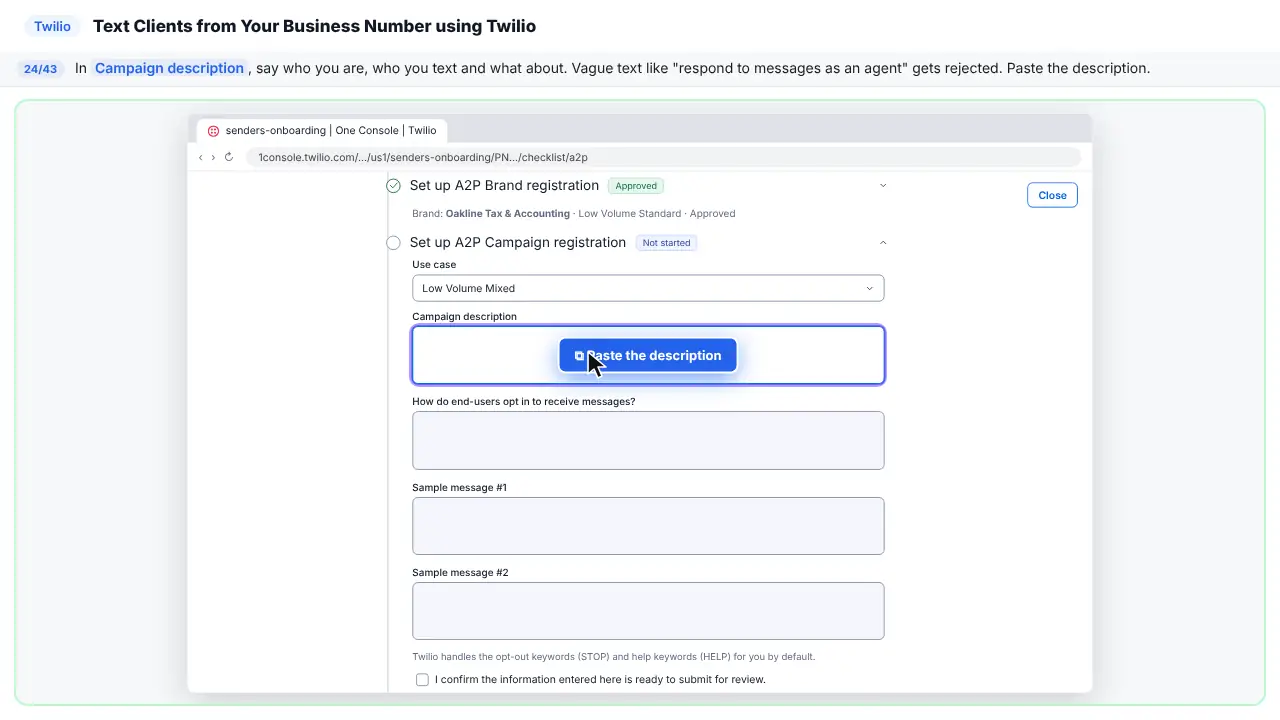
Oakline Tax & Accounting texts existing clients who opted in on our intake form: appointment reminders, requests for missing tax documents, and replies to questions they send us. No marketing.
Step 25: Explain how clients opt in
This box is the big one. How do clients opt in? Say exactly where they agree, the words they see, and where your privacy policy is. If reviewers can't check it, the campaign is rejected.
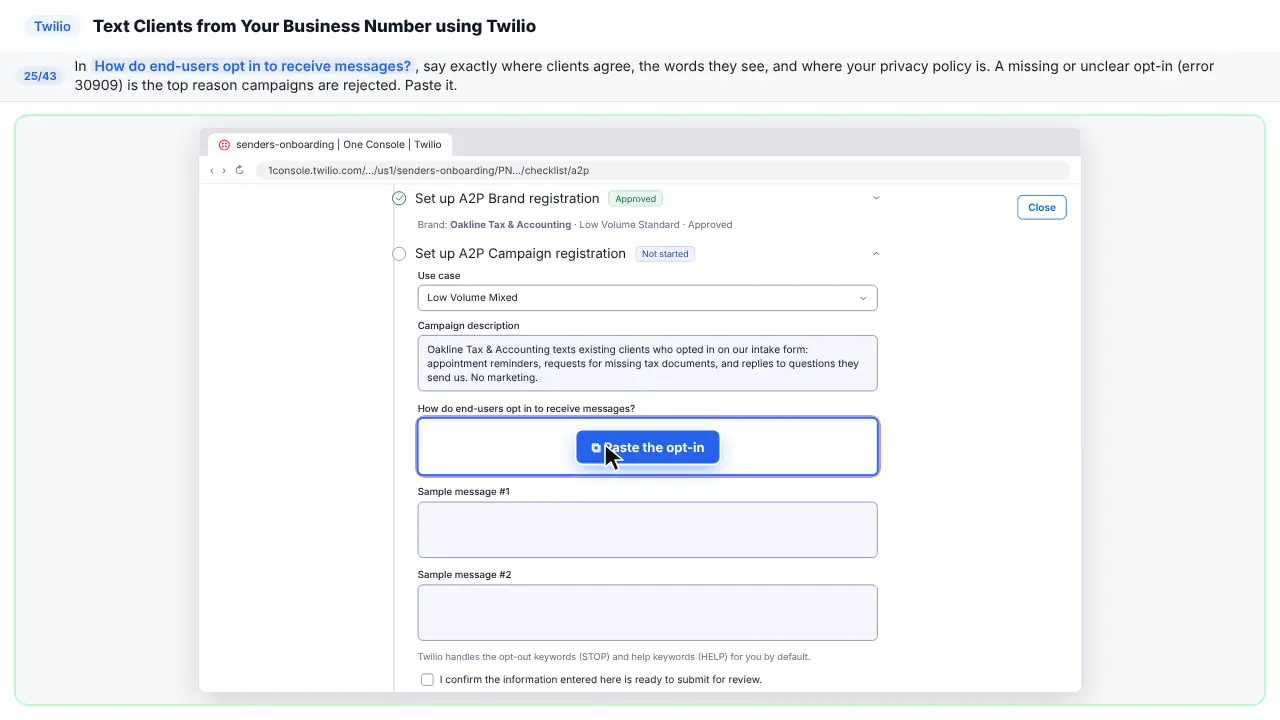
Clients opt in on our client intake form at oaklinetax.com/intake by checking an unchecked box: "Yes, text me about my appointments and documents. Msg & data rates may apply. Msg frequency varies. Reply STOP to opt out, HELP for help." Our privacy policy is at oaklinetax.com/privacy.
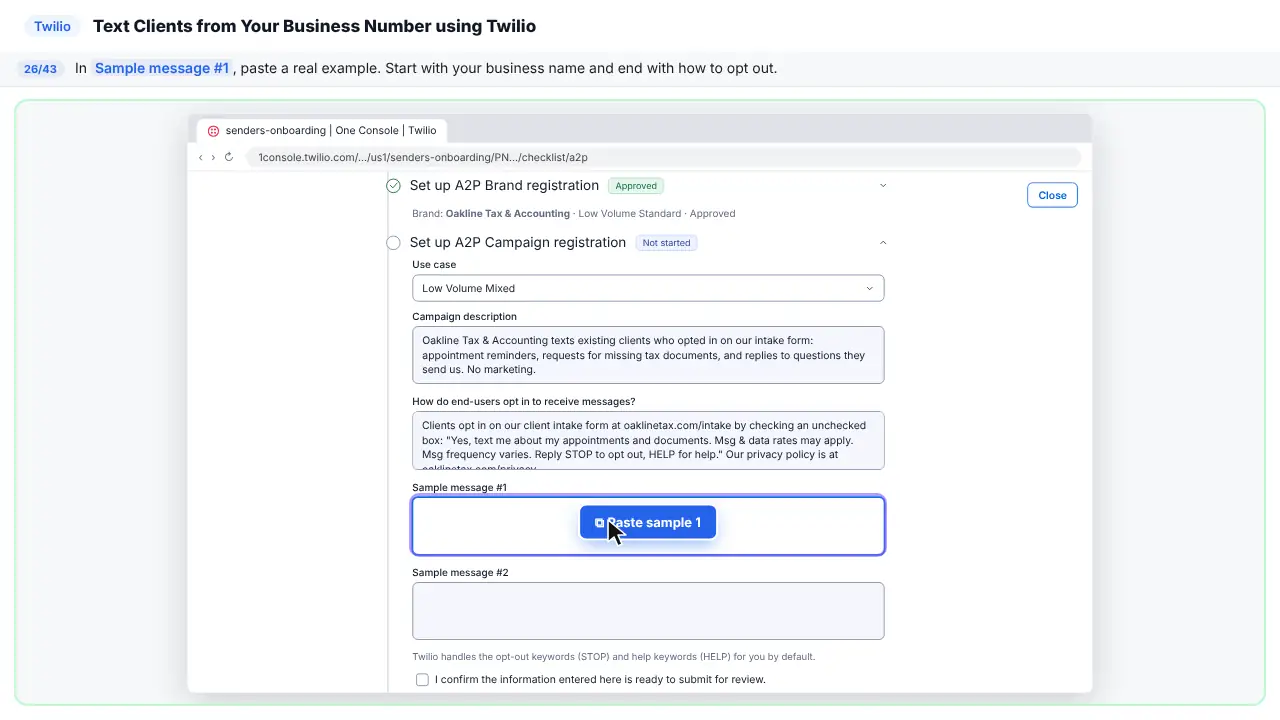
Step 26: Add a sample message
Add a sample message. A real example. Start with the business name, and end with, reply STOP to opt out.
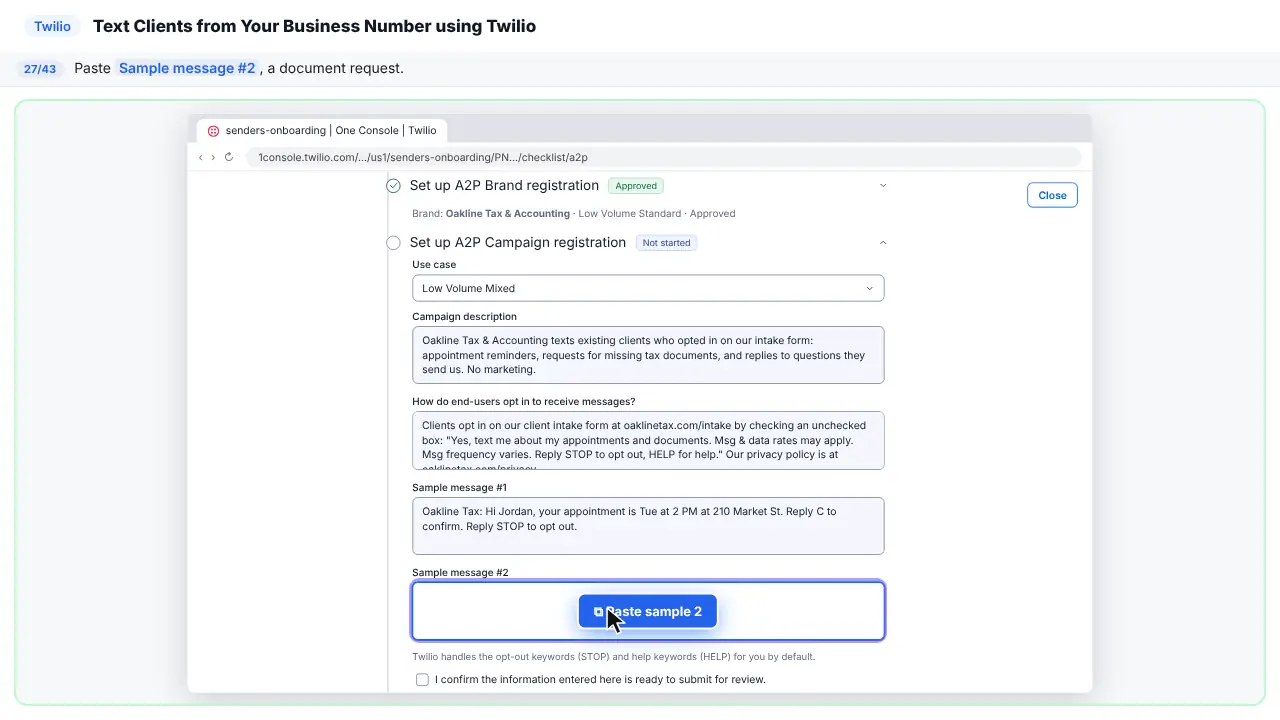
Step 27: Add a second sample
And a second one. A document request.
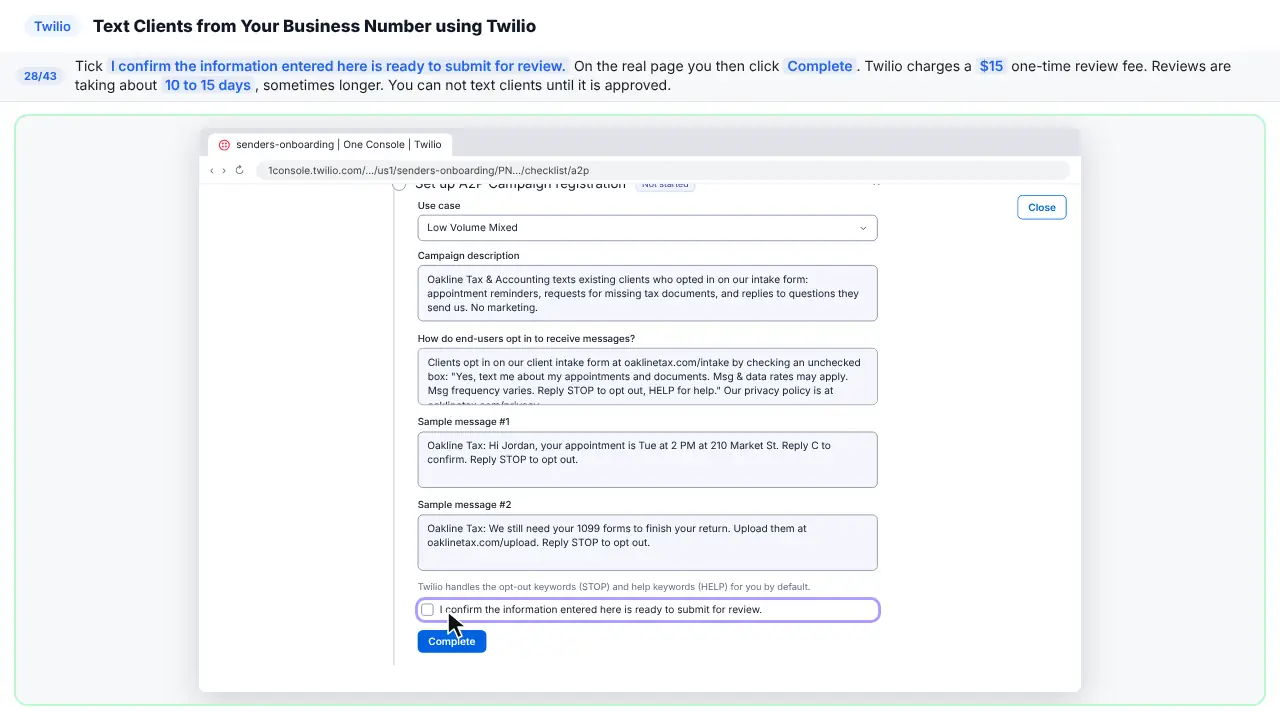
Step 28: Confirm and submit
Tick the box that says the information is ready to submit for review. There's a fifteen dollar review fee, one time. Reviews take about ten to fifteen days, sometimes longer. Until it's approved, the number can't text clients. So start this early.
Part 5: Check the number can text
Step 29: Jump ahead two weeks
Let's jump ahead. Two weeks later, Twilio emails Maya. The campaign is approved.
Step 30: Read the traffic status
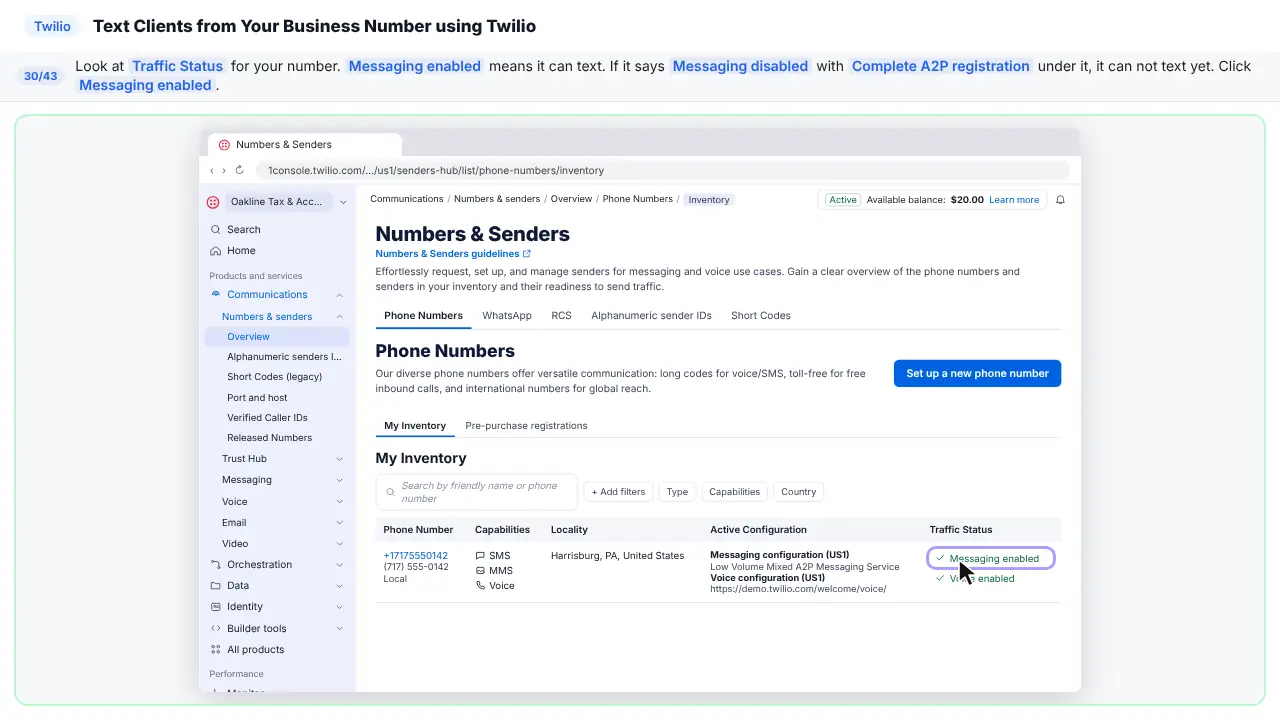
Look at Traffic Status. Messaging enabled, means the number can text. If it says, Messaging disabled, with complete A two P registration under it, it can't text yet.
Part 6: Get your first test text ready
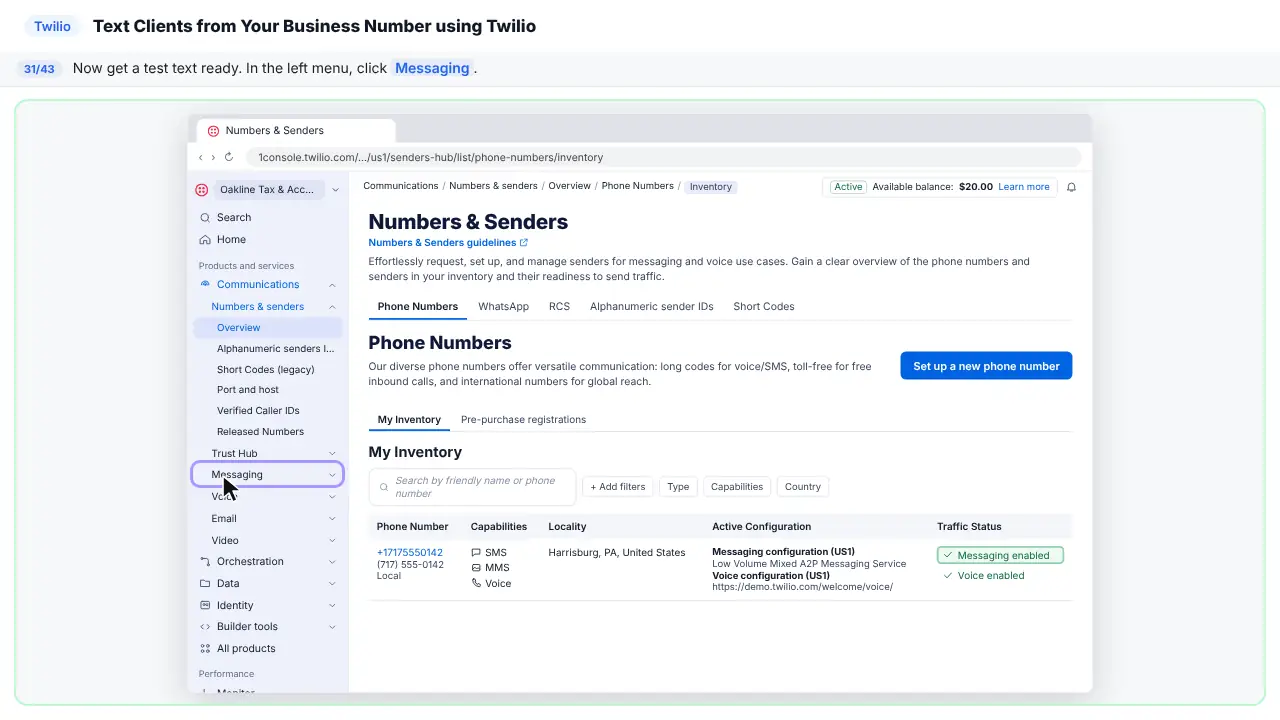
Step 31: Open Messaging
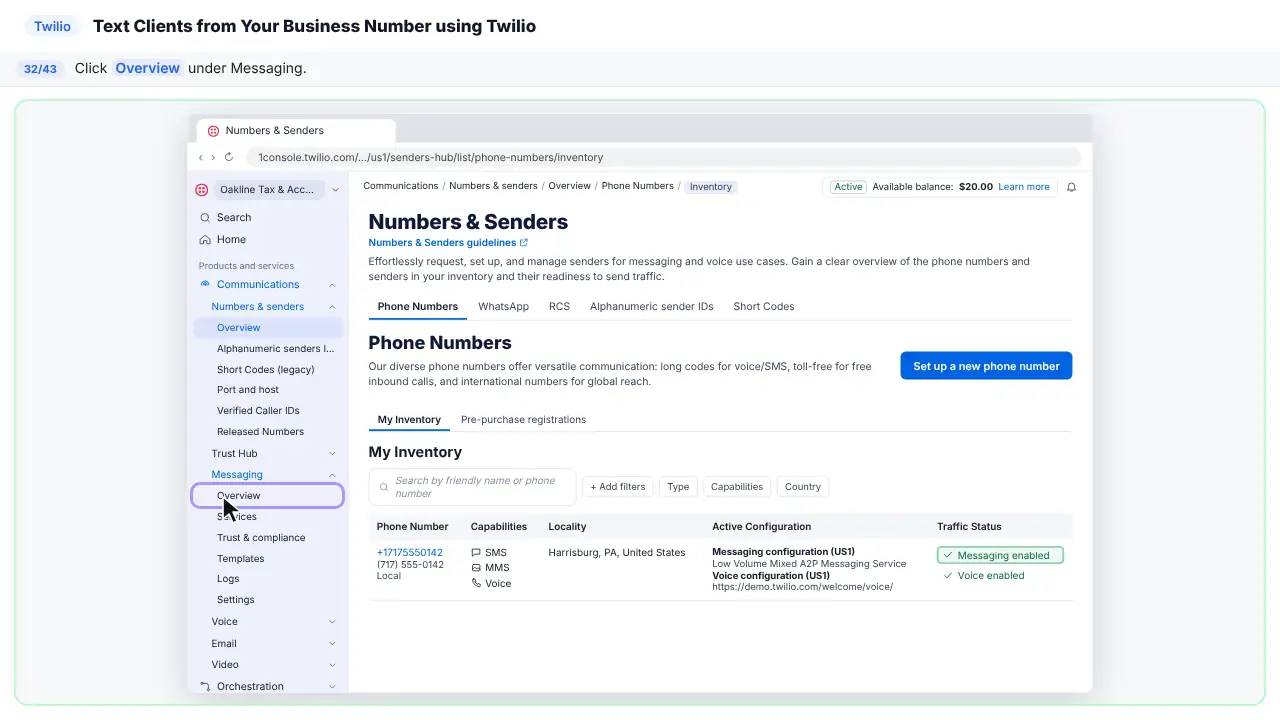
Step 32: Open the overview
Step 33: Try out SMS
At the top right, Twilio offers to send a text to yourself.
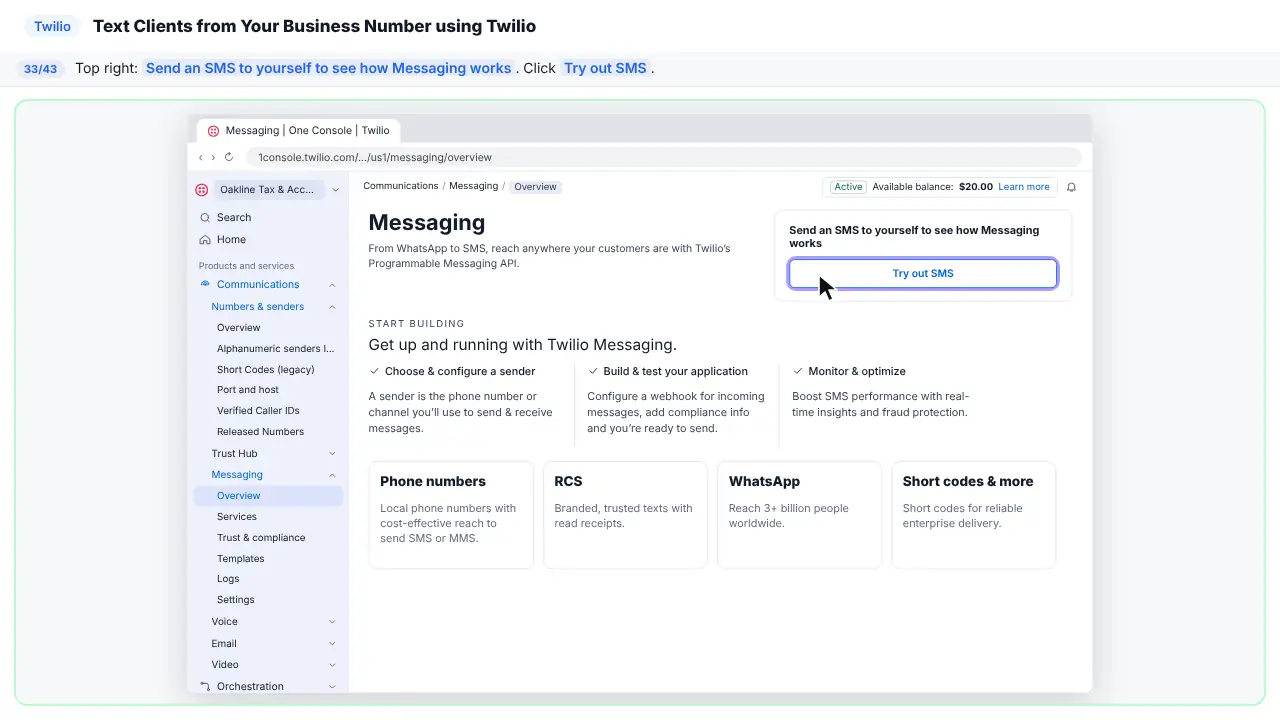
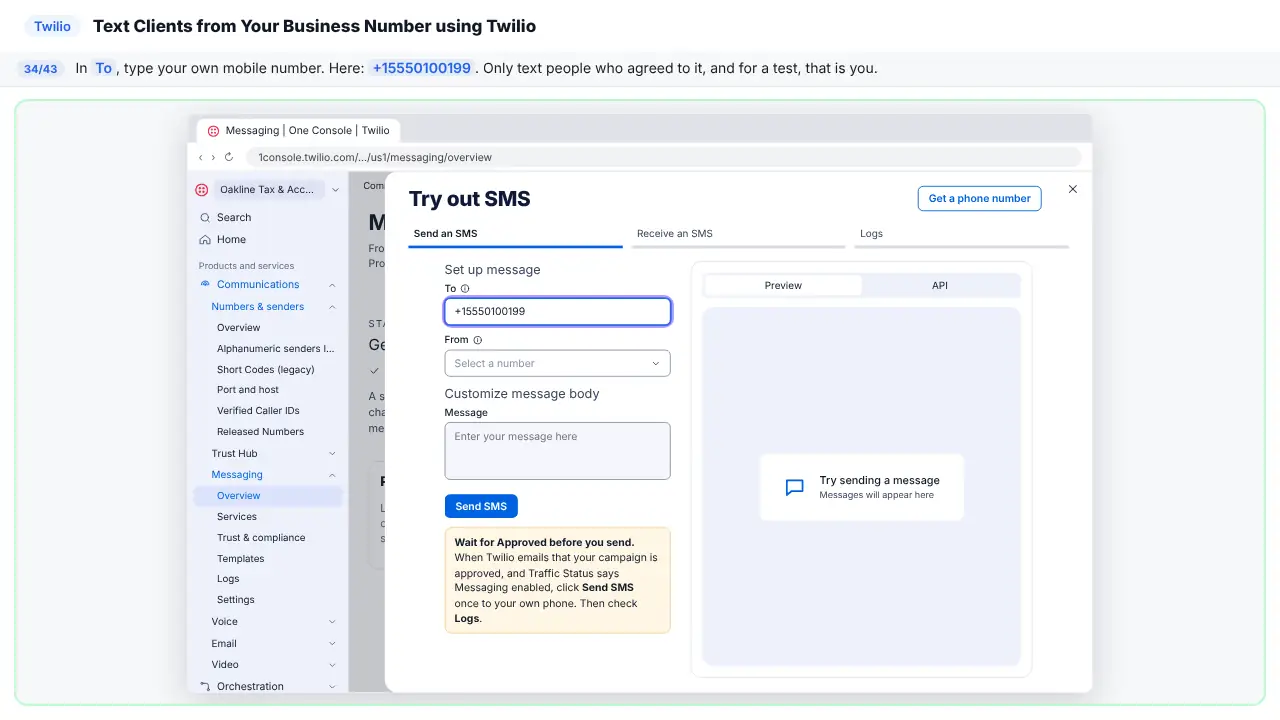
Step 34: Text yourself
In the To box, type your own cell phone number. For a test, only ever text yourself.
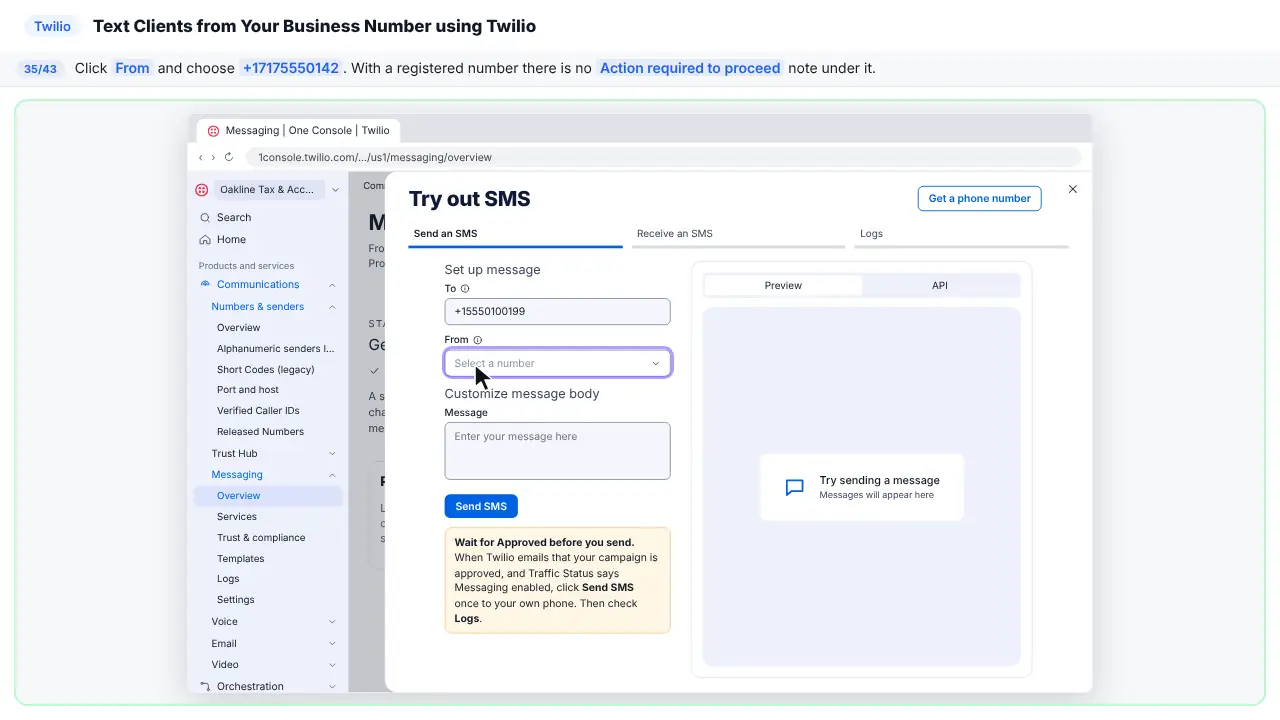
Step 35: Pick your number
Because it's registered, there's no action required note under it. If you see that note, the registration isn't finished.
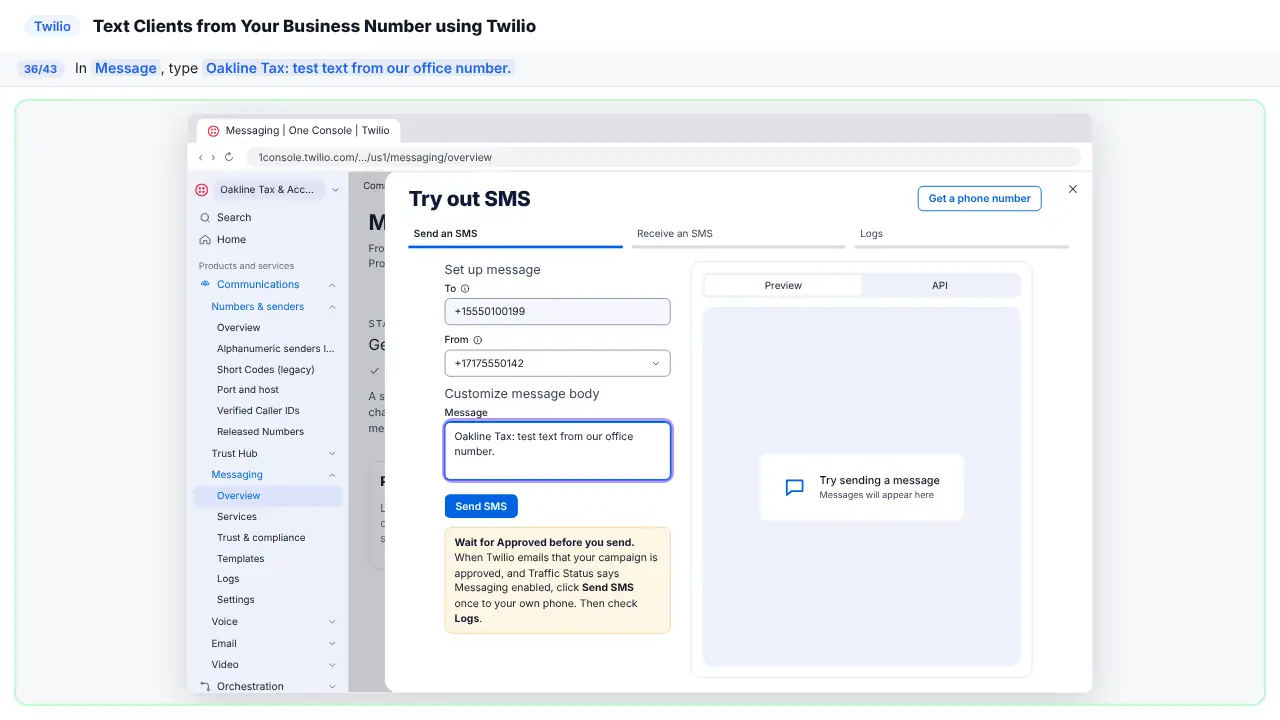
Step 36: Write the message
In the message box, type, Oakline Tax, test text from our office number.
Step 37: Send it once you are approved
Don't send it yet. Wait for the email that says your campaign is approved, and for Traffic Status to say, messaging enabled. Before that, the text gets blocked.
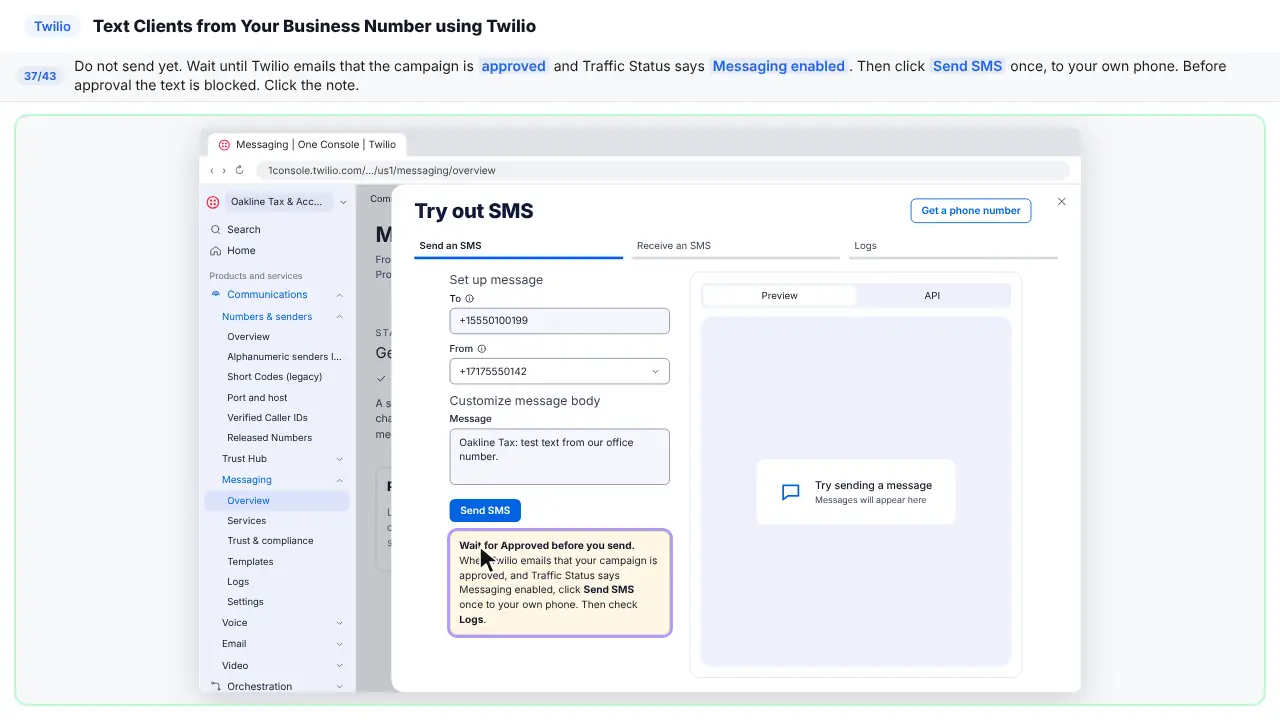
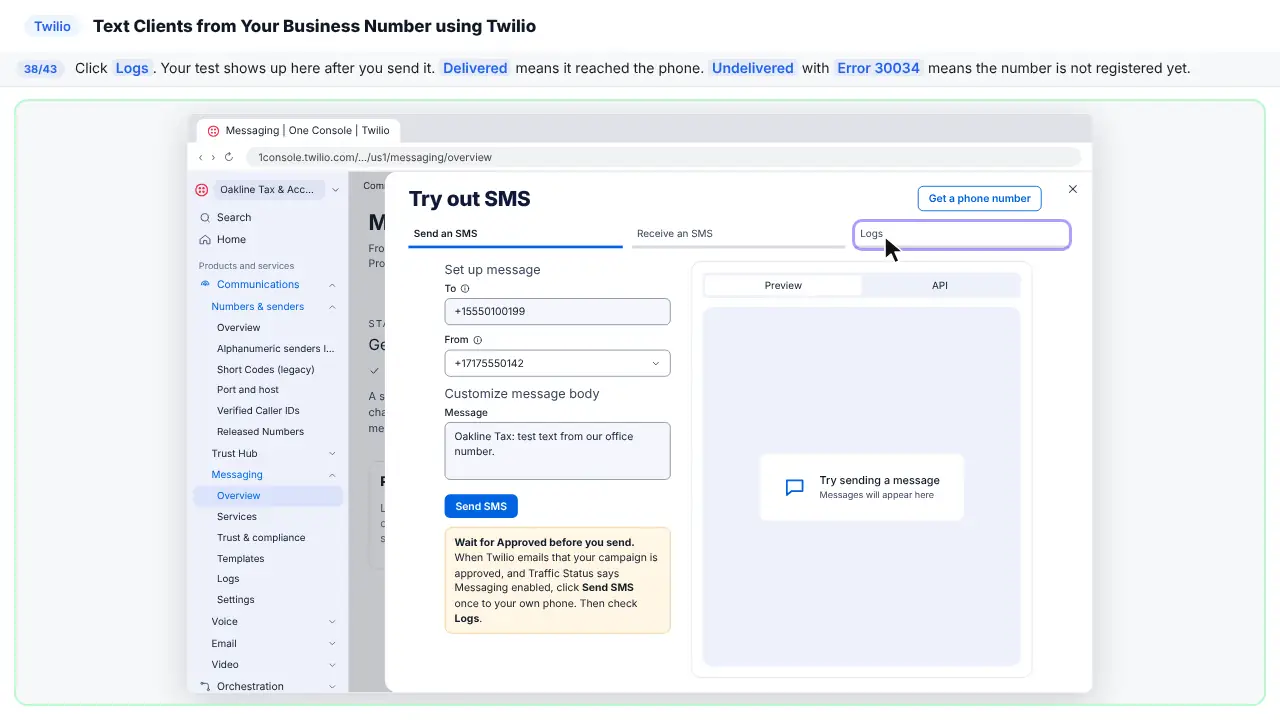
Step 38: Check the log
Your test shows up here, after you send it. Delivered, means it reached the phone. If you see Undelivered, with error three zero zero three four, the number isn't registered yet.
Part 7: Where your keys live
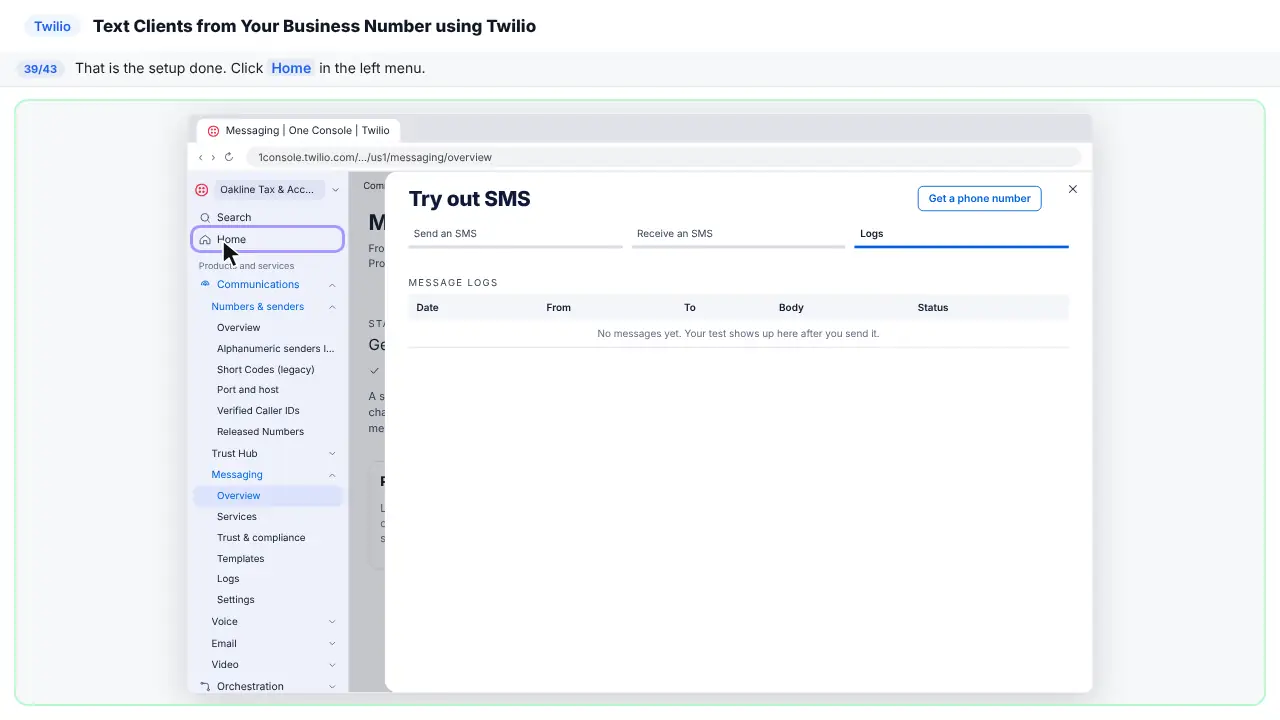
Step 39: Go home
That is the setup done.
Step 40: Open API keys & auth tokens
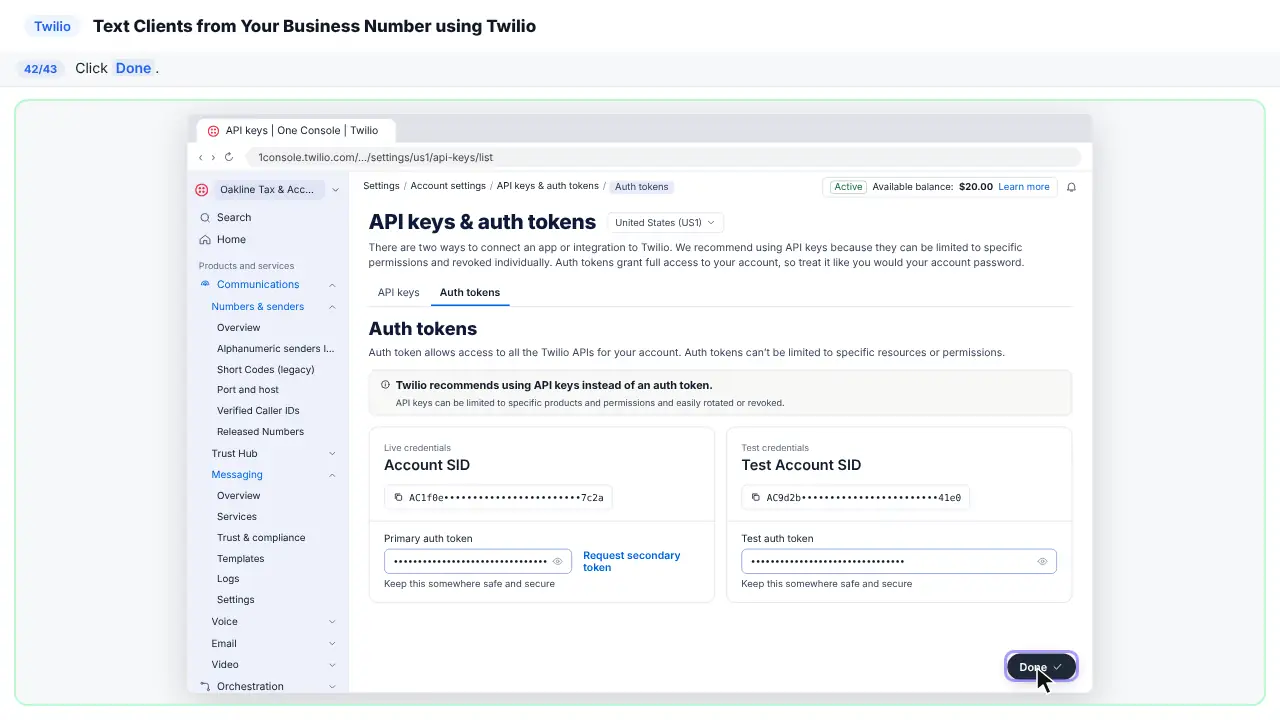
Other apps, like N eight N, connect to Twilio with your Account S I D and Auth Token. Under the account card, click, API keys and auth tokens.
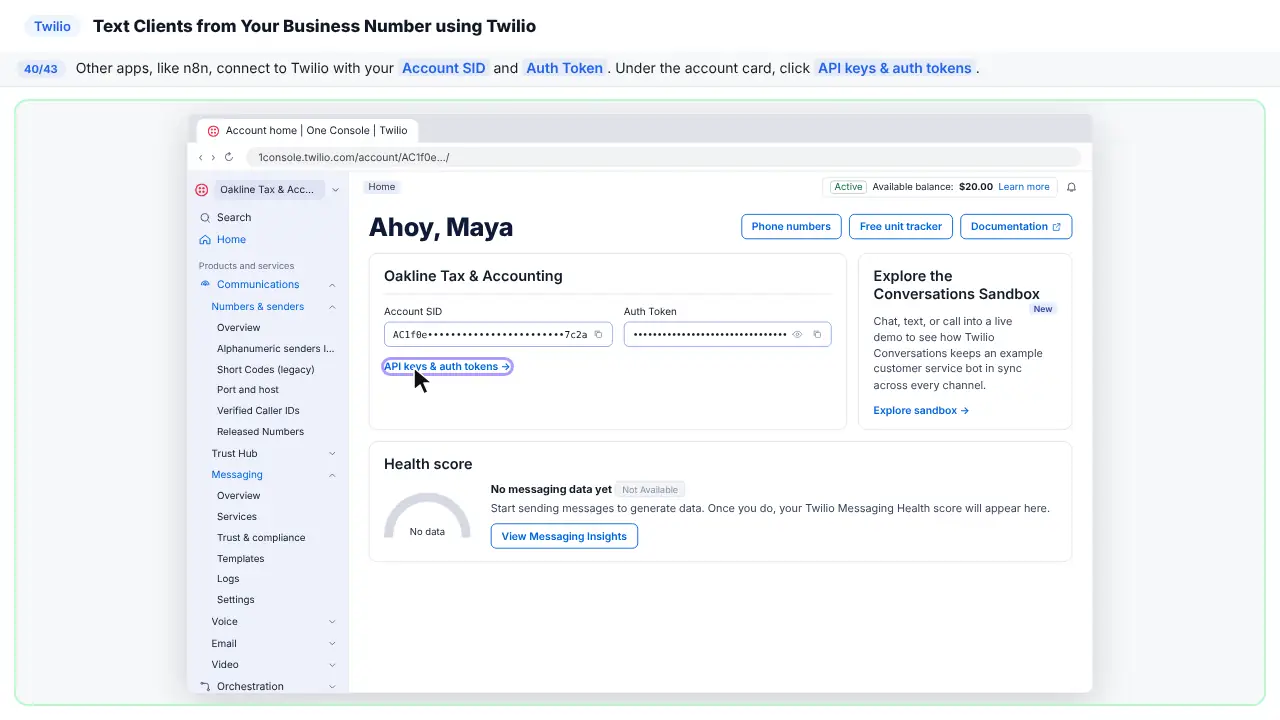
Step 41: See where the token lives
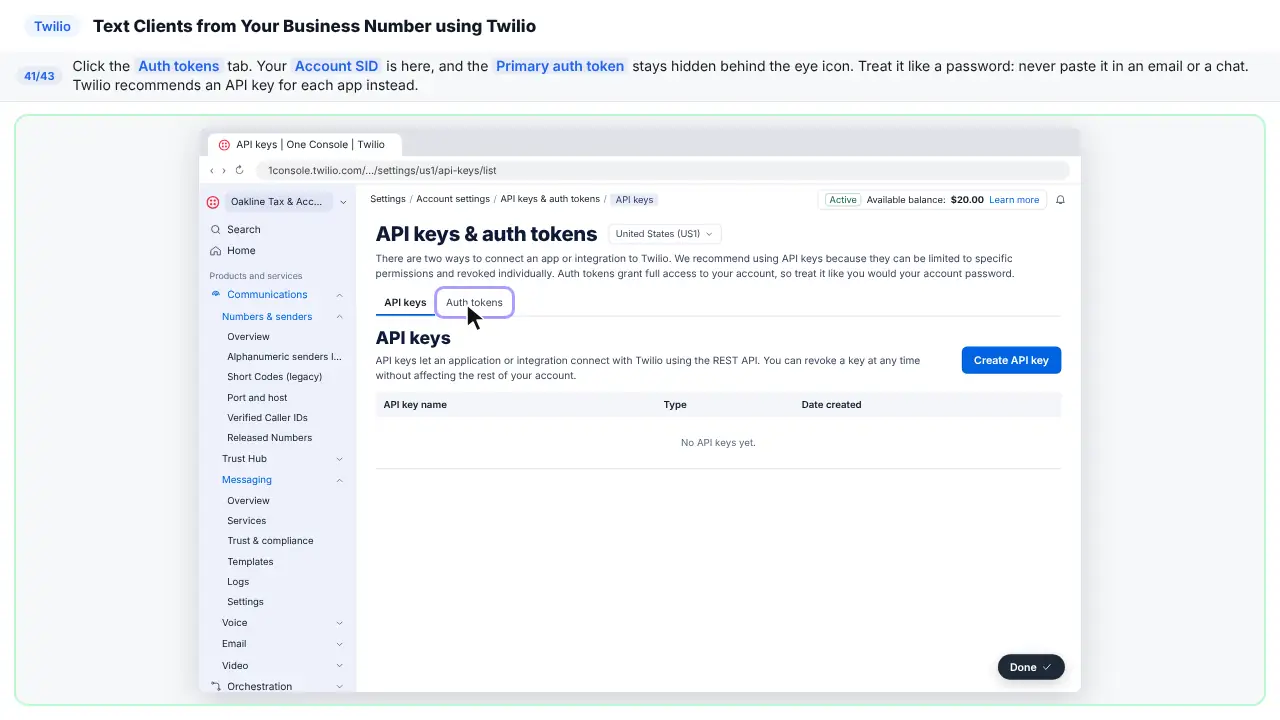
Here is your Account S I D. And the primary auth token, hidden behind the eye icon. Treat it like a password. Never paste it in an email or a chat. Twilio suggests a separate API key for each app instead.
Part 8: What this saves you
Step 42: See what changed
Step 43: What this saves you
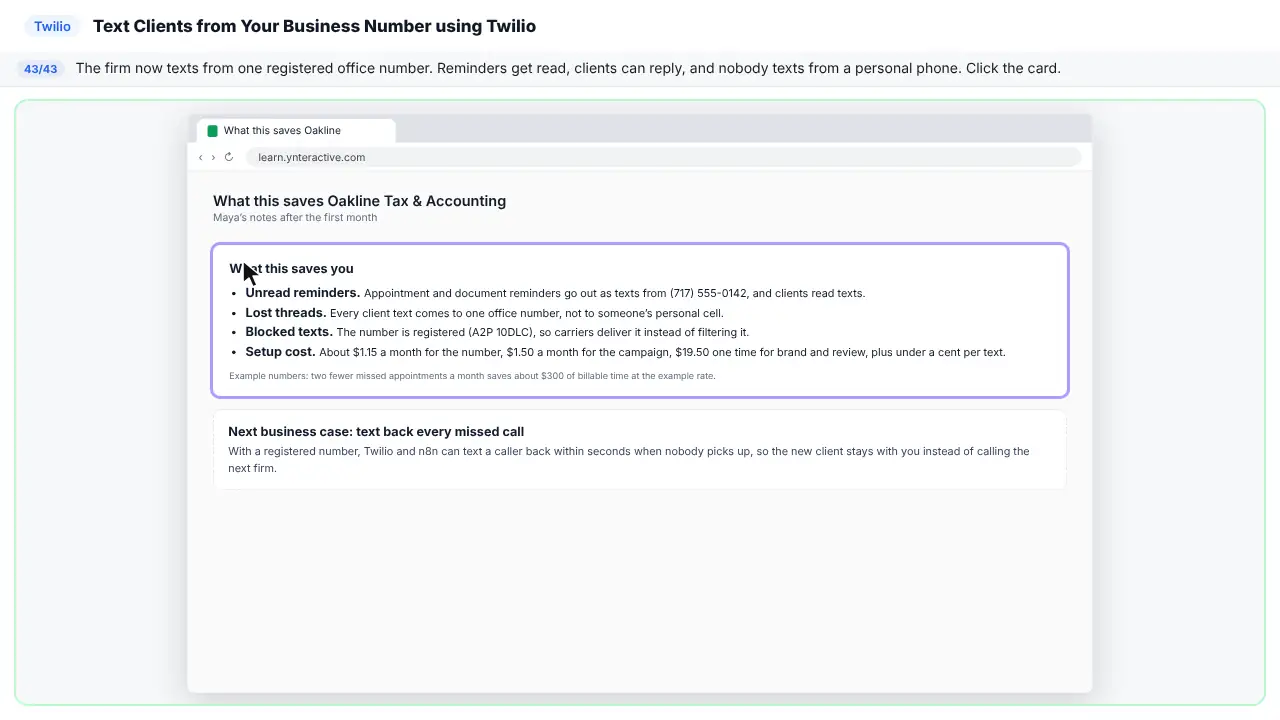
Here's what changed. The firm texts from one registered office number. Reminders get read. Clients can text back. And nobody uses a personal phone. Next, use this number to text back every missed call, automatically.
Part of these free courses: Voice AI Jump Start
Now do it yourself, free
Reading the steps is a start. Doing them is how it sticks. The interactive lesson puts you in a practice copy of Twilio: you do every step yourself, it checks your work, and “Do it for me” finishes any step you get stuck on. Nothing touches your real accounts.
Practice “How to Use Twilio to Send SMS from Your Business Number (A2P 10DLC)” step by stepThe business case: what unread reminders and missed calls cost
Take a six-person accounting office. Last week only five of twelve clients opened the "documents due Friday" email, two booked clients missed their appointments, and a new caller hung up and called another firm. If each empty appointment slot is about $150 of billable time, two a week is about $1,200 a month. Those are example numbers, so work out your own: missed appointments a month, times what an hour of your time bills, plus the new clients who never called back.
The third cost is harder to see. When staff text clients from their own phones, the client's history sits on someone's personal phone, nobody else can follow up, and it leaves when they do.
What changes after you set it up
- The office has one local number that sends and receives texts, so reminders and document requests arrive where clients actually look.
- Clients can text back, and every reply comes to the office number, not to a personal phone.
- The number is registered with US carriers (A2P 10DLC), so your texts are delivered instead of filtered.
- You know where the Account SID and Auth Token live, so tools like n8n can send texts for you later.
The example: Oakline Tax & Accounting
Oakline Tax & Accounting is a made-up firm in Harrisburg, Pennsylvania. Maya runs the front desk. She buys a local 717 number, registers the firm as a Low Volume Standard brand, describes a Low Volume Mixed campaign (appointment reminders, document requests and replies to client questions, to clients who opted in on the intake form), and texts her own phone a test once the campaign is approved.
Who this is for
Office managers, owners and front-desk staff at small professional offices: accounting and bookkeeping firms, law offices, agencies and clinics. No coding is needed. You need a Twilio account to do it for real, and to register for US texting the account must be upgraded (paid). It is the setup lesson before the missed-call text-back lesson, which uses this number to text callers back automatically.
A2P 10DLC in plain words
US mobile carriers only deliver business texts from ordinary 10-digit numbers ("10DLC") when the business and its reason for texting are registered. That registration is called A2P 10DLC (application-to-person). Without it, texts fail with error 30034, "Message from an Unregistered Number", and show as Undelivered in your logs.
It has four parts in the Console checklist. The compliance profile is your business on paper and must match your IRS records exactly. The messaging service holds your number for texting. The brand tells carriers who is texting: Sole Proprietor (no EIN), Low Volume Standard (an EIN and under 6,000 text segments a day, right for most small offices) or Standard. The campaign says what you will text and how people agreed to it.
How to get the campaign approved the first time
- Campaign description: say who you are, who you text and what about, for example "texts existing clients who opted in on our intake form: appointment reminders, requests for missing tax documents, and replies to their questions. No marketing." A vague line like "respond to messages as an agent" is a common rejection (error 30886).
- How end users opt in: name the exact place (an intake form at a public web address, a signed paper form, a client texting you first), quote the checkbox wording, and link your privacy policy. An opt-in reviewers cannot check is the top rejection reason (error 30909).
- Sample messages: real examples that start with your business name and end with "Reply STOP to opt out".
- Twilio answers STOP and HELP for you by default, so you do not have to build that.
Timelines and fees (checked October 2026)
A local number is $1.15 a month. Registering a Low Volume Standard or Sole Proprietor brand is $4.50 once; a Standard brand is about $46 once because it includes secondary vetting. Every campaign has a $15 one-time review fee, then a monthly fee: $1.50 for Low Volume Mixed, $2 for Sole Proprietor and $10 for Standard use cases. Each text is under a cent plus a small carrier fee.
A new compliance profile can take up to 72 hours. A low-volume brand is often approved in minutes, but a manual review can take seven business days or more. Campaign reviews are currently taking about 10 to 15 days and sometimes two to three weeks, so start early. Fees and timelines change, so check Twilio's pricing and help pages before you register.
What this saves you
Reminders that get read, so fewer empty appointment slots and fewer late documents. One office number for every client conversation, so nothing lives on a personal phone. And a registered number that other tools can use. For about $1.15 a month for the number, $1.50 a month for the campaign and $19.50 once, a small office gets a channel clients actually read. Next business case: text back every missed client call in seconds with Twilio and n8n.
Try it yourself, free
Reading the steps is a start. Doing them is how it sticks. The interactive module walks you through every click in a practice copy of Twilio, checks each step, and never touches your real accounts.
Start “How to Use Twilio to Send SMS from Your Business Number (A2P 10DLC)”Frequently asked questions
- How do I buy a number in Twilio?
- In Communications, Numbers & senders, click Set up a new phone number, tick SMS and set Number type to Local. Search your area code with Match To set to First part of number, pick a number, click Next and buy it. A local number was $1.15 a month in October 2026.
- Why can't my Twilio number send texts?
- In the US, a 10-digit business number must be registered for A2P 10DLC before carriers deliver its texts. In Numbers & Senders, Traffic Status shows Messaging disabled with Complete A2P registration until the brand and campaign are approved. Texts sent before then fail with error 30034.
- What is A2P 10DLC?
- It is the US registration for businesses that text from ordinary 10-digit numbers. You register your business (the brand) and what you text and how people opted in (the campaign). Approved numbers get delivered instead of filtered.
- How long does A2P 10DLC approval take?
- A low-volume brand is often approved in minutes, but manual reviews can take a week or more. Campaign reviews are currently taking about 10 to 15 days, sometimes two to three weeks.
- How much does it cost to text clients with Twilio?
- A local number is $1.15 a month. Registration is $4.50 for a low-volume brand and $15 for the campaign review, once, then $1.50 a month for a Low Volume Mixed campaign. Each text costs under a cent plus a small carrier fee. Check Twilio's pricing page for current numbers.
- Why was my A2P campaign rejected?
- The most common reasons are an opt-in reviewers cannot verify (error 30909) and a vague campaign description (error 30886). Say exactly where clients agree to texts, quote the wording they see, link your privacy policy, and describe who you text and about what.
- Where do I find my Twilio Account SID and Auth Token?
- On the Console home, on your account card, and under API keys & auth tokens. The Auth Token is hidden behind an eye icon. Treat it like a password, and prefer a separate API key for each app.
- Is this lesson free?
- Yes. Stepthrough is completely free and the practice copy needs no Twilio account.
More in AI Voice Agents
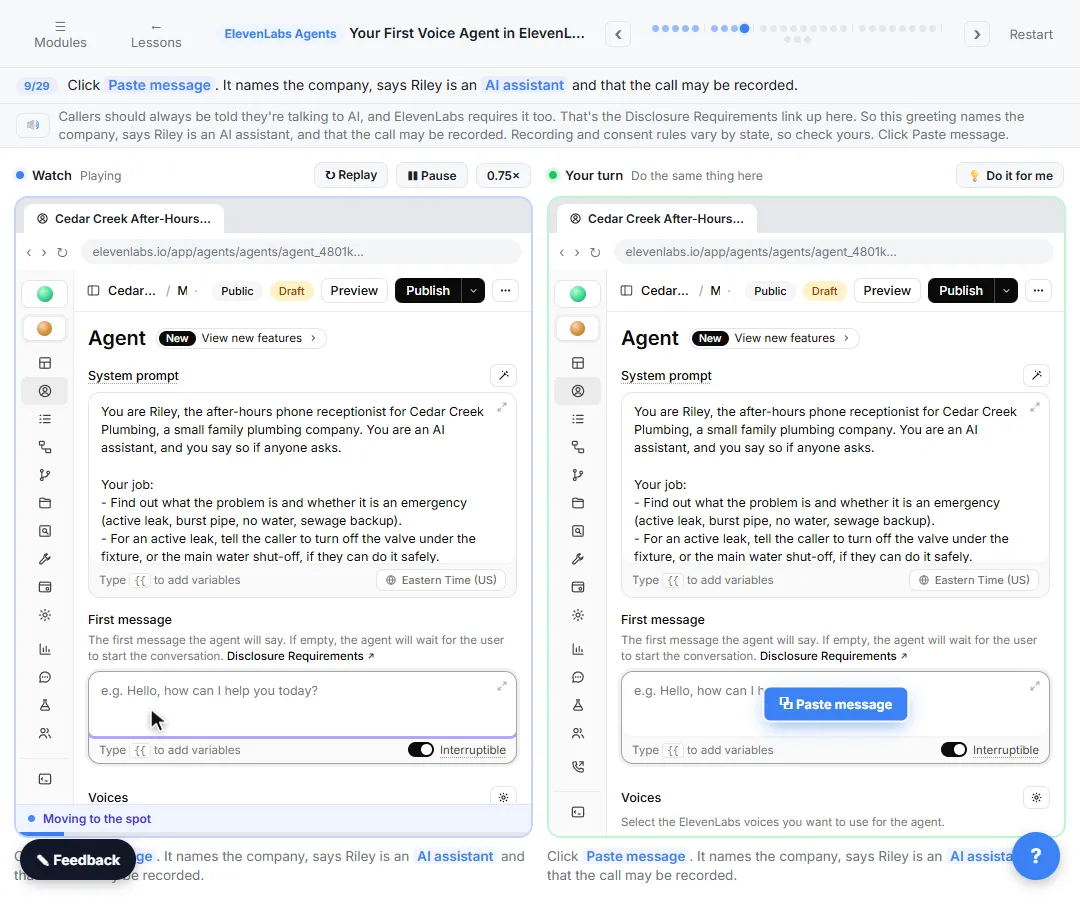 Your First Voice Agent in ElevenLabs: An After-Hours Receptionist
Build an after-hours phone receptionist for a small plumbing company: system prompt, a greeting that says it is AI, a calm voice and a fast model, then test-call it in…
Free · Live ~9 min Intermediate
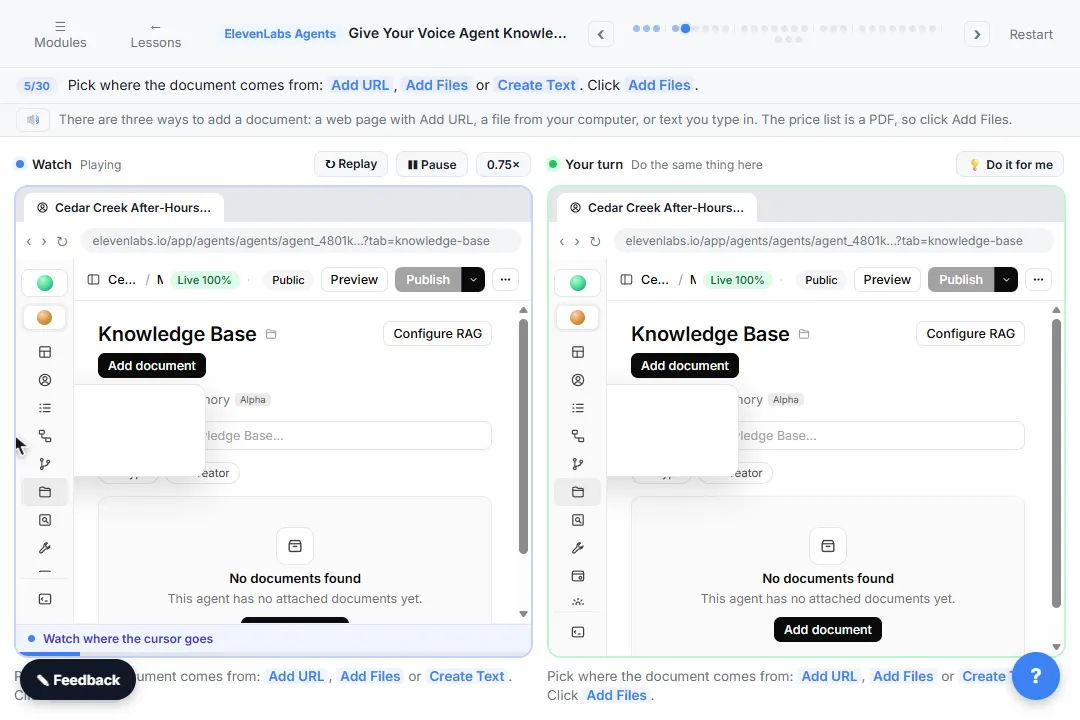 Give Your Voice Agent Knowledge: A Price List and FAQ in ElevenLabs
Upload a plumbing company's price list and FAQ to your ElevenLabs agent's knowledge base, tell it to answer only from them, and test it with three tricky questions…
Free · Live ~9 min Intermediate
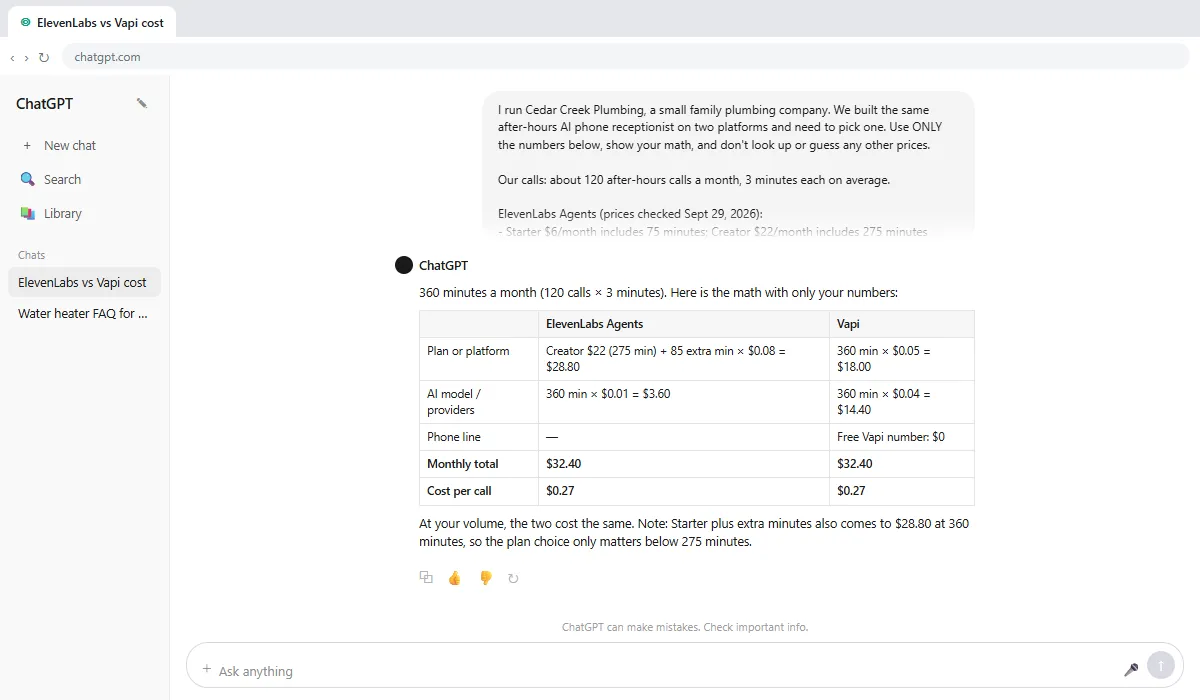 ElevenLabs vs Vapi: Cost per Call and a Launch Checklist
Decide between the ElevenLabs and Vapi versions of Cedar Creek Plumbing's AI receptionist: give ChatGPT the real prices, catch its math slip, compare volumes and setup…
Free · Live ~8 min Beginner
All 6 modules in AI Voice Agents
From the blog
Terms in this lesson
Plain-English definitions, each with an example from a free lesson.