Updated . Built against the tool’s current screens and checked step by step. How we check this lesson
Long PDFs get skimmed, and the terms that cost small offices money are the ones nobody reads: the automatic renewal with a 90-day window, the late fee that compounds, the cap on what the other side owes you. In this free lesson you upload a four-page services agreement to Foxit Workspace, ask its AI for a plain-English summary, pull out every renewal and termination deadline, click a citation to check the answer against the contract itself, and finish with a one-page watch list you can hand to your boss. It is a first read, not legal advice.
At a glance
| Question | Answer |
|---|---|
| What you build | Skimmed contracts hide auto-renewals, late fees and liability caps. Upload one to Foxit Workspace, get a plain-English summary and every renewal and exit date, check them against the PDF, and hand your boss a one-page watch list. |
| Tools | Foxit |
| Time | About 10 minutes, 16 steps in 4 parts |
| Level | Beginner, no coding needed |
| Cost | Free |
| Ways to learn it | Practice it step by step, read the guide with screenshots |
The 4 parts, in short
- Set up the review: Create a project, Name the project, Add the contract, Create it.
- Get the plain-English version: Ask for a plain-English summary, Check one claim at its source, Compare with the PDF, then close.
- Pull out renewal and exit terms: Ask for every renewal and exit term, Open the full table, Verify the 90-day row, Close the preview.
- Hand your boss one page: Ask for a one-page handout, Open the handout, Accept the draft, Open the menu, and 1 more step.
Start here first: How to Use Foxit: Workspace, AI Assistant and PDF Editor for Beginners (module 1 of AI Automation for Operations)
Part of: AI for Accounting & Bookkeeping Firms (step 28 of 42). Next up: How to Create a Signature in Foxit PDF and Sign a Form without Printing
Part of: AI for Law Firms (step 7 of 15). Next up: Foxit PDF Editor: Catch Every Change in a Revised Contract
Part of: AI for Insurance Agencies (step 16 of 18). Next up: Foxit PDF Editor: Catch Every Change in a Revised Contract
Part of: AI for Operations Teams (step 10 of 45). Next up: Foxit PDF Editor: Catch Every Change in a Revised Contract
Part of: AI for Finance Teams (step 7 of 24). Next up: Foxit PDF Editor: Catch Every Change in a Revised Contract
Part of: Give AI Your Company Knowledge (step 15 of 15)
Part of: AI Apps Worth Knowing (step 3 of 186). Next up: Foxit PDF Editor: Catch Every Change in a Revised Contract
Part of: AI Back Office for Small Business (step 11 of 22). Next up: How to Create a Signature in Foxit PDF and Sign a Form without Printing
Part of: AI That Reads Your Documents (step 4 of 10). Next up: Foxit PDF Editor: Catch Every Change in a Revised Contract
Part of: Foxit Jump Start (step 2 of 4). Next up: Foxit PDF Editor: Catch Every Change in a Revised Contract
AI Contract Review in 10 Minutes using Foxit AI: step-by-step guide with screenshots
About the screenshots. They come from Stepthrough’s simulated practice environment (a practice copy of Foxit), not the live tool, so no real account appears. The buttons and labels match the real screens the lesson was built against. Practice it yourself free at ynteractive.com.
- Tools: Foxit
- Time: about 10 minutes, 16 steps in 4 parts
- Level: beginner, no coding needed
Part 1: Set up the review
Step 1: Create a project
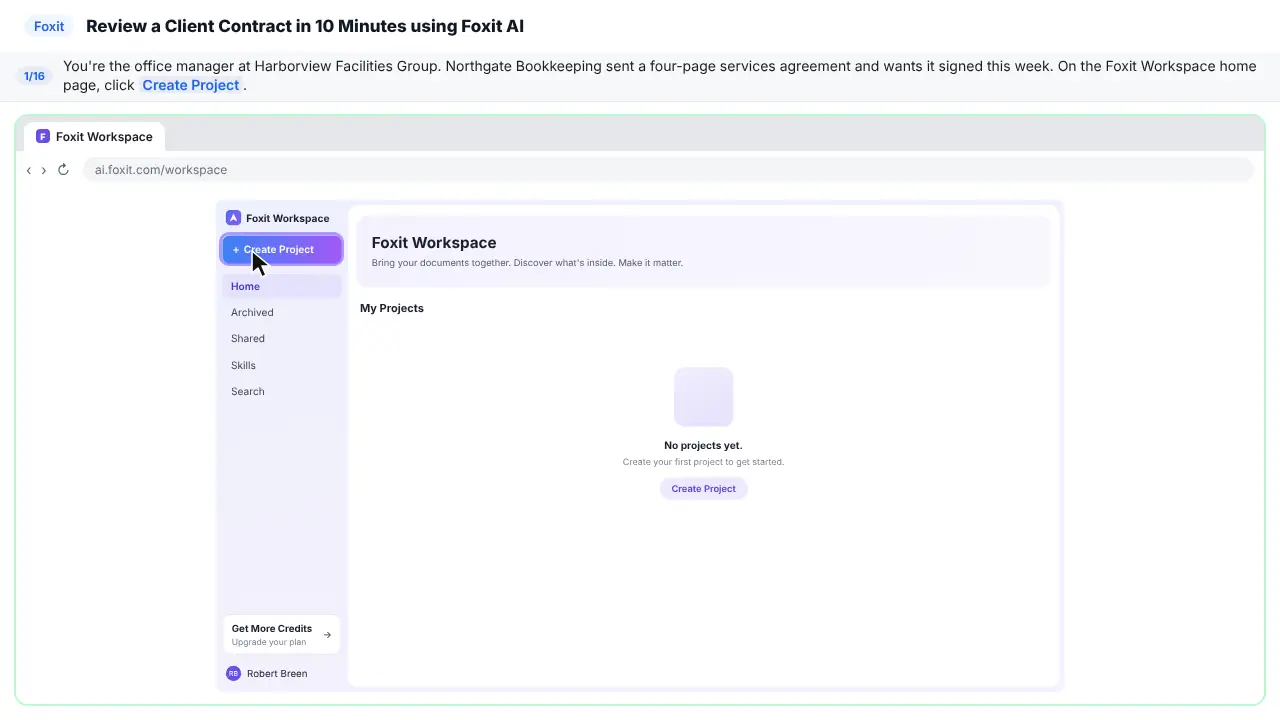
You're the office manager at Harborview Facilities Group. A bookkeeping firm sent you a services agreement, and they want it signed this week. Nobody has time to read every line, and the lines you skip are the ones that cost money later. Let's have Foxit's AI read it with you. On the Foxit Workspace home page, click Create Project.
Step 2: Name the project
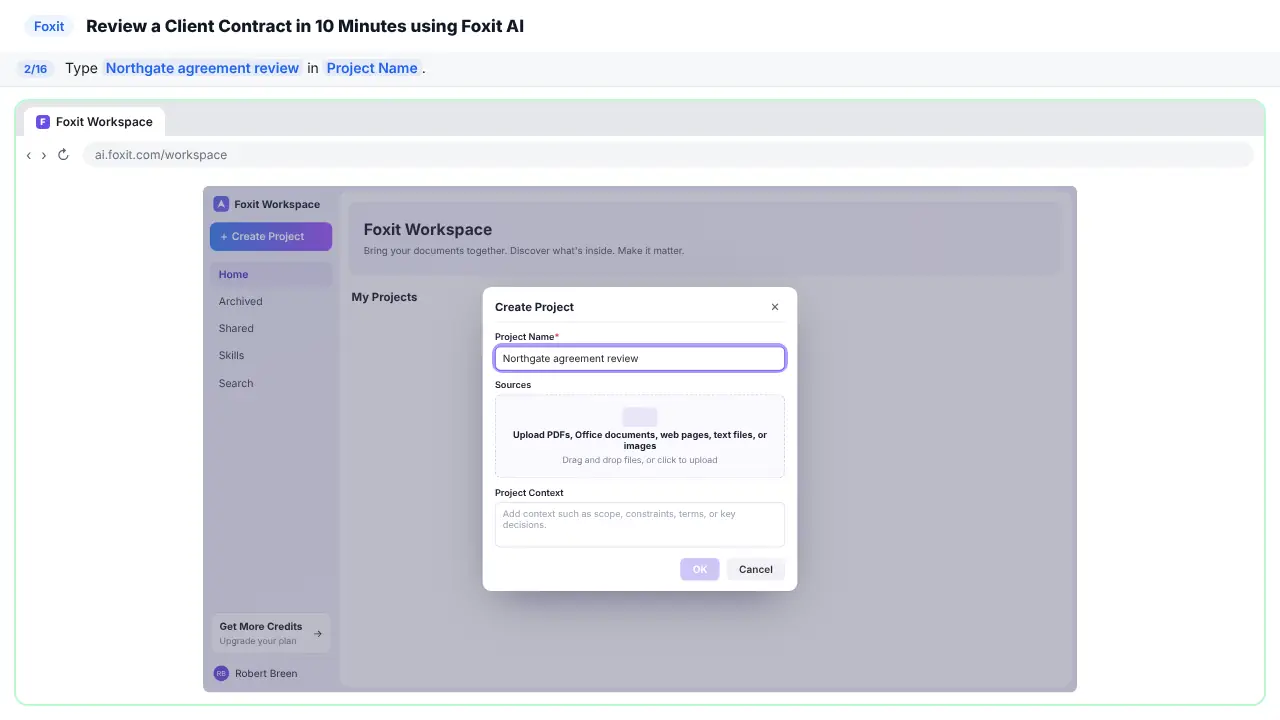
Give the project a name you will recognise next month.
Step 3: Add the contract
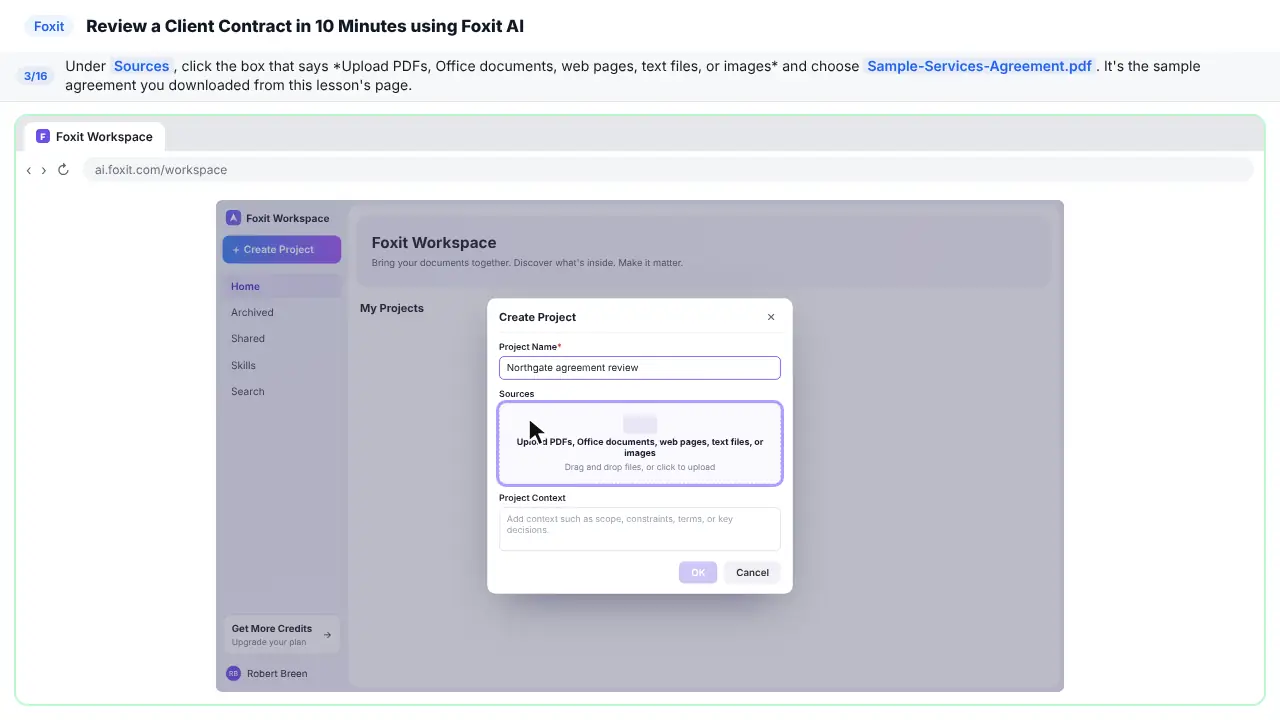
Under Sources, click the upload box and pick the sample agreement, the PDF you downloaded from this lesson. Real contracts from your own office go in exactly the same way.
Step 4: Create it
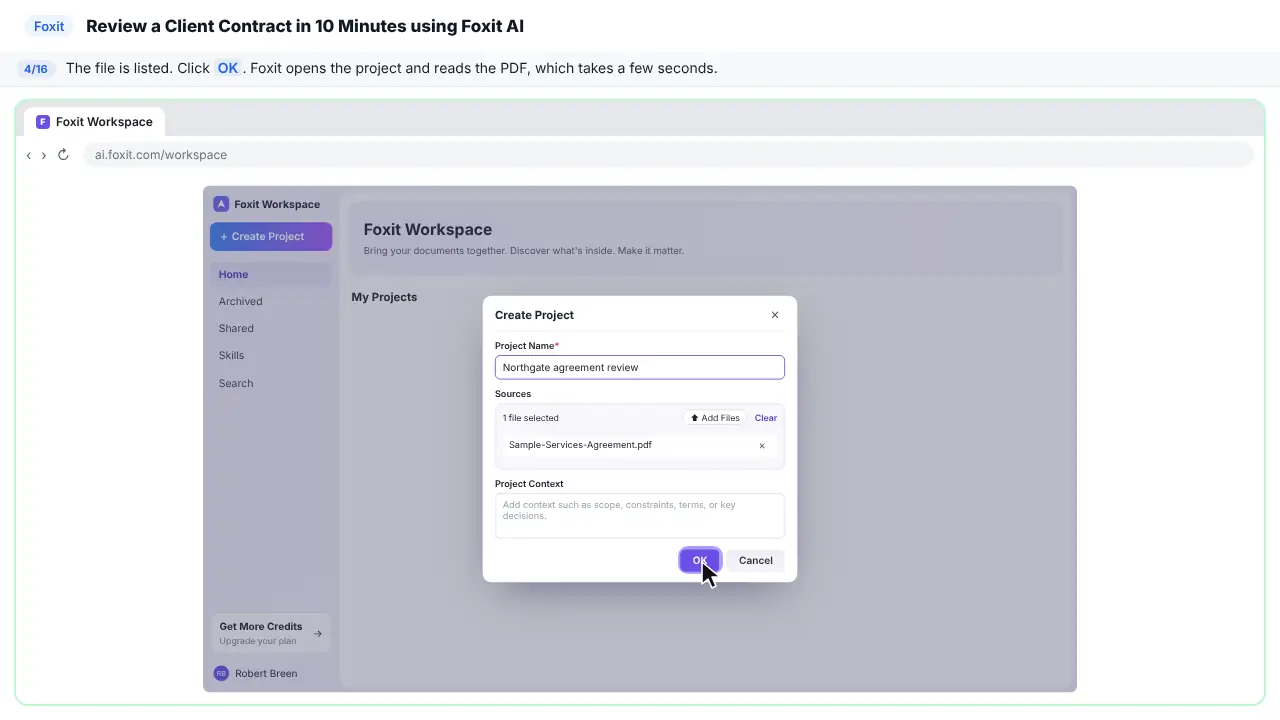
The file is listed. Foxit opens the project and reads the whole PDF, which takes a few seconds.
Part 2: Get the plain-English version
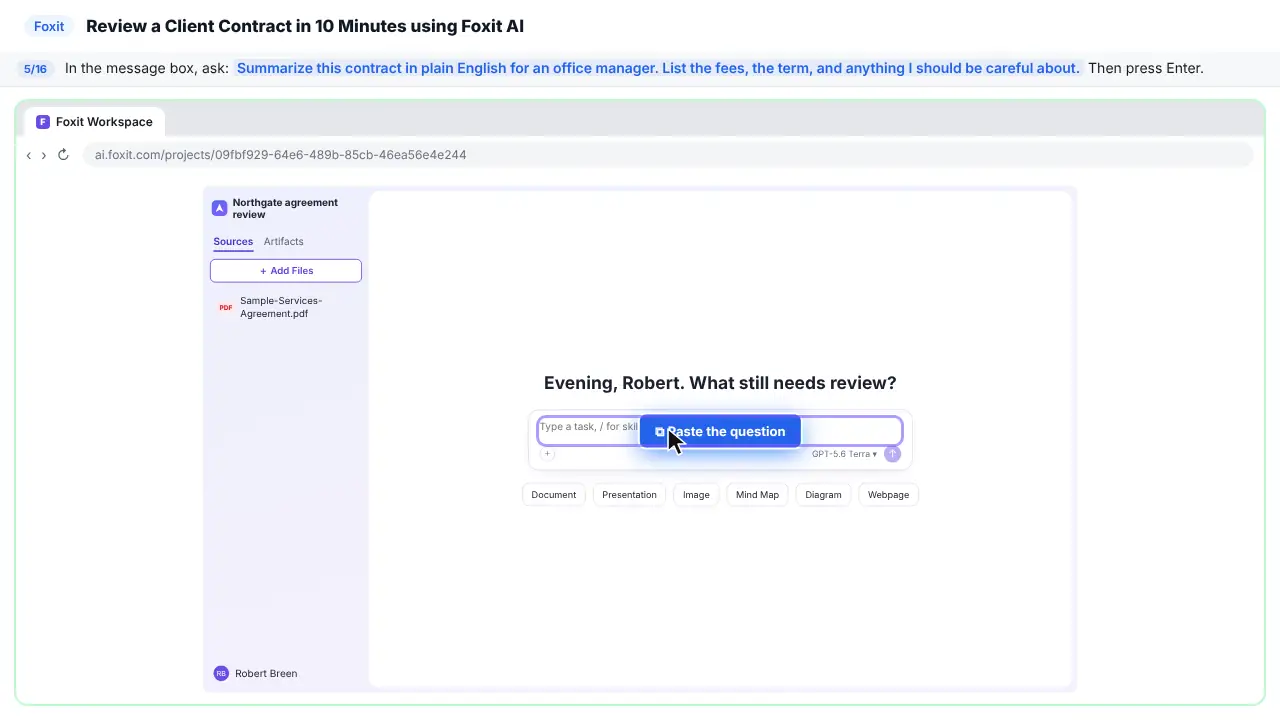
Step 5: Ask for a plain-English summary
Now ask for what you actually need: a plain-English summary, the fees, the term, and anything to be careful about. Notice that you tell it who you are, an office manager, so it doesn't answer like a lawyer.
Step 6: Check one claim at its source
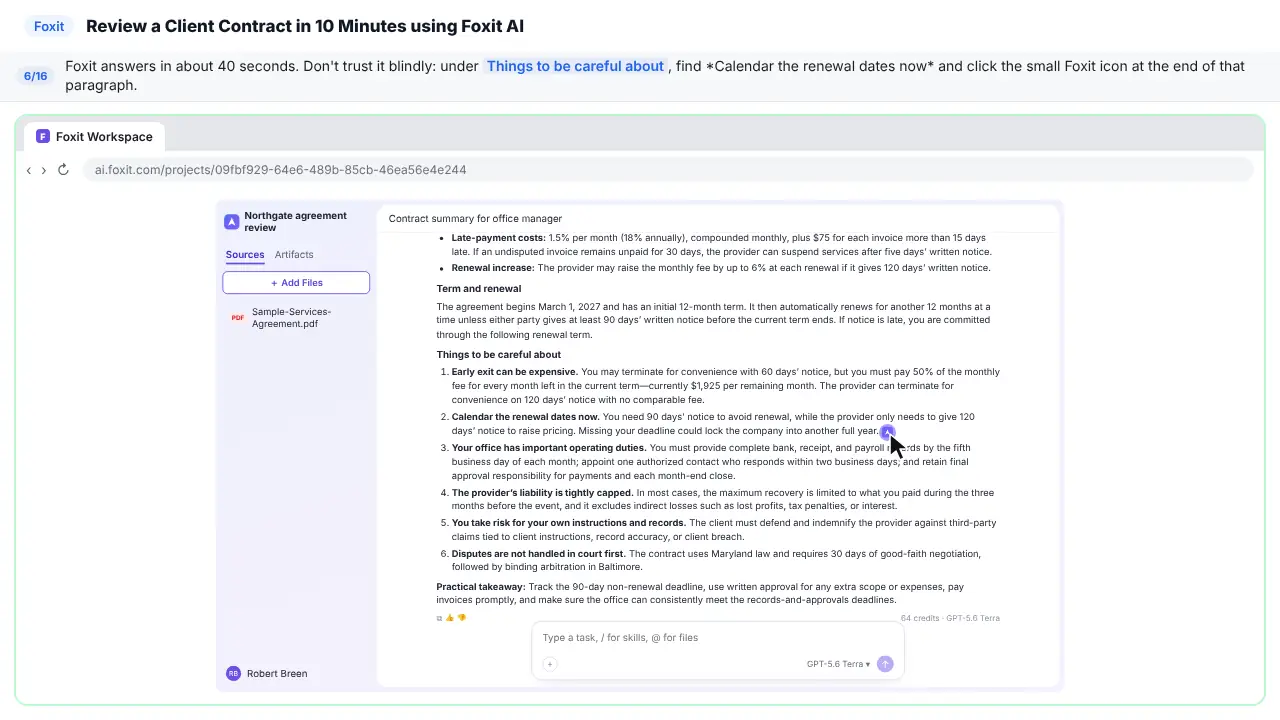
In about forty seconds, you have a summary. Now the habit that matters: check it. Find Calendar the renewal dates now, and click the small Foxit icon at the end of that paragraph. Every answer carries one of these citations.
Step 7: Compare with the PDF, then close
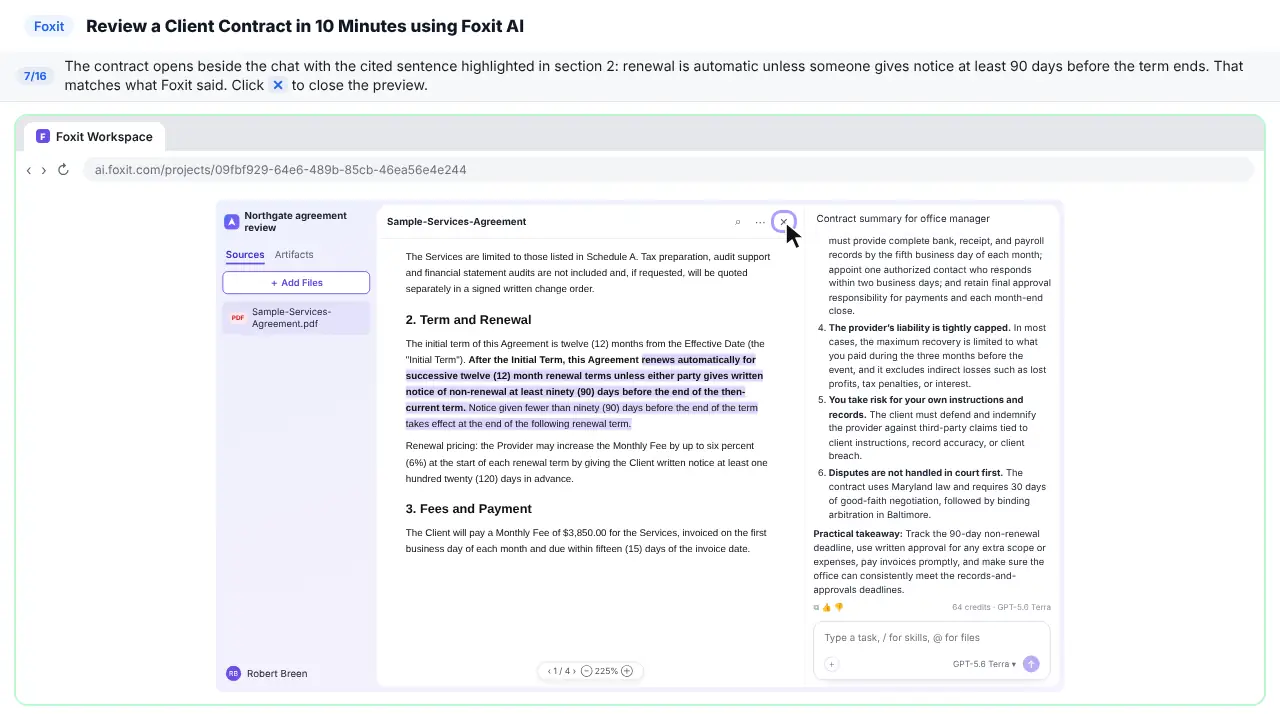
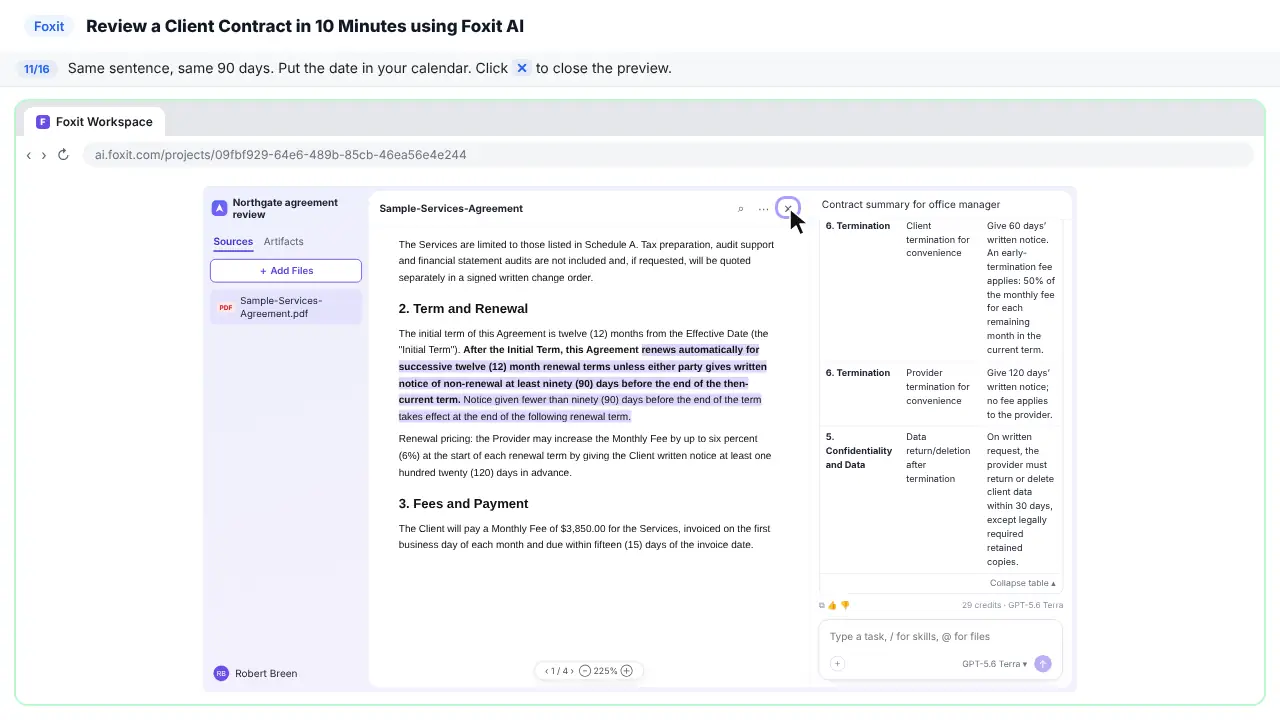
The contract opens next to the chat, with the exact sentence highlighted. Section 2: it renews automatically unless someone gives notice at least ninety days before the term ends. That matches what Foxit said, so you can trust that line. Close the preview.
Part 3: Pull out renewal and exit terms
Step 8: Ask for every renewal and exit term
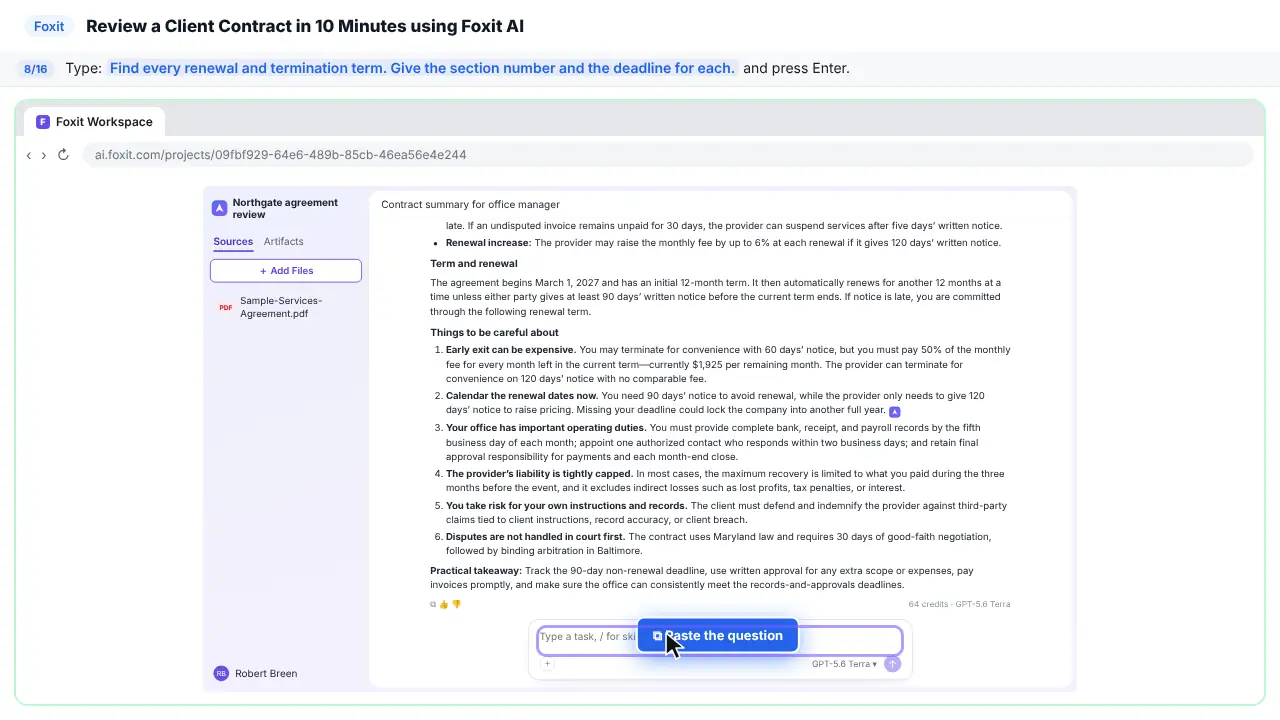
Next, the two things that trap small offices: how the contract renews, and how you get out. Ask for every renewal and termination term, with the section number and the deadline for each.
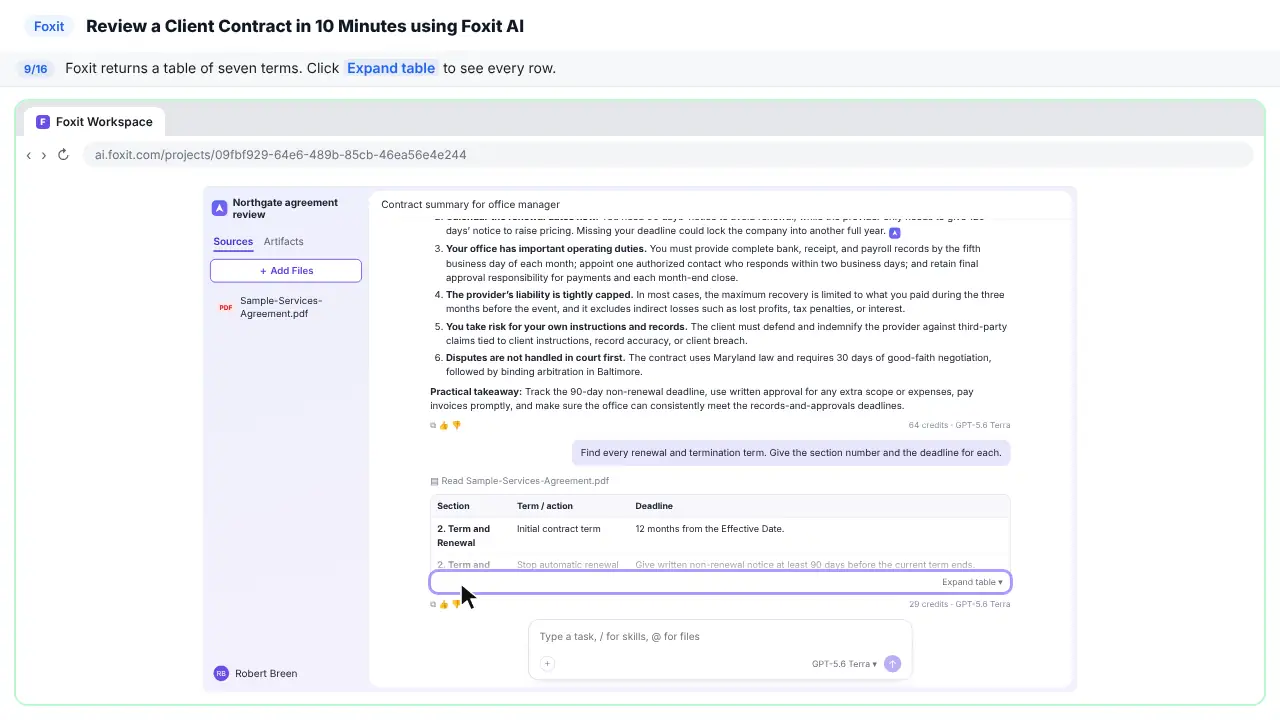
Step 9: Open the full table
You get a table with seven terms.
Step 10: Verify the 90-day row
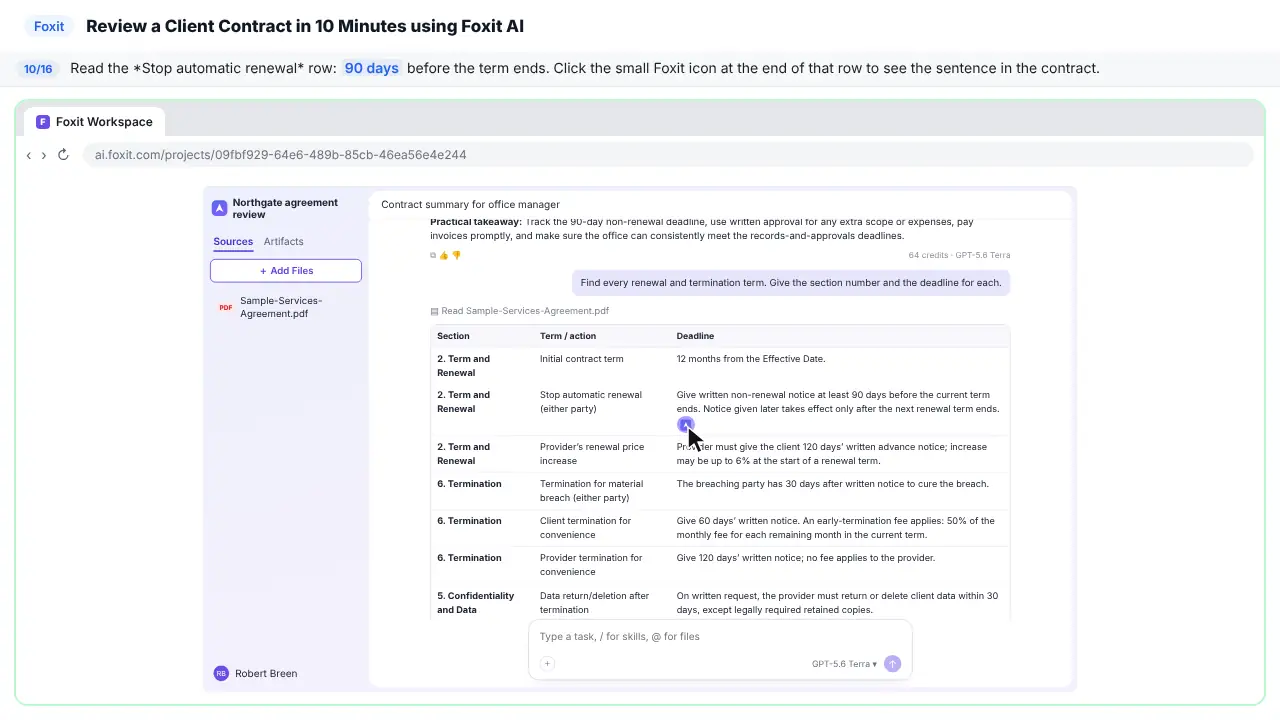
Read the row for stopping the automatic renewal: ninety days before the term ends.
Step 11: Close the preview
Same sentence, same ninety days. That is the date to put in your calendar. Close the preview.
Part 4: Hand your boss one page
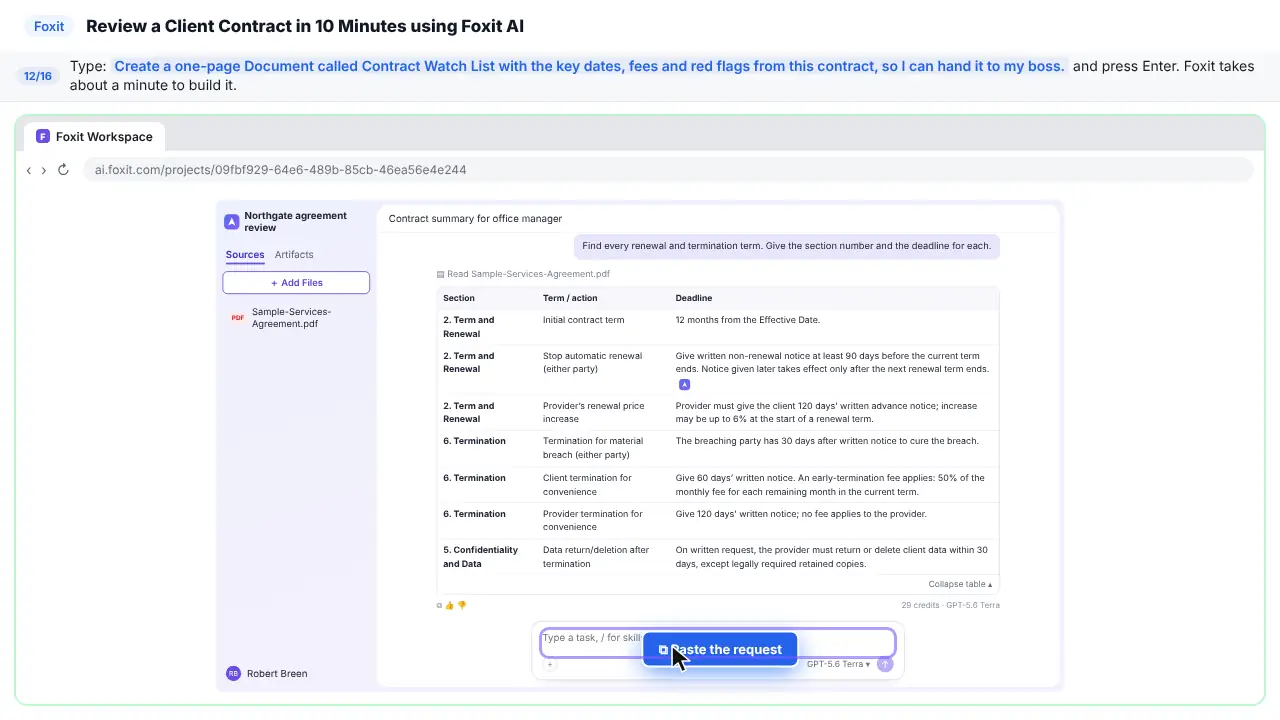
Step 12: Ask for a one-page handout
Your boss will not read a chat. So ask Foxit to turn it into one page: key dates, fees, and red flags. It takes about a minute to build.
Step 13: Open the handout
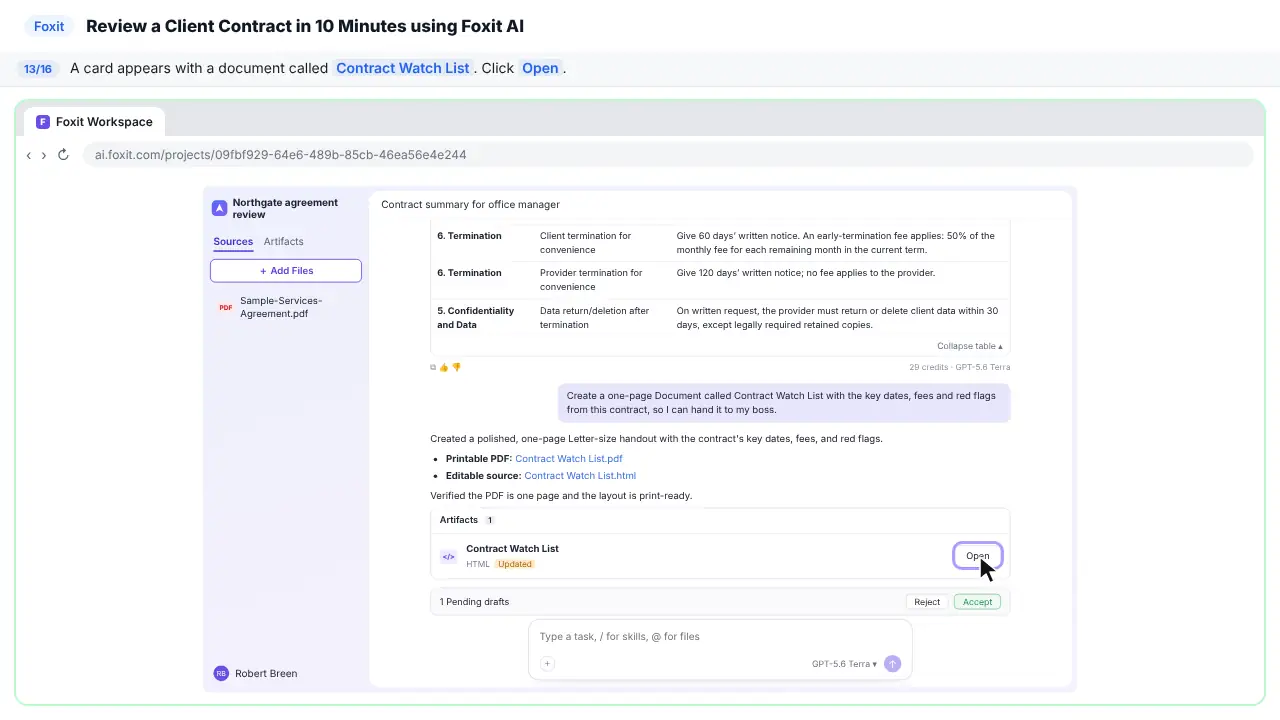
A card appears with a document called Contract Watch List.
Step 14: Accept the draft
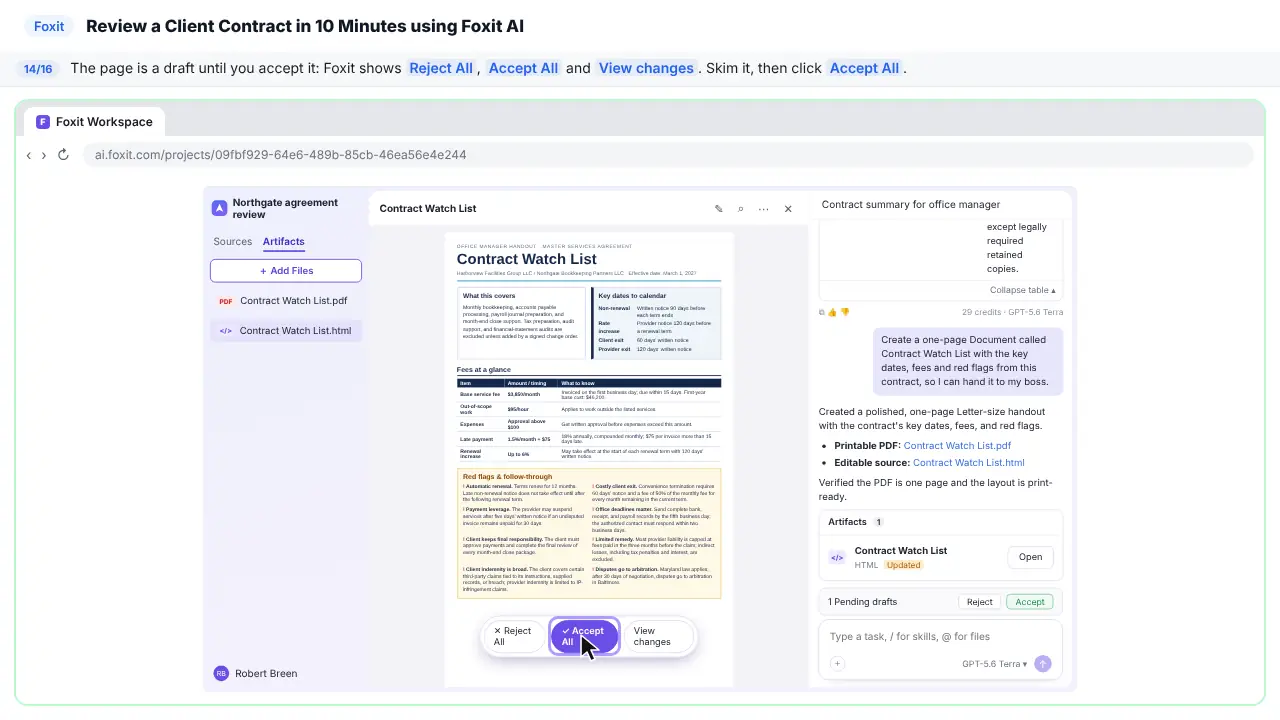
The page is a draft until you accept it. Skim it: key dates, the fees at a glance, and the red flags.
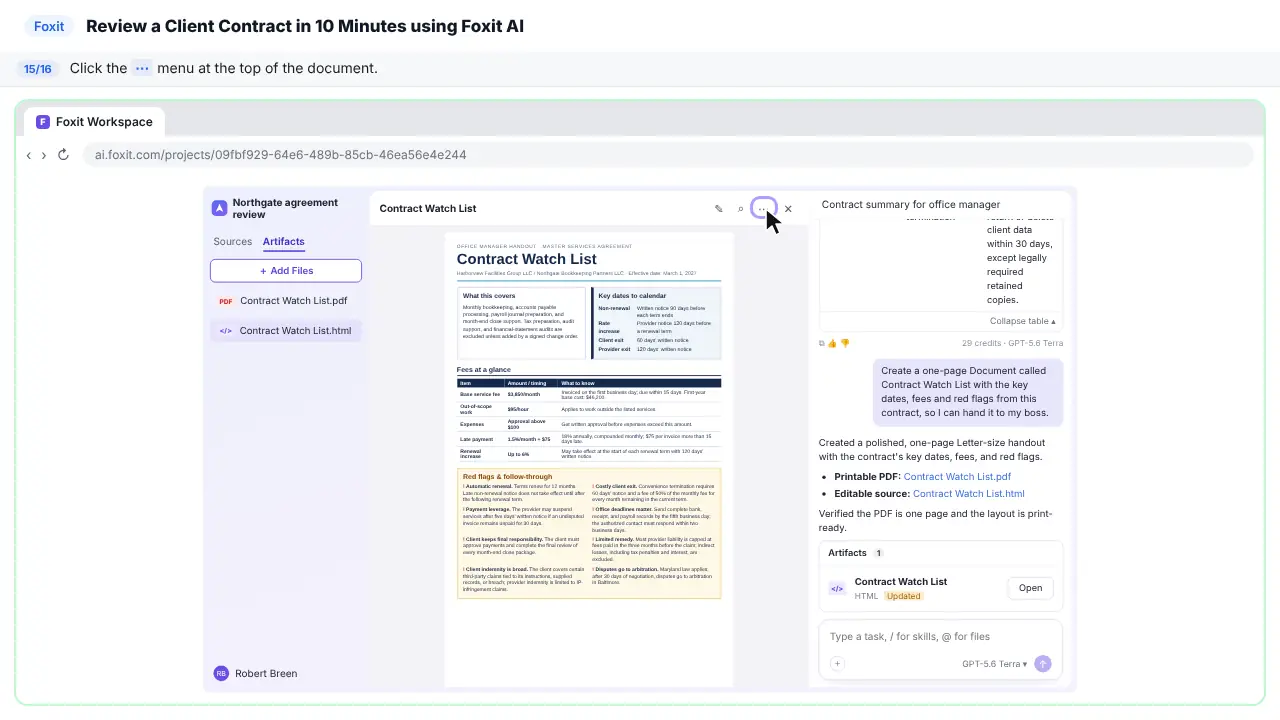
Step 15: Open the menu
Step 16: Download it
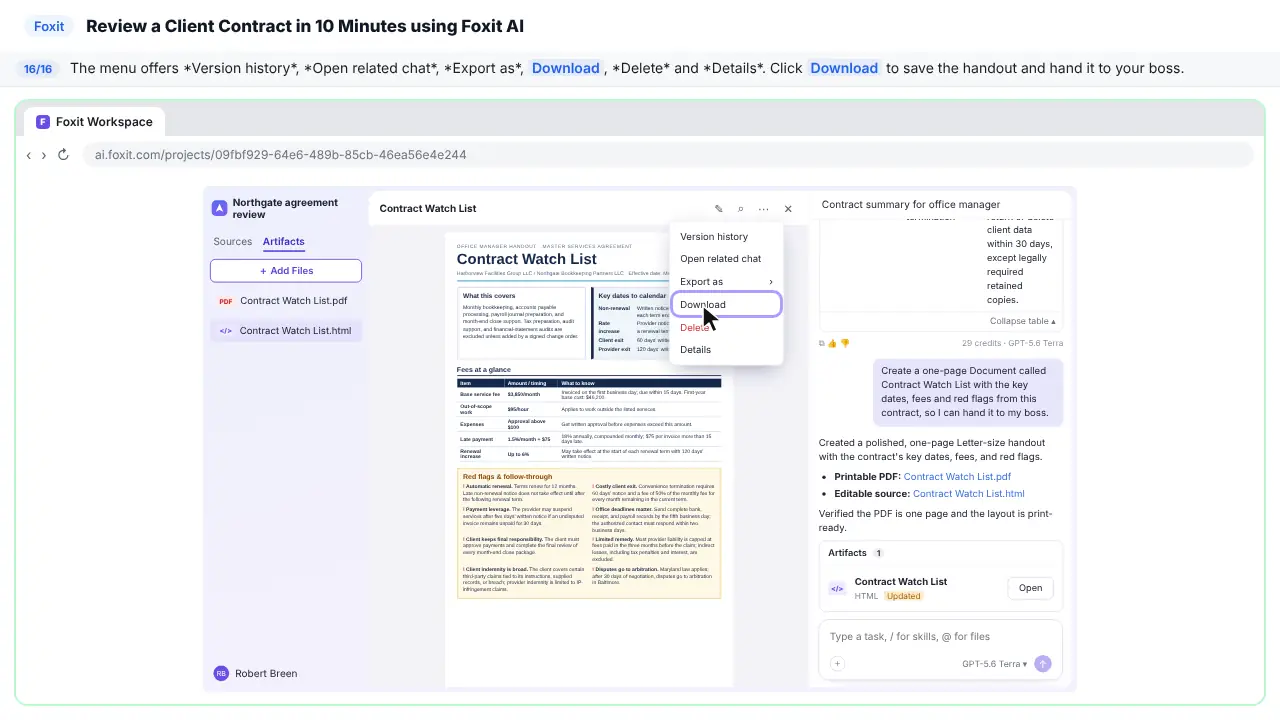
The menu has version history, export, and download. Before anything gets signed, a person still reads the contract. Foxit just made sure you read the right parts first.
Part of these free courses: AI Apps Worth Knowing, AI for Law Firms, AI for Operations Teams, AI for Finance Teams, Give AI Your Company Knowledge, AI Back Office for Small Business, AI That Reads Your Documents
Now do it yourself, free
Reading the steps is a start. Doing them is how it sticks. The interactive lesson puts you in a practice copy of Foxit: you do every step yourself, it checks your work, and “Do it for me” finishes any step you get stuck on. Nothing touches your real accounts.
Practice “AI Contract Review in 10 Minutes using Foxit AI” step by stepThe business case: what a skimmed contract costs
Picture the office manager of a 15-person company. A vendor sends a four-page services agreement on Monday and wants it signed by Friday. The owner is travelling, nobody has an hour to read every clause, so it gets a quick skim and a signature. That is how most small-business contracts are signed, and it is how the expensive sentences get through.
Three kinds of sentence cause most of the pain. An automatic renewal that needs notice 90 days before the term ends: miss the date and you are in for another year. A late-fee clause that compounds monthly. A liability cap that limits what the vendor owes you to three months of fees, however large the mistake. None of them is hidden. They are just buried in the middle of a page, in the part of the document a tired person scrolls past.
What changes: Foxit's AI reads the whole PDF in seconds, gives you a plain-English summary with the fees and the dates, and lists every renewal and termination term with the section number and the deadline. Each claim carries a citation icon that opens the contract at the exact sentence, so checking costs a click, not a reread. The whole review, including checking the answers, takes about ten minutes. You still decide whether to sign; you just decide knowing what is in it.
The example: Harborview's bookkeeping agreement
Harborview Facilities Group is a made-up company that looks after office buildings. Northgate Bookkeeping Partners, also made up, wants a 12-month agreement at $3,850 a month for bookkeeping, accounts payable, payroll journals and month-end close. You play Harborview's office manager.
The contract is four pages and has the clauses real ones have: an automatic renewal with a 90-day notice window, a 1.5% monthly late fee compounded monthly plus a flat $75 charge, a 50% early-exit fee, a liability cap of three months' fees and a signature block left blank. It is planted so you can check every answer.
Download the sample and follow along in your own Foxit account: Sample-Services-Agreement.pdf. It is a plain PDF with made-up companies, so it is safe to upload anywhere.
Who this lesson is for
Office managers, operations coordinators, bookkeepers and small-firm owners who sign vendor, client and service agreements without a legal department. You don't need a legal background, and you don't need a Foxit account to practise here. It sits next to the lessons on [checking a contract for red flags with Claude](/content/check-a-contract-for-red-flags-with-claude) and presenting results with [Gamma](/content/gamma-presentation-from-notes).
What Foxit found, and how we checked it
In the real run (Foxit Workspace, 12 October 2026) every figure in the summary matched the PDF: the $3,850 monthly fee ($46,200 for the first year), the 1.5% monthly late fee plus $75 per invoice, the 6% maximum price increase with 120 days' notice, the 90-day non-renewal window, the 60-day exit notice with a fee of 50% of the monthly fee for each remaining month ($1,925 a month), and the three-month liability cap. The renewal-and-termination table listed seven terms with the correct sections: 2, 5 and 6.
The check that matters is the citation. Click the icon after the 90-day row and the contract opens at section 2 with the exact sentence highlighted. That is the habit to build: the AI points, you verify.
One thing worth knowing: the preview Foxit shows is a reflowed reading view of your PDF, with large text and no page layout. It does not have highlight or comment tools in Workspace, so this lesson does not use them; the one-page watch list is the hand-off instead.
What this saves you
The first read of a four-page agreement drops from an hour of squinting to about ten minutes, and the three expensive clauses (the renewal date, the early-exit fee and the late fee) end up on one page with their deadlines. Put the 90-day date in the calendar the day you sign; that single entry is worth more than the rest of the review.
Next business case: turn the watch list into calendar reminders for each deadline, and keep one project per client so you can ask "which of our contracts renew this quarter?" across the whole pile.
More Foxit lessons
Two more free, hands-on Foxit PDF Editor lessons built from real Foxit screens:
- Foxit PDF Editor: Catch Every Change in a Revised Contract. When the other side sends "version 2", Compare marks every changed fee, date and clause in a couple of minutes.
- Foxit PDF Editor: Fill and Sign a Form without Printing. Fill in a flat vendor form, tick the boxes, sign and date it in the browser.
Signing it: eSign is a separate product
Reviewing and signing are two jobs. Foxit has a separate product, Foxit eSign, for sending a document for signature. It is not part of Foxit Workspace and it is not covered in this lesson, and we did not test it. If you use any e-signature tool, prepare the document and send it only to the people who should sign, after the review above.
Gotchas worth knowing
- It is a first read, not legal advice. For anything large, long or unusual, have a lawyer read it, and use the AI's list to ask better questions.
- Always click through at least the clauses that matter. Foxit's answers carry citations precisely so that you can check them; the 90-day row and the early-exit fee are the two to open every time.
- Credits are limited. A free account includes 300 AI credits a month. In the real run the summary used 64 and the renewal table used 29, and building the handout used more, so a long contract can use a good share of a month. Check your balance before you start. Paid plans add credits; this lesson did not need one.
- Check before you upload. Only upload contracts your company allows you to share with an AI service. When you first open Foxit Workspace, it asks you to accept an AI-use notice that says your content is processed by Microsoft Azure OpenAI; read it before you accept.
- Scanned PDFs may read less well than text-based ones. If a citation points at a garbled passage, open the original PDF and read that clause yourself.
What you need
- A Foxit account. Foxit Workspace has a free account with 300 AI credits a month. Open it at ai.foxit.com/workspace.
- The contract as a PDF, Word file or text file. The sample on this page works.
- A lawyer for anything large or unusual. The review helps you ask better questions; it doesn't replace legal advice.
Links
- Foxit Workspace (affiliate link): the AI document tool this lesson teaches. It has a free account with 300 AI credits a month.
Disclosure: links marked "affiliate link" are partner links. If you sign up through one, Stepthrough may earn a commission at no extra cost to you. The lesson is free either way and does not depend on it.
Try it yourself, free
Reading the steps is a start. Doing them is how it sticks. The interactive module walks you through every click in a practice copy of Foxit, checks each step, and never touches your real accounts.
Start “AI Contract Review in 10 Minutes using Foxit AI”Frequently asked questions
- How does the interactive lesson work?
- Each step is shown to you first on the left (Watch). Then you do it yourself in a practice copy on the right (Your turn), and every click is checked. If you get stuck, press Do it for me. It is a practice copy, so no real accounts are touched.
- Is this free?
- Stepthrough is completely free. Foxit Workspace has a free account with 300 AI credits a month; a long contract can use a good share of them, and paid plans add credits.
- Can I trust the summary?
- Treat it as a first read. Every answer carries citation icons that open your contract at the cited sentence, so you can check any claim in one click. For large or unusual contracts, have a lawyer read it.
- Does Foxit Workspace let me highlight or comment on the PDF?
- Not in the Workspace preview we tested: it is a reading view. The lesson ends with a one-page Contract Watch List that the AI builds, which you can download and share instead.
- Which AI contract review tool should a small office use?
- For a first read of vendor and client contracts, any tool that cites its sources works, because you can check every claim. Foxit Workspace answers from the PDF you upload and links each claim to the sentence, which is why this lesson uses it. Dedicated legal AI tools add clause libraries and redlining for law firms. Whatever you use, it is a first read, not legal advice.
- Can I use this to sign the contract?
- No. Signing is a different job, handled by a separate Foxit product, Foxit eSign. This lesson covers the review before you sign.
More in AI Automation for Operations
 How to Create a Signature in Foxit PDF and Sign a Form without Printing
A client will not pay until their vendor form comes back signed. Fill in a flat PDF, tick the boxes, sign and date it in Foxit PDF Editor, no printer.
Free · Live ~8 min Beginner
 Foxit PDF Editor: Mark Up a Contract Before You Sign It for Operations
A new vendor agreement hides an 8% yearly increase and a 60-day auto-renewal. Highlight the clauses in Foxit PDF Editor, comment with what to ask for, and hand the…
Free · Live ~7 min Beginner
All 39 modules in AI Automation for Operations
From the blog
 How to Build a Contract Playbook with AI for a Small Firm
How to build an automated legal playbook for a small law firm: standard, fallback and walk-away positions per clause, loaded into Claude for review.
Oct 21, 2026 4 min read
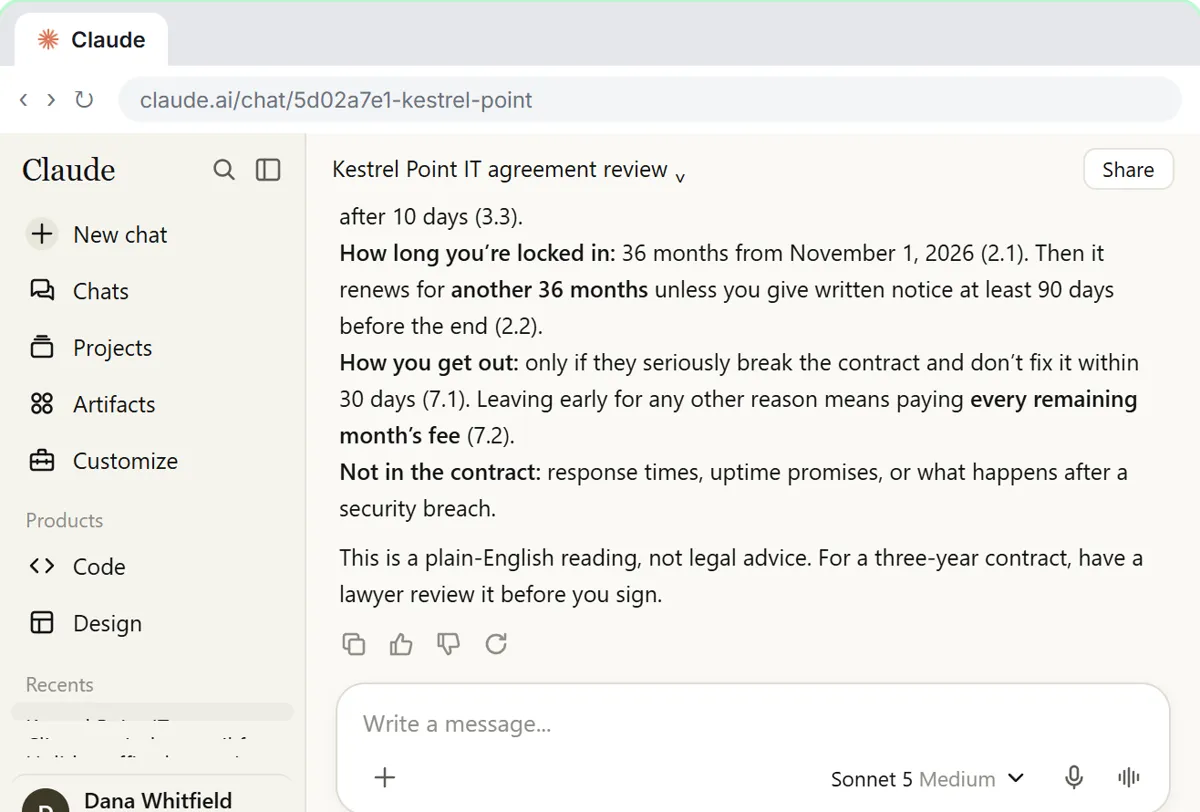
AI Contract Review for Small Business: A Safe First ReadHow to use AI for contract review in a small business: a plain-English summary, risky clauses with exact quotes, questions for the vendor, then a lawyer.
Oct 21, 2026 6 min read
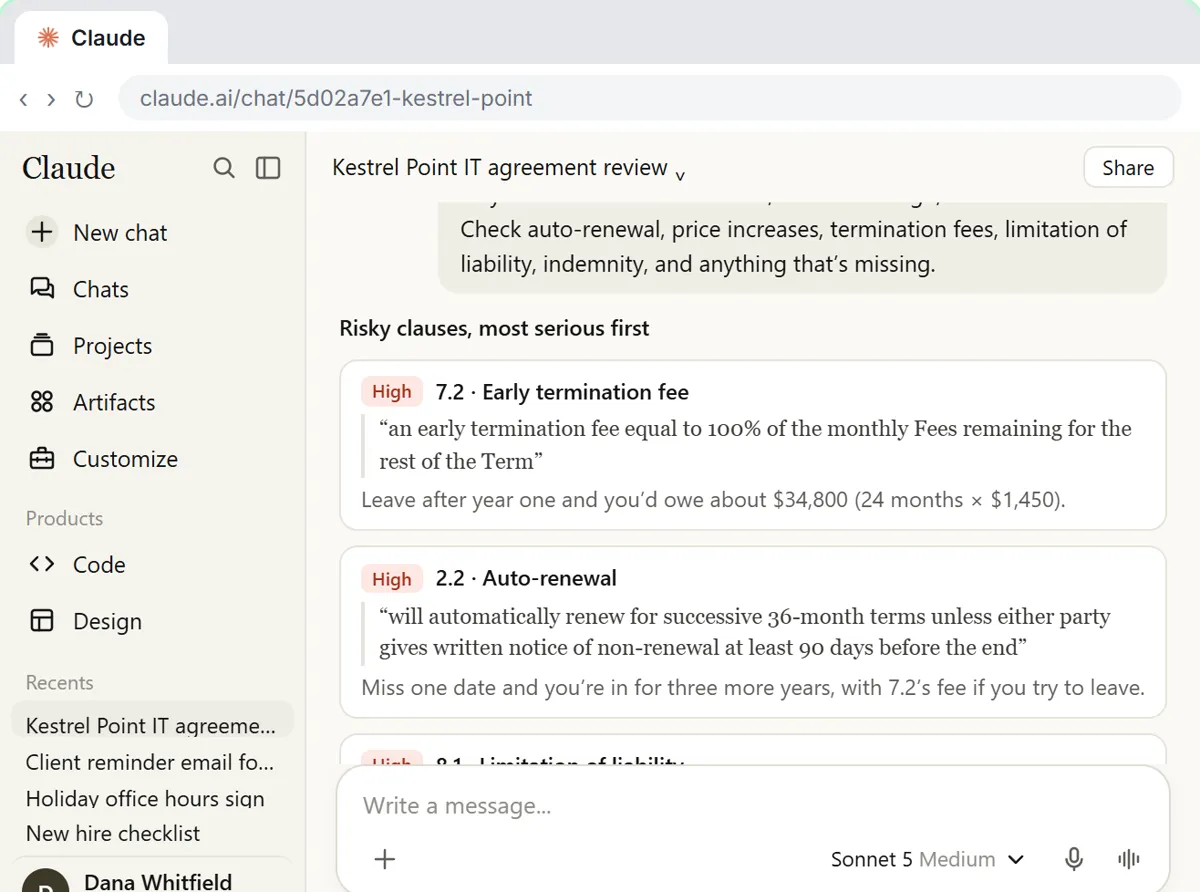 AI Contract Review FAQ: Red Flags, Quotes and Versions
How to get a first read of a contract from Claude, check every quoted clause, compare two versions in Foxit and reuse your review. Not legal advice.
Oct 20, 2026 4 min read
Terms in this lesson
Plain-English definitions, each with an example from a free lesson.
Related prompts
- Contract red flags prompt: Copy this contract review prompt for ChatGPT or Claude: get a plain-English summary and risky clauses quoted with clause…