Updated . Built against the tool’s current screens and checked step by step. How we check this lesson
A vendor sends version 2 of a contract with a friendly note: just a few small cleanups, please sign by Friday. Reading two versions side by side takes the better part of an hour, and the change you miss is usually a number. In this free lesson I open the version you agreed to in Foxit PDF Editor, run Compare against the new one, and walk through every change Foxit marks: a higher fee, shorter payment terms, a longer notice to cancel, a bigger renewal increase, a brand new clause and a smaller liability cap. You finish with a short list to send back before anyone signs.
At a glance
| Question | Answer |
|---|---|
| What you build | A vendor sends "version 2, just small cleanups". Compare both PDFs in Foxit PDF Editor, see every changed fee, date and clause, and reply with a list. |
| Tools | Foxit |
| Time | About 8 minutes, 22 steps in 6 parts |
| Level | Beginner, no coding needed |
| Cost | Free |
| Ways to learn it | Practice it step by step, read the guide with screenshots |
The 6 parts, in short
- What a quiet revision costs: Read the vendor email, Put a price on it, Open Foxit PDF Editor.
- Open both versions: Open the old version, Go to the View tab, Click Compare, Choose the new version.
- Read the summary: Run the comparison, Read the change count.
- Walk through each change: Jump to the first change, Check the money, Check the renewal terms, Keep going, and 3 more steps.
- Keep the list: Open the change list, Open a page of changes, Read old and new text, Download the result.
- Reply with confidence: What this saves you, Reply to the vendor.
Start here first: How to Use Foxit: Workspace, AI Assistant and PDF Editor for Beginners (module 1 of AI Automation for Operations)
Part of: AI for Law Firms (step 8 of 15)
Part of: AI for Insurance Agencies (step 17 of 18)
Part of: AI for Operations Teams (step 11 of 45). Next up: How to Create a Signature in Foxit PDF and Sign a Form without Printing
Part of: AI for Finance Teams (step 8 of 24). Next up: How to Create a Signature in Foxit PDF and Sign a Form without Printing
Part of: AI Apps Worth Knowing (step 4 of 186). Next up: How to Create a Signature in Foxit PDF and Sign a Form without Printing
Part of: AI That Reads Your Documents (step 5 of 10). Next up: How to Create a Signature in Foxit PDF and Sign a Form without Printing
Part of: Foxit Jump Start (step 3 of 4). Next up: How to Create a Signature in Foxit PDF and Sign a Form without Printing
Foxit PDF Editor: Catch Every Change in a Revised Contract: step-by-step guide with screenshots
About the screenshots. They come from Stepthrough’s simulated practice environment (a practice copy of Foxit), not the live tool, so no real account appears. The buttons and labels match the real screens the lesson was built against. Practice it yourself free at ynteractive.com.
- Tools: Foxit
- Time: about 8 minutes, 22 steps in 6 parts
- Level: beginner, no coding needed
Part 1: What a quiet revision costs
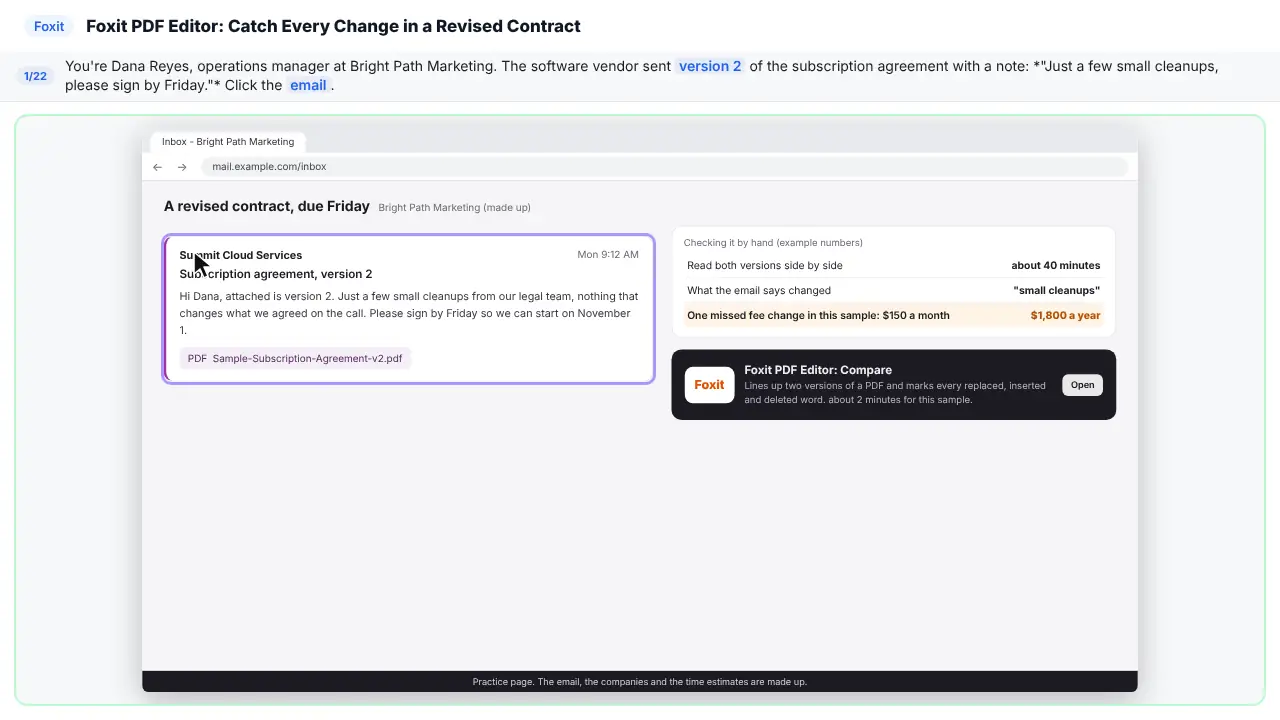
Step 1: Read the vendor email
The vendor says version two only has small cleanups. That is exactly when changes slip through.
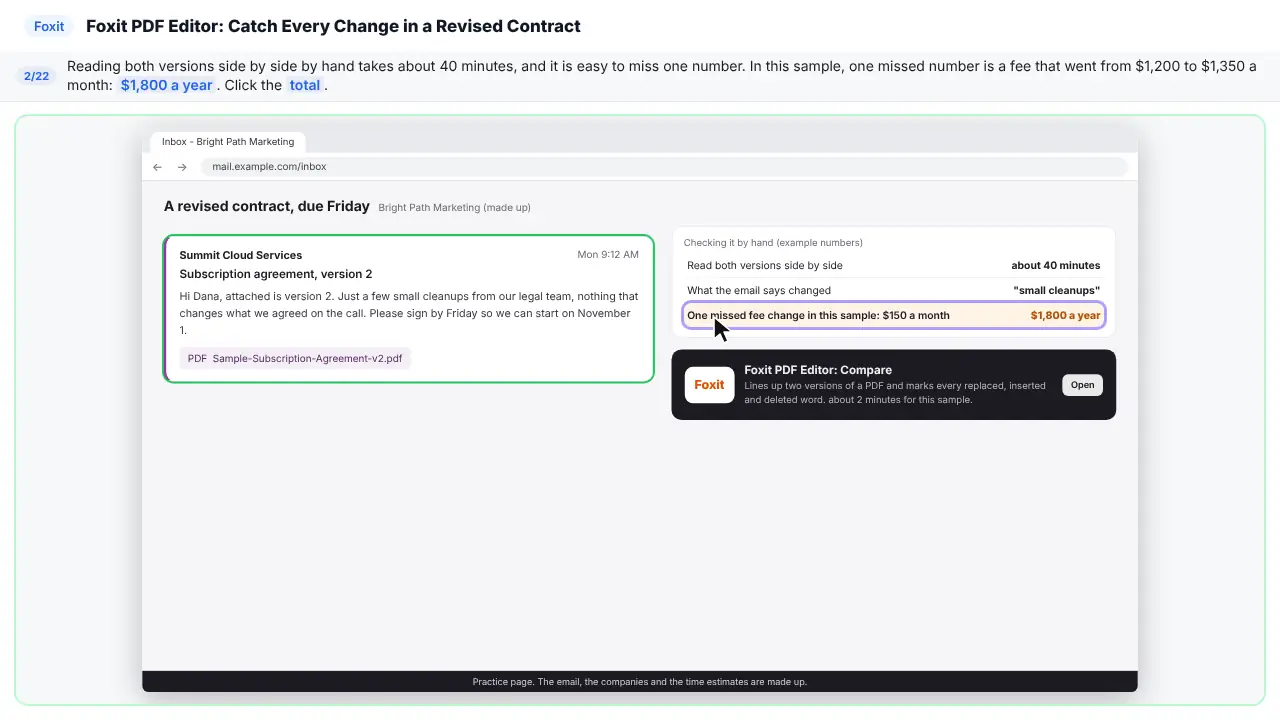
Step 2: Put a price on it
One missed number in this sample costs eighteen hundred dollars a year.
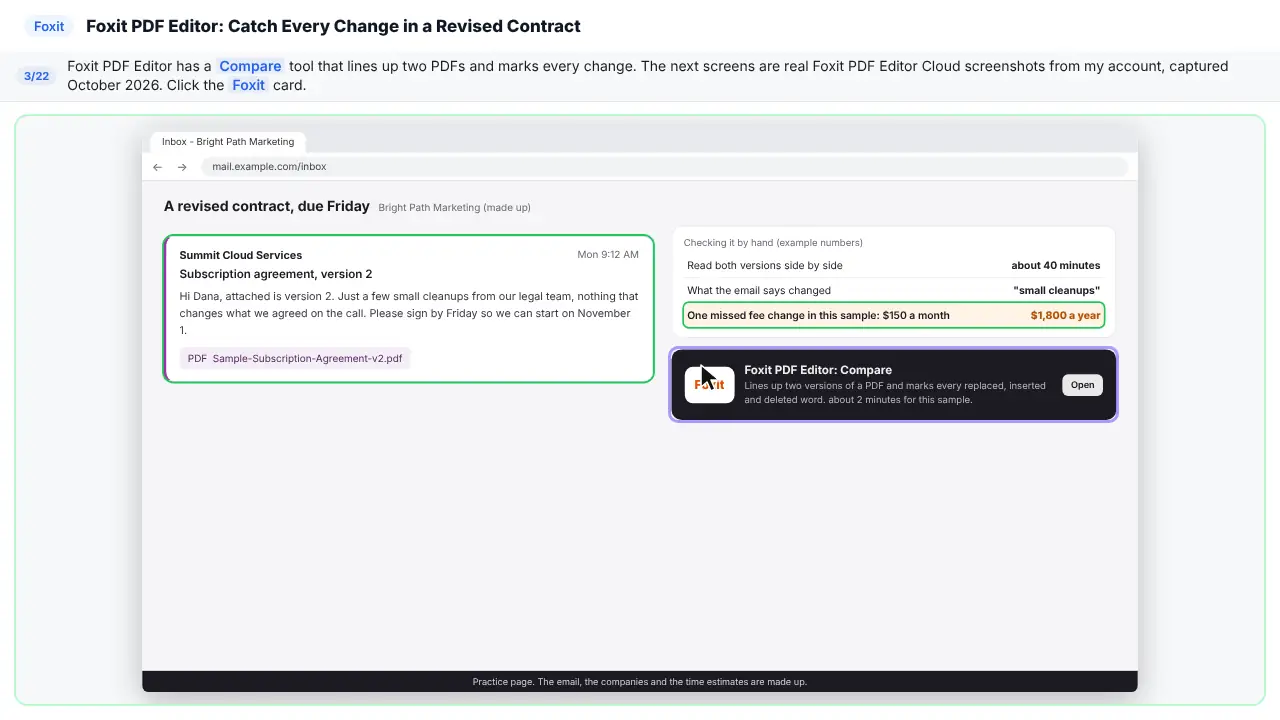
Step 3: Open Foxit PDF Editor
Foxit PDF Editor can line up both versions and mark every change for you. Let us open it.
Part 2: Open both versions
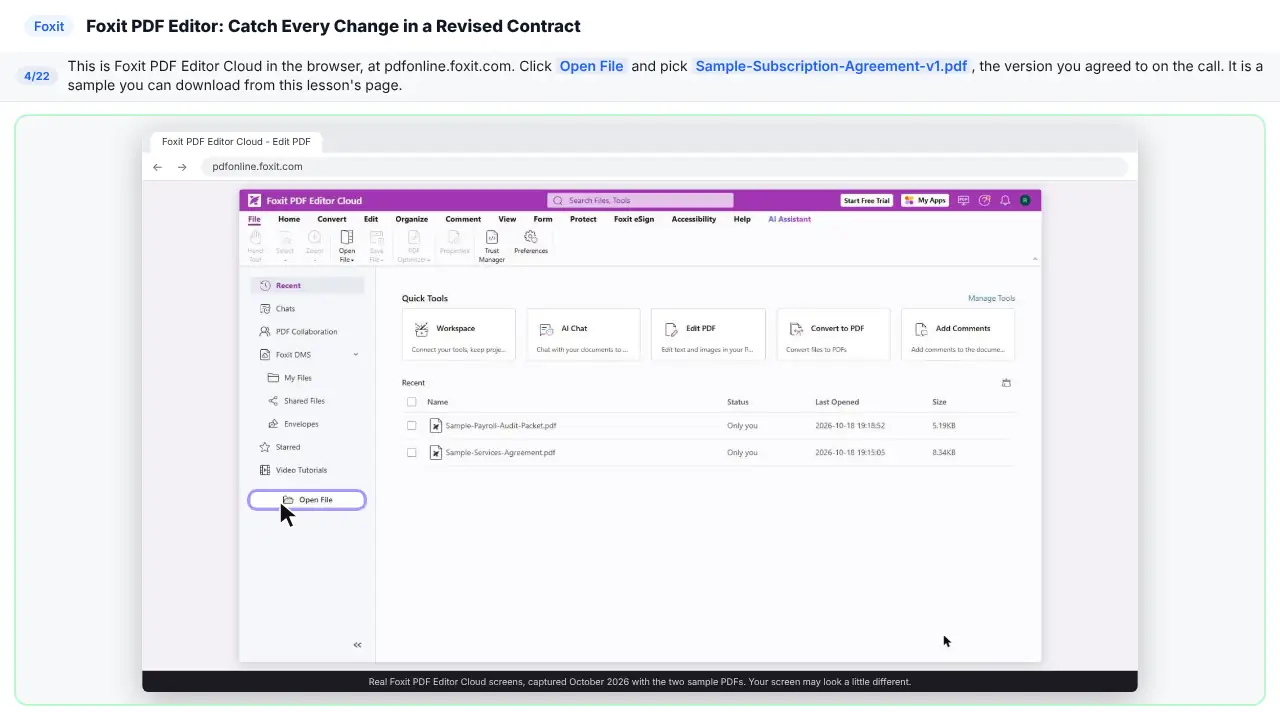
Step 4: Open the old version
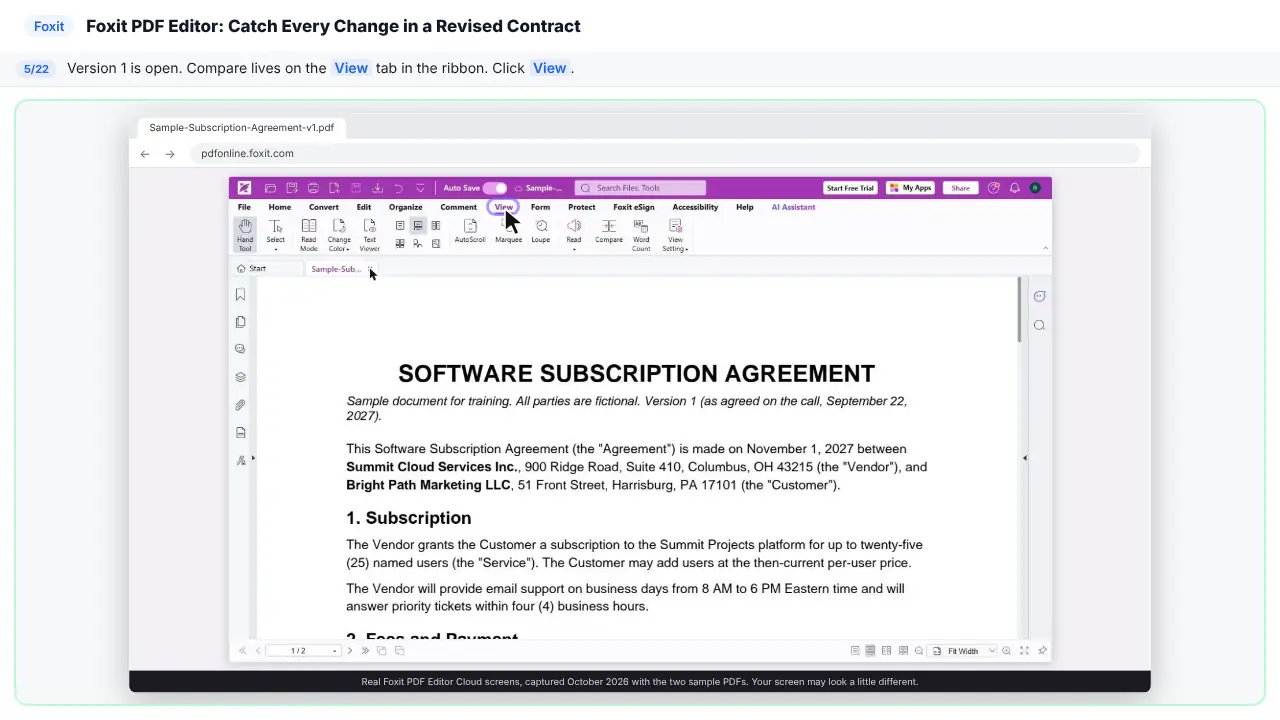
Step 5: Go to the View tab
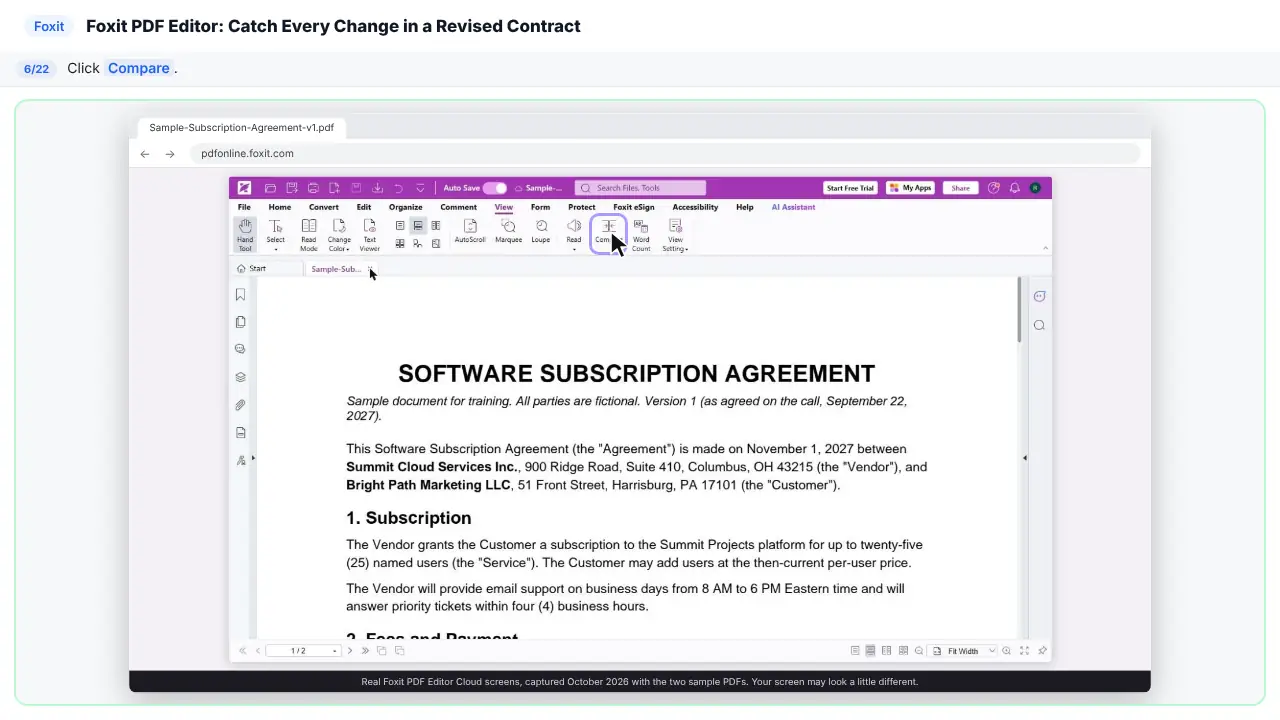
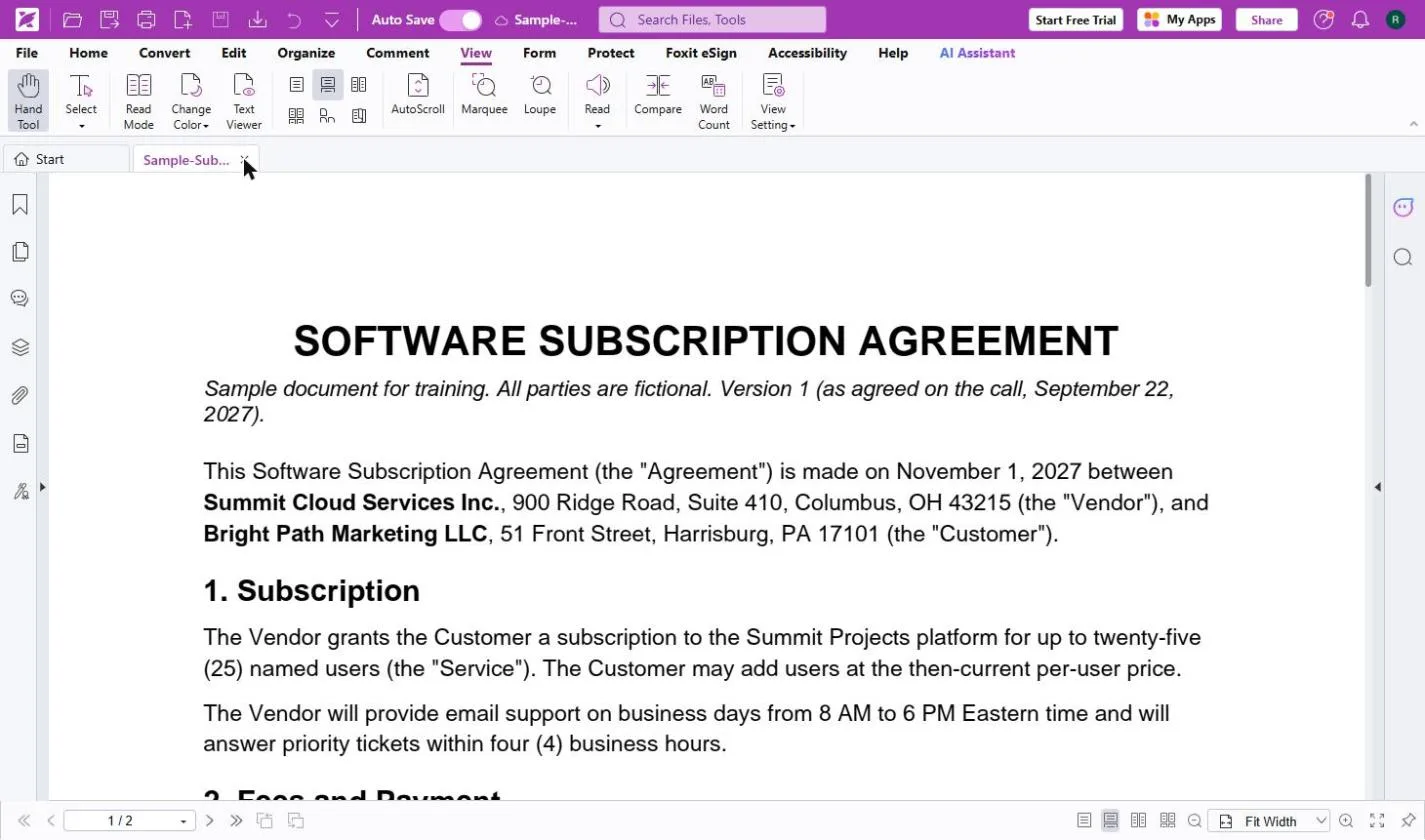
Compare lives on the View tab.
Step 6: Click Compare
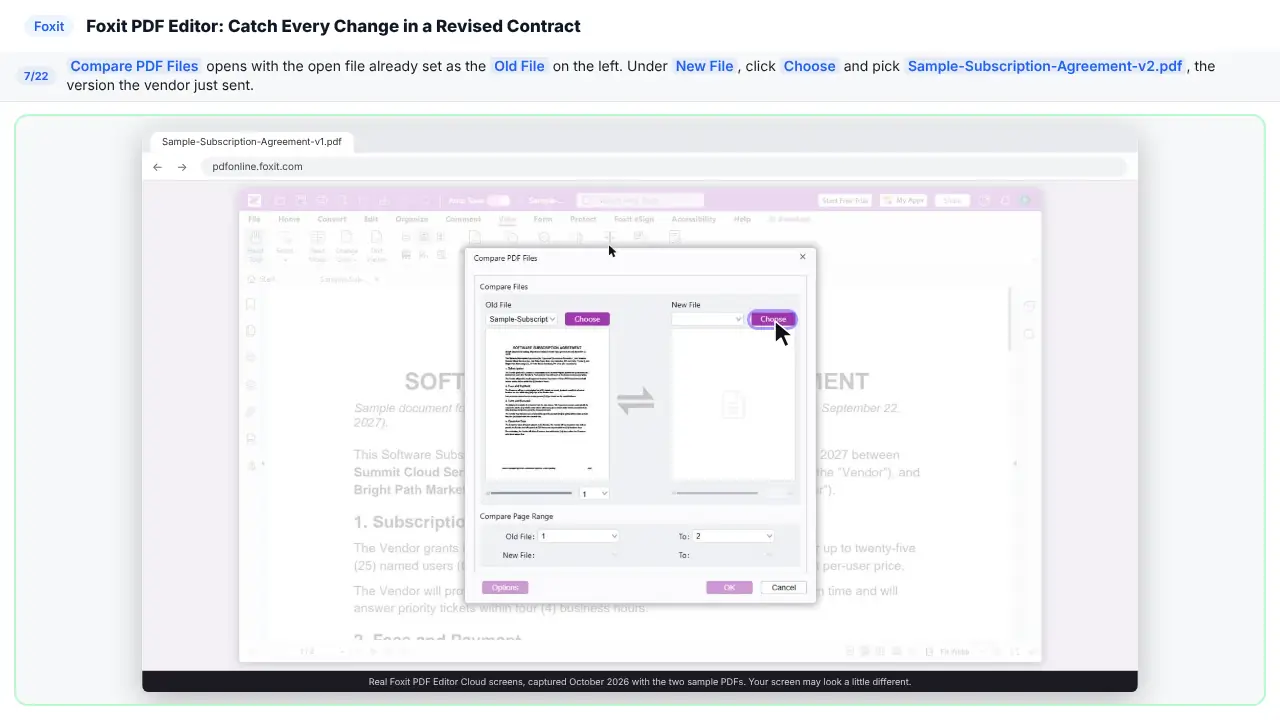
Step 7: Choose the new version
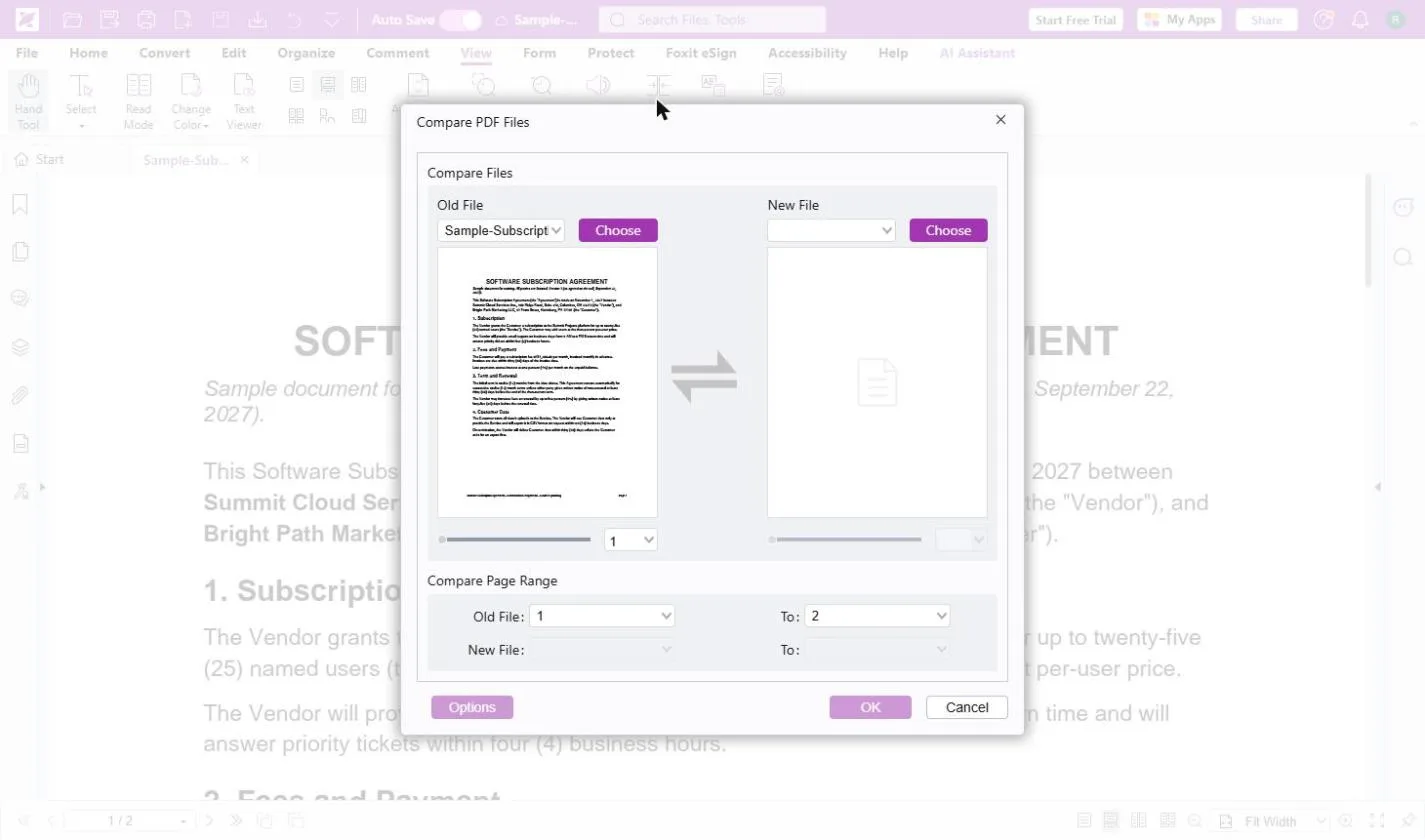
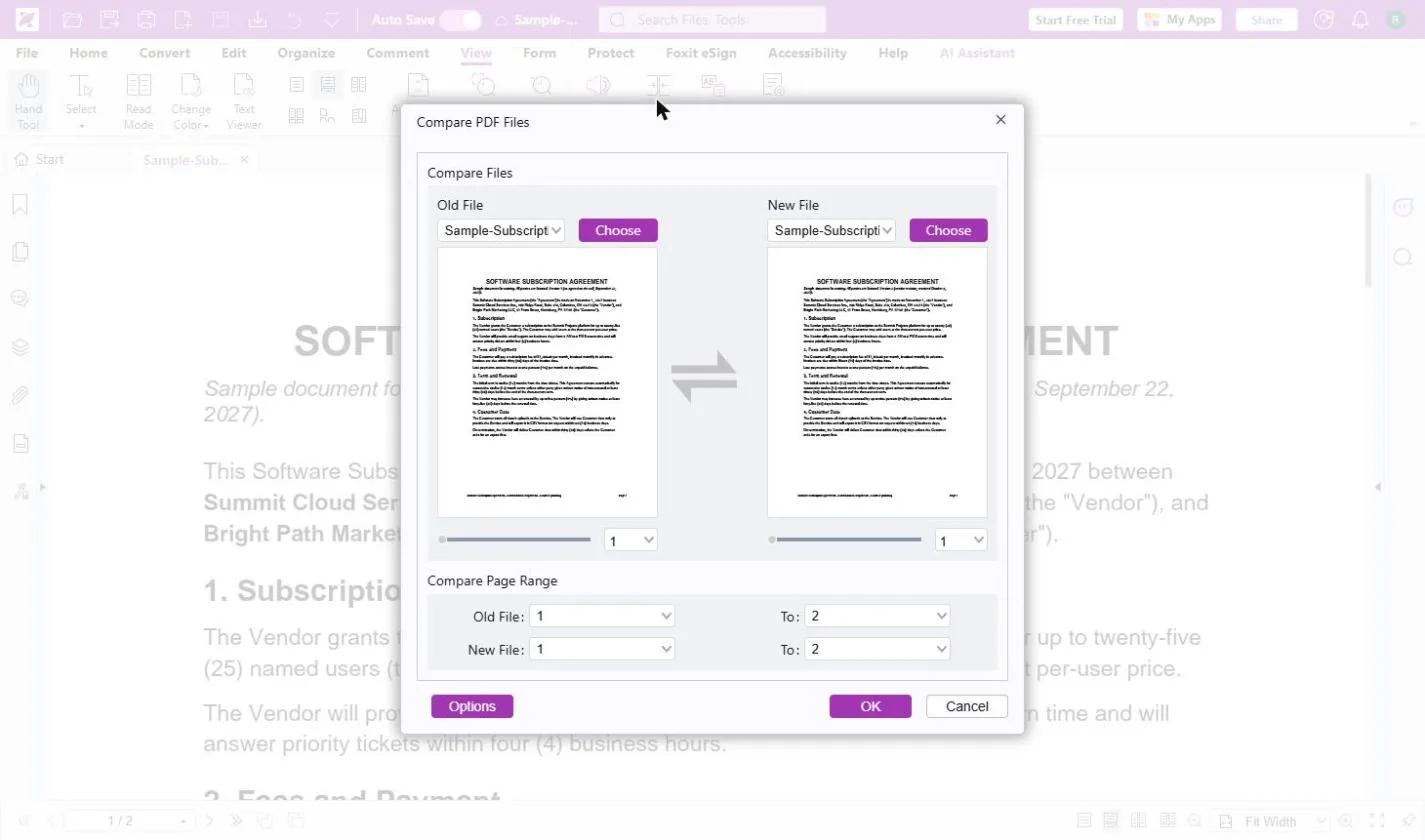
The open file is already the old file. Under New File, click Choose and pick version two.
Part 3: Read the summary
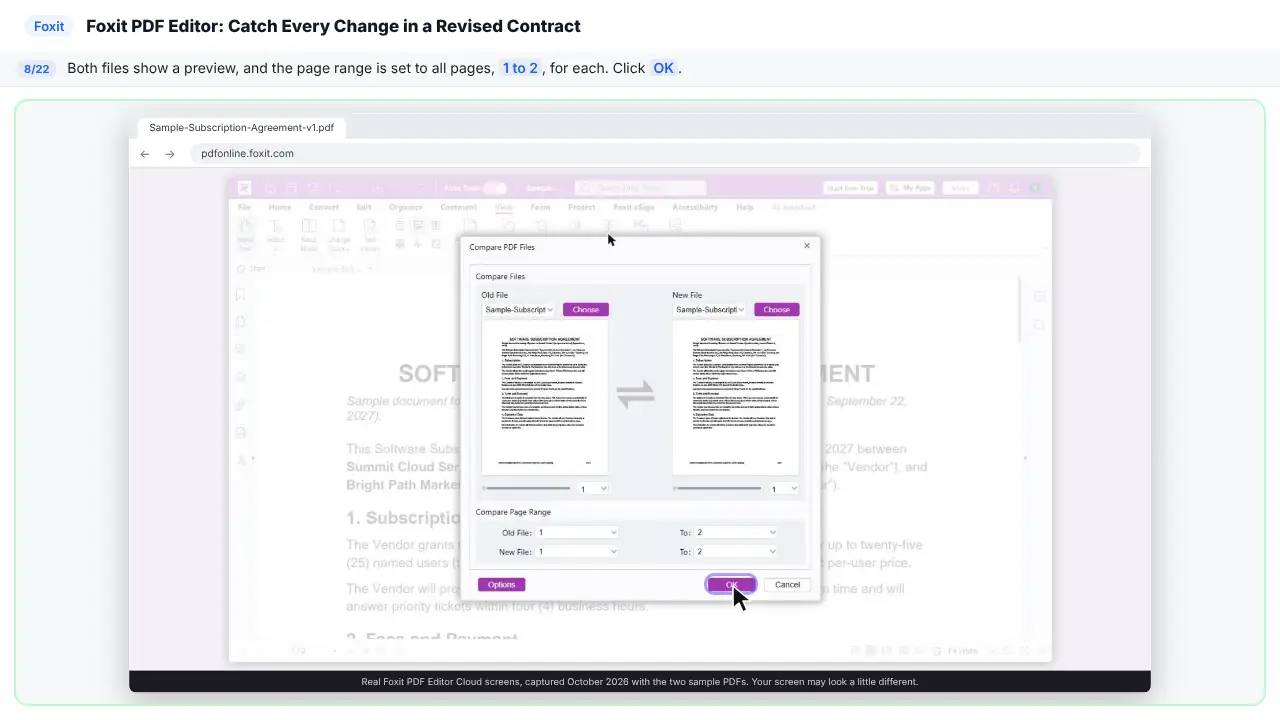
Step 8: Run the comparison
Both files are in, and all pages are set.
Step 9: Read the change count
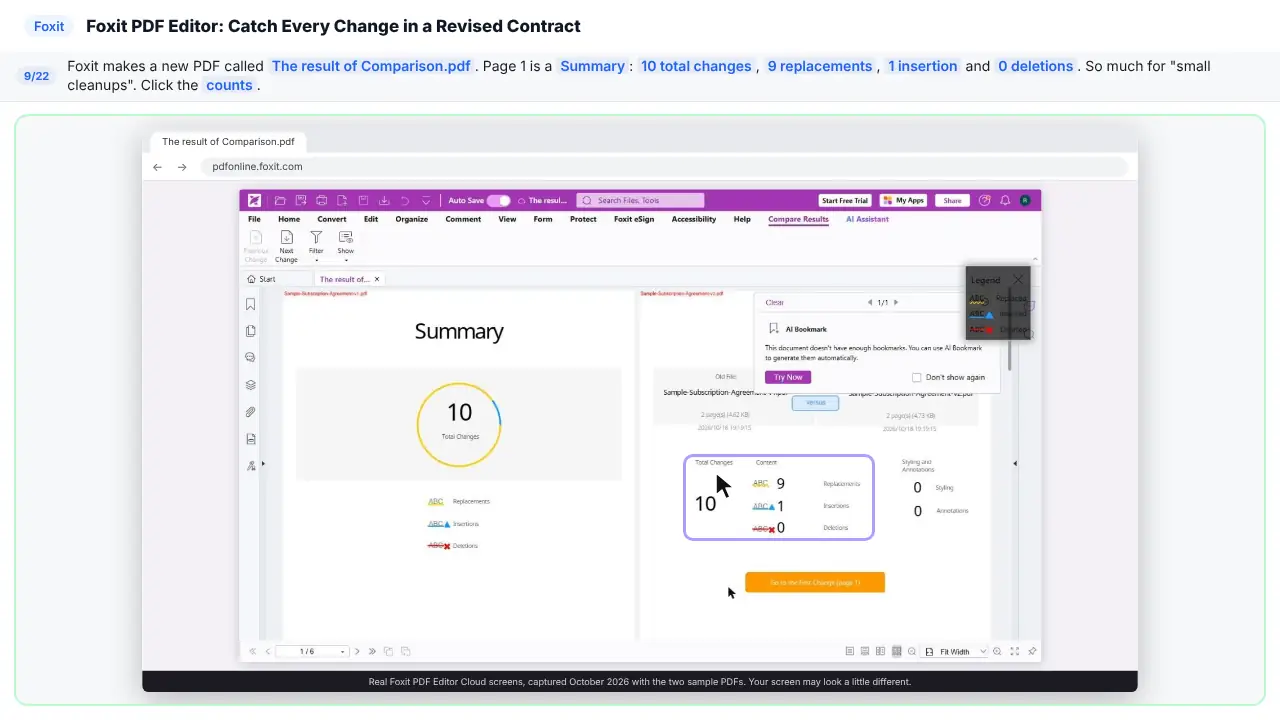
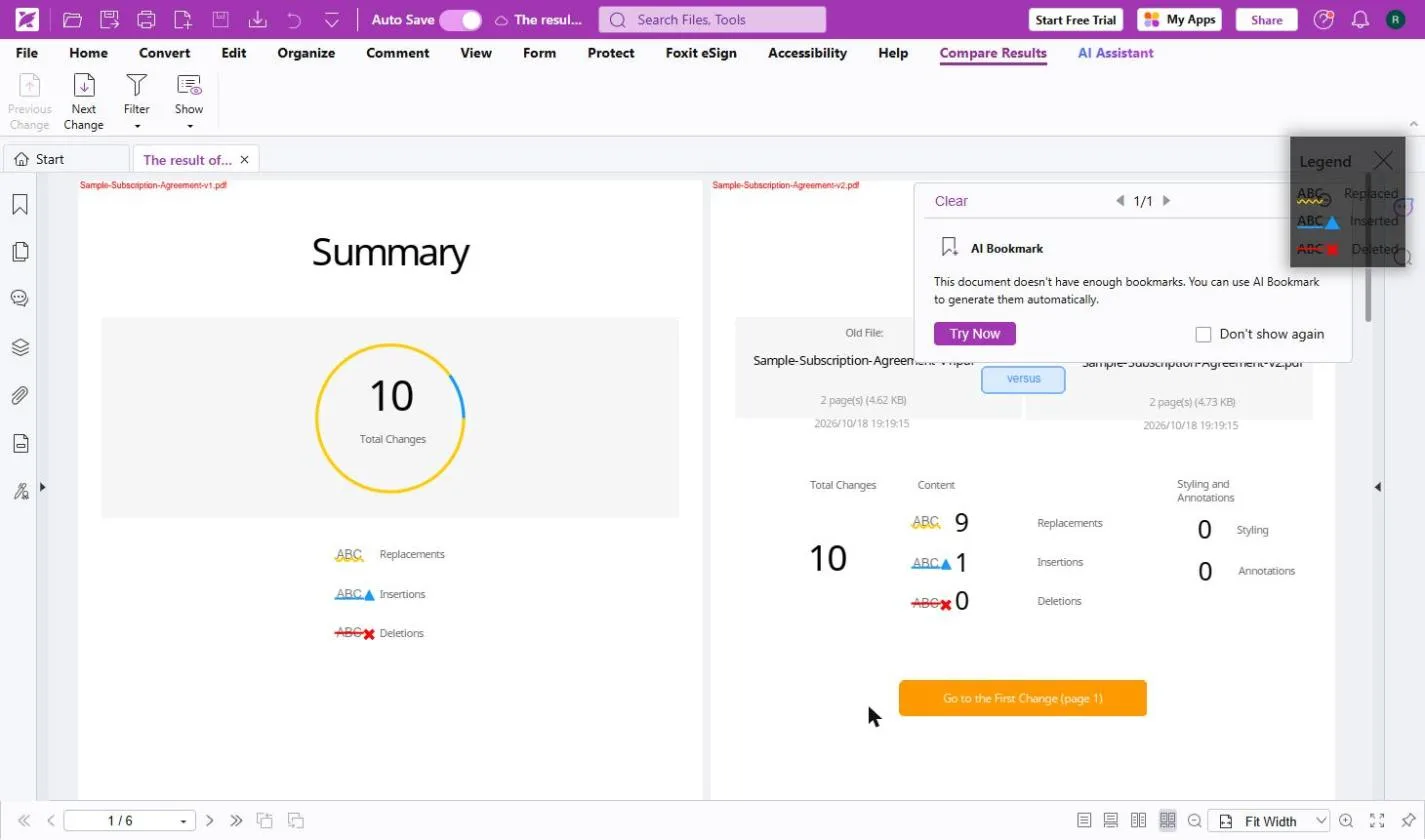
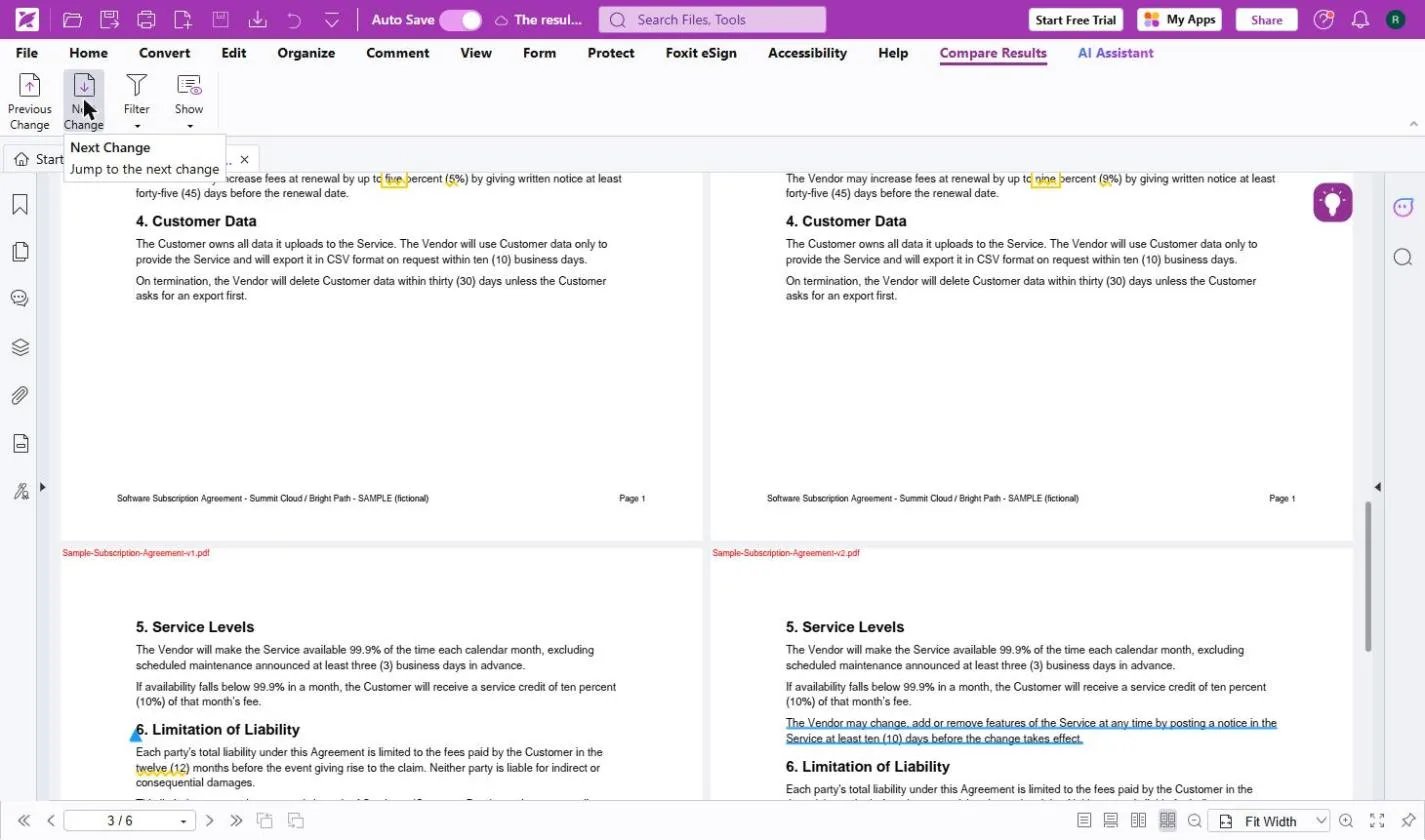
Foxit found ten changes: nine replacements and one insertion. So much for small cleanups.
Part 4: Walk through each change
Step 10: Jump to the first change
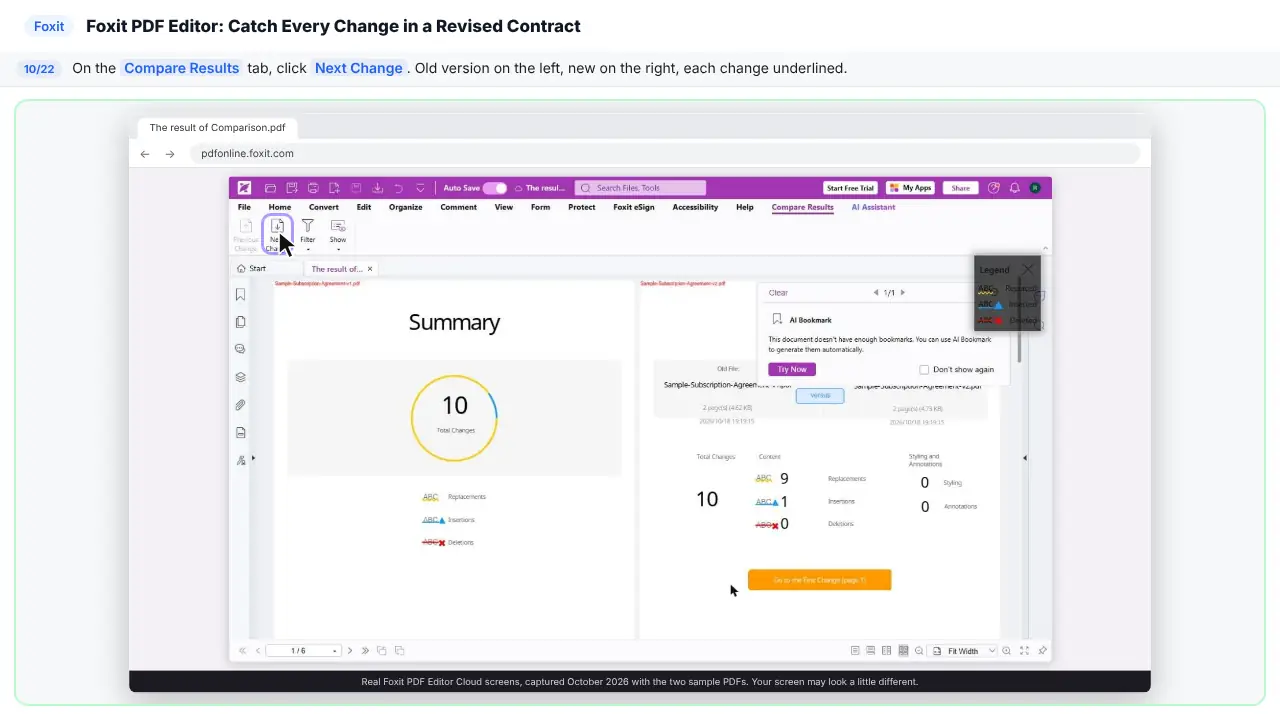
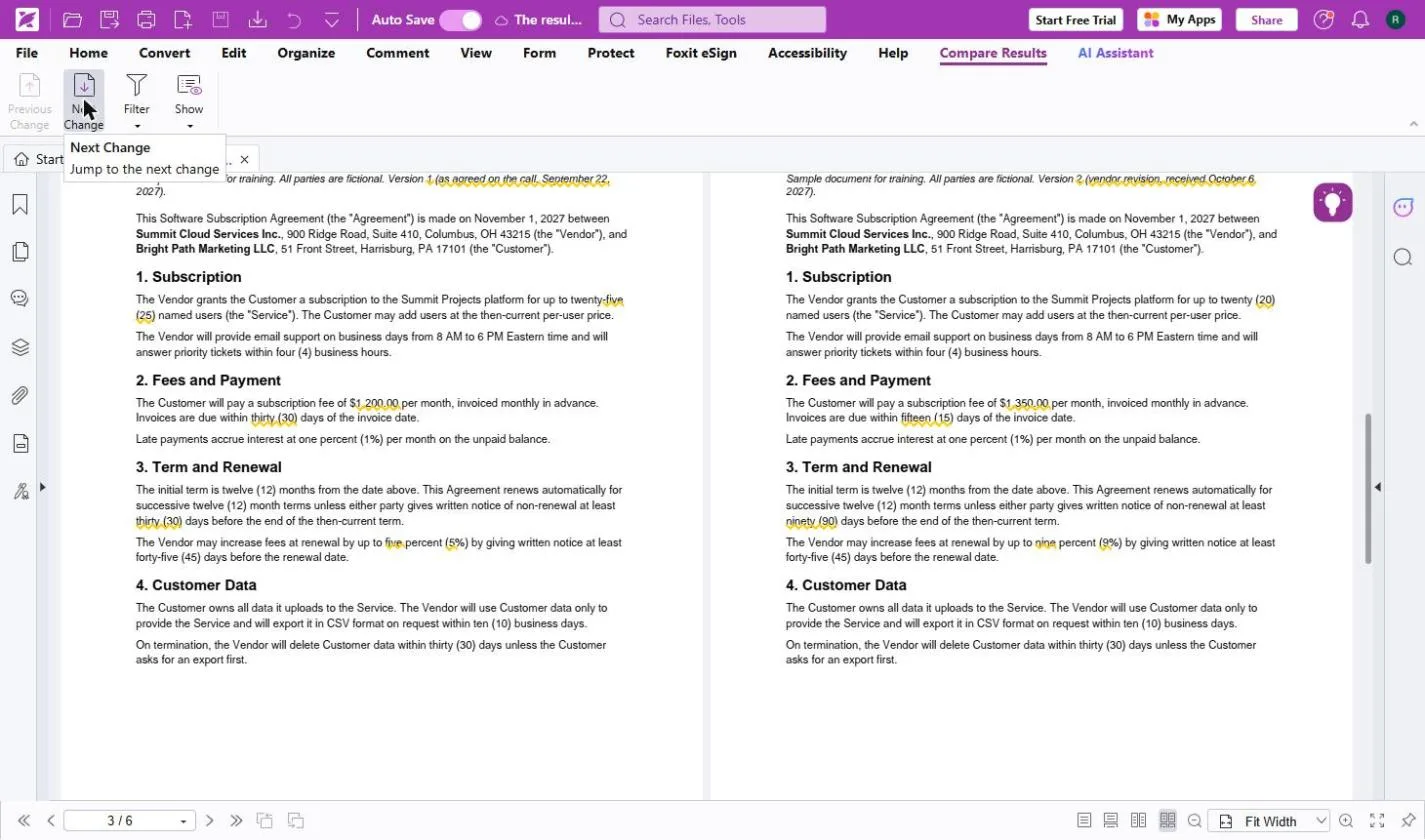
The old version is on the left and the new one is on the right.
Step 11: Check the money
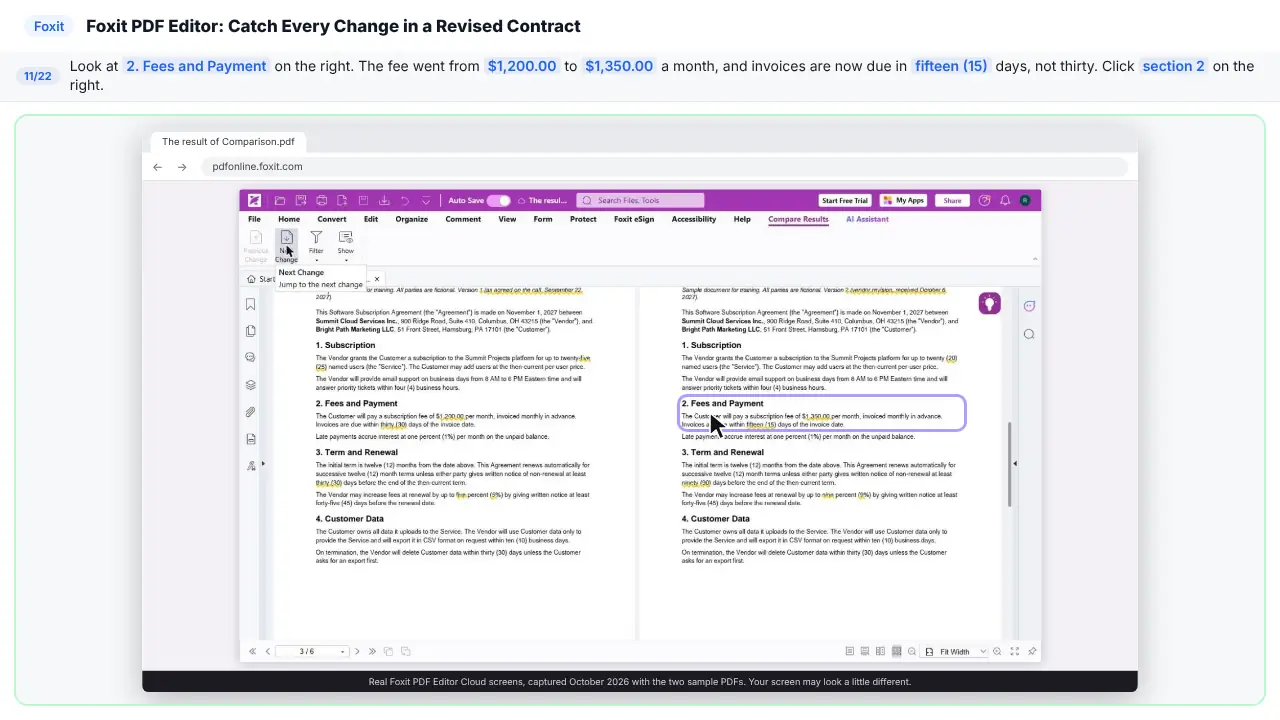
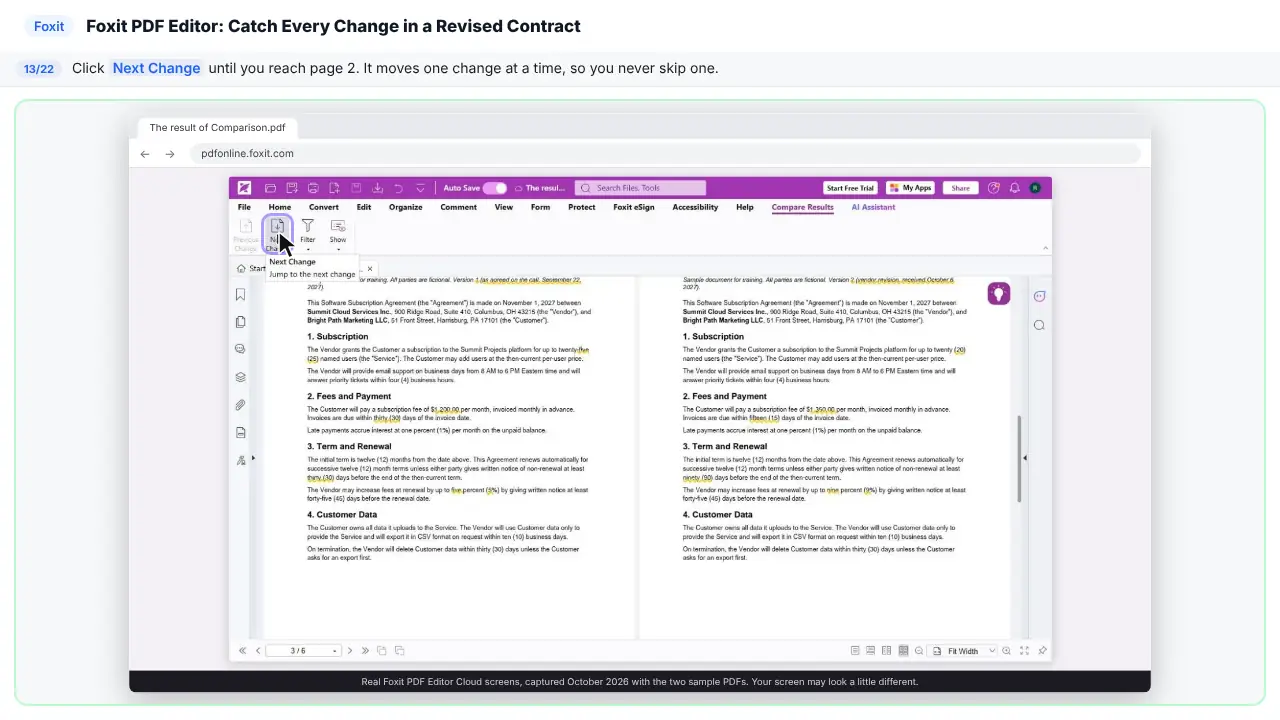
The monthly fee went up a hundred and fifty dollars, and you now have half the time to pay.
Step 12: Check the renewal terms
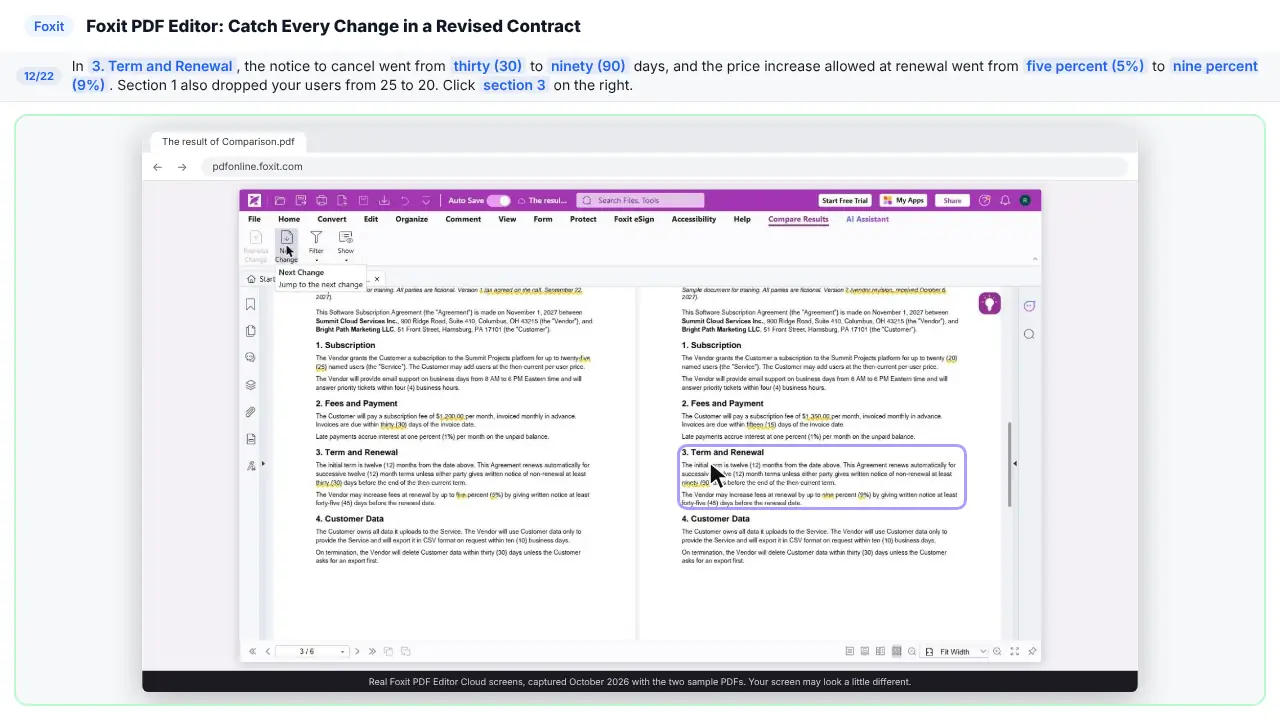
You now have to cancel ninety days ahead, and the renewal increase almost doubled.
Step 13: Keep going
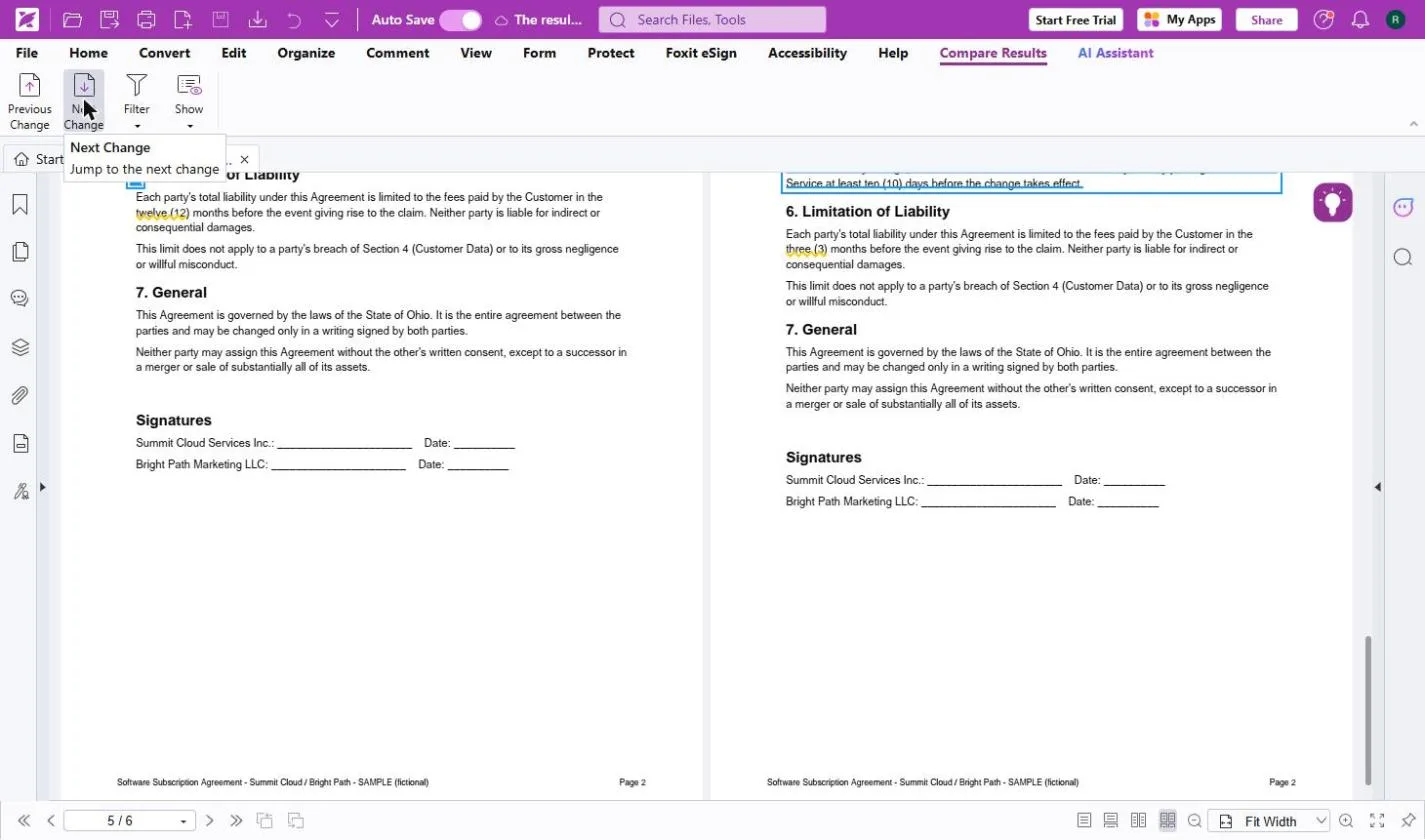
Keep clicking Next Change. It stops on every change, so nothing gets skipped.
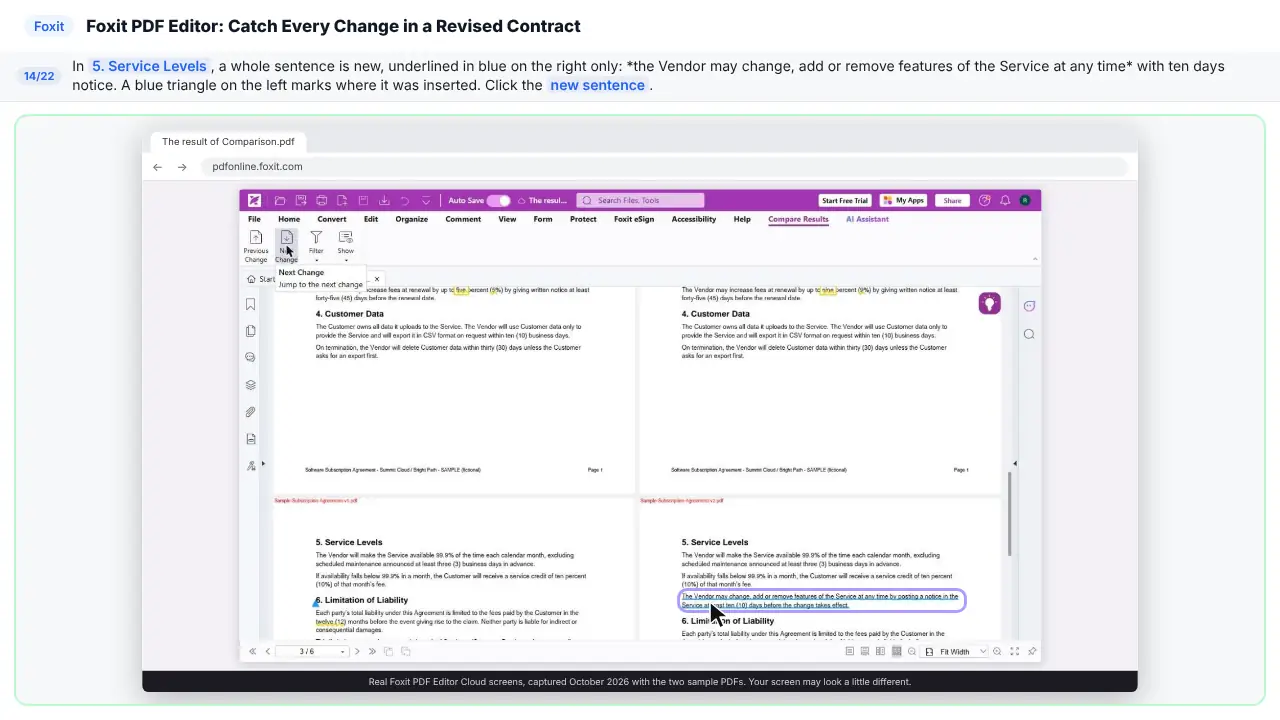
Step 14: Spot the new clause
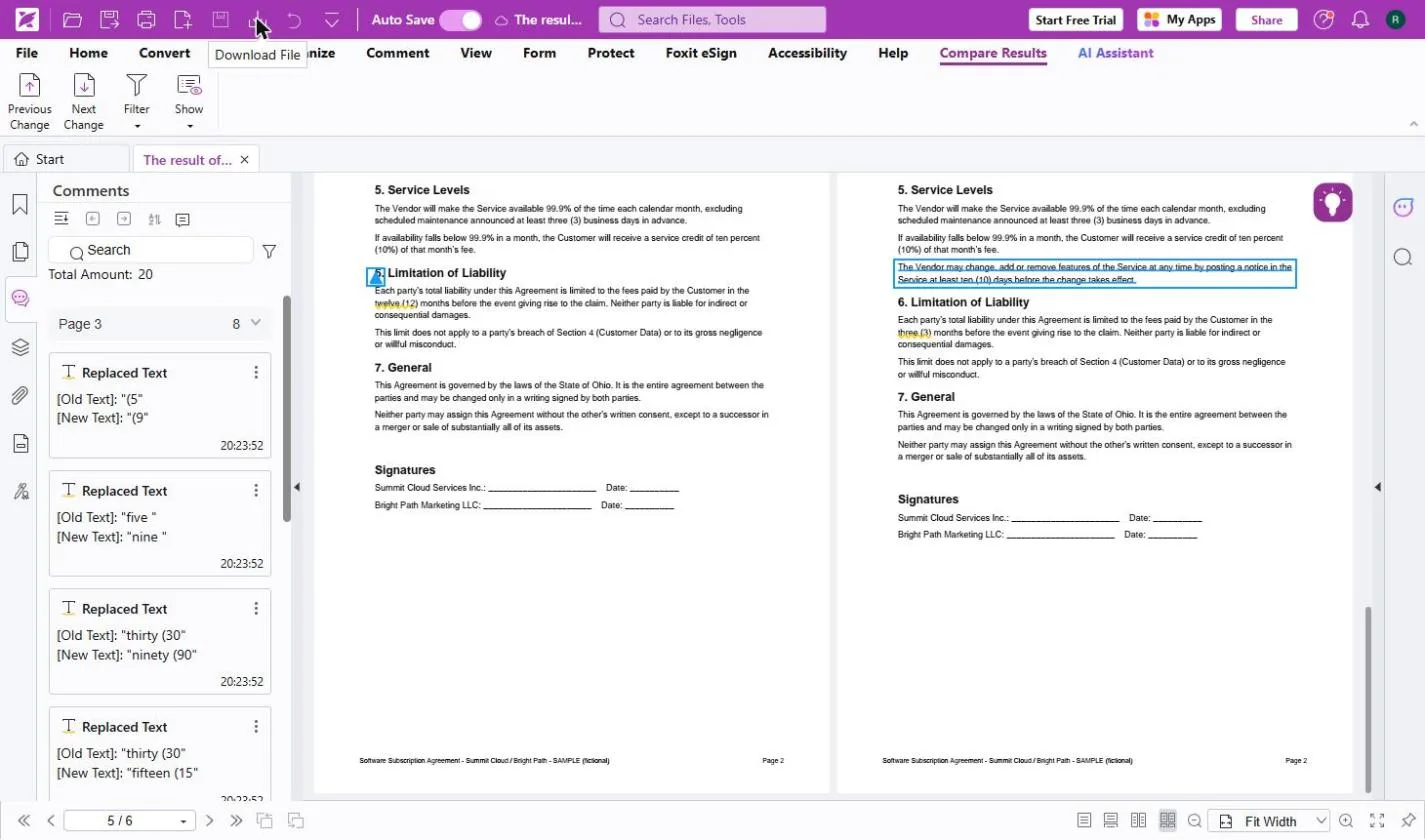
Here is a whole new sentence. The vendor can now change features with ten days notice.
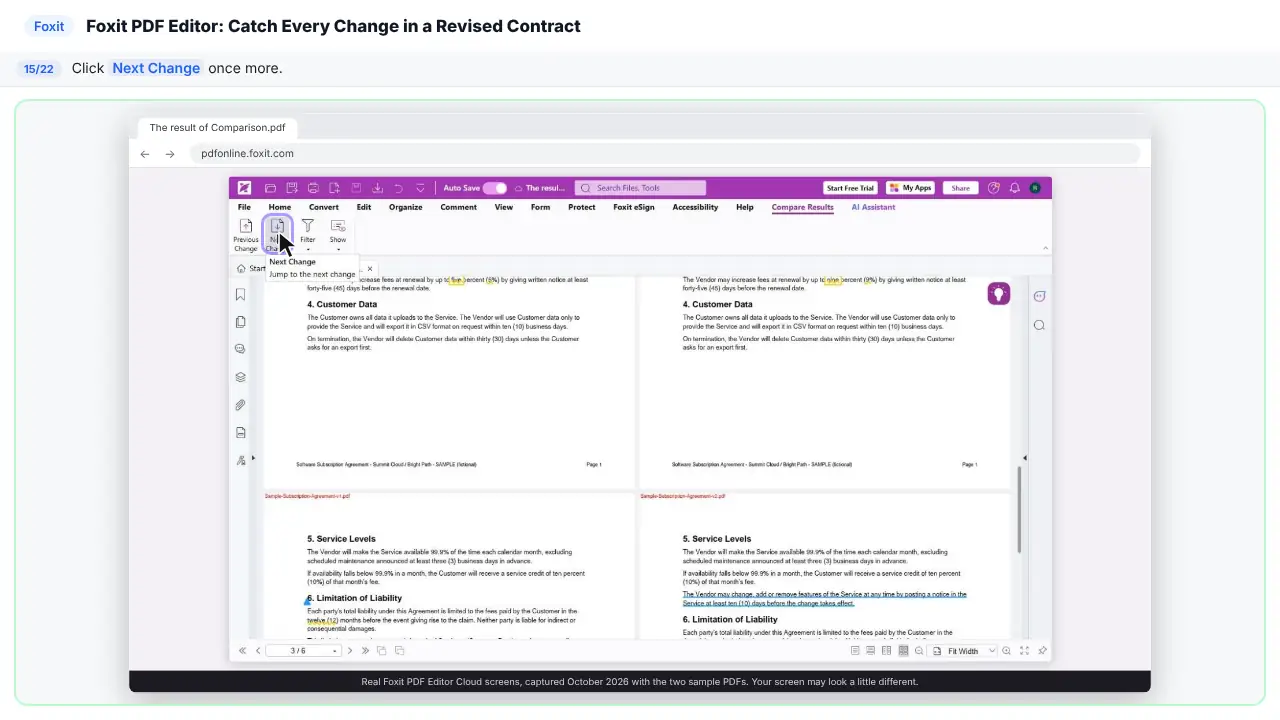
Step 15: Next change
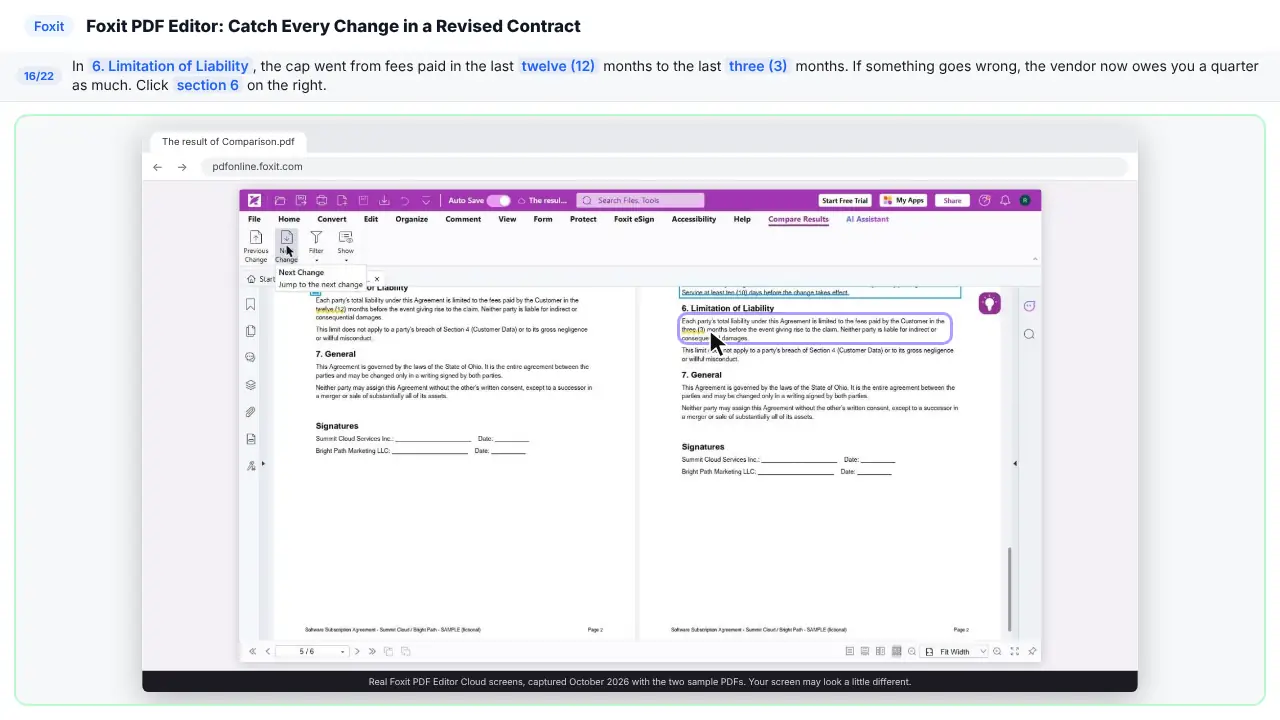
Step 16: Check the liability cap
And the liability cap dropped from twelve months of fees to three.
Part 5: Keep the list
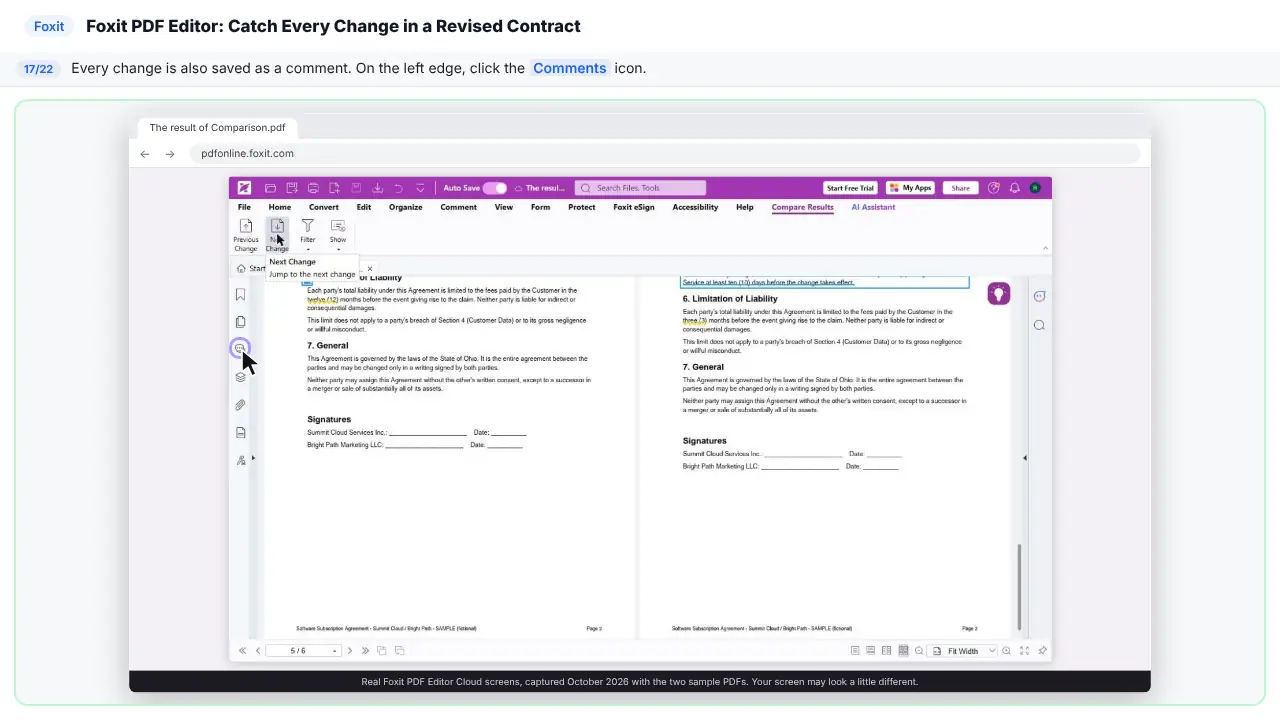
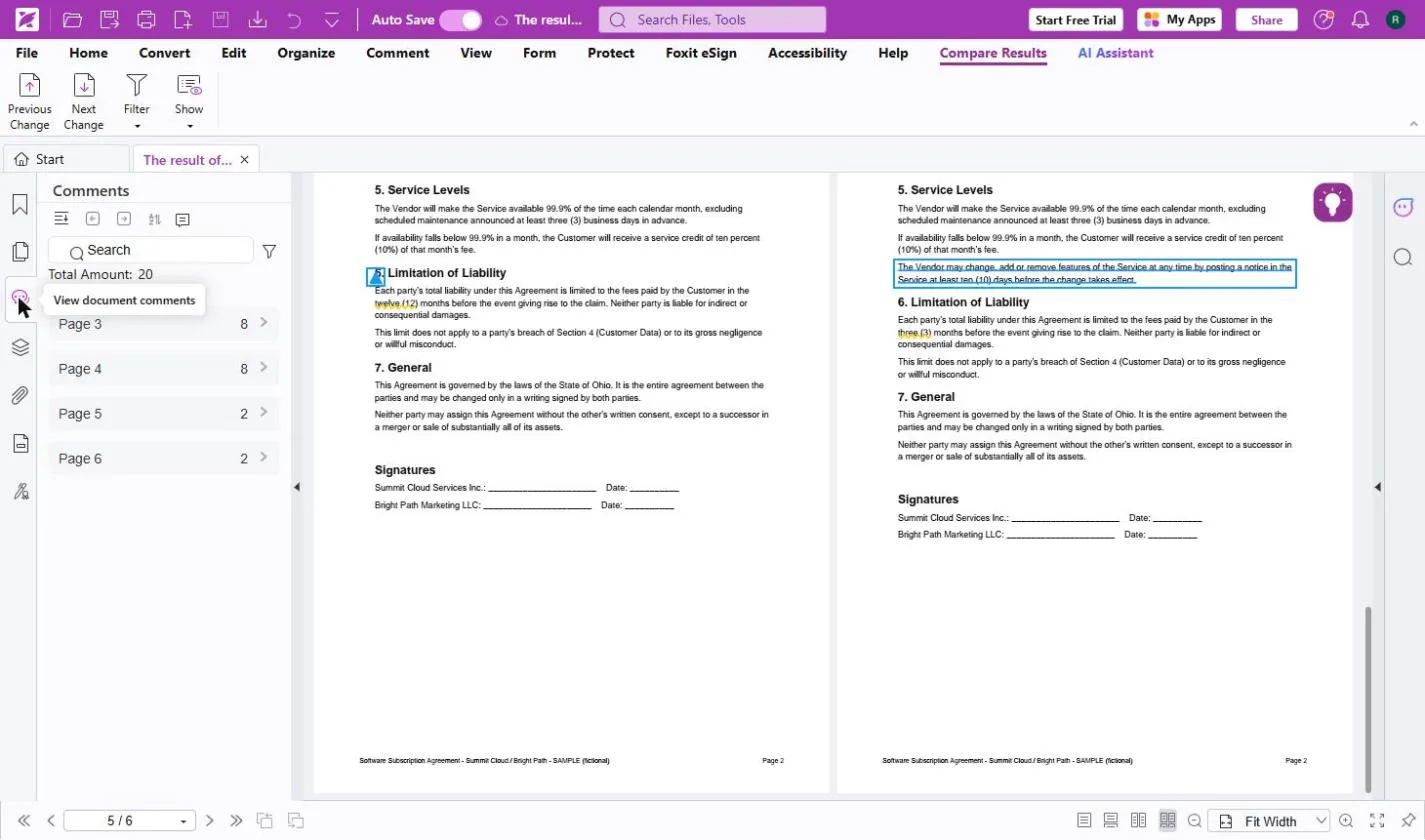
Step 17: Open the change list
Every change is also saved as a comment.
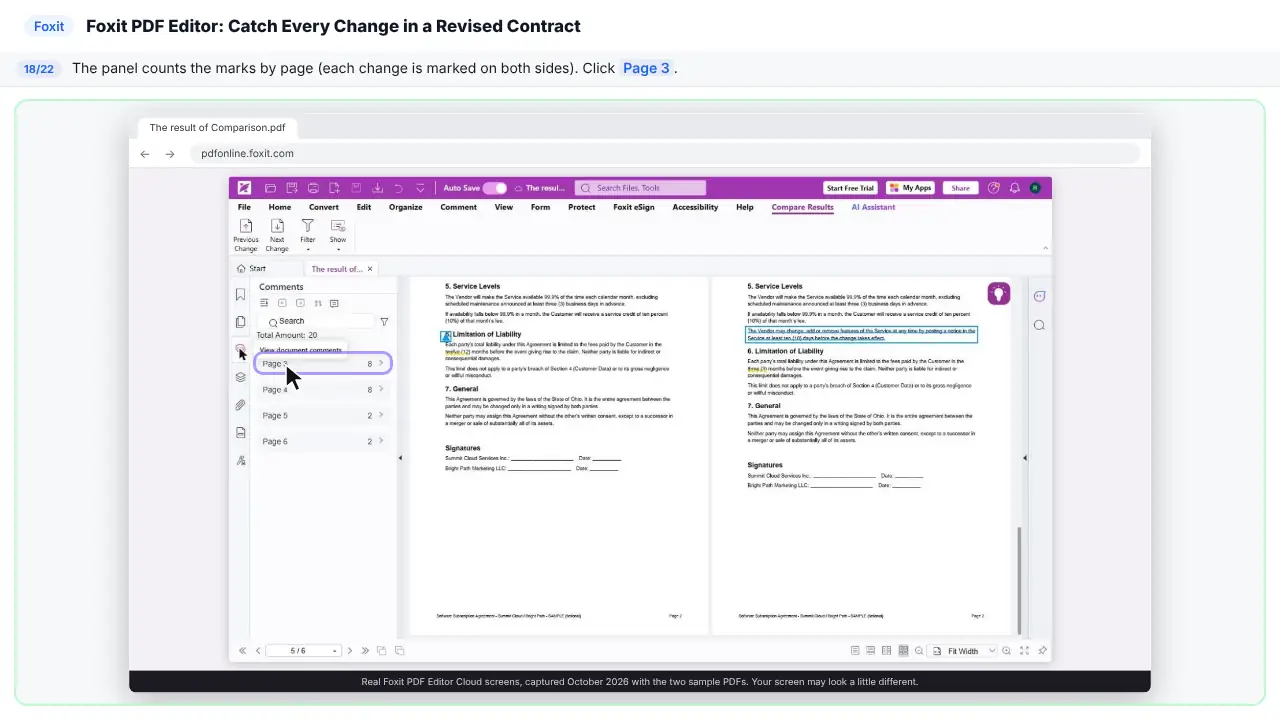
Step 18: Open a page of changes
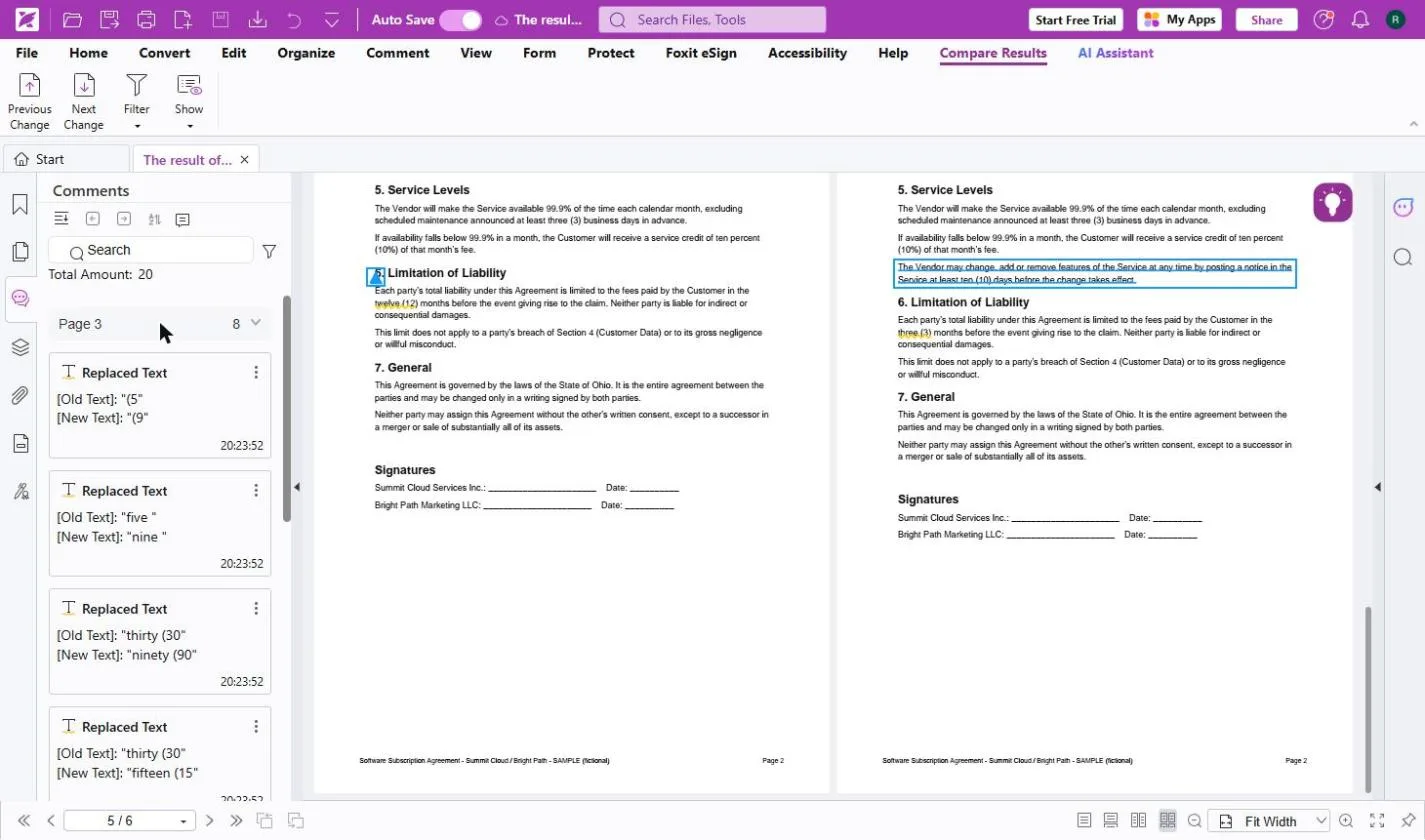
The changes are grouped by page.
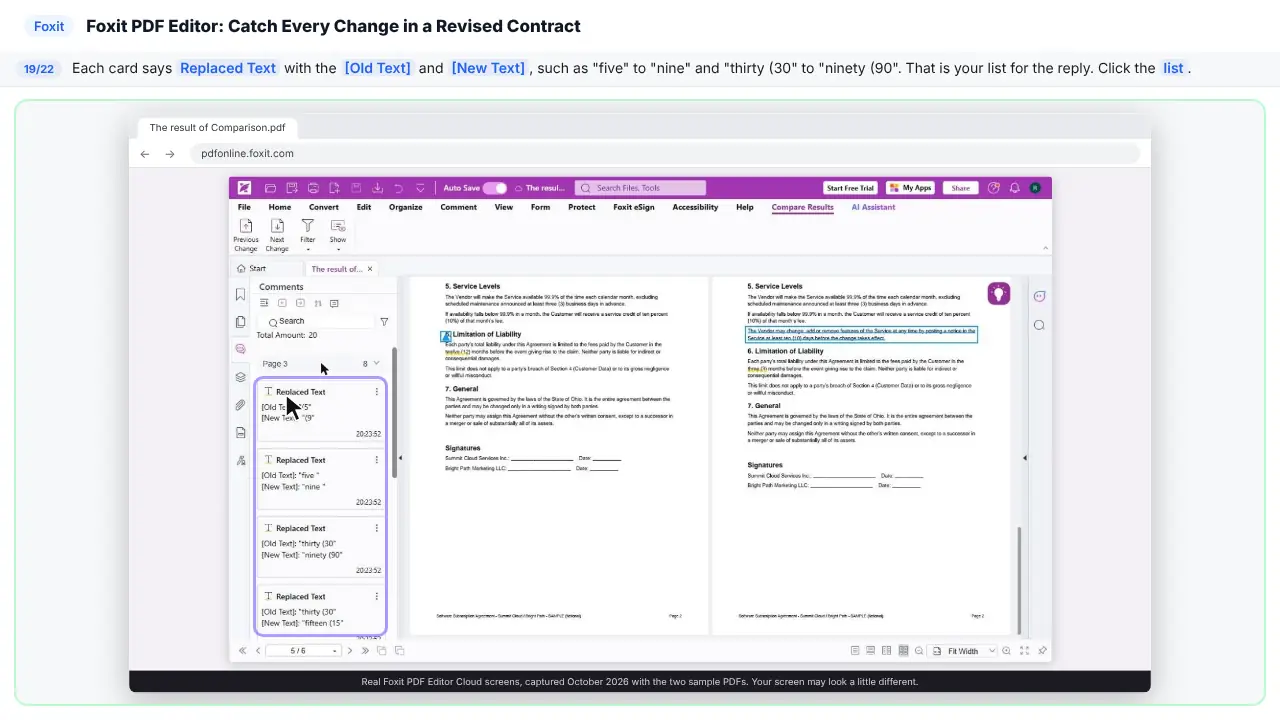
Step 19: Read old and new text
Each card shows the old text and the new text. That is your list for the reply.
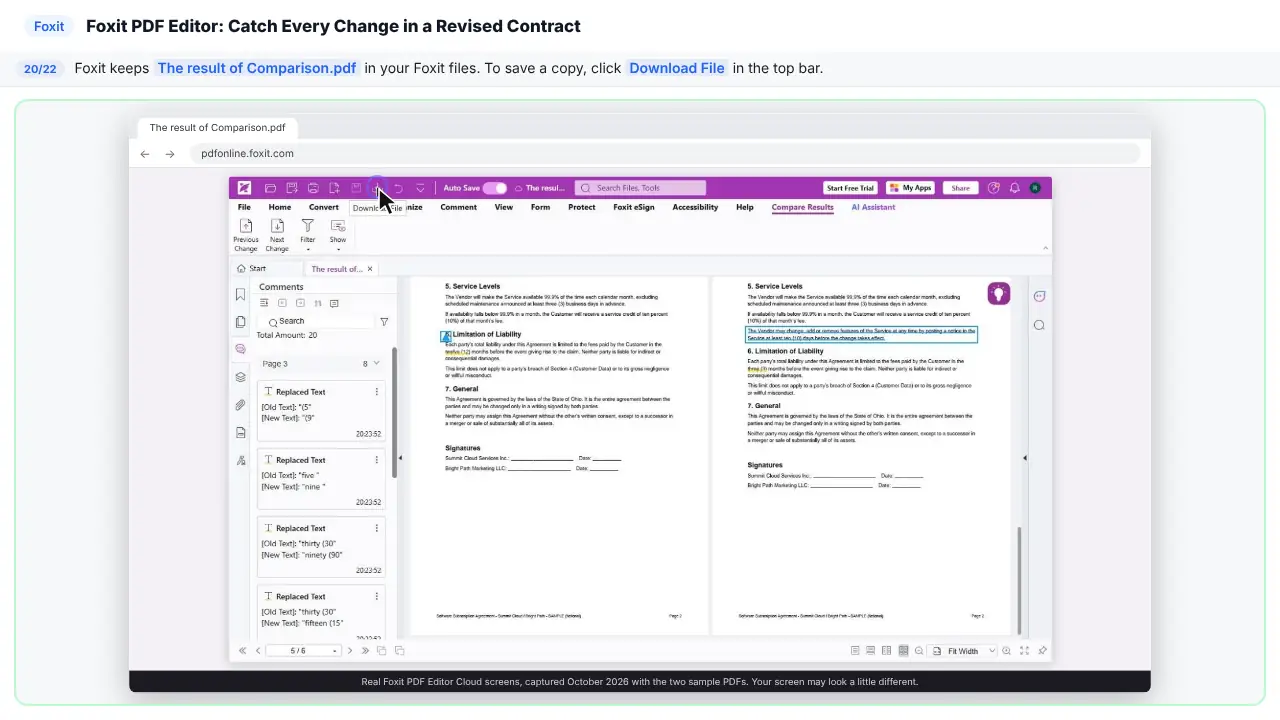
Step 20: Download the result
Part 6: Reply with confidence
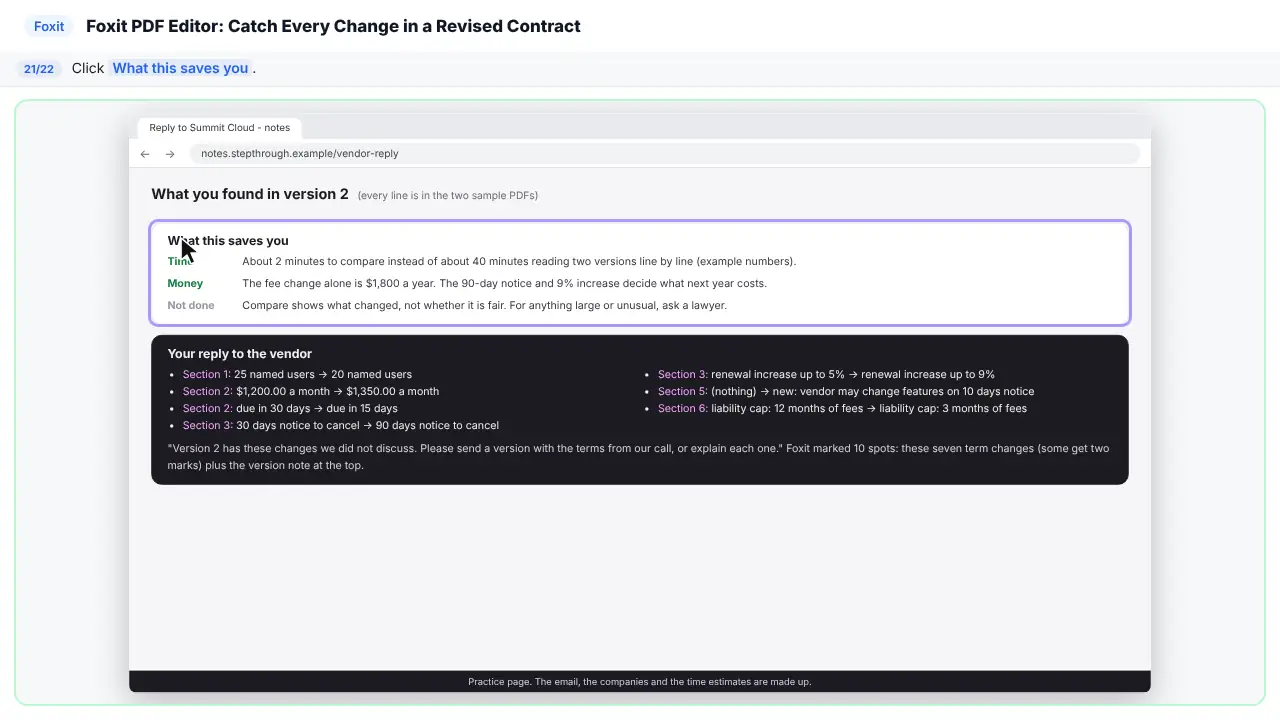
Step 21: What this saves you
Here is what you saved, and what to do next.
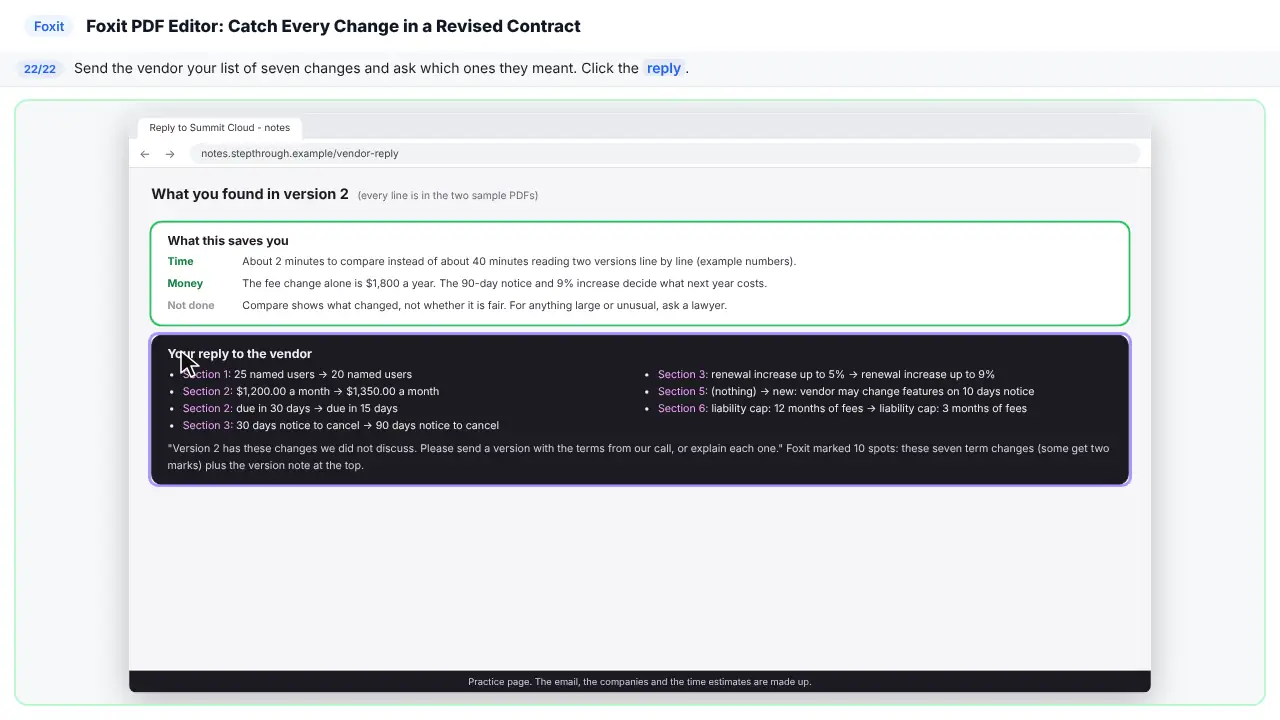
Step 22: Reply to the vendor
Reply with the list and ask the vendor to explain each change before anyone signs.
Part of these free courses: AI Apps Worth Knowing, AI for Law Firms, AI for Operations Teams, AI for Finance Teams, AI That Reads Your Documents
Now do it yourself, free
Reading the steps is a start. Doing them is how it sticks. The interactive lesson puts you in a practice copy of Foxit: you do every step yourself, it checks your work, and “Do it for me” finishes any step you get stuck on. Nothing touches your real accounts.
Practice “Foxit PDF Editor: Catch Every Change in a Revised Contract” step by step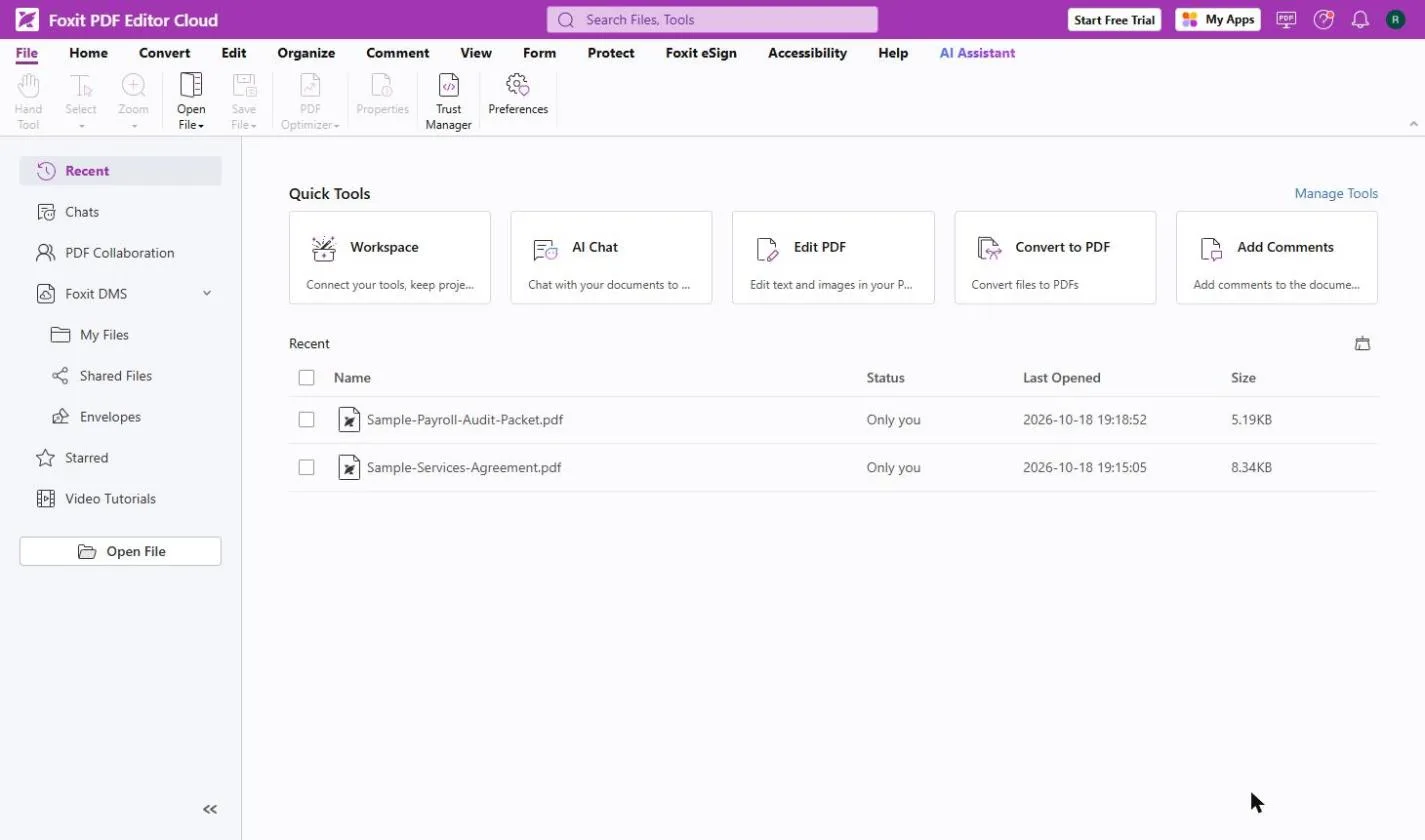
The business case: what "small cleanups" can cost
Picture the operations manager at a 20-person marketing agency. The software vendor you agreed terms with on a call sends version 2 of the subscription agreement and says the changes are just cleanups from their legal team. You have a pile of other work, so the honest answer is that most people skim it, see the same headings and sign.
In the sample for this lesson, "cleanups" means the monthly fee went from $1,200 to $1,350. That one number is $1,800 a year. The other changes decide what next year costs: you now need 90 days' notice to cancel instead of 30, and the price can go up 9% at renewal instead of 5%.
What changes with Compare: Foxit lines up both PDFs, marks every replaced, inserted and deleted word, and starts with a summary page that counts them. You stop hunting and start reading only what changed. In my run, the comparison itself took seconds and the whole review took a couple of minutes.
The example: Bright Path Marketing's software agreement
Bright Path Marketing and Summit Cloud Services are made up. Version 1 is what was agreed on the call: 25 users at $1,200 a month, invoices due in 30 days, 30 days' notice to cancel, a renewal increase of up to 5% and a liability cap of 12 months of fees. Version 2 quietly changes all of those, and adds one new sentence that lets the vendor change features on 10 days' notice.
Download both samples and follow along in your own Foxit account: Sample-Subscription-Agreement-v1.pdf and Sample-Subscription-Agreement-v2.pdf. They are plain PDFs with made-up companies, so they are safe to upload anywhere.
Who this lesson is for
Office managers, operations coordinators, account managers, bookkeepers and anyone else who gets sent a "revised" contract, policy, statement of work or price sheet and has to sign it. You do not need a legal background. New to Foxit? How to Use Foxit: Workspace, AI Assistant and PDF Editor for Beginners shows which Foxit tool fits which job. New to Foxit? How to Use Foxit: Workspace, AI Assistant and PDF Editor for Beginners shows which Foxit tool fits which job. New to Foxit? How to Use Foxit: Workspace, AI Assistant and PDF Editor for Beginners shows which Foxit tool fits which job. New to Foxit? How to Use Foxit: Workspace, AI Assistant and PDF Editor for Beginners shows which Foxit tool fits which job. The lesson is a practice copy built from real Foxit screens, so you do not need a Foxit account to practise. If you want a plain-English read of a whole contract first, start with AI contract review in 10 minutes using Foxit AI.
What Foxit found, and how we checked it
In the real run (Foxit PDF Editor Cloud, 18 October 2026) the summary showed 10 changes: 9 replacements and 1 insertion. Every one matches a planted change in the samples: the version note at the top, 25 to 20 users, $1,200.00 to $1,350.00, thirty to fifteen days to pay, thirty to ninety days' notice, five to nine percent, twelve to three months for the cap, and the inserted sentence about changing features. Some changes get two marks, for example "five" and "(5%" are marked separately.
Replaced text has a yellow wavy underline, inserted text a blue underline with a blue triangle on the old side, and deleted text a red strike, as Foxit's Legend box shows. The Comments panel lists each mark as Replaced Text with the [Old Text] and [New Text].
Why compare instead of re-reading
When you re-read a revised document, you read for what you expect: the headings look the same, the sentences sound the same, and your eye slides past "fifteen (15)" where it used to say "thirty (30)". Compare does not expect anything. It reports every difference, including the ones nobody mentioned.
It only works if you keep the right old version. Save the version you agreed to, signed or not, in the same folder as the contract. When version 2 arrives, that is the file you compare against, not the vendor's previous draft.
What this saves you
A side-by-side read of a two-page agreement takes about 40 minutes if you do it properly (an example estimate, not a measurement). Compare takes seconds, and reading only the marked changes takes a couple of minutes. More important than the time, nothing gets skipped: Next Change stops on every mark, in order.
Next business case: once the terms are settled, read the whole contract for auto-renewals and late fees with Foxit AI, and when a client sends you a form to sign, fill and sign it in Foxit without printing.
Gotchas worth knowing
- Compare shows what changed, not whether the change is fair. For anything large, long or unusual, ask a lawyer, and use the change list to ask better questions.
- Text-based PDFs compare cleanly. A scanned PDF is a picture of text, so compare results can be poor; ask the sender for the original file.
- Formatting changes can add noise. Foxit's summary counts styling and annotation changes separately from content, so check the Content column first.
- On my account, which shows a Start Free Trial button, Compare worked. Combine Files and marking redactions asked for the PDF Editor+ trial instead. What your account can do depends on your plan.
- Foxit keeps The result of Comparison.pdf in your Foxit files. Only upload contracts your company allows you to put in a cloud tool.
What you need
- Foxit PDF Editor. Foxit's pricing page lists Compare in both PDF Editor ($129.99 per user per year) and PDF Editor+ ($159.99 per user per year), on Windows, macOS and the web, and every plan starts with a 14-day free trial with no credit card (foxit.com, October 2026).
- Both versions as PDFs: the one you agreed to and the new one. The two samples on this page work.
- A lawyer for anything large or unusual.
Links
- Foxit PDF Editor (affiliate link): the PDF editor this lesson uses. Every plan starts with a 14-day free trial with no credit card.
Disclosure: links marked "affiliate link" are partner links. If you sign up through one, Stepthrough may earn a commission at no extra cost to you. The lesson is free either way and does not depend on it.
Try it yourself, free
Reading the steps is a start. Doing them is how it sticks. The interactive module walks you through every click in a practice copy of Foxit, checks each step, and never touches your real accounts.
Start “Foxit PDF Editor: Catch Every Change in a Revised Contract”Screenshots
Frequently asked questions
- How does the interactive lesson work?
- Each step is shown to you first on the left (Watch). Then you do it yourself in a practice copy on the right (Your turn), and every click is checked. If you get stuck, press Do it for me. It is a practice copy, so no real accounts are touched.
- Is this lesson free?
- Yes. Stepthrough is free. Foxit PDF Editor is a paid product with a 14-day free trial and no credit card needed to start, according to foxit.com.
- How do I compare two PDFs in Foxit PDF Editor?
- Open the older version, go to the View tab and click Compare. The open file is set as the Old File. Under New File, click Choose, pick the newer version and click OK. Foxit makes a result PDF that starts with a summary of the changes, then shows both versions side by side with each change marked.
- What do the colors mean in Foxit's comparison?
- In the run for this lesson, replaced text had a yellow wavy underline, inserted text a blue underline, and deleted text is shown with a red strike, as Foxit's Legend box explains.
- Can I get a list of every change?
- Yes. Open the Comments panel on the comparison result. Each change is a comment card with the old and new text, grouped by page, which you can copy into your reply.
More in AI Automation for Operations
A five-minute map of Foxit before you use it: Foxit Workspace, the PDF AI Assistant and PDF Editor, which one fits a contract review, a revised contract, a flat form or…
Free · Live ~5 min Beginner
 Foxit PDF Editor: Mark Up a Contract Before You Sign It for Operations
A new vendor agreement hides an 8% yearly increase and a 60-day auto-renewal. Highlight the clauses in Foxit PDF Editor, comment with what to ask for, and hand the…
Free · Live ~7 min Beginner
All 39 modules in AI Automation for Operations
From the blog
 AI Contract Review FAQ: Red Flags, Quotes and Versions
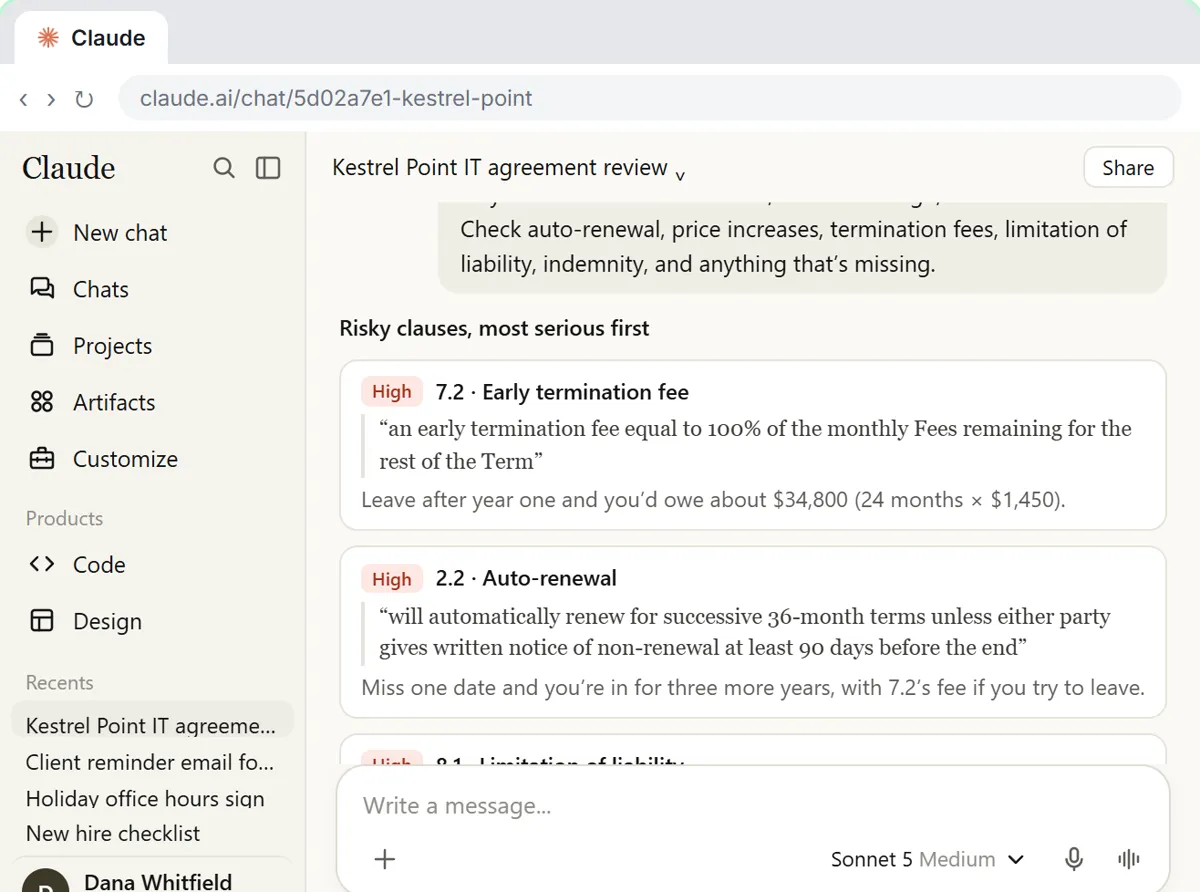
How to get a first read of a contract from Claude, check every quoted clause, compare two versions in Foxit and reuse your review. Not legal advice.
Oct 20, 2026 4 min read
Terms in this lesson
Plain-English definitions, each with an example from a free lesson.