Updated . Built against the tool’s current screens and checked step by step. How we check this lesson
A small clinic hiring a front desk coordinator can get 60 applicants and no time to phone-screen them. Kira-AI is an AI interviewer: you paste the job, it writes a short voice interview, each applicant takes it from a personal link, and you get a scorecard with the audio and transcript. In this free lesson on real Kira-AI screens, the practice manager of a made-up physio clinic pastes her job post, tells Kira-AI what to ask, checks the must-haves and questions, publishes an invite-only vacancy, invites applicants and reads the scorecard before deciding who to call. 14 steps, about eight minutes, no account needed to practice.
At a glance
| Question | Answer |
|---|---|
| What you build | Sixty applicants and no time for phone screens? In the real Kira-AI, turn a physio clinic's job post into a 6-minute AI voice interview, invite applicants by email, and read a scorecard you can check against their own answers before you decide. |
| Tools | Kira-AI |
| Time | About 8 minutes, 14 steps in 3 parts |
| Level | Beginner, no coding needed |
| Cost | Free |
| Ways to learn it | Practice it step by step |
The 3 parts, in short
- Create the vacancy: Paste the job, Tell Kira-AI what to ask, Pick AI scoring.
- Check the interview: Check what candidates see, Check the must-haves, Read the questions, See the scorecard you will get, and 1 more step.
- Invite and review: Open the vacancy, Add your applicants, Send the interview link, Track who has started, and 2 more steps.
Start here first: Strawberry: Check Minimum-Wage Rules Every Monday and Approve Every Change (module 1 of AI Automation for Recruiting & HR)
Part of: AI for Recruiting & HR (step 5 of 29). Next up: Keep Top Candidates Warm with Honest Status Replies using ChatGPT
Part of: AI Apps Worth Knowing (step 183 of 186). Next up: Home Assistant: Turn the Office Lights Off at Closing Time and Get a Notification
The business case: first-round interviews without 20 hours of phone screens
Picture Dana, practice manager at Riverside Physio, a made-up clinic with four therapists. Her front desk coordinator gave notice, the job post drew 60 applicants, and a 20-minute phone screen each would be 20 hours, while she is also covering the desk. Most of those calls start with phone tag.
With Kira-AI she pastes the job post, adds a note on what she really wants to hear (an upset patient with a late therapist, a same-day cancellation, Saturday mornings), and gets a short interview with must-haves and scored questions. Applicants talk for about six minutes from a personal link when it suits them, and Dana reads a scorecard, then listens to the answers behind it, before she calls anyone back.
Who this is for, and what you need
Practice managers, office managers and small-business owners who hire for front desk, reception, customer service and other people-facing roles, and recruiters who run first-round screens. The practice runs in your browser with no account. To use it for real you need a Kira-AI account; our trial showed 25 interviews, and the trial starts when the first real candidate finishes an interview. Tell applicants an AI runs the first interview and that it is recorded, and check your local rules on AI in hiring.
What we found when we made it
The draft took a few seconds and followed our notes closely: the Saturday availability check became a must-have, and the upset-patient and same-day-cancellation questions were both there, each tagged with what it listens for. The sample scorecard leaves an item Not scored when there is too little to judge, rather than guessing. The interview itself is voice only (no video, no typing), with a mic check first, so we did not take one for this lesson; the scorecard screen is Kira-AI's own sample for this vacancy.
What this saves you
- Most of the hours of first-round phone screens, and the phone tag around them.
- Uneven interviews: every applicant gets the same questions, scored against the same lines.
- What it does not do: it does not decide. Kira-AI never rejects a candidate, so listen to the quotes behind any score you act on, and check anything marked Not scored yourself.
How this lesson was built
Every practice screen is a capture of the real Kira-AI web app, taken on 24 November 2026 on a free trial Kira-AI gave us. We published one invite-only vacancy and sent one invitation to our own address. Riverside Physio is made up. The scorecard is Kira-AI's sample scorecard for this vacancy, because the interview needs a spoken voice.
Links
- Kira-AI: the AI voice interviewer this lesson uses.
- Kira-AI for candidates: what applicants see before their interview, worth sending with your invitation.
- Score every candidate fairly after the interview: build your own scorecard against the role's must-haves.
- OLVA: AI interview notes and a scorecard: for interviews you run yourself, live.
Try it yourself, free
Reading the steps is a start. Doing them is how it sticks. The interactive module walks you through every click in a practice copy of Kira-AI, checks each step, and never touches your real accounts.
Start “Kira-AI: Screen Front Desk Applicants with an AI Voice Interview”Step by step: Kira-AI: Screen Front Desk Applicants with an AI Voice Interview
All 14 steps of the interactive module, in order. In the module you watch each one, then do it yourself in a practice copy that checks your work.
1. Create the vacancy
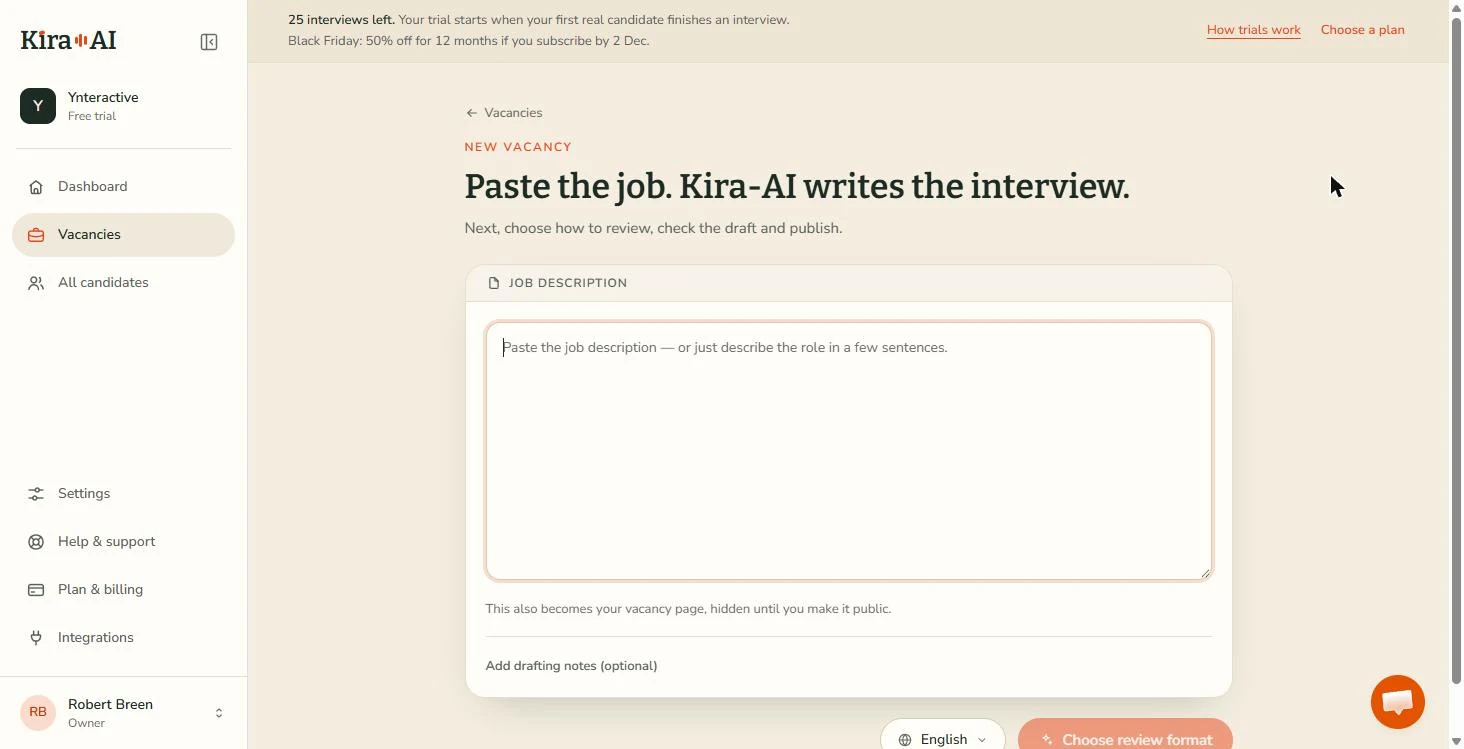
- Paste the job. You are Dana, the practice manager at Riverside Physio, a made-up clinic with four therapists. Your front desk coordinator just gave notice, 60 people applied, and every first-round phone screen takes 20 minutes you do not have. In Kira-AI, click New vacancy. The page says it plainly: Paste the job. Kira-AI writes the interview. Click the Job description box and paste your job post, or describe the role in a few sentences.
Sixty applicants and no time for phone screens. In Kira-AI, click New vacancy, then paste your job description into the box.
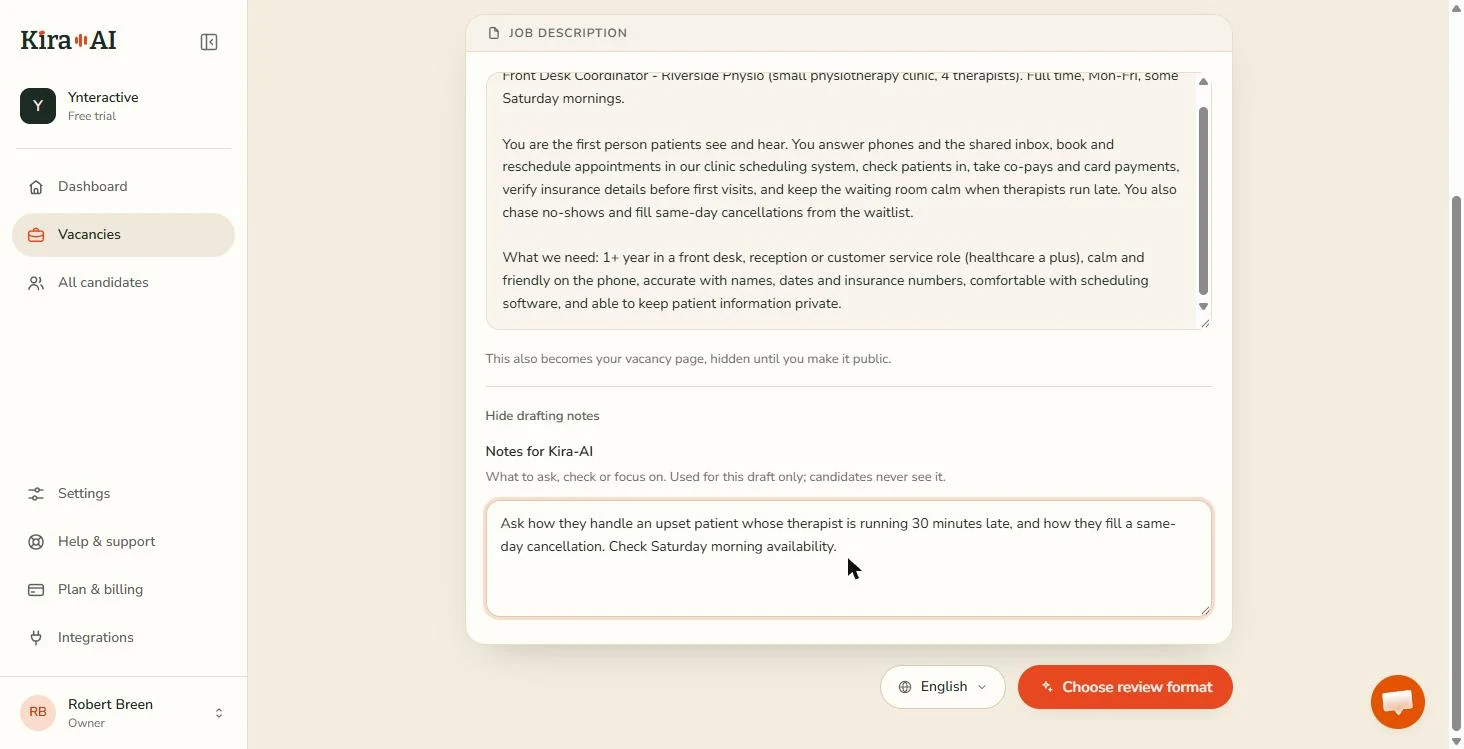
- Tell Kira-AI what to ask. Our post covers phones, bookings, check-in, co-pays, insurance checks and filling same-day cancellations. Under it, open Add drafting notes (optional) and type what you really want to hear about, for example: Ask how they handle an upset patient whose therapist is running 30 minutes late, and how they fill a same-day cancellation. Check Saturday morning availability. Candidates never see these notes. Click Choose review format.
Add a drafting note with what you really want to hear about. Candidates never see it.
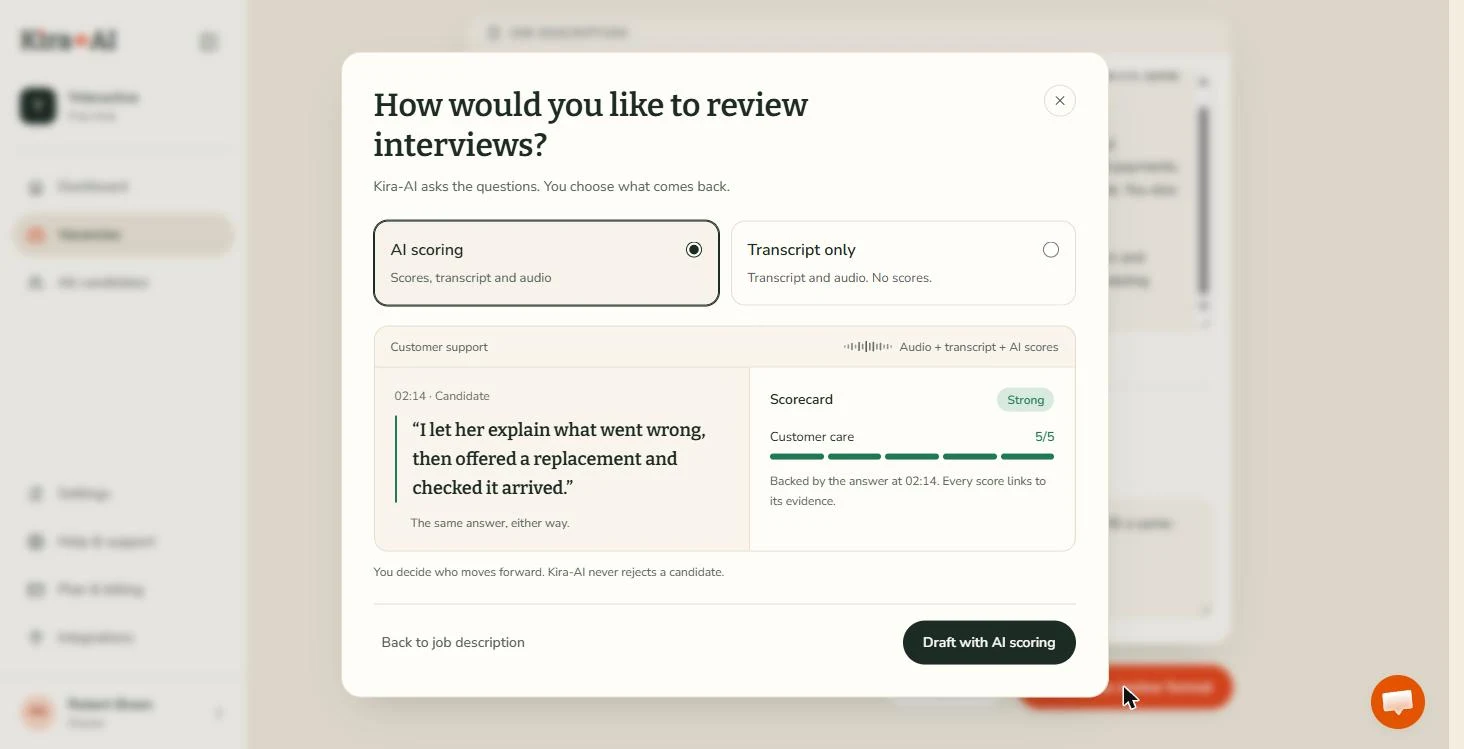
- Pick AI scoring. How would you like to review interviews? AI scoring gives you scores, the transcript and the audio; Transcript only gives you the transcript and audio with no scores. The example shows a score linked to the exact moment the candidate said it, and the line under it: You decide who moves forward. Kira-AI never rejects a candidate. Keep AI scoring and click Draft with AI scoring.
Pick AI scoring for scores, transcript and audio. Kira-AI never rejects anyone; you decide.
2. Check the interview
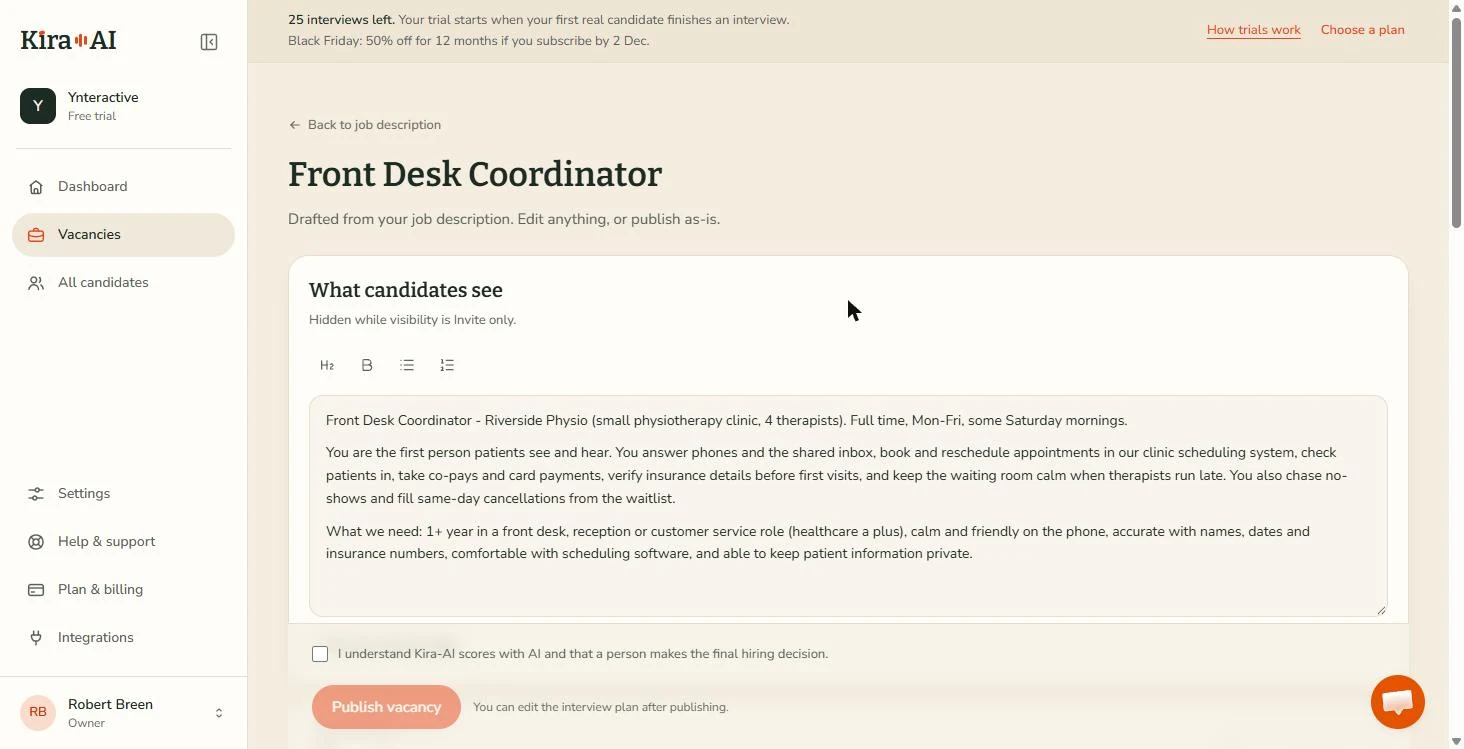
- Check what candidates see. In a few seconds Kira-AI drafts the vacancy, titled Front Desk Coordinator: Drafted from your job description. Edit anything, or publish as-is. First, What candidates see: your job description, which stays hidden while visibility is Invite only. Read it as an applicant would. Click the text to continue.
Kira-AI drafts the vacancy. First, what candidates see. It stays hidden while the vacancy is invite only.
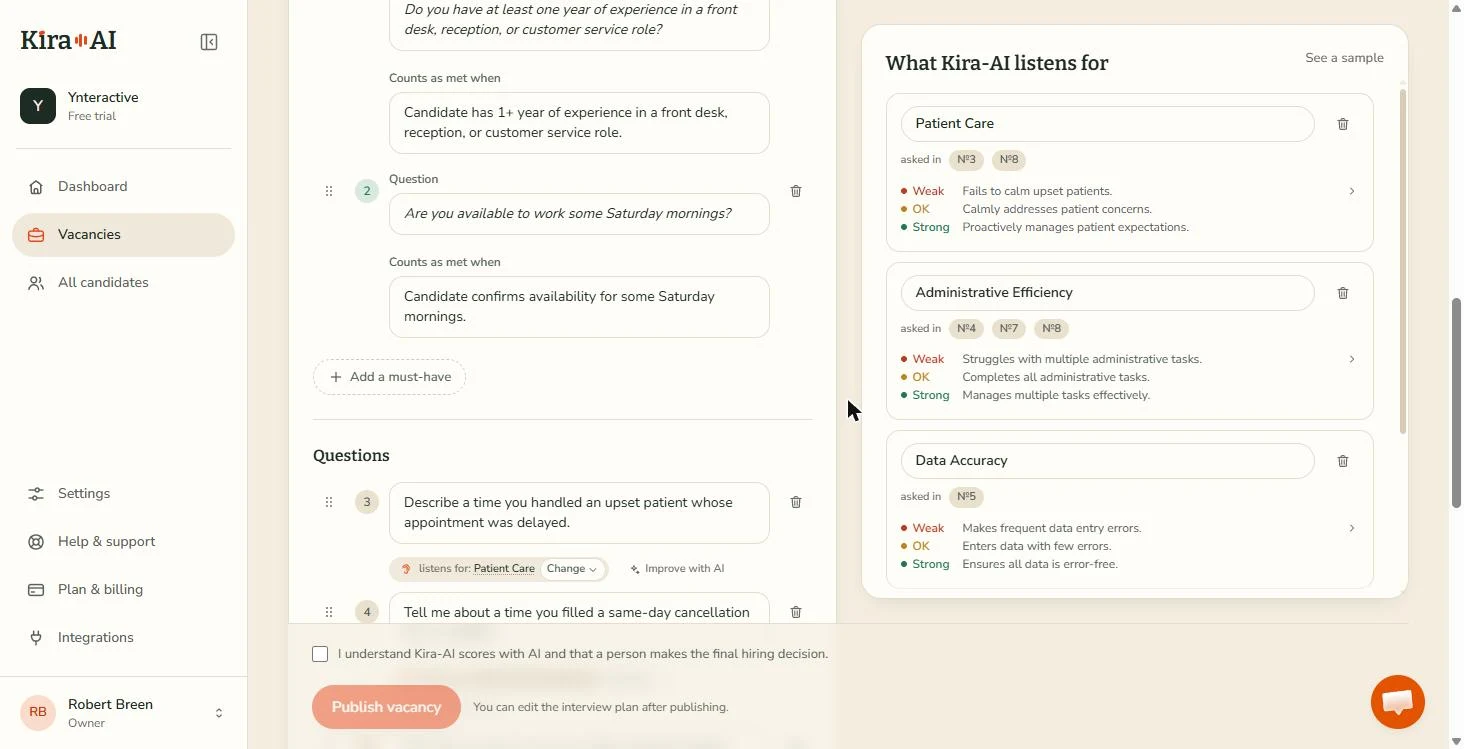
- Check the must-haves. What Kira-AI asks: 8 questions, about 6 minutes. The Must-haves are quick yes/no checks it asks first, each with Counts as met when: 1+ year in a front desk, reception or customer service role, and Are you available to work some Saturday mornings? That second one came straight from your note. Click the Saturday question.
The must-haves are yes or no checks asked first. The Saturday question came straight from your note.
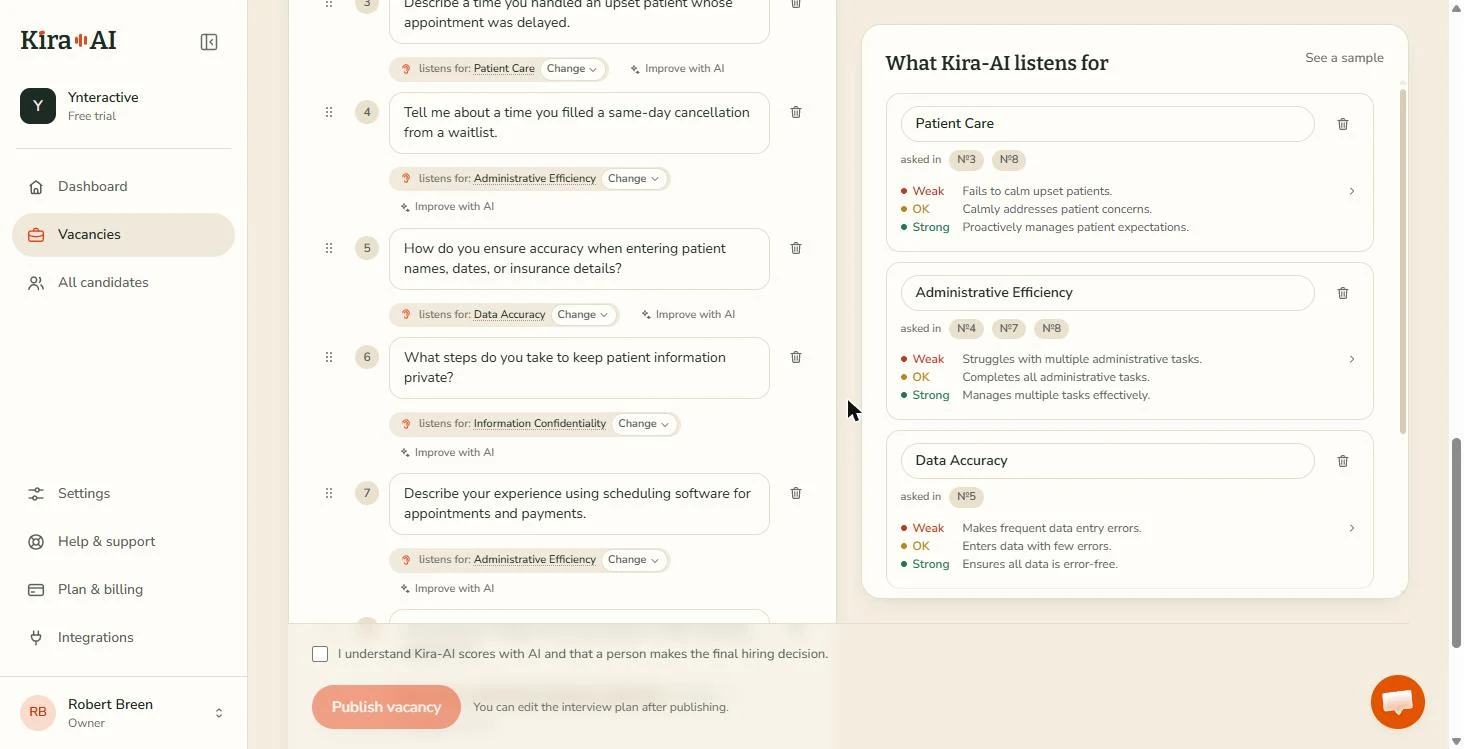
- Read the questions. Then six questions, each tagged with what it listens for: an upset patient whose appointment was delayed (Patient Care), filling a same-day cancellation from a waitlist, entering names, dates and insurance details accurately (Data Accuracy), keeping patient information private (Information Confidentiality), scheduling software, and juggling phones while checking patients in. On the right, What Kira-AI listens for spells out a Weak, OK and Strong answer for each. Edit anything that is not how your clinic works. Then click See a sample.
Six questions, each tagged with what it listens for, and a weak, OK and strong answer for each. Edit anything that does not fit.
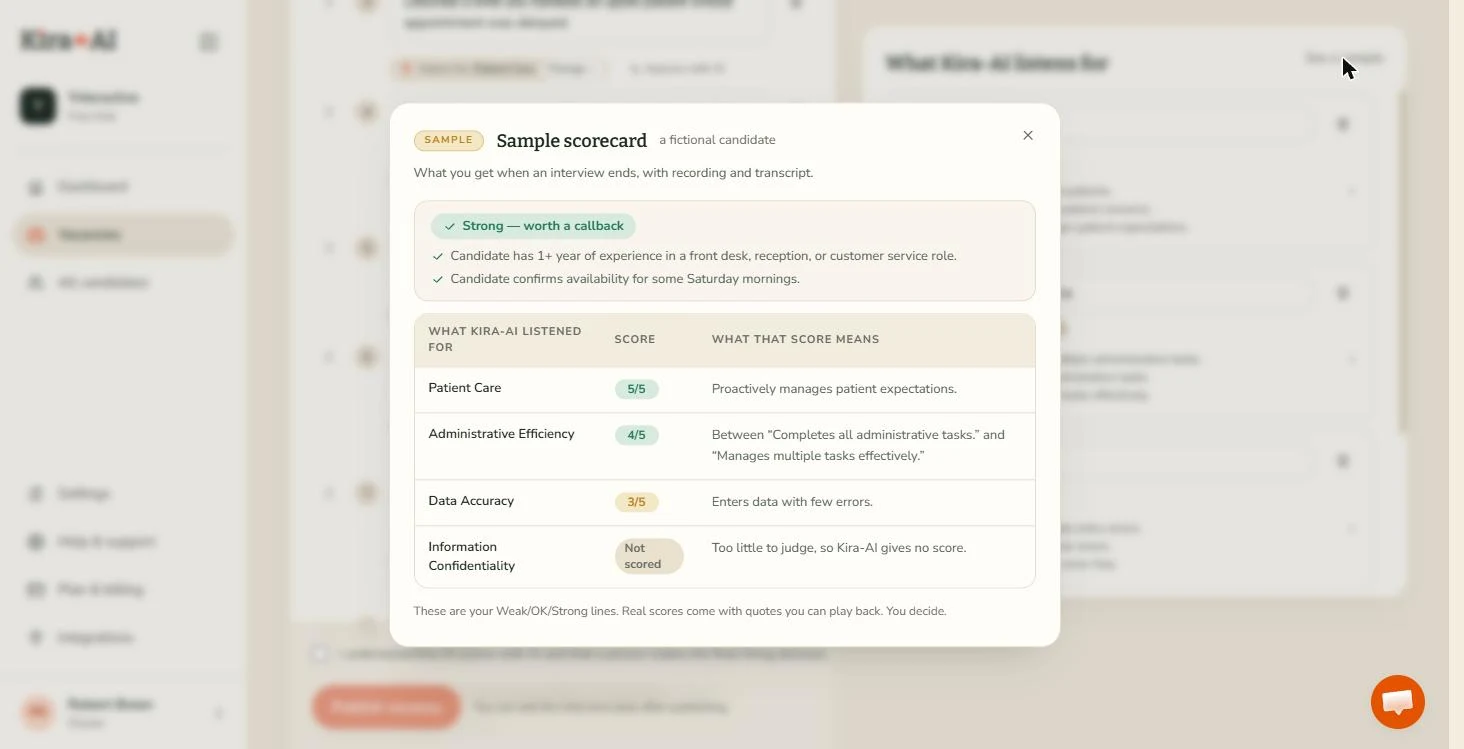
- See the scorecard you will get. Sample scorecard (a fictional candidate) shows what you get when an interview ends, built from this vacancy: a verdict (Strong, worth a callback), the must-haves ticked, and a score for each thing it listened for, such as Patient Care 5/5 and Data Accuracy 3/5. Notice Information Confidentiality: Not scored. Too little to judge, so Kira-AI gives no score. It does not guess. Close the sample.
This is the scorecard you will get. A verdict, the must-haves, and a score per item. Where there is too little to judge, it gives no score. Close it.
- Publish the vacancy. At the bottom, tick I understand Kira-AI scores with AI and that a person makes the final hiring decision, then click Publish vacancy. You can still edit the interview plan after publishing.
Tick the box that says a person makes the final decision, then click Publish vacancy.
3. Invite and review
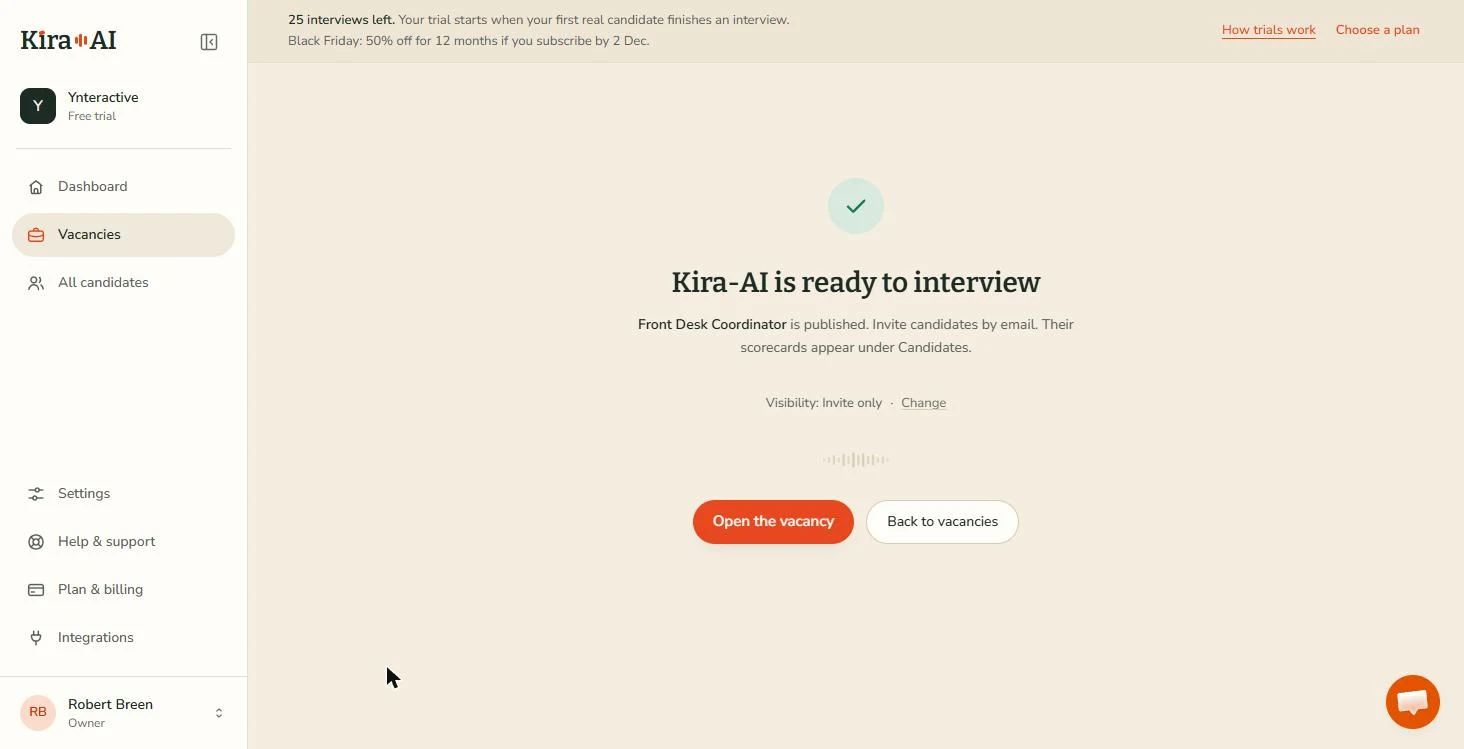
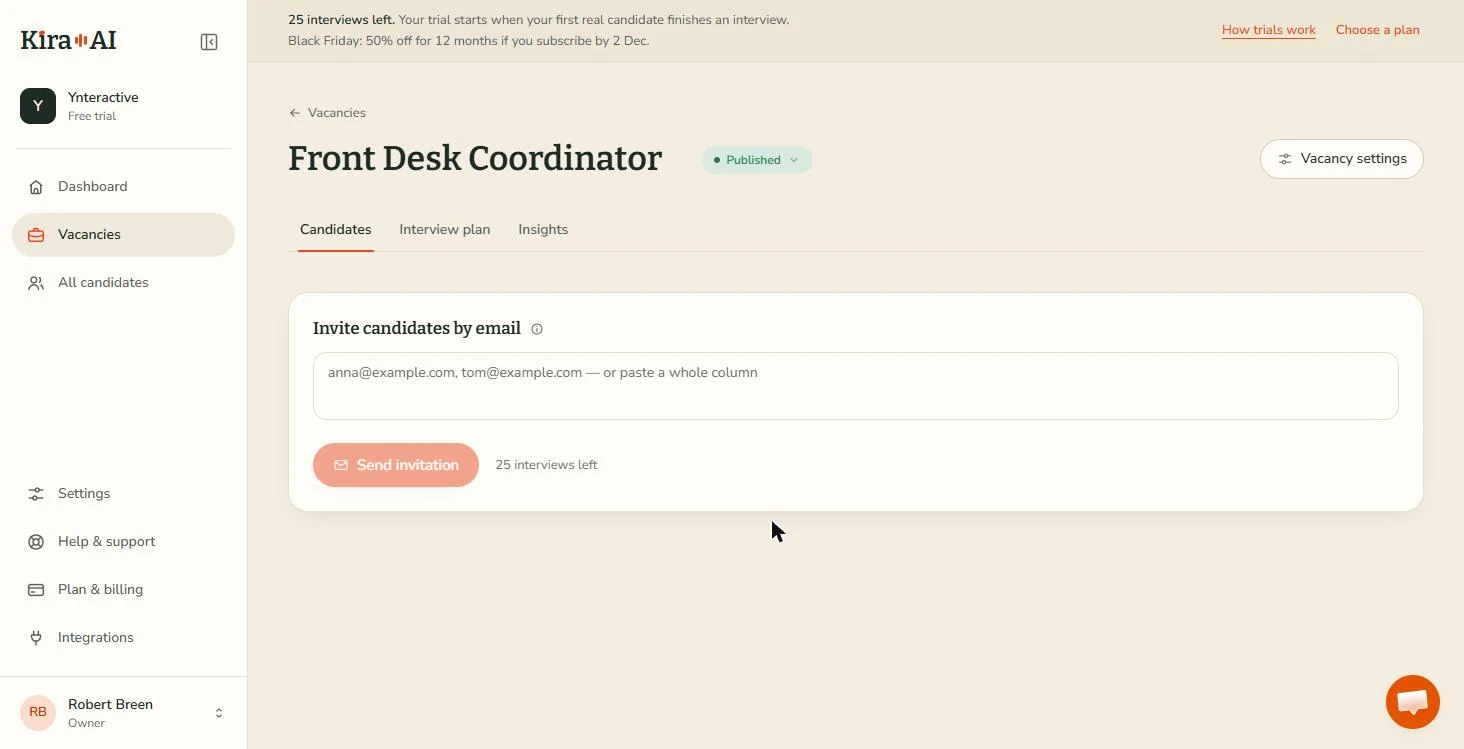
- Open the vacancy. Kira-AI is ready to interview. Front Desk Coordinator is published. Invite candidates by email. Their scorecards appear under Candidates. Visibility is Invite only, so only people you invite can take it. Click Open the vacancy.
Kira-AI is ready to interview. Only people you invite can take it.
- Add your applicants. The vacancy has three tabs: Candidates, Interview plan and Insights. Under Invite candidates by email, type or paste your applicants' addresses; you can paste a whole column from your applicant sheet. The counter shows how many interviews your plan has left. Click the box.
On the Candidates tab, paste your applicants' emails. You can paste a whole column from your spreadsheet.
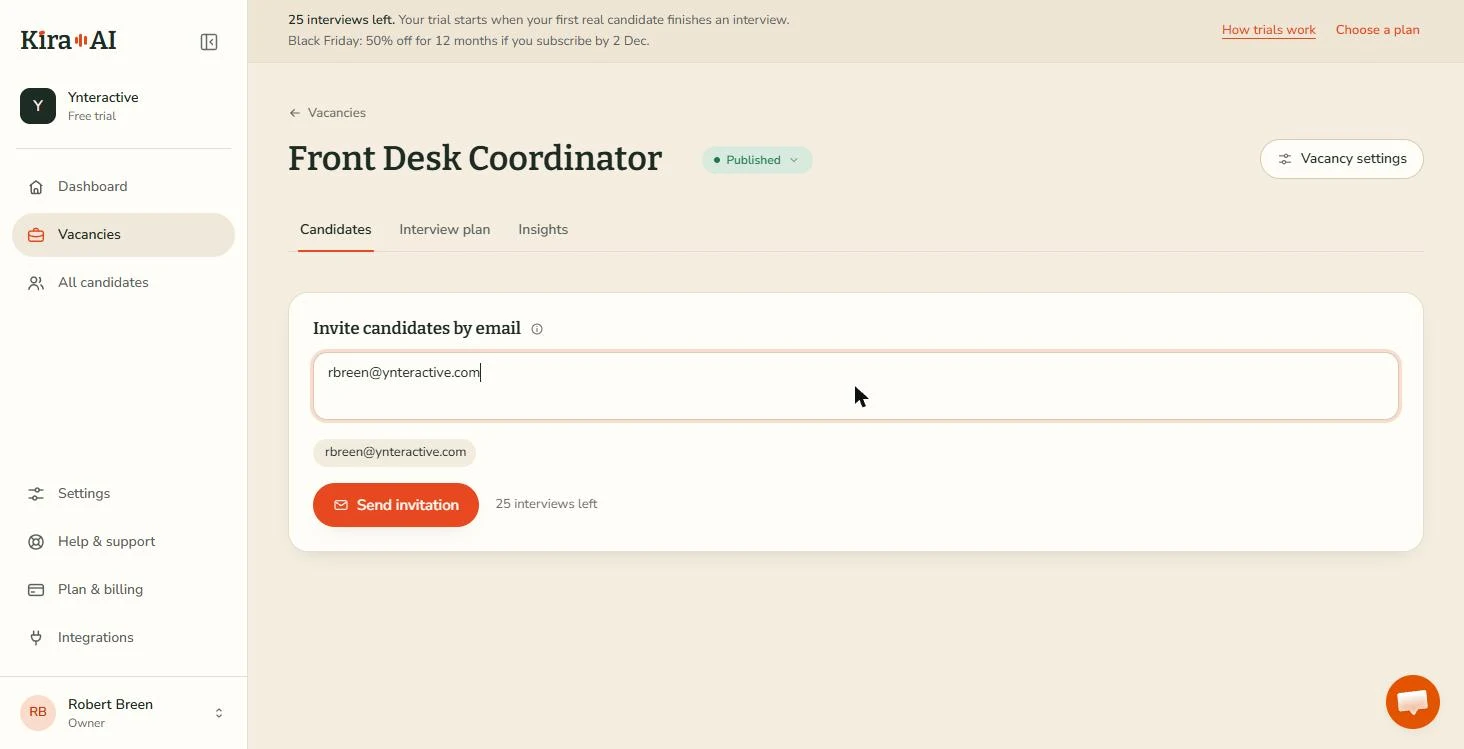
- Send the interview link. Each address turns into a chip under the box. We invited only ourselves to test it. Click Send invitation.
Each address becomes a chip.
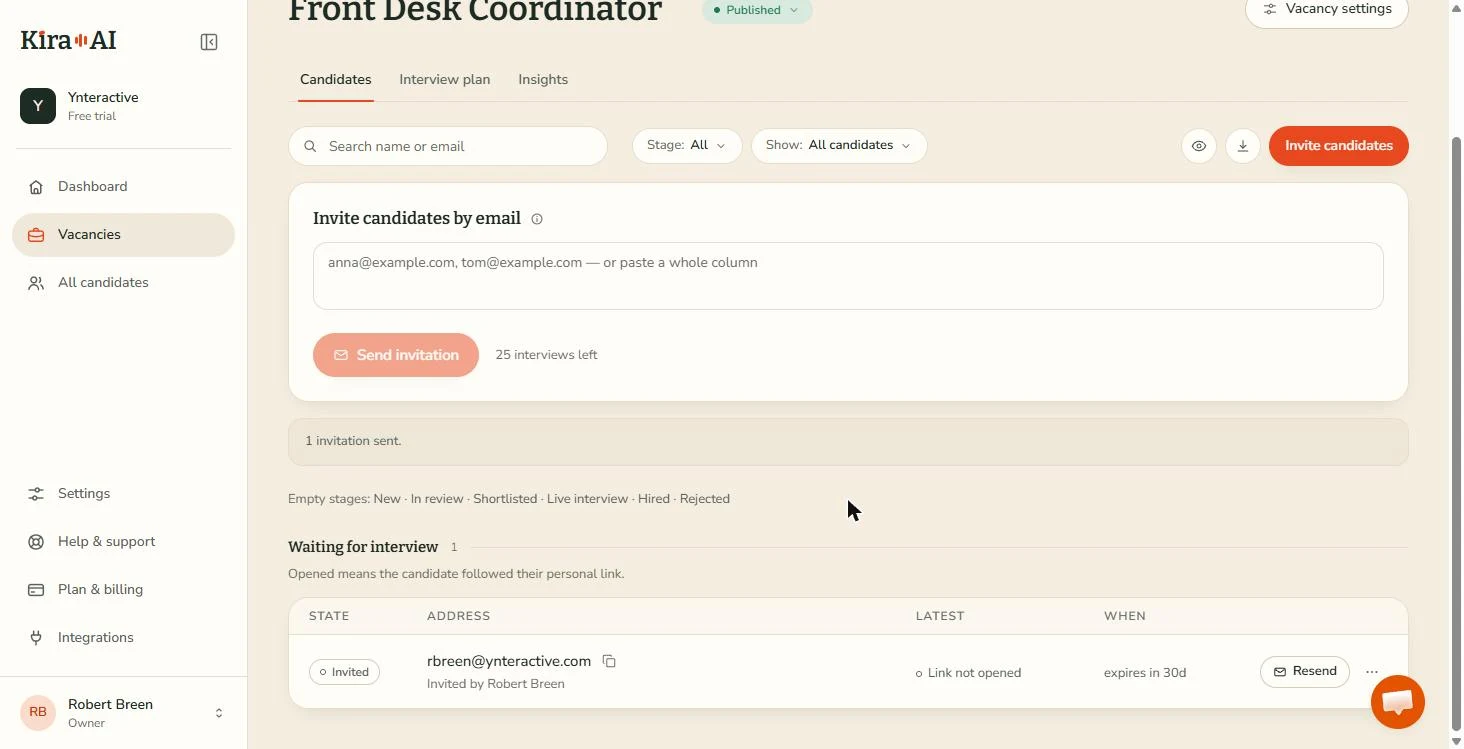
- Track who has started. 1 invitation sent. The candidate moves to Waiting for interview: Invited, Link not opened, and the link expires in 30d. Opened means the candidate followed their personal link. From the row you can Resend or revoke the invitation. Click the candidate to see what they get.
One invitation sent. You can see who opened their link, and resend it.
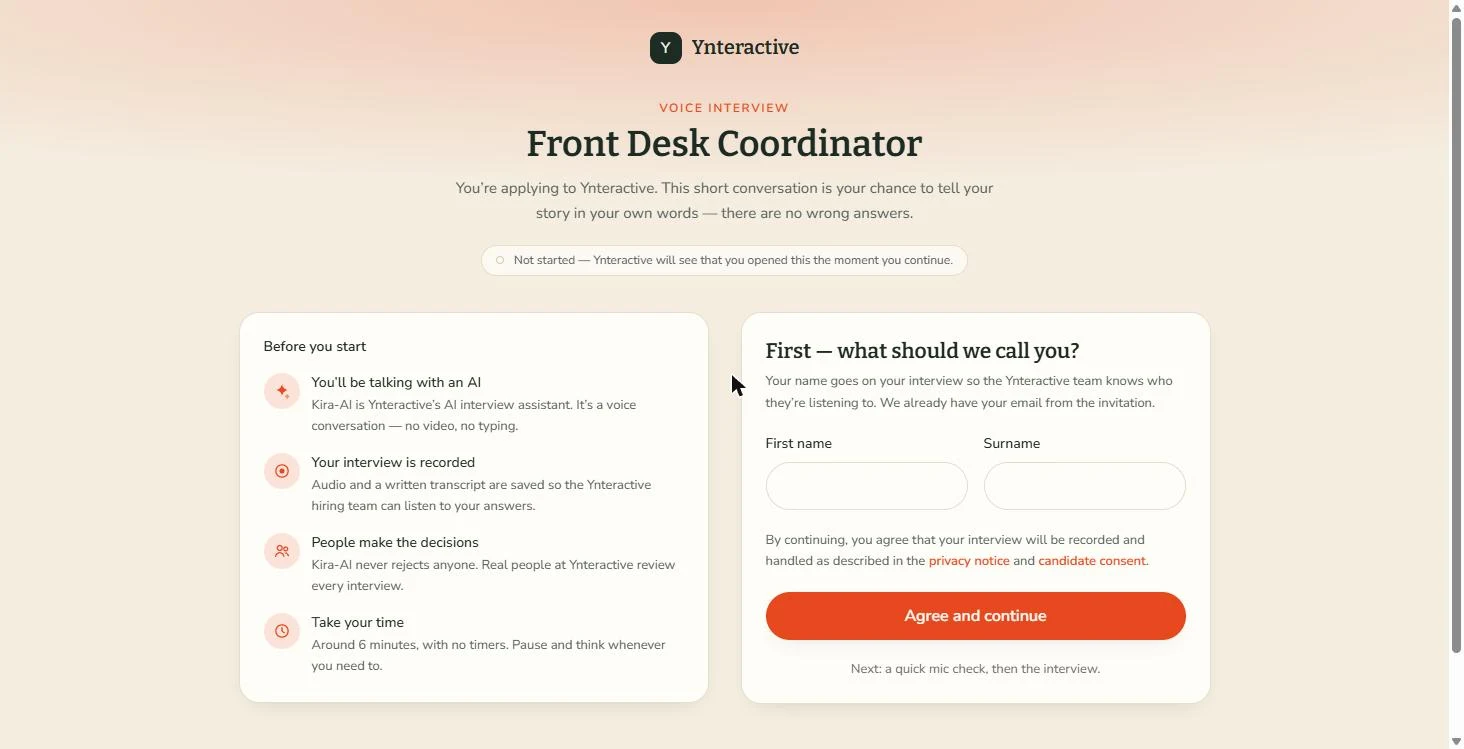
- What the candidate sees. The email says Ynteractive invited you to interview with a personal link. It opens this page: Voice interview, Front Desk Coordinator. It tells the candidate they will talk with an AI, that the audio and transcript are recorded, that Kira-AI never rejects anyone, and that it takes around 6 minutes with no timers. They type their name, agree, do a quick mic check, and talk. It is a voice conversation: no video, no typing. Click Next: a quick mic check.
The candidate gets a personal link. It is a short voice conversation, about six minutes, with no timers. Then a mic check, and they talk.
- Read the scorecard, then decide. When the interview ends, the scorecard appears under Candidates. We could not speak the interview for this lesson, so this is Kira-AI's own sample scorecard for this vacancy. Read the verdict and the must-haves first, then each score, then play the quotes behind them: Real scores come with quotes you can play back. You decide. Listen to their own answers before you call anyone back, and check any "Not scored" item yourself on the call.
Read the verdict and the must-haves, then each score, then play the quotes behind them. Hear their own answers, then decide who to call back.
Screenshots
Frequently asked questions
- What is Kira-AI?
- An AI interviewer for hiring. You paste a job description, Kira-AI writes a short voice interview with must-haves and scored questions, each applicant takes it from a personal link, and you get a scorecard with the audio and transcript.
- Does Kira-AI reject candidates?
- No. Kira-AI scores and summarizes, but it never rejects anyone. A person decides who moves forward, and you confirm that when you publish a vacancy.
- Is the Kira-AI interview video or text?
- Neither. It is a voice conversation of about six minutes, with no video and no typing. The candidate does a quick mic check first, and there are no timers.
- Can I choose what Kira-AI asks?
- Yes. Add drafting notes before it writes the interview, then edit any must-have, question or Weak, OK and Strong line. You can still change the interview plan after publishing; changes apply to future interviews.
- How do candidates get the interview?
- On the vacancy's Candidates tab, paste their email addresses (a whole column works) and click Send invitation. Each gets a personal link that works for 30 days, and you can see who opened it.
- Was this lesson made in the real app?
- Yes. Every screen is a capture of the real Kira-AI app from 24 November 2026. The interview needs a spoken voice, so the scorecard shown is Kira-AI's sample scorecard for this vacancy. Kira-AI's labels may move as the app changes.
More in AI Automation for Recruiting & HR
 Strawberry: Check Minimum-Wage Rules Every Monday and Approve Every Change
Build a Strawberry routine that checks the U.S. Department of Labor minimum-wage page for your states every Monday, and stops at an approval card before it saves a…
Free · Live ~8 min Beginner
◷How to Use DeepL Translator on a Word Document and Keep Its FormattingTranslate a client's Word policy into Spanish with DeepL file translation, keep its headings and table, set a formal tone, then polish the English cover email with…
Free · Live ~5 min Beginner
 Score Every Candidate Fairly After the Interview using ChatGPT
Turn the transcript of an interview panel's debrief into a scorecard against the role's must-haves, the decisions, action items with owners and dates, and a follow-up…
Free · Live ~7 min Beginner
 Write a Fair, Job-Related Job Posting with ChatGPT's Interview Prompt
Ask ChatGPT for a front desk lead posting the quick way, then let it interview you: true must-haves only, a real pay range, the work described instead of a personality…
Free · Live ~7 min Beginner
 Collect Job Applications in Google Sheets with an n8n Form and a Careers-Page Webhook
Stop losing applicants between job boards and your careers page. An n8n form plus a careers-page webhook put every application in one Google Sheet.
Free · Live ~12 min Advanced
◷Keep Top Candidates Warm with Honest Status Replies using ChatGPTYour best candidate has another offer and wants to know if she got the job, if you'll match her pay and when she can start. Give ChatGPT the thread and the hiring…
Free · Live ~9 min Beginner
All 22 modules in AI Automation for Recruiting & HR
Terms in this lesson
Plain-English definitions, each with an example from a free lesson.