The best AI meeting note takers for client calls in 2026
Quick answer
The best AI meeting note taker depends on one question first: is a bot joining the call acceptable to your clients? Fathom, Otter.ai and Fireflies.ai are the established note takers with free plans that sync summaries and action items to CRMs like Salesforce and HubSpot; Fathom and Otter also offer a way to record without a bot. OLVA and Granola are bot-free and capture audio on your own computer, and OLVA also helps live during the call. Speak AI is built for analyzing interviews into themes, CoHear records on your phone and turns sessions into notes, action lists and handouts, and for phone calls and site walks in construction, Hardline takes notes on calls through company numbers with no bot and no call audio kept. As of November 2026 Fathom, Otter, Fireflies, OLVA, Granola and CoHear all have a free plan.
Last updated · Last checked
Take the free module →Module 21 of the free AI Apps Worth Knowing course, about 9 minutes. No account needed.
This list is for consultants, account managers, recruiters, small teams and team leads who spend half their week in calls. We built the OLVA, Speak AI and Hardline lessons on real screens in each app (October 2026); the other tools are compared from their vendors' own pages. Features were checked in October 2026 and prices in November 2026. Disclosure: OLVA is a Stepthrough partner and links to Stepthrough from its website, and Hardline is a Stepthrough partner. Whatever you choose, tell people when a call is recorded and follow your local consent rules. Practise for free in OLVA: a private AI assistant on your client calls.
How do they compare at a glance?
| Tool | Best for | Starting price | Free plan | Verdict | Practice it free |
|---|---|---|---|---|---|
| Fathom | Sales calls synced to a CRM | $16/user/month (Premium, billed annually); $20 billed monthly | Yes (unlimited recordings and transcriptions; some AI features limited) | Pick it for the most generous free plan and summaries pushed to Salesforce or HubSpot. | Not yet |
| Otter.ai | Live transcripts and a searchable archive | $8.33/user/month (Pro, billed annually); $16.99 billed monthly | Yes, limited (300 minutes a month, 30 minutes per conversation) | Pick it for live transcripts and a searchable archive of every meeting. | Not yet |
| Fireflies.ai | Teams on many meeting platforms | $10/seat/month (Pro, billed annually); $18 billed monthly | Yes, limited (limited AI summaries, 400 minutes of storage per team) | Pick it when a bot should join every calendar meeting on any platform. | Not yet |
| OLVA | Live help during client calls | $2.99/month (Starter, 2 hours a month) | Yes, limited (2 hours of meeting time in total) | Pick it for private, bot-free help in the moment on client calls. | Private assistant on client calls |
| Granola | Bot-free notes from your own computer | $14/user/month (Business) | Yes, limited (notes older than 30 days need an upgrade) | Pick it for clean notes with no bot in the meeting. | Client call notes with no bot |
| Speak AI | Customer and research interviews | $20/user/month (Pro, billed yearly); $25 billed monthly; or pay as you go at $1 per credit | No (7-day free trial) | Pick it for themes, sentiment and quotes across many interviews. | Interviews into themes and quotes |
| CoHear | Training sessions and in-person meetings | $14.99/month (Meeting Plus) | Yes, limited (400 minutes a month, 3 file imports) | Pick it to turn a phone recording into notes, an action list and a handout. | Training session to notes and handout |
| Hardline | Construction phone calls and site walks | $29/user/month (Lite, billed annually) | Not listed on the pricing page (sign-up says "Get started for free") | Pick it for construction teams whose decisions happen on phone calls and site walks. | Site-walk call to daily log |
Make an AI tool? We build a free, hands-on lesson for it. Request one →
Bot or bot-free: which kind of note taker should I use?
A bot joins the call as a named participant, which everyone sees. That is clear about recording, but some clients dislike it. A bot-free tool captures audio on your own device instead. As of October 2026, OLVA says it is bot-free and does not join the meeting, Fathom says it records with or without a bot, and Otter's desktop app records without one. Fireflies' main capture method is a bot you invite or that joins from your calendar. Granola says it uses your computer's audio and does not join your meeting, as of November 2026.
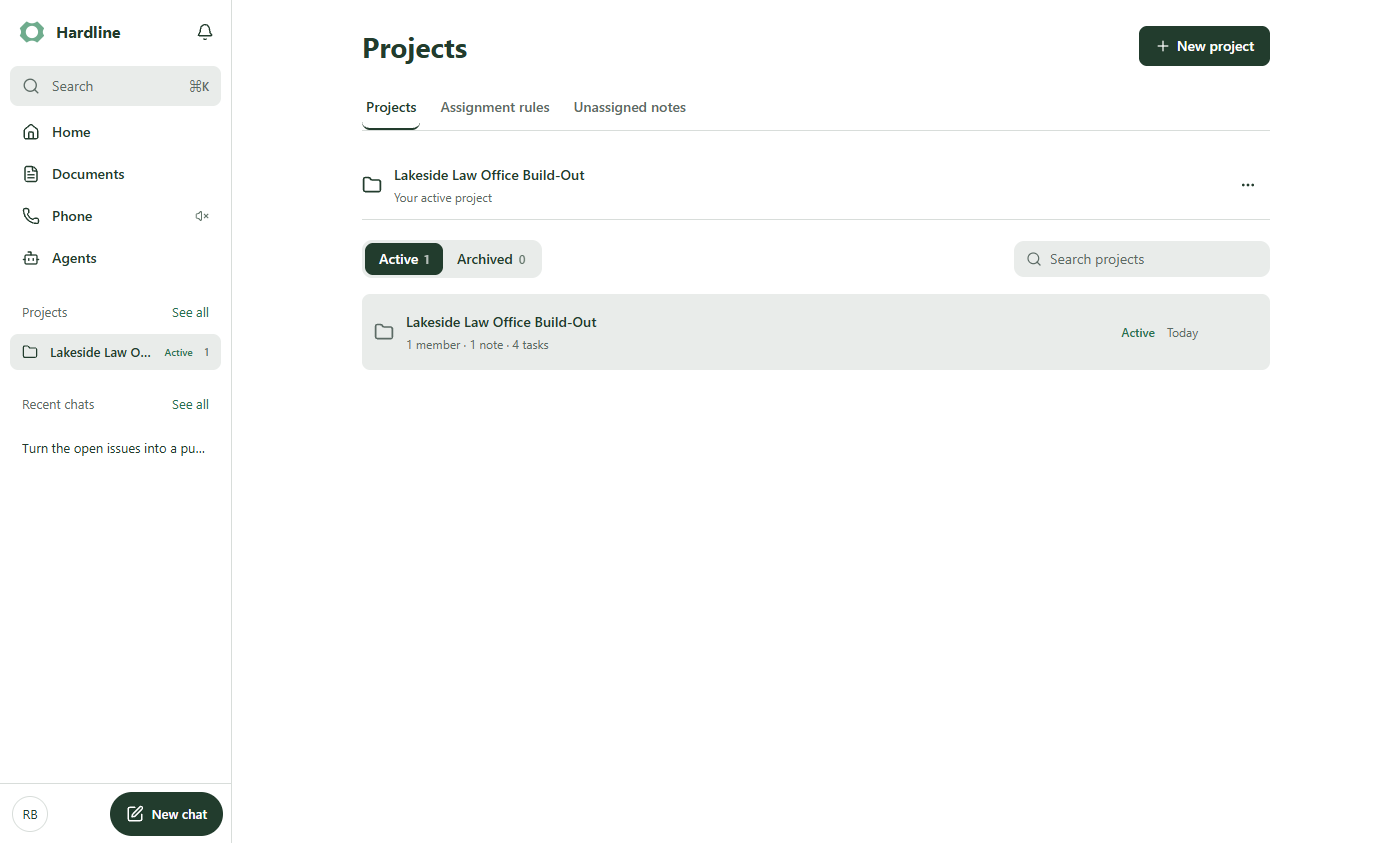
Phone calls are a third case, with no meeting to join at all. Hardline, built for construction, routes calls on company numbers through its app to each person's own phone, takes notes on inbound and outbound calls, and says it does not keep the call audio, only the written record. For Zoom, Meet and Teams it uses a meetings notetaker you add, as of October 2026.
Bot-free does not mean consent-free. Tell everyone the call is recorded, and check the rules where you and your clients are. The meeting transcript and speaker diarization entries explain how the transcript side works.
How does each note taker capture the call, and what does it do?
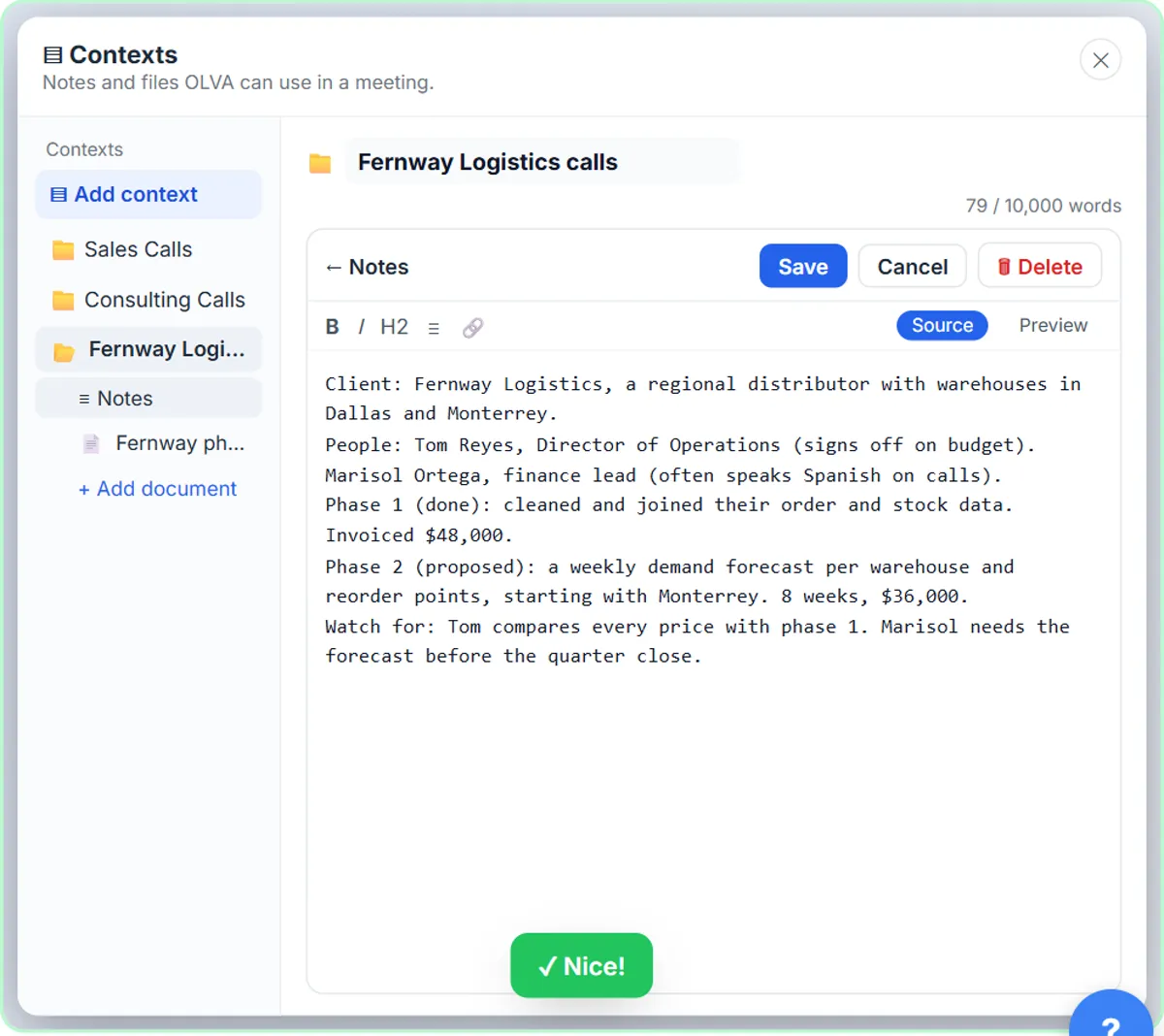
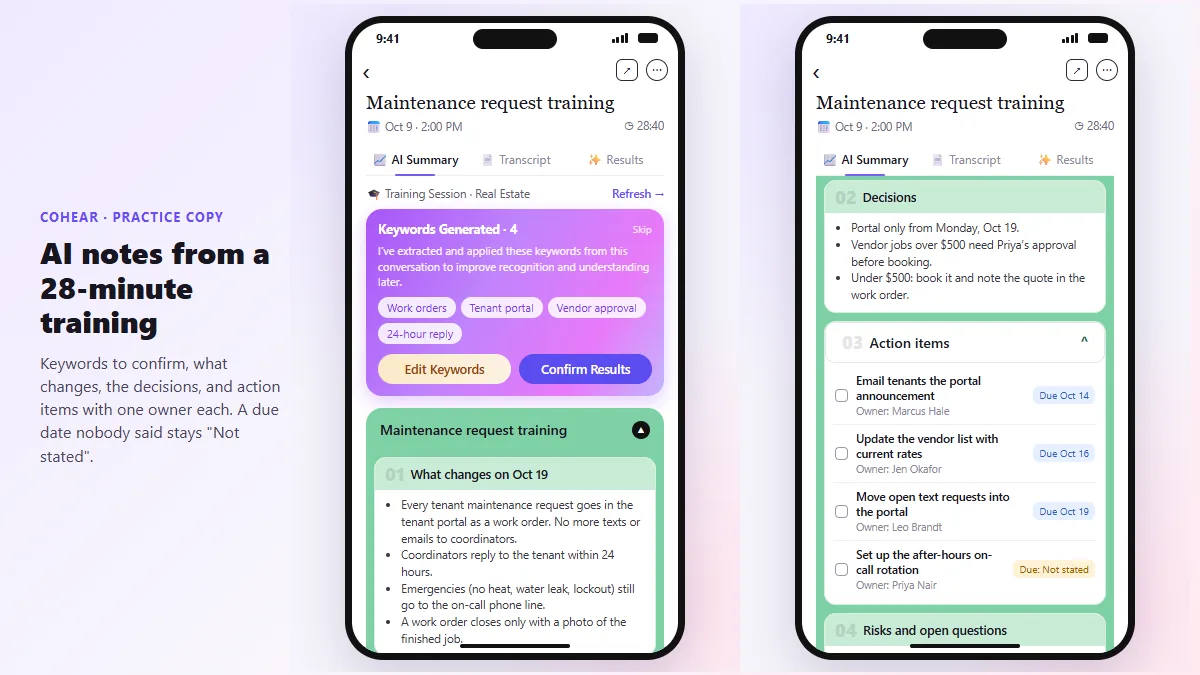
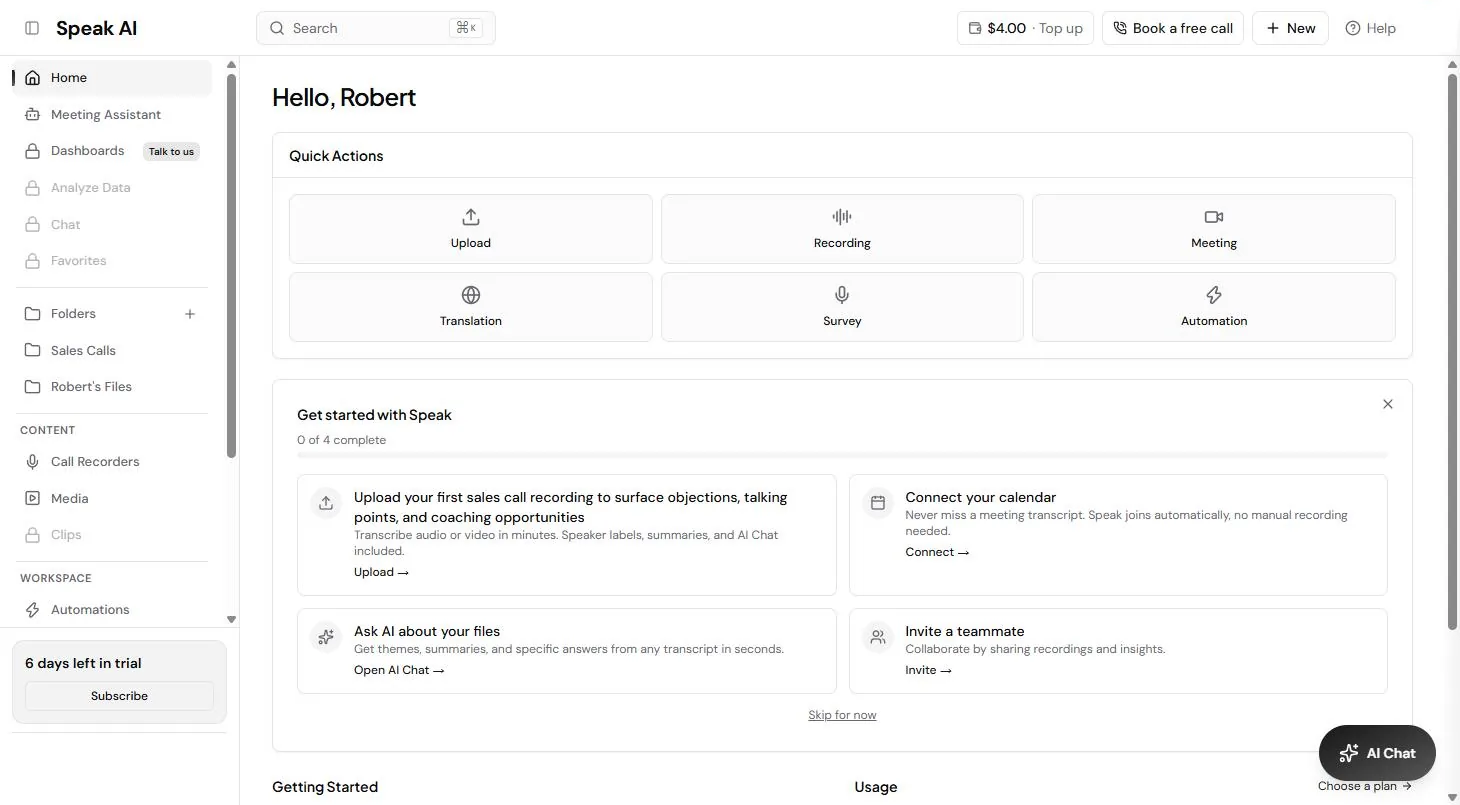
From each vendor's own pages, as of October 2026. OLVA: bot-free, captures audio on your device across Zoom, Meet, Teams, Slack huddles, Webex and in person via mobile apps; live captions, question detection, live answers and "say next" suggestions, then minutes with action items, decisions and risks, in 60 languages. CoHear: records on your phone with no extra hardware; summaries, action lists with owners and dates, slides and infographics, with PPTX, DOCX and PDF exports. Speak AI: an assistant joins Zoom, Teams, Meet and Webex, plus uploads and mobile recordings; transcripts with speakers, sentiment and theme analysis across a dataset, 100+ languages and a searchable library.
Fathom: Meet, Zoom and Teams, with or without a bot; summaries soon after the call, action items, Salesforce and HubSpot sync and Ask Fathom across meetings. Fireflies.ai: a bot that auto-joins from your calendar on Zoom, Meet, Teams, Webex and more; summaries and action items, CRM sync, 100+ languages, search down to the sentence and AskFred. Otter.ai: a bot, or the Mac and Windows desktop app without a bot; summaries with decisions and action items, HubSpot and Salesforce sync and Otter AI Chat across meetings. Hardline: daily logs, RFIs, punch items, tasks and change orders from calls, site walks and photos, synced to Procore, Autodesk or Fieldwire only after you approve, on iPhone, Android, Mac and web. Granola (November 2026): works with Zoom, Google Meet, Microsoft Teams and in-person meetings on Mac, Windows, iPhone and Android, and writes enhanced notes with summaries and action items from the transcript.
What is the best AI note taker for Zoom and Google Meet for a small team?
Fathom, for most small teams. As of November 2026 its free plan includes unlimited recordings and transcriptions on Zoom, Meet and Teams, with a bot or bot-free capture, and the Team plan is $15 per user a month billed annually, with a two-user minimum. Otter and Fireflies also have free plans, but with limits: Otter's free plan allows 300 minutes a month and 30 minutes per conversation, and Fireflies limits AI summaries. If clients dislike a bot, OLVA and Granola capture audio on your own computer instead.
Which AI meeting assistant gives the most accurate summaries?
We have not run an accuracy test across these tools, and none of the vendor pages we checked publish a comparable accuracy score, as of November 2026. Accuracy depends mostly on audio quality, crosstalk and names. Two habits matter more than the tool: tag speakers so the summary knows who said what, and check every number, date and owner against the transcript before the summary goes to a client. The free OLVA lesson, built in the real OLVA app, and the Speak AI lesson, built from a real Speak AI account, both include checking the AI output against the source.
Which note taker helps during the call, not just after?
OLVA is built for that. It lists live captions, question detection, live answers, fact checks and "say next" suggestions while the call is happening, then minutes with action items, decisions and risks afterwards. The free OLVA client calls lesson walks through a client call with it, checked against the real OLVA desktop app. Fathom also lists real-time coaching. The others focus on what happens after the call: the summary, the action items and the CRM update.
Which tool is best for interviews and research calls?
Speak AI. Beyond transcripts, it lists sentiment and theme analysis, custom fields and trend charts across a whole set of recordings, which is what you need after ten customer interviews. The free Speak AI: Turn Customer Interviews into Themes and Quotes lesson shows the routine on real Speak AI screens. For training sessions and workshops, CoHear can turn one recording into notes, an action list and a handout, as in the free CoHear training session lesson.
Can I get good meeting notes without a note taker app?
Yes, if your meeting platform already gives you a transcript. Paste it into ChatGPT, Claude or Gemini and ask for decisions, an action items table with owners and dates, and a follow-up email. The free Summarize a Client Meeting lesson does exactly that. A dedicated note taker saves the copy and paste and keeps every call searchable. For Fathom, Fireflies and Otter side by side, see Fathom vs Fireflies vs Otter.
Who is each one for?
Fathom
For sales teams and small teams that want summaries and action items pushed into Salesforce or HubSpot, with the option to record without a bot. As of November 2026 the free plan includes unlimited recordings and transcriptions, and Premium is $16 per user a month billed annually. Official site: fathom.ai. Directory card: Fathom.
Otter.ai
For live transcripts with speaker recognition and a chat that searches across past meetings, with a desktop app that records without a bot. As of November 2026 the free plan allows 300 minutes a month, and Pro is $8.33 per user a month billed annually. Official site: otter.ai. Directory card: Otter.ai.
Fireflies.ai
For teams on many meeting platforms that want a bot to join every calendar meeting and a searchable record of all of them. As of November 2026 Pro is $10 per seat a month billed annually. Official site: fireflies.ai. Directory card: Fireflies.ai.
OLVA
For consultants and account managers on client calls who want help in the moment and no bot in the meeting, across Zoom, Meet, Teams, Slack huddles, Webex and in person. As of November 2026 the free plan gives 2 hours of meeting time in total, and Starter is $2.99 a month. Practise free in OLVA: a private AI assistant on your client calls, checked against the real OLVA desktop app. Official site: olva.ai. Directory card: OLVA.
Granola
For consultants and managers who want good notes with no bot in the meeting: Granola uses your computer's audio, and you jot a few lines while it writes the enhanced notes. As of November 2026 the free plan keeps notes, but notes older than 30 days need an upgrade, and Business is $14 per user a month. Practise free in Granola: client call notes written for you, with no meeting bot, a practice copy built from Granola's own help center. Official site: granola.ai.
Speak AI
For researchers, marketers and product teams analyzing many interviews for themes, sentiment and quotes, in 100+ languages. As of November 2026 it has a 7-day free trial, and Pro is $20 per user a month billed yearly. Practise free in Speak AI: Turn Customer Interviews into Themes and Quotes, built from real Speak AI screens. Official site: speakai.co. Directory card: Speak AI.
CoHear
For trainers and team leads who want one recording turned into notes, an action list with owners and dates, and a handout or slides. As of November 2026 the free plan allows 400 minutes a month, and Meeting Plus is $14.99 a month. Practise free in CoHear: turn a team training session into notes, action items and a handout. Official site: cohear.work. Directory card: CoHear.
Hardline
For construction project managers, superintendents and field teams whose decisions happen on phone calls and site walks, not in scheduled meetings. Hardline drafts daily logs, RFIs, punch items and tasks, and nothing reaches Procore, Autodesk or Fieldwire until you review and approve it. As of November 2026 Lite is $29 per user a month billed annually. Practise free in Hardline: Turn a Site-Walk Call into a Daily Log and Punch List, built from real Hardline screens. Official site: hardlineapp.com. Directory card: Hardline.
Which of these tools have a free Stepthrough lesson?
- Fathom: a free Stepthrough lesson is coming.
- Otter.ai: a free Stepthrough lesson is coming.
- Fireflies.ai: a free Stepthrough lesson is coming.
- OLVA: free lesson: OLVA: A Private AI Assistant on Your Client Calls
- Granola: free lesson: How to Use Granola for Client Call Notes, With No Meeting Bot
- Speak AI: free lesson: Speak AI: Turn Customer Interviews into Themes and Quotes
- CoHear: free lesson: CoHear: AI Meeting Notes from a Team Training Session
- Hardline: free lesson: Hardline: Turn a Site-Walk Call into a Daily Log and Punch List
Practice it free, step by step
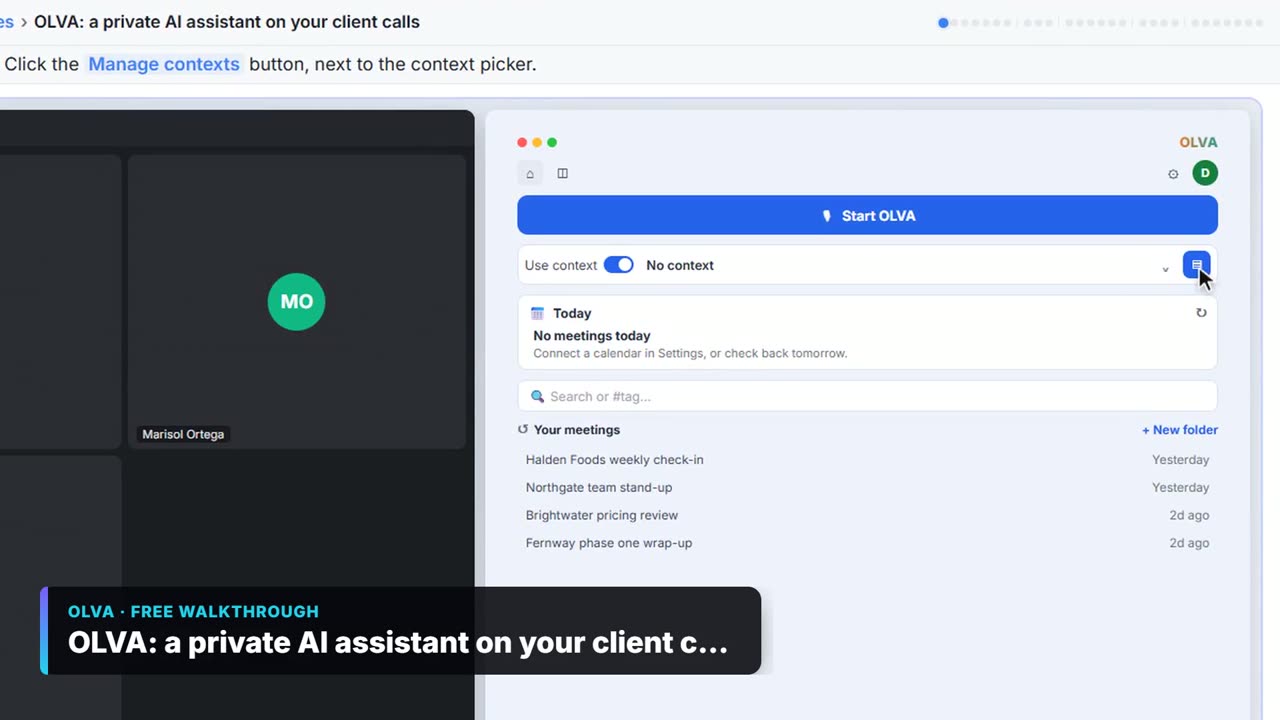
OLVA: A Private AI Assistant on Your Client Calls. Give OLVA your client notes, get private answers and fact checks during a Zoom call, then turn the meeting into minutes, a follow-up email and a PowerPoint deck. You do every step yourself in a practice copy of OLVA, it checks your work as you go, and “Do it for me” finishes any step you get stuck on. Free, and nothing touches your real accounts.
Start the free lessonWatch it in a free lesson: OLVA: A Private AI Assistant on Your Client Calls
 3:06
OLVA: a private AI assistant on your client calls: video walkthrough
Give OLVA your client notes, get private answers and fact checks during a Zoom call, then turn the meeting into minutes, a follow-up email and a PowerPoint deck. The whole lesson narrated step by step, recorded in Stepthrough’s simulated practice environment.
Key takeaways
- Decide bot or bot-free first; as of October 2026 OLVA is bot-free, and Fathom and Otter offer a no-bot option.
- Fathom has the most generous free plan as of November 2026; Otter's free plan stops at 300 minutes a month.
- OLVA helps during the call; Fathom, Fireflies and Otter focus on summaries, action items and CRM sync after it.
- Speak AI fits interview analysis; CoHear fits training sessions and in-person meetings.
- Always tell people a call is recorded, whichever tool you use.
Frequently asked questions
What is the best AI meeting note taker?
For most teams, Fathom: as of November 2026 its free plan includes unlimited recordings and transcriptions, and it syncs to Salesforce and HubSpot. Pick OLVA or Granola if you want no bot in the call, Speak AI for interview analysis, and Hardline for construction phone calls.
What is the best AI note taker for Zoom and Google Meet for a small team?
Fathom works on Zoom, Meet and Teams, and its Team plan is $15 per user a month billed annually, as of November 2026. Otter and Fireflies also work on both, with more limited free plans. Fathom, Fireflies and Otter all list Salesforce and HubSpot sync; check each summary before it lands in a client record.
Which AI meeting assistant gives the most accurate summaries?
We have not tested accuracy across these tools, and the vendor pages we checked do not publish a comparable score, as of November 2026. Clear audio and tagged speakers matter most. Always check numbers, dates and owners against the transcript.
Is there an AI note taker that does not join the call?
Yes. OLVA and Granola say they capture audio on your device and do not join the meeting, and Fathom and Otter's desktop app can record without a bot, as of November 2026.
Do I need consent to record a meeting with AI?
Rules vary by state and country, and some require everyone's consent. Tell people the call is recorded and check the rules where you and your clients are.
Where do these prices and features come from?
Every price and feature on this page was checked against the vendor's own page, as of November 2026. No numbers here are estimates or third-party figures. The example businesses in the Stepthrough lessons are made up.