AI won't read your inbox for you and decide what matters. It does make each reply faster once you know which ones to write.
How do you catch up on email after vacation?
Work in three passes: sort, answer, then clean up. Trying to answer in the order emails appear means you spend your first hour on newsletters while a customer waits.
- Sort (15 minutes). Skim everything once. Archive or file what needs no reply. Flag anything from a customer, client or your team that asks a question.
- Answer, oldest first. Open the oldest flagged thread and work forward. The person who has waited longest gets the first reply.
- Clean up. Forward what belongs to someone else, add follow-ups to your task list, and unsubscribe from what you archived without reading.
Before the sort, read your own team's notes from while you were out, so you don't answer something a colleague already handled.
Which emails should you answer first?
Answer people waiting on you before people informing you, and the oldest unanswered thread before the newest. A customer who wrote on the first day of your break has waited longest and is most likely to have written twice.
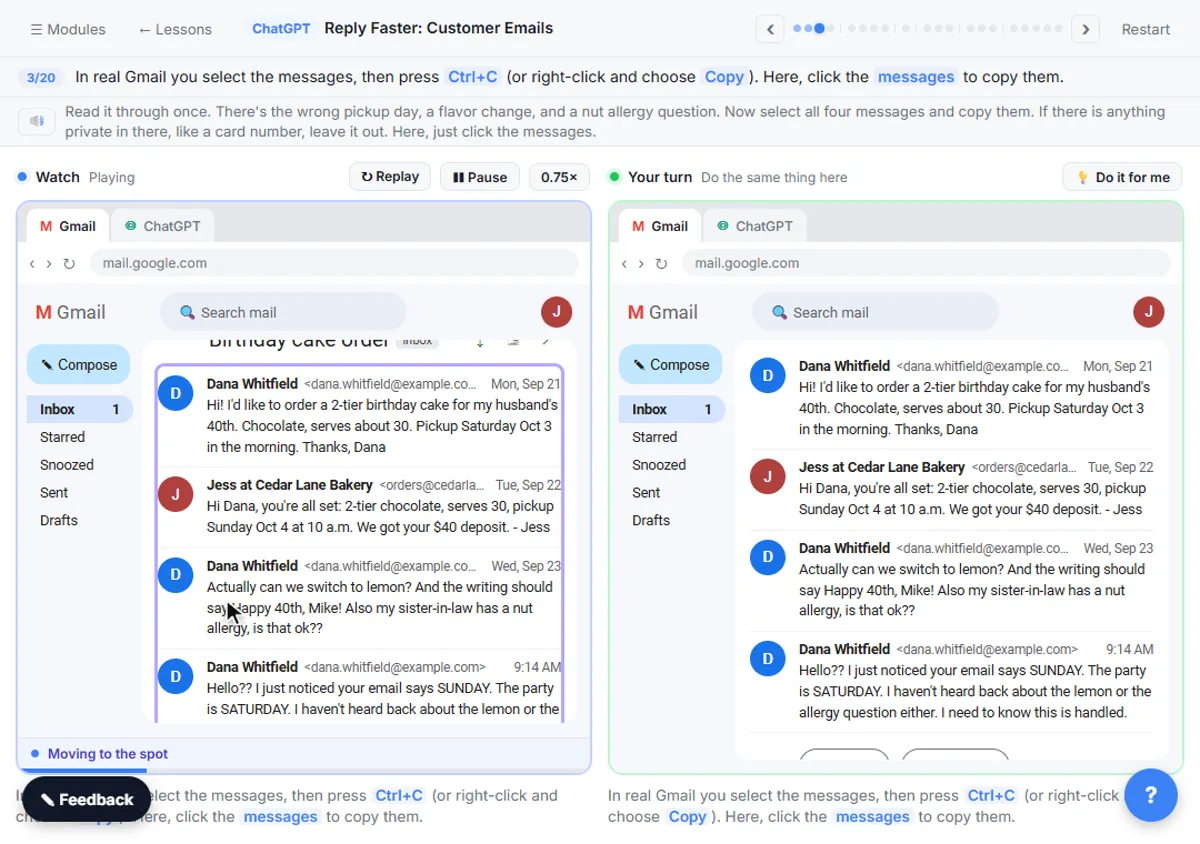
Within a thread, read every message before replying. In Gmail, click Expand all (the double-arrow icon at the top right of a thread), because Gmail folds up older messages and a follow-up may have changed the question. In the reply lesson, the last message in the thread is the customer noticing a wrong date and asking why nobody answered two earlier questions.
How should you apologize for a slow reply after time off?
Once, briefly, and then answer every question. The reply lesson's instructions put it simply: "Apologize once." One sentence that names the wait is enough; a paragraph of apology delays the answer the person actually wants.
If you were closed, say so plainly instead of making excuses. Don't promise it won't happen again, and don't offer a discount unless someone who can approve it has. In the lesson, the 10% off is in the facts list because "The owner approved" it.
How can ChatGPT help you reply to a backlog of emails?
Paste the whole thread into ChatGPT with a numbered list of facts you can actually promise, ask for a reply in your tone and length, then check every promise before you send. The reply lesson's routine, built on a made-up bakery's order mix-up:
- Copy the thread, oldest message first, with one line saying what it is.
- Add numbered facts under a heading like "Facts (only promise what is here)." Dates, prices, what you can and can't do.
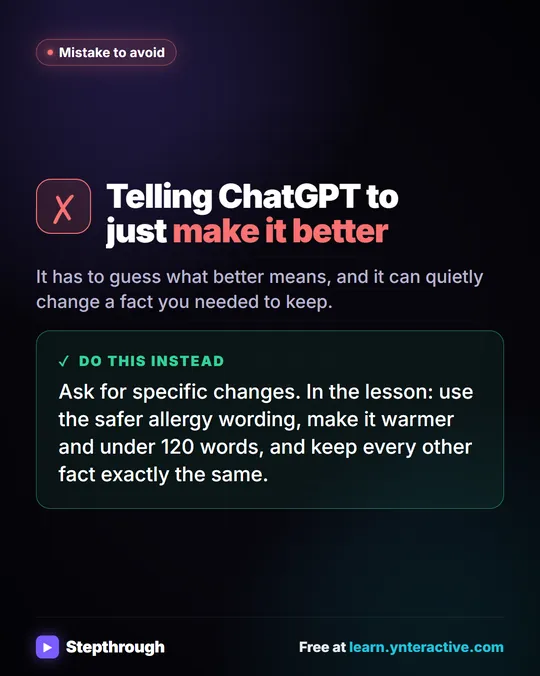
- Say what a good reply looks like: tone, the questions to answer, a word limit, and "Don't invent details or promise anything that isn't in the facts."
- Check it by asking for "a table of every promise or claim in it and the fact that backs it up."
- Fix one thing specifically, such as "Keep every other fact exactly the same," then copy it into Gmail and send it yourself.
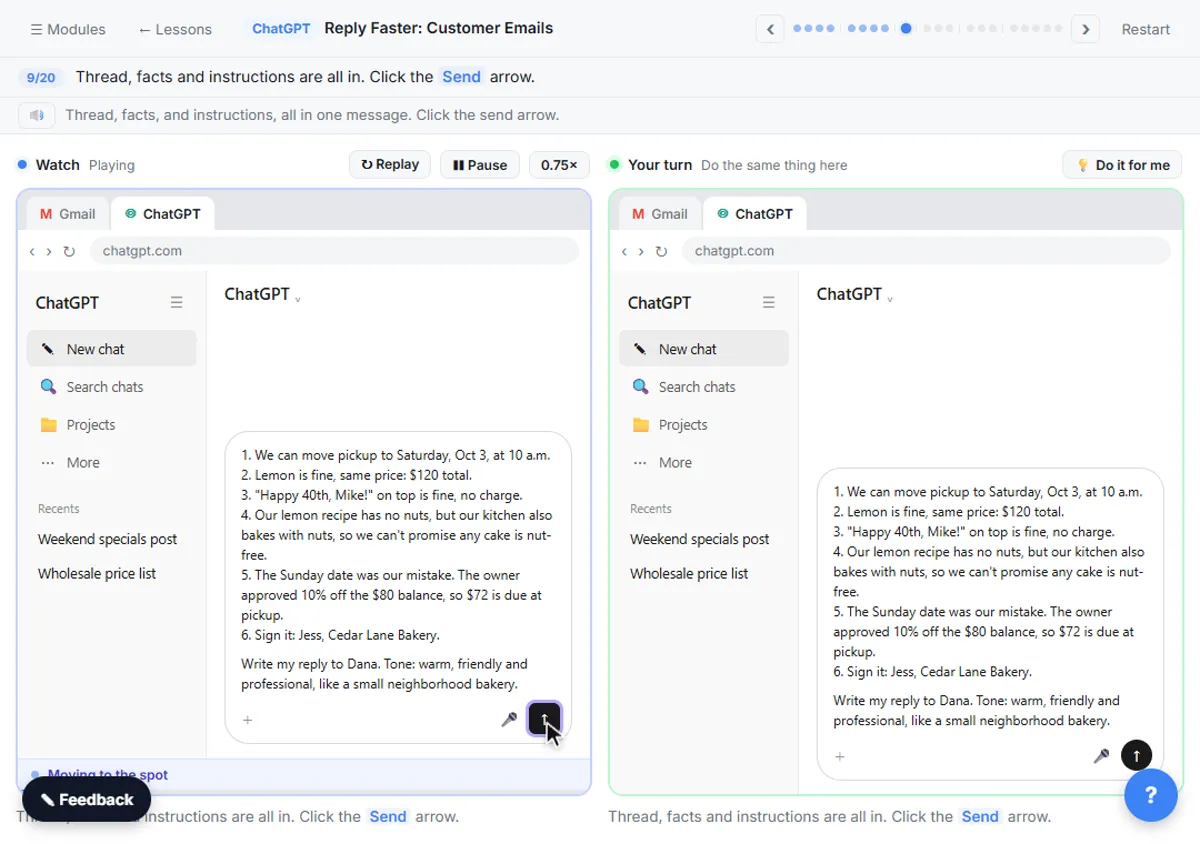
For a backlog, the facts list does extra work: write it once with your new-year hours and policies, and reuse it for every customer reply that day. Start a new chat for each customer, so details from one thread don't slip into another. Check AI Email Drafts for Promises Before You Send explains the check in detail.
Try it free, step by step
Reply Faster: Turn a Messy Customer Email Thread into a Clear, Friendly Reply. Turn a messy customer email thread into a clear, friendly reply: give ChatGPT the thread and your facts, check every promise, fix the tone, and send it from Gmail. You do every step yourself in a practice copy of ChatGPT, it checks your work as you go, and “Do it for me” finishes any step you get stuck on. Free, and nothing touches your real accounts.
Start the free lessonCan an AI agent have replies drafted before you get back?
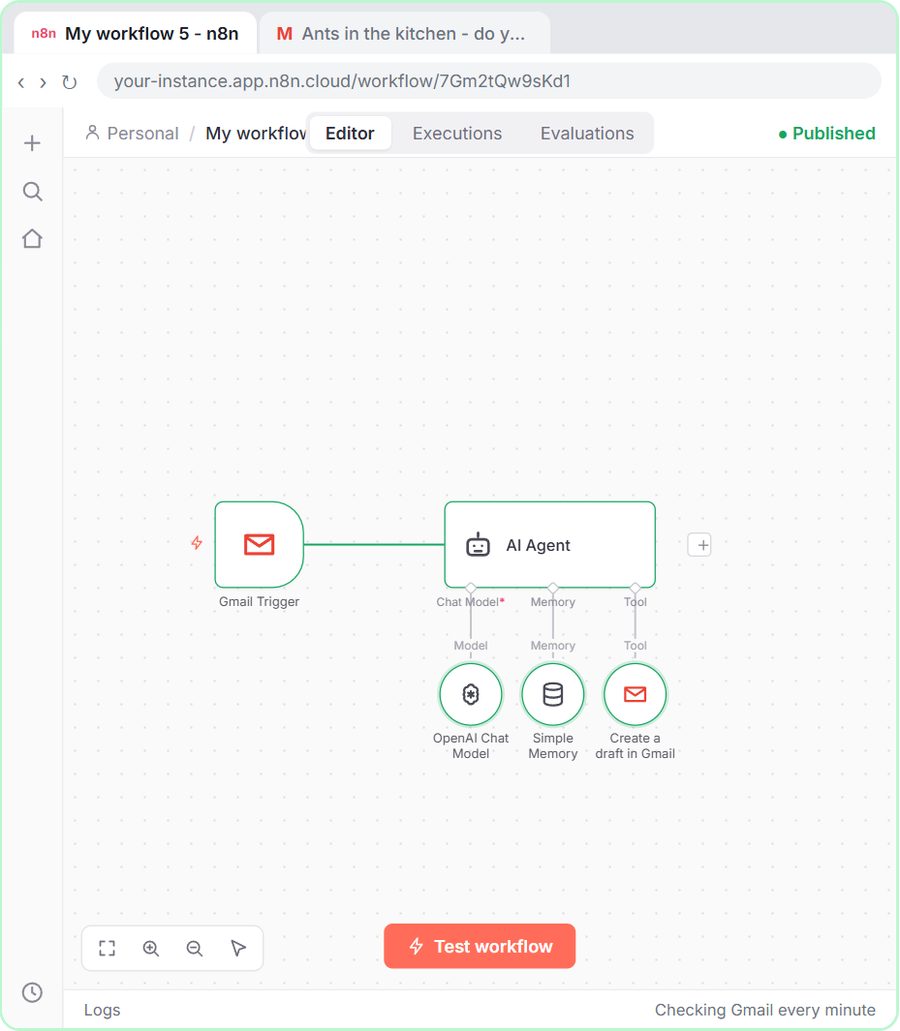
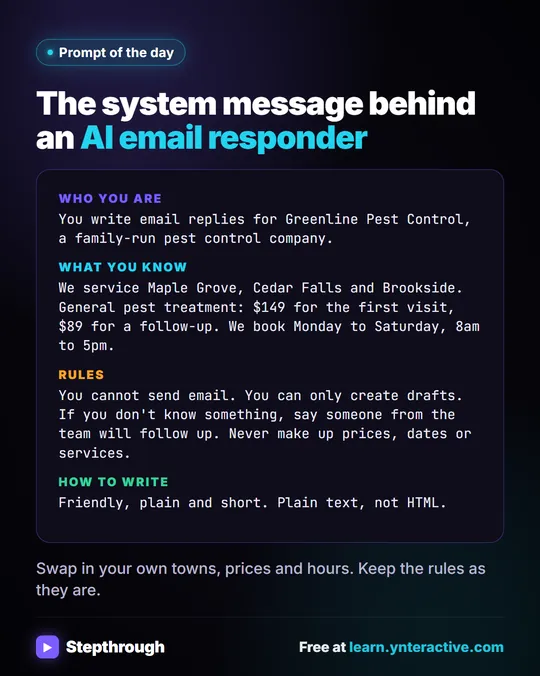
Yes, if you set one up before you leave. The AI Email Responder lesson builds an n8n workflow that checks a Gmail inbox every minute, reads each new email and saves a reply as a draft in the same thread. It never sends, so when you return, the routine questions have drafts waiting under them.
The agent writes only from the facts in its system message. In the lesson, Greenline Pest Control (a made-up company) lists its service areas, prices ($149 for a first visit, $89 for a follow-up), booking hours and how to book, plus a rule: "If you don't know something, say someone from the team will follow up. Never make up prices, dates or services."
Before a break, update that system message with your holiday hours and your return date, so drafts don't offer a day you're closed. When you're back, read each draft, edit it if needed and click send. AI Email Replies Without Auto-Sending covers the build.
What should you keep out of AI when clearing your inbox?
Card numbers, account numbers, tax IDs and health details. Leave them out of anything you paste into ChatGPT, follow your company's policy on AI tools, and use a business account that doesn't train on your data. The reply lesson says it at the copy step: if there is anything private in the thread, like a card number, leave it out. Is It Safe to Paste Client Emails into ChatGPT? has a fuller checklist.
On cost: the lessons are free and run in practice copies. ChatGPT works on any plan to start, including the free plan within its limits. The email responder needs n8n (n8n Cloud is paid after a free trial, or self-host it) and an OpenAI API key, which is pay-as-you-go and billed separately from ChatGPT plans. The Email on Autopilot path covers both lessons in order.
Key takeaways
- Catch up on email after vacation in three passes: sort the backlog, answer the oldest waiting customer first, then clean up.
- Click Expand all in Gmail before replying, because a later message in the thread may change the question.
- Apologize once for the wait, then answer every question; don't offer discounts nobody approved.
- ChatGPT writes better backlog replies from the whole thread plus a numbered list of facts you can promise.
- An n8n email responder can have Gmail drafts waiting when you return, and it only drafts, never sends.
Frequently asked questions
- Should I answer the newest or the oldest emails first after vacation?
Oldest unanswered customer and client emails first. They have waited longest and often wrote again, so one reply can close two messages.
- Can AI answer my inbox while I'm away?
The lesson's n8n agent writes Gmail drafts but never sends them, so a person still reviews each reply. It's a head start, not an autoresponder.
- How do I make sure AI replies don't promise the wrong dates?
Give it a numbered facts list with your real hours and dates, tell it not to promise anything else, and ask it to check every promise against the facts before you send.
- Should I mention I was on vacation in my reply?
A short line is fine, along with one apology for the wait. Then answer every question the person asked.