Why this matters
Most people who open a product page in a small online shop leave without buying, and the shop never hears from them again. An email address turns that lost visit into a welcome email, a reminder and a second chance.
An exit-intent popup only appears when a visitor moves to close the tab or leave, so it does not interrupt people who are still browsing. Poptin builds one from a template in a few minutes, and its display rules keep it to the right pages and the right visitors.
Practice
Do every step yourself in a practice copy of the real tool. It checks your work, and “Do it for me” finishes any step you get stuck on.
What you’ll build
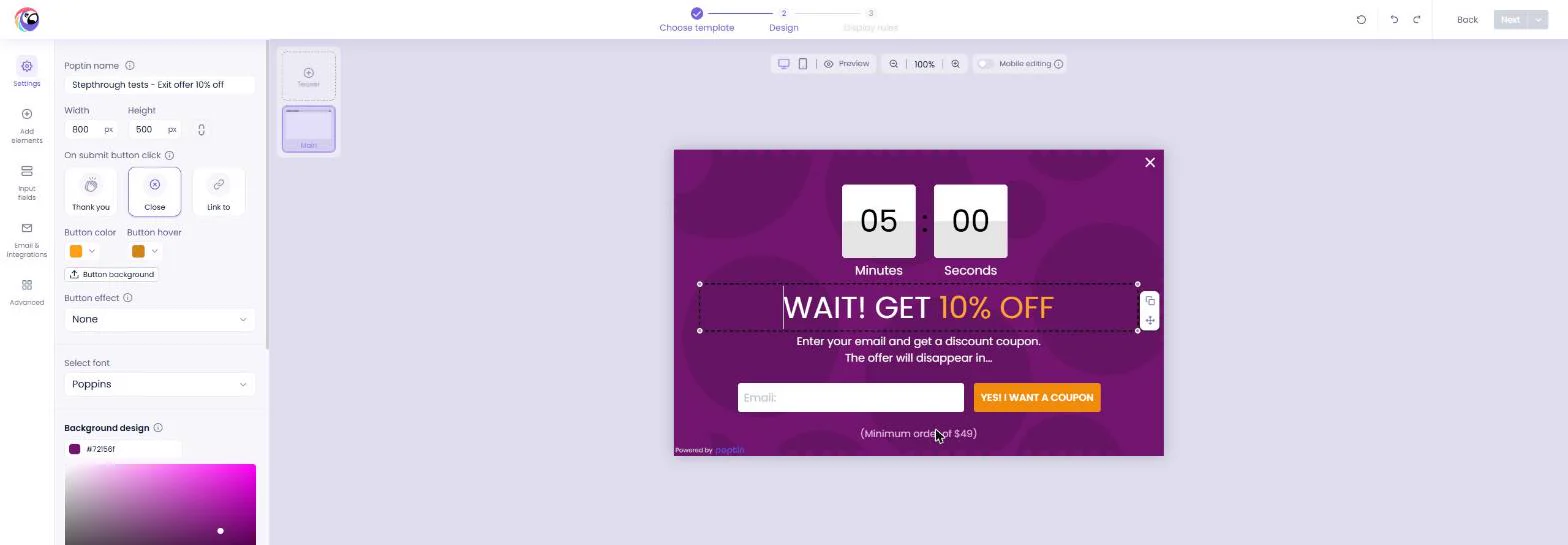
You run a made-up online tea shop. You build a 10%-off exit-intent popup from a Poptin template, change the minimum order, and add a thank-you screen.
Then you set it to show only on product pages, only to new visitors, once a day, and see how the code goes on a Shopify store. The screens are real screenshots from my own Poptin account on the Free plan, captured November 2026.
What you need
- Nothing to start the practiceThe lesson is a practice copy. The tea shop is made up.
- A Poptin account, to do it for realThe Free plan covers 1,000 visitors a month on one domain. Check the current plans before you add more sites.
- A store or website you can editYou install Poptin once: connect Shopify, use the WordPress or Wix option, or paste one script line above </head>.
- Your offerDecide the discount and minimum order, and how the code reaches subscribers (thank-you screen or welcome email).
Concepts
Exit intent instead of a timer
The template opened with a 5-second Time Delay, which pops up on people who just arrived. Exit intent waits until a visitor moves to leave.
You can turn on more than one trigger; the popup shows on the first one that fires. For a "before you go" offer, use exit intent alone.
Target pages and visitors
With Page targeting off, a popup shows on every page, including checkout. A Contains rule such as /products keeps it to product pages.
Display frequency set to New shows it only to people who have not visited in the last 30 days, once a day, and Poptin hides it from people who already signed up.
Install once, then switch on
A popup does nothing until the Poptin code is on your site. You install it once, and every later popup uses the same code.
Keep the popup OFF while you build, check it with Preview, then switch it ON. New sign-ups land in Leads, ready for a welcome email.
Do it for real
Now repeat it in your own account. Tick each step as you go.
Quick check
3 questions to check you’ve got it.
1. Why use exit intent instead of a 5-second delay for a "before you go" offer?
- It only shows when the visitor moves to leave
- It shows to more people
- It works without the Poptin code
Show the answer
It only shows when the visitor moves to leave. A delay interrupts people who just arrived. Exit intent waits until someone is about to leave.
2. You do not want the popup on checkout. What do you set?
- Page targeting with a Contains rule for product pages
- Device targeting to Desktop only
- A longer time delay
Show the answer
Page targeting with a Contains rule for product pages. With Page targeting off, the popup shows on every page. A rule such as Contains /products keeps it to product pages.
3. You published the popup but nobody sees it. What do you check first?
- That the Poptin code is installed and the popup is switched ON
- The template colors
- The popup name
Show the answer
That the Poptin code is installed and the popup is switched ON. The popups list says poptins won't be displayed until the code is installed, and a popup with status OFF never shows.