Updated . Built against the tool’s current screens and checked step by step. How we check this lesson
A new signup form is only half the job: the confirmation or welcome email has to arrive and work. Temp Mail PW gives you a free, receive-only temporary inbox the moment the page loads, with no account. In this lesson, on real Temp Mail PW screens, you are the marketing coordinator at Brightpath Home Care, a made-up home-care agency launching a caregiver job-alert form on its own website: copy a temporary address, submit it on the form (a made-up practice page), read the live mailbox and what to check in the email, pick a second domain with Change and delete the address. 13 steps, about six minutes.
At a glance
| Question | Answer |
|---|---|
| What you build | Before a new signup form goes live, run it end to end with a throwaway inbox. On real Temp Mail PW screens: copy a free address, submit it on your own form, read the live mailbox, try a second domain with Change, then delete the address. No account. |
| Tools | Temp Mail PW |
| Time | About 6 minutes, 13 steps in 3 parts |
| Level | Beginner, no coding needed |
| Cost | Free |
| Ways to learn it | Practice it step by step |
The 3 parts, in short
- Run the form: Copy a temporary address, Open your signup form, Paste the address, Submit the form, and 1 more step.
- Check the email: Refresh, Read the live mailbox.
- Second domain and clean up: Change, Open the domain list, Pick another domain, Make it your inbox, then run the form again, and 2 more steps.
Start here first: How to Use n8n in Marketing: An AI Agent That Plans Your Content Calendar (module 1 of AI Automation for Marketing)
The business case: a confirmation email nobody tested
Picture Luis, the marketing coordinator at Brightpath Home Care, a made-up home-care agency. Tomorrow he announces a caregiver job-alert signup form on the agency's site. If the confirmation email never arrives or its link is broken, applicants give up and nobody tells him.
Testing from his work inbox fills it with test sign-ups and only tries one address. A free temporary inbox lets him run the form end to end, check the email, try a second domain and throw the address away.
Who this is for, and what you need
Marketing coordinators, web managers and QA testers checking forms they own. Free use needs no account. On 24 November 2026 the Premium window listed a Basic Plan at $2.99 monthly and a Pro Plan at $9.99 monthly, adding custom domains, premium domains, a longer history, favorite messages, no ads, attachments, email forwarding and API requests (500 or 1,000 a month).
Use it the right way
Test only forms you own or are allowed to test. Never use a temporary address for any account you plan to keep: password resets go to the address on file, and a deleted temporary inbox is gone. The inbox only receives mail. You may see an Unlock Premium Feature box on the site offering access for watching a short video ad or subscribing to its newsletter.
What this saves you
- A launch where the confirmation email silently fails.
- A work inbox full of test sign-ups.
- What it does not do: it does not test how your email lands in Gmail or Outlook spam filters. Send one final test to a real inbox you own too.
How this lesson was built
Every Temp Mail PW screen is a capture of the real site, taken on 24 November 2026 in one session with no account; ad slots were not loaded for the captures. Brightpath Home Care and its signup form are made up, and the form is our own practice page. We submitted no real form and sent no email to the temporary address, so the real Live Mailbox is empty and what to check in the email is described in words, not shown. On the Change page we picked a domain but did not click Update Email Address.
Links
- Temp Mail PW: the temporary address, the copy button, Refresh, Delete, QR Code, History, Change and Your Live Mailbox.
- Temp Mail PW: FAQs: how long messages take, receive-only mail and plan features.
- Temp Mail PW: Why temp mail is not working: what to try when a message does not arrive, including sites that block disposable domains.
Try it yourself, free
Reading the steps is a start. Doing them is how it sticks. The interactive module walks you through every click in a practice copy of Temp Mail PW, checks each step, and never touches your real accounts.
Start “Temp Mail PW: Test Your Own Signup Form and Welcome Email”Step by step: Temp Mail PW: Test Your Own Signup Form and Welcome Email
All 13 steps of the interactive module, in order. In the module you watch each one, then do it yourself in a practice copy that checks your work.
1. Run the form
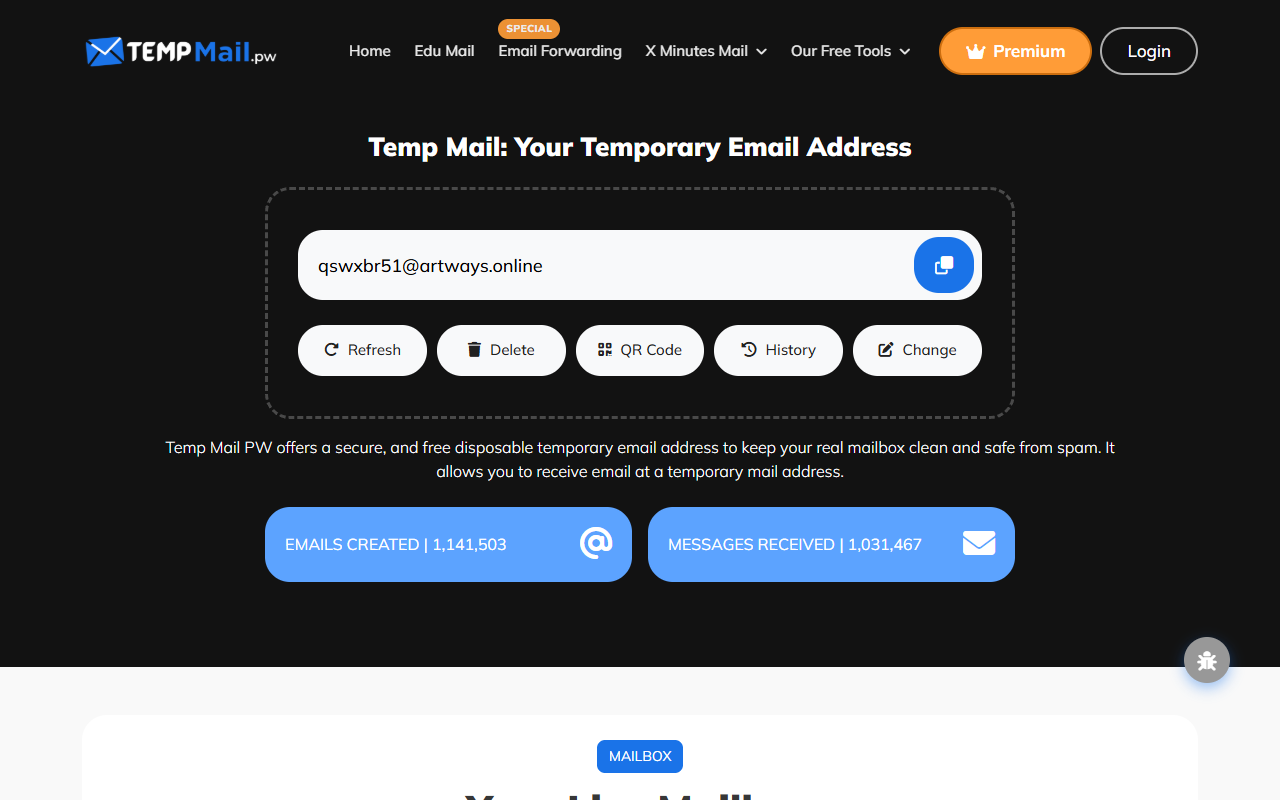
- Copy a temporary address. You are Luis, the marketing coordinator at Brightpath Home Care (made up). Tomorrow you announce a new caregiver job-alert signup form on the agency's own website. If its confirmation email never arrives, applicants give up and nobody tells you. So you test it first with a throwaway inbox. Temp Mail PW gave this address the moment the page loaded, with no signup: qswxbr51@artways.online. Click the copy button at the end of the address.
Temp Mail PW gives you an address the moment the page loads.
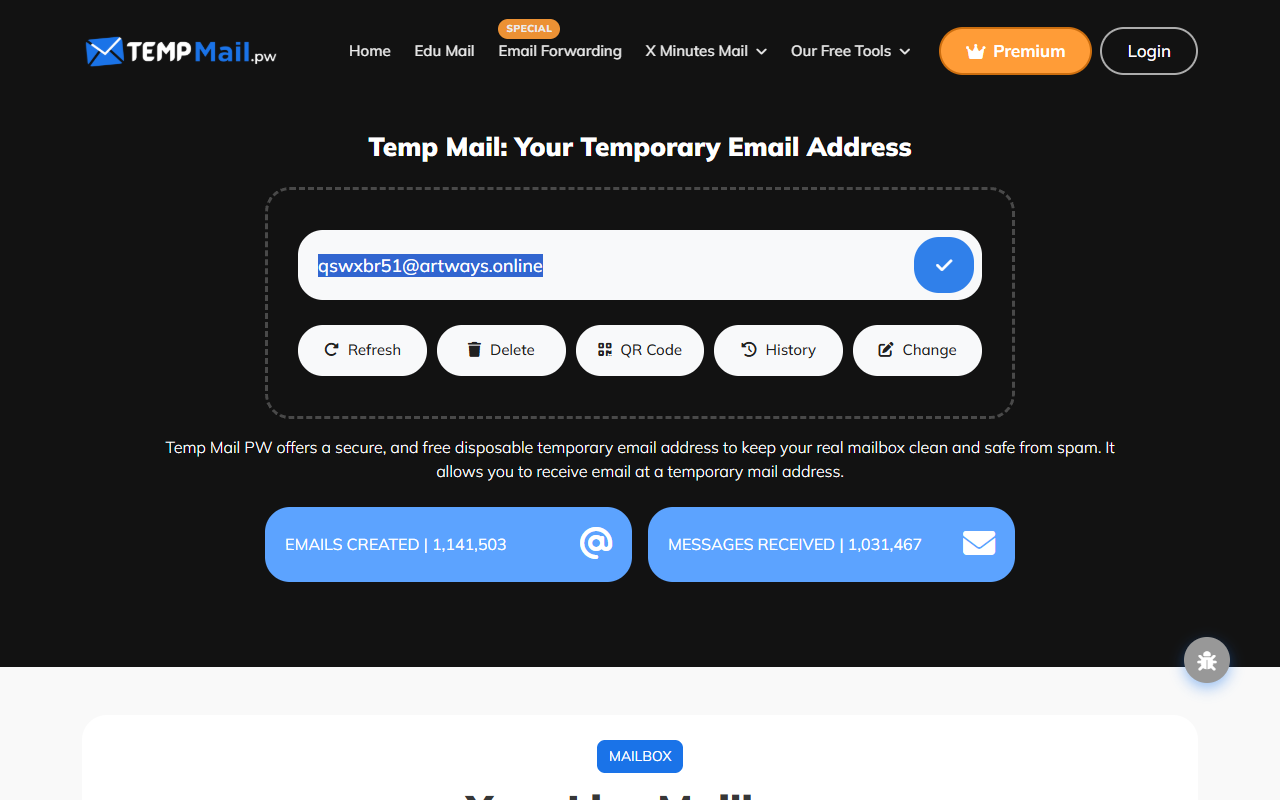
- Open your signup form. The button turns into a check mark and the address is highlighted: it is on your clipboard. Now open your own signup form, the page you are about to announce. In this lesson it is a made-up practice page.
The check mark means it is copied.
- Paste the address. This form is our own made-up practice page, standing in for the form on your website; nothing on it is sent anywhere. Paste the temporary address into Email.
- Submit the form. Click Get job alerts, exactly as an applicant would. Only test forms you own or are allowed to test.
Submit the form, exactly as an applicant would. Only test forms you own.
- Go back to Temp Mail PW. The form says "Thanks! Check your inbox to confirm your job alerts." That is a promise. Go back to the Temp Mail PW tab to see whether it is kept.
Your form promised an email. Go back to Temp Mail to check.
2. Check the email
- Refresh. Your address is still there. Click Refresh to check for new mail.
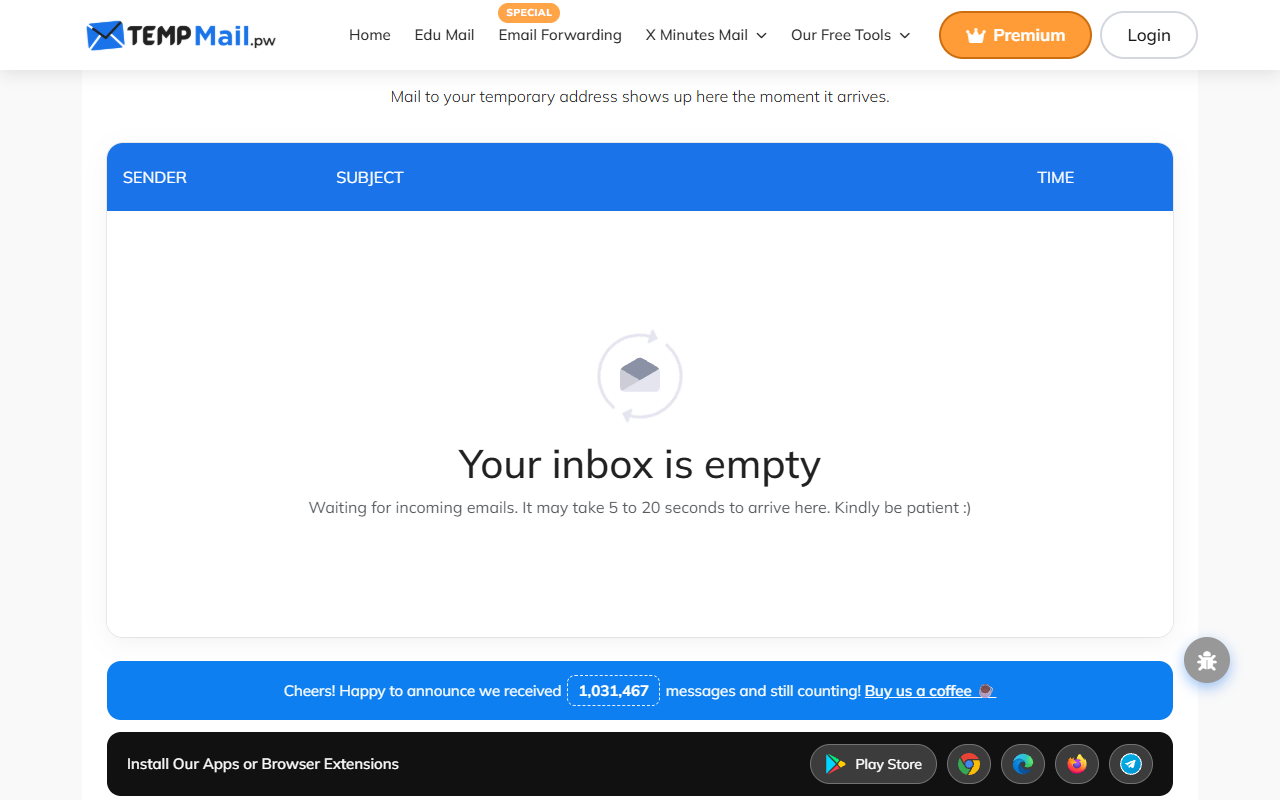
- Read the live mailbox. Scroll down to Your Live Mailbox: "Mail to your temporary address shows up here the moment it arrives." with SENDER, SUBJECT and TIME. Ours says Your inbox is empty, "It may take 5 to 20 seconds to arrive here", because in this lesson nothing was sent to it. On your real run, the confirmation email appears as a row here. Open it and check: the sender name and subject read right; the confirm link opens the right page; the unsubscribe link and the agency address are there; and it arrived within a minute. If nothing arrives after two minutes, your form or email service is what to fix. Click the empty mailbox.
On your real run, the email shows up here. Check the sender, the subject, the confirm link and the unsubscribe link.
3. Second domain and clean up
- Change. Some forms block known throwaway domains, so test a second one. Scroll back up and click Change.
Some forms block throwaway domains.
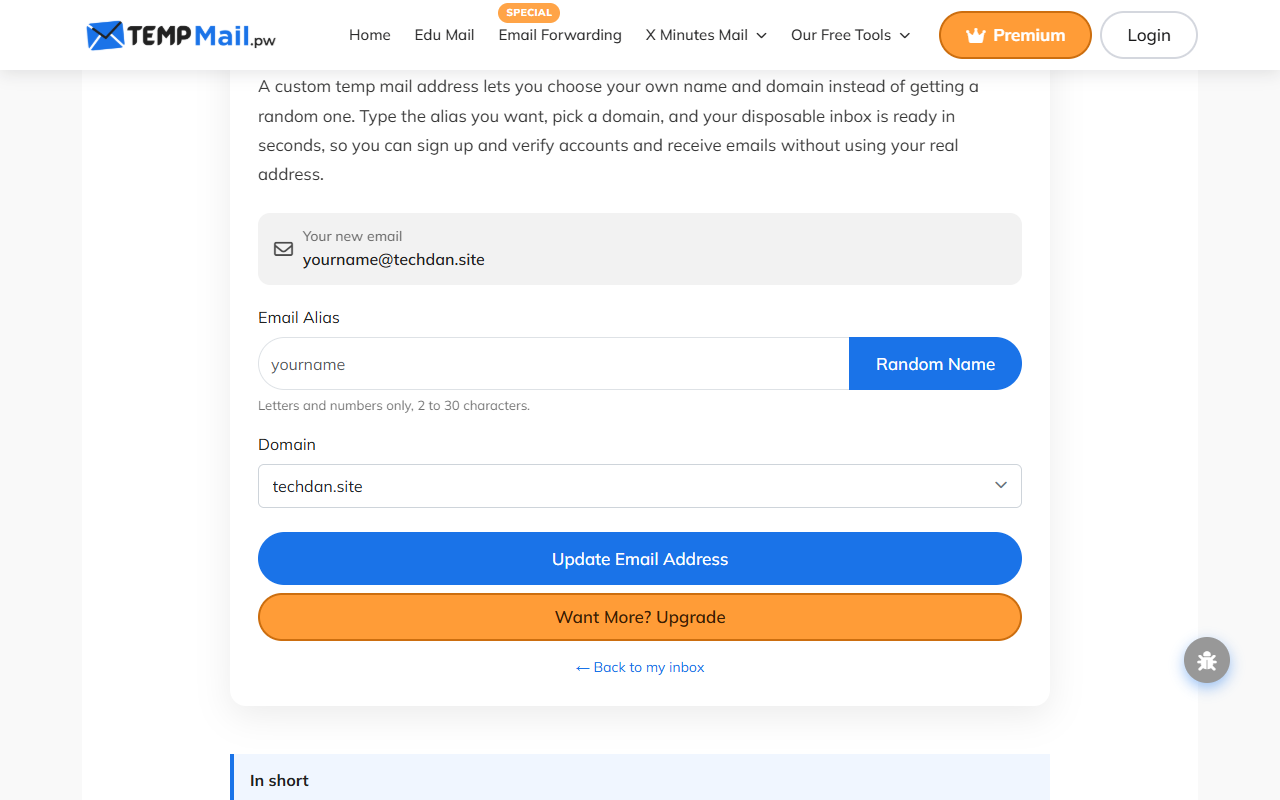
- Open the domain list. Create a Custom Temporary Email Address: type an Email Alias (letters and numbers only, 2 to 30 characters) or click Random Name, then pick a Domain. Your new email shows the result. Click the Domain box.
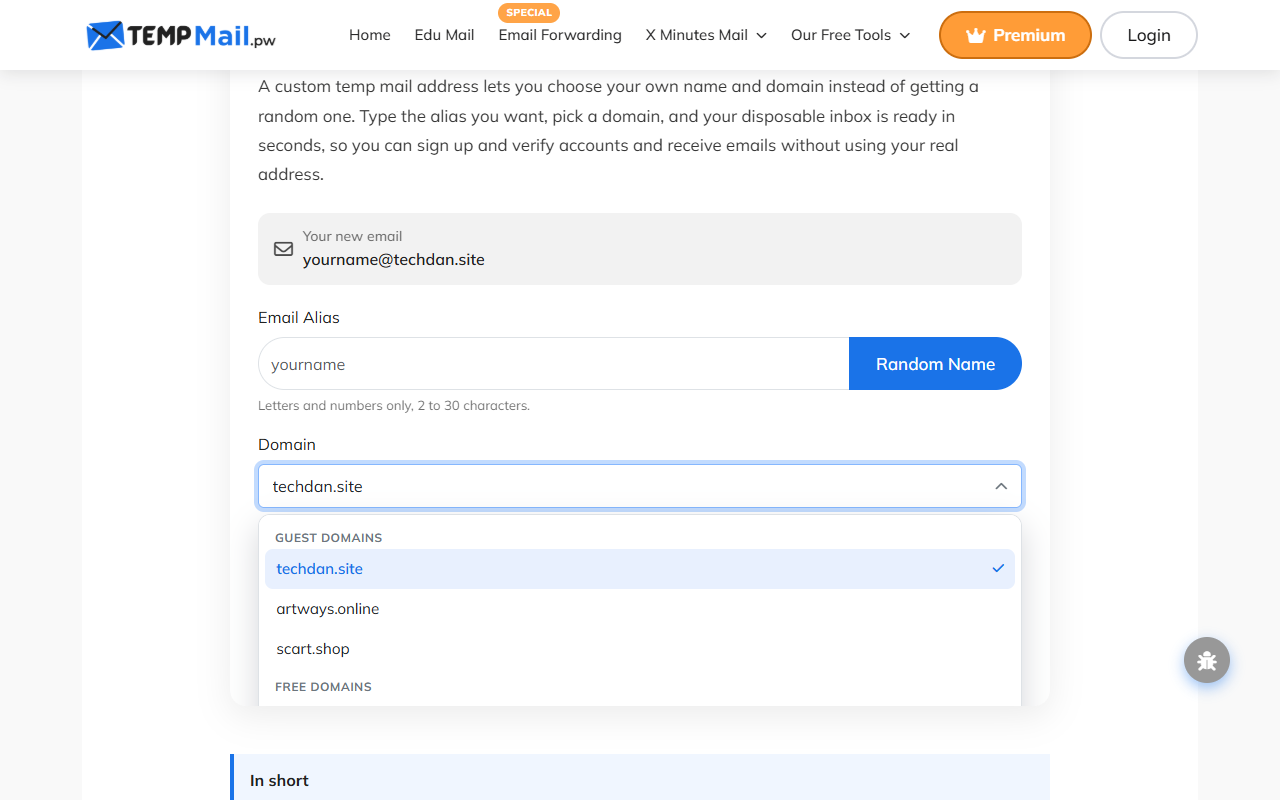
- Pick another domain. Three GUEST DOMAINS (techdan.site, artways.online, scart.shop), then four FREE DOMAINS (mecasa.space, aiopenapi.space, saadhai.edu.pl, ysandep.shop). Further down, six PREMIUM DOMAINS with hidden names need a paid plan. Your first address was on artways.online, so click scart.shop.
Pick a different domain from the first one.
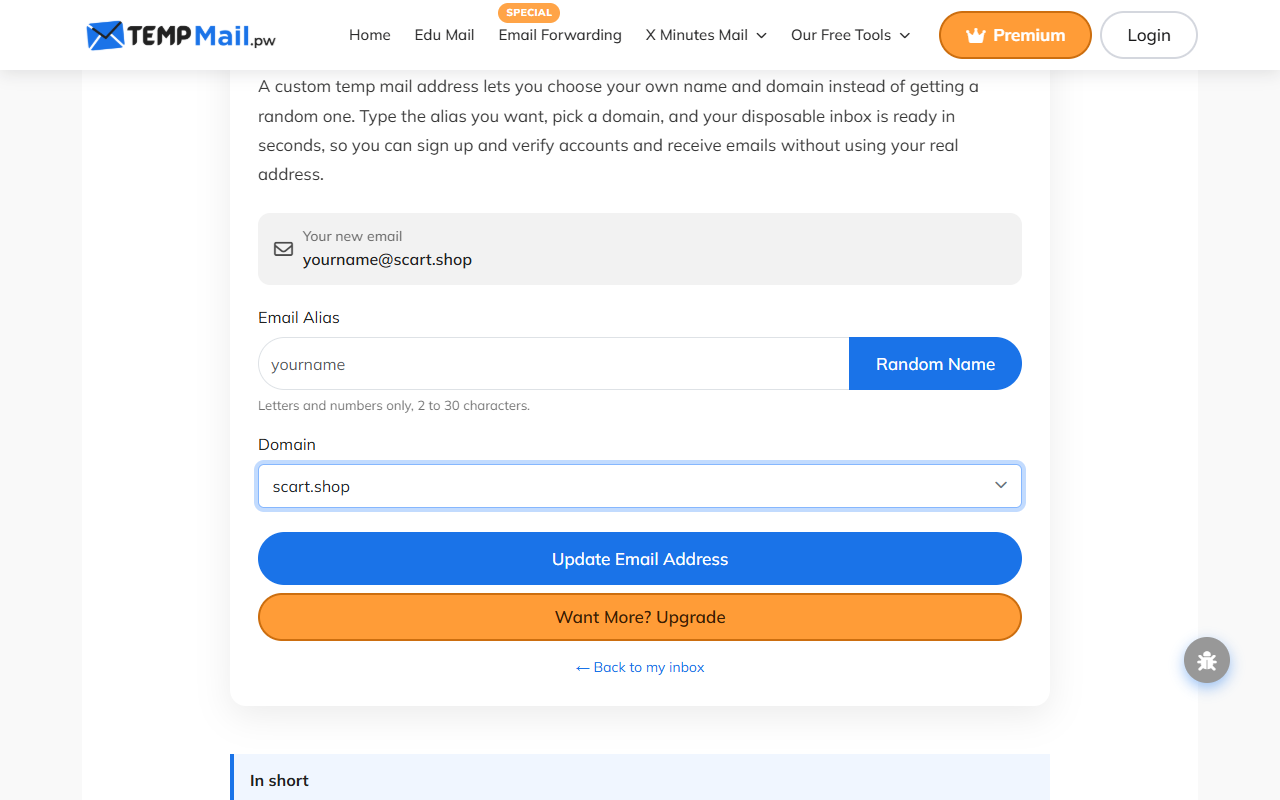
- Make it your inbox, then run the form again. Your new email now reads yourname@scart.shop. On your real run, type an alias, click Update Email Address (it becomes your active inbox), submit your form once more and check that the email arrives. If it does not, your form or email service is rejecting that domain: a choice to know about before launch. We stopped short of updating, so click ← Back to my inbox.
On your real run, click Update Email Address and submit the form again. Here, click Back to my inbox.
- Delete the address. Done testing? Click Delete. Never use a temporary address for an account you plan to keep: password resets go to the address on file, and a deleted inbox is gone.
When you are done, click Delete. Never use a temporary address for an account you want to keep.
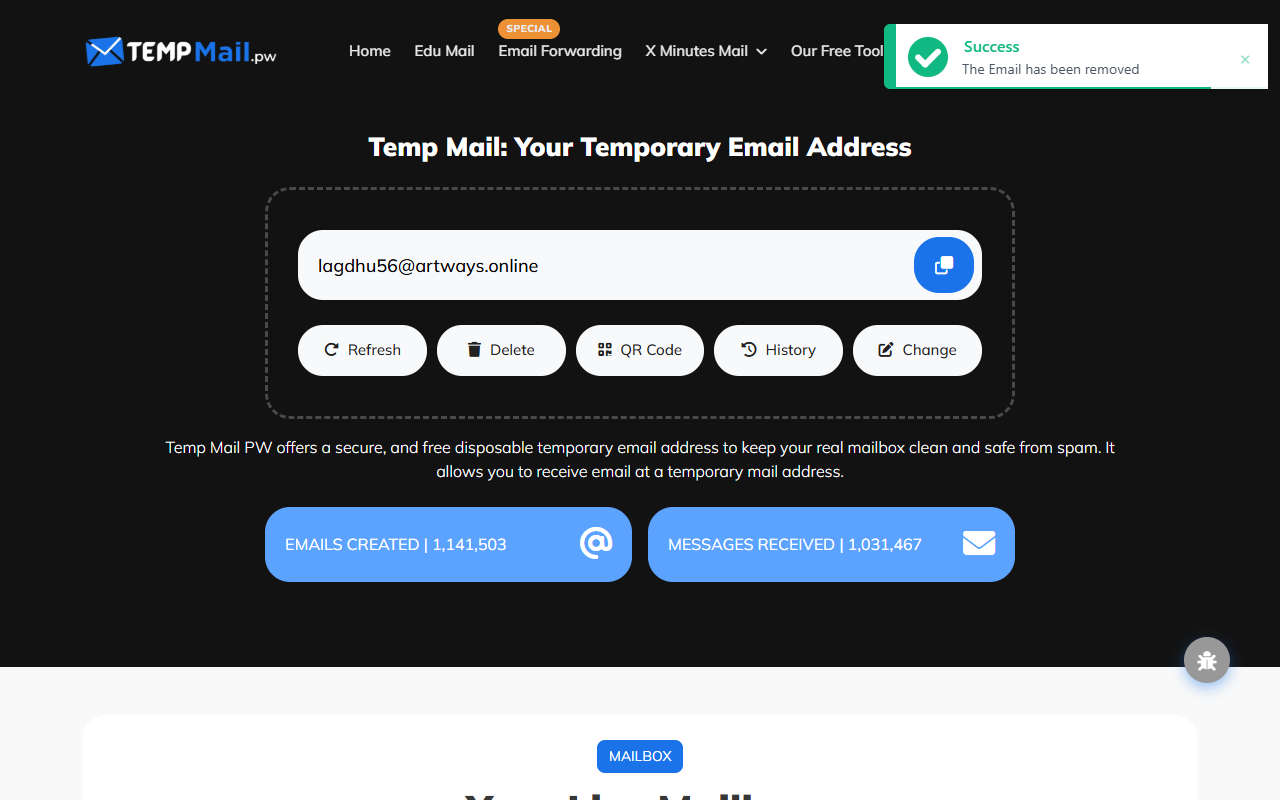
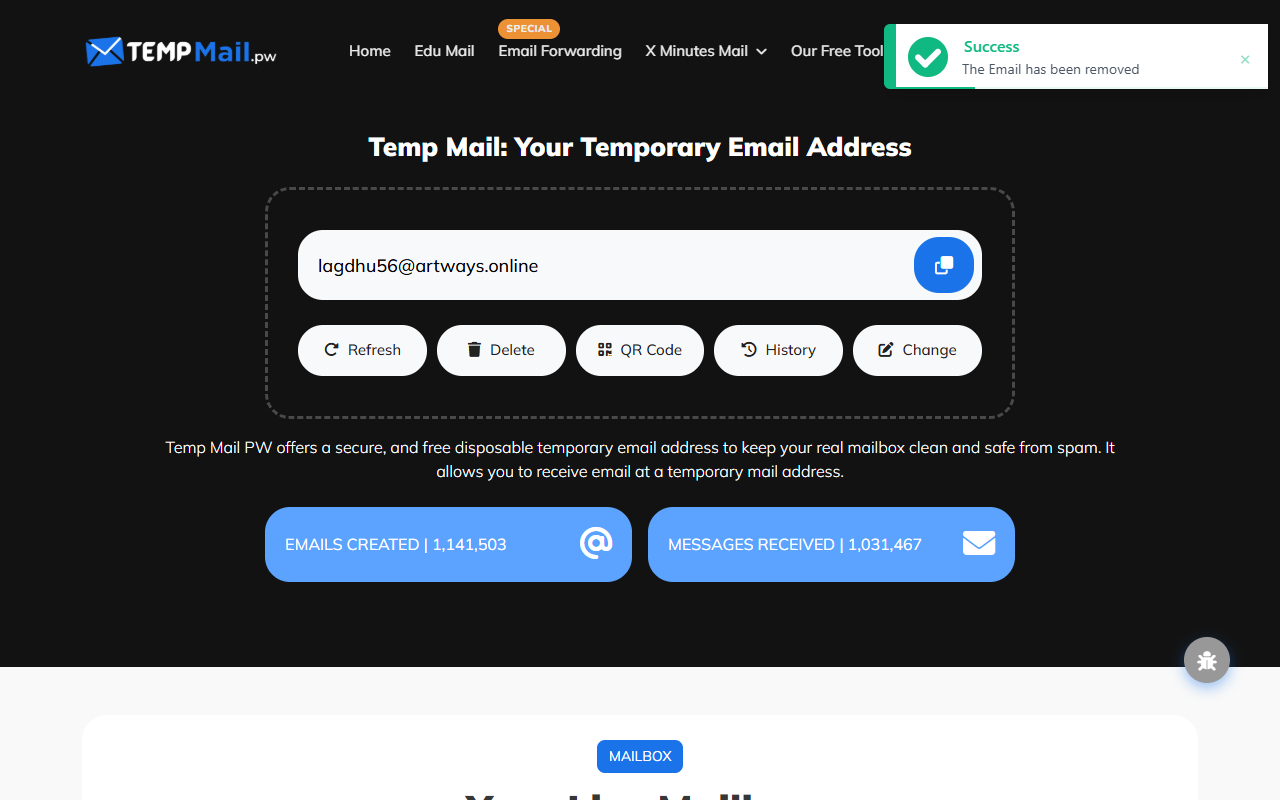
- Check the plans. Success, "The Email has been removed", and the page hands you a new random address straight away. Free use needs no account. Click Premium to see what the paid plans add.
The address is removed and you get a new one.
Screenshots
Frequently asked questions
- What is Temp Mail PW?
- A free, disposable temporary email address that is ready as soon as the page loads, with no signup or password. It receives mail only; the page says messages take 5 to 20 seconds to arrive.
- Is Temp Mail PW free?
- Yes, free use needs no account. The Basic Plan is $2.99 a month and the Pro Plan $9.99 a month, adding custom and premium domains, a longer history, favorite messages, no ads, email forwarding and API requests.
- Can I pick the domain of my temporary address?
- Yes. Change opens Create a Custom Temporary Email Address: type an alias or click Random Name, pick one of 3 guest or 4 free domains, then click Update Email Address. Premium domains need a paid plan.
- Why did my test email not arrive?
- Wait two minutes, since some senders queue messages, then use Change to pick another domain and submit again. Some sites reject or ignore known disposable domains.
- Was this lesson tested on the live site?
- Yes, the Temp Mail PW screens are real captures from 24 November 2026. The signup form is a made-up practice page and no email was sent, so the mailbox shown is empty.
More in AI Automation for Marketing
 How to Use n8n in Marketing: An AI Agent That Plans Your Content Calendar
Build an AI agent for Harbor & Pine Coffee Roasters that turns one campaign theme into a two-week email and content calendar in Google Sheets — chat trigger, AI Agent…
Free · Live ~12 min Intermediate
 Build a Lead Magnet Signup Form with an AI Welcome Email
Build a "Get the free guide" signup form in Lovable for Harbor & Pine Coffee Roasters and connect it to n8n — the AI agent tags each lead by interest, saves it to…
Free · Live ~15 min Advanced
 Get Your Business Recommended by ChatGPT
Ask ChatGPT who it recommends in your town, see which pages it trusts, then use it to write an FAQ page and Business Profile copy that answer real customer questions.
Free · Live ~10 min Intermediate
 iMini AI Agent: Turn a Rough Idea into a Launch Kit
Brief the iMini Creative Agent once and get a launch plan, a LinkedIn visual, a post and a 5-slide deck, then fix the visual and humanize the post with follow-ups.
Free · Live ~8 min Beginner
 Post to Every Channel Daily from One Sheet using n8n + Blotato
Copying the same post into every social app can take half an hour a day, and on busy days nothing goes out. Plan a week of posts in one Google Sheet; every morning n8n…
Free · Live ~14 min Advanced
 VisualGPT: Product Photos, Listing Images and Ads from One Phone Photo
Turn one phone photo into a lifestyle product shot, a five-image Amazon listing set and three launch ads in VisualGPT's Commercial Studio, checking the plan and every…
Free · Live ~8 min Beginner
All 33 modules in AI Automation for Marketing
Terms in this lesson
Plain-English definitions, each with an example from a free lesson.