Updated . Built against the tool’s current screens and checked step by step. How we check this lesson
Someone hands you a 25-page vendor proposal an hour before the meeting. The partners want three things: what it costs, how long it locks you in, and how to get out. Those answers are in there, but usually in the back, in sections called Price changes, Term and renewal and Ending the agreement. Smallpdf (smallpdf.com) has AI PDF tools that summarize a document and answer questions about it, with page links you can click to check. In this free business-case lesson you summarize a made-up 25-page managed IT proposal, ask about renewal, exit fees and extra costs, check each answer on its page, catch a fee the AI left out of a list, and download the whole conversation as a text file. Every Smallpdf screen is real, from a free account. This is my own lesson, not an official Smallpdf course.
At a glance
| Question | Answer |
|---|---|
| What you build | A business case for anyone handed a long vendor proposal before a meeting: get an AI summary in Smallpdf, ask about renewal, exit fees and extra costs, check each answer on its page and save it all as notes. |
| Tools | Smallpdf |
| Time | About 10 minutes, 23 steps in 7 parts |
| Level | Beginner, no coding needed |
| Cost | Free |
| Ways to learn it | Practice it step by step, read the guide with screenshots |
The 7 parts, in short
- A 25-page proposal, 5 minutes: Read the email, Put a price on it, Get the sample PDF, Meet Smallpdf.
- Open the AI summarizer: Open AI PDF, Pick Summarize, Select the PDF.
- Read the summary: Read the summary, Notice what is missing.
- Ask about money and exits: Ask how to get out, Send it, Read the answer, Click p. 18.
- Check it on the page: Check the source, Ask for every extra cost, Spot the gap, Ask a pointed follow-up, and 1 more step.
- Save it and do the math: Click Download, Open the saved notes, Do the year-one math yourself.
- What it saves, what it costs: What this saves you, Check what is free.
Start here first: Smallpdf for Beginners: Which Tool for Which PDF Job (module 1 of AI Automation for Operations)
Part of: AI for Operations Teams (step 29 of 45)
Part of: AI Apps Worth Knowing (step 57 of 186). Next up: Smallpdf for Beginners: Which Tool for Which PDF Job
Part of: AI That Reads Your Documents (step 2 of 10)
Smallpdf: Get the Key Points of a 25-Page PDF in 5 Minutes: step-by-step guide with screenshots
About the screenshots. They come from Stepthrough’s simulated practice environment (a practice copy of Smallpdf), not the live tool, so no real account appears. The buttons and labels match the real screens the lesson was built against. Practice it yourself free at ynteractive.com.
- Tools: Smallpdf
- Time: about 10 minutes, 23 steps in 7 parts
- Level: beginner, no coding needed
Part 1: A 25-page proposal, 5 minutes
Step 1: Read the email
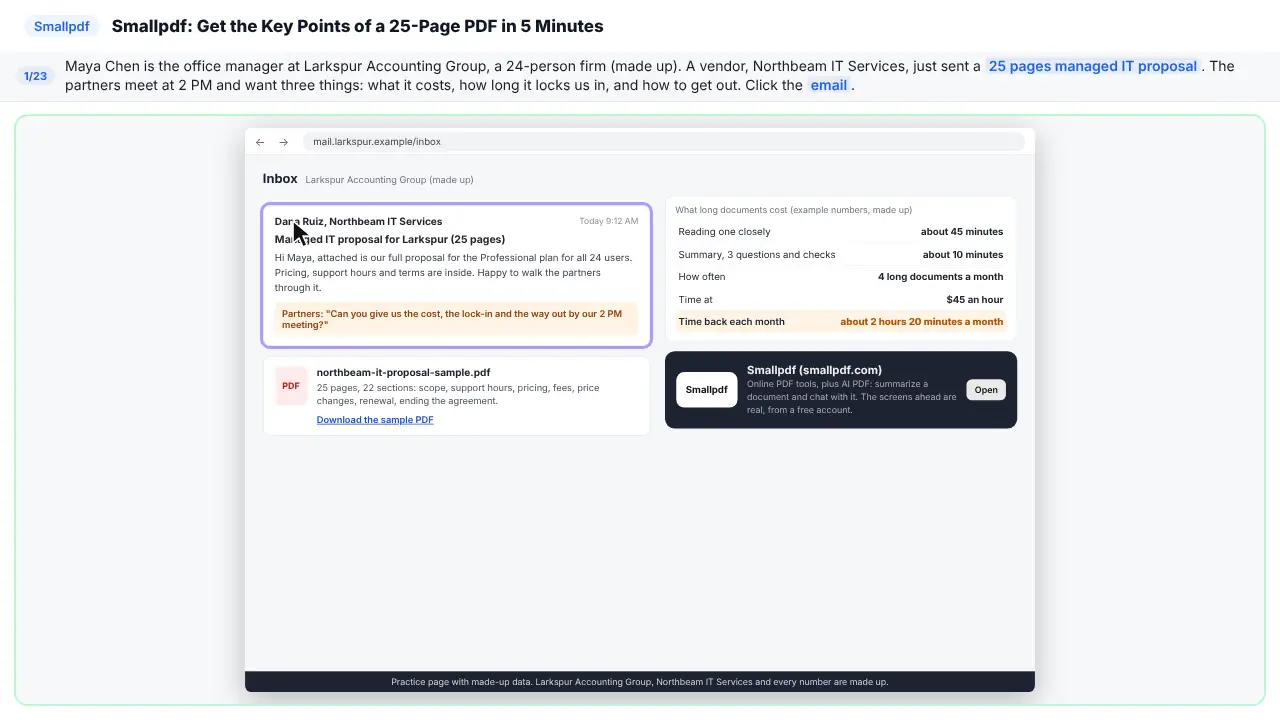
Meet Maya. She runs the office at a small accounting firm. A vendor just sent a twenty-five page proposal. The partners meet at two. They want to know what it costs, how long it locks them in, and how to get out.
Step 2: Put a price on it
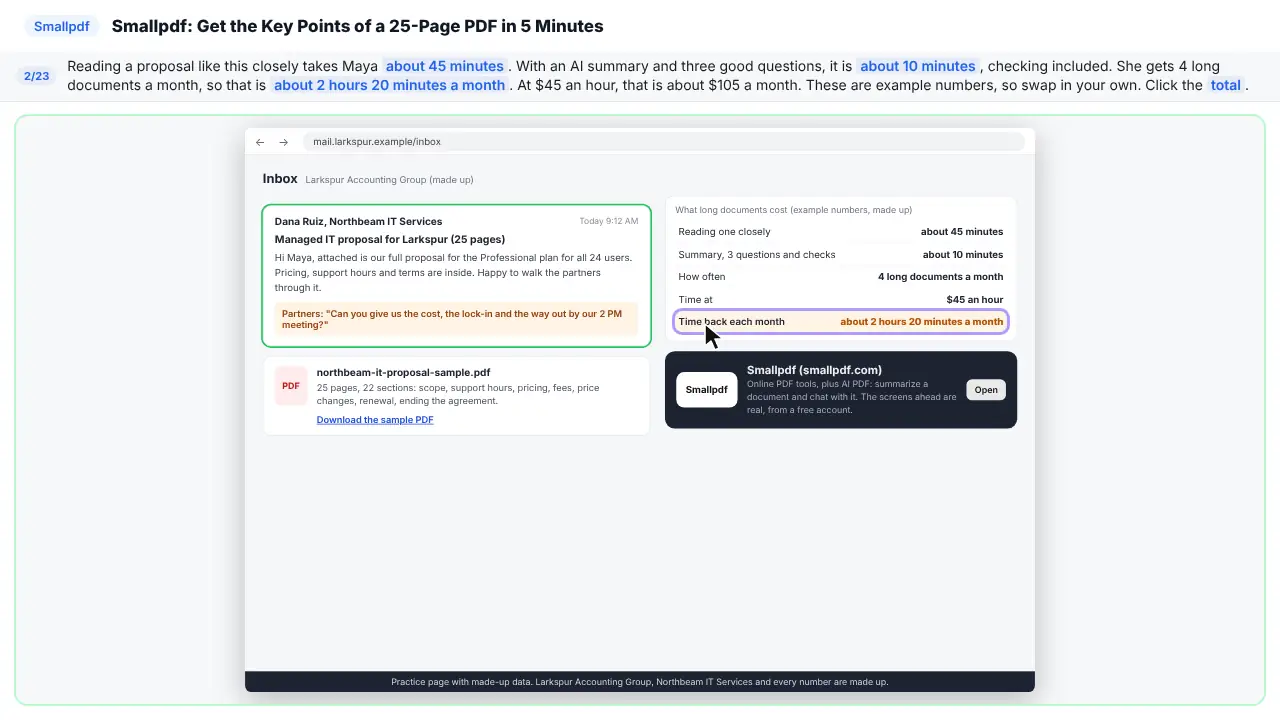
Reading it closely takes about forty-five minutes. With an A I summary and three good questions, it's about ten, checking included. Four long documents a month, and that's over two hours back. Use your own numbers here.
Step 3: Get the sample PDF
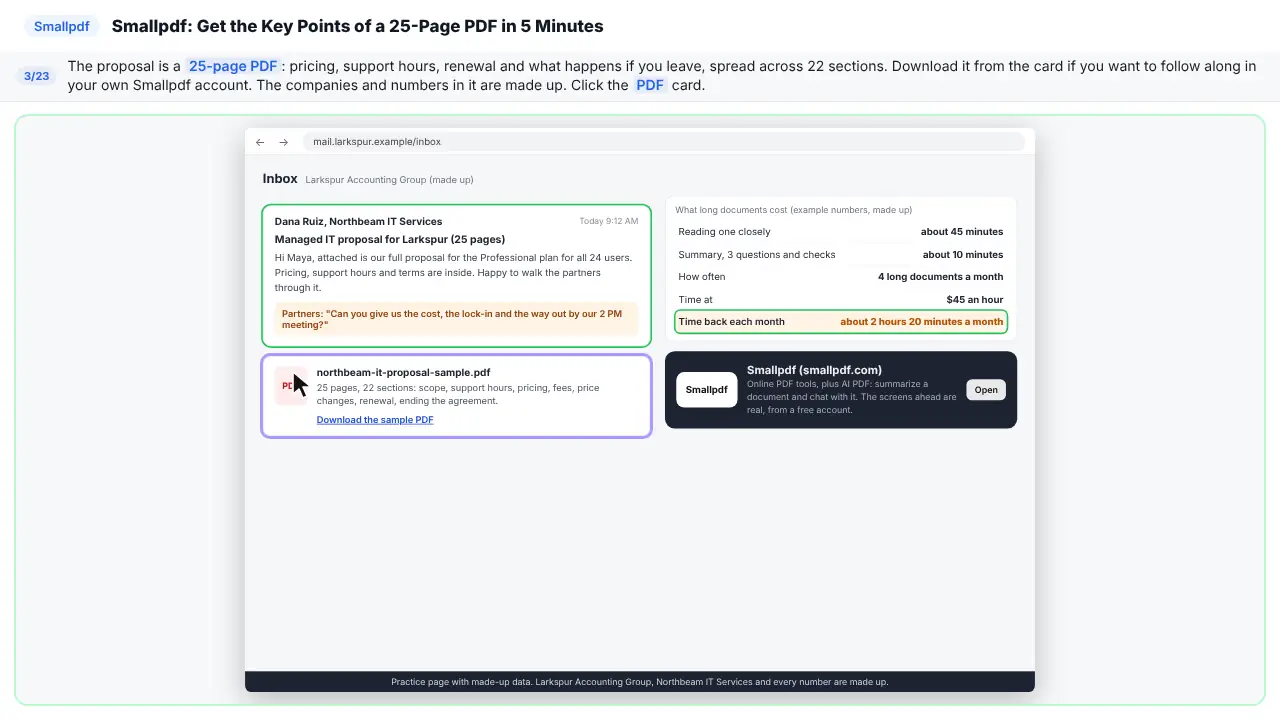
Here's the proposal. Twenty-five pages, twenty-two sections. You can download it from this card, and try it in your own Smallpdf account.
Step 4: Meet Smallpdf
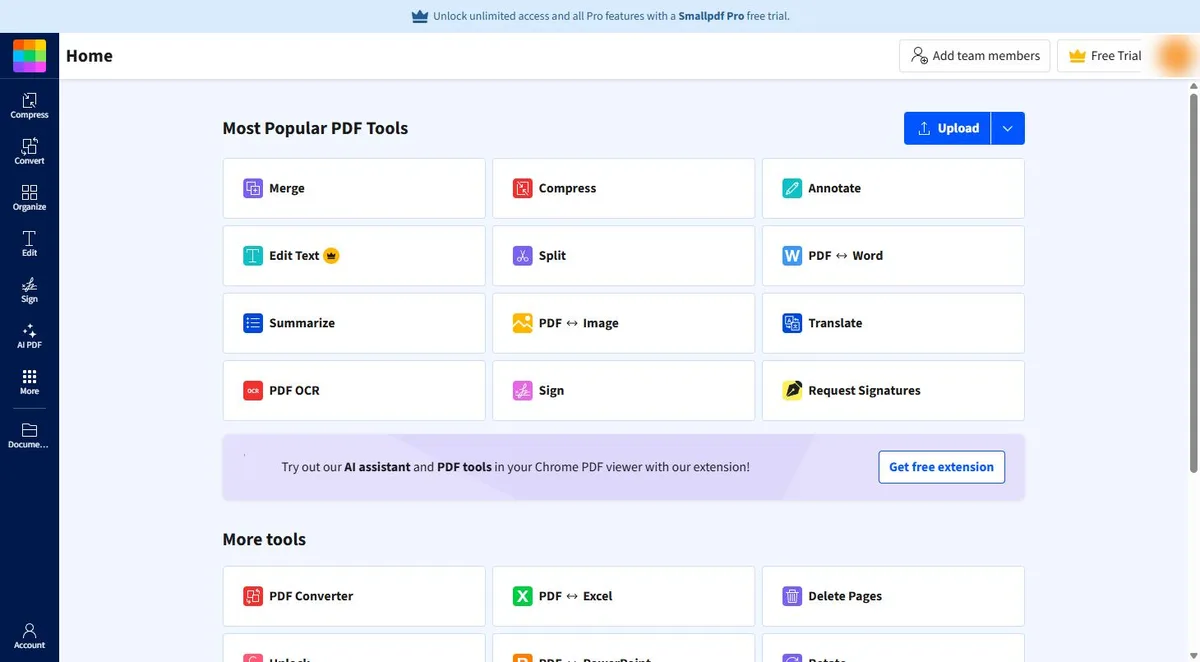
Smallpdf is a set of online P D F tools. It also has A I tools that summarize a document, and answer your questions about it. The screens ahead are real, from a free account.
Part 2: Open the AI summarizer
Step 5: Open AI PDF
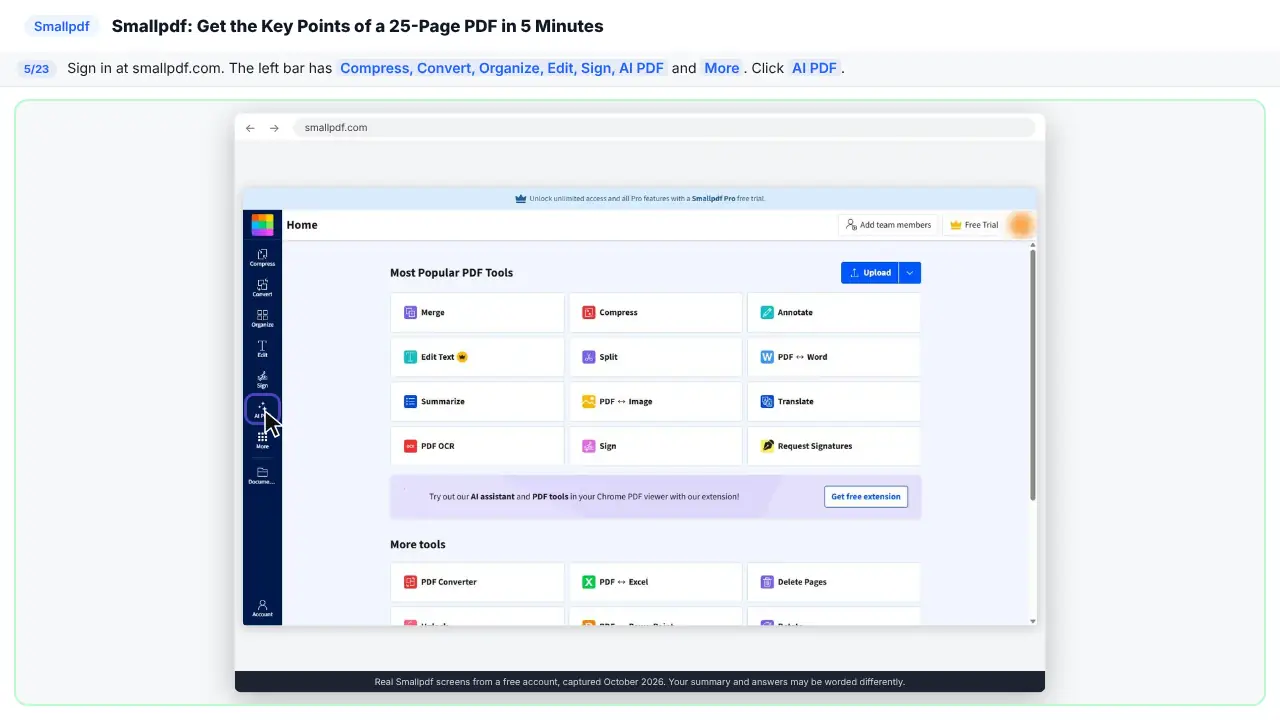
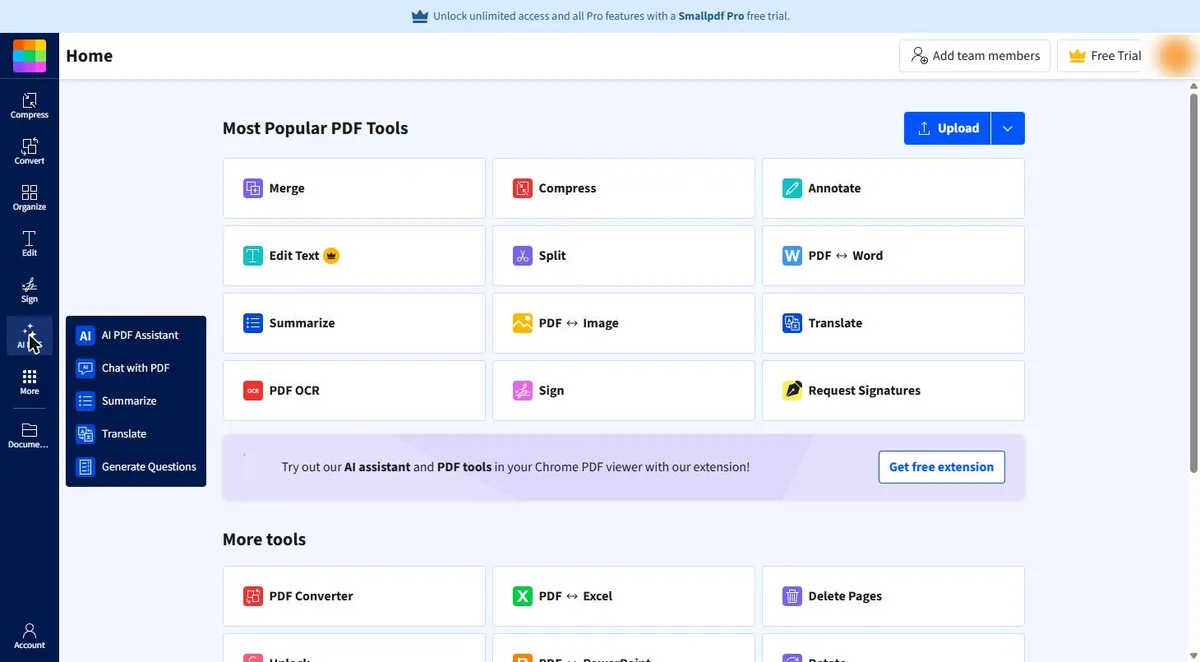
Sign in to Smallpdf. On the left bar, click A I P D F.
Step 6: Pick Summarize
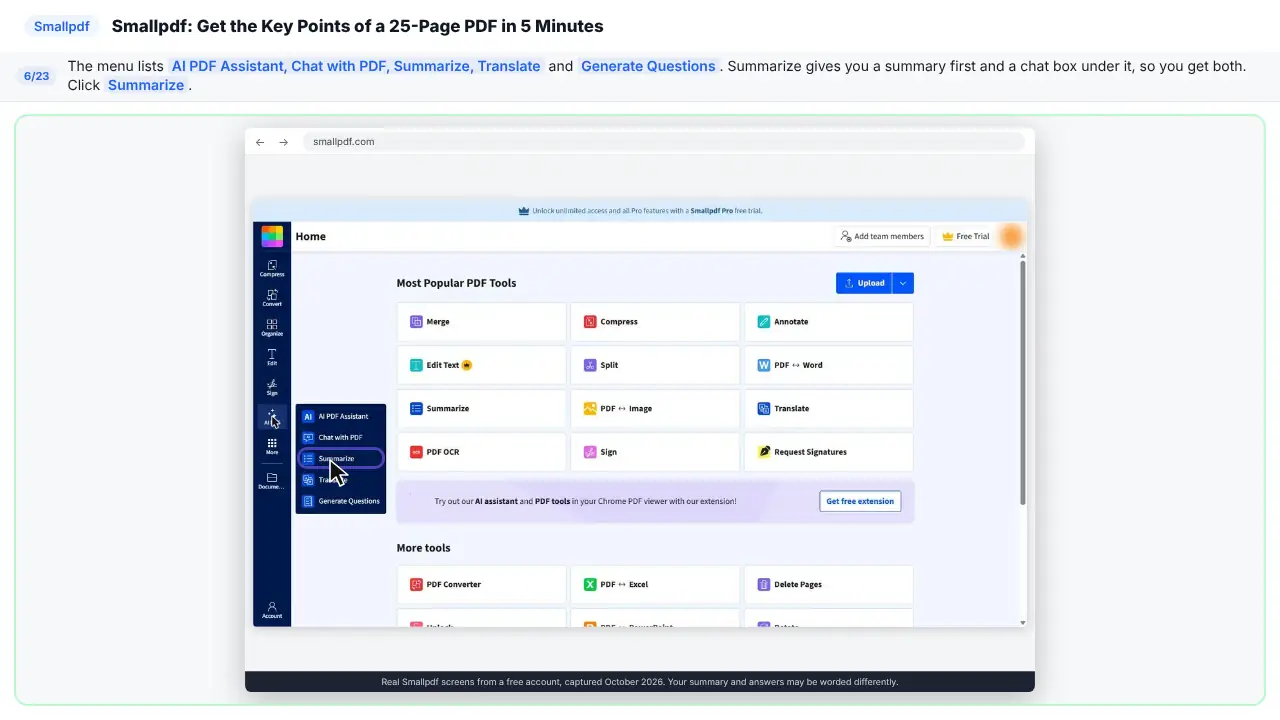
The menu shows the A I tools. Summarize gives you a summary, and a chat box under it. So you get both.
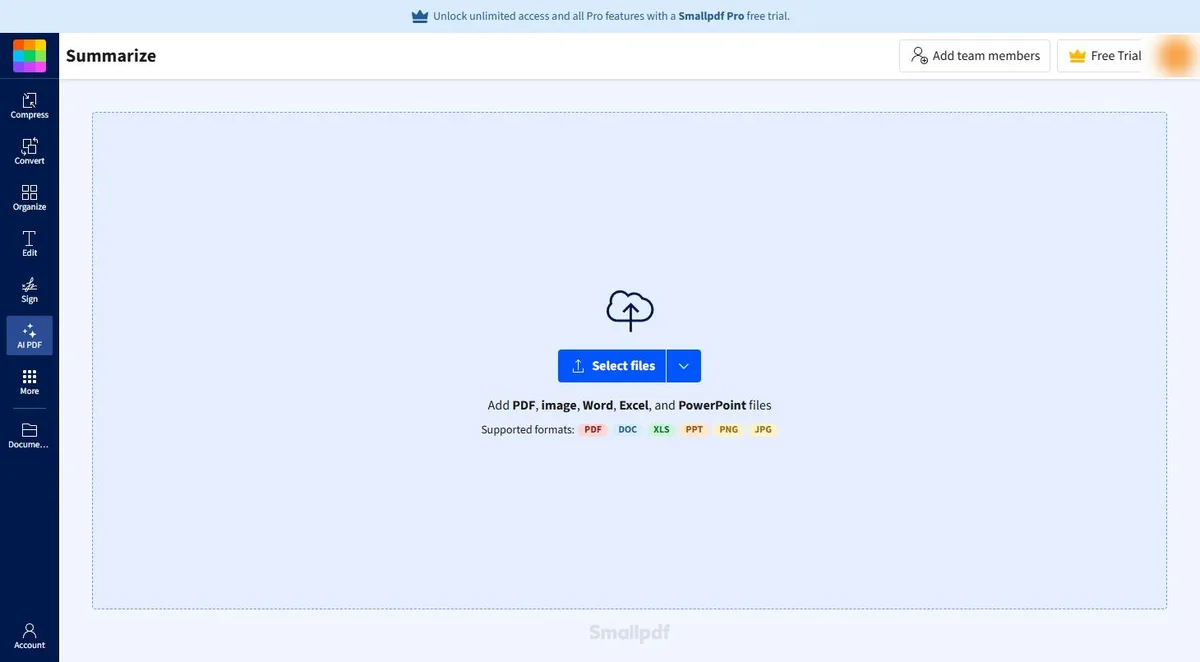
Step 7: Select the PDF
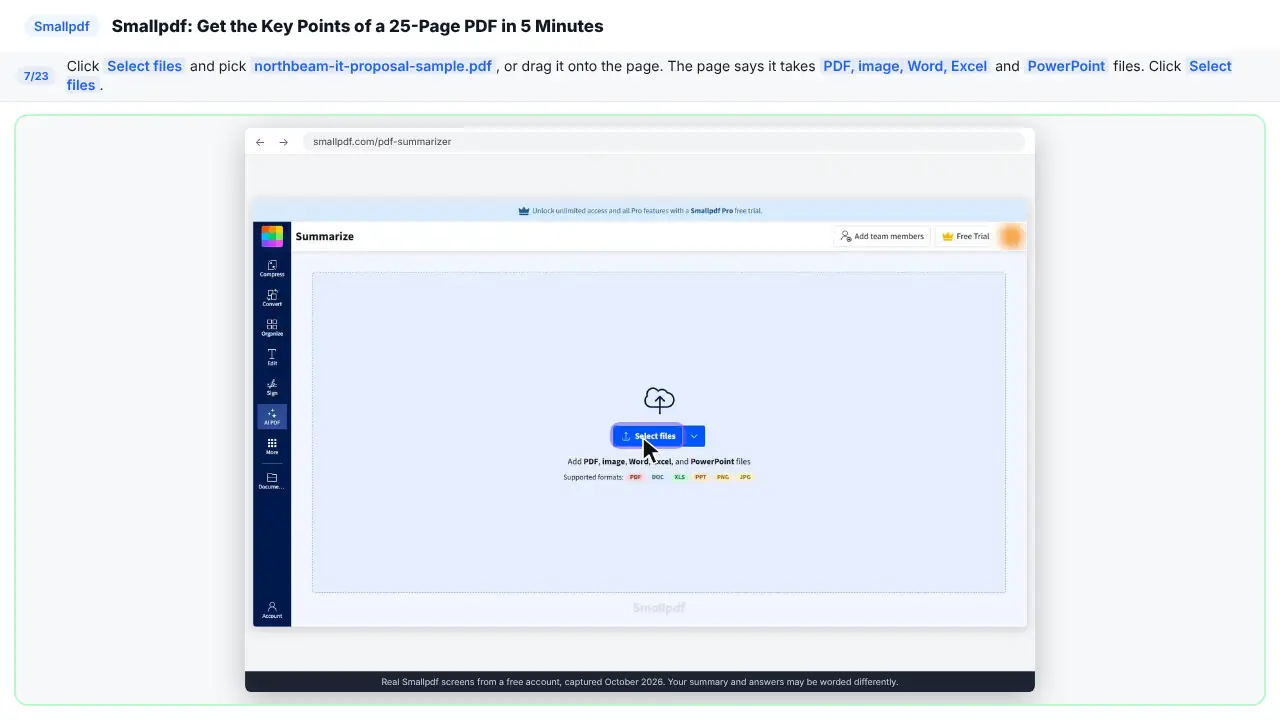
Or drag it onto the page.
Part 3: Read the summary
Step 8: Read the summary
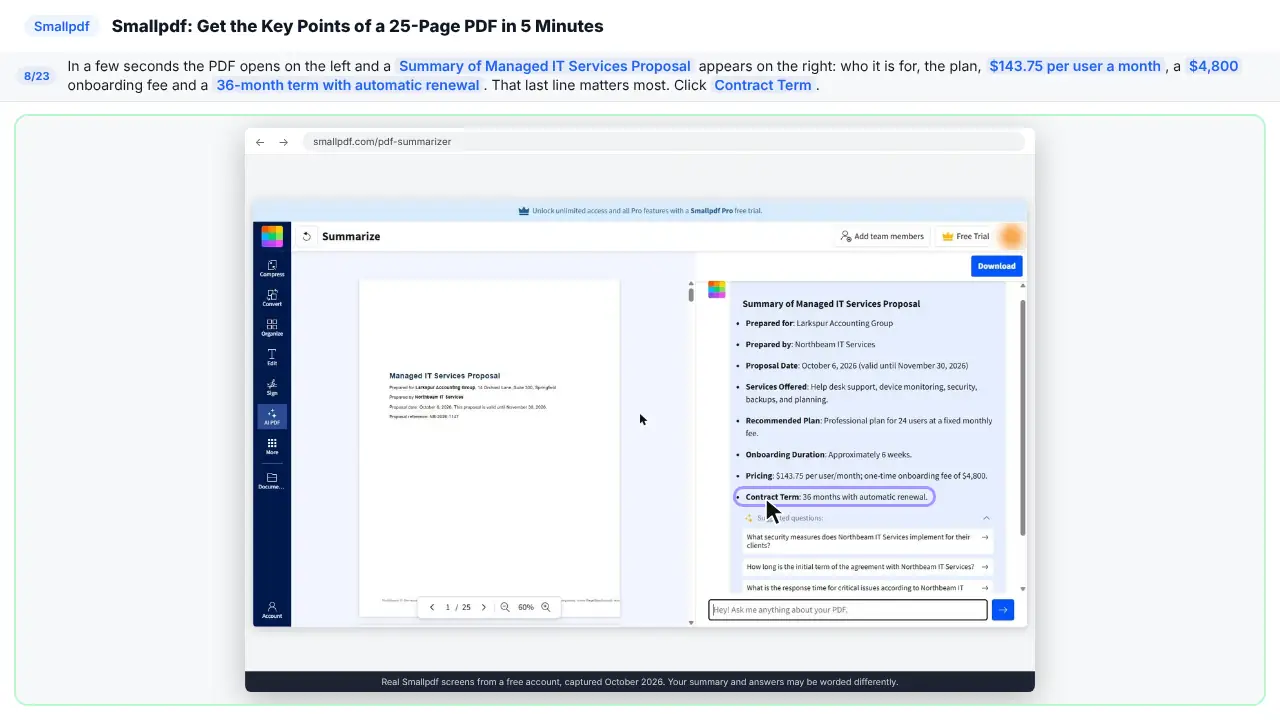
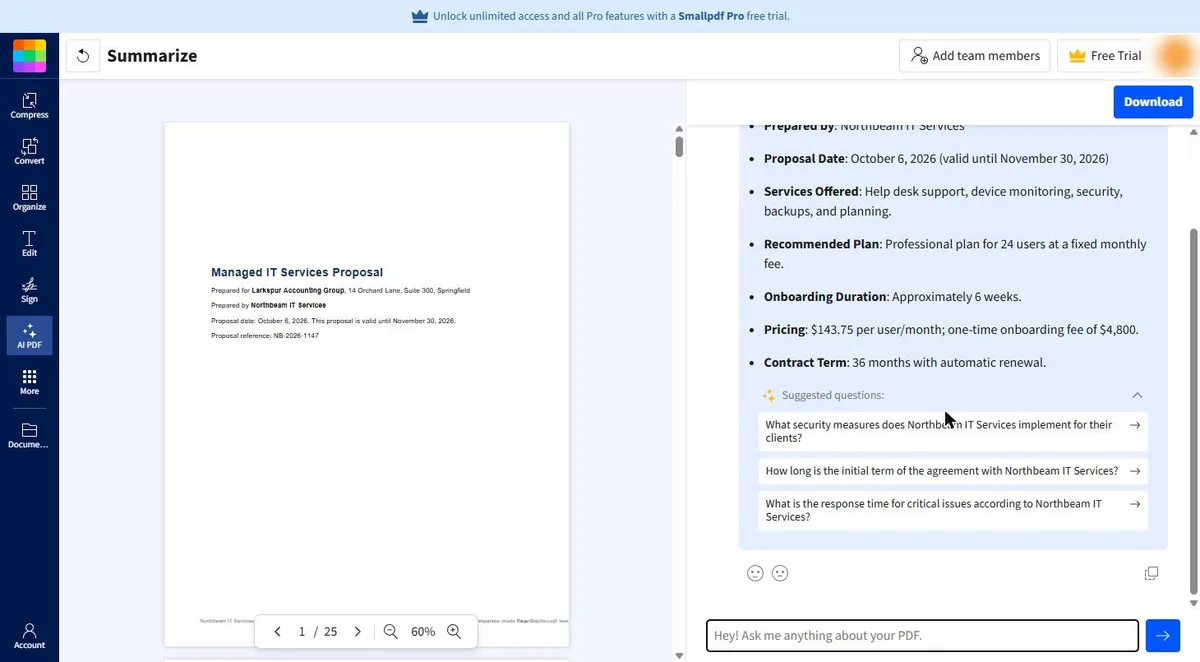
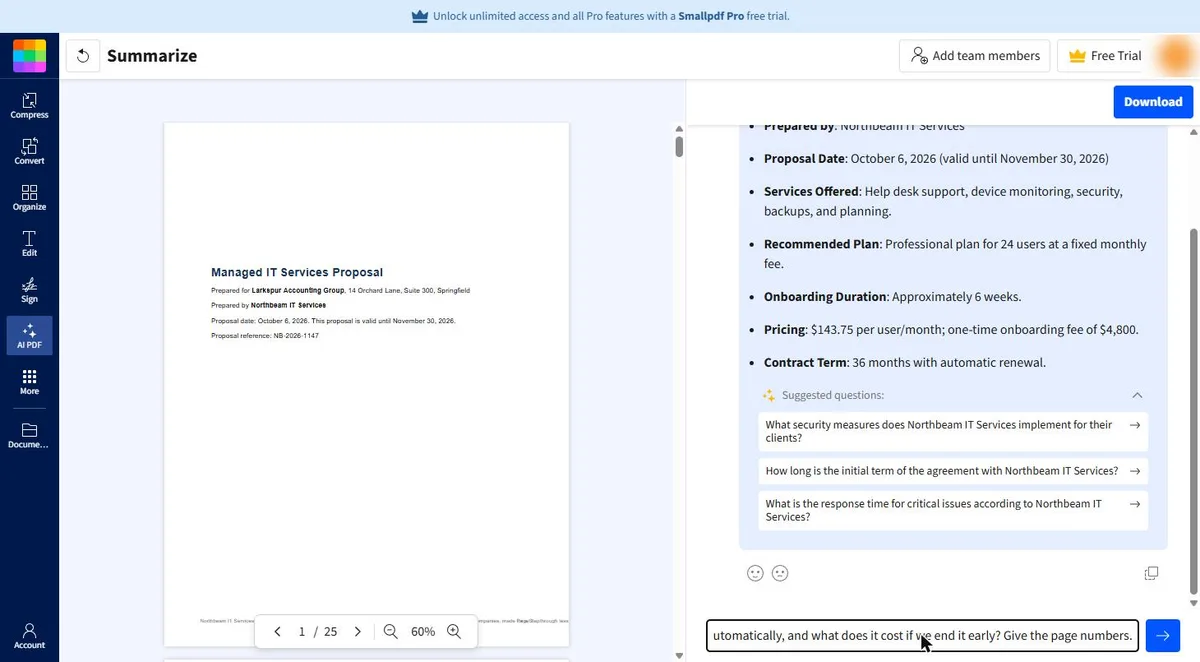
In a few seconds, the summary appears. The price per user, the onboarding fee, and a thirty-six month term that renews on its own. That last line matters most.
Step 9: Notice what is missing
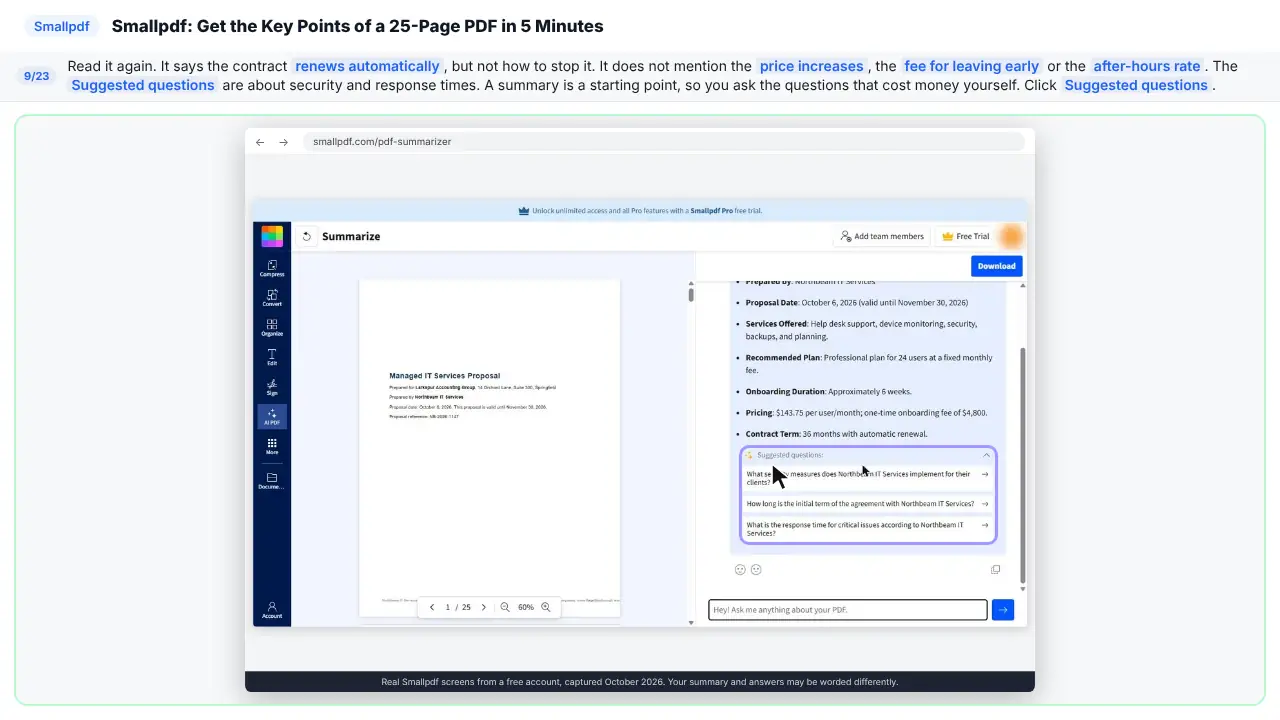
Now read it again. It says the contract renews on its own. But not how to stop it. Nothing about price increases, or the fee for leaving early. A summary is a starting point. The money questions, you ask yourself.
Part 4: Ask about money and exits
Step 10: Ask how to get out
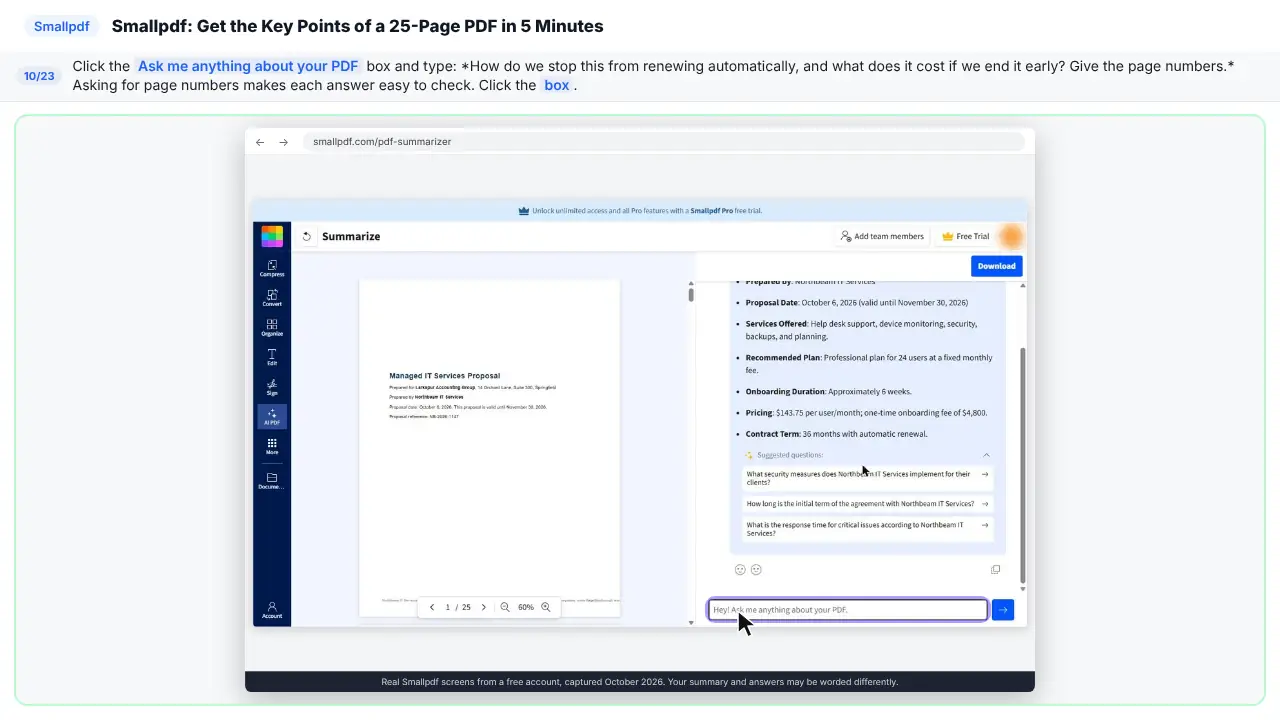
Ask for the page numbers too. That makes every answer easy to check.
Step 11: Send it
Step 12: Read the answer
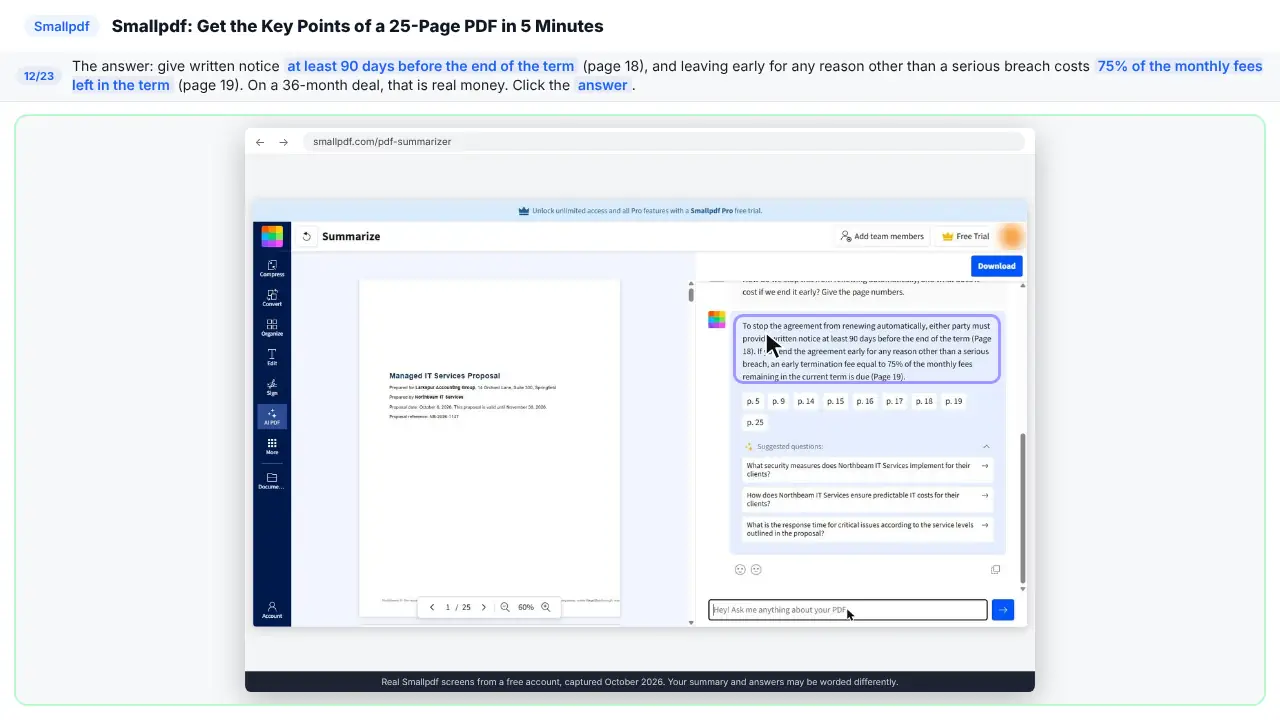
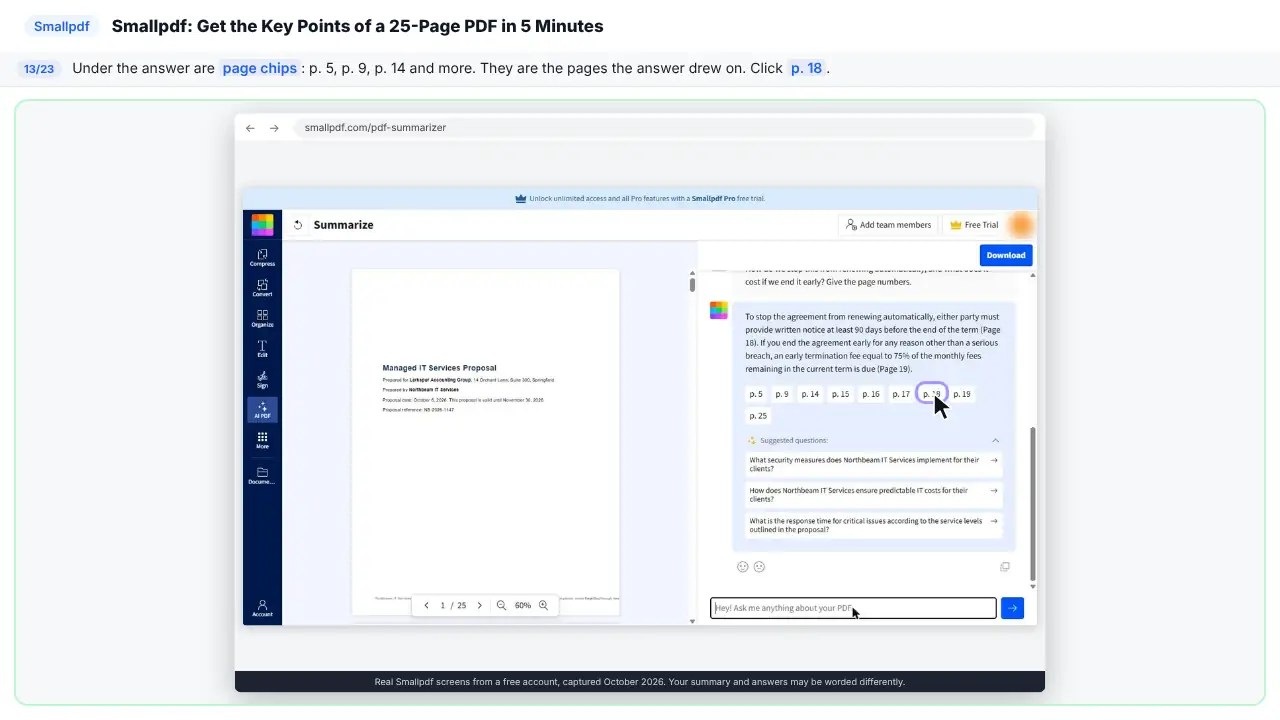
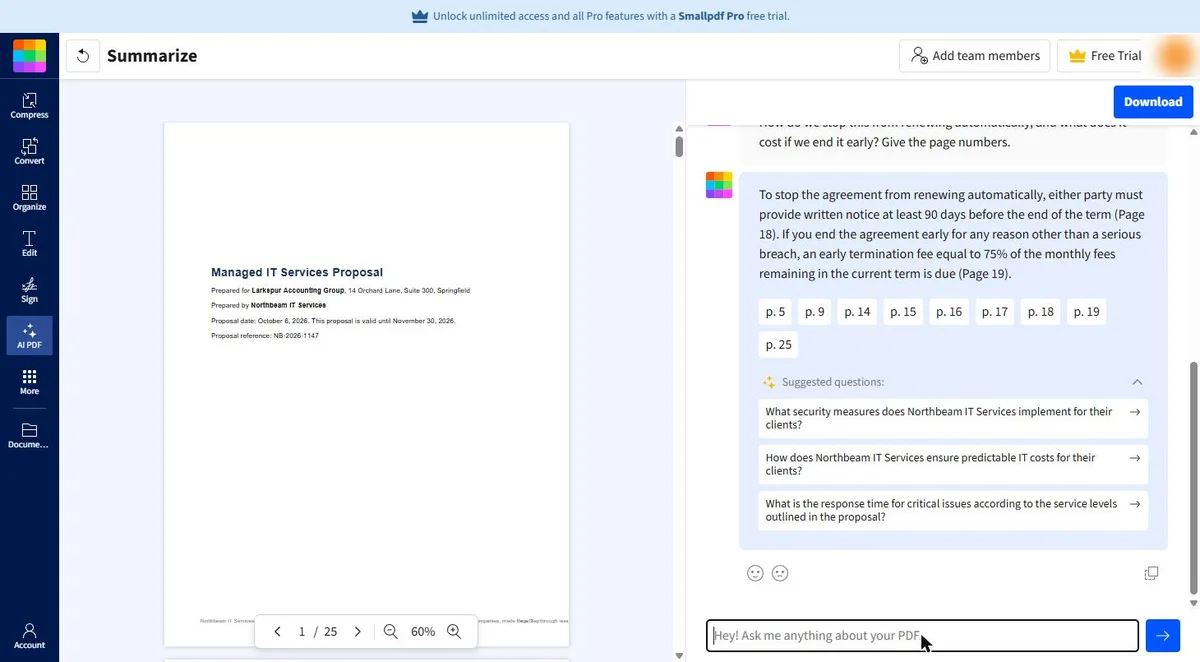
Here's the answer. Give notice ninety days before the term ends. And leaving early costs seventy-five percent of the fees left. On a three-year deal, that's real money.
Step 13: Click p. 18
Under the answer are page chips. They show the pages it used.
Part 5: Check it on the page
Step 14: Check the source
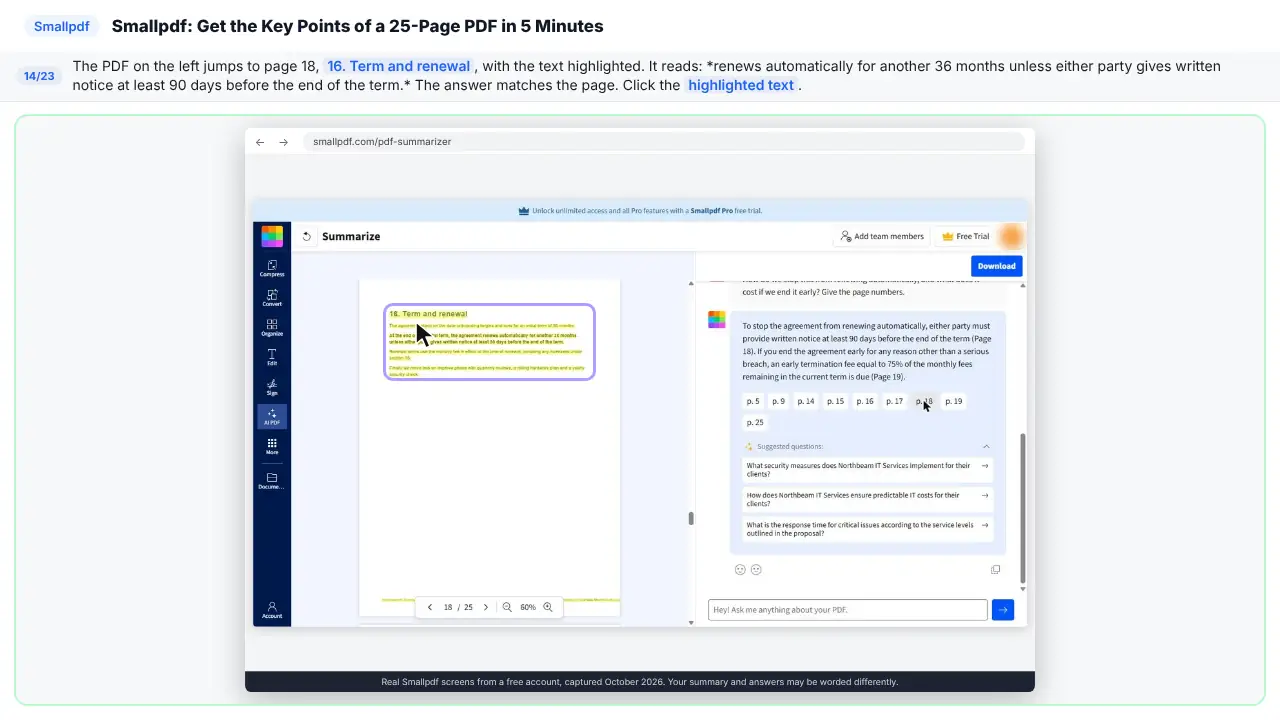
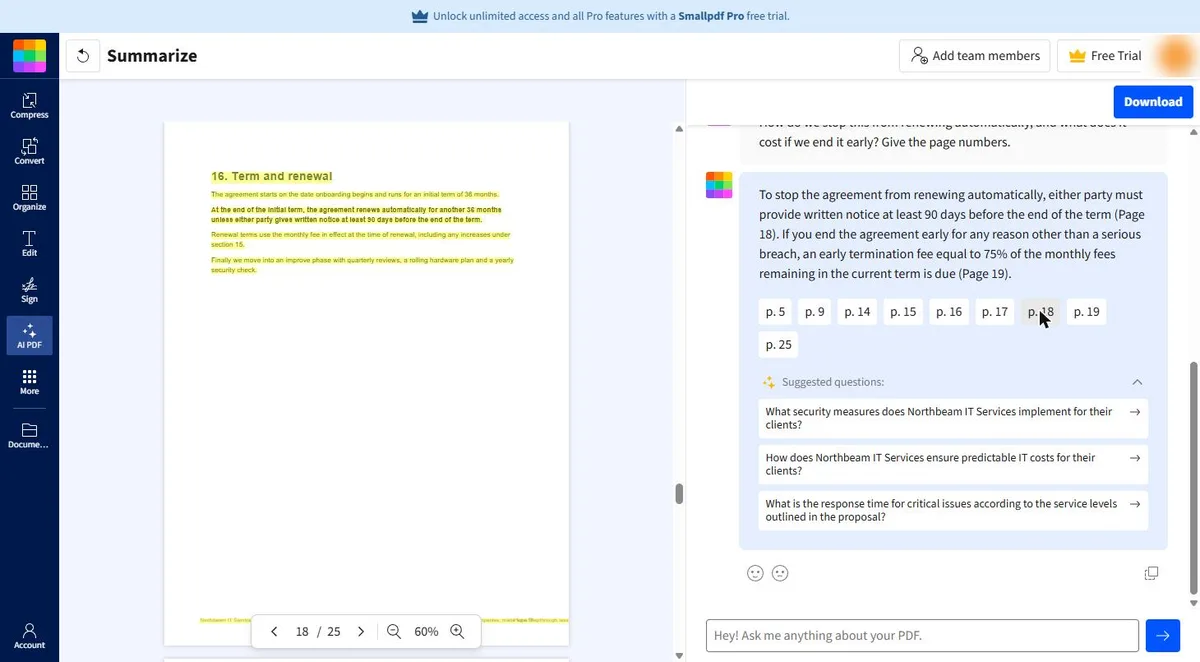
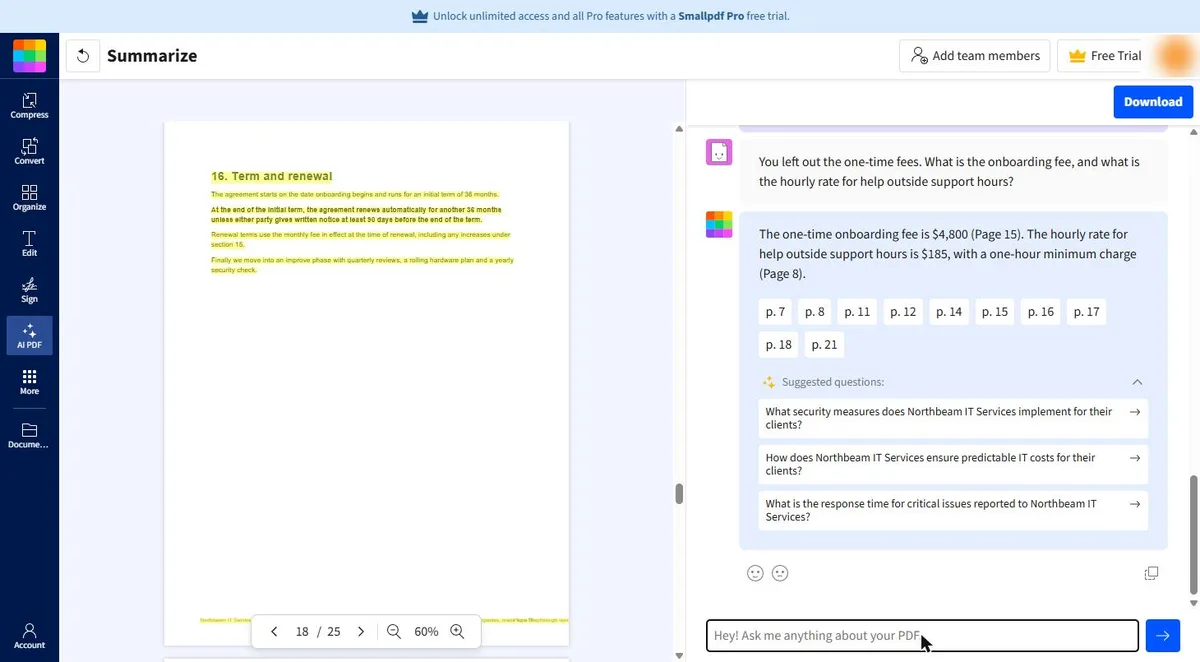
The P D F jumps to page eighteen, with the text highlighted. Renews for another thirty-six months, unless you give ninety days notice. The answer matches the page.
Step 15: Ask for every extra cost
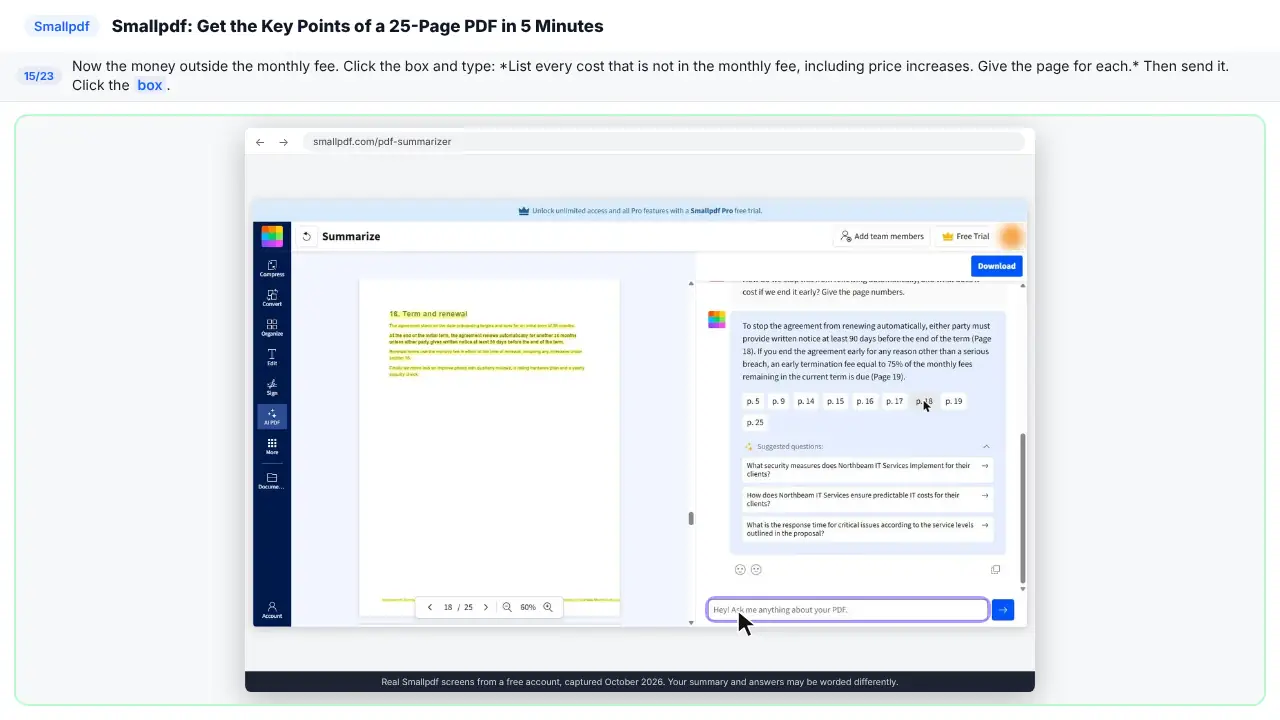
Now the money outside the monthly fee. Ask for every extra cost, with the page for each.
Step 16: Spot the gap
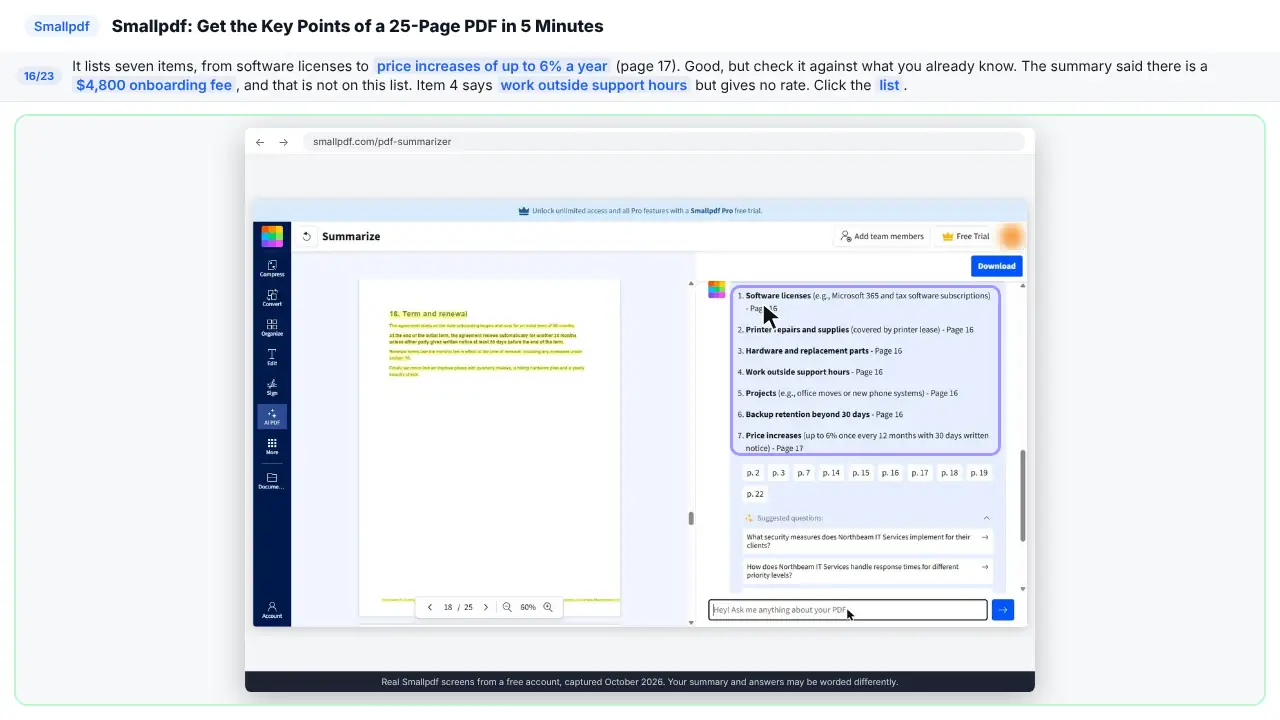
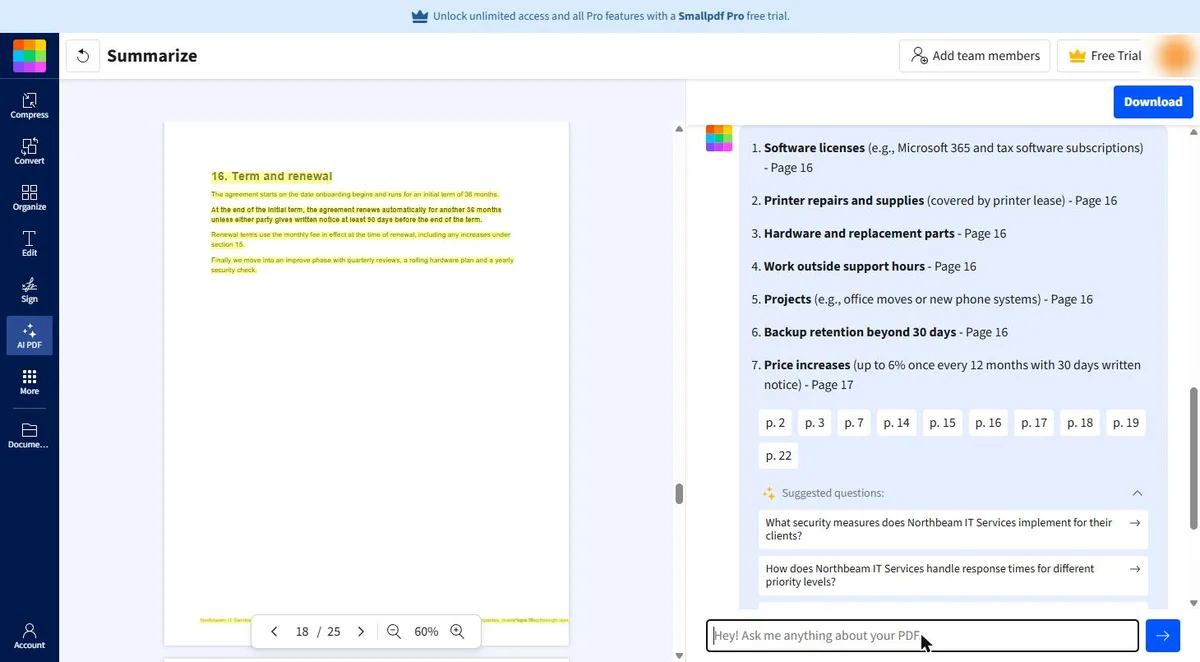
It lists seven extra costs. Including price increases, up to six percent a year. But wait. The summary mentioned a four thousand eight hundred dollar onboarding fee. It's not on this list. And there's no rate for after-hours help.
Step 17: Ask a pointed follow-up
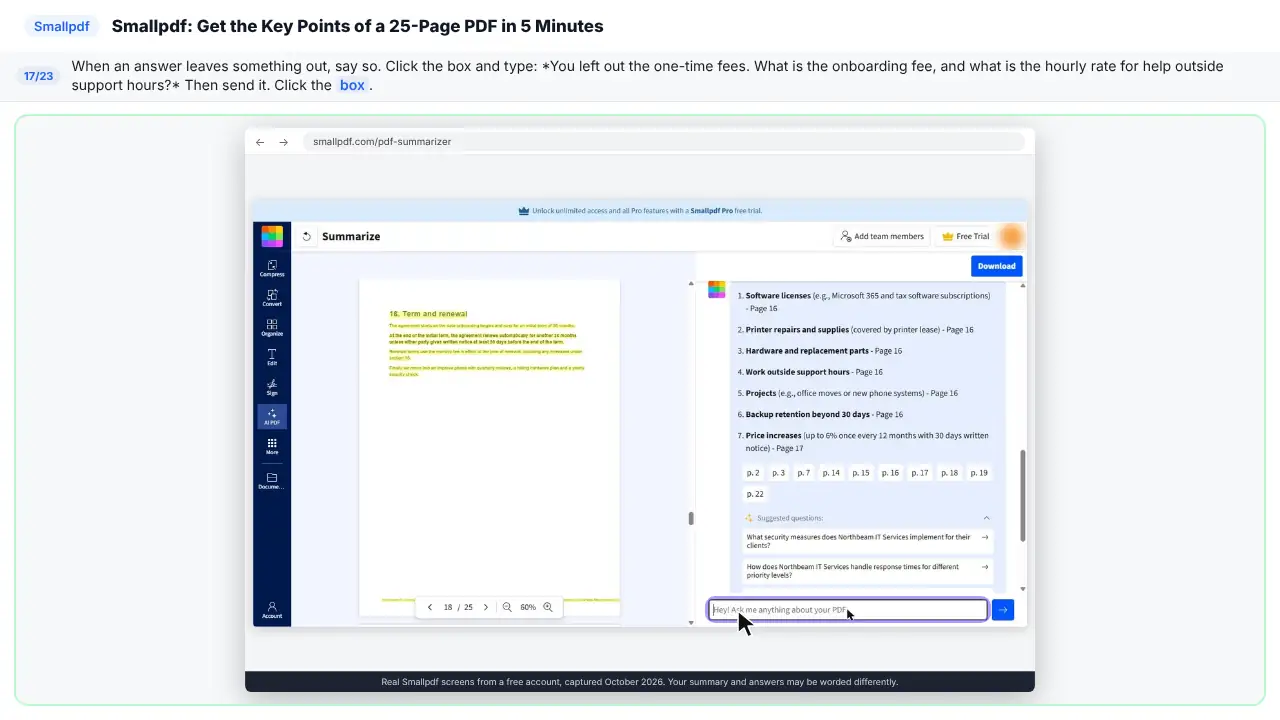
When an answer leaves something out, say so. Ask for the onboarding fee, and the after-hours rate.
Step 18: Read the follow-up
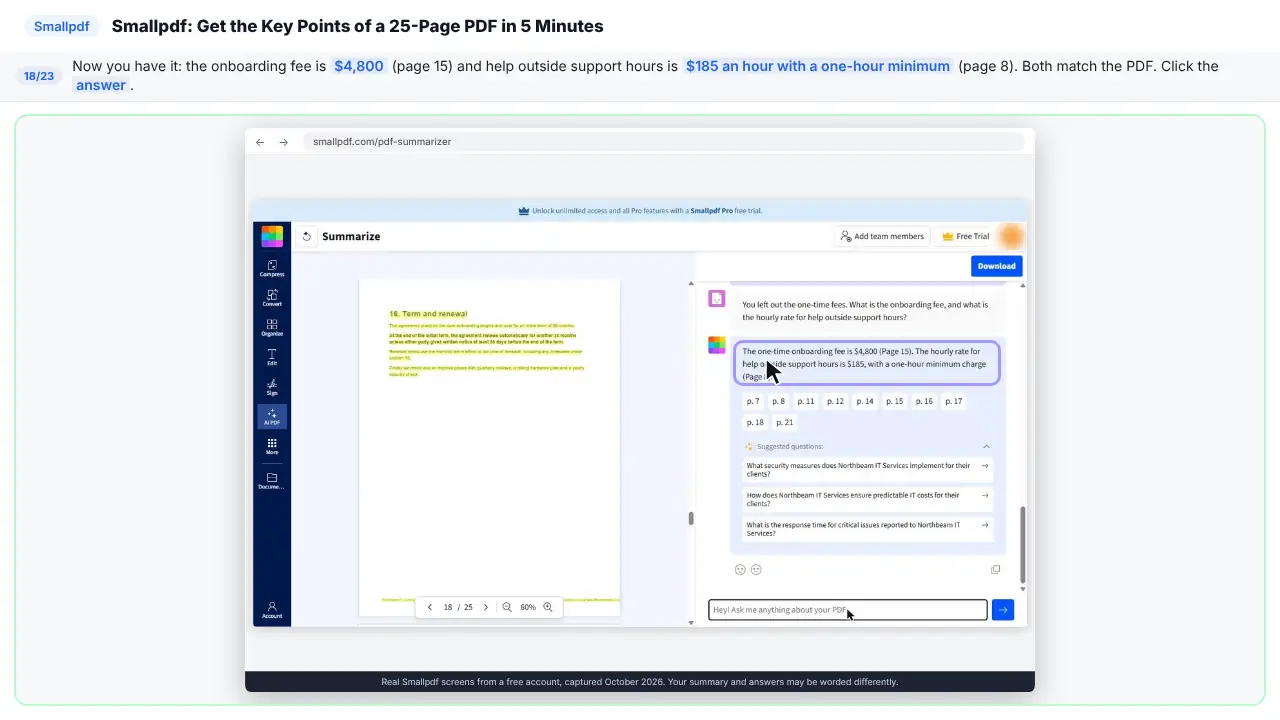
Now you have it. Four thousand eight hundred dollars to start. And a hundred eighty-five dollars an hour after hours. Both match the P D F.
Part 6: Save it and do the math
Step 19: Click Download
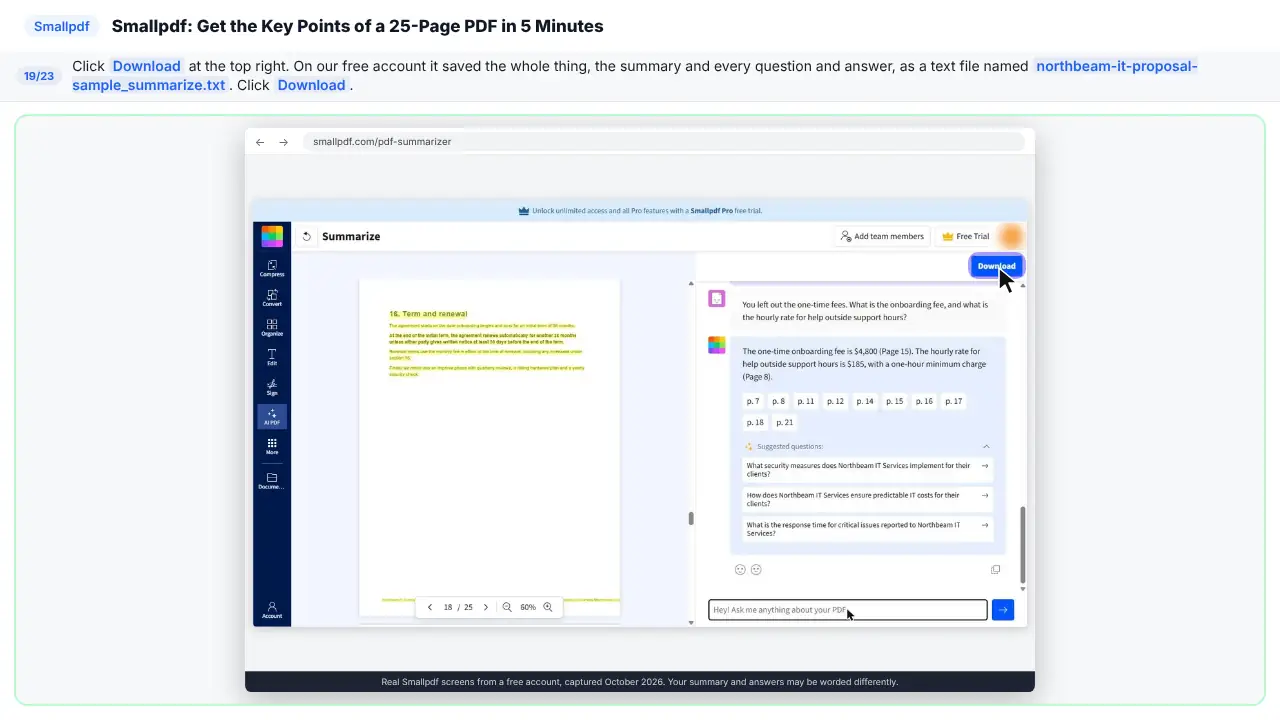
It saves the summary and every question and answer, as a text file.
Step 20: Open the saved notes
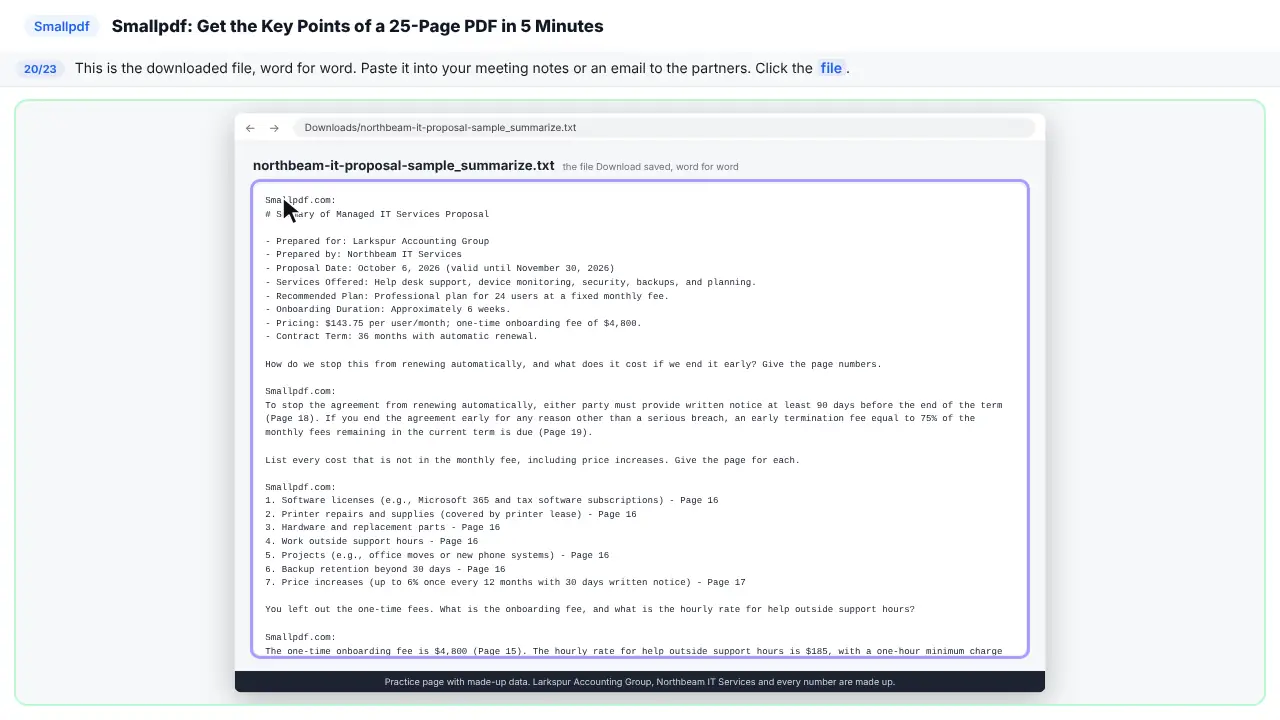
Here's the file, word for word.
Step 21: Do the year-one math yourself
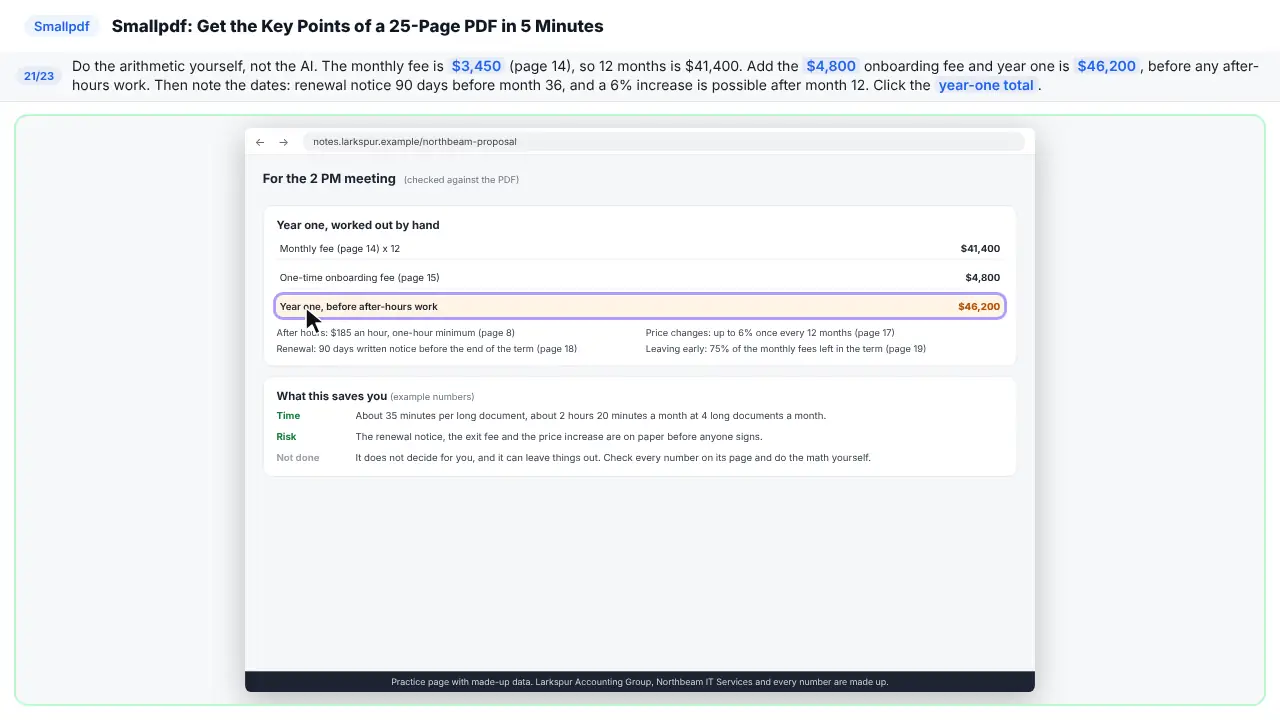
Do the math yourself, not the A I. Three thousand four hundred fifty a month, times twelve. Plus the onboarding fee. That's forty-six thousand two hundred dollars in year one.
Part 7: What it saves, what it costs
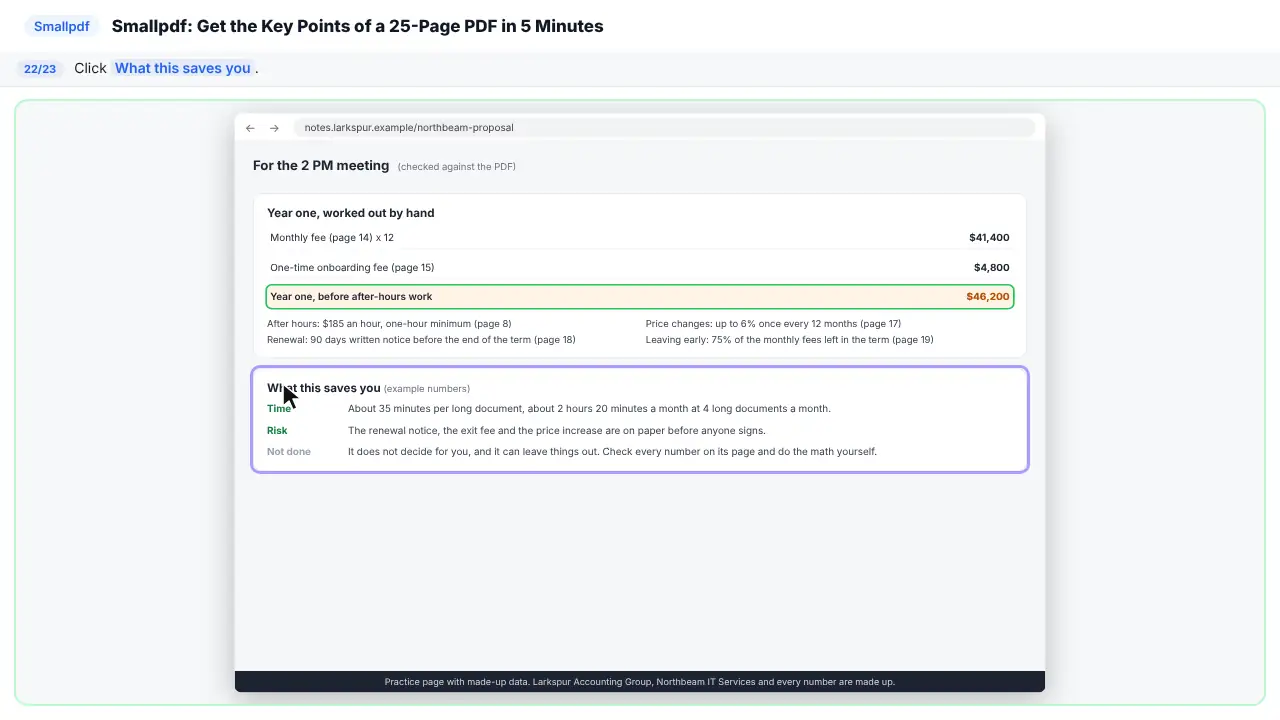
Step 22: What this saves you
Step 23: Check what is free
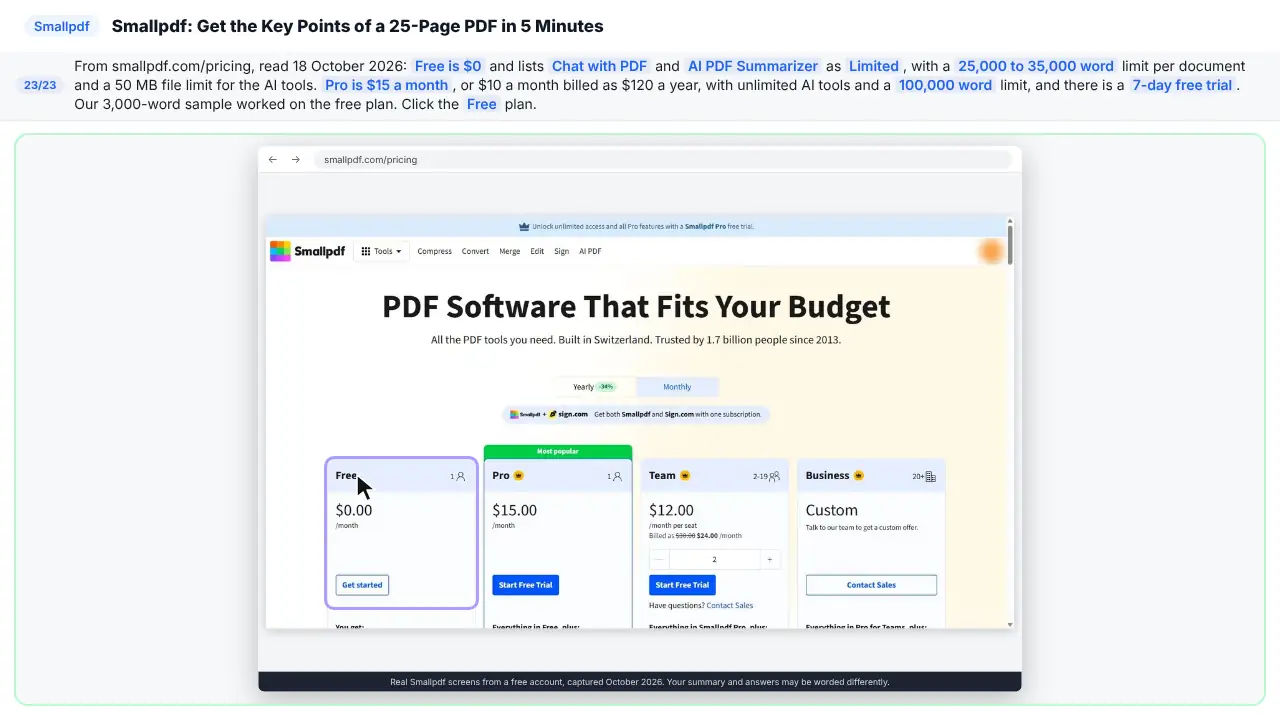
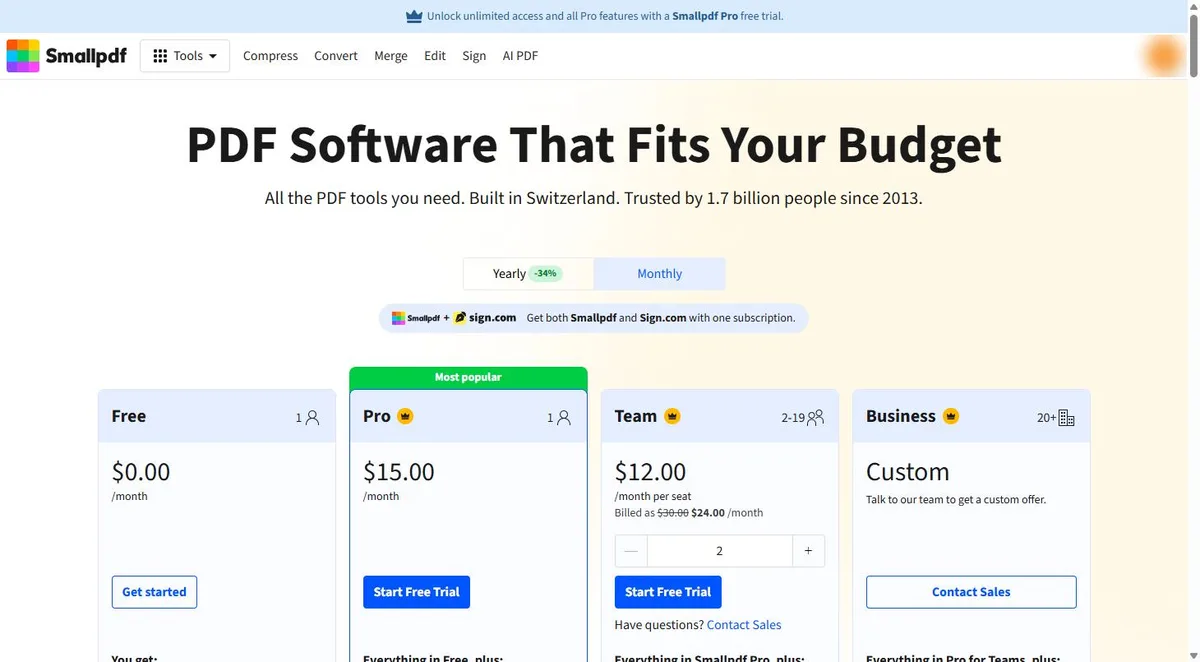
Here's the cost, as of October eighteenth. The free plan includes the A I summarizer and chat, with limits. Up to about twenty-five thousand words per document. Pro is fifteen dollars a month, or ten a month billed yearly, with a seven-day free trial.
Part of these free courses: AI Apps Worth Knowing, AI for Operations Teams, AI That Reads Your Documents, AI Research for Work: Cited Briefs with ChatGPT Deep Research, Gemini, NotebookLM and Felo
Now do it yourself, free
Reading the steps is a start. Doing them is how it sticks. The interactive lesson puts you in a practice copy of Smallpdf: you do every step yourself, it checks your work, and “Do it for me” finishes any step you get stuck on. Nothing touches your real accounts.
Practice “Smallpdf: Get the Key Points of a 25-Page PDF in 5 Minutes” step by step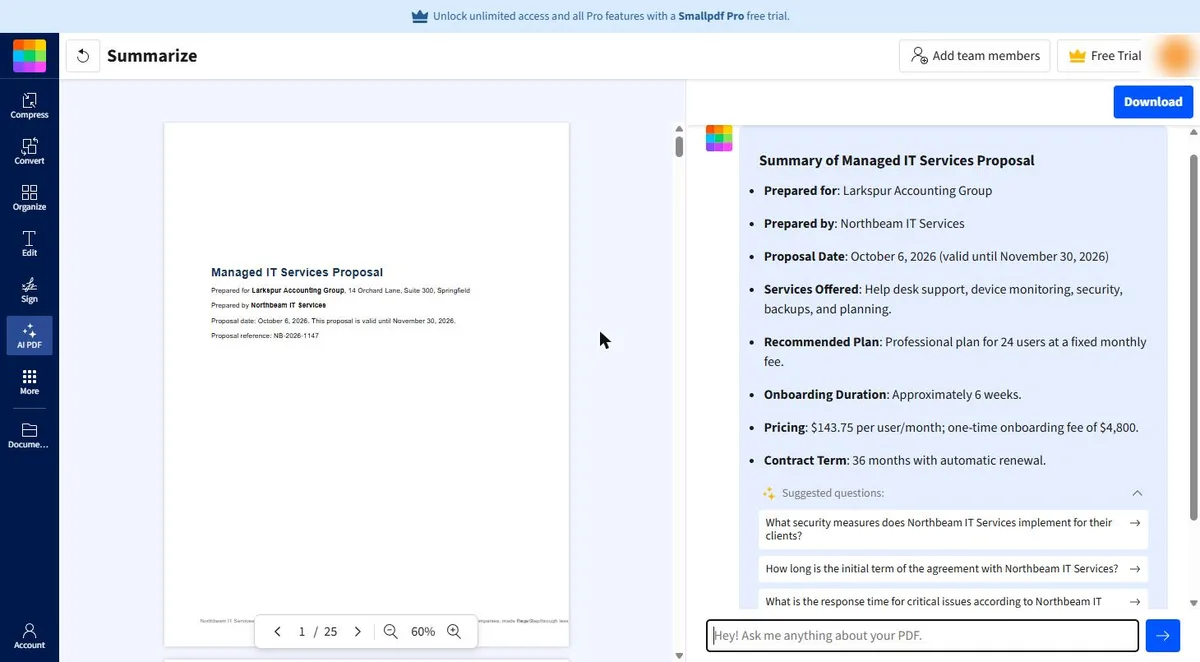
The sample PDF to try it on
A 25-page managed IT services proposal from Northbeam IT Services to Larkspur Accounting Group. Both companies, every name and every number are made up, and the footer on each page says so. It has 22 sections, and the terms that cost money are spread through it, just like a real one.
| What the partners asked | Where it is in the PDF |
|---|---|
| What does it cost each month? | $3,450 for 24 users ($143.75 each), page 14 |
| Any one-time fees? | $4,800 onboarding fee, page 15 |
| What is extra? | Licenses, hardware, projects, long backup retention (page 16); after-hours help at $185 an hour (page 8) |
| Can the price go up? | Up to 6% once every 12 months, page 17 |
| How long are we locked in? | 36 months, renews for 36 more unless notice 90 days before the end, page 18 |
| What does leaving early cost? | 75% of the monthly fees left in the term, page 19 |
Download the sample proposal (PDF, 25 pages) About 3,000 words, so it fits the free plan's AI word limit. Upload it in Smallpdf's Summarize tool, or use your own long PDF.
The business case: a long PDF and a short deadline
Picture Maya Chen, office manager at Larkspur Accounting Group, a made-up 24-person firm. A vendor sends a 25-page proposal for managed IT. The partners meet at 2 PM and want the cost, the lock-in and the way out.
Here is the arithmetic, using example numbers you should replace with your own. Reading a proposal like this closely takes about 45 minutes. A summary, three good questions and a check of each answer on its page takes about 10. At four long documents a month, that is about 2 hours 20 minutes back, or about $105 a month at $45 an hour. The bigger win is not missing the clause that costs thousands.
Who this is for, and what you need
Office managers, operations staff, bookkeepers and owners who get long proposals, policies or contracts and need the key points fast. To follow the practice you need nothing. To do it for real you need a free Smallpdf account and a PDF. We ran every step in a free account on 18 October 2026 with the sample PDF below.
Step 1: open AI PDF and upload the file
Sign in at smallpdf.com. In the left bar, click AI PDF. The menu lists AI PDF Assistant, Chat with PDF, Summarize, Translate and Generate Questions. Click Summarize, then Select files and pick your PDF. The page says it takes PDF, image, Word, Excel and PowerPoint files.
Step 2: read the summary, and notice what is missing
In a few seconds the PDF opens on the left and a summary appears on the right. For the sample it listed who the proposal is for, the services, $143.75 per user a month, a $4,800 one-time onboarding fee and a 36-month term with automatic renewal.
It did not say how to stop the renewal, that the price can rise 6% a year, what leaving early costs, or the after-hours rate. The suggested questions under it were about security and response times. A summary is a first read. The questions that cost money, you ask yourself.
Step 3: ask about money and exits, with page numbers
Type into the Ask me anything about your PDF box. Ask for page numbers every time, so each answer is easy to check. These are the three questions from the lesson:
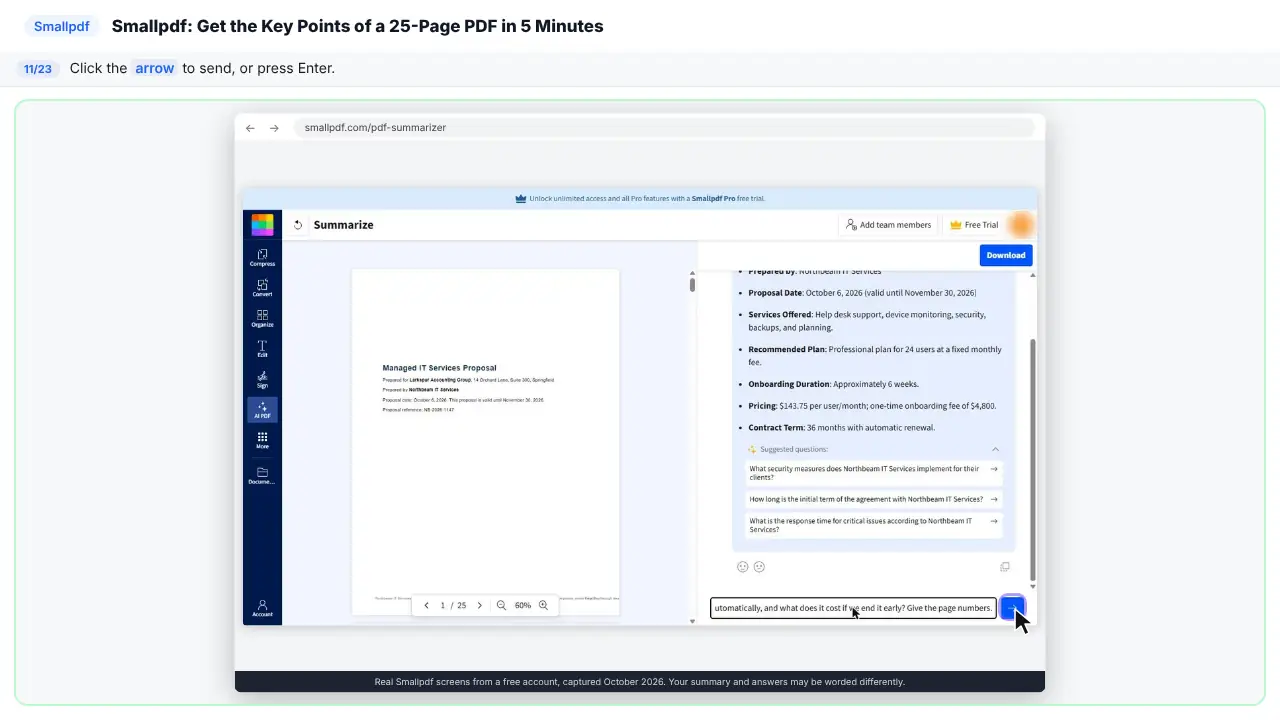
- How do we stop this from renewing automatically, and what does it cost if we end it early? Give the page numbers.
- List every cost that is not in the monthly fee, including price increases. Give the page for each.
- You left out the one-time fees. What is the onboarding fee, and what is the hourly rate for help outside support hours?
Step 4: check each answer on its page
Under each answer Smallpdf shows page chips, such as p. 18. Click one and the PDF jumps to that page with the text it used highlighted. For the renewal question, page 18 read: renews automatically for another 36 months unless either party gives written notice at least 90 days before the end of the term. The answer matched.
The list of extra costs named seven items, including price increases of up to 6% a year, but left out the $4,800 onboarding fee and gave no rate for after-hours work. A pointed follow-up got both: $4,800 on page 15 and $185 an hour with a one-hour minimum on page 8. When an answer leaves something out, say so and ask again.
Step 5: download the notes and do the math yourself
Click Download at the top right. In our free account it saved a text file with the summary and every question and answer, named after the PDF. Paste it into your meeting notes.
Then add up year one by hand, not with the AI: $3,450 a month times 12 is $41,400, plus the $4,800 onboarding fee, so $46,200 before any after-hours work. Put the renewal notice date in the calendar now: 90 days before the end of month 36.
Mistakes to avoid
- Stopping at the summary. It left out the renewal notice, the price increase and the exit fee.
- Asking without page numbers. Without them, checking means rereading.
- Trusting a list because it looks complete. Compare it with what you already know.
- Letting the AI do the money math. Add it up yourself from the numbers on the page.
- Uploading a document that is too long for your plan. The free plan's AI word limit is 25,000 to 35,000 words per document.
Links
- Smallpdf AI PDF Summarizer: the tool this lesson uses: upload a file, get a summary, then chat with it.
- Smallpdf pricing: current plans. On 18 October 2026: Free $0 with Chat with PDF and AI PDF Summarizer marked Limited and a 25,000 to 35,000 word limit per document; Pro $15 a month, or $10 a month billed as $120 a year, with unlimited AI tools and a 100,000 word limit; a 7-day free trial.
Try it yourself, free
Reading the steps is a start. Doing them is how it sticks. The interactive module walks you through every click in a practice copy of Smallpdf, checks each step, and never touches your real accounts.
Start “Smallpdf: Get the Key Points of a 25-Page PDF in 5 Minutes”Screenshots
Frequently asked questions
- Is this an official Smallpdf course?
- No. This is my own lesson. Smallpdf is a separate, third-party product from smallpdf.com. The screens in the lesson are real, captured in a free account on 18 October 2026.
- Is Smallpdf's AI PDF Summarizer free?
- Smallpdf's pricing page, read 18 October 2026, lists Chat with PDF and AI PDF Summarizer on the Free plan as Limited, with a 25,000 to 35,000 word limit per document and a 50 MB file limit. Pro is $15 a month, or $10 a month billed as $120 a year, with unlimited AI tools and a 100,000 word limit. There is a 7-day free trial. Our 25-page, 3,000-word sample worked on the free plan.
- Can I check where an answer came from?
- Yes. Each answer shows page chips. Click one and the PDF jumps to that page with the text highlighted.
- Can I save the summary?
- Yes. Download saved the summary and every question and answer as a .txt file in our free account.
- Will the AI catch every important clause?
- Not always. In our run the summary left out the renewal notice and the exit fee, and one list left out the onboarding fee until we asked. Ask about money and exits yourself, check each answer on its page, and do the math by hand.
- What is Smallpdf AI?
- Smallpdf AI is the set of AI tools inside Smallpdf, such as AI PDF Summarizer and Chat with PDF. You upload a PDF, get a summary or ask questions, and each answer links to the page it came from. This lesson uses both on a 25-page vendor proposal.
Terms in this lesson
Plain-English definitions, each with an example from a free lesson.