Updated . Built against the tool’s current screens and checked step by step. How we check this lesson
Customer interviews are full of useful quotes, but nobody wants to scrub through a recording to find one. Pepys Transcribe is AI transcription software that turns recordings into timestamped, searchable transcripts. In this free lesson on real Pepys screens, a product marketer at a made-up meal-kit company transcribes a cancelled-customer interview with speaker labels, names the speakers, searches for the moment price comes up, asks the built-in assistant for every reason with a timestamp and exports a Word file. 11 steps, about seven minutes, no account needed to practice.
At a glance
| Question | Answer |
|---|---|
| What you build | You recorded a customer interview and need the one line where they explain why they cancelled. In the real Pepys app, transcribe it with speaker labels, name the speakers, search for the moment, ask for reasons with timestamps and export the transcript. |
| Tools | Pepys Transcribe |
| Time | About 7 minutes, 11 steps in 3 parts |
| Level | Beginner, no coding needed |
| Cost | Free |
| Ways to learn it | Practice it step by step |
The 3 parts, in short
- Transcribe the interview: Start a new transcription, Turn on Identify speakers, Upload the recording, Watch it work.
- Find the quote: Name the speakers, Rename and save, Search the transcript, Read the match.
- Ask and export: Ask the transcript, Check the cited moments, Export for the team.
Start here first: How to Use n8n in Marketing: An AI Agent That Plans Your Content Calendar (module 1 of AI Automation for Marketing)
The business case: the quote is in there somewhere
Picture Maya, product marketer at Harvest Crate, a made-up meal-kit company. She recorded six interviews with customers who cancelled, and the team wants real quotes for Friday's review.
Rewatching six recordings to find a few lines takes hours, and quotes written from memory drift. A searchable, timestamped transcript lets her find the line in seconds and check the exact words against the audio.
Who this is for, and what you need
Marketers, researchers, product managers and anyone who records interviews or calls. You need a Pepys account (the first 60 minutes are free with no card) and a recording you have permission to transcribe.
What Pepys's pages say about cost and privacy
Your first 60 minutes are free with no card. After that you buy credits that never expire: $1.25 an hour on purchases under $20, $1.00 an hour from $20 and $0.85 an hour from $85. Speaker labels use 1.5 credits per minute (as of November 2026).
Pepys says it never trains on your audio and removes uploaded recordings after about 30 days by default. Get your interviewees' consent before you record and share their words.
What we found in the real app
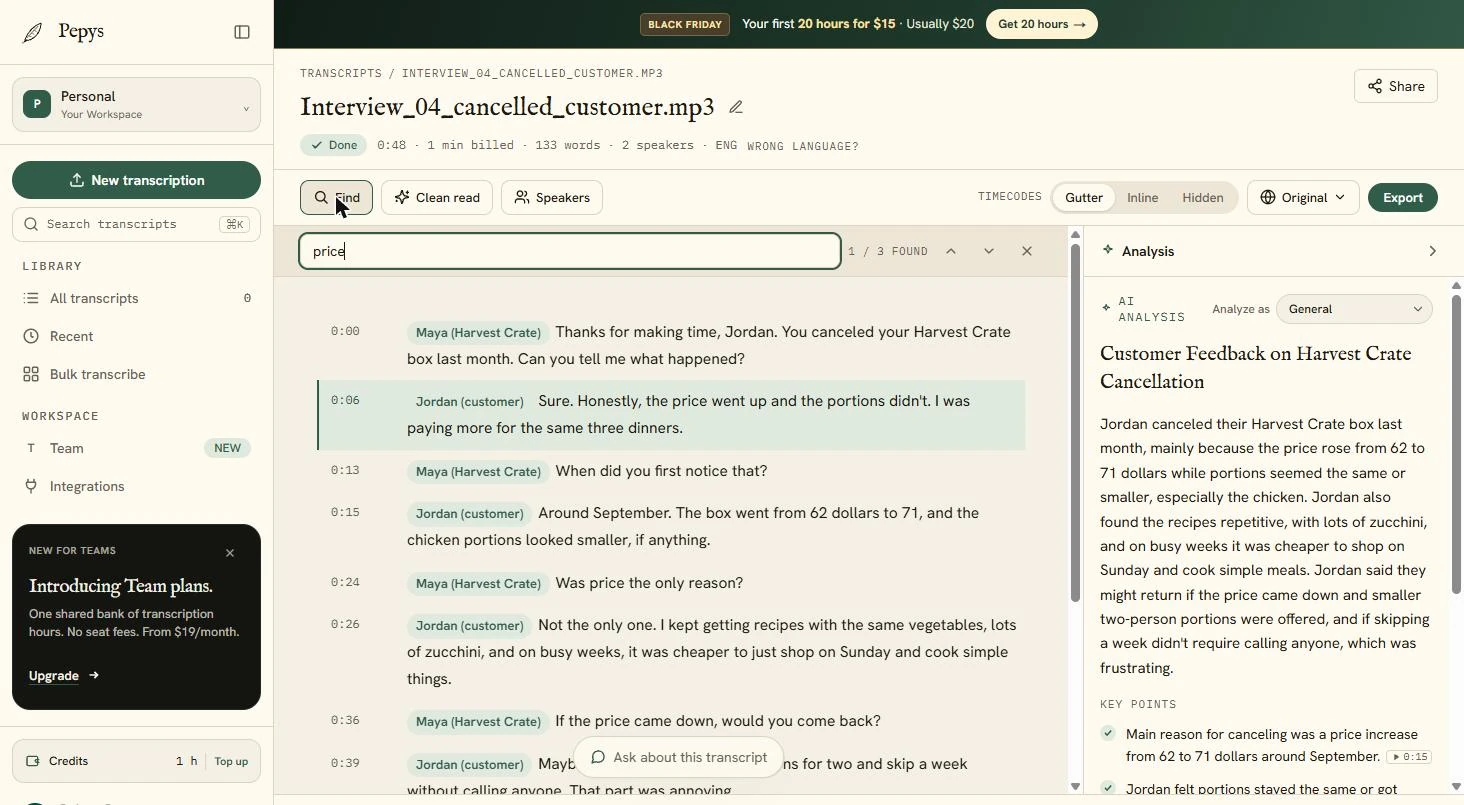
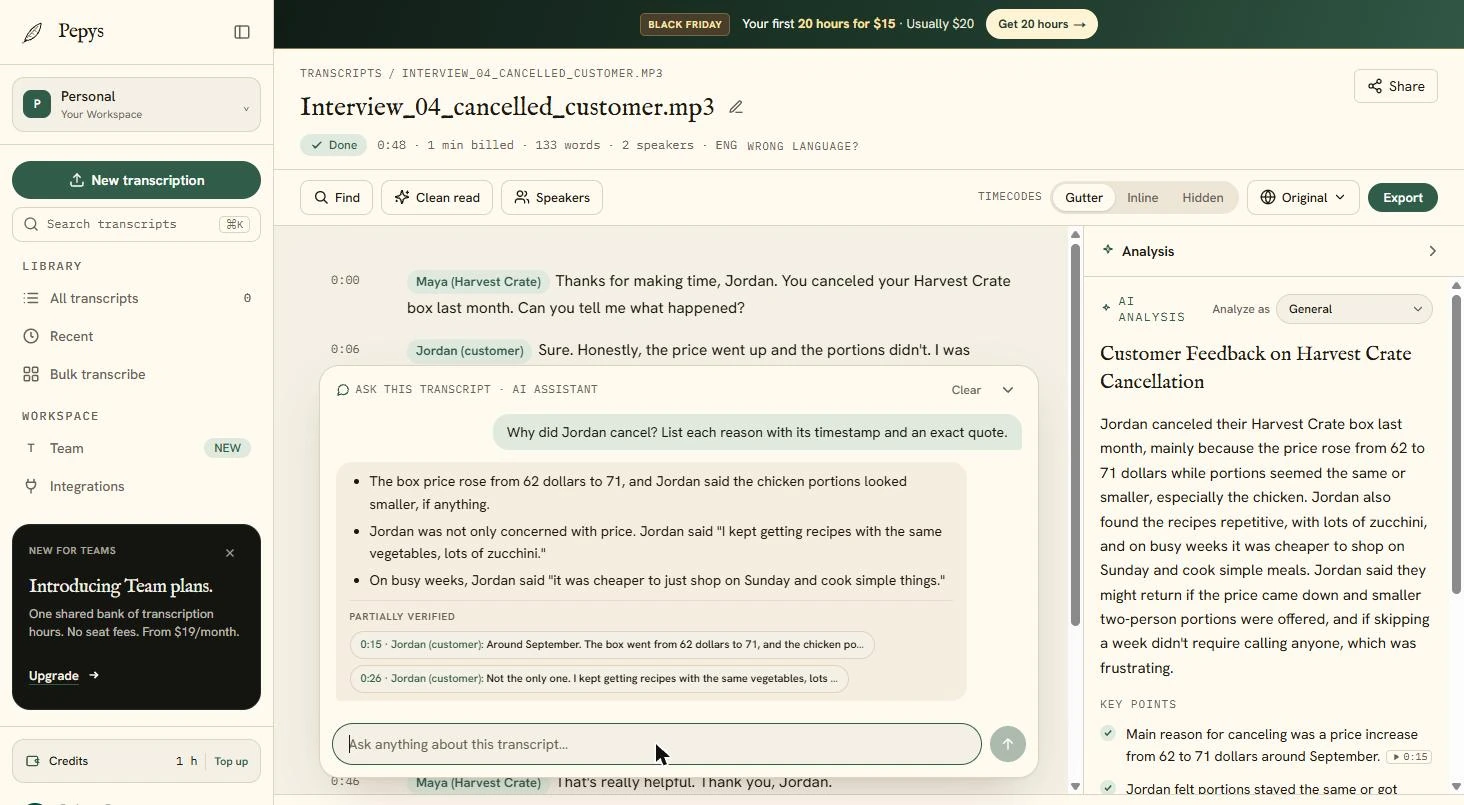
Our 48-second practice interview was done in about ten seconds: 1 min billed, 133 words, 2 speakers, English detected. Speakers came back as speaker_0 and speaker_1, so renaming them is a step you should not skip. Find showed 1 / 3 matches for price. The assistant's answer listed three reasons and was marked Partially verified, with links to the cited moments at 0:15 and 0:26. The Word export kept speaker names and timestamps on every line.
What this saves you
- Search instead of scrubbing: every mention of a topic, with its timestamp.
- Quotes you can verify against the audio before they go in a deck.
- What it does not do: it does not decide what the interviews mean. You still check each AI answer against the transcript.
How this lesson was built
Every practice screen is a capture of the real Pepys web app, taken on 24 November 2026 while transcribing a 48-second practice interview (two synthetic voices reading a script written for this lesson) and exporting it. Prices and privacy notes come from Pepys's public pages. Harvest Crate, Maya and Jordan are made up.
Links
- Pepys Transcribe: the upload options, transcript features, exports and privacy notes.
- Pepys: Pricing: the free 60 minutes, credit prices and speaker-label cost.
Try it yourself, free
Reading the steps is a start. Doing them is how it sticks. The interactive module walks you through every click in a practice copy of Pepys Transcribe, checks each step, and never touches your real accounts.
Start “Pepys Transcribe: Find the Exact Customer Quote in a Recorded Interview”Step by step: Pepys Transcribe: Find the Exact Customer Quote in a Recorded Interview
All 11 steps of the interactive module, in order. In the module you watch each one, then do it yourself in a practice copy that checks your work.
1. Transcribe the interview
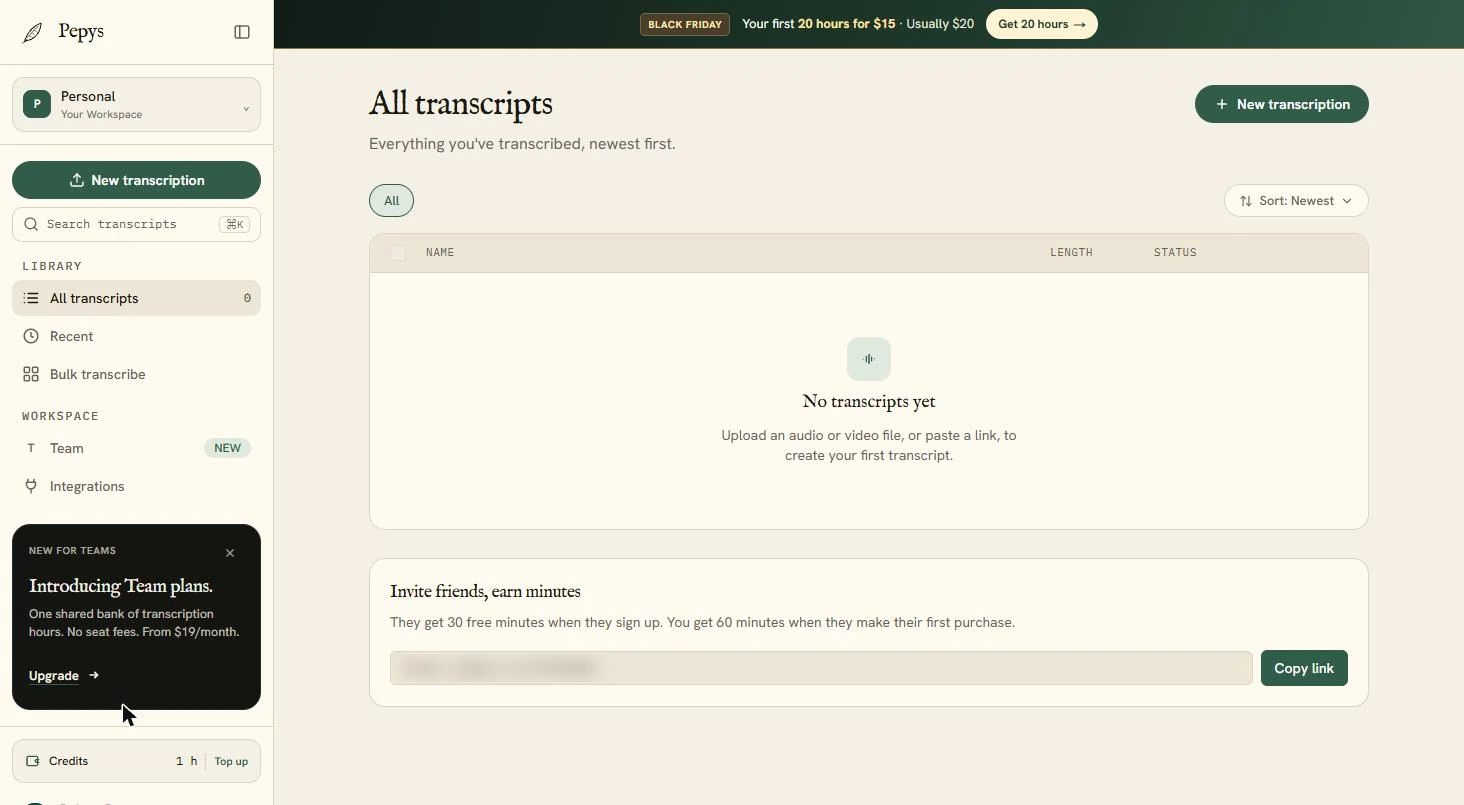
- Start a new transcription. You are Maya, product marketer at Harvest Crate, a made-up meal-kit company. You interviewed customers who cancelled, and the team wants their exact words for Friday's review, not your memory of them. In Pepys, All transcripts is empty and Credits shows 1 h (the free hour). Click + New transcription.
You need a customer's exact words, not your memory of them. Pepys turns the recording into a transcript.
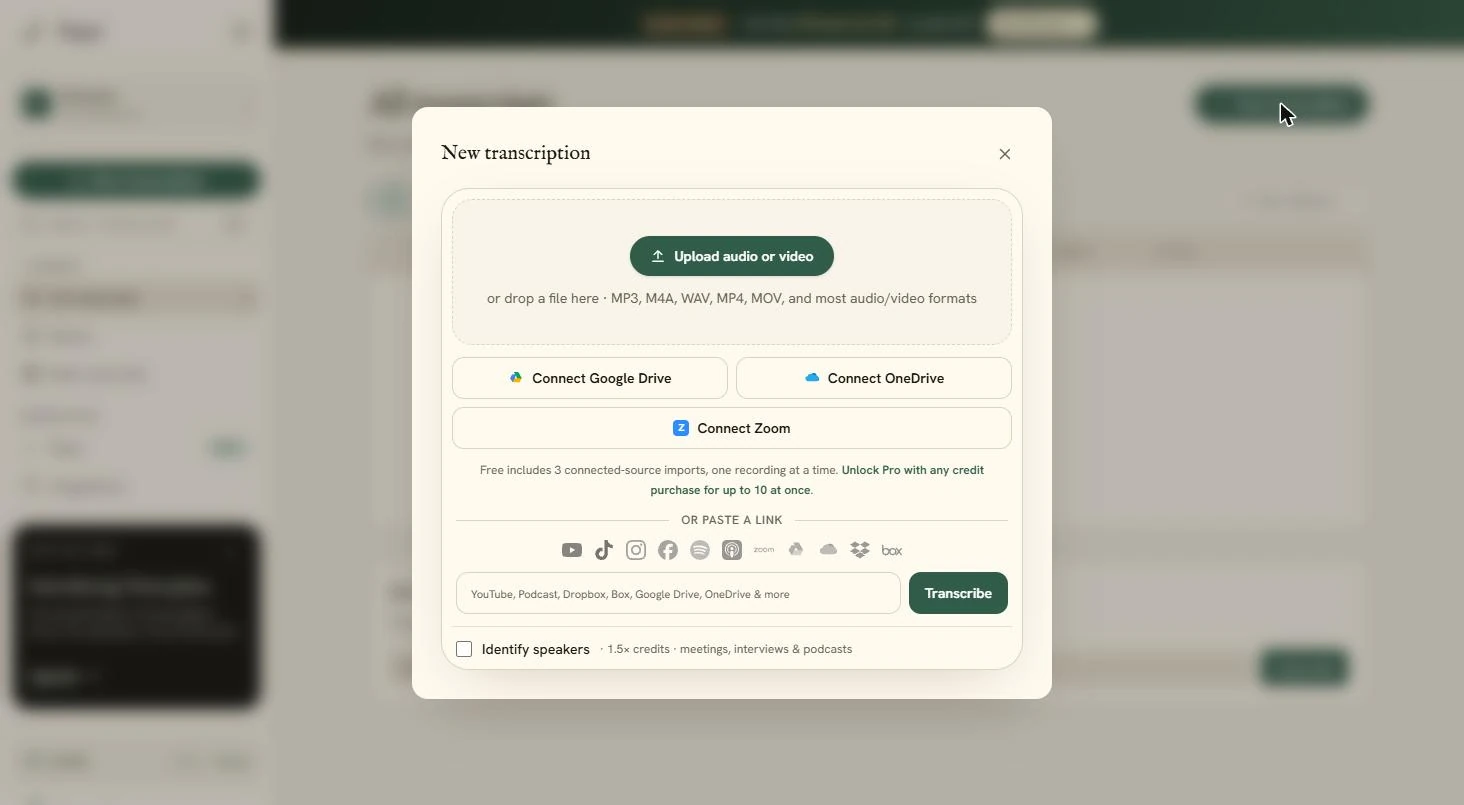
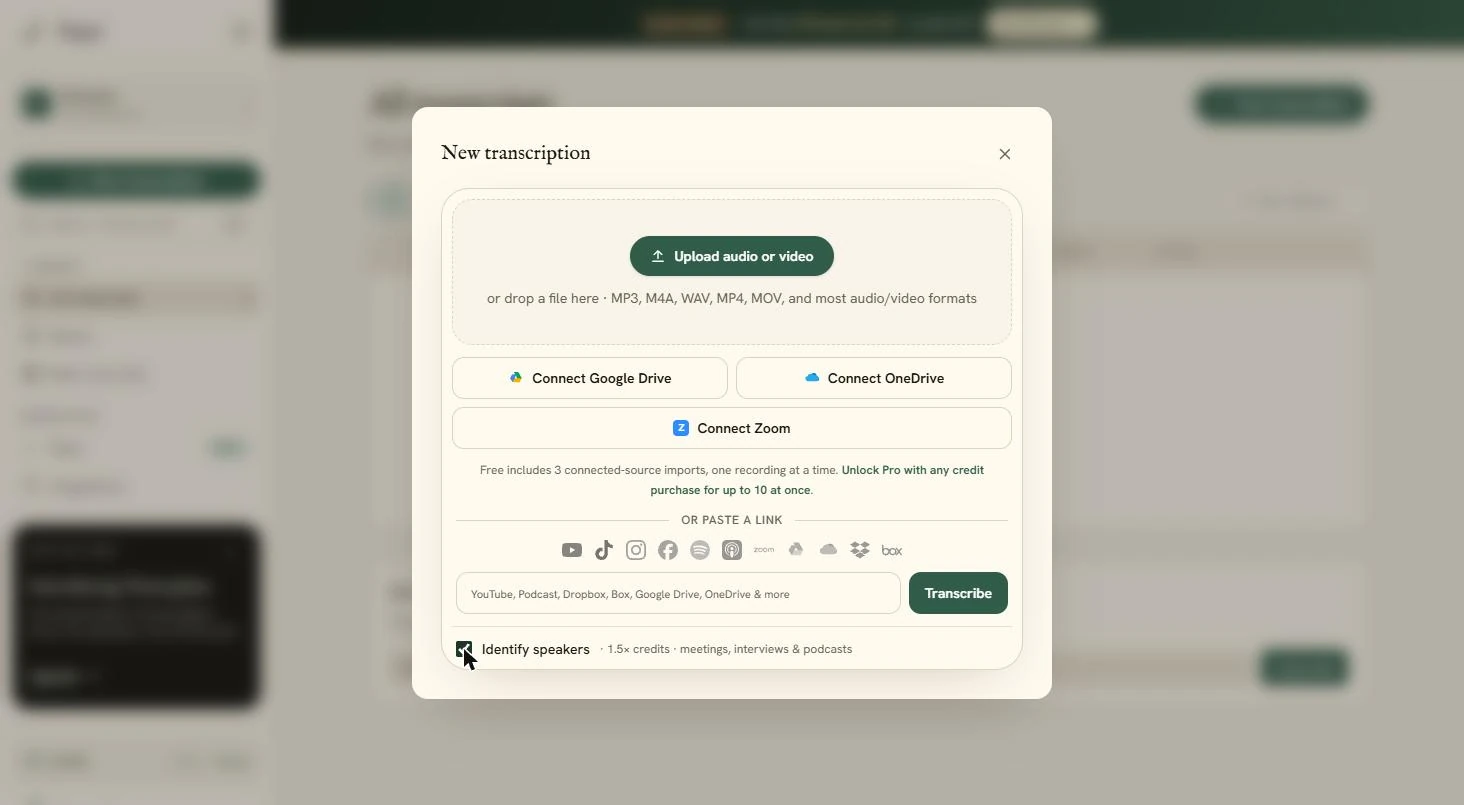
- Turn on Identify speakers. You can Upload audio or video (MP3, M4A, WAV, MP4, MOV and most formats), connect Google Drive, OneDrive or Zoom, or paste a YouTube, podcast, Dropbox or Box link. An interview has two people, so tick Identify speakers at the bottom: it costs 1.5x credits and labels who said what.
Upload a file, connect a drive, or paste a link. Tick Identify speakers, so you know who said what. It costs one and a half times the credits.
- Upload the recording. Identify speakers is ticked. Click Upload audio or video and choose Interview_04_cancelled_customer.mp3. (Ours is a 48-second practice recording; a real interview works the same way.)
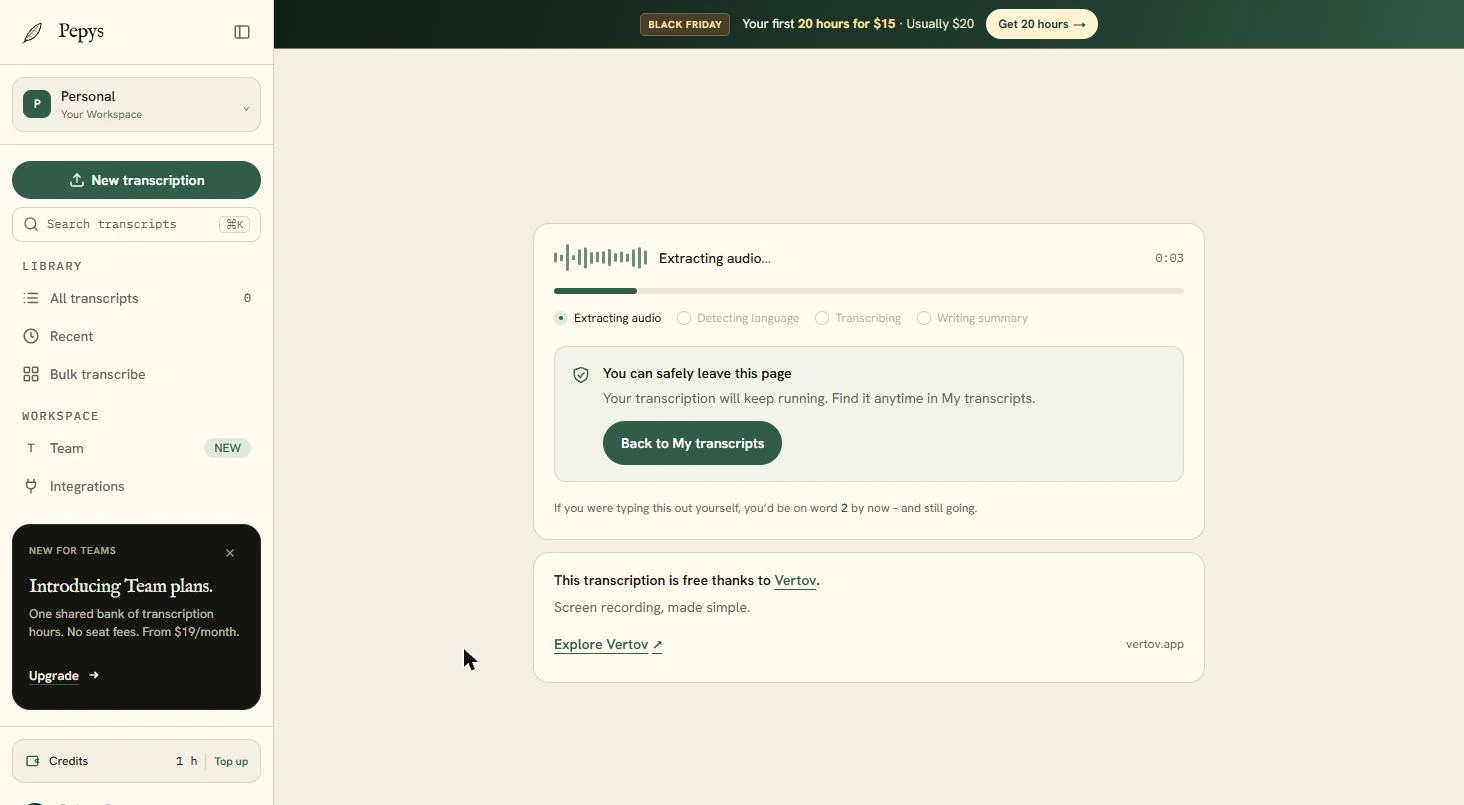
- Watch it work. Pepys shows its steps: Extracting audio, Detecting language, Transcribing, Writing summary. You can safely leave this page; the job keeps running and appears in My transcripts. Ours finished in about ten seconds.
Pepys extracts the audio, detects the language, transcribes and writes a summary. You can leave the page while it works.
2. Find the quote
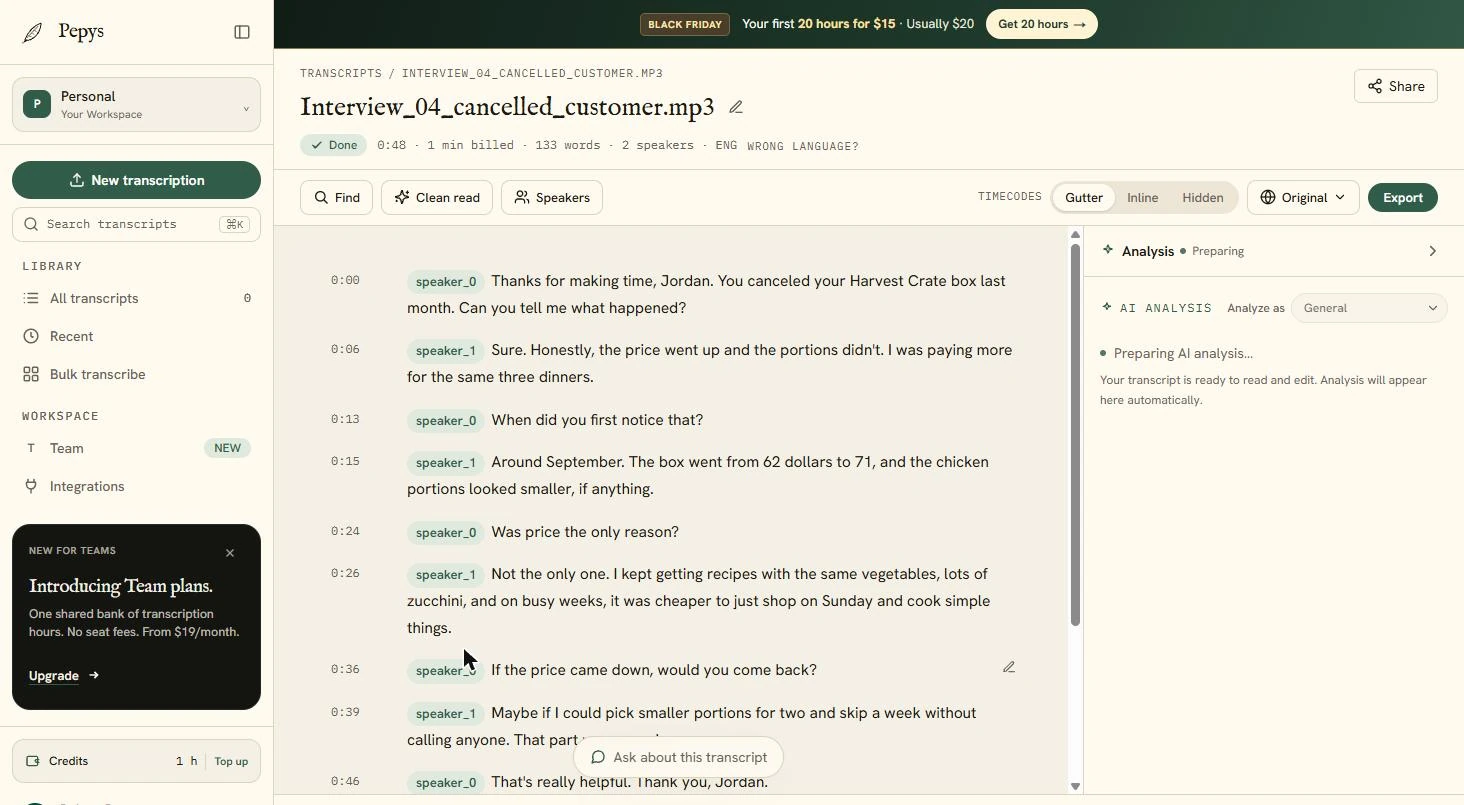
- Name the speakers. Done: 0:48, 1 min billed, 133 words, 2 speakers, ENG. Each line has a timestamp and a label, speaker_0 and speaker_1, and the Analysis panel is writing a summary. Labels like speaker_1 are useless in a quote. Click Speakers.
Done. Forty-eight seconds, one minute billed, two speakers. Labels like speaker one are no use in a quote.
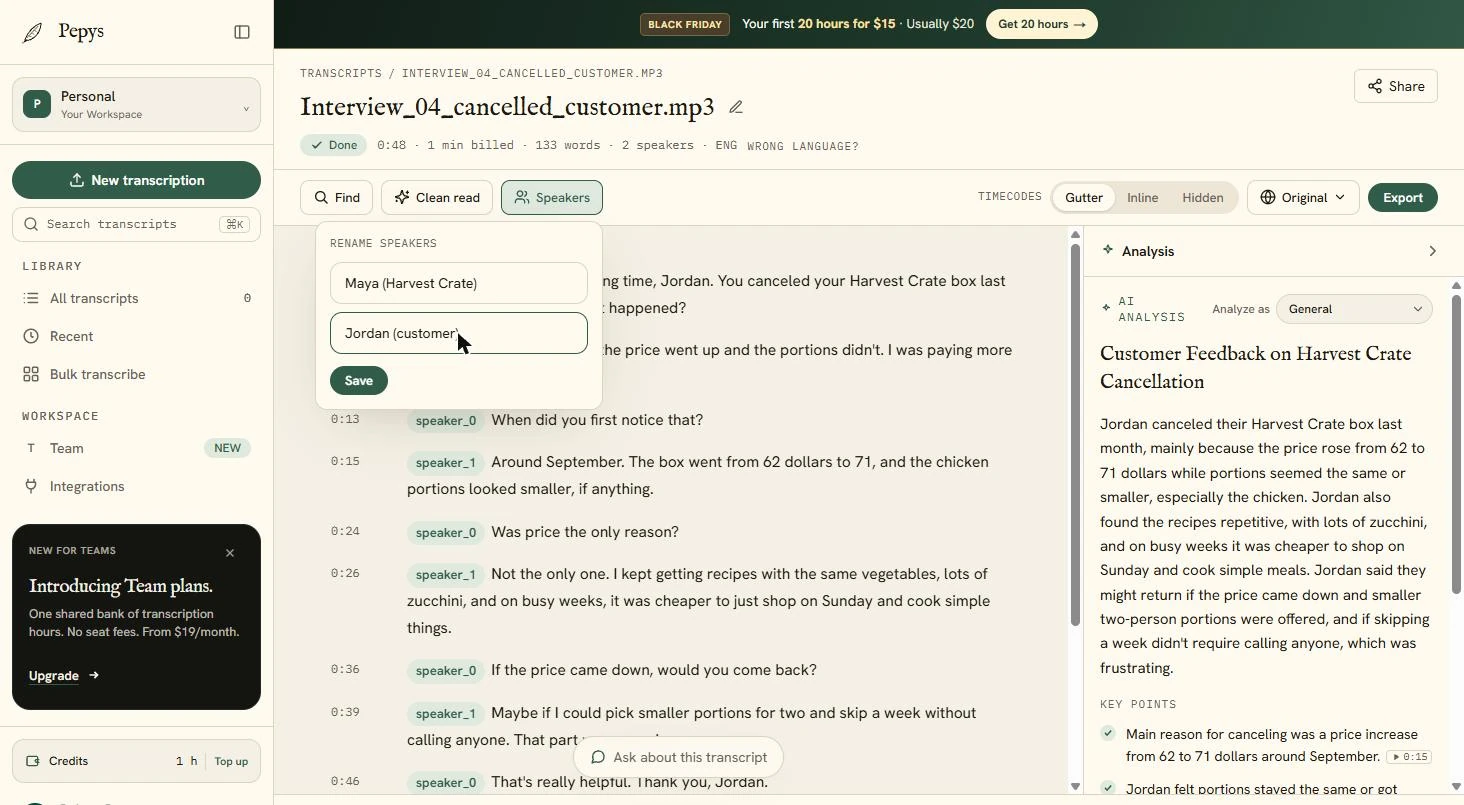
- Rename and save. Under Rename speakers, type Maya (Harvest Crate) for speaker_0 and Jordan (customer) for speaker_1. Read the first lines to check who is who before you save. Click Save.
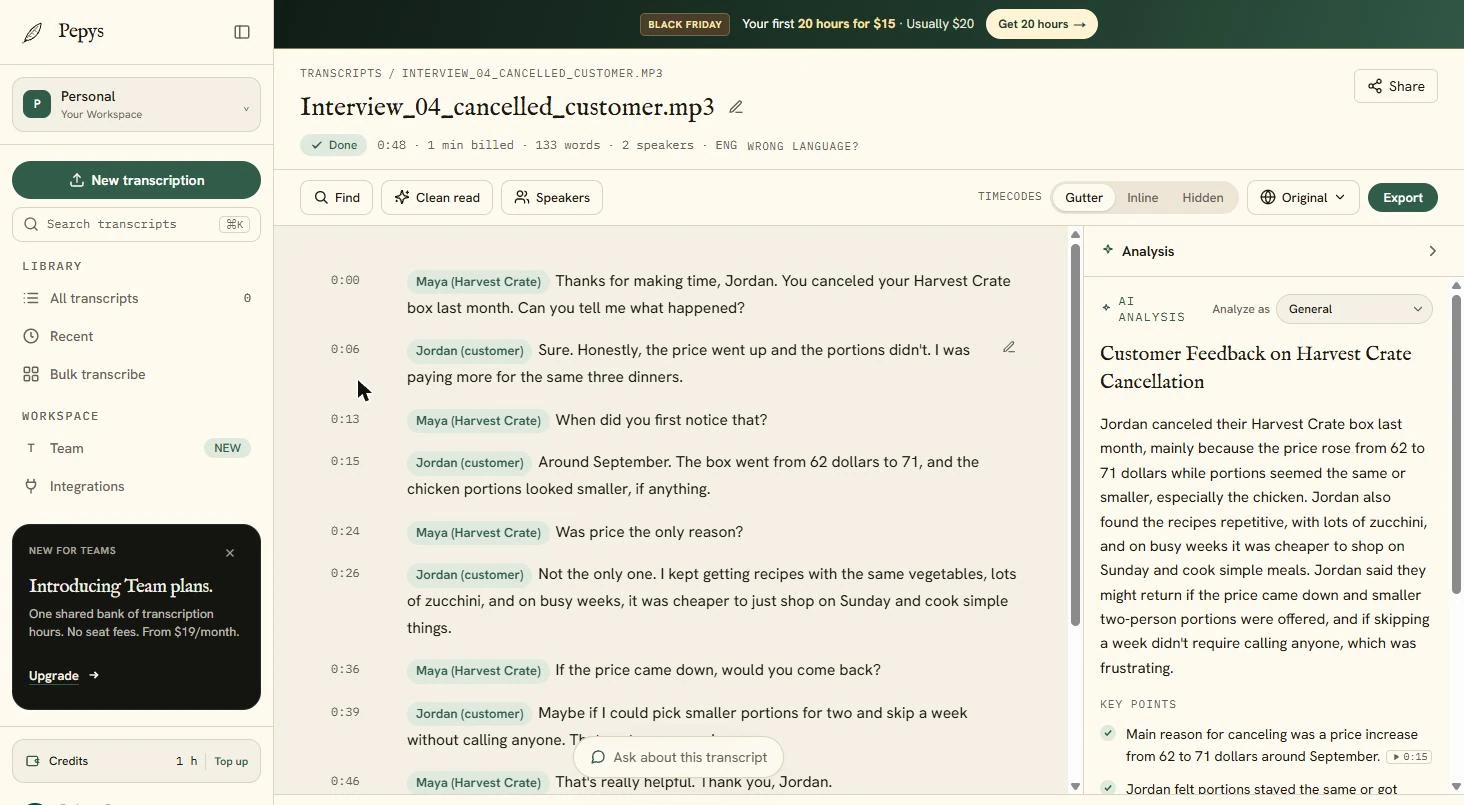
- Search the transcript. Every line now says who spoke. Now find the moment that matters. Click Find and type price.
Every line shows who spoke.
- Read the match. 1 / 3 found. The first match is Jordan at 0:06: "the price went up and the portions didn't. I was paying more for the same three dinners." That is your quote, with its timestamp. The arrows step through the other two matches. Before you put a quote in a slide, play that moment and check the words against the audio.
Three matches. The first is Jordan at six seconds: the price went up and the portions didn't. That is your quote, with its timestamp. Check it against the audio before you use it.
3. Ask and export
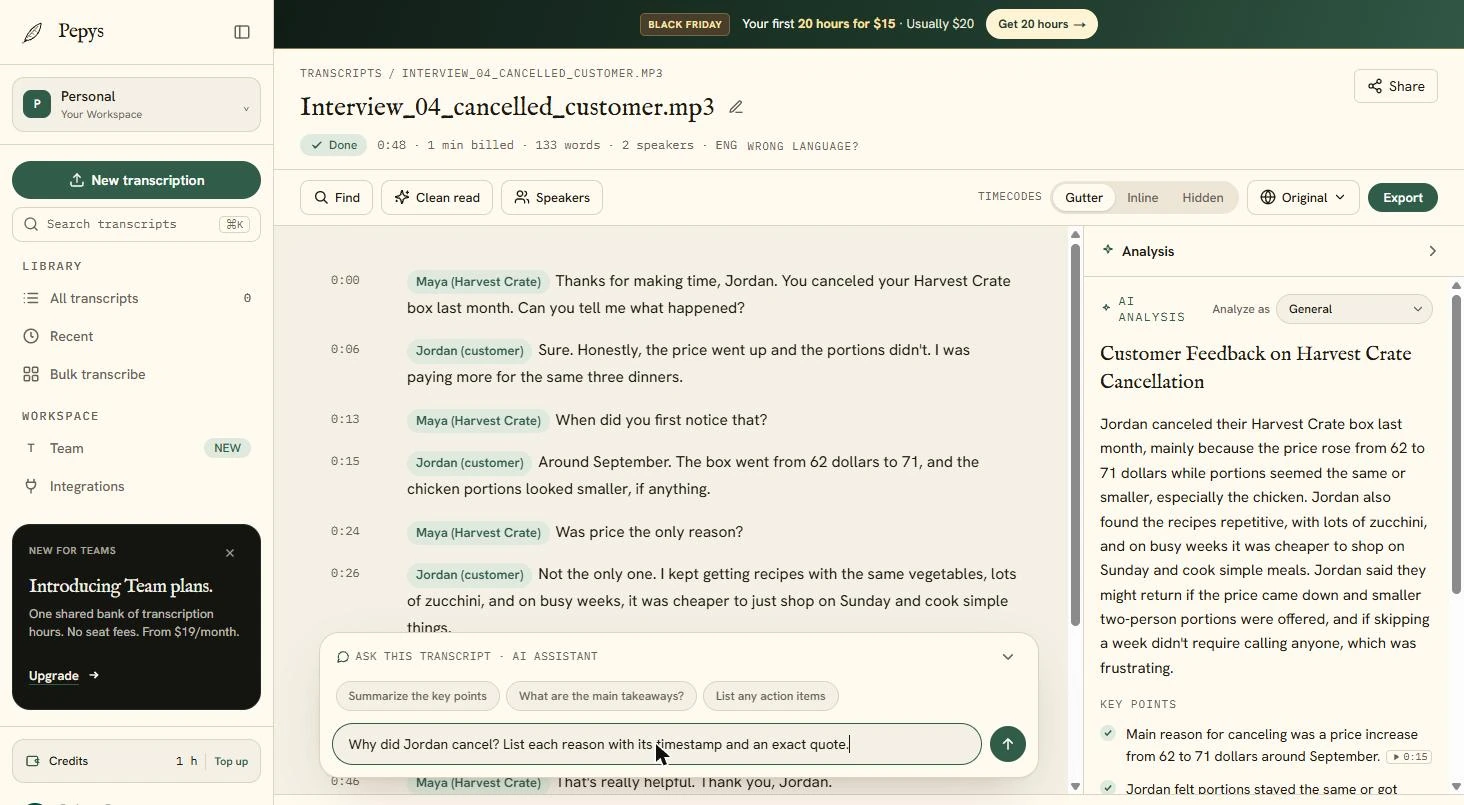
- Ask the transcript. Close Find and click Ask about this transcript. Pepys suggests Summarize the key points, What are the main takeaways? and List any action items. Ask for something you can check: "Why did Jordan cancel? List each reason with its timestamp and an exact quote." Click the send arrow.
Now ask a question you can check. Why did Jordan cancel? List each reason with a timestamp and an exact quote.
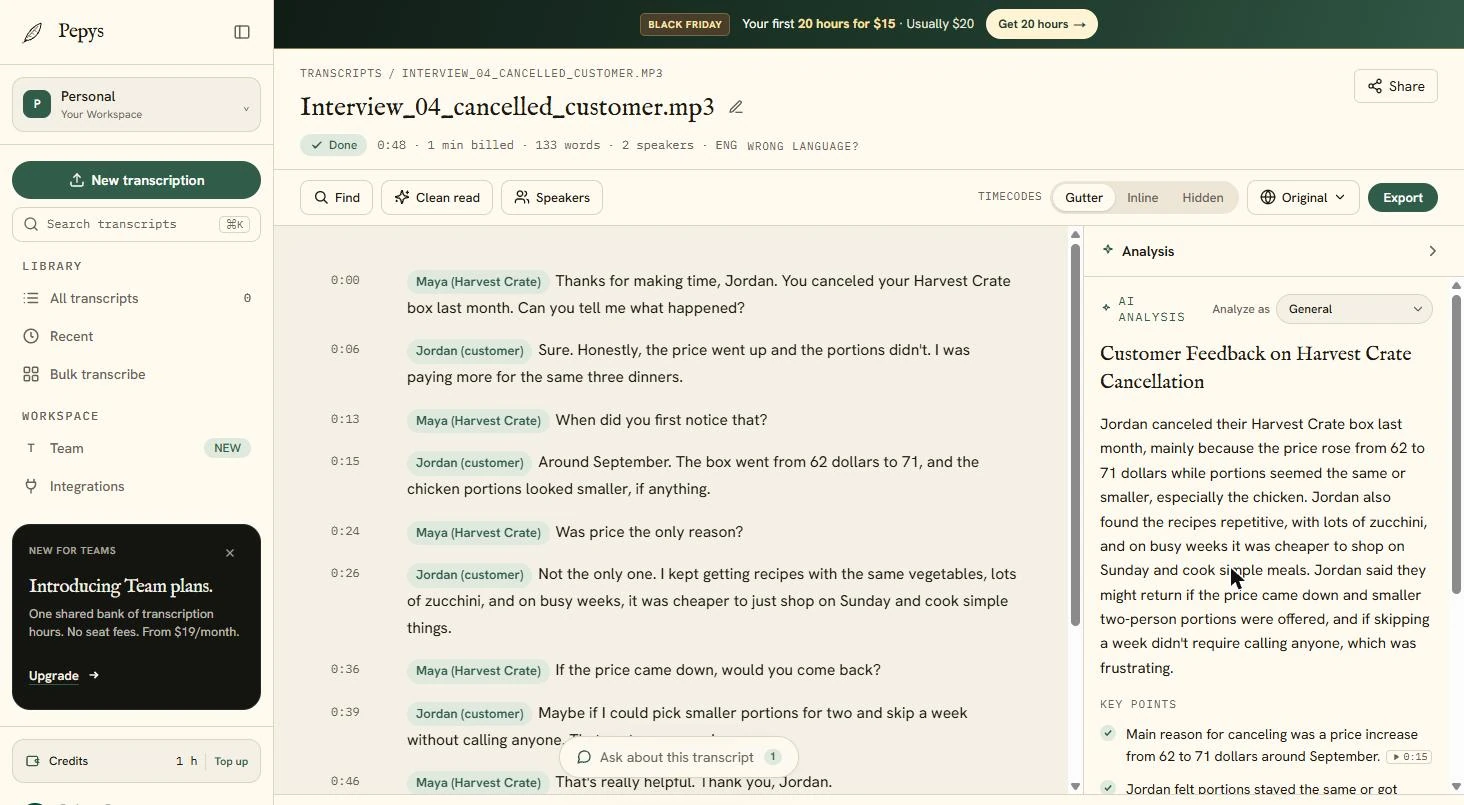
- Check the cited moments. The answer lists three reasons: the box went from 62 to 71 dollars with smaller chicken portions, the same vegetables, lots of zucchini, and that on busy weeks it was cheaper to just shop on Sunday. Below it, Pepys marks the answer Partially verified and links the cited moments, 0:15 and 0:26. Click a cited moment to jump to that line. Quote the transcript, not the summary.
Three reasons: the price rise, repeated vegetables, and shopping on Sunday being cheaper. Pepys marks it partially verified, and links the cited moments. Quote the transcript, not the summary.
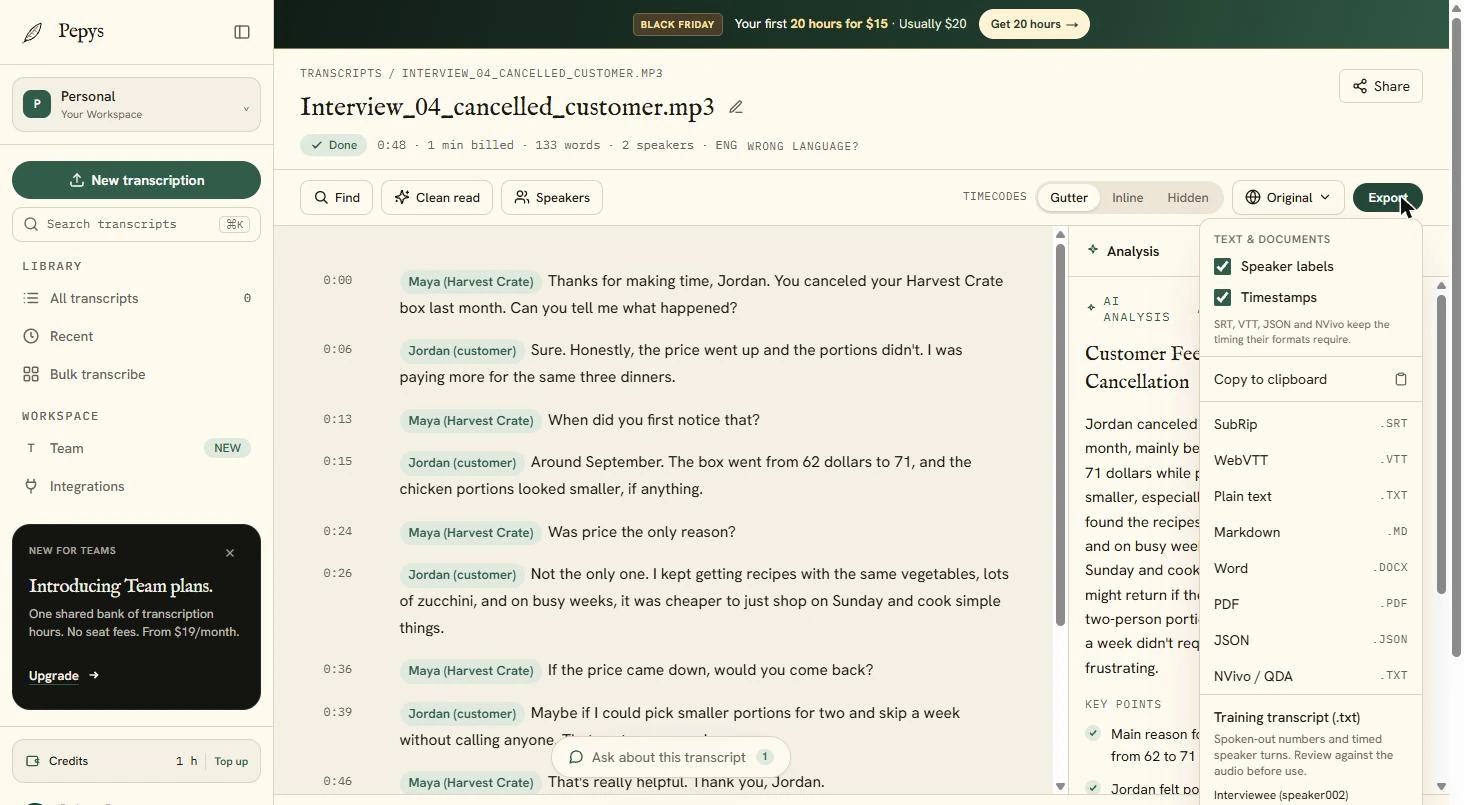
- Export for the team. Click Export. Keep Speaker labels and Timestamps ticked. You can Copy to clipboard or export SubRip .SRT, WebVTT .VTT, Plain text, Markdown, Word .DOCX, PDF, JSON or NVivo / QDA. For the review deck, click Word .DOCX: ours downloaded as Interview_04_cancelled_customer.docx with names and timestamps on every line.
The team gets every line, with names and timestamps.
Screenshots
Frequently asked questions
- What is Pepys Transcribe?
- AI transcription software. You upload audio or video, or paste a link, and get a timestamped transcript you can search, edit, play back in sync and export.
- Can Pepys tell speakers apart?
- Yes. Speaker labels put each voice on its own line. Its pricing page says they use 1.5 credits per minute instead of 1, as of November 2026.
- What file formats can I export?
- The Export menu offers Copy to clipboard, SubRip (.SRT), WebVTT (.VTT), Plain text, Markdown, Word (.DOCX), PDF, JSON and NVivo / QDA, with Speaker labels and Timestamps you can switch on or off.
- How do I rename speakers in Pepys?
- Open the transcript, click Speakers, type a name for each label (speaker_0, speaker_1) under Rename speakers and click Save. Every line updates.
- How much does Pepys Transcribe cost?
- The first 60 minutes are free with no card. After that it is pay as you go, from $1.25 down to $0.85 an hour of audio, with no subscription, as of November 2026.
- Was this lesson tested in the live Pepys app?
- Yes. Every screen is from the real Pepys app on 24 November 2026, using a short practice interview; the transcript, the assistant's answer and the Word export are real results.
More in AI Automation for Marketing
 How to Use n8n in Marketing: An AI Agent That Plans Your Content Calendar
Build an AI agent for Harbor & Pine Coffee Roasters that turns one campaign theme into a two-week email and content calendar in Google Sheets — chat trigger, AI Agent…
Free · Live ~12 min Intermediate
 Build a Lead Magnet Signup Form with an AI Welcome Email
Build a "Get the free guide" signup form in Lovable for Harbor & Pine Coffee Roasters and connect it to n8n — the AI agent tags each lead by interest, saves it to…
Free · Live ~15 min Advanced
 Get Your Business Recommended by ChatGPT
Ask ChatGPT who it recommends in your town, see which pages it trusts, then use it to write an FAQ page and Business Profile copy that answer real customer questions.
Free · Live ~10 min Intermediate
 iMini AI Agent: Turn a Rough Idea into a Launch Kit
Brief the iMini Creative Agent once and get a launch plan, a LinkedIn visual, a post and a 5-slide deck, then fix the visual and humanize the post with follow-ups.
Free · Live ~8 min Beginner
 Post to Every Channel Daily from One Sheet using n8n + Blotato
Copying the same post into every social app can take half an hour a day, and on busy days nothing goes out. Plan a week of posts in one Google Sheet; every morning n8n…
Free · Live ~14 min Advanced
 VisualGPT: Product Photos, Listing Images and Ads from One Phone Photo
Turn one phone photo into a lifestyle product shot, a five-image Amazon listing set and three launch ads in VisualGPT's Commercial Studio, checking the plan and every…
Free · Live ~8 min Beginner
All 33 modules in AI Automation for Marketing
Terms in this lesson
Plain-English definitions, each with an example from a free lesson.