Updated . Built against the tool’s current screens and checked step by step. How we check this lesson
A staff survey has 48 responses and leadership wants a recommendation. Generate insights in the Responses tab, see how Gemini counted, check one number, and flag the suggestion your data can’t support. A 7-step practice.
At a glance
| Question | Answer |
|---|---|
| What you build | A staff survey has 48 responses and leadership wants a recommendation. Generate insights in the Responses tab, see how Gemini counted, check one number, and flag the suggestion your data can’t support. A 7-step practice. |
| Tools | Google Forms |
| Time | About 4 minutes, 7 steps in 2 parts |
| Level | Beginner, no coding needed |
| Cost | Free |
| Ways to learn it | Practice it step by step |
The 2 parts, in short
- Ask Gemini what the answers say: Open the Responses tab, Click Generate insights, Open the Analysis steps.
- Check it before you act on it: Check one number yourself, Read the Recommended Next Steps, Flag the one the data can’t back up, Retry when new answers come in.
Start here first: Gemini in Gmail: Summarize a Thread and Draft the Reply (module 1 of Gemini for Google Workspace)
In the course: Part 5 · Gemini for Google Workspace (Module 72 of the full course)
Part of: Gemini Jump Start (step 8 of 8)
What you'll build
The problem: a survey closes, the answers pile up across several questions, and someone has to read them all and say what to do next. On November 5, 2026, Google announced actionable insights in Google Forms: Gemini analyzes the responses, surfaces trends, compares answers across questions and suggests next steps. In this short practice you run it for a made-up freight brokerage's hybrid schedule survey, then check it before it reaches leadership. Be clear on what this is: we built it from Google's announcement and Help Center, not from the real app, and the insight text is a plain stand-in.
That's the basic shape: open Responses, generate insights, look at the analysis steps, check one number against the chart, and keep only the next steps your form supports. Google says the form needs at least 12 responses and 3 questions, and it isn't available on a quiz. It is for Business and Enterprise Standard and Plus, Education Plus and eligible Google AI plans. Rapid Release domains started getting it on November 2, 2026; Scheduled Release domains start November 19, and each can take up to 15 days to show.
- Tools: Google Forms
- Time: about 4 minutes, 7 steps in 2 chapters
- Level: beginner, no coding needed
- Price: free
Practice first, then build it for real
Practice based on Google's published announcement and help pages; the insight text is a plain stand-in. Actionable insights in Google Forms requires Business or Enterprise Standard or Plus, Education Plus, or an eligible Google AI plan, and is still rolling out. This is a practice copy: no account is needed and nothing touches your Google Drive. The firm, the survey and its answers are made up. To build it for real you need your own Google Forms account, and some services charge once you use them for real work, so check each tool's current pricing.
Try it yourself, free
Reading the steps is a start. Doing them is how it sticks. The interactive module walks you through every click in a practice copy of Google Forms, checks each step, and never touches your real accounts.
Start “Gemini in Google Forms: Turn Survey Responses into Checked Next Steps”Step by step: Gemini in Google Forms: Turn Survey Responses into Checked Next Steps
All 7 steps of the interactive module, in order. In the module you watch each one, then do it yourself in a practice copy that checks your work.
1. Ask Gemini what the answers say
- Open the Responses tab. This is Maya Torres, HR manager at Kestrel Freight Brokerage. Her hybrid schedule survey has 48 responses, and leadership wants a recommendation on Friday. Open the form in Google Forms and click Responses at the top.
This is Maya Torres, HR manager at Kestrel Freight Brokerage. Her hybrid schedule survey has forty-eight responses, and leadership wants a recommendation on Friday.
- Click Generate insights. In the Responses tab, find the Actionable Insights section and click Generate insights. Google's Help Center says the form needs at least 12 responses and 3 questions, and it won't work on a quiz.
Find the Actionable Insights section and click Generate insights. Google says the form needs at least twelve responses and three questions, and it won't work on a quiz.
- Open the Analysis steps. Google says Gemini writes and runs Python code on your responses, so the counts and percentages come from the real answers. Click the Analysis steps down arrow to see how it got there. The list here is a plain stand-in.
Google says Gemini writes and runs Python code on your responses, so the counts come from the real answers.
2. Check it before you act on it
- Check one number yourself. The synthesis says 65% prefer 2 office days. Before that goes in front of leadership, click the question 2 chart in the summary below and check it: 31 of 48 is 64.6%, so 65% holds.
The insight says sixty-five percent prefer two office days. Before that goes to leadership, click the question two chart below and check it. Thirty-one of forty-eight. It holds.
- Read the Recommended Next Steps. Click Recommended Next Steps. These are suggestions, not decisions. Read each one and ask: does this form actually support it?
These are suggestions, not decisions. For each one, ask: does this form actually support it?
- Flag the one the data can’t back up. Comparing with last year's survey sounds smart, but Kestrel ran no survey last year. Click Bad suggestion next to it. Google says a pop-up lets you give feedback on the prompt and the output. Leave it out of Maya's summary.
Comparing with last year's survey sounds smart, but there was no survey last year.
- Retry when new answers come in. Responses keep arriving after the first run. Click Retry to generate a new set of insights. Then check the numbers again, because a new set can say something different.
More responses keep coming in. Then check the numbers again, because a new set can say something different.
More in Gemini for Google Workspace
 Gemini in Gmail: Summarize a Thread and Draft the Reply
Catch up on a long email thread in seconds with Summarize this email, ask Gemini what you owe, then write, refine and polish the reply with Help me write.
Free · Live ~7 min Beginner
 How to Label Emails in Gmail with a Filter, Then Draft Replies with AI
Make Gmail label every website quote request automatically, draft the reply with Help me write, and catch the made-up price before it's sent.
Free · Live ~8 min Intermediate
 How to Use NotebookLM (Gemini Notebook) for Cited Answers and a Briefing Doc
Create a notebook, add a PDF, a Google Doc from Drive and a web page as sources, ask a question and check its citations, save the answer to a note, and turn it all into…
Free · Live ~7 min Beginner
 How to Make a Podcast with NotebookLM from Your Own Documents
Paste a new hire handbook and meeting notes into a notebook, customize an Audio Overview for two new accountants, listen, join the conversation with Interactive mode…
Free · Live ~6 min Beginner
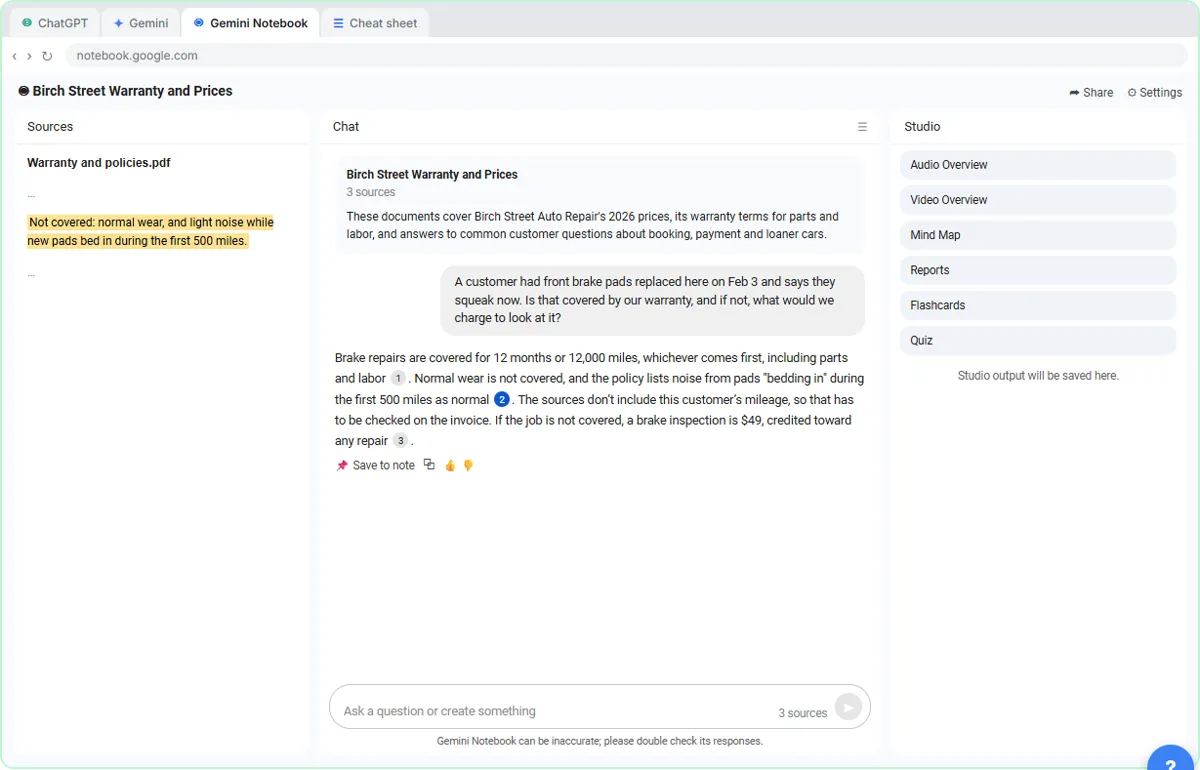 How to Create a Gem in Gemini, vs a ChatGPT Project and Gemini Notebook
Load an auto shop's price list, warranty and FAQ into a ChatGPT Project, a Gemini Gem and Gemini Notebook, ask each the same question, and see which fits which job.
Free · Live ~9 min Beginner
◷How to See Sources in Gemini Deep Research: A Cited Brief Before a MeetingAsk Gemini Deep Research to research a prospect's industry, read its plan before it starts, then check where the key numbers really came from.
Free · Live ~6 min Beginner
All 10 modules in Gemini for Google Workspace
Terms in this lesson
Plain-English definitions, each with an example from a free lesson.