Updated . Built against the tool’s current screens and checked step by step. How we check this lesson
Small accounting, consulting and agency firms rarely lose clients to a competitor. They lose them to a quiet inbox: an enquiry arrives, the week gets busy, and nobody follows up. That costs real money, and the fix is a business habit, not a bigger marketing budget: every enquiry gets an owner and a next step. Capsule is a CRM, a single place to keep every client, deal and follow-up, with a free plan to start. In this free business-case lesson you use a practice copy to price what dropped follow-ups cost, then use Capsule to add a client, check the pipeline stages, add a deal with a value and a close date, set a follow-up task, and read a forecast you can trust.
At a glance
| Question | Answer |
|---|---|
| What you build | A business case for a small firm: price what dropped follow-ups cost, then use Capsule CRM to give every enquiry an owner and a next step: add a client, check the pipeline stages, add a deal with a value and close date, set a follow-up task, and read a forecast you can trust. |
| Tools | Capsule CRM |
| Time | About 18 minutes, 41 steps in 8 parts |
| Level | Beginner, no coding needed |
| Cost | Free |
| Ways to learn it | Practice it step by step, read the guide with screenshots |
The 8 parts, in short
- The cost of a dropped follow-up: Count the quiet enquiries, Put a price on it, Meet Capsule.
- Add the client: Open Contacts, Add the company first, Name the organization, Save it, and 5 more steps.
- Check your pipeline: Find where the pipeline stages live, Open Account Settings, Open Sales Pipelines, Open your pipeline, and 1 more step.
- Add the opportunity: Add an opportunity, Name the work, Who is it for?, Pick the company, and 4 more steps.
- Set the follow-up: Add a task, Describe the follow-up, Pick the due date, Open Category, and 2 more steps.
- Where Capsule’s AI fits: Open your account menu, Open Account Settings, Open Capsule AI, See where Capsule’s AI fits.
- See the whole pipeline: Back to the pipeline, Open the Dashboard, Read the forecast.
- What this saves you: Check your day, What this saves you, Next: Transpond.
Part of: AI for Insurance Agencies (step 10 of 18)
Part of: AI for Consulting & Agencies (step 13 of 40)
Part of: AI for Real Estate (step 9 of 18)
Part of: AI for Sales Teams (step 3 of 30)
Part of: AI Apps Worth Knowing (step 1 of 186). Next up: Capsule CRM: Never Miss a Contract Renewal
Never Lose a Client Follow-up using Capsule CRM: step-by-step guide with screenshots
About the screenshots. They come from Stepthrough’s simulated practice environment (a practice copy of Capsule CRM), not the live tool, so no real account appears. The buttons and labels match the real screens the lesson was built against. Practice it yourself free at ynteractive.com.
- Tools: Capsule CRM
- Time: about 18 minutes, 41 steps in 8 parts
- Level: beginner, no coding needed
Part 1: The cost of a dropped follow-up
Step 1: Count the quiet enquiries
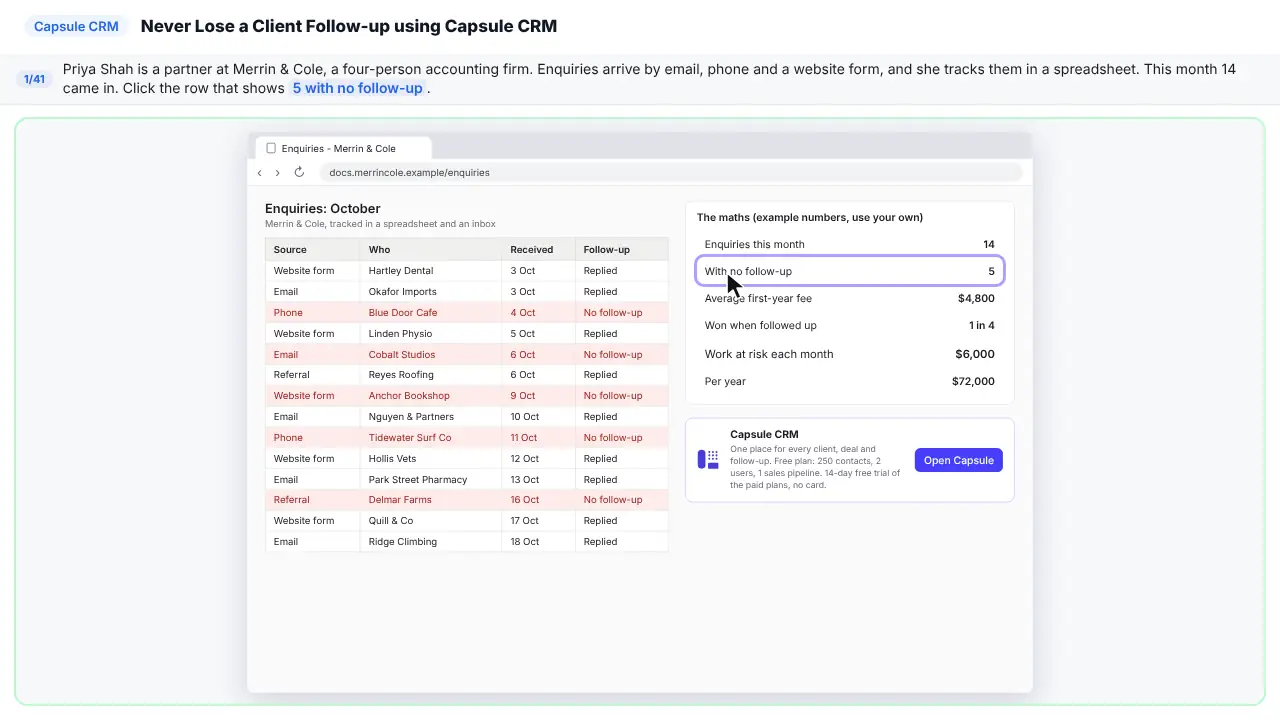
Priya is a partner at a four person accounting firm. Enquiries come in by email, phone and the website form. She keeps track in a spreadsheet. This month, fourteen came in. Five of them never got a follow up.
Step 2: Put a price on it
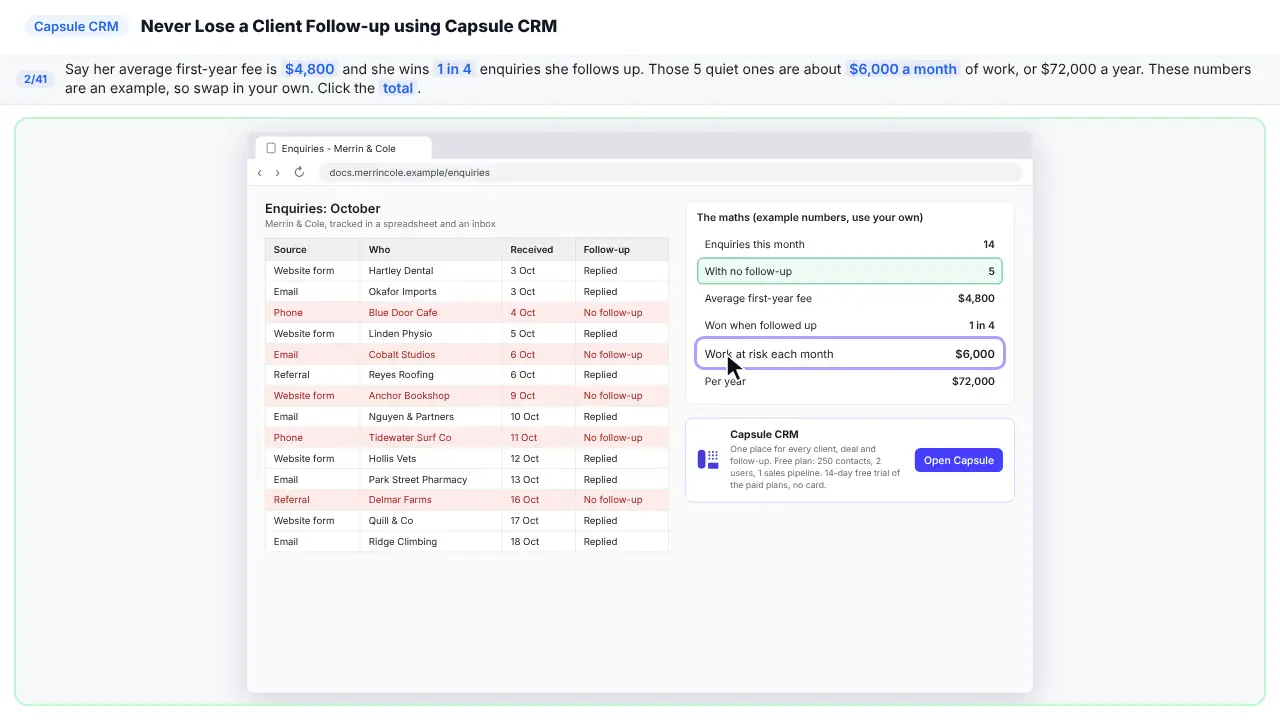
Say the average first year fee is forty eight hundred dollars. And she wins one in four of the enquiries she follows up. Five quiet enquiries is about six thousand dollars of work, every month. That is seventy two thousand a year. These are example numbers, so use your own.
Step 3: Meet Capsule
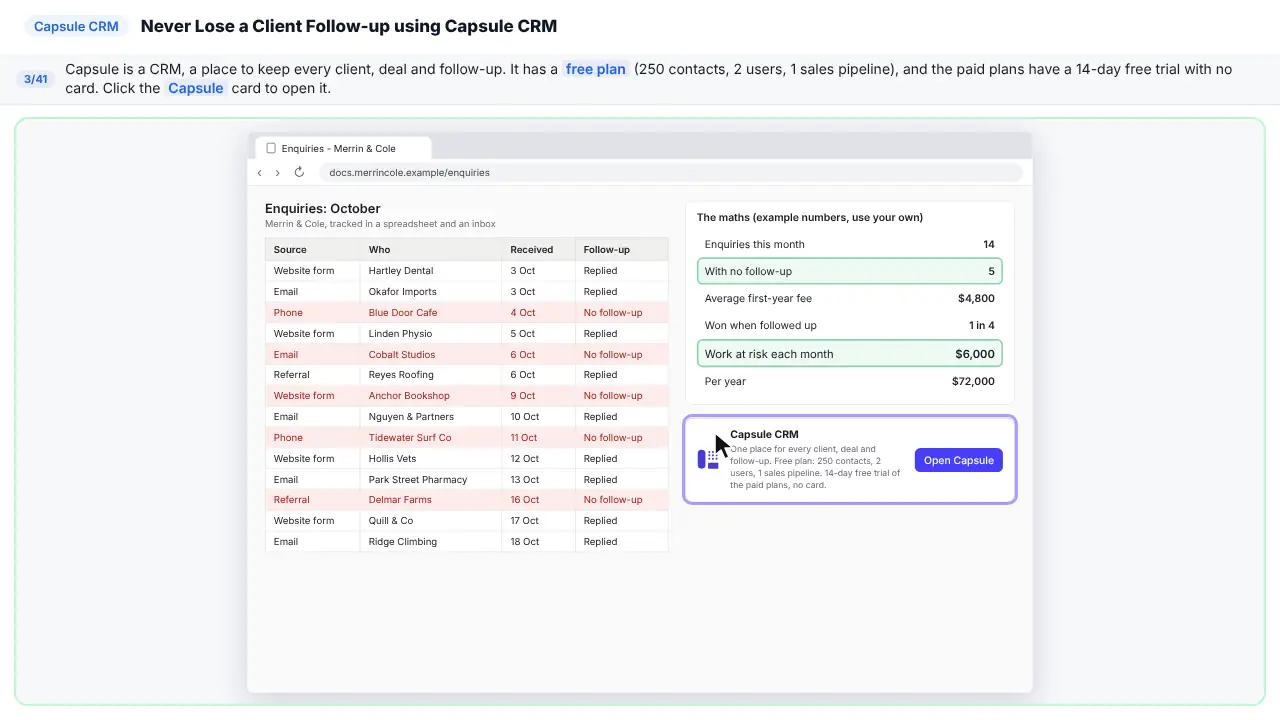
Capsule is a C R M. That is a single place for every client, every deal, and every follow up. It has a free plan, with two hundred fifty contacts, two users, and one sales pipeline. The Starter, Growth and Advanced plans have a fourteen day free trial, with no card.
Part 2: Add the client
Step 4: Open Contacts
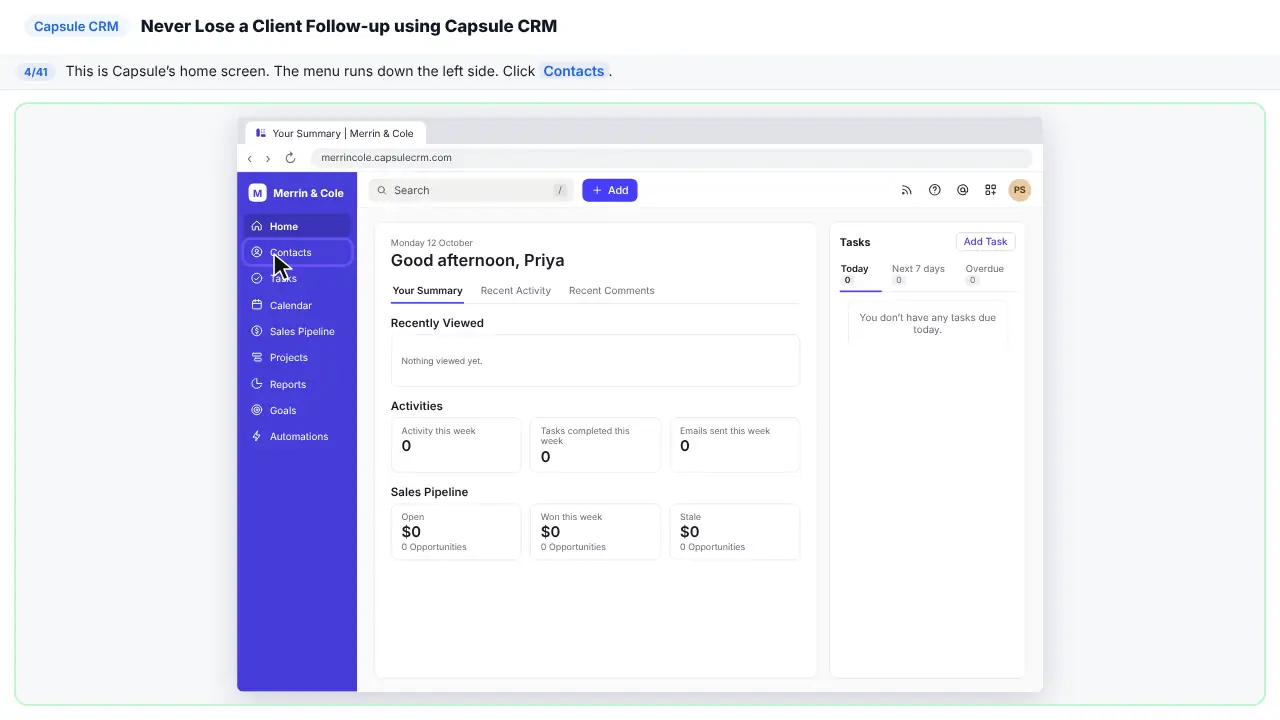
This is the Capsule home screen. The menu runs down the left side. A dental group just emailed. Let us add them.
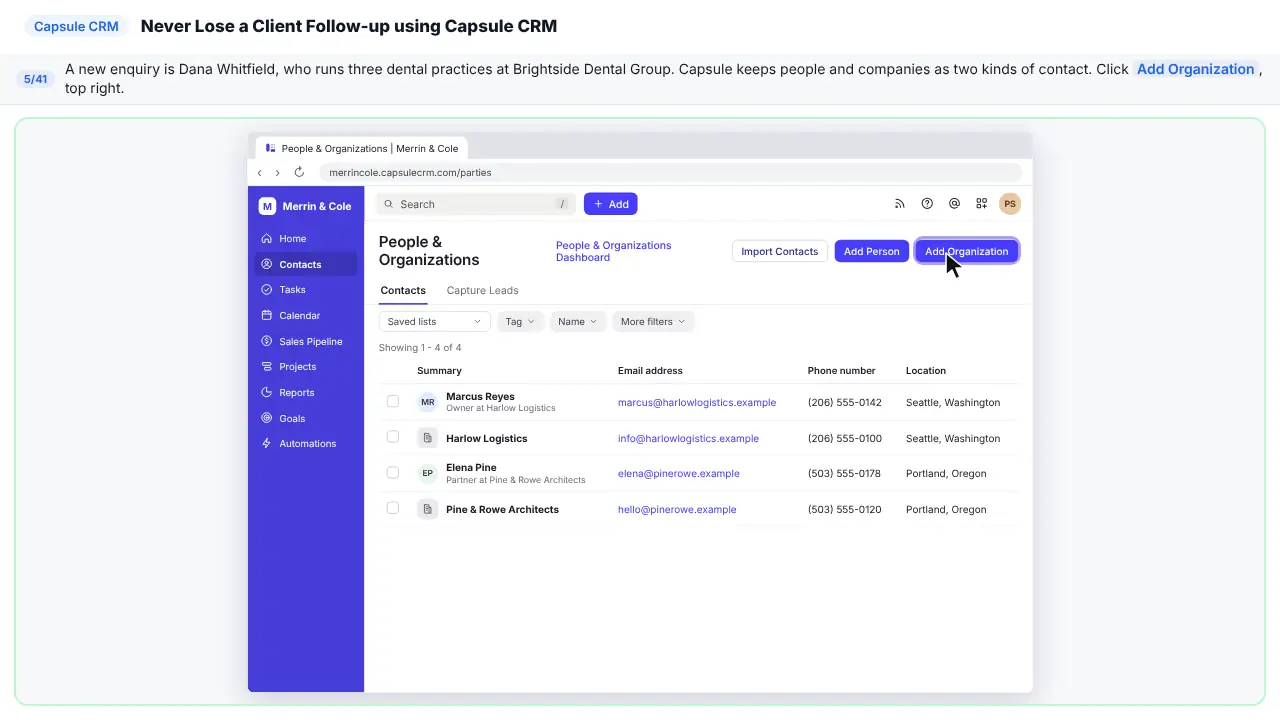
Step 5: Add the company first
The enquiry is from Dana Whitfield. She runs three dental practices, called Brightside Dental Group. Capsule keeps the company and the person as two contacts, and links them. Company first.
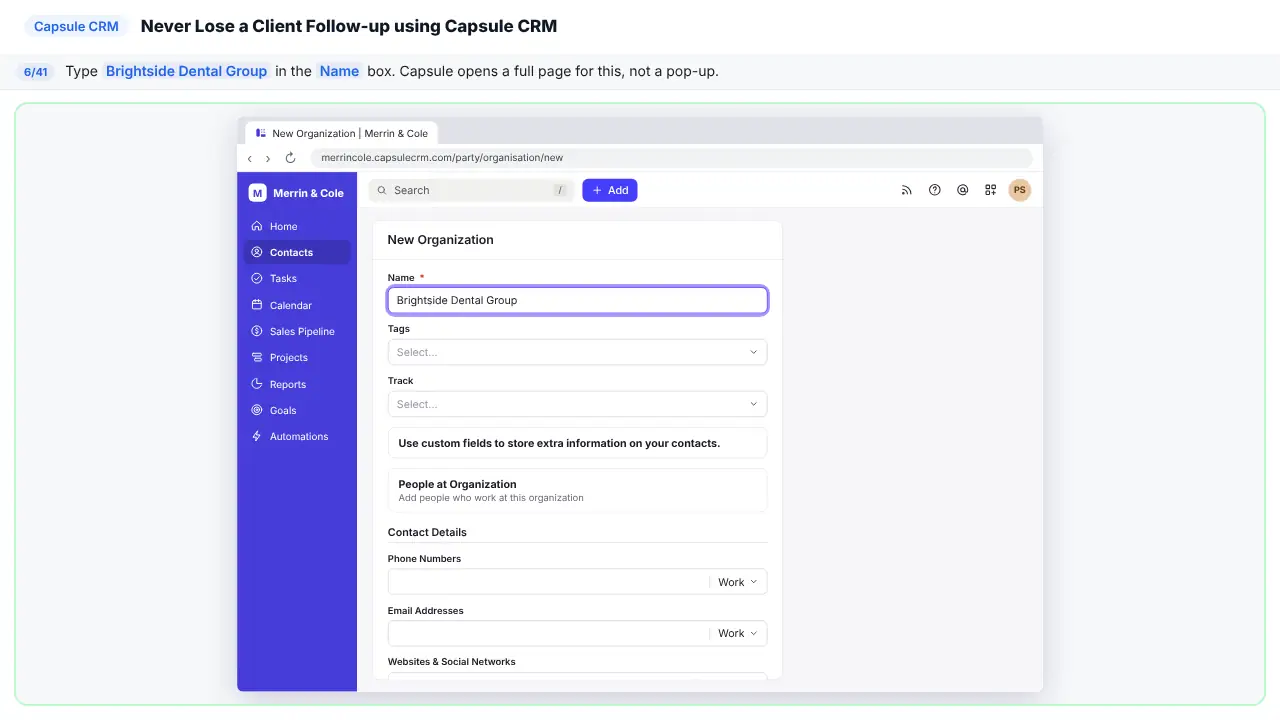
Step 6: Name the organization
Brightside Dental Group.
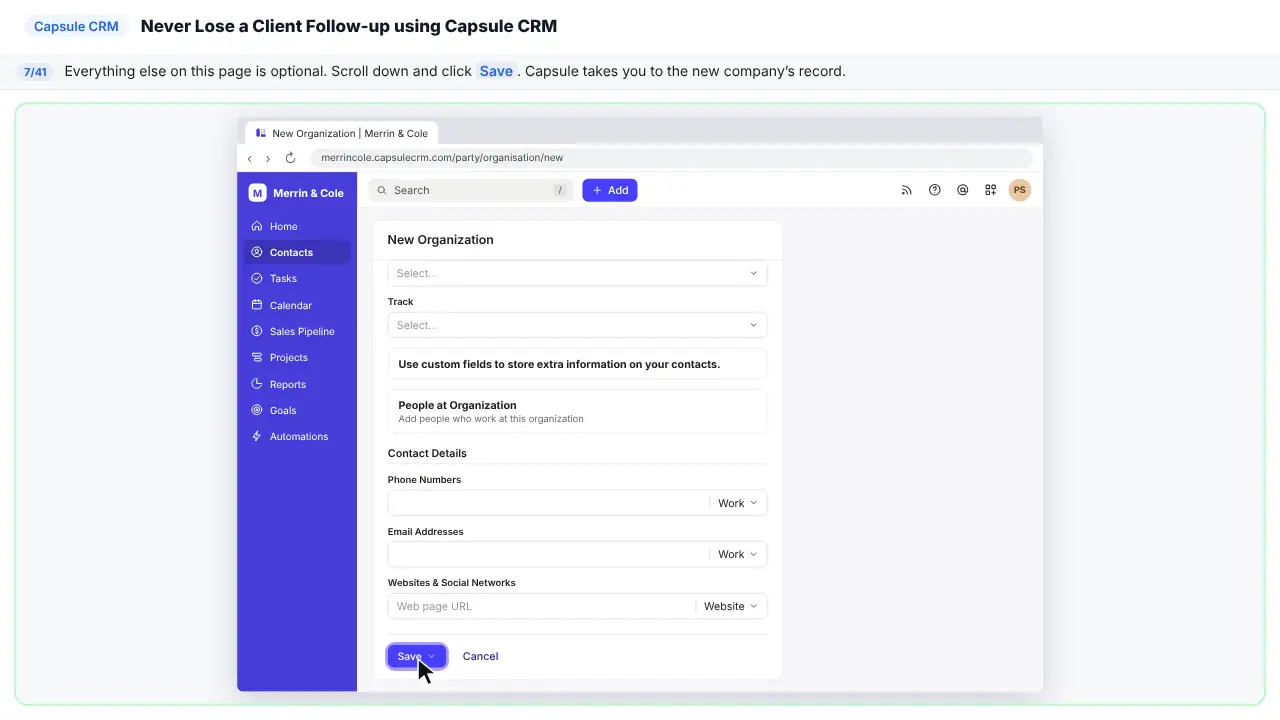
Step 7: Save it
Everything else here is optional. Capsule takes you to the company’s record.
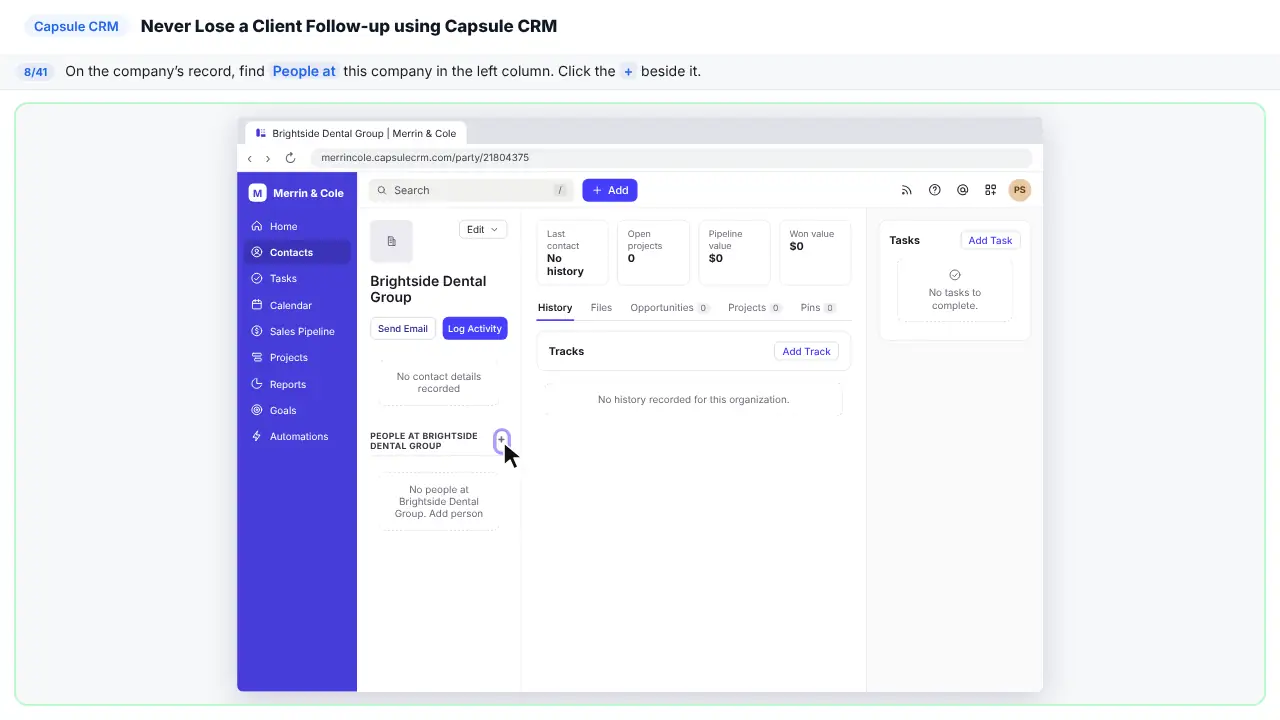
Step 8: Now add Dana
Now Dana herself. In the left column, find People at the company, and click the plus beside it.
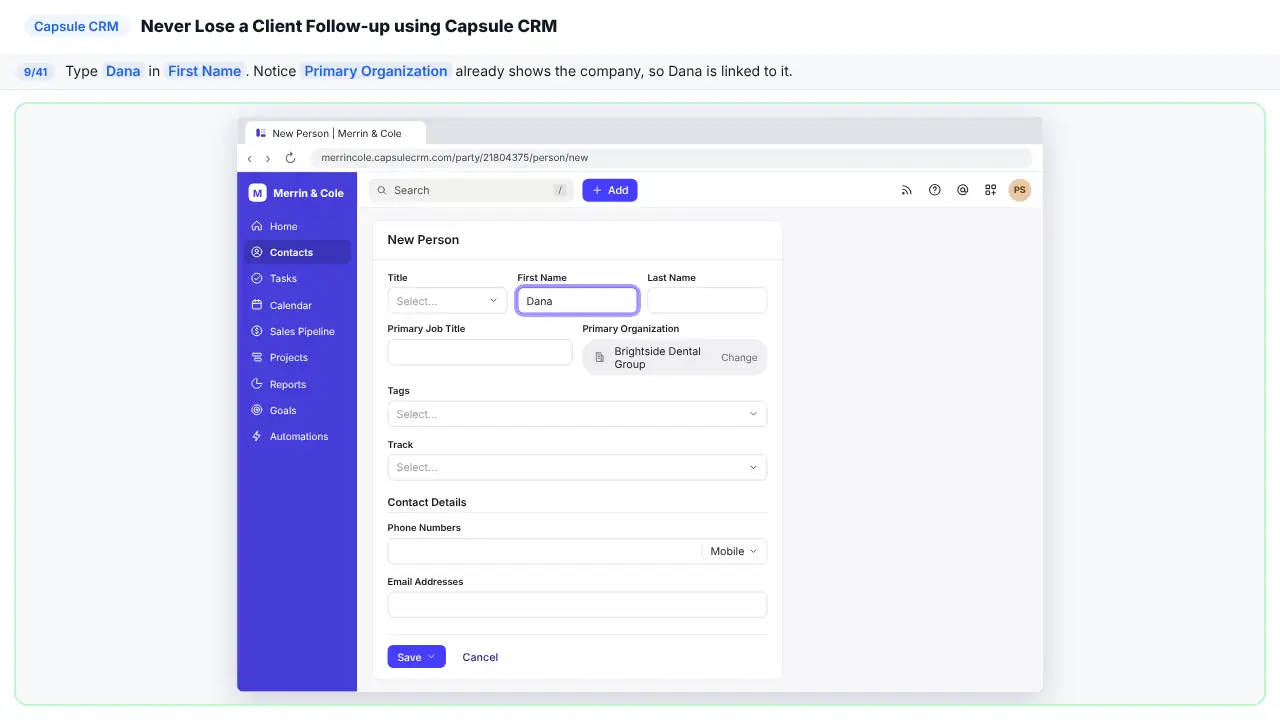
Step 9: First name
Dana. Notice the company is already filled in, so she is linked to it.
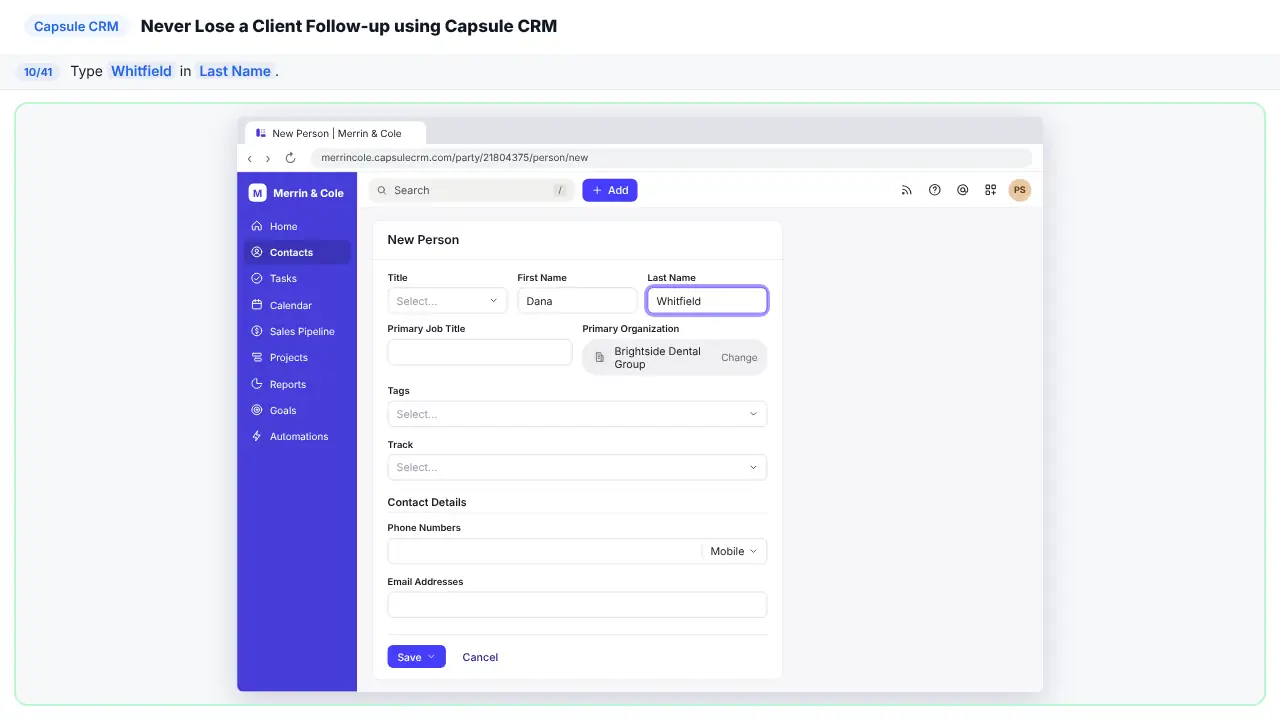
Step 10: Last name
And her last name. Whitfield.
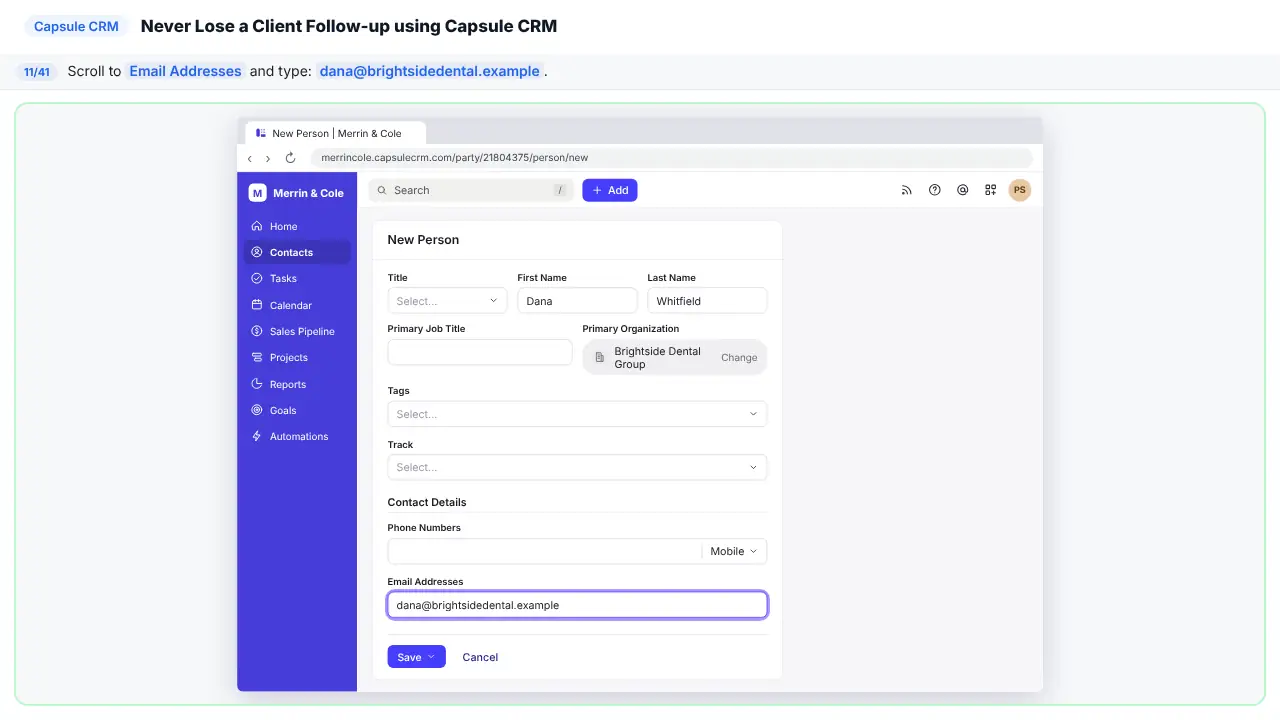
Step 11: Add her email
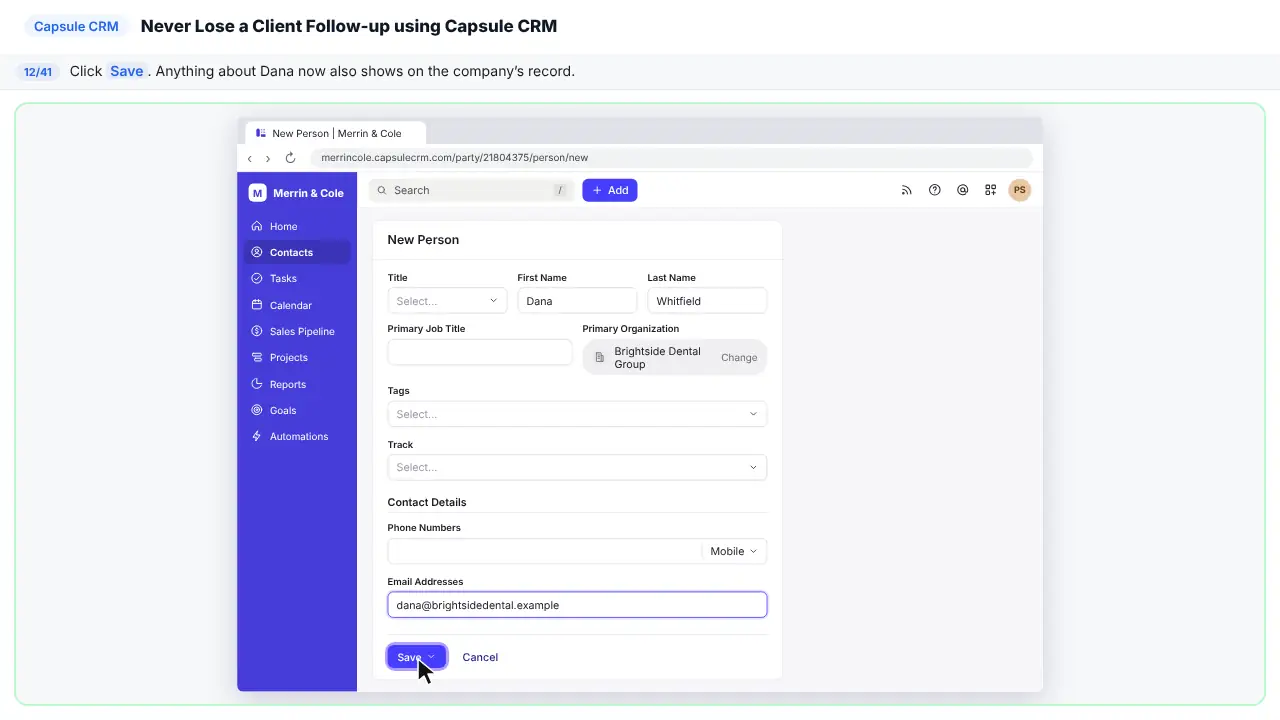
Step 12: Save Dana
Now, anything about Dana also shows on the company.
Part 3: Check your pipeline
Step 13: Find where the pipeline stages live
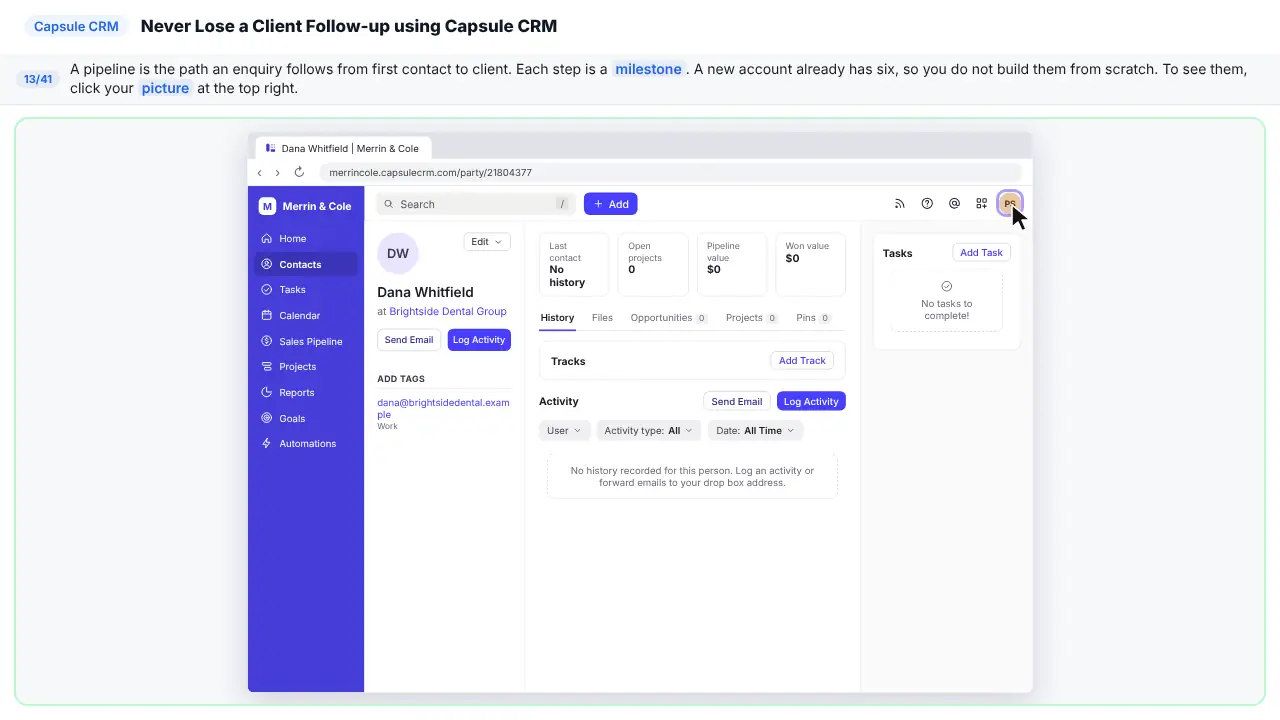
A pipeline is the path an enquiry follows, from hello to client. Each step is a milestone. A new account already comes with six, so you do not build from scratch. To look at them, click your picture, top right.
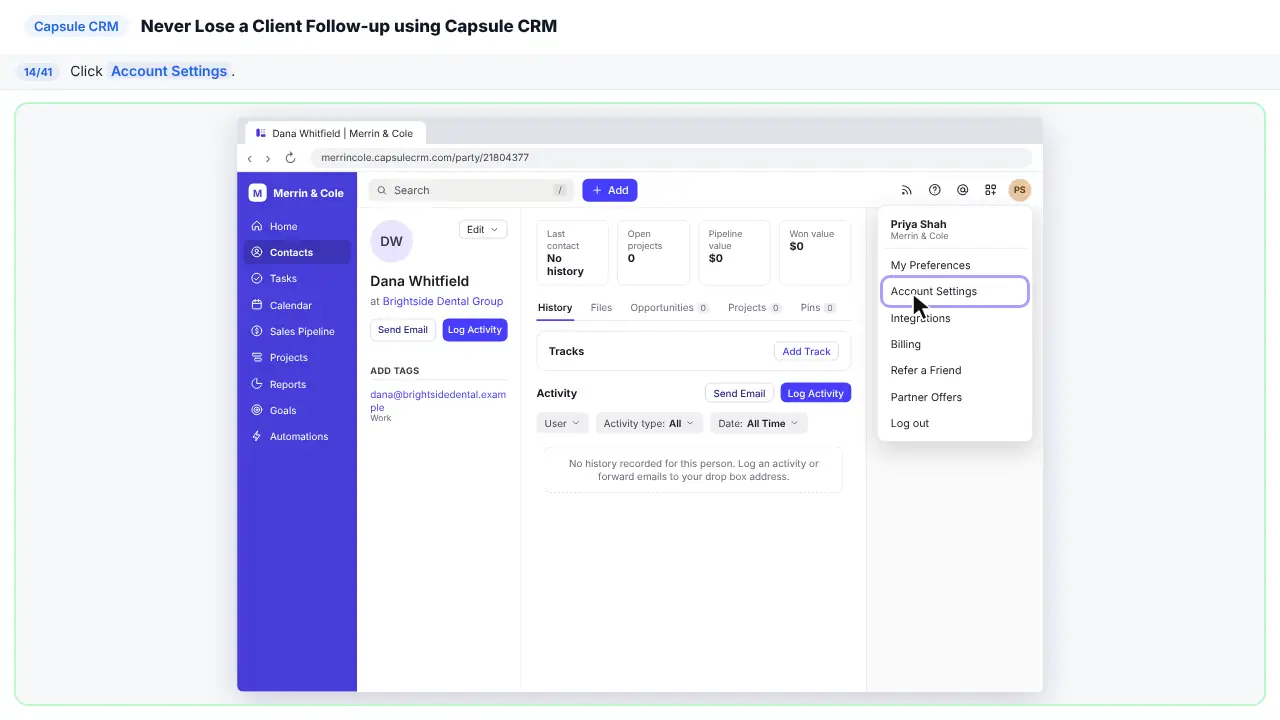
Step 14: Open Account Settings
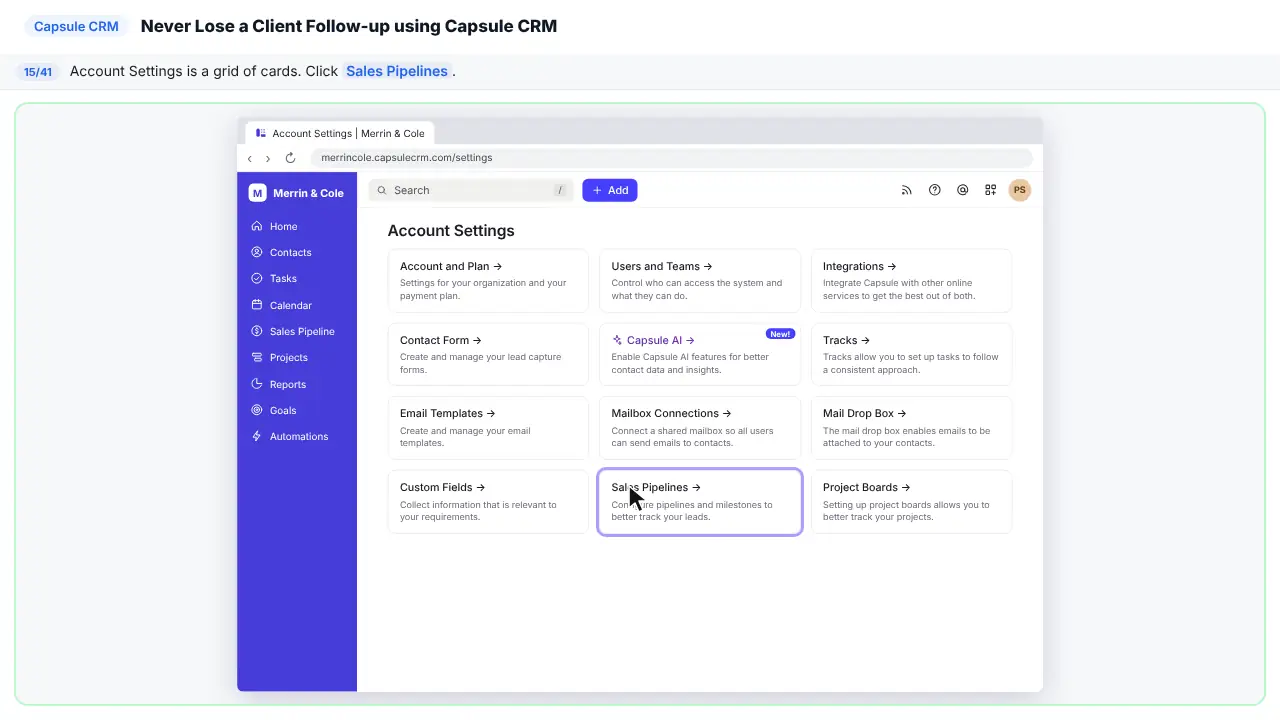
Step 15: Open Sales Pipelines
This is a grid of cards.
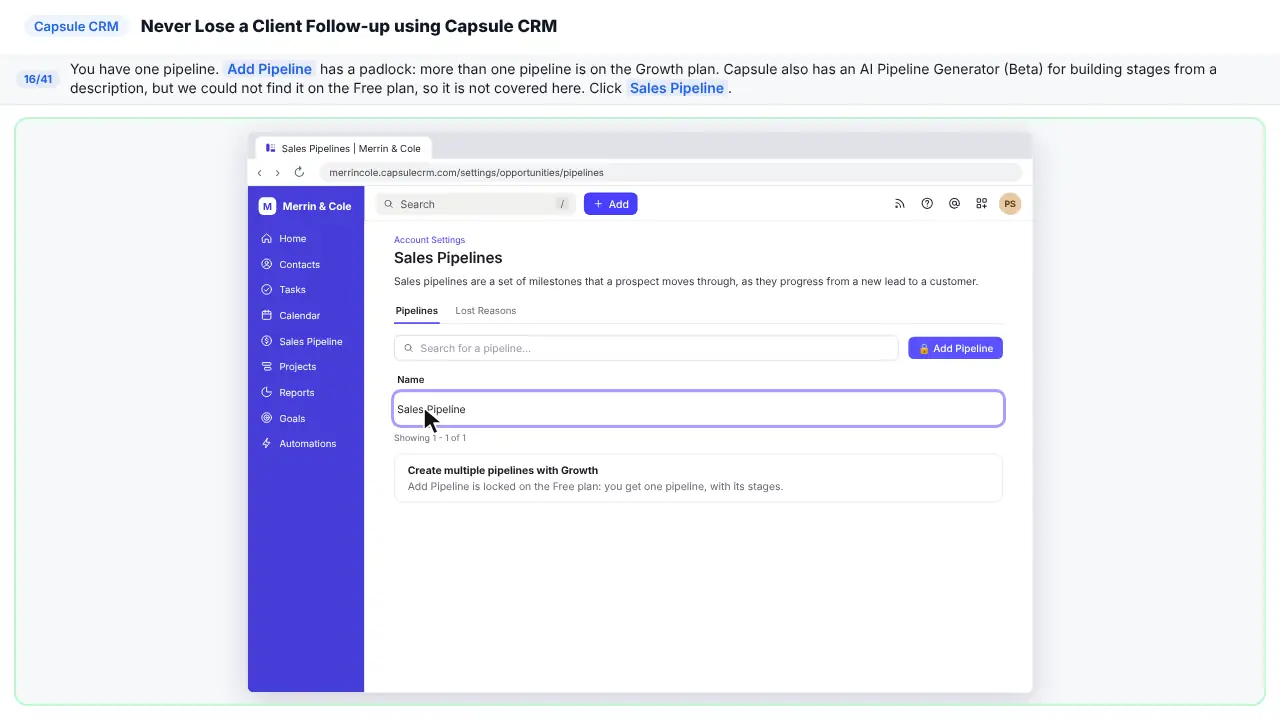
Step 16: Open your pipeline
You have one pipeline. The add pipeline button has a padlock, because multiple pipelines come with Growth and above. Capsule also has an A I pipeline generator, but it was not on the free plan, so we skip it.
Step 17: Back to the board
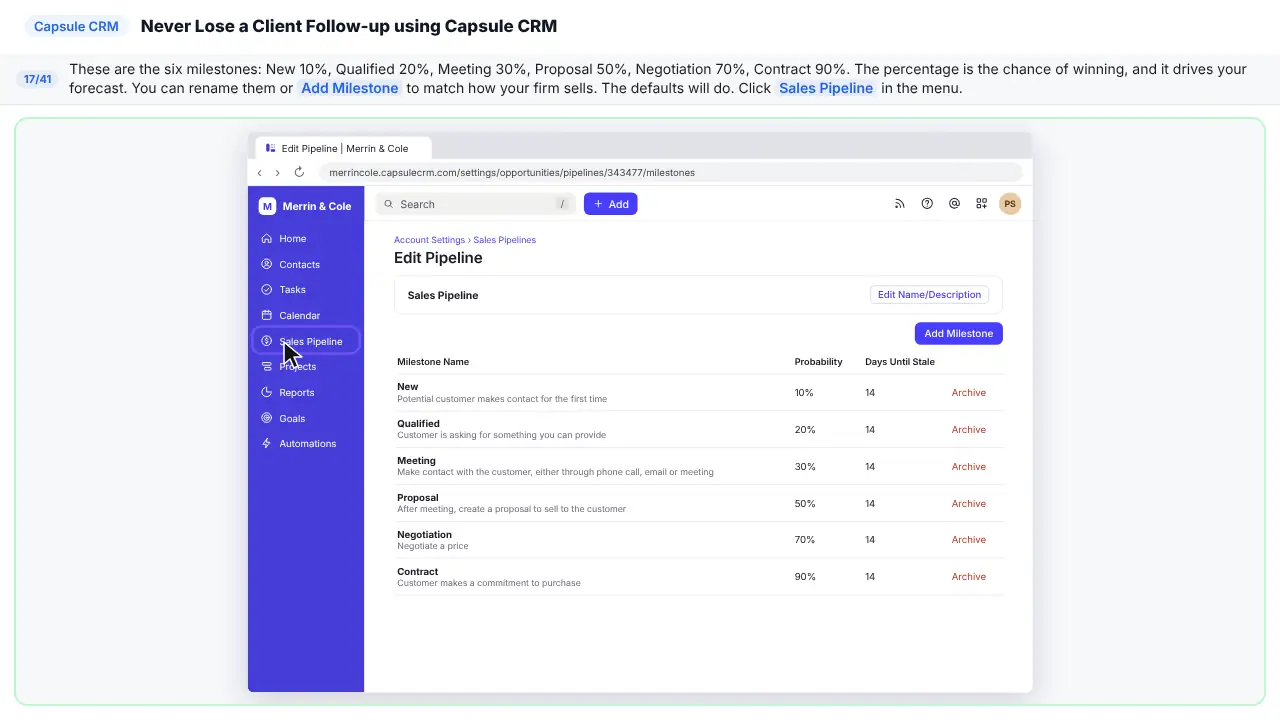
These are the six milestones. Each has a chance of winning, from ten percent up to ninety. That percentage drives your forecast. You can rename them, or add your own, to match how your firm sells. The defaults will do.
Part 4: Add the opportunity
Step 18: Add an opportunity
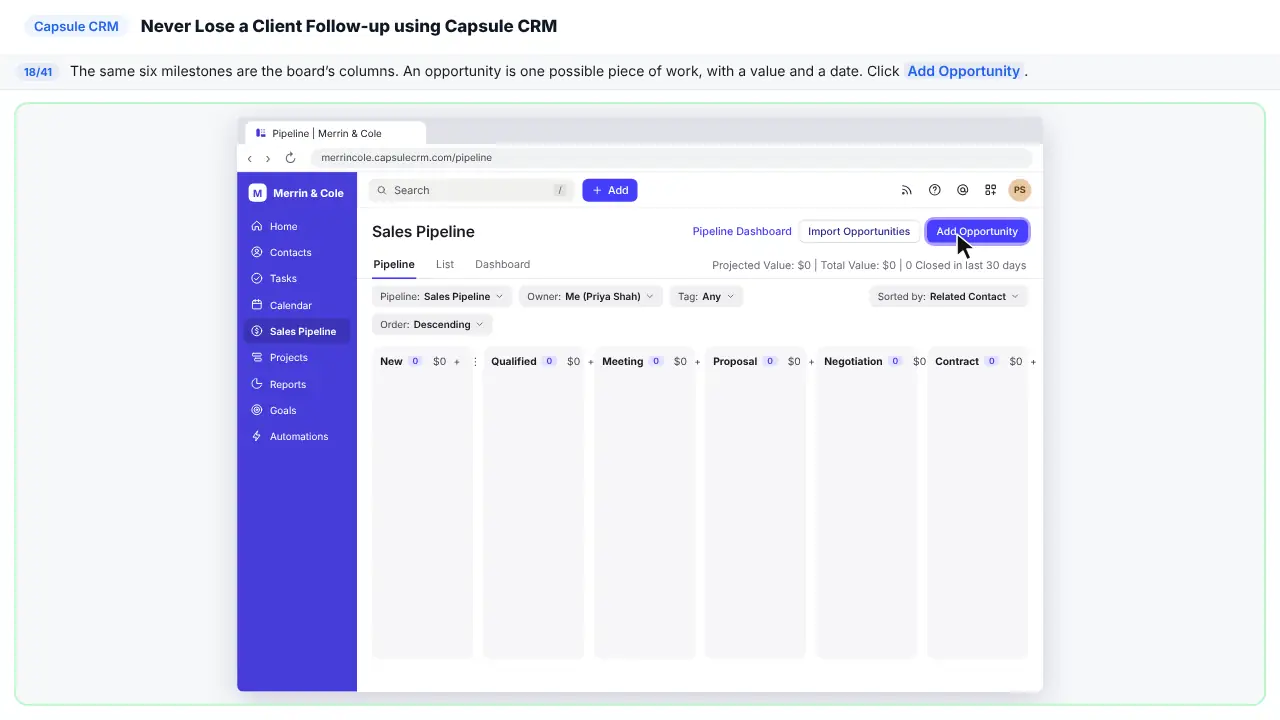
The six milestones are the columns of the board. An opportunity is one possible piece of work, with a value and a date. This is where the money lives.
Step 19: Name the work
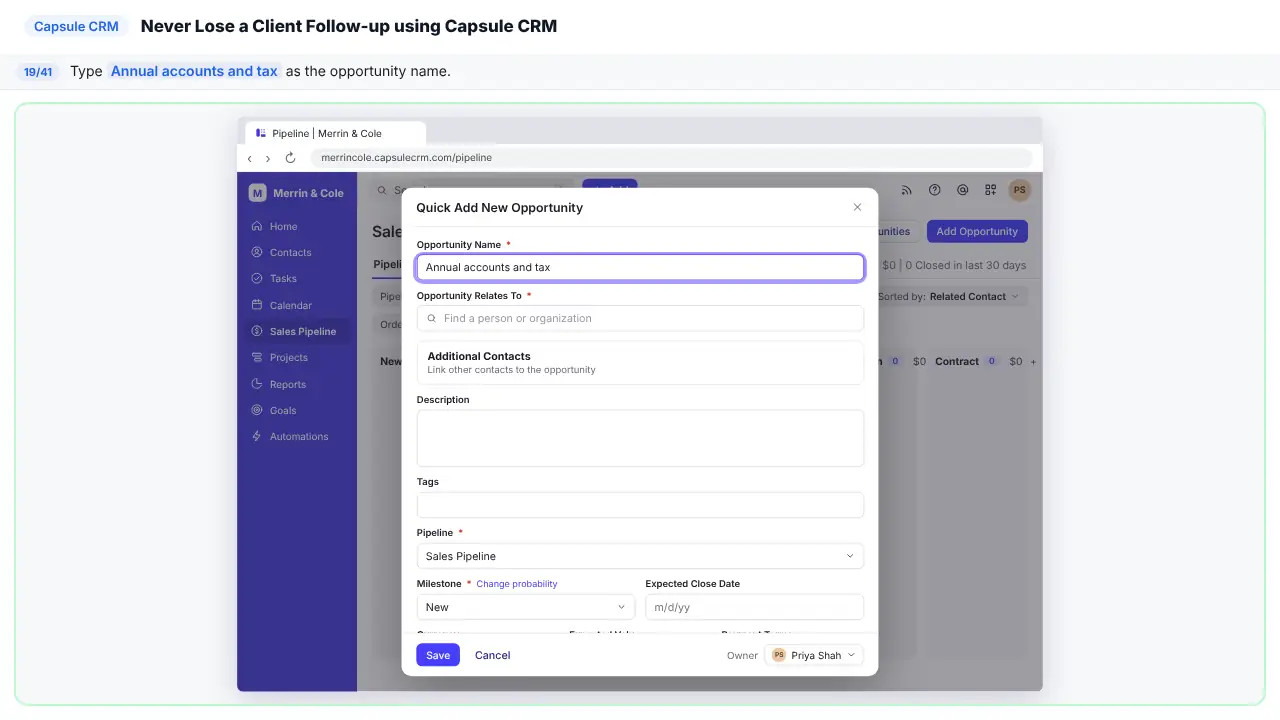
Name the work. Annual accounts and tax.
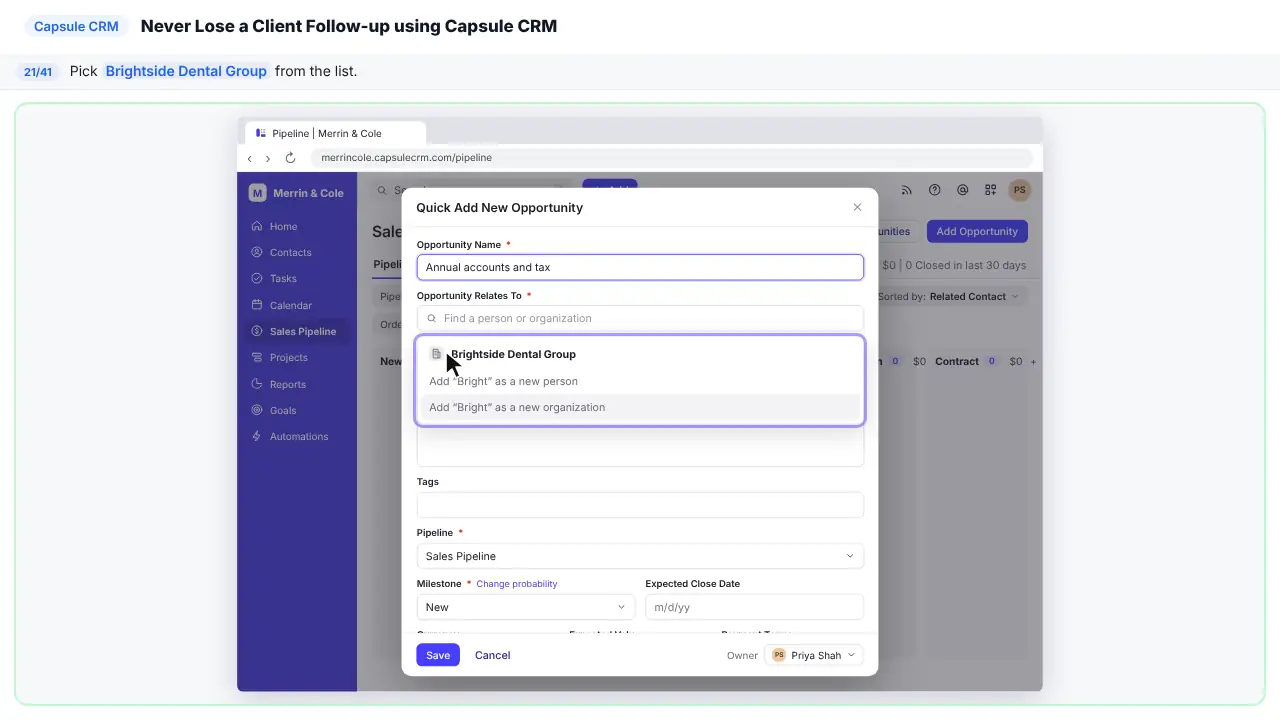
Step 20: Who is it for?
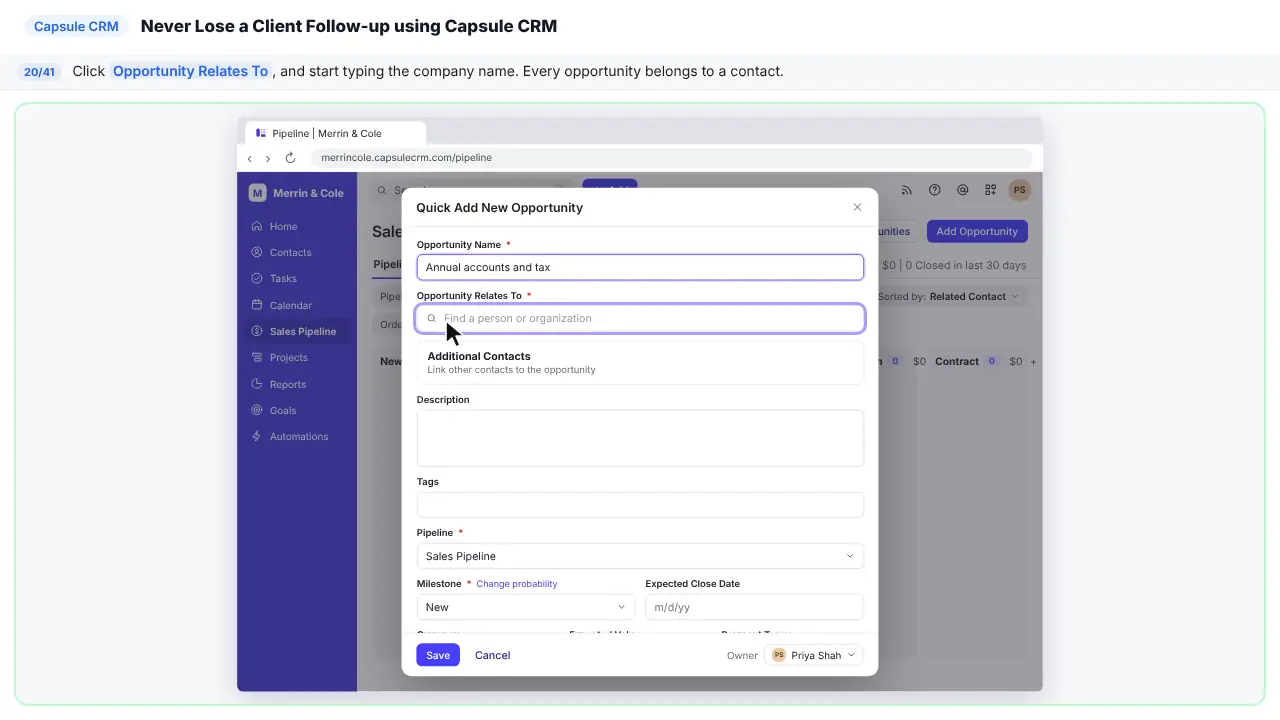
Every opportunity belongs to a contact.
Step 21: Pick the company
Pick Brightside Dental Group.
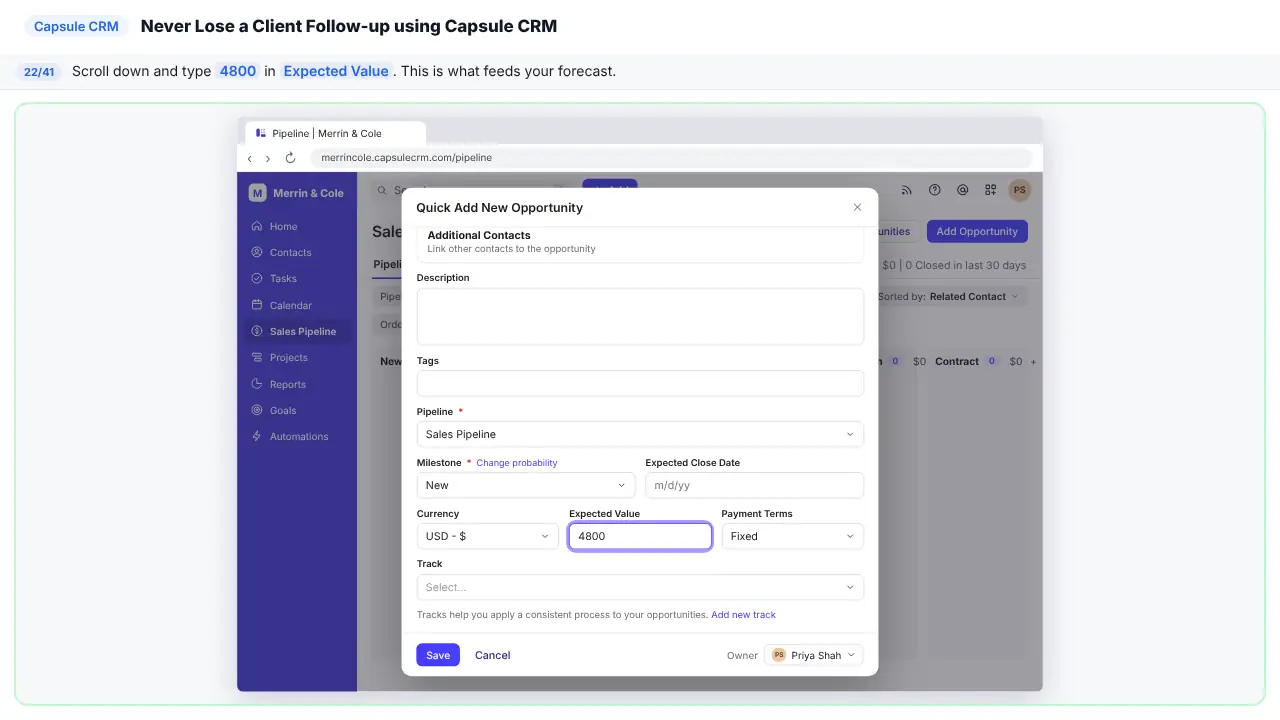
Step 22: Set the value
Now the value. This is what feeds your forecast.
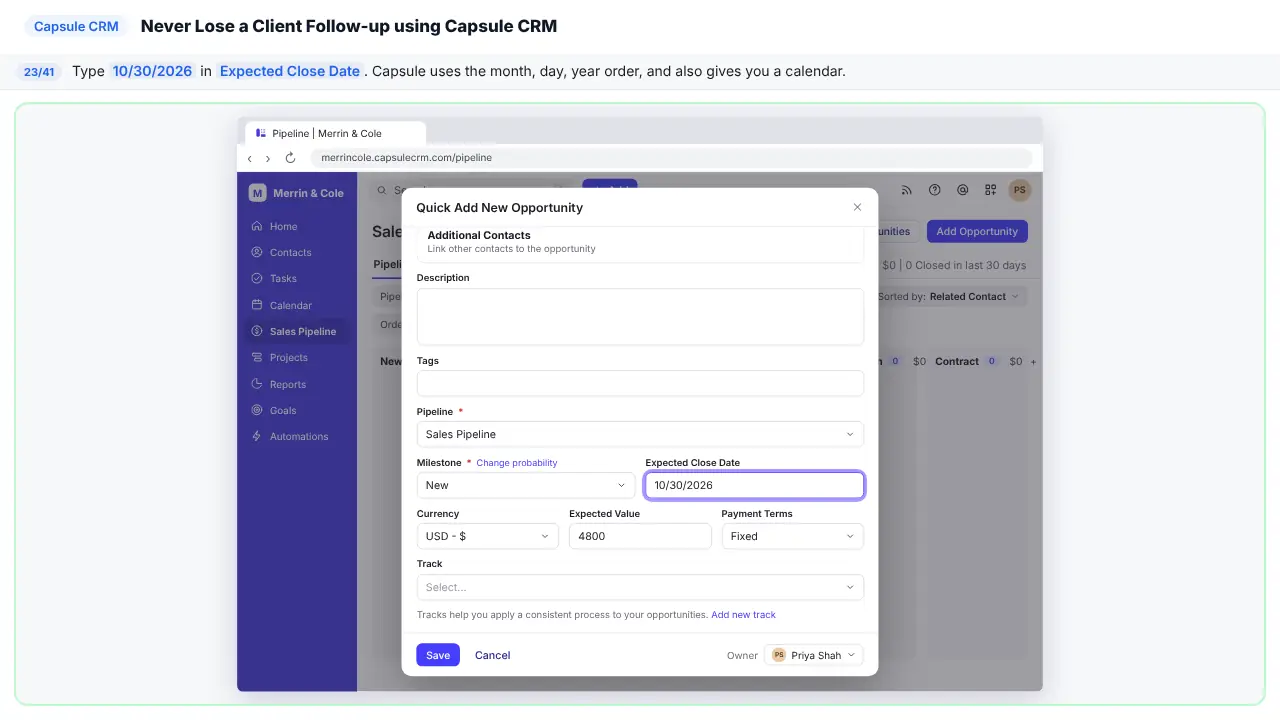
Step 23: Set the expected close date
And the date you expect to hear back, the thirtieth of October.
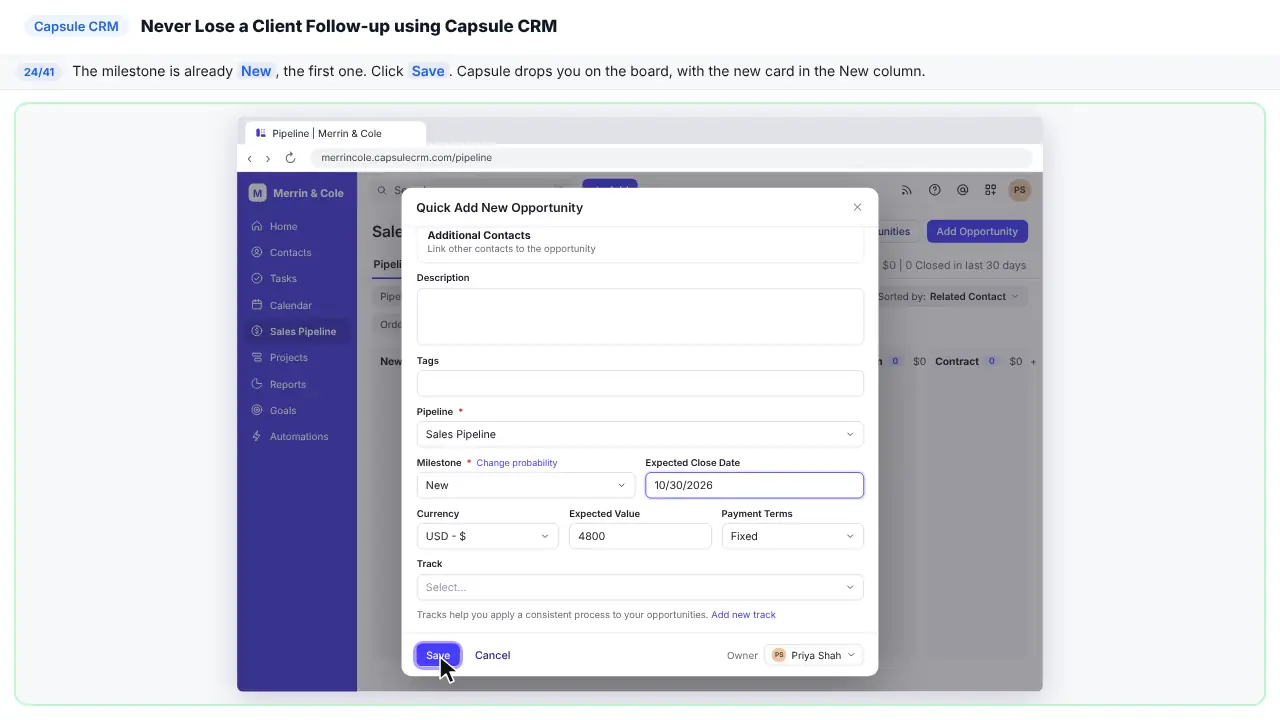
Step 24: Save the opportunity
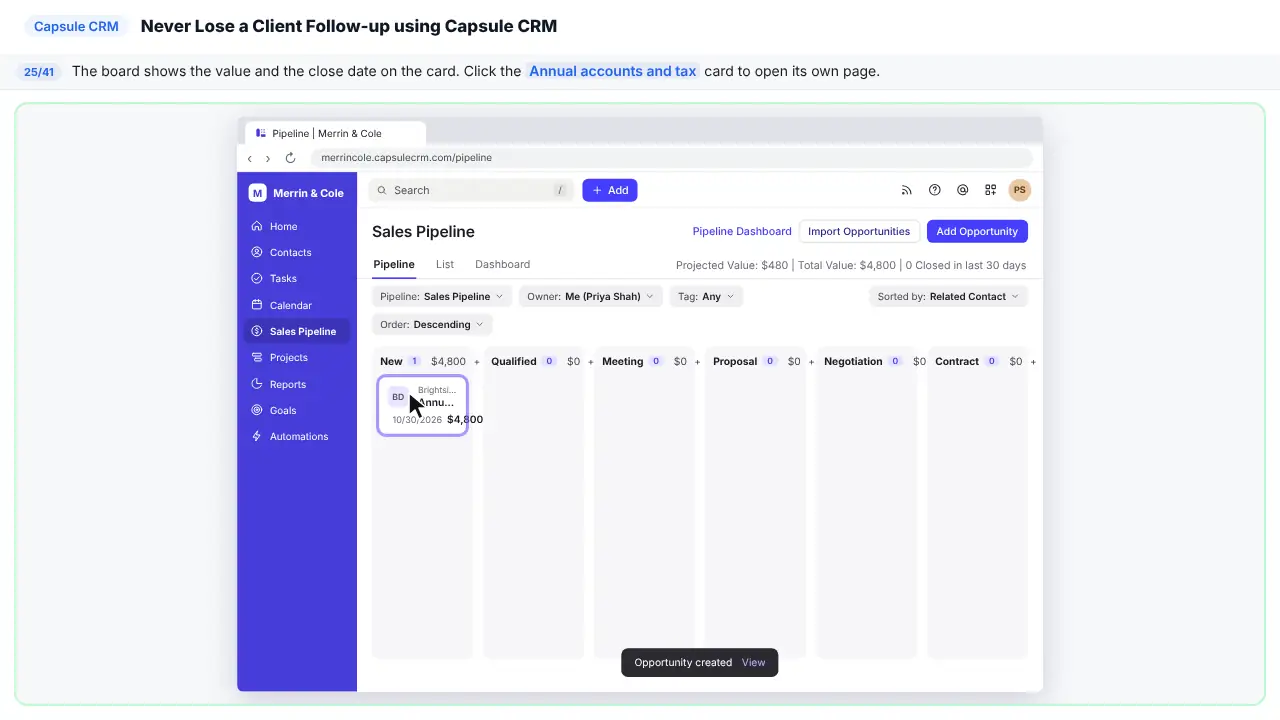
The milestone is already New, the first one. The new card lands in the New column.
Step 25: Open the opportunity
The card shows the value and the close date.
Part 5: Set the follow-up
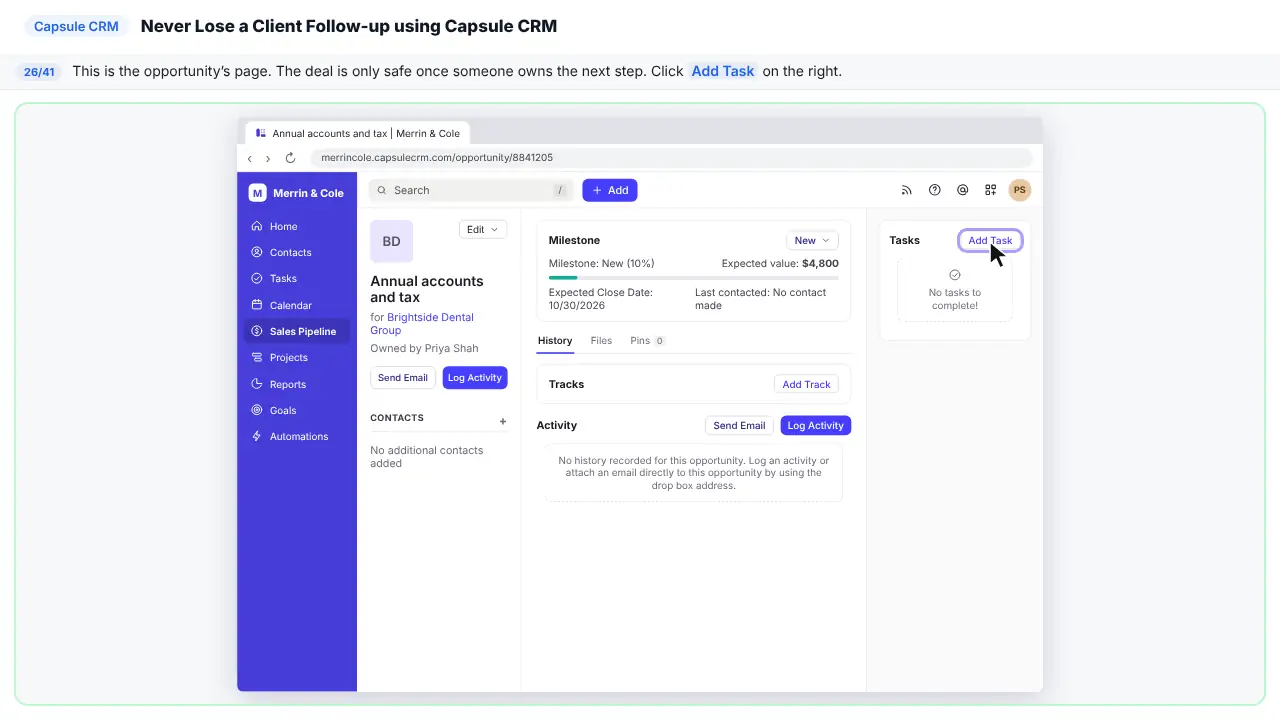
Step 26: Add a task
This is the opportunity page. A deal is only safe once someone owns the next step.
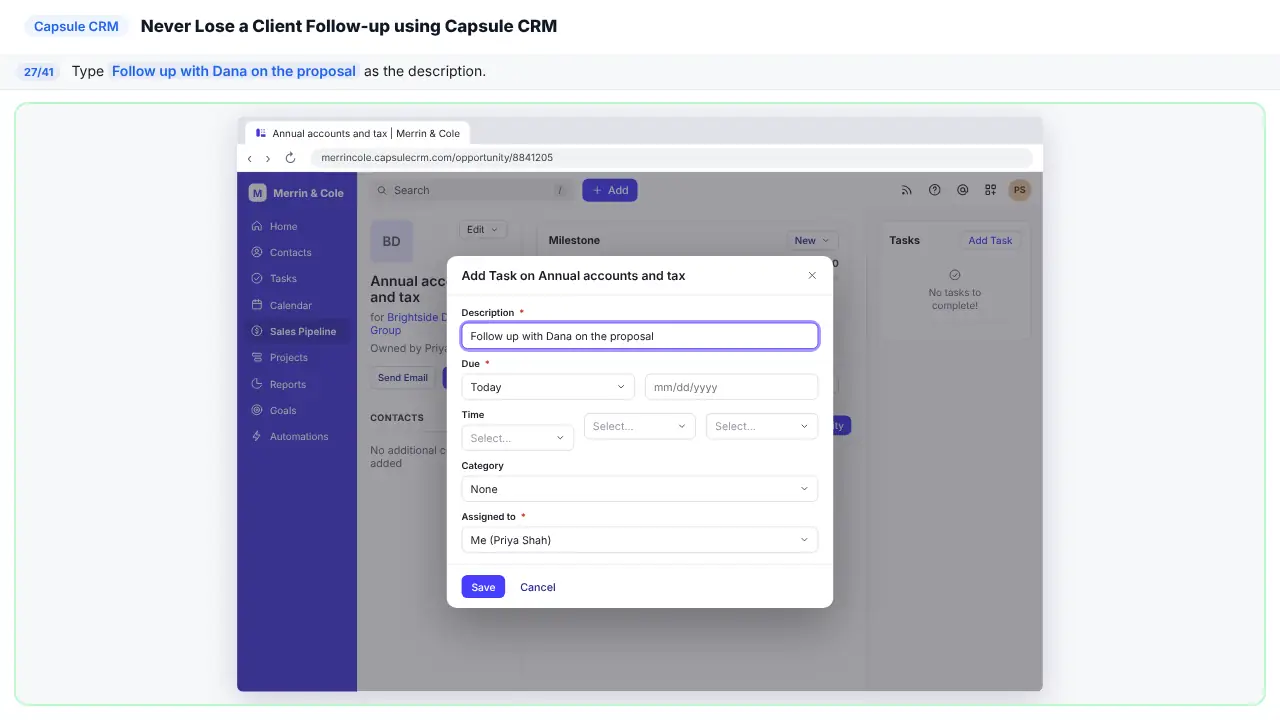
Step 27: Describe the follow-up
Say what needs doing. Follow up with Dana on the proposal.
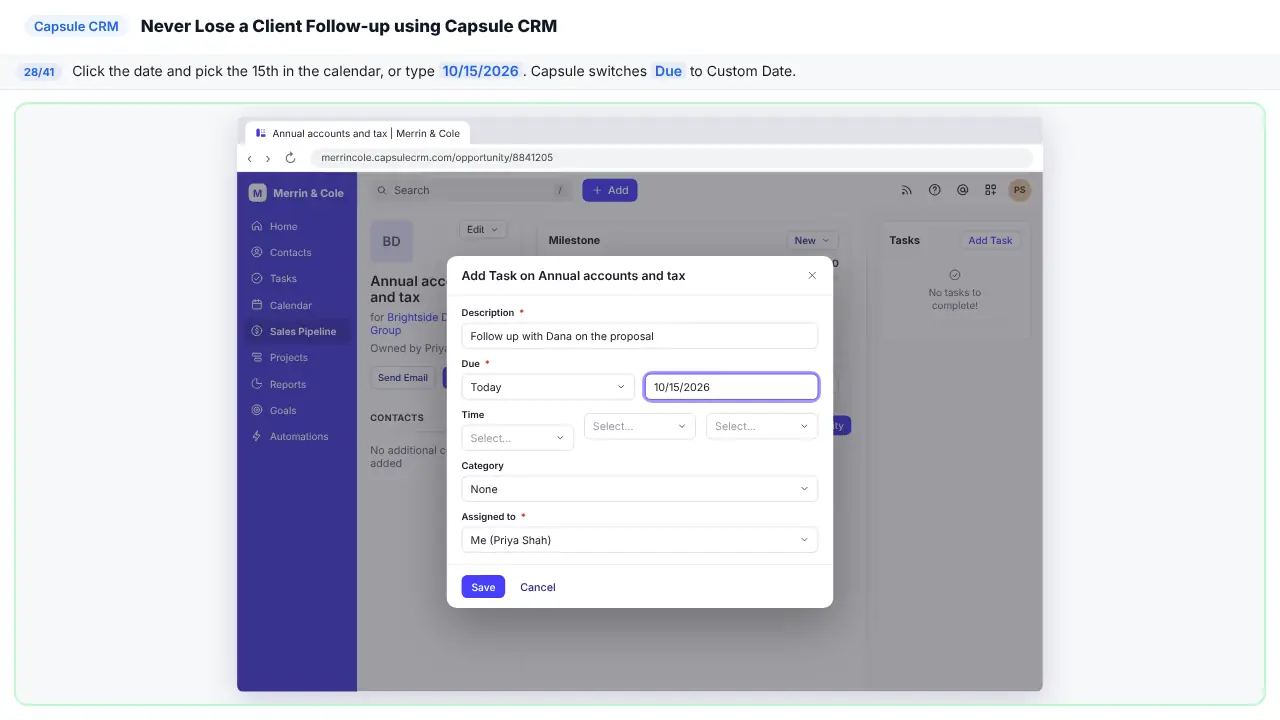
Step 28: Pick the due date
Set the due date, the fifteenth of October.
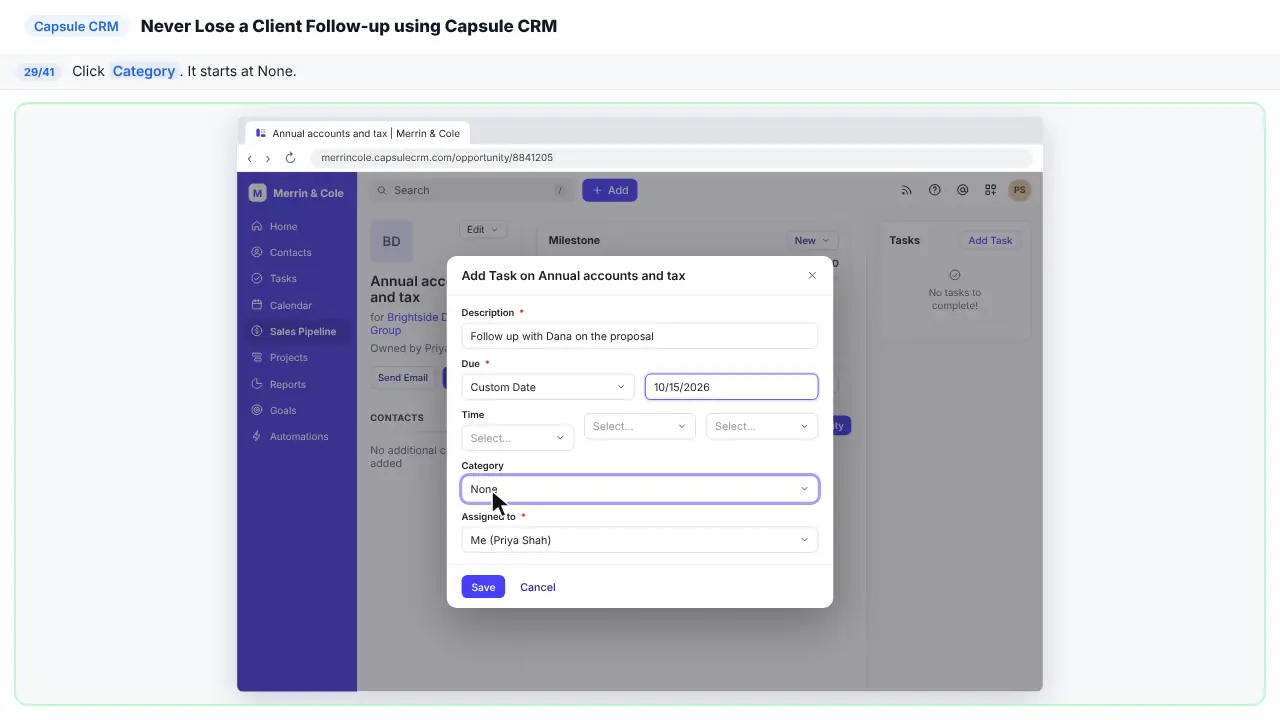
Step 29: Open Category
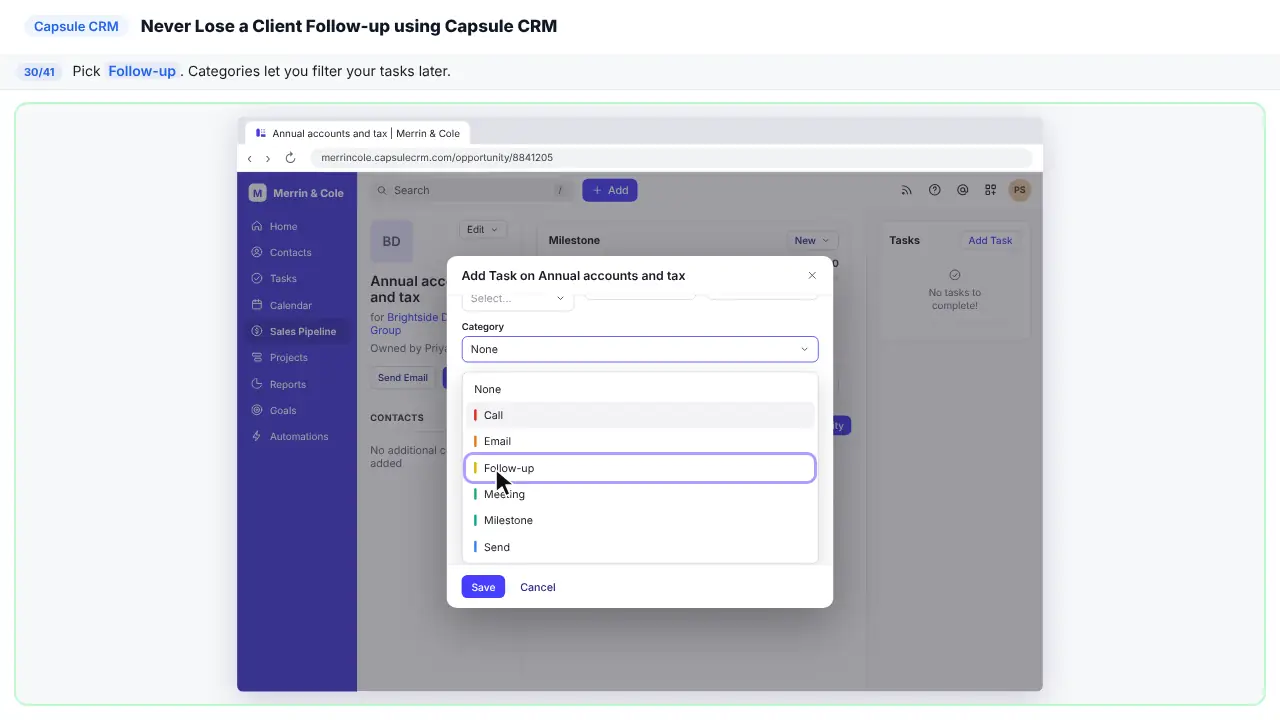
Step 30: Choose Follow-up
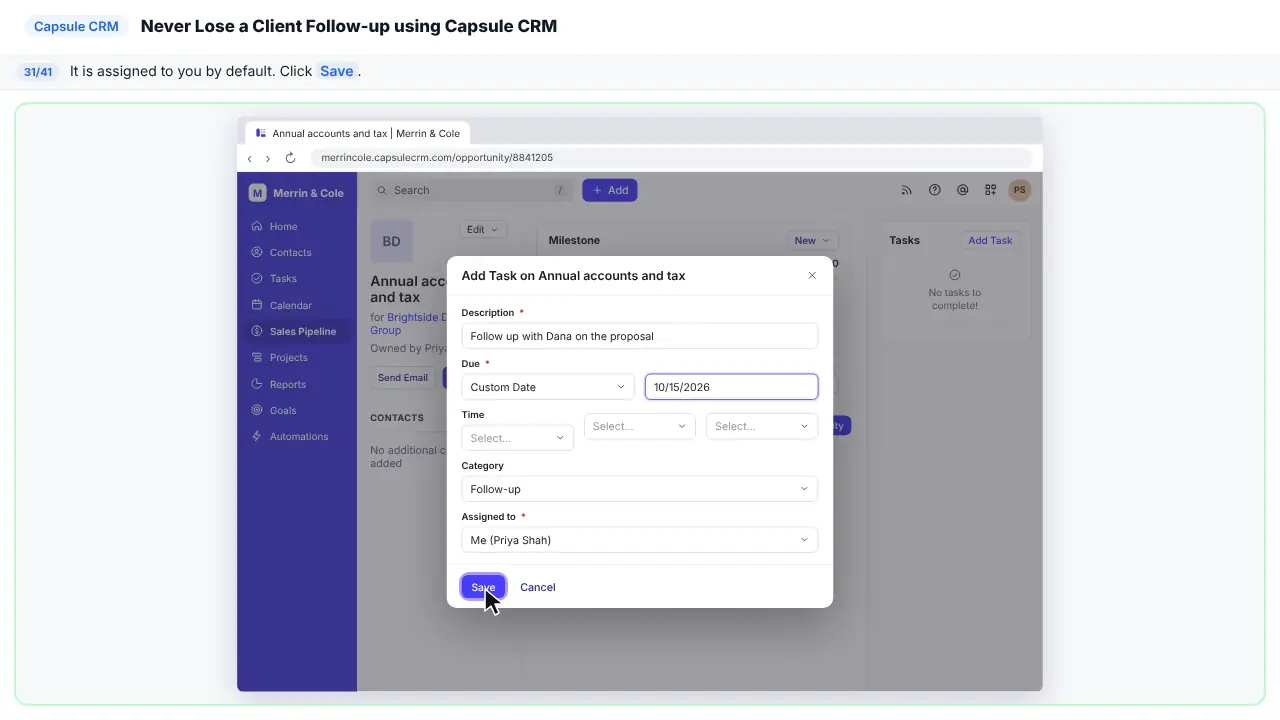
Step 31: Save the task
It’s assigned to you by default.
Part 6: Where Capsule’s AI fits
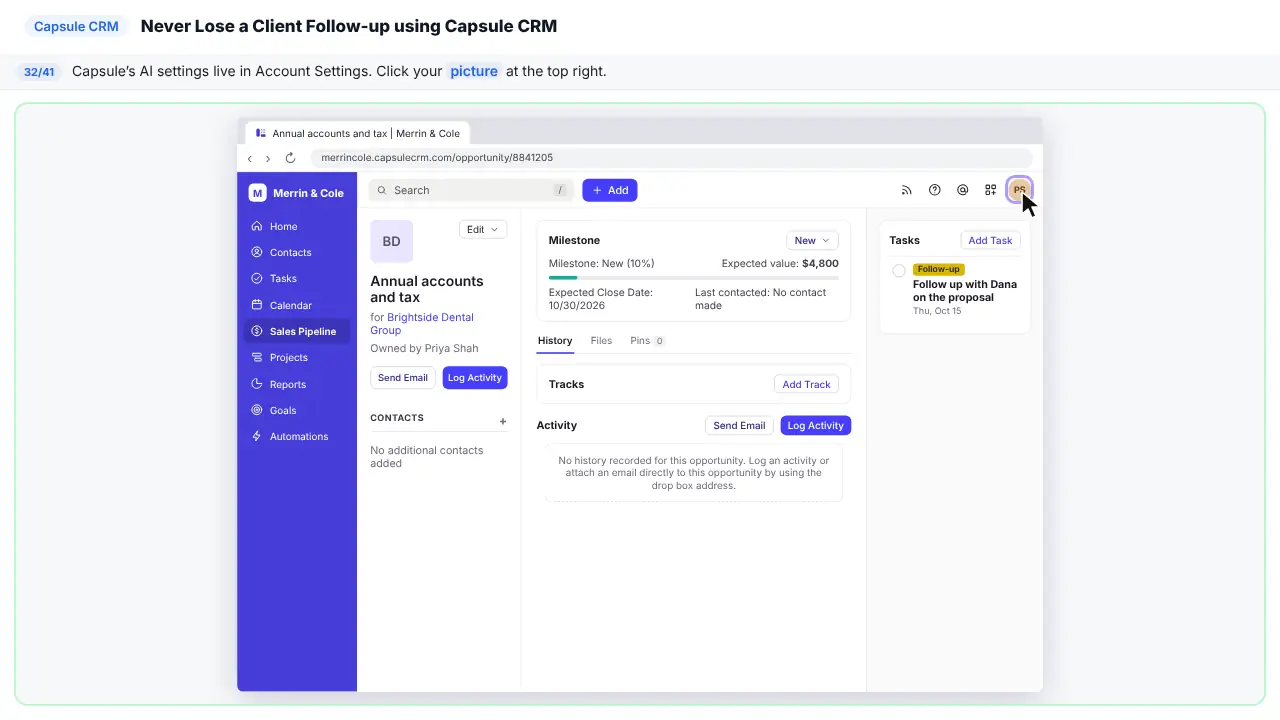
Step 32: Open your account menu
Capsule’s A I settings live in Account Settings.
Step 33: Open Account Settings
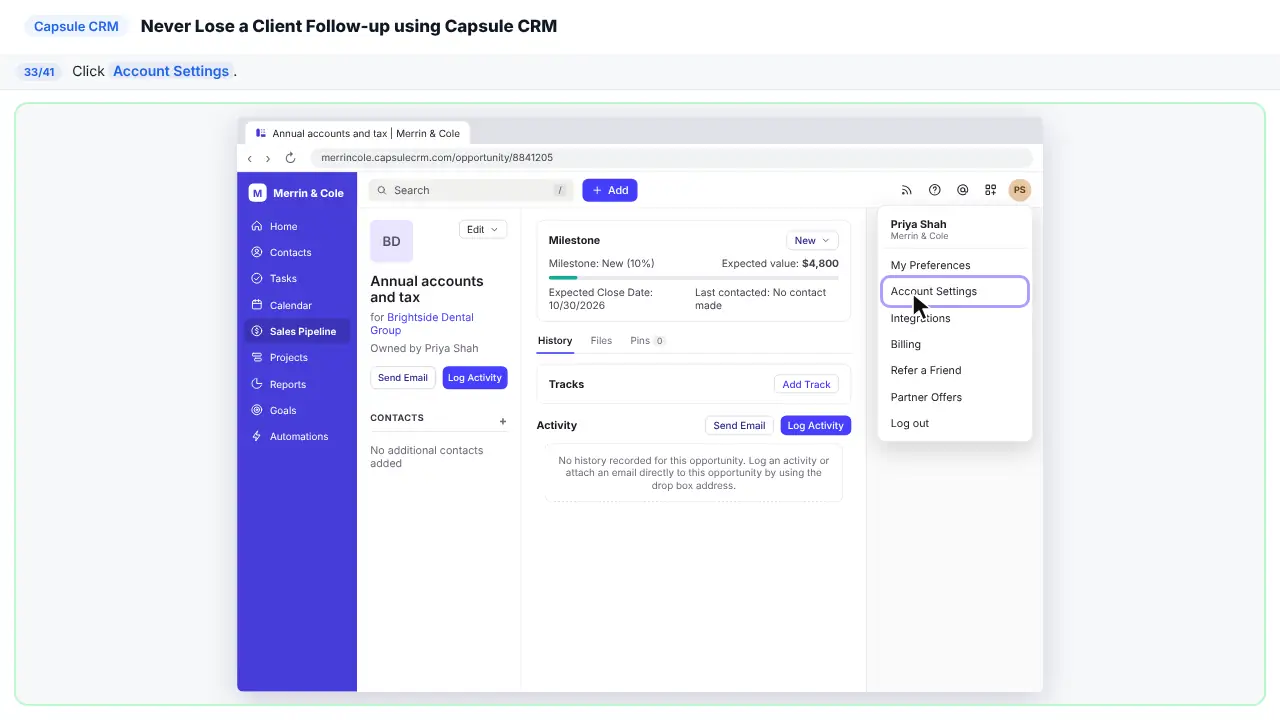
Step 34: Open Capsule AI
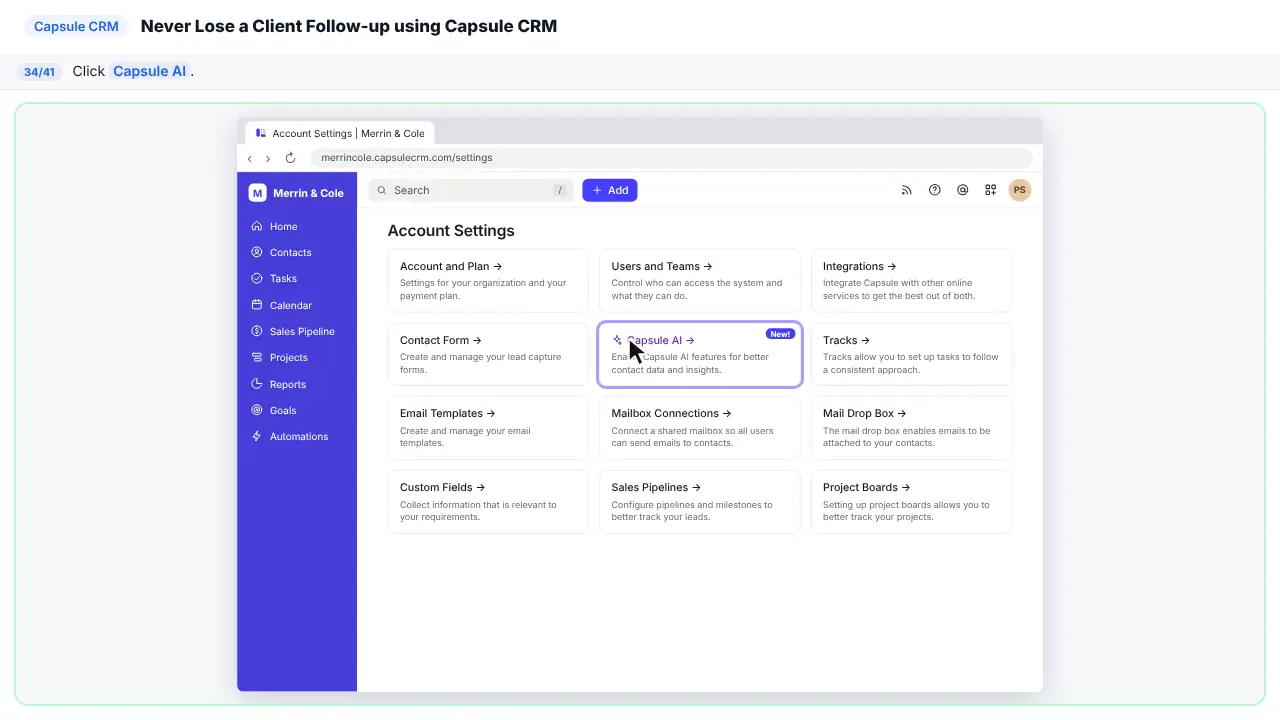
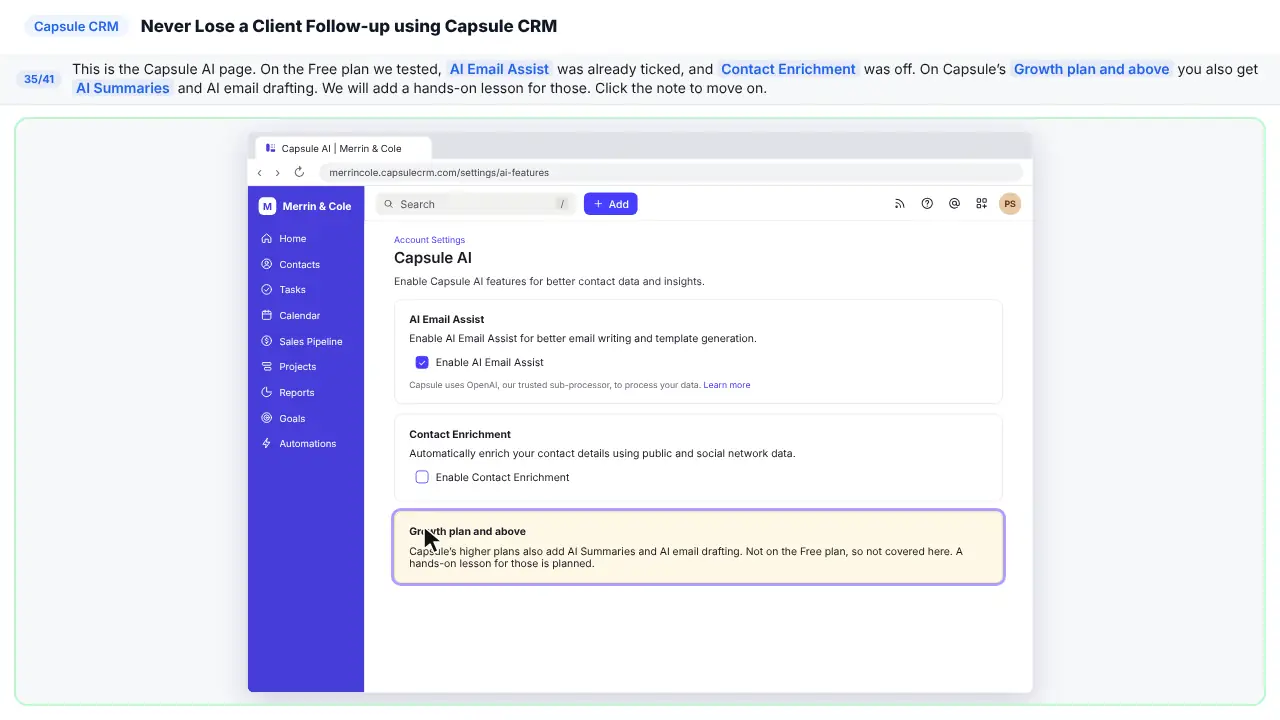
Step 35: See where Capsule’s AI fits
This is the Capsule A I page. A I Email Assist helps you draft emails, and it is on every plan, even the free one. The bigger the plan, the more assists you get. On Growth and above, you also get A I Summaries, A I Meeting Prep, and business and contact enrichment.
Part 7: See the whole pipeline
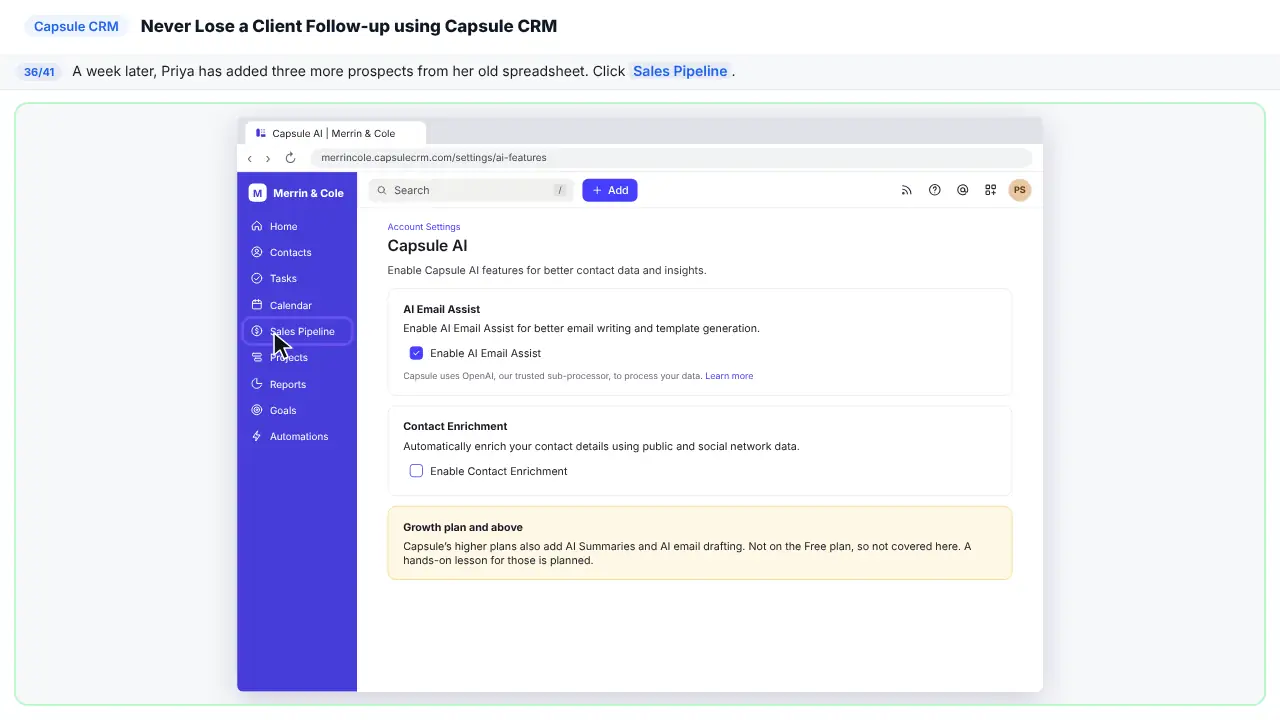
Step 36: Back to the pipeline
A week later, Priya has added three more prospects from her old spreadsheet.
Step 37: Open the Dashboard
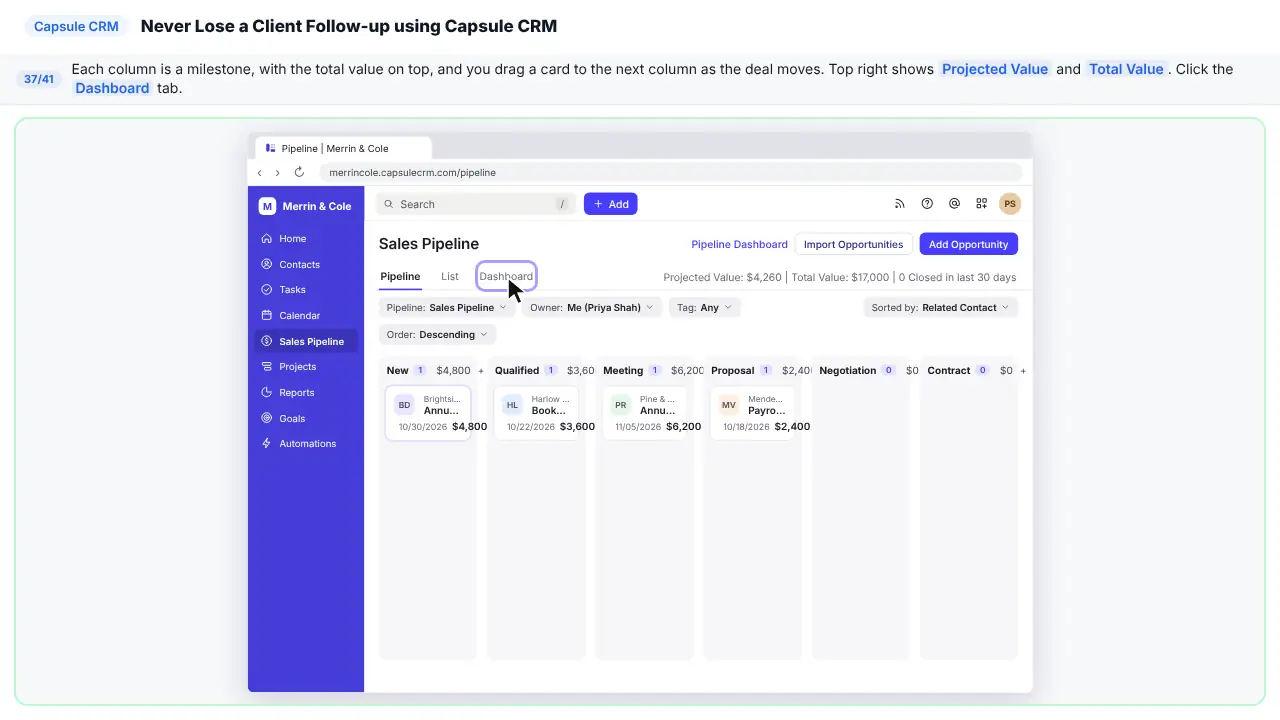
Each column is a milestone, with the total value on top. You drag a card to the next column as the deal moves.
Step 38: Read the forecast
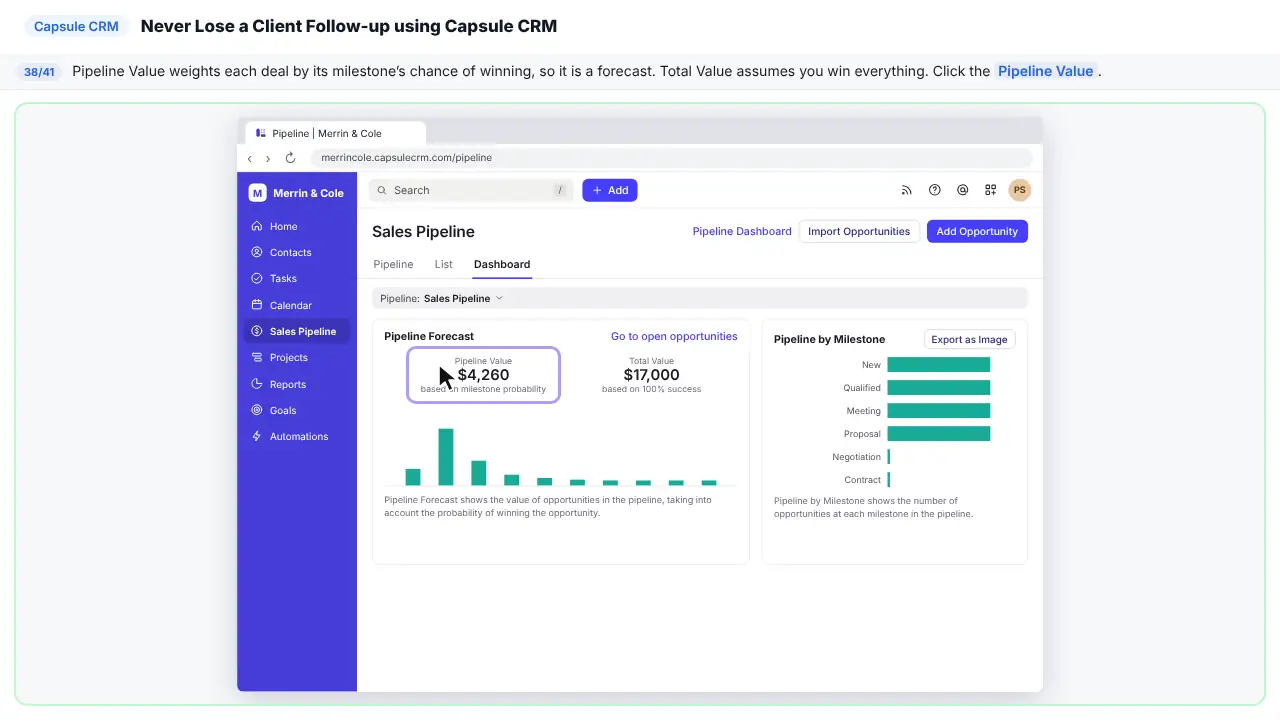
Pipeline Value weights each deal by its chance of winning. So it’s a forecast. Total Value assumes you win everything.
Part 8: What this saves you
Step 39: Check your day
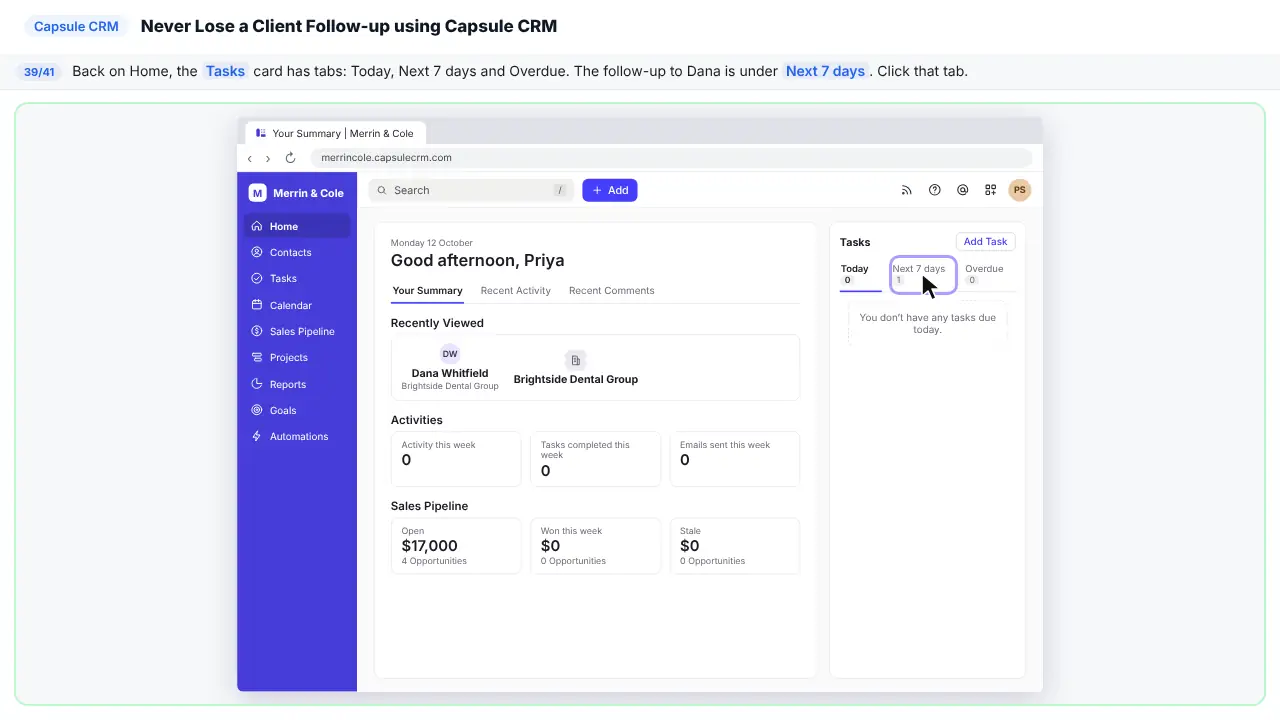
Back on Home, the Tasks card has three tabs. Today, next seven days, and overdue. The follow up to Dana is under next seven days.
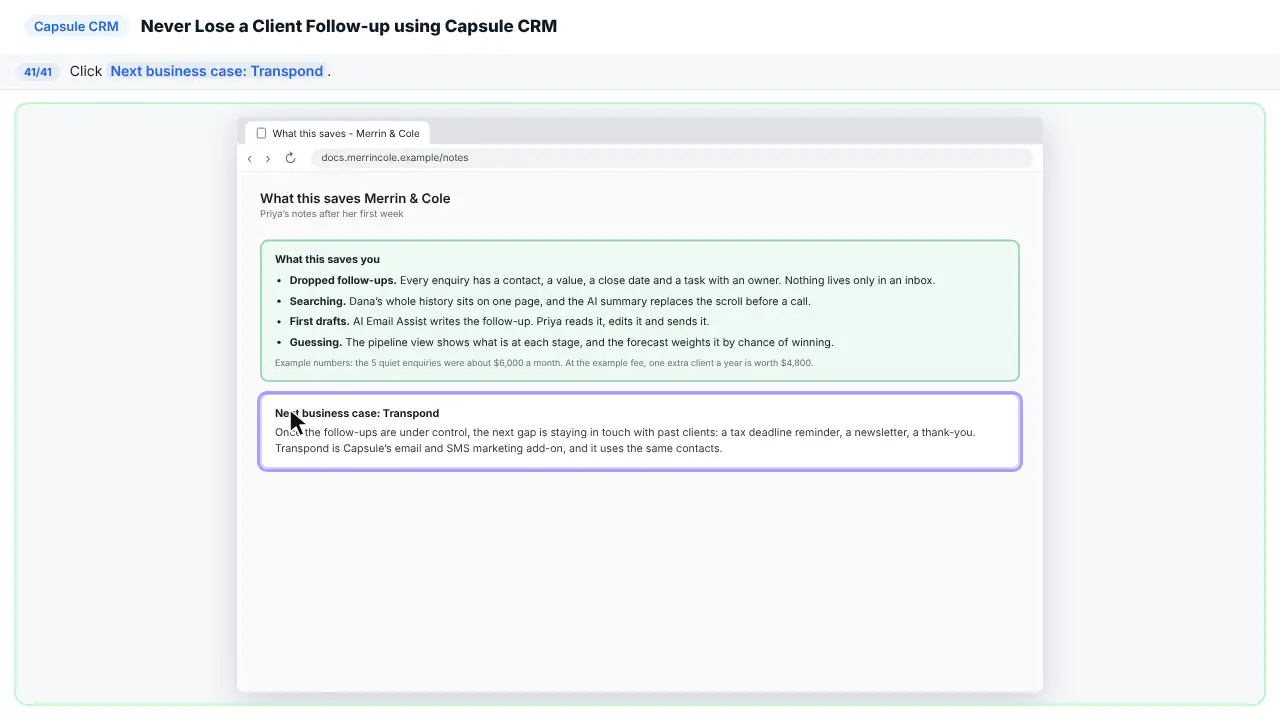
Step 40: What this saves you
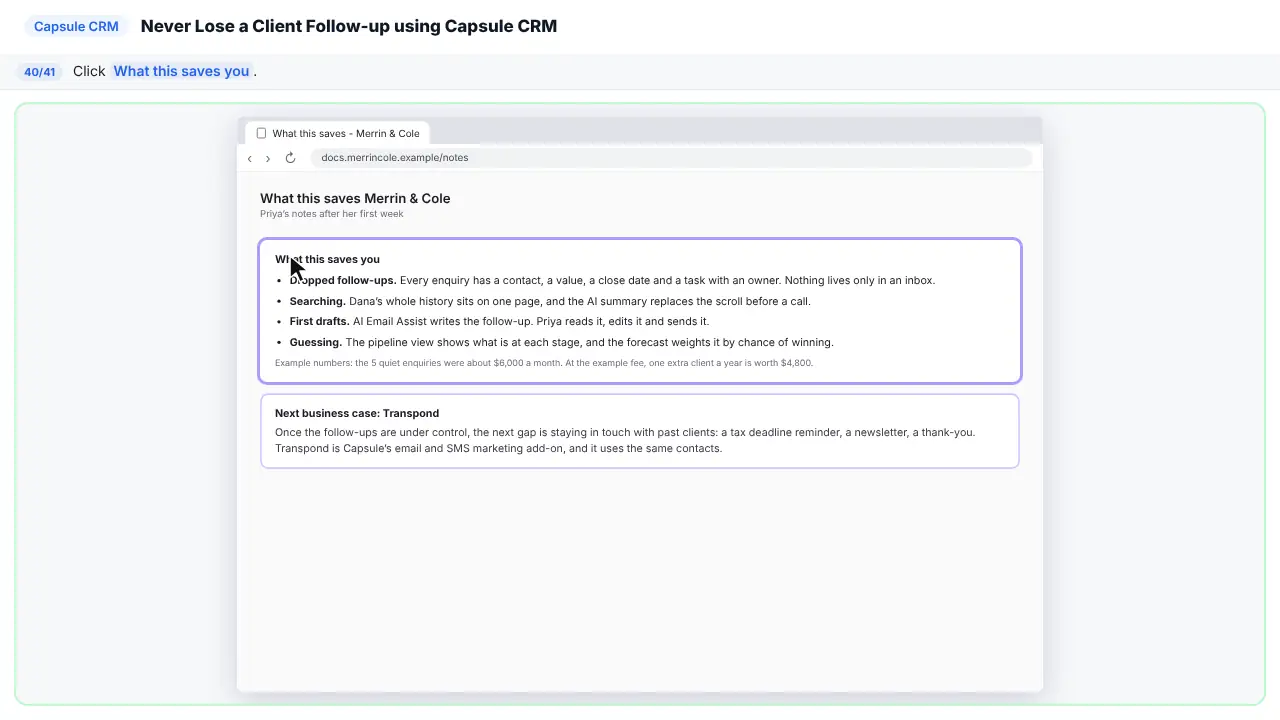
Here is what it saves.
Step 41: Next: Transpond
Next up, email marketing with Transpond.
Part of these free courses: AI Apps Worth Knowing, AI for Insurance Agencies, AI for Real Estate, AI for Sales Teams, AI for Small Business Owners: Your First 30 Days with ChatGPT, a CRM and One Automation
Now do it yourself, free
Reading the steps is a start. Doing them is how it sticks. The interactive lesson puts you in a practice copy of Capsule CRM: you do every step yourself, it checks your work, and “Do it for me” finishes any step you get stuck on. Nothing touches your real accounts.
Practice “Never Lose a Client Follow-up using Capsule CRM” step by stepThe business case: what a dropped follow-up costs a small firm
Picture Priya, a partner at Merrin & Cole, a made-up four-person accounting firm. Enquiries arrive by email, by phone and through the website form. She keeps track in a spreadsheet and her inbox. In October, 14 enquiries came in and 5 never got a follow-up. Nobody decided to ignore them. A tax deadline hit, a client called, and the enquiry slid down the inbox.
Here is the arithmetic, using example numbers you should replace with your own. Say the average first-year fee is $4,800 and the firm wins one in four of the enquiries it follows up. Five quiet enquiries is then about 1.25 clients, or roughly $6,000 of work every month, and $72,000 a year. The firm did not need more enquiries. It needed a reliable next step on the ones it already had.
That is the job of a CRM (customer relationship manager). Every enquiry gets a contact record, a value, an expected close date, and a task with an owner and a due date. The question 'who is following up with Dana, and when?' always has an answer, even in a week when Priya is out.
Who this is for, and what it costs to start
Partners and owners of small accounting, consulting, legal, design and agency firms with a handful of staff, who win work through enquiries and referrals and track them in a spreadsheet or an inbox. You do not need any sales or technical background.
Capsule has a free plan. Its pricing page and our check of a real Free account agree on 250 contacts, 2 users and 1 sales pipeline (the account also showed a limit of 50 opportunities). The Starter, Growth and Advanced plans have a 14-day free trial with no card needed (Ultimate is arranged through Capsule's sales team). AI Email Assist is on every Capsule plan, including Free, and the number of assists grows with your plan. AI Summaries, AI Meeting Prep and AI Business and Contact Enrichment are on Growth and above. Multiple pipelines are also Growth and above, and the AI Pipeline Generator is on Starter and above. In our check the Free plan had AI Email Assist switched on, no AI Summaries box, and a locked Add Pipeline button. A new account already has a Sales Pipeline with six stages, so you can start without building anything.
Contacts, organizations and why you link them
Capsule keeps two kinds of contact: people and organizations. A person can belong to one organization, and an organization can have many people. The history from each person also shows on their organization, so the whole relationship, across everyone you speak to there, is in one place. Capsule's help notes that a person and their organization count as two records toward your plan's contact limit.
A new enquiry does not have to be typed in by hand forever. Capsule can create contacts from emails you forward to its mail drop box, from a website form, from the Gmail and Outlook add-ins, and from accounting integrations. The lesson adds one by hand so you see every field.
Opportunities, stages and the forecast
An opportunity always belongs to a contact and sits at a milestone (a stage). Each milestone carries a probability of winning, set by your Capsule administrator. Capsule multiplies each open deal's value by its stage's probability to build the pipeline forecast. That is why the dashboard shows two numbers: Pipeline Value, which is weighted by chance of winning, and Total Value, which assumes you win everything.
In the lesson's example, four deals worth $17,000 in total give a weighted forecast of $4,260 using Capsule's default stage percentages. The numbers are made up. The point is that a forecast is only as good as the values, dates and stages you keep current, so the follow-up task is what keeps the rest true.
Capsule's AI features (not taught in this lesson)
- AI Summaries: on a contact, opportunity or project, Capsule summarises the most recent activity into a few bullets, for context before a call. Capsule says AI Summaries are on Growth and above and that it uses OpenAI to process the data, so make sure that suits your clients' confidentiality. Always check a summary against the history before you rely on it.
- AI Pipeline Generator (Beta): describe your business and how you sell, and Capsule suggests stages. We could not find it on the Free plan, where you get one default pipeline, so we did not teach it. If you have it, treat it as a first draft and edit the stages to match how your firm really works.
- AI Email Assist: it helps you write emails and templates, and it is on every plan, including Free, with more assists on higher plans. It was switched on in the Free account we tested, but sending email needs a connected mailbox, which we did not connect, so we did not test it. Read any draft before it goes out.
- AI Meeting Prep and AI Business and Contact Enrichment are on Growth and above. To work with Capsule from Claude, ChatGPT or other AI tools, Capsule offers the Capsule MCP (currently in Beta). Those are beyond this lesson.
What this saves you
- Dropped follow-ups: every enquiry has a contact, a value, a close date and a task with an owner, so nothing lives only in an inbox. In the example, the quiet enquiries were worth about $6,000 a month.
- A reliable next step: the follow-up task shows on Home under Next 7 days, so the question who is following up and when always has an answer.
- Guessing: the pipeline shows what is at each stage, and the forecast weights it by the chance of winning.
- What it does not do: it does not win the work, and it does not replace reading what the AI writes. A CRM only helps if someone keeps the dates and stages current.
What we checked in a real Capsule account
We ran every step of this lesson, from adding the organization and person through the pipeline stages, the opportunity, the follow-up task, the board and the dashboard, in a real Capsule Free-plan account in October 2026, and the practice screens match what we saw. AI Email Assist is on every plan; AI Summaries, AI Meeting Prep and AI Business and Contact Enrichment are on Growth and above, so they are only mentioned, not taught. Capsule's partnerships team reviewed the lesson and we applied their corrections in November 2026.
Next business case: stay in touch with Transpond
Once follow-ups are under control, the next gap is staying in touch with the people already in your CRM: a tax deadline reminder, a newsletter, a thank-you after a project. Transpond is Capsule's marketing add-on, from $11/month, activated from inside your Capsule account, and it uses the same contacts. A lesson on it is the natural next step.
Links
- Capsule CRM (affiliate link): the CRM this lesson teaches. It has a free plan, and the Starter, Growth and Advanced plans have a 14-day free trial with no card.
- Capsule pricing: current plans and limits. Check which plan includes each AI feature before you rely on it.
- Capsule AI: Capsule's own page on AI Summaries, the AI Pipeline Generator and AI Email Assist.
- Adding opportunities (Capsule help): the fields behind a deal: name, contact, milestone, value and close date.
- AI Summaries (Capsule help): how to switch the summaries on and what they cover.
Disclosure: links marked "affiliate link" are partner links. If you sign up through one, Stepthrough may earn a commission at no extra cost to you. The lesson is free either way and does not depend on it.
Try it yourself, free
Reading the steps is a start. Doing them is how it sticks. The interactive module walks you through every click in a practice copy of Capsule CRM, checks each step, and never touches your real accounts.
Start “Never Lose a Client Follow-up using Capsule CRM”Frequently asked questions
- What is Capsule CRM?
- Capsule is a customer relationship manager (CRM) for small businesses. It keeps your contacts, sales opportunities, tasks and the history of your emails and notes in one place, so enquiries do not get lost in an inbox or a spreadsheet.
- Is Capsule CRM free?
- Capsule has a free plan. Its pricing page says the free plan covers 250 contacts, 2 users and 1 sales pipeline. The Starter, Growth and Advanced plans have a 14-day free trial with no card needed. Check capsulecrm.com/pricing for current limits.
- Which Capsule AI features need a paid plan?
- AI Email Assist is on every Capsule plan, including Free, and the number of assists grows with your plan. AI Summaries, AI Meeting Prep and AI Business and Contact Enrichment are on Growth and above. The AI Pipeline Generator is on Starter and above. To connect Claude or other AI tools, there is the Capsule MCP (currently in Beta). In our check of a Free plan, AI Email Assist was already switched on and AI Summaries did not appear.
- How do I set up a sales pipeline in Capsule?
- Open Sales Pipeline in the left-hand menu. A new account already has one pipeline with six milestones: New, Qualified, Meeting, Proposal, Negotiation and Contract. To look at or change them, open Account Settings, then Sales Pipelines, then your pipeline, where you can rename a milestone, change its probability of winning, or Add Milestone. Each milestone's probability feeds your forecast. Multiple pipelines are on Growth and above.
- What is the difference between Pipeline Value and Total Value in Capsule?
- Total Value adds up every open opportunity as if you win them all. Pipeline Value weights each opportunity by the probability of winning at its current stage, so it is a more realistic forecast.
- Is it safe to let AI summarise my clients' emails?
- Capsule says it uses OpenAI as a sub-processor to process the data for AI Summaries, and the feature is switched off until you enable it. Check that this suits your clients' confidentiality and your firm's rules, and always check a summary against the original history before you rely on it.
- Is this lesson free, and has it been tested in the real Capsule app?
- The lesson is free and the practice copy needs no account. Every step was run in a real Capsule Free-plan account in October 2026. Capsule is a third-party product and screens change, so yours may differ slightly.
Terms in this lesson
Plain-English definitions, each with an example from a free lesson.
Related prompts
- CRM follow-up task plan prompt: A copy-ready prompt that turns a list of open enquiries into dated CRM follow-up tasks, one clear action each, so no enquiry…
More terms on this topic
More prompts on this topic
- Competitor comparison one-pager prompt: Build a fair one-page comparison with a competitor using only facts you paste in, with every claim traceable and gaps marked…